1
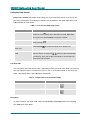
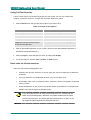
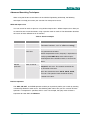
Getting Help Browse sequences The HTML Help viewer includes special navigation for using browse sequences. They are intended to guide you through a series of topics. The viewer includes a browse sequence bar and browse sequences navigation buttons for browsing topics. For a sample of browse sequences, select the browse buttons in the HTML Help viewer when the help system is open. Tips for Printing While using the online help system, you can print topics and information right from the HTML Help viewer. The available print options are determined by the version of Internet Explorer and Microsoft HTML Help Workshop installed on your system. To print a single topic: 1. Click Print. 2. Select Print the selected topic and click OK. To print all topics in a selected book: 1. Click Print. 2. Select Print the selected heading and all subtopics and click OK. If topics include expanding or drop-down hotspots, click the hotspots to display the information before you print. Using Browse Sequences The online help system includes a way to navigate with browse sequences. They are intended to guide you through a series of topics. The HTML Help viewer includes browse sequence buttons for topic navigation. 1. To go to the next topic, click Next. 2. To go to the previous topic, click Previous. The HTML Help viewer also includes a drop-down list of browse sequences and a browse sequence bar with small icons that represent the topics used with each browse sequence. You can also use this list or browse sequence bar to navigate topics. Grosvenor Technology Ltd. 2002 PM031R01 7