1
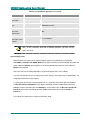
JANUS Engineering User Manual Selected Message When a message or one of its updates is selected in the section above, then the details of that message, including the text associated with it and all updates are displayed here. If an update is selected, only the details and text for that update are displayed. This text cannot be edited or deleted. Status Bar This section displays the current connection status of the program, the user currently logged on and the Incident number of the selected report. New Message dialog This dialog is used to create a new report. It is split into two main sections, details are given below. Message Title Use this field to enter the required title text. This can be up to a maximum of 30 characters in length. Message This section is used to add the text for the engineering report. A maximum of 32,000 characters can be added. Clicking OK will save the report and return the user to the main window. Clicking Cancel will return the user to the main window without saving the report. Options dialog This dialog is displayed when the user selects Options from the Tools menu, or types Ctrl + O. Keep window on top When selected, this keeps the JANUS Engineering main window on top of any other open windows on the PC screen, even if the user clicks on another window. By default this option is de-selected. Click in the checkbox to select it. The user still has the ability to minimise, maximise and close other nonJANUS Engineering windows when this option is selected. 26 PM031R01 Grosvenor Technology Ltd. 2002