1
User instructions
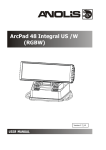
ArcPad 48
The product generates colored light by means of Luxeon LEDs.The product was designed for exterior use
and it is ideal for locations where the effect lighting is required.
1.Attention:
During the operation the housing becomes hot (up to 85°C)
Do not install the module near high inflammable liquids or materials
Do not allow anything to rest on the module
Do not install the module near the naked flames
The unit is not suitable for underwater installation
Do not install the module in dirty,dusty or badly ventilated location
Avoid using the unit in locations subject to possible impacts.
Avoid looking directly into the LED light beam at close range.
2.Installation
The ArcPad 48 unit can be arranged in any position orientation.The ArcPad´s head is mounted on an adjustable
bracket for “tilt” adjustment into many positions.
To fix the unit.
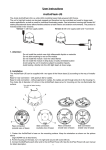
1. Loosen both pan screws (1) in the fixture base.
2. Turn the internal adjustable holder (2) to the position
as shown on the picture and take it out from the base.
3. Fasten the internal holder on the non-flammable surface
via 2 mounting holes of diameter of 9.2 mm.
4. Put the base of the fixture on the internal holder (2) ,adjust
its desired pan position and tighten both pan screws (1). Adjust suitable
tilt position.
The ArcPpad 3•48 should be connected to the ArcPower 48 driver. See the ArcPower 48 user manual for full
details of mains power requirements and DMX operation.
Connect the ArcPad 48 ´s cable to the ArcPower 48 via the adapter cable Chogori/RJ45. The power/data cable
that connect the ArcPad 48 to the ArcPower48 has the following wiring:
Adapter cable Chogori/ RJ45 betwen fixture and LED driver
3.Technical specifications:
Maximum Power Consumption:
Comp. Power Supply for RGBW version:
Comp. Power Supply for single colour and
SW version:
Operating Ambient Temp.Range:
Cooling System:
Led device:
Number of LEDs
Optical System Available:
Typical Lumen Maintenance:
Led Life Expectancy:
Operating Temperature:
Ingress Protection:
Construction:
Body:
Base: Transparent cover: "tilt" range:
"pan" range:
Power /Data Connection plug:
Power /Data Connection cable:
LED Colour Variants *:
60 W
ArcPower 48, ArcPower 384 Rack Mount*
ArcPower 48 SmartWhite
-20°C/+40°C
convection
Luxeon Rebel 48
13°, 26°, 45°, 13° x 38°
70%@ 60,000 hours
minimum 60,000 hours
+70°C@ambient 25°C IP 67
cast aluminium
cast aluminium
tempered glass
+60°/-90°
+45°/-45°
Chogori 08BMMA-SL8001 (male)
LiYY 8xAWG22 UL Style 2517/CSA O.D. 6,70mm )
RGBW, CW, WW, SW
* Important: If the ArcPower 384 Rack Mount is used for control of the ArcPad 48, two rules
has to be kept:
1. The LEDs power limiting has to be set On at zone for which is the ArcPad 48 connected
(menu path: Personality-->LEDs Power Limiting --> Zone ... Zone 8 --> On).
2. The LEDs output current has to be set on 700mA at zone for which is the ArcPad 48 connected (menu path: Personality-->LEDs Output Current --> Zone ... Zone 8 --> 700mA).
Breach of the rule no. 1 may cause overheating of the LED module!
4.Dimensions:
(All dimensions are in mm)
5. Accessories
1 x Connector Chogori CGRBDU-08BFFA (female)
6. Optional Accessories
Adapter cable CGRBDU-08BFFA/RJ4 RJ45, L=3m (No. 13051630)
Adapter cable CGRBDU-08BFFA/RJ4 RJ45, L=7m (No. 13051631)
Adapter cable CGRBDU-08BFFA/RJ4 RJ45, L=15m (No. 13051682)
Specifications are subject to change without notice.
Version: 1.5