1
PAIRING
PAIRING
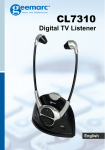
1) Switch on the Headset by pressing and holding the On button. The
button should glow Green
2) Press and Hold the Pairing Button found on the Base (a pencil with a
sharp point might help with this operation). Hold for 3 seconds.
3) The Headset and Base will be paired as shown by the Green light on
the Base.
1
2
Your Headset was paired with the Base at the factory. When you switch
on the Headset, the Headset will automatically recognise the Base; there
is nothing for you to do in order to pair the two devices together.
If for any reason the Headset and Base are no longer paired, there is a
very simple procedure to follow in order to pair the two devices.
15
16