1
Appendix A
Menus and Commands
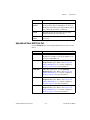
Edit»Cut
Removes the selected element(s) from the board. The element is placed on
the Windows Clipboard and can be pasted again.
Edit»Copy
Copies the selected elements and stores them on the Windows Clipboard so
they can be pasted again.
Edit»Paste
Pastes the item on the Windows Clipboard to its original layer (regardless
of what layer is currently active). Creates new duplicate object(s) without
the netlist information. New parts will have Reference Designators that
increment from the next available for that part type. For example, if the last
resistor was R34, and a resistor is pasted, its Reference Designator will be
R35.
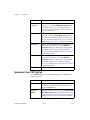
Edit»Paste Special
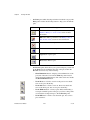
•
Paste with Net—Pastes the item on the Windows Clipboard into the
design with the same connectivity as the source. New parts will have
Reference Designators that increment from the next available for that
part type.
•
Paste to Active Layer—Pastes the item on the Windows Clipboard to
the active layer (regardless of what layer it originally resided on).
Edit»Delete
Use to delete the selected design elements. You are prompted to confirm the
deletion.
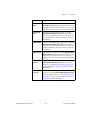
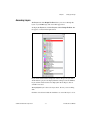
Edit»Copper Delete
Deletes open trace ends, unused vias, or all copper elements:
NI Ultiboard User Manual
•
All Copper—Use to delete all copper in the design, including traces,
copper areas, and powerplanes. Refer to the Deleting All Copper
section for more information.
•
All Teardrops—Use to delete all teardrops on your design. Refer to
the Adding and Removing Teardrops section of Chapter 5, Working
with Traces and Copper, for more information.
A-4
ni.com