1
DComplex Mobile for IP Camera Recorder User Manual
Video Search
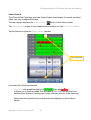
The iPhone/iPad Client app provides Video Search functionality to search recorded
video from any configured camera.
The app always displays the Video Search
button in the video toolbar.
The Video Search button is only enabled while camera is in the Full Screen Mode.
Tap the button to open the Video Search window.
The same time
It contains the following elements
•
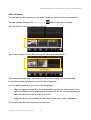
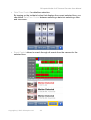
Time Line with graphical display of recorded video and events.
It allows you to pick recorded time by tapping on it. You can increase the
selected time frame by holding your finger over the area for a few seconds.
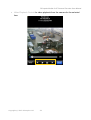
Notice how the selected time is detected and displayed on the toolbar's
button.
Copyright © 2012 DComplex LLC
21