1
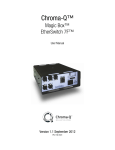
Chroma-Q™
Magic Box™
EthernetSwitch 7™
User Manual
Version 1.2 September 2012
PN: 156-0500
Warranty Statement
Chroma-Q warrants to the original purchaser, with proof of purchase, that its delivered products shall be free from defects in
material and workmanship under normal use for a period of 12 months from date of shipment.
Chroma-Q will repair, or at its option, provide an equivalent item or replace, the defective product during the stated warranty
period. This warranty applies only to the repair or replacement of the product and only when the product is properly handled,
installed and maintained according to Chroma-Q instructions. This warranty excludes defects resulting from improper
handling, storage, installation, acts of God, fire, vandalism or civil disturbances. Purchaser must notify Chroma-Q in writing
within 14 days of noticing the defect. This warranty excludes field labour or service charges related to the repair or
replacement of the product.
The warranty contained herein shall not extend to any finished goods or spare parts from which any serial number has been
removed or which have been damaged or rendered defective (a) as a result of normal wear and tear, willful or accidental
damage, negligence, misuse or abuse; (b) due to water or moisture, lightning, windstorm, abnormal voltage, harmonic
distortion, dust, dirt, corrosion or other external causes; (c) by operation outside the specifications contained in the user
documentation; (d) by the use of spare parts not manufactured or sold by Chroma-Q or by the connection or integration of
other equipment or software not approved by Chroma-Q unless the Customer provides acceptable proof to Chroma-Q that
the defect or damage was not caused by the above; (e) by modification, repair or service by anyone other than Chroma-Q,
who has not applied for and been approved by Chroma-Q to do such modification, repair or service unless the Customer
provides acceptable proof to Chroma-Q that the defect or damage was not caused by the above; (f) due to procedures,
deviating from procedures specified by Chroma-Q or (g) due to failure to store, install, test, commission, maintain, operate or
use finished goods and spare parts in a safe and reasonable manner and in accordance with Chroma-Q’s instructions (h) by
repair or replacement of engines without factory training.
The warranty contained herein shall not apply to finished goods or spare parts which are sold “as is”, as “second-hand”, as
used”, as “demo” or under similar qualifications or to Consumables (“Consumables” is defined as any part(s) of goods or
part(s) for use with goods, which part(s) of goods or part(s) for use with goods are consumed during the operation of the
goods and which part(s) of goods or part(s) for use with goods require replacement from time to time by a user such as, but
not limited to, light bulbs).
The warranty contained herein shall not apply, unless the total purchase price for the defective finished goods or spare parts
has been paid by the due date for payment.
The warranty contained herein applies only to the original purchaser and are not assignable or transferable to any
subsequent purchaser or end-user.
This warranty is subject to the shipment of the goods, within the warranty period, to the ChromaQ warranty returns
department, by the purchaser, at the purchasers expense. If no fault is found, ChromaQ will charge the purchaser for the
subsequent return of the goods.
Chroma-Q reserves the right to change the warranty period without prior notice and without incurring obligation and
expressly disclaims all warranties not stated in this limited warranty.
www.chroma-q.com
Magic Box EtherSwitch 7 User Manual
1
V1.2 September 2012
Disclaimer
The information contained herein is offered in good faith and is believed to be accurate. However, because conditions and
methods of use of our products are beyond our control, this information should not be used in substitution for customer's
tests to ensure that Chroma-Q products are safe, effective, and fully satisfactory for the intended end use. Suggestions of
use shall not be taken as inducements to infringe any patent. Chroma-Q sole warranty is that the product will meet the sales
specifications in effect at the time of shipment. Your exclusive remedy for breach of such warranty is limited to refund of
purchase price or replacement of any product shown to be other than as warranted.
Chroma-Q reserves the right to change or make alteration to devices and their functionality without notice due to our on
going research and development.
The Chroma-Q Magic Box EtherSwitch 7 system has been designed specifically for the lighting industry. Regular
maintenance should be performed to ensure that the products perform well in the entertainment environment.
If you experience any difficulties with any Chroma-Q products please contact your selling dealer. If your selling dealer is
unable to help please contact [email protected]. If the selling dealer is unable to satisfy your servicing needs, please
contact the following, for full factory service:
Outside North America:
Tel: +44 (0)1494 446000
Fax: +44 (0)1494 461024
[email protected]
North America:
Tel: 416-255-9494
Fax: 416-255-3514
[email protected]
For further information please visit the Chroma-Q website website at www.chroma-q.com.
Chroma-Q is a trademark, for more information on this visit www.chroma-q.com/trademarks.
The rights and ownership of all trademarks are recognised.
www.chroma-q.com
Magic Box EtherSwitch 7 User Manual
2
V1.2 September 2012
Table of Contents
1.
Product Overview
……………...…………………………………………………….………... 4
2.
Operation
……………...…………………………………………………….………... 4
2.1
Unpacking the units
………………….………………………………………. 4
2.2
Power
………………….………………………………………. 4
2.3
RJ45 Ethercon Ports
…………………………………………………….……. 4
2.4
LED Indicators
…………………………………………………….……. 5
2.5
Installation
…………………………………………………….……. 6
3.
Troubleshooting
………...……………………………………….………... 6
4.
Specification
………...……………………………………….………... 6
4.1
Technical specification
...………..….……………………………………………. 6
4.2
Drawings
...………..….……………………………………………. 7
4.
Maintenance
………...……………………………………….………... 8
www.chroma-q.com
Magic Box EtherSwitch 7 User Manual
3
V1.2 September 2012
1.
Product overview
The EtherSwitch 7 is a heavy duty, high speed unmanaged network switch that supports simultaneous computer
connections. Designed to satisfy the requirement of entertainment touring applications, the EtherSwitch 7 is equipped with
seven shielded ethercon ports (RJ45) providing 10 / 100 / 1000 Mbps bandwidth in full-duplex mode. This stand-alone unit
enables the concurrent use of various multimedia devices within a network without traffic restrictions.
The unique Magic Box interlocking enclosure facilitates easy rack mounting when used in single units or pairs, and easy
truss mounting via a captive nut insert. Rack mounting brackets are available in single unit and dual unit versions, enabling
you to customise your equipment rack or your installation by mixing and matching different Magic Box interface.
2.
2.1
Operation
Unpacking the units
The EtherSwitch 7 package includes 1 unit EtherSwitch, a power cord and a Quick Start Guide. We recommend that you
keep the original packaging in case items need to be returned.
2.2
Power
Power for the EtherSwitch 7 is connected through a male IEC chassis connector with input rating of 100-240V AC, 50-60Hz.
There is no power button and plugging into the power outlet will immediately power the unit on.
2.3
RJ45 Ethercon Ports
The EtherSwitch 7 system utilises CAT5e cable to send and receive data (all IEEE 802.3 protocol) through 7 shielded RJ45
Gigabit Ethercon ports. There are 2 ports at the front panel and 5 ports at the rear panel. These ports support network
speeds of 10Mbps, 100Mbps, and can operate in half- and full- duplex transfer modes. Automatic MDI/MDIX crossover
detection is supported. The EtherSwitch 7 will automatically detect the settings of the external device immediately upon
connection.
Send and receive data (all IEEE 802.3 protocol) to and from an external source through any of the seven shielded RJ45
Ethercon ports. There are 2 ports at the front panel and 5 ports at the rear panel.
www.chroma-q.com
Magic Box EtherSwitch 7 User Manual
4
V1.2 September 2012
RJ45 Ethercon Ports:
POWER
5
2
7
4
1
6
3
Front Panel: 2 Ethercon Ports
2.4
Rear Panel: 5 Ethercon Ports
LED Indicators
Speed LED Indicators
Activity LED Indicators
1.
The LED indicator for power at the front panel will light up (Green) when the EtherSwitch 7 is receiving power,
otherwise, it is off.
2.
Cable Diagnostic will start upon power up, which will determine if the Ethernet cables connected are in good
working condition. This process is indicated by the Speed LED corresponding to each of the 7 ports blinking
(Green) sequentially.
The initial port scan takes about 10 seconds. A detected cable fault will be indicated by the corresponding port’s
Speed LED glowing (Amber) for 5 seconds after the initial port scan.
A good cable connection will be indicated by the corresponding port’s Speed LED glowing (Green) for 5 seconds.
The EtherSwitch 7 will then reset for normal operation.
3.
The Speed LED indicators (Top) at the front panel that corresponds to each port number will light up (Green) when
a secure connection is present.
The Activity LED (Bottom) will blink when reception or transmission of data is occurring at the port.
4.
The Speed LED indicator will light up green when the port is connected to a 1000Mbps Ethernet station, and
amber when connected to a 100Mbps Ethernet device. The indicator will remain off when the port is connected to
a 10Mbps Ethernet device.
www.chroma-q.com
Magic Box EtherSwitch 7 User Manual
5
V1.2 September 2012
2.5
Installation
Unique Magic Box interlocking enclosure facilitates easy rack mounting when used in pairs and easy truss mounting via
captive nut insert. Rack mounting brackets are available in single unit and dual unit versions.
Note: for truss mounting, we recommend the use of a ½"-13UNC x ¾" long bolt to avoid damage.
3. Troubleshooting
Troubleshooting is a process of elimination. First, rule out the other field factors (i.e. bad connections, faulty cables and
power supplies). For technical advice and/or parts, please contact your selling dealer or the offices listed in this manual.
Symptom
Possible Cause
Solution
LED indicator for power is off.
Power cord is not connected properly.
Check power source, power cord and
connector.
There is no power at the source.
4.
4.1
Specification
Technical specifications
Product Code:
CHES07
Dimensions:
280mm x 220mm x 88mm
11" x 8.6" x 3.5"
Weight:
3.5kg / 7.8lbs
Power:
100-240V AC, 50-60Hz, 0.4A
Power connector:
IEC
Ethernet Switch Type:
Intelligent store & forward
Ethernet Protocols:
All IEEE 802.3
RJ45/EtherCon Port:
Shielded 10BaseT/ 100BaseTX/ 1000BaseT
RJ45/EtherCon:
Auto-negotiation
RJ45/EtherCon MDI/MDIX:
Auto-crossover
RJ45/EtherCon TD and RD polarity:
Auto-polarity
MAC Addresses Supported:
8192
VLAN Supported:
4096
Jumbo Frame Support:
up to 9.6K
Buffer Memory:
144 Kbytes
Memory Bandwidth:
16 Gbps for full wire speed on all ports
Forwarding Rate:
10 Mbps : 14,880pps
100 Mbps : 148,81pps
1000 Mbps : 1488,1pps
Port Connection:
Speed and Activity LED indicators
Power:
Power LED
Max Cat5e cable run:
90m / 295ft
Colour:
Black
Approvals :
CISPR 22:2006/EN55022:2006
www.chroma-q.com
Magic Box EtherSwitch 7 User Manual
6
V1.2 September 2012
CISPR 24:1997/EN55024:1998, ICES-003:2004
FCC Part 15 Subpart B:2007, CSA C22. No. 166-M1983:R2008
CAN/CSA-C22.2 No. 60950-1-07, UL 60950-1:2007
4.2
Drawings
1
2
10 Off
100 Amber
1000 Green
Activity
1
3
2
3
5
6
7
F
MODEL: CHES07
Unmanaged switch
5
4
4
RoHS
Serial#:
6
www.chroma-q.com
7
AC IN
CAUTION: DO NOT OPEN.
No user serviceable parts inside,
refer to user manual for instructions.
100-260VAC
50/60Hz 12W
www.chroma-q.com
Magic Box EtherSwitch 7 User Manual
7
V1.2 September 2012
5.
Maintenance
With care, the Chroma-Q Magic Box EtherSwitch 7 will require little maintenance. However, as the unit is likely to be used in
a stage environment we recommend periodical internal inspection and cleaning of any resulting dust and cracked oil residue.
Do not spray liquids on the front or rear panel. If the front enclosure requires cleaning, wipe with a mild detergent on a damp
cloth.
www.chroma-q.com
Magic Box EtherSwitch 7 User Manual
8
V1.2 September 2012