1
Changing Instrument Settings
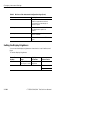
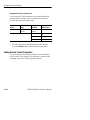
Table 3 48:Lines of the Instrument Configuration Page (Cont.)
Line
Description
Interface Module
Displays which interface module is
installed (supported transmit and
receive rates) and wavelength of
module, if optical.
PDH Option
Indicates whether the 2/8/34/45/140
Mb/s Mux/Demux options are
installed.
Jitter Option
Indicates whether Jitter/Wander
Option is installed
VC4 4c
BER test of Concatenated STM 4c
signal
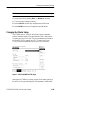
Setting the Display Brightness
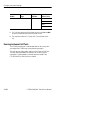
You can set the display brightness to three levels: Low, Medium, and
High.
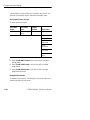
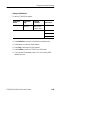
To set the display brightness:
Press Menu
Button
Select Menu
Page
Highlight
Parameter
UTILITY
MISC SETTINGS
Display
(see Figure 3 102) Brightness
Select Choice
Low
Medium
High
3 262
CTS850 SDH/PDH Test Set User Manual