1
COMM+16.PCIe User Manual
Part Number 7161e
www.sealevel.com
PO Box 830 – Liberty, SC 29657
864.843.4343
Table of Contents
INTRODUCTION......................................................................................................................... 1
BEFORE YOU GET STARTED................................................................................................. 2
SOFTWARE INSTALLATION INSTRUCTIONS .................................................................. 3
PHYSICAL INSTALLATION .................................................................................................... 4
TECHNICAL DESCRIPTION.................................................................................................... 5
7161E CONNECTOR PIN ASSIGNMENTS (DB-25M) ...................................................................... 5
7161E-DB9 CONNECTOR PIN ASSIGNMENTS (DB-9M) ............................................................... 5
DB-68 CONNECTOR PIN ASSIGNMENTS (MICRO MDB-68F) ....................................................... 6
ELECTRICAL CHARACTERISTICS ...................................................................................... 7
APPENDIX A - TROUBLESHOOTING ................................................................................... 8
APPENDIX B - HOW TO GET ASSISTANCE ........................................................................ 9
APPENDIX C – ELECTRICAL INTERFACE ....................................................................... 10
RS-232 ...................................................................................................................................... 10
APPENDIX D - ASYNCHRONOUS COMMUNICATIONS ................................................ 11
APPENDIX E – SILK SCREEN – 7161E PCB........................................................................ 12
APPENDIX F - COMPLIANCE NOTICES ............................................................................ 13
FEDERAL COMMUNICATIONS COMMISSION STATEMENT ........................................................... 13
WARRANTY............................................................................................................................... 14
© Sealevel Systems, Inc.
SL9182 Revision 5/2007
COMM+16.PCIe User Manual
Introduction
The COMM+16.PCIe provides sixteen RS-232 asynchronous serial ports capable of
data rates to 460.8K bps. Each RS-232 port implements all modem control signals
for maximum compatibility with a wide range of peripherals. The board is PCI
Express X1 compliant and can be used in any x1, x2, x4, x8, or x16 PCI Express
slot. The board utilizes 16C854 UARTs to provide 128-byte Tx/Rx FIFOs for
maximum reliability in data intensive applications. Standard operating temperature
range is 0°C to 70°C and extended temperature range (-40°C to +85°C) versions are
available.
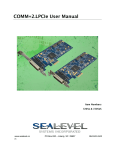
The board ships with two 36" ‘spider’ cables that terminate to a total of sixteen DB25M connectors (Item# 7161e) or sixteen DB-9M connectors (Item# 7161e-DB9).
Additional ordering options allow the choice of UARTs for custom baud rates and 9bit protocols.
The COMM+16.PCIe is designed to be used with a variety of operating systems
including Microsoft Windows and Linux. Sealevel’s SeaCOM software uses the
standard Windows WIN32 API and eliminates proprietary DLL files. This allows
Sealevel SeaCOM software to maintain 100% compatibility with Microsoft
Windows applications. SeaCOM software also includes sample code and utilities to
simplify application development.
Other Sealevel Serial I/O Products
Sealevel serial I/O products offer the widest choice of I/O connectivity available for
RS-232, RS-422 and RS-485 interfaces. In addition to PCI Express boards, Sealevel
offers serial I/O solutions for multiple platforms including PCI Bus, Low Profile &
Universal Bus PCI, Ethernet, USB, PC/104, PCMCIA, Compact PCI and serial
interface converters. Sealevel’s SeaCOM software and a variety of test/debug
utilities are included to simplify installation and application development. Product
information can be found on the Sealevel website at www.sealevel.com.
© Sealevel Systems, Inc.
-1-
COMM+16.PCIe User Manual
Before You Get Started
What’s Included
Depending on cable option, the COMM+16.PCIe is shipped with the following
items. If any of these items is missing or damaged please contact Sealevel for
replacement.
Item# 7161e – RS-232 Serial Interface with DB-25M Connectors
• COMM+16.PCIe – PCI Express 16-Port RS-232 Board
• (2) Item# CA202 – 36” ‘Spider’ Cable with 8 DB-25M Connectors
Item# 7161e-DB9 – RS-232 Serial Interface with DB-9M Connectors
• COMM+16.PCIe – PCI Express 16-Port RS-232 Board
• (2) Item# CA231 – 36” ‘Spider’ Cable with 8 DB-9M Connectors
Sealevel SeaCOM Software CD
Optional Items
Depending upon your application, you are likely to find one or more of the
following items useful for interfacing the COMM+16.PCIe. All items can be
purchased from our website (http://www.sealevel.com) or by calling 864-843-4343.
DB25 Male to DB25 Female Extension Cable (Item# CA104)
A 72” serial extension cable with one DB25 male connector and one DB25
female connector, pinned one-to-one.
DB9 Male to DB9 Female Extension Cable (Item# CA127)
A 72” serial extension cable with one DB9 male connector and one DB9 female
connector, pinned one-to-one.
DB9 Female to DB25 Male RS-232 Modem Cable (Item# CA177)
A 72” standard RS-232 modem cable that connects to a DB9 male serial port and
provides a convenient connection to serial peripherals with DB25 connectors.
DB25 Female to RJ45 Modular Adapter (Item# RJ25S8)
The RJ25S8 converts a standard DB25 connector to an RJ45 connection, which
allows the use of standard twisted pair cabling. The RJ25S8 ships unassembled
and can be configured for virtually any pin out.
DB9 Female to RJ45 Modular Adapter (Item# RJ9S8)
The RJ9S8 converts a standard DB9 connector to an RJ45 connection, which
allows the use of standard twisted pair cabling. The RJ9S8 ships unassembled
and can be configured for virtually any pin out.
DB25 Female to DB9 Male RS-232 Converter (Item# CA140)
A small molded adapter that converts an RS-232 DB25 male connector to an RS232 DB9 male connector.
© Sealevel Systems, Inc.
-2-
COMM+16.PCIe User Manual
Software Installation Instructions
Windows 98/ME/NT/2000/XP Operating Systems
Do not install the board until the software has been fully installed.
1. Start Windows.
2. Insert the Sealevel Software CD in to your CD drive.
3. If ‘Auto-Start’ is enabled the installation window will automatically appear.
Otherwise, navigate to the root directory of your CD drive and double-click the
‘autorun.exe’ application to launch the installation window.
4. Select ‘Install Software’.
5. Select the Part Number for your device from the listing.
6. The setup file will automatically detect the operating environment and install the
proper components. Follow the information presented on the installation screens
that follow.
7. A screen may appear with the declaration: “The publisher cannot be determined
due to the problems below: Authenticode signature not found.” Please select the
‘Yes’ button and proceed with the installation. This declaration simply means
that the Operating System is not aware of the driver being loaded. It will not
cause any harm to your system.
8. During setup, you may specify installation directories and other preferred
configurations. This program also adds entries to the system registry that are
necessary for specifying the operating parameters for each driver. An uninstall
option is included to remove the driver and all registry/INI file entries from your
system.
9. Proceed with the physical installation of your serial adapter.
Linux Installation
Refer to the subdirectory D:\Software\SeaCOM\Other\Linux\ (replace “D:” with
your actual CD drive letter) found on the Sealevel Software CD. This folder
contains valuable information on installing your serial adapter in the various Linux
releases. Also included is a series of files explaining proper Linux syntax and
typical Linux serial implementations.
3rd Party Software Support
Third party software support for many HMI/MMI and other process control software
is included on the product installation CD. For the most up to date information on
third party software support, please visit
http://www.sealevel.com/thirdpartysoftware.asp.
© Sealevel Systems, Inc.
-3-
COMM+16.PCIe User Manual
Physical Installation
The COMM+16.PCIe can be installed in any available x1, x2, x4, x8, or x16 PCI
Express slot.
Do not install the board until the software has been fully installed.
1. To avoid accidental damage, be sure to follow proper ESD procedures by
grounding yourself and the serial adapter.
2. Turn off PC power and disconnect the power cord.
3. Remove the PC case cover.
4. Locate an available PCI Express slot and remove the blank metal slot cover.
5. Gently insert the PCI Express serial adapter into the slot making sure the adapter
is seated properly.
6. Replace the screw (or spring clip) to secure the card in the PC case. This step is
required to ensure FCC Part 15 compliance.
7. Replace the PC cover and connect the power cord.
8. Turn on the PC and login as a user with Administrator privileges, if applicable.
9. The software drivers installed during setup will automatically recognize and
configure the serial adapter.
10. You should see two or more “Found New Hardware Wizard” dialog boxes,
indicating the actual COM ports are being created.
11. Note: The installation will repeat once for each COM port created (a total of 17
times on the COMM+16.PCIe). This is a limitation in the way Windows installs
serial devices.
12. Next, view your system’s Device Manager.
13. You should have new COM: ports in the Ports (COM & LPT) Device Class
indicating the installation was successful.
14. You can access your new COM: port by using the assigned COM: identifier. This
assignment will vary from system to system.
15. To verify operation use Sealevel Systems supplied WinSSD diagnostic utility.
WinSSD can be found in the Start menu, under All Programs, and then under the
Sealevel SeaCOM programs group.
The COMM+16.PCIe is now ready for use.
© Sealevel Systems, Inc.
-4-
COMM+16.PCIe User Manual
Technical Description
The Sealevel Systems COMM+16.PCIe provides a PCI Express 1.0a compliant
interface adapter with 16 RS-232 asynchronous serial ports for industrial automation
and control applications. The COMM+16.PCIe utilizes 16C854 UARTs which
feature programmable baud rates, data format, interrupt control and industry leading
128 byte transmit and receive FIFOs.
7161e Connector Pin Assignments (DB-25M)
The 7161e includes two ‘spider’ cables (Item# CA202), each with eight DB25
connectors. The pin out of each connector is shown in the table below.
TD
RD
RTS
CTS
DSR
GND
DCD
DTR
RI
Name
Transmit Data
Receive Data
Request To Send
Clear To Send
Data Set Ready
Ground
Data Carrier Detect
Data Terminal Ready
Ring Indicator
Pin #
2
3
4
5
6
7
8
20
22
Mode
Output
Input
Output
Input
Input
Input
Output
Input
Note: Please terminate any control signals that are not going to be used. The most common
way to do this is to connect RTS to CTS and RI. Also, connect DCD to DTR and DSR.
Terminating these pins, if not used, will help ensure you get the best performance from your
adapter.
7161e-DB9 Connector Pin Assignments (DB-9M)
The 7161e-DB9 includes two ‘spider’ cables (Item# CA231), each with eight DB9
connectors. The pin out of each connector is shown in the table below.
DCD
RD
TD
DTR
GND
DSR
RTS
CTS
RI
Name
Data Carrier Detect
Receive Data
Transmit Data
Data Terminal Ready
Ground
Data Set Ready
Ready To Send
Clear To Send
Ring Indicator
Pin #
1
2
3
4
5
6
7
8
9
Mode
Input
Input
Output
Output
Input
Input
Input
Input
Note: Please terminate any control signals that are not going to be used. The most common
way to do this is to connect RTS to CTS and RI. Also, connect DCD to DTR and DSR.
Terminating these pins, if not used, will help ensure you get the best performance from your
adapter.
© Sealevel Systems, Inc.
-5-
COMM+16.PCIe User Manual
DB-68 Connector Pin Assignments (Micro MDB-68F)
The COMM+16.PCIe board includes two Micro MDB68 female connectors for
connecting the ‘spider’ cables explained on the previous page. The pin out for each
connector is shown in the tables below.
Port #
TD
RI
DCD
DTR
RTS
DSR
RD
CTS
GND
1
1
2
3
4
5
6
7
8
17
2
9
10
11
12
13
14
15
16
17
3
19
20
21
22
23
24
25
26
18
4
27
28
29
30
31
32
33
34
18
5
35
36
37
38
39
40
41
42
51
6
43
44
45
46
47
48
49
50
51
7
53
54
55
56
57
58
59
60
52
8
61
62
63
64
65
66
67
68
52
Port #
TD
RI
DCD
DTR
RTS
DSR
RD
CTS
GND
9
1
2
3
4
5
6
7
8
17
10
9
10
11
12
13
14
15
16
17
11
19
20
21
22
23
24
25
26
18
12
27
28
29
30
31
32
33
34
18
13
35
36
37
38
39
40
41
42
51
14
43
44
45
46
47
48
49
50
51
15
53
54
55
56
57
58
59
60
52
16
61
62
63
64
65
66
67
68
52
Note: Both ‘spider’ cables are interchangeable and can be used on either connector. The
connector on the left supports Ports 1-8 and the connector on the right supports Ports 9-16.
© Sealevel Systems, Inc.
-6-
COMM+16.PCIe User Manual
Electrical Characteristics
Features
PCI Express 1.0a compliant via x1 connector
Integrates 16C854 buffered UARTs with 128-byte FIFOs
Supports data rates to 460.8K bps
All modem control signals implemented
Available with DB25 or DB9 cable connectors
Specifications
Temperature Range
Operating:
Storage:
-0° – +70°C
-50° – +105°C
Humidity Range
10 - 90% R.H. (Non-Condensing)
Power Requirements
+12VDC @ 79mA (0.95W)
+3.3VDC @ 575mA (1.9W)
Physical Dimensions
Length
5.5”
14.0 cm
Width
4.4”
11.1 cm
Manufacturing
All Sealevel Systems Printed Circuit boards are built to UL 94V0 rating and are
100% electrically tested. These printed circuit boards are solder mask over bare
copper or solder mask over tin nickel.
© Sealevel Systems, Inc.
-7-
COMM+16.PCIe User Manual
Appendix A - Troubleshooting
Sealevel utility test software is supplied with the Sealevel Systems adapter and may
be used in the troubleshooting procedures. Using this software and following these
simple steps can eliminate most common problems without the need to call Technical
Support.
1. Identify all I/O adapters currently installed in your system, including onboard
serial ports, controller cards, sound cards, etc. The I/O addresses used by these
adapters as well as any IRQs (if any) should be identified.
2. Configure your serial adapter so that there is no conflict with currently installed
adapters. No two adapters can occupy the same I/O address.
3. Make sure the serial adapter is securely installed in a motherboard slot.
4. Ensure that the Sealevel Systems SeaCOM software has been installed on the
machine so that the necessary files are in place to complete the installation.
5. When the COMM+16.PCIe is configured properly, Sealevel’s WinSSD utility
and a loopback plug can be used to check communications. You can make a
simple Loopback in the field by connecting the TX and RX pins. If you decide to
test the Modem Control Signals, a full pin loopback plug will be required. Details
on loopback plugs are included within WinSSD. Contact Sealevel Systems if you
need further assistance.
6. When testing the COMM+16.PCIe in loopback mode, you should see both the
TD and RD echoed as data on the screen. The loopback test first transmits a HEX
pattern, 55AA, and then an ASCII string of data. If this test passes, then the
COMM+16.PCIe is ready for use in your application.
7. Always use the Sealevel Systems diagnostic software when troubleshooting a
problem. This will eliminate any software issues and identify hardware conflicts.
If these steps do not solve your problem, please call Sealevel Systems’ Technical
Support, (864) 843-4343. Our technical support is free and available from 8:00 AM
to 5:00 PM Eastern Time Monday through Friday.
For email support contact [email protected].
© Sealevel Systems, Inc.
-8-
COMM+16.PCIe User Manual
Appendix B - How To Get Assistance
When calling for technical assistance, please have your user manual and current
adapter settings. If possible, please have the adapter installed in a computer ready to
run diagnostics.
Sealevel Systems maintains a website on the Internet. Our homepage address is
http://www.sealevel.com. The latest software updates and newest manuals are
available via our FTP site that can be accessed from our home page. Manuals and
software can also be downloaded from the product page for your device.
Sealevel Systems provides an FAQ section on our website. Please refer to this to
answer many common questions. This section can be found at
http://www.sealevel.com/faq.asp
Technical support is available Monday to Friday from 8:00 AM to 5:00 PM eastern
time (UTC-6 hours). You can contact Technical Support via:
Phone: (864) 843-4343
Email: [email protected]
© Sealevel Systems, Inc.
-9-
COMM+16.PCIe User Manual
Appendix C – Electrical Interface
RS-232
Quite possibly the most widely used communication standard is RS-232. This
implementation has been defined and revised several times and is often referred
to as RS-232 or EIA/TIA-232. The IBM PC computer defined the RS-232 port
on a 9 pin D sub connector and subsequently the EIA/TIA approved this
implementation as the EIA/TIA-574 standard. This standard is defined as the
9-Position Non-Synchronous Interface between Data Terminal Equipment and
Data Circuit-Terminating Equipment Employing Serial Binary Data Interchange.
Both implementations are in wide spread use and will be referred to as RS-232 in
this document. RS-232 is capable of operating at data rates up to 20 Kbps at
distances less than 50 ft. The absolute maximum data rate may vary due to line
conditions and cable lengths. RS-232 is a single ended or unbalanced interface,
meaning that a single electrical signal is compared to a common signal (ground)
to determine binary logic states. The RS-232 and the EIA/TIA-574 specification
define two types of interface circuits, Data Terminal Equipment (DTE) and Data
Circuit-Terminating Equipment (DCE). The COMM+16.PCIe is a DTE device.
© Sealevel Systems, Inc.
- 10 -
COMM+16.PCIe User Manual
Appendix D - Asynchronous Communications
Serial data communications implies that individual bits of a character are transmitted
consecutively to a receiver that assembles the bits back into a character. Data rate,
error checking, handshaking, and character framing (start/stop bits) are pre-defined
and must correspond at both the transmitting and receiving ends.
Asynchronous communications is the standard means of serial data communication
for PC compatibles and PS/2 computers. The original PC was equipped with a
communication or COM: port that was designed around an 8250 Universal
Asynchronous Receiver Transmitter (UART). This device allows asynchronous serial
data to be transferred through a simple and straightforward programming interface. A
starting bit followed by a pre-defined number of data bits (5, 6, 7, or 8) defines
character boundaries for asynchronous communications. The end of the character is
defined by the transmission of a pre-defined number of stop bits (usually 1, 1.5 or 2).
An extra bit used for error detection is often appended before the stop bits.
Idle state of
line
5 to 8 Data Bits
Odd, Even
or
Unused
Remain Idle or
next start bit
1
P
BIT
STOP
0
1
1.5
2
This special bit is called the parity bit. Parity is a simple method of determining if a
data bit has been lost or corrupted during transmission. There are several methods for
implementing a parity check to guard against data corruption. Common methods are
called (E)ven Parity or (O)dd Parity. Sometimes parity is not used to detect errors on
the data stream. This is refereed to as (N)o parity. Because each bit in asynchronous
communications is sent consecutively, it is easy to generalize asynchronous
communications by stating that each character is wrapped (framed) by pre-defined
bits to mark the beginning and end of the serial transmission of the character. The
data rate and communication parameters for asynchronous communications have to
be the same at both the transmitting and receiving ends. The communication
parameters are baud rate, parity, number of data bits per character, and stop bits (i.e.
9600, N, 8, 1).
© Sealevel Systems, Inc.
- 11 -
COMM+16.PCIe User Manual
Appendix E – Silk Screen – 7161e PCB
© Sealevel Systems, Inc.
- 12 -
COMM+16.PCIe User Manual
Appendix F - Compliance Notices
Federal Communications Commission Statement
FCC - This equipment has been tested and found to comply with the limits for Class
A digital device, pursuant to Part 15 of the FCC Rules. These limits are designed to
provide reasonable protection against harmful interference when the equipment is
operated in a commercial environment. This equipment generates, uses, and can
radiate radio frequency energy and, if not installed and used in accordance with the
instruction manual, may cause harmful interference to radio communications.
Operation of this equipment in a residential area is likely to cause harmful
interference in such case the user will be required to correct the interference at the
users expense.
EMC Directive Statement
Products bearing the CE Label fulfill the requirements of the EMC directive
(89/336/EEC) and of the low-voltage directive (73/23/EEC) issued by the European
Commission.
To obey these directives, the following European standards must be met:
EN55022 Class A - “Limits and methods of measurement of radio interference
characteristics of information technology equipment”
EN55024 – “Information technology equipment Immunity characteristics Limits and
methods of measurement”.
EN60950 (IEC950) - “Safety of information technology equipment, including
electrical business equipment”
Warning
This is a Class A Product. In a domestic environment, this product may cause
radio interference in which case the user may be required to take adequate
measures to prevent or correct the interference.
Always use cabling provided with this product if possible. If no cable is provided or
if an alternate cable is required, use high quality shielded cabling to maintain
compliance with FCC/EMC directives.
© Sealevel Systems, Inc.
- 13 -
COMM+16.PCIe User Manual
Warranty
Sealevel's commitment to providing the best I/O solutions is reflected in the Lifetime
Warranty that is standard on all Sealevel manufactured products. We are able to
offer this warranty due to our control of manufacturing quality and the historically
high reliability of our products in the field. Sealevel products are designed and
manufactured at its Liberty, South Carolina facility, allowing direct control over
product development, production, burn-in and testing.
Sealevel Systems, Inc. (hereafter "Sealevel") warrants that the Product shall conform
to and perform in accordance with published technical specifications and shall be
free of defects in materials and workmanship for life. In the event of failure,
Sealevel will repair or replace the product at Sealevel's sole discretion. Failures
resulting from misapplication or misuse of the Product, failure to adhere to any
specifications or instructions, or failure resulting from neglect or abuse are not
covered under this warranty. Warranty service is obtained by delivering the Product
to Sealevel and providing proof of purchase.
NOTE:
Return authorization must be obtained from Sealevel Systems
before returned merchandise will be accepted. Authorization is
obtained by calling Sealevel Systems and requesting a Return
Merchandise Authorization (RMA) number.
The Customer agrees to insure the Product or assume the risk of loss or damage in
transit, to prepay shipping charges to Sealevel, and to use the original shipping
container or equivalent. Warranty is valid only for original purchaser and is not
transferable.
Sealevel Systems assumes no liability for any damages, lost profits, lost savings or
any other incidental or consequential damage resulting from the use, misuse of, or
inability to use this product. Sealevel Systems will not be liable for any claim made
by any other related party.
This warranty applies to Sealevel manufactured Product. Product purchased through
Sealevel but manufactured by a third party will retain the original manufacturer's
warranty.
Sealevel Systems, Incorporated
2779 Greenville Highway
P.O. Box 830
Liberty, SC 29657 USA
(864) 843-4343
FAX: (864) 843-3067
www.sealevel.com
email: [email protected]
Technical Support is available Monday - Friday from 8 a.m. to 5 p.m. Eastern time
Trademarks
Sealevel Systems, Incorporated acknowledges that all trademarks referenced in this
manual are the service mark, trademark, or registered trademark of the respective
company.
© Sealevel Systems, Inc.
- 14 -
COMM+16.PCIe User Manual