1
Acquisition
Interpolation
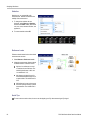
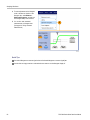
Your instrument can interpolate between the samples it acquires when it does not have all of the actual samples it needs to fill
the waveform record. Linear interpolation computes record points between actual acquired samples by using a straight line fit.
Sin(x)/x interpolation computes record points using a curve fit between the actual values acquired. Sin(x)/x interpolation
is the default interpolation mode because it requires fewer actual sample points than linear interpolation to accurately
represent the waveform.
Quick Tip
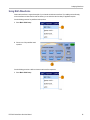
Use the display style Intensified Samples to intensify the real samples and dim the interpolated samples. (See page 36,
Setting the Display Style.)
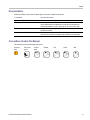
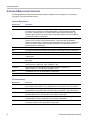
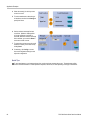
How the Acquisition Modes Work
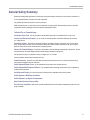
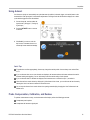
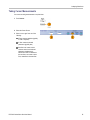
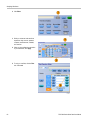
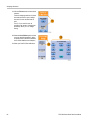
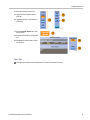
Sample mode retains the first sampled point
from each acquisition interval. Sample is the
default mode.
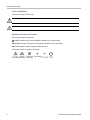
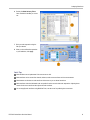
Peak Detect mode uses the highest and
lowest of all the samples contained in two
consecutive acquisition intervals. This mode
only works with real-time, noninterpolated
sampling and is useful for catching high
frequency glitches.
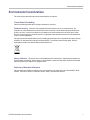
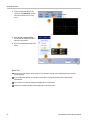
Hi Res mode calculates the average
of all the samples for each acquisition
interval. Hi-Res provides a higher-resolution,
lower-bandwidth waveform.
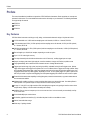
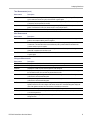
Envelope mode finds the highest and
lowest record points over many acquisitions.
Envelope uses Peak Detect for each
individual acquisition.
Average mode calculates the average value
for each record point over many acquisitions.
Average uses Sample mode for each
individual acquisition. Use average mode to
reduce random noise.
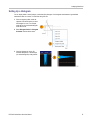
Waveform Database mode is a
three-dimensional accumulation of source
waveform data over several acquisitions. In
addition to amplitude and timing information,
the database includes a count of the number
of times a specific waveform point (time and
amplitude) has been acquired.
22
DPO7000 Series Quick Start User Manual