1
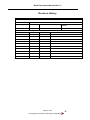
Program Check Procedure
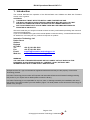
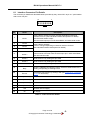
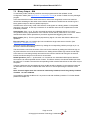
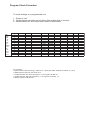
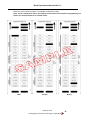
To check settings on a programmed unit:
1 - Power on unit.
2 - Click program set button on unit twice (like double click on mouse).
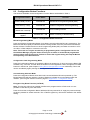
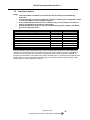
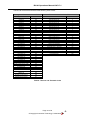
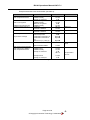
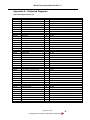
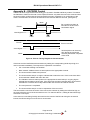
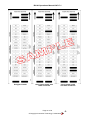
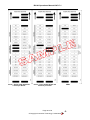
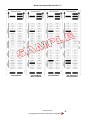
3 - Monitor bezel led and check flash codes on table below
SSP
Pulse
MDB
IF 30
IF 31
cctalk
SIO
Parallel
spare
NIS
IF 32
spare
spare
spare
Flash count Pulse High Pulse Low Pulse per dollar High speed Disabled cctalk plain cctalk 8 bit low power binary Credit Hold
1
2
ms/10
ms/10
value
3 flash
3
4
5
6
1 flash
2 flashes
7
1 flash
2 flashes
8
1 flash
9
10
11
1 flash
12
13
14
For example:
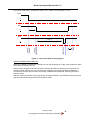
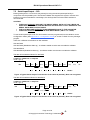
A pulse inteface with 50ms high, 100ms low, 2 pulse per dollar will flash as follows 2,5,10,2
A SSP interface will only ever flash once
A cctalk interface with 16 bit checksum, no encryption wil flash 6,1
A cctalk interface with 8 bit checksum, no encryption wil flash 6,1,2
A Binary interface will flash 8,1