1
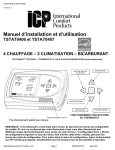
TSTAT0406 & TSTAT0407
997-060180-5
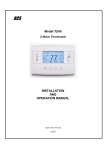
Installation Instructions / User’s Manual
TSTAT0406 and TSTAT0407
4 HEAT – 2 COOL – DUAL FUEL
TSTAT0406 & TSTAT0407 - 4 WIRE CAPABLE THERMOSTAT (NAXA00101DB Daughter Board sold separately)
LEFT OR PREVIOUS
SCREEN BUTTON
UP BUTTON
SELECT BUTTON
DOWN BUTTON
RIGHT BUTTON
THERMOSTAT BUTTON OPERATION
Apply logo label here
Menu Driven Display
NOTE: You must go through the Model Configuration menus first. If you do not configure your
thermostat and go straight to the different modes you will get a “Configuration Error” code
flashing at the top of the screen. To void error, run through the Configuration Mode Menus. To
Enter Configuration Menu set mode to OFF, then push the up and down buttons simultaneously
for 5 seconds.
International Comfort Products, LLC
Page 1
48201530101 Sep 2008
TSTAT0406 & TSTAT0407
TSTAT0406 AND TSTAT0407 MENU MAP
INSTALLER
SETTINGS
MODEL
CONFIGURATION
HEAT/COOL
SINGLE STAGE
MULTI STAGE
HEAT PUMP
SINGLE STAGE
MULTI STAGE
ACCESSORIES
AIR FILTER
CUMULATIVE RUN TIME
CALENDER TIME
CUMULATIVE RUN TIME
CALENDER TIME
CUMULATIVE RUN TIME
CALENDER TIME
CUMULATIVE RUN TIME
CALENDER TIME
HUMIDIFER
UV LAMP
ELEC. AIR CLEANER
INPUT DEALER INFO
FAN WITH HEAT
OPTION
HUMIDITY OPTION
(HUMIDITY SETTINGS)
RESTORE DEFAULTS
OFFSETS
CYCLES PER HOUR
PROGRAM SETTINGS
SERVICE
INFORMATION
DOWN STAGING
TEST MODE
BRAND NAME
FURNACE MODEL
NUMBER
HP MODEL NUMBER
CONTRACTOR NAME
CONTRACTOR PHONE
SAVE
ELECTRIC
GAS
ELECTRIC
GAS
ELECTRIC
DUAL FUEL
ELECTRIC
DUAL FUEL
HOURS
MONTHS
HOURS
MONTHS
HOURS
MONTHS
HOURS
MONTHS
YOUR DEALER IS
HUMIDIFY ONLY
DEHUMIDIFY ONLY
AUTO
NONE
TEMPERATURE OFFSETS TEMPERATURE OFFSET
REMOTE INDOOR
OFFSET
OUTDOOR OFFSET
HUMIDITY OFFSET
ANTICIPATOR
SMART RECOVERY
EVENTS PER DAY
SMART HEAT STAGING
COOLING LOCKOUT
ELECTRIC/FUNRACE
LOCKOUT
BALANCE POINT
FAULT STATUS
FAULT CODE DEFINITION
CLEAR FAULT HISTORY
FLASH CODE 1-9
COOL TO DEHUMIDIFY
MAIN SCREEN
RH (RELATIVE
HUMIDITY)
TEMP
MODE (OPERATING
MODE)
FAN
MENU (MAIN MENU)
SET DATE AND TIME
HOLD (HOLD MENU)
PROGRAM MENU
FAN
MODE (OPERATING
MODE)
DISPLAY HUMIDITY
DISPLAY DEALER INFO
SETTINGS (SETTING
MENU)
AUTO DAYLIGHT SAVING
SET DATE AND TIME
VACATION HOLD
PERMANENT HOLD
PROGRAMMING
SCREEN
SCREEN SETTINGS
AUTO CHANGEOVER
SECURITY LOCKOUT
International Comfort Products, LLC
Page 2
INTERMITTENT FAN
TEMP ADJUST ONLY
TOTAL KEYPAD
LOCKOUT
MONTH/DAY/YEAR/HOUR/MINUTE
DAY/TIME
FAHRENHEIT OR CELSIUS
12 OF 24 HOUR CLOCK
LANGUAGE
CONTRAST
BACKLIGHT ON TIME
AUTO CHANGEOVER TIME
AUTO OR MANUAL CHANGE
INTERMITTEN FAN OFF TIME
48201530101
Sep 2008
TSTAT0406 & TSTAT0407
Heat Cool / Heat Pump / Dual Fuel Communicating Thermostat
Installation and Start-up Instructions
INSTALLER SETTINGS
INSTALLER SETTINGS
INSTALLER SETTINGS
MODEL CONFIGURATION
ACCESSORIES
INPUT DEALER INFO
FAN WITH HEAT OPTION
HUMIDITY OPTION
RESTORE DEFAULTS
OFFSETS
CYCLES PER HOUR
PROGRAM SETTINGS
SERVICE INFORMATION
DOWNSTAGING
TEST MODE
COOL TO DEHUMIDIFY
SELECT OPTION ∇?
? PREVIOUS
To enter the INSTALLER SETTINGS screen, the thermostat MUST be in the OFF mode and at the MAIN
SCREEN press and hold the UP and DOWN buttons at the same time for 5 seconds. This will bring up the
INSTALLER SETTINGS screen. The installer settings are options that are specific to a particular installation
and should only be adjusted by qualified service personnel.
The INSTALLER SETTINGS options are:
MODEL CONFIGURATION – Defines what type of system the thermostat is controlling.
ACCESSORIES – What else is attached to the system and sets service alerts.
INPUT DEALER INFO – Allows service personnel to enter their name, phone number, and model information
for display in service situations.
FAN WITH HEAT OPTION – In a gas furnace application, this option turns the G output on when the heat is on
or off. G is default to ON when electric heat is selected.
HUMIDITY OPTION – In thermostats with an internal humidity sensor (TSTAT0407) this determines if
humidification or dehumidification will be energized. (Not shown on systems without humidity sensor)
RESTORE DEFAULTS – This will restore all factory defaults.
OFFSETS – Allows setting of permanent offsets to the temperatures and humidity to compensate for room
differences or measurement differences.
CYCLES PER HOUR – limits the cycling of the system to a set maximum per hour to reduce short cycling and
extend system life.
PROGRAM SETTINGS – Sets custom operation of the programming feature.
SERVICE INFORMATION – This menu can bring up current faults along with last three faults of the Comfort
Alert diagnostic module. It also has a list of fault code definitions and a method of clearing the faults out of the
thermostat memory.
DOWN STAGING – You can turn down staging on or off. Default is on.
(Refer to down staging section for details)
Staging Properties: Thermostat models TSTAT0406 & TSTAT0407 use advanced logic to control a two-stage
heating or cooling system for better home comfort and higher efficiency. The thermostat continuously monitors
set point, room temperature, anticipator setting, and temperature rate-of-change. Considering all the conditions,
the thermostat decides which stage (high or low) the system should be running for better home comfort and
higher efficiency. It is possible that the thermostat will keep the system running for longer periods of time in low
stage. This is normal, as the thermostat works to achieve higher efficiency and better home comfort. The
advanced logic operates in all modes and controls the system for ramp up (off→low stage→high stage) and
ramp down (high stage→low stage→off). There are NO differentials (dead bands) to set. Simply enter your
desired room temperature and the thermostat will hold the room temperature to within ¼ ºF from setpoint.
TEST MODE – Allows forced operation of all the different heating and cooling modes of the thermostat based on
The model configuration selected. Also shortens or eliminates the short cycle timer.
COOL TO DEHUMIDIFY – Uses the HVAC equipment in cooling to dehumidify the conditioned space. This
feature is used when the system does not have variable speed capabilities.
MODEL CONFIGURATION
MODEL CONFIGURATION
HEAT / COOL
Highlighting MODEL CONFIGURATION, in the INSTALLER SETTINGS screen, and pressing SELECT
button will bring up the first MODEL CONFIGURATION screen.
The first option asks if the system is a HEAT PUMP or a HEAT/COOL system. Highlighting the proper
configuration and pressing SELECT sets up the system and brings up the next configuration screen.
HEAT PUMP
SELECT OPTION ∇∆
⊲ PREVIOUS
MODEL CONFIGURATION
SINGLE STAGE
Highlighting the proper setting for single stage systems or multi stage systems and pressing the SELECT
button sets the system for the proper operation.
If the system is configured for HEAT/ COOL operation and single or multi stage the next menu, ELECTRIC or
GAS, is where you will choose your source of heat. By pressing the SELECT button you will return the
display to the INSTALLER SETTINGS screen.
MULTI STAGE
MULTISTAGE
NOTE: If you have selected furnace and you wish to have G energized along with W you must turn the Fan
with Heat option to on.
SELECT OPTION ∇∆
⊲ PREVIOUS
If the system is configured for HEAT PUMP operation and single or multi stage the next menu, ELECTRIC or
DUAL FUEL, is where you will choose your source of heat. For HEAT PUMP systems, the ELECTRIC OR
DUAL FUEL configuration screen allows setting for gas or electric furnaces. If the auxiliary heat system is
International Comfort Products, LLC
Page 3
48201530101 Sep 2008
TSTAT0406 & TSTAT0407
MODEL CONFIGURATION
ELECTRIC
gas or oil, highlight the DUAL FUEL option. For electric add-on heat, highlight ELECTRIC. Pressing the
SELECT button finishes the system configuration and returns the display to the INSTALLER SETTINGS
screen.
NOTE: The configuration steps must be done at the initial installation of the thermostat or
CONFIGURATION ERROR will appear on the top line of the MAIN SCREEN.
DUAL
MULTIFUEL
FUEL
NOTE: YOU MUST HAVE AN OUTDOOR SENSOR FOR A DUAL FUEL SYSTEM TO OPERATE
CORRECTLY.
SELECT OPTION ∇∆
⊲ PREVIOUS
ACCESSORIES
ACCESSORIES
Highlighting the ACCESSORIES option in the INSTALLER SETTINGS screen and pressing SELECT will
bring up the ACCESSORIES screen. This allows identification of add on accessories and sets a service
schedule for them.
AIR FILTER
HUMIDIFIER
UV LAMP
AIR CLEANER
Highlighting an accessory and pressing SELECT will bring up the NOTIFICATION METHOD screen.
SELECT OPTION ∇∆
⊲ PREVIOUS
AIR FILTER CHANGE
CUMULATIVE RUN
TIME
CUMULATIVE
RUN
TIME
CALENDAR TIME
This screen allows selection of notification by elapsed time (Calendar) or by hours actually run
(CUMULATIVE RUN TIME)
Highlighting CUMULATIVE RUN TIME and pressing the SELECT button will bring up the RUN HOURS
SCREEN.
SELECT OPTION ∇∆
⊲ PREVIOUS
AIR FILTER CHANGE
CUMULATIVE RUN TIME
The thermostat will keep track of the hours the system is actually running and compare that number to the
numbers of hours set in the CUMULATIVE RUN HOURS screen. When the hours are met, the thermostat
will display a message on the top line of the MAIN screen. In the case of the AIR FILTER, the message will
say CHANGE AIR FILTER. (See MAIN SCREEN _ TOP LINE for other messages)
1000
Use the UP and DOWN buttons to set the hours from OFF to the maximum time allowed. (See defaults
table for values)
HOURS
CHANGE SETTING ∇∆
⊲ PREVIOUS
Press the SELECT button to activate and save the settings. The thermostat will automatically return the
display to the ACCESSORIES screen.
AIR FILTER CHANGE
CALENDAR TIME
12 MONTHS
CHANGE SETTING ∇∆
⊲ PREVIOUS
Thi
t ti
i
id
d
i t
d
fid
ti l t UT El
t
i C
t l
I
Highlighting the CALENDER TIME option and pressing the SELECT brings up the CALENDER TIME
screen.
Use the UP and DOWN buttons to change the Calendar time before an alert is set. The time can be set
from OFF to the maximum time for the particular accessory. When the desired time is displayed, press the
SELECT button to activate and save the setting. The thermostat will automatically return the display to the
ACCESSORY screen.
d
INPUT DEALER INFO
INPUT DEALER INFO
BRAND NAME
FURNACE MODEL NUMBER
HP MODEL NUMBER
CONTRACTOR NAME
CONTRACTOR PHONE
SERIAL NUMBER
SAVE
SELECT OPTION ∇∆
⊲ PREVIOUS
DEALER INFO IS:
BRAND NAME:
XXXXXXXXXXXXXXXXXXXXX
FURNACE MODEL NUMBER:
XXXXXXXXXXXXXXXXXXXXX
HP MODEL NUMBER:
XXXXXXXXXXXXXXXXXXXXX
CONTRACTOR NAME:
XXXXXXXXXXXXXXXXXXXXX
260-555-5555
SERIAL NUMBER:
XXXXXXXXXXXXXXXXXXXXX
⊲ PREVIOUS
International Comfort Products, LLC
Highlighting INPUT DEALER INFO and pressing SELECT brings up the
DEALER INFORMATION screen.
The options are:
BRAND NAME
FURNACE MODEL NUMBER
HEAT PUMP MODEL NUMBER
CONTRACTOR NAME
CONTRACTOR PHONE
SERIAL NUMBER
SAVE
Page 4
48201530101
Sep 2008
TSTAT0406 & TSTAT0407
DEALER INFO
MODEL NUMBER
USE ∇∆ TO SCROLL
THRU CHARACTERS
A
A
_____________________________
CHANGE LETTER ∇∆
⊲ PREVIOUS
Highlighting the type of information to enter and pressing SELECT button brings up the DATA ENTRY
screen for that option. Use the UP and DOWN buttons to scroll through the letters and numbers and use
the RIGHT button to move to the next space. When all desired information is entered, press the SELECT
button to save and return to the DEALER INFORMATION screen. When all desired dealer information has
been entered, highlight the SAVE option and press the SELECT button.
The screen will display all of the entered information. If changes are needed, pressing the LEFT button will
return the display to the DEALER INFORMATION SCREEN and corrections can be made. Use the RIGHT
button to move across the line without changing the previous information.
If changes are not necessary, press the SELECT button when the information is displayed and the display
will return to the INSTALLER SETTINGS screen.
FAN WITH HEAT OPTION
FAN ON WITH HEAT OPTION
ON
OFF
Highlighting the FAN WITH HEAT OPTION in the INSTALLER SETTINGS screen and pressing the
SELECT button will bring up the FAN WITH HEAT screen. Highlighting the ON option and pressing the
SELECT button will activate this option. When FAN WITH HEAT is active, the thermostat will turn on the
fan output (G) whenever there is a call for heat. Without this option active, there is no call for FAN (G)
when heat is on and the thermostat is configured for Gas heat. There is always a FAN (G) output when
there is a Y output in Heat Pump applications and when the system is configured for electric heat.
SELECT OPTION ∇∆
⊲ PREVIOUS
HUMIDITY OPTION (HUMIDITY SETTINGS) – TSTAT0407 Model Only
SCREEN SETTINGS
HUMIDIFY ONLY
DEHUMIDIFY ONLY
AUTO
NONE
SELECT OPTION ∇∆
⊲ PREVIOUS
Highlighting the HUMIDITY OPTION in the INSTALLER SETTINGS screen and pressing the SELECT
button will bring up the HUMIDITY SETTINGS screen. The humidity options are:
HUMIDIFY ONLY – Used when only a humidifier is attached to the system
DEHUMIDIFY ONLY – Used when only a dehumidifier is attached to the system or the system has self
dehumidification capability.
AUTO – Allows for H output to be active for humidification in heating and dehumidification in cooling. The
humidify set point will only be displayed in heating mode and the dehumidify set point will only be displayed
in cooling mode.
NONE – Used when no humidifier or dehumidifier is attached.
The settings for operation of the attached equipment are accessed from the MAIN screen by highlighting
the RH option and pressing the SELECT button. To have the humidity displayed on the main screen select
MENU/DISPLAY HUMIDITY from the main screen.
RESTORE DEFAULTS
RESTORE DEFAULTS
YES
NO
SELECT OPTION ∇∆
Highlighting The RESTORE DEFAULTS option in the INSTALLER SETTINGS screen and pressing the
SELECT button will bring up the RESTORE DEFAULTS screen. By using the UP and DOWN buttons to
highlight the YES option and pressing the SELECT button, all settings are returned to factory default
condition.
NOTE: The configuration settings – HEAT COOL/HEAT PUMP, SINGLE/MULTI, GAS/ELECTRIC are NOT
reset by this command. The thermostat keeps the last valid settings. If these need to be changed, it must
be done through the CONFIGURATION screen.
⊲ PREVIOUS
OFFSETS
OFFSETS
OFFSETS
TEMPERATURE OFFSET
HUMIDITY OFFSET
ANTICIPATOR
SELECT OPTION ∇∆
⊲ PREVIOUS
Highlighting the OFFSETS option in the INSTALLER SETTINGS screen and pressing the SELECT button
will bring up the OFFSETS SCREEN. Offsets are used when the temperature on the thermostat is not
representative of the room temperature the system is controlling. This may be due to many factors
including position of the thermostat, room air flow, sunlight on the thermostat and others.
The OFFSET options are:
TEMPERATURE OFFSETS – This can apply an offset of +- 5 degrees to change the temperature reading
from the internal temperature sensor, the external temperature sensor, and the outdoor temperature
sensor.
HUMIDITY OFFSET – This can apply an offset of +- 5% to the relative humidity read from the internal
sensor ANTICIPATOR – This can be set from 0 to 4 and adjusts the sensed temperature with running time
to help prevent overshoot in temperature regulation.
International Comfort Products, LLC
Page 5
48201530101
Sep 2008
TSTAT0406 & TSTAT0407
TEMPERATURE OFFSETS
TEMPERATURE OFFSETS
TEMPERATURE OFFSET
REMOTE INDOOR OFFSET
OUTDOOR OFFSET
SELECT OPTION ∇∆
⊲ PREVIOUS
TEMPERATURE OFFSET
0°
Highlighting the TEMPERATURE OFFSETS and pressing SELECT will
bring up the TEMPERATURE OFFSET screen. Selecting which offset to
adjust and pressing SELECT will bring up the appropriate screen for the
adjustment.
Pressing the UP and DOWN buttons will change the offset. Pressing the
SELECT button applies the offset to the temperature selected.
CHANGE SETTING ∇∆
⊲ PREVIOUS
HUMIDITY OFFSETS – Model TSTAT0407 Only
HUMIDITY OFFSET
0%
Highlighting the HUMIDITY OFFSET option and pressing SELECT will bring up the HUMIDITY OFFSET
screen. Pressing the UP and DOWN buttons will change the humidity value displayed and used in
thermostats equipped with an internal humidity sensor. Pressing the SELECT button will apply the offset to
the humidity.
CHANGE SETTING ∇∆
⊲ PREVIOUS
ANTICIPATOR
SET ANTICIPATOR
2
Highlighting the ANTICIPATOR and pressing the SELECT button in the OFFSETS screen will bring up the
SET ANTICIPATOR screen. The anticipator can be adjusted from 1 to 9. The 9 setting adjusts the most.
This adjustment is applied is systems where the room temperature overshoots the set temperature at turn
off of the system. The UP and DOWN buttons will adjust the ANTICIPATOR and the SELECT button will
apply the setting.
CHANGE SETTING ∇∆
⊲ PREVIOUS
CYCLES PER HOUR
CYCLES PER HOUR
MAXIMUM ALLOWED
4
Highlighting the CYCLES PER HOUR option and pressing the SELECT button will bring up the CYCLES
PER HOUR screen.
Pressing the UP and DOWN buttons can adjust the CYCLES PER HOUR to either 4 or 6. If set to 4 the
thermostat will not allow a cycle to start until 15 minutes have passed from the start of the last cycle.
Setting to 6 will make the system wait 10 minutes before starting the next cycle. The time is measured
from start of a cycle to the start of the next cycle, and not the off time between cycles.
CHANGE SETTING ∇∆
⊲ PREVIOUS
PROGRAM SETTINGS
PROGRAM SETTINGS
SMART RECOVERY
EVENTS PER DAY
SMART HEAT STAGING
COOLING LOCKOUT
ELECTRIC HEAT LOCKOUT
BALANCE POINT
SELECT OPTION ∇∆
⊲ PREVIOUS
Highlighting the PROGRAM SETTINGS option in the SETTINGS screen and pressing SELECT will bring
up the PROGRAM SETTINGS screen.
The PROGRAM SETTINGS options are:
SMART RECOVERY – The thermostat looks ahead to the next programmed time and temperature and
adjusts its operation to reach the desired temperature at the programmed time. The normal operation is to
change the set point at the set time and let the system adjust the temperature starting at the set event time.
EVENTS PER DAY – Sets the number of programmed events per day to either 2 or 4.
NOTE: OUTDOOR SENSOR REQUIRED FOR NEXT THREE SETTINGS
COOLING LOCKOUT – Does not allow cooling when the outside temperature is below a specified
temperature
ELECTRIC HEAT LOCKOUT/FURNACE LOCKOUT when configured for MULTI FUEL – Does not allow
electric heat on a heat pump system or furnace to come on when the outdoor temperature is above a
specified temperature.
International Comfort Products, LLC
Page 6
48201530101
Sep 2008
TSTAT0406 & TSTAT0407
SMART RECOVERY
SMART RECOVERY
ON
ON
OFF
SELECT OPTION ∇∆
⊲ PREVIOUS
HEAT PUMP LOCKOUT – Does not allow the heat pump to operate when the outdoor temperature is
below a specified temperature.
Highlighting the SMART RECOVERY option and pressing SELECT will bring up the SMART RECOVERY
screen. Highlighting ON or OFF and pressing the SELECT button will turn smart recovery on or off and
return the display to the PROGRAM SETTINGS screen.
When SMART RECOVERY is ON, the thermostat tries to adjust the set temperature in advance of a
programmed event to get the temperature adjusted to the set point at the time of the event. For example, if
the set temperature is set for 65 degrees at 3PM and the next programmed event sets the temperature to
70 degrees at 5PM, the thermostat will start the system before 5PM to achieve 70 degrees at 5PM. The
thermostat assumes a change rate of 6 degrees per hour so it would start at about 4:10 PM and slowly raise
the set temperature to 70 at 5PM.
EVENTS PER DAY
EVENTS PER DAY
4 - RESIDENTIAL
2 – RESIDENTIAL
2 - BUSINESS
Highlighting the EVENTS PER DAY option and pressing SELECT will bring up the EVENTS PER DAY
screen. Pressing the UP or DOWN buttons will set the events per day to 2 or 4 and business or
residential. This selection determines how many programmed events are available each day.
The Residential events are WAKE, LEAVE, RETURN, SLEEP for 4 events or WAKE and SLEEP for 2
events. The Business events are named ACTIVE and IDLE.
SELECT OPTION ∇∆
⊲ PREVIOUS
COOLING LOCK OUT (OUTDOOR SENSOR REQUIRED)
COOLING LOCKOUT
NO COOLING BELOW
55°
Highlighting the COOLING LOCKOUT option in the PROGRAM SETTINGS screen and pressing the
SELECT button will bring up the COOLING LOCKOUT SCREEN. This setting can be set from NONE to 55
degrees. When there is an outdoor thermistor attached and the outdoor temperature is below the set
Cooling Lockout point, the cooling will not operate.
Pressing the UP and DOWN buttons will change the setting and pressing the SELECT button will apply the
setting.
CHANGE SETTING ∇∆
⊲ PREVIOUS
ELECTRIC HEAT /FURNACE LOCKOUT (OUTDOOR SENSOR REQUIRED)
ELECTRIC HEAT LOCKOUT
NO EHEAT ABOVE
55°
CHANGE SETTING ∇∆
⊲ PREVIOUS
Highlighting the ELECTRIC HEAT LOCKOUT (FURNACE LOCKOUT if configured as GAS or DUAL FUEL)
option and pressing the SELECT button will bring up the ELECTRIC HEAT/FURNACE LOCKOUT screen.
In a heat pump system with an outdoor thermistor, this setting allows the thermostat to lockout the electric
heat when the outdoor temperature is above the Lockout set temperature. If your system is configured as a
furnace, it will lockout the furnace when the outdoor temperature is above the lockout set temperature.
Pressing the UP and DOWN buttons can change the setting temperature from NONE to 60 degrees.
Pressing the SELECT button will apply the setting and return the display to the PROGRAM SETTINGS
screen.
BALANCE POINT (OUTDOOR SENSOR REQUIRED) – USED IN DUAL FUEL MODE
BALANCE POINT
NO HEAT PUMP BELOW
35°
Highlighting the BALANCE POINT option and pressing the SELECT button will bring up the BALANCE
POINT screen. In a heat pump system with an outdoor thermistor, this setting allows the thermostat to
lockout the heat pump when the outdoor temperature is below the Lock Out set temperature.
Pressing the UP and DOWN buttons can change the setting temperature from NONE to 55 degrees.
Pressing the SELECT button will apply the setting and return the display to the PROGRAM SETTINGS
screen.
CHANGE SETTING ∇∆
⊲ PREVIOUS
International Comfort Products, LLC
Page 7
48201530101
Sep 2008
TSTAT0406 & TSTAT0407
SERVICE INFORMATION
SERVICE INFORMATION
FAULT STATUS
FAULT CODE DEFINITION
CLEAR FAULT HISTORY
Highlighting the SERVICE INFORMATION option and pressing the SELECT button brings up the SERVICE
INFORMATION screen.
Pressing the UP or DOWN button will alternate between FAULT STATUS, FAULT CODE DEFINITION and
CLEAR FAULT HISTORY. Selecting FAULT STATUS allows the FAULT STATUS screen to be selected.
Selecting CLEAR FAULT HISTORY allows the CLEAR FAULT HISTORY screen to be selected. Pressing
the SELECT button when the desired option is highlighted enables that option.
SELECT OPTION ∇∆
⊲ PREVIOUS
FAULT STATUS
FAULT STATUS
ACTIVE FAULT:
1 FLASH-LONG RUN TIME
LAST 3 FAULTS:
3 FLASH-SHORT CYCLING
5 FLASH-OPEN HI V CKT
9 FLASH-LOW VOLTAGE
Highlighting the FAULT STATUS option and pressing the SELECT button brings up the FAULT STATUS
screen. The ACTIVE FAULT indicates the active fault (if any) that is currently being transmitted from the “L”
output from the Comfort Alert Module. The LAST 3 FAULTS indicates the last 3 faults that were stored in
memory and transmitted from the Comfort Alert module from the most recent to the latest.
? PREVIOUS
FAULT CODE DESCRIPTION
FAULT CODE DEFINITION
FLASH CODE 1
FLASH CODE 2
FLASH CODE 3
FLASH CODE 4
FLASH CODE 5
FLASH CODE 6
FLASH CODE 7
FLASH CODE 8
FLASH CODE 9
Highlighting the FAULT CODE DEFINITION option and pressing the SELECT button brings up the FAULT
CODE DEFINITION screen.
Pressing the UP or DOWN button will alternate between FLASH CODE 1 THRU 9. Pressing the SELECT
button when the desired selection is highlighted activates that option. Selecting one of the FLASH CODE
options and pushing ENTER button will display the definition for the selected FLASH CODE.
SELECT OPTION ∇∆
⊲ PREVIOUS
CLEAR FAULT HISTORY
CLEAR FAULT HISTORY
YES
NO
SELECT OPTION ∇∆
Highlighting the CLEAR FAULT HISTORY option and pressing the SELECT button brings up the CLEAR
FAULT HISTORY screen.
Pressing the UP or DOWN button will alternate between NO & YES. Selecting NO will not change any of
the current adjustable settings and will return to the previous menu. Selecting YES will erase the Fault
Code History from the thermostat’s memory. Pressing the SELECT button when the desired option is
highlighted activates that option.
⊲ PREVIOUS
SERVICE NEEDED SCREEN
SERVICE NEEDED
CALL:
XXXXXXXXXXXXXXX
260-555-5555
BRAND:
XXXXXXXXXXXXXXX
MODEL NUMBER:
123ABC456DEF
SERIAL NUMBER:
123ABC456D
FAULT:
5 FLASH – OPEN HI V CKT
⊲ PREVIOUS
Anytime there is an active fault on the Comfort Alert module and the “L” input is wired to the TSTAT0406,
TSTAT0407 thermostats or NAXA00101DB Daughter Board, the thermostat display will display the
SERVICE NEEDED screen with the corresponding Comfort Alert Fault. The CONTRACTOR NAME,
CONTRACTOR PHONE NUMBER, MODEL NUMBER and SERIAL NUMBER of the outdoor unit will be
displayed also if the information has been programmed into the thermostat at the INPUT DEALER INFO
screen in the INSTALLER SETUP menu.
To exit the SERVICE NEEDED screen while there is an active fault, push the ◄ PREVIOUS button. Pushing
the ◄ PREVIOUS button resets the active fault counter within the thermostat. If the fault is still active and
the fault is validated after the proper recognition timing, the fault will again be displayed in the SERVICE
NEEDED screen.
International Comfort Products, LLC
Page 8
48201530101
Sep 2008
TSTAT0406 & TSTAT0407
DOWN STAGING
Highlighting the DOWN STAGING option and pressing the SELECT button brings up the DOWN STAGING
screen. Pressing the UP or DOWN button will alternate between ON & OFF. Selecting ON will allow the
thermostat to down stage to a lower heating or cooling stage as the ambient temperature gets closer to the
temperature setpoint. Selecting OFF forces the thermostat to satisfy the call for heat or cool on the highest
active stage without down staging. Pressing the SELECT button when the desired option is highlighted
activates that option.
DOWN STAGING
ON
ON
OFF
SELECT OPTION ∇∆
⊲ PREVIOUS
TEST MODE
TEST MODE SCREEN
HEAT PUMP
MULTI
OFF
OFF
1ST STAGE COOL
2ND STAGE COOL
Highlighting the TEST MODE option and pressing the SELECT button
brings up the TEST MODE screen. Pressing the UP or DOWN button will
alternate between OFF and a list of all the heating and cooling stages
available in the model configuration you have programmed into the
thermostat. Pressing the SELECT button when the desired option is
highlighted activates that option. Selecting the OFF option will not change
any settings and will return to the previous screen. Selecting one of the
heating or cooling stages options will go to the associated screen and
show the list of thermostat inputs and display their OFF or ON status as
well as the cooling or heating stage selected at the top of the screen. The
minimum off timer is set to zero and the testing timer is set to 30 minutes.
The screen will flash red then blue throughout the testing process until
the testing timer is satisfied or the center CANCEL button is pushed.
TEST MODE SCREEN
1ST STAGE COOL
W1
W2
1ST STAGE HEAT
2ND STAGE HEAT
3RD STAGE HEAT
4TH STAGE HEAT
EMERGENCY HEAT
Y1
Y2
G
O/B
OFF
OFF
OFF
ON
ON
ON
MIN OFF TIMER = 0
TESTING TIMER = 28 MIN
SELECT OPTION ∇∆
⊲ PREVIOUS
CANCEL ■
COOL TO DEHUMIDIFY
COOL TO DEHUMIDIFY
YES
NO
Highlighting the COOL TO HUMIDIFY option and pressing the SELECT button brings up the COOL TO
DEHUMIDIFY screen. Pressing the UP or DOWN button will alternate between YES & NO. Selecting YES
will allow the HVAC equipment in cooling to dehumidify the conditioned space. This feature is used when
the system does not have variable speed capabilities. This feature energizes the cooling outputs (Y1, G &
O) and the H output whenever the need for dehumidification is needed. This feature is only active when
there is no active call for heating or cooling. Selecting NO does not allow this feature to be active at any
time. Pressing the SELECT button when the desired option is highlighted activates that option.
CHANGE MODE
⊲ PREVIOUS
COMFORT ALERT™ MODULE FAULT CODES
Status LED
Green “POWER”
Red “TRIP”
Yellow “ALERT”
Flash Code 1
Yellow “ALERT”
Flash Code 2
Status LED Description
Module has power
Thermostat demand signal
Y is present, but the
compressor is not running.
Long Run Time
Compressor is running
extremely long run cycles
System Pressure Trip
Discharge or suction
pressure out of limits or
compressor overloaded
Status LED Troubleshooting Information
Supply voltage is present at module terminals
1. Compressor protector is open
•
Check for high head pressure
•
Check compressor supply voltage
2. Outdoor unit power disconnect is open
3. Compressor circuit breaker or fuse(s) is open.
4. Broken wire or connector is not making contact
5. Low Pressure switch open if present in system
6. Compressor contactor has failed open.
1. Low refrigerant charge
2. Evaporator blower is not running
•
Check blower relay coil and contacts
•
Check blower motor capacitor
•
Check blower motor for failure or blockage
•
Check evaporator blower wiring and connectors
•
Check indoor blower control board
•
Check thermostat wiring for open circuit
3. Evaporator coil is frozen
•
Check for low suction pressure
•
Check for excessively low thermostat setting
•
Check evaporator airflow (coil blockages or return air filter)
•
Check ductwork or registers for blockage
4. Faulty metering device
•
Check TXV bulb installation (size, location and contact)
•
Check if TXV/fixed orifice is stuck closed or defective
5. Condenser coil is dirty
6. Liquid line restriction (filter drier blocked if present in
system)
7. Thermostat is malfunctioning
•
Check thermostat sub-base or wiring for short circuit
•
Check thermostat installation (location, level)
8. Comfort Alert Module failure
1. High head pressure
•
Check high pressure switch if present in system
•
Check if system is overcharged with refrigerant
•
Check for non-condensable in system
2. Condenser coil poor air circulation (dirty, blocked,
damaged)
3. Condenser fan is not running
•
Check fan capacitor
•
Check fan wiring and connectors
•
Check fan motor for failure or blockage
4. Return air duct has substantial leakage
5. If low pressure switch present in system, check Flash Code
6.
1 information
International Comfort Products, LLC
Status LED
Status LED
Description
Short Cycling
Compressor is running
only briefly
Status LED Troubleshooting Information
Yellow “ALERT”
Flash Code 4
Locked Rotor
Yellow “ALERT”
Flash Code 5
Open Circuit
1.
2.
3.
4.
1.
2.
3.
4.
•
1.
2.
3.
•
•
•
•
4.
5.
6.
Yellow “ALERT”
Flash Code 6
Open Start Circuit
7.
•
1.
2.
•
Yellow “ALERT”
Flash Code 3
3.
•
Yellow “ALERT”
Flash Code 7
Open Run Circuit
Current only in start
circuit
Yellow “ALERT”
Flash Code 8
Yellow “ALERT”
Flash Code 9
Welded Contactor
2.
•
1.
Low Voltage
Control circuit < 17
VAC
1.
2.
•
1.
•
2.
Thermostat demand signal intermittent
Time delay relay or control board defective
If high pressure switch present, go to Flash Code 2 information
If low pressure switch present, go to Flash Code 1 information
Run Capacitor has failed
Low line voltage (contact utility if voltage disconnect is low)
Excessive liquid refrigerant in compressor
Compressor bearings are seized
Measure compressor oil level
Outdoor unit power disconnected
Compressor circuit breaker or fuse(s) open
Compressor contactor has failed open.
Check compressor contactor wiring and connectors
Check for compressor contactor failure (burned, pitted or open)
Check wiring and connection between supply and compressor
Check for low pilot voltage at compressor contactor coil
High pressure switch is open and requires manual reset
Open circuit in compressor supply wiring or connections
Unusually long compressor protector reset time due to extreme
ambient temperature
Compressor windings are damaged
Check compressor motor winding resistance
Run capacitor has failed
Open circuit in compressor start winding or connections
Check wiring and connections= between supply and the
compressor “S” terminal
Compressor start winding is damaged
Check compressor motor winding resistance
Open circuit in compressor run wiring or connections
Check wiring and connectors between supply and the
compressor “R” terminal
Compressor run winding is damaged
Check compressor motor winding resistance
Compressor contactor has failed closed
Thermostat demand signal not connected to module
Control circuit transformer is overloaded
Low line voltage (contact utility if voltage at disconnect is low)
Check wiring connections
Flash Code number corresponds to a number of LED flashes, followed by a pause and then repeated.
TRIP and ALERT LED’s flashing at the same time means control circuit voltage is too low for operation.
Page 9
48201530101
Sep 2008
TSTAT0406 & TSTAT0407
MAIN SCREEN
MAIN SCREEN
8/08/05
OUTDOOR
93°
8:45 AM
FAN AUTO
HEATING
73°
RH
HEAT
SETPOINT
HEAT 62
COOL 85
TEMP MODE FAN
MENU
The Thermostat operation runs from the main screen. With the exception of the SERVICE NEEDED
SCREEN, the display will revert to the Main Screen in 3 minutes if no buttons are pressed.
The Main Screen displays the actual Temperature, the current MODE (HEAT, EHEAT, COOL, AUTO,
OFF), and the temperature set points (Unless the MODE is set to OFF). If there is an Outdoor thermistor
connected, the outdoor temperature is displayed. If the thermostat has Humidity sensing capability, the
humidity may be displayed. HEATING will be displayed as a flashing icon under the FAN mode display on
the main screen whenever there is an active heating thermostat call. COOLING will be displayed as a
flashing icon under the FAN mode display on the main screen whenever there is an active cooling
thermostat call. The top line of the MAIN SCREEN will normally display the time and date, but if
exceptional conditions exist, the top line is used to display the condition. For example, if there is a HOLD
set, the indication HOLD UNTIL (TIME DATE) or PERMANENT HOLD will be flashed on the top line. If
there are alerts from the alarm settings for filter or other maintenance, those are displayed on the top line.
The bottom line is a menu group. These are selectable by using the Right and Left buttons to move the
cursor and pressing the center SELECT button.
TOP LINE
TIME and DATE – Normal operation
CONFIGURATION ERROR – The thermostat was not correctly set up when installed.
HOLD UNTIL (DATE and TIME) – Thermostat is in a temporary or Vacation Hold
PERMANENT HOLD – Thermostat is in a permanent hold condition.
CHANGE AIR FILTER – Maintenance time for air filter
CHANGE UV LAMP – Maintenance time for UV Lamp
SERVICE TIME – Maintenance time for system
SERVICE HUMIDIFIER – Maintenance time for humidifier .
NOTE: these service times are set in the INSTALLER SCREENS
SMART RECOVERY – The system is starting early to achieve temperature at the programmed time.
INTERMITTENT FAN – The fan is running its cycle set by the intermittent fan option.
COMMUNICATION ERROR – Only used in systems with the NAXA00101DB daughter board.
LOCKED – The thermostat is LOCKED. You will need to enter the unlock code.
DEFROST ERROR –If unit is in defrost 15 minutes after initiation, the thermostat will flash the SERVICE NEEDED screen and display
the EXCESS DEFROST TIME as the fault. The thermostat will only use Auxiliary heat outputs during this lockout.
NOTE: All errors and reminders shown in the top line are alternately flashed at 1 second intervals with the date and time.
BOTTOM LINE contains a group of selectable menus.
RH (where used) displays the relative humidity and allows selection of humidity operation points.
TEMP sets a temporary hold. This will change the set point until the next programmed temperature change point. This can change to
CANCEL HOLD when a hold is active, RESET ALARM when an alarm or fault is active, and CANCEL ERROR when a DEFROST
ERROR is present.
MODE allows you to select which operating mode to use. HEAT, COOL, EHEAT, AUTO, or OFF.
FAN allows selection of fan operation. AUTO, ON, or PROGRAMMED.
MENU takes you to the MAIN MENU of options.
RH (RELATIVE HUMIDITY) – Model TSTAT0407 Only
SET HUMIDITY
HUMIDITY
48%
40%
HUMIDITY
HUMIDIFY SETTING
SELECT OPTION ∇∆
⊲ PREVIOUS
30
CHANGE SETTING ∇∆
⊲ PREVIOUS
International Comfort Products, LLC
Selecting RH and pressing the SELECT button will bring up the HUMIDITY
screen on thermostats equipped with a humidity sensor. If the thermostat
does not have a humidity sensor, this position will allow display of dealer
information. The HUMIDIFY or DEHUMIDIFY settings can be changed by
using the SELECT Button to choose the HUMIDIFY SETTING or
DEHUMIDIFY SETTING box.
NOTE: In order to be able to select a Humidify or Dehumidify setting, the
HUMIDITY OPTION must be set for HUMIDIFY ONLY, DEHUMIDIFY
ONLY or AUTO in the HUMIDITY SETTINGS screen in the INSTALLER
SETTINGS menu.
Use the UP and DOWN buttons to change the HUMIDIFY or DEHUMIDIFY
setpoints within the preset ranges. When the desired setting is reached,
press the SELECT button. The H output on the thermostat will activate in
the humidification mode when the sensed ambient humidity is below the
setpoint selected and there is an active call for heating. The H output on the
thermostat will activate in the dehumidification mode when the sensed
ambient humidity is above the setpoint selected and there is an active call
for cooling. HUMIDIFY ONLY option displays only HUMIDIFY SETTING
DEHUMIDIFY ONLY option displays only DEHUMIDIFY SETTING
AUTO option displays both HUMIDIFY and DEHUMIDY SETTINGS
Note: Please note wiring diagrams for the humidifier and dehumidifier
options to ensure proper system operation.
Page 10
48201530101
Sep 2008
TSTAT0406 & TSTAT0407
TEMP
HOLD THIS
TEMPERATURE
UNTIL 10:30 P.M.
Selecting TEMP and pressing the SELECT button will bring up the HOLD THIS TEMPERATURE screen.
If the mode is set for OFF, the temperature will be the last mode set. Shown is the AUTO mode.
NOTE: Pressing the UP or DOWN button from the MAIN screen when in any mode but OFF will bring up
this screen.
COOL
HEAT
62°
85°
CHANGE SET TEMP ∇∆
⊲ PREVIOUS
Use the UP and DOWN buttons to change the set temperature for HEAT and COOL. When the desired
temperature is reached, press the SELECT button. The COOL option will be highlighted if in HEAT and the
mode is set to AUTO or the selection will be saved and the thermostat will enter a HOLD condition. The
new settings will be used until the next programmed time is reached or the CANCEL HOLD is selected on
the main screen. The next programmed time is shown on the screen. The next programmed time is also
displayed in a flashing message on the TOP LINE of the main screen.
MODE (OPERATING MODE)
OPERATING MODE MENU
OFF
AUTO
COOL
HEAT
EMERGENCY HEAT
CHANGE MODE ∇∆
⊲ PREVIOUS
Highlighting the MODE option and pressing the SELECT button will bring up the Operating Mode screen.
Use the UP and DOWN button to highlight the desired operation mode and press the SELECT button to
activate the desired operating mode. NOTE: the EMERGENCY HEAT mode is only available when the
thermostat is configured for HEAT PUMP. The CONFIGURATION screen is in the INSTALLER SETTINGS
screen.
The AUTO setting allows the setting of a HEAT and COOL temperature and the thermostat will set the
appropriate mode for maintaining the desired temperature.
FAN
FAN MENU
AUTO
ON
PROGRAMMED FAN
Highlighting the FAN and pressing the SELECT button will bring up the FAN MODE screen. The options
are:
AUTO – The thermostat will decide when the fan should be on based on the operation of the heat and cool
outputs.
ON – The fan is on continuously
PROGRAMMED FAN – the fan will either be ON or AUTO based on the setting in the Program Screen.
SELECT OPTION ∇∆
⊲ PREVIOUS
MENU (MAIN MENU)
MAIN MENU
SET DATE AND TIME
HOLD
PROGRAM
FAN
MODE
DISPLAY HUMIDITY
DISPLAY DEALER INFO
SETTINGS
SECURITY LOCKOUT
⊲ PREVIOUS
Highlighting the MENU and pressing the SELECT button will bring up the MAIN MENU screen. Highlighting
one of the options by using the UP and DOWN buttons will bring up the appropriate screen for that option.
Pressing the LEFT button will take you back to the Main screen.
NOTE: Products without Humidity sensors will not show DISPLAY HUMIDITY.
SET DATE AND TIME
SET DATE AND TIME
AUTO DAYLIGHT SAVING
y g
g
AUTO DAYLIGHT SAVING
ON
SET DATE AND TIME
OFF
SELECT OPTION ∇∆
⊲ PREVIOUS
SELECT OPTION ∇∆
⊲ PREVIOUS
International Comfort Products, LLC
Highlighting the SET DATE AND TIME and pressing the SELECT
button will bring up the SET DATE AND TIME SCREENS. The first
screen gives an option of setting the AUTO DAYLIGHT SAVING
time selection or the SET DATE AND TIME option.
Highlighting the AUTO DAYLIGHT SAVING selection and pressing the
SELECT button will bring up the screen for selecting the AUTO DAYLIGHT
SAVINGS TIME option.
Highlighting the OFF and pressing the SELECT button will turn OFF the
automatic adjustment for daylight savings time. Highlighting ON and
pressing the SELECT button will turn on the automatic adjustment for
daylight savings time.
Page 11
48201530101
Sep 2008
TSTAT0406 & TSTAT0407
SET DATE AND TIME
SET DATE AND TIME
08
08
SET DAY
SET MONTH
CHANGE SETTING ∇∆
⊲ PREVIOUS
SET DATE AND TIME
05
10
CHANGE SETTING ∇∆
⊲ PREVIOUS
CHANGE SETTING ∇∆
⊲ PREVIOUS
SET YEAR
CHANGE SETTING ∇∆
⊲ PREVIOUS
SET DATE AND TIME
AM
SET HOUR
SET DATE AND TIME
21
SET MINUTES
CHANGE SETTING ∇∆
⊲ PREVIOUS
Highlighting the SET DATE AND TIME and pressing the SELECT button will bring up the set date screens then progress through the set
time screens. Using the UP and DOWN arrows will change the Month, Day, Year, Hour, and Minutes. Pressing the SELECT button when
the desired setting is displayed will step on to the next setting. Pressing the LEFT button will go back to the last screen viewed.
Once the minutes are set and the SELECT button is pressed, the new time and date is accepted and the display returns to the MAIN
MENU.
HOLD MENU
HOLD MENU
Highlighting the HOLD and pressing the SELECT button will bring up the HOLD screens. The initial hold
screen asks if the hold will be a permanent hold or a Vacation hold. A permanent hold will keep the hold
setting until the hold is canceled by highlighting the CANCEL HOLD on the MAIN screen and pressing the
SELECT button.
VACATION
PERMANENT
SELECT OPTION ∇∆
⊲ PREVIOUS
VACATION HOLD
VACATION HOLD
VACATION HOLD
Use
SET HOLD TEMPERATURE
COOL
HEAT
62°
85°
CHANGE SETTING ∇∆
⊲ PREVIOUS
HOLD UNTIL
5:00 P.M.
8/08/05
CHANGE SETTING ∇∆
⊲ PREVIOUS
VACATION HOLD
HOLD UNTIL
8/08/05
5:00 PM
CHANGE SETTING ∇∆
⊲ PREVIOUS
A vacation hold will ask for a time and date to release the hold automatically.
Hold the UP and DOWN buttons to change the temperature setting in HEAT or COOL as
appropriate and press the SELECT button to set the desired set temperature.
Pressing the SELECT button will move the screen automatically to the next setting.
Pressing the LEFT button will return to the last screen.
When the Temperature setting is complete, the next screen will be the TIME and DATE
screen. Use the UP and DOWN buttons to select the desired date the press the SELECT
button. The time set will be next. Use the UP and DOWN buttons to then select the
desired time for the normal program to resume and press the SELECT button. The display
will return to the MAIN MENU screen
PERMANENT HOLD
PERMANENT HOLD
SET HOLD TEMPERATURE
COOL
HEAT
62°
85°
Highlighting the PERMANENT HOLD and pressing the SELECT button will bring up the PERMENANT HOLD
screen. Use the UP and DOWN buttons to set the desired temperature and press the SELECT button.
The display will return to the MAIN MENU screen.
A Permanent hold can be reset by changing the
operating mode or by highlighting the CANCEL HOLD on the MAIN screen and pressing the SELECT button.
CHANGE SETTING ∇∆
⊲ PREVIOUS
PROGRAM MENU
PROGRAM MENU
COPY
MONDAY
TUESDAY
WEDNESDAY
THURSDAY
FRIDAY
SATURDAY
SUNDAY
EVERY DAY
WEEKDAYS
WEEKENDS
Highlighting the PROGRAM selection in the MAIN MENU and pressing the select button will bring up the
PROGRAM MENU.
This menu allows the thermostat to change the set temperature depending on the day and time.
The days of the week can be set independently, the weekdays can all be set together, the weekends can be
set together or all the days can be set the same.
SELECT OPTION ∇∆
⊲ PREVIOUS
International Comfort Products, LLC
Page 12
48201530101
Sep 2008
TSTAT0406 & TSTAT0407
PROGRAMMING SCREEN
EVERY DAY
WAKE
HEAT COOL
70
78
6:00A
LEAVE
8:00A
62
85
FAN
AUTO
AUTO
RETURN
5:00P
70
78
AUTO
SLEEP
10:00P
62
82
AUTO
SAVE
⊲ PREVIOUS
To program a day, highlight the day to program and press SELECT. The display will go to the
PROGRAMMING SCREEN.
The programming screen will either have 4 events or 2 events to program depending on the EVENTS PER
DAY setting in the SETTINGS menu.
Use the UP and DOWN buttons to select an event to program and then use the RIGHT and LEFT buttons to
navigate the time and temperature. To change the event time, highlight the time and use the UP and DOWN
buttons to change the value. Go to the next value to change by pressing the SELECT or the RIGHT button.
Go back to the last item by pressing the LEFT button. When the desired values are set, highlight the SAVE
and press the SELECT button. If you wish to copy this program to another day or to all days, highlight the
COPY and press SELECT button. You will be prompted to select the day to copy from and copy to. Press
the SELECT button to copy or the LEFT button to go back.
DISPLAY HUMIDITY – TSTAT0407 Model Only
HUMIDITY
48%
Highlighting the DISPLAY HUMIDITY option and highlighting YES and pressing the SELECT button will
allow the humidity to be displayed on the MAIN SCREEN.
HUMIDITY
HUMIDIFY SETTING
30
SELECT OPTION ∇∆
⊲ PREVIOUS
DISPLAY DEALER INFO
Highlighting the DISPLAY DEALER INFO option and pressing the SELECT button will bring up the YOUR
DEALER IS screen. This is an information only screen and no options are available at this screen.
BRAND NAME:
XXXXXXXXXXXXXXXXXXXXX
FURNACE MODEL NUMBER:
XXXXXXXXXXXXXXXXXXXXX
HP MODEL NUMBER:
XXXXXXXXXXXXXXXXXXXXX
CONTRACTOR NAME:
XXXXXXXXXXXXXXXXXXXXX
260-555-5555
SERIAL NUMBER:
XXXXXXXXXXXXXXXXXXXXX
⊲ PREVIOUS
SAVE
Note: Information needs to be manually input into the INPUT DEALER INPUT screen in the INSTALLER
SETTINGS screen before the data can be displayed on this screen.
■
SETTINGS (SETTINGS MENU)
SETTINGS MENU
SCREEN SETTINGS
AUTO CHANGEOVER
INTERMITTENT FAN
Highlighting the SETTINGS option on the MAIN MENU and pressing the SELECT button will bring up the
SETTINGS MENU.
The options available on the SETTINGS MENU are:
SCREEN SETTINGS – these allow customizing the look of your screen.
AUTO CHANGE OVER – Allows the use of the AUTO mode selection or disables this function.
INTERMITTANT FAN – Runs the fan independently when the system has not run for a period of time to help
equalize temperatures and mix the air.
SELECT OPTION ∇∆
⊲ PREVIOUS
SCREEN SETTINGS
SCREEN SETTINGS
FAHRENHEIT OR CELSIUS
12 or 24 HOUR CLOCK
LANGUAGE
CONTRAST
BACKLIGHT ON TIME
SELECT OPTION ∇∆
⊲ PREVIOUS
Highlighting the SCREEN SETTINGS and pressing the SELECT button will bring up the SCREEN
SETTINGS screen.
The SCREEN SETTINGS options are:
FAHRENHEIT OR CELSIUS – displays the temperature in F or C.
12 OR 24 HOUR CLOCK – displays the time in AM/PM or 24 hour style
LANGUAGE – Only English is available at this time.
CONTRAST – adjusts the darkness of the screen and characters
BACKLIGHT ON TIME – sets the time the backlight stays on after the last button push.
International Comfort Products, LLC
Page 13
48201530101
Sep 2008
TSTAT0406 & TSTAT0407
FAHRENHEIT OR CELSIUS
TEMPERATURE SCALE
FAHRENHEIT
CELSIUS
Highlighting the FAHRENHEIT OR CELSIUS option and pressing the SELECT button will bring up the
FAHRENHEIT OR CELSIUS screen.
Use the UP and DOWN buttons to select the option desired and press the SELECT button. The display will
convert to the selected temperature scale and return to the SETTINGS MENU.
SELECT OPTION ∇∆
⊲ PREVIOUS
12 OR 24 HOUR CLOCK
12 OR 24 HOUR CLOCK
12 HOUR
Highlighting the 12 OR 24 HOUR CLOCK option and pressing SELECT will bring up the 12 OR 24 HOUR
CLOCK screen.
This option will display the time in 12 hour format (5:22 PM) or in 24 hour format (17:22)
24 HOUR
Use the UP and DOWN buttons to select the desired display method and press the SELECT button to
enable. The display will return to the SETTINGS menu.
SELECT OPTION ∇∆
⊲ PREVIOUS
LANGUAGE
At this time ENGLISH is the only option available.
CONTRAST
CONTRAST
ADJUST FROM 1 TO 15
1 IS LOW – 15 IS HIGH
10
Highlighting the CONTRAST option and pressing the SELECT button will bring up the CONTRAST screen.
The contrast can be changed in real time by pressing the UP and DOWN buttons. When the desired
contrast is achieved, press the SELECT button and the display will return to the SETTINGS menu.
CHANGE SETTING ∇∆
⊲ PREVIOUS
BACKLIGHT ON TIME
BACKLIGHT ON TIME
WITH NO BUTTON PUSH
30
SECONDS
CHANGE SETTING ∇∆
⊲ PREVIOUS
Highlighting the BACKLIGHT ON TIME option and pressing the SELECT button will bring up the
BACKLIGHT ON TIME screen. Use the UP and DOWN buttons to select the desired time for the backlight
to stay on after the last button was pressed. It is usually not desirable to leave the backlight on
continuously because the light may generate heat that could interfere with the room temperature
measurement.
When the desired on time is set, Press the SELECT button and return to the SETTINGS screen. (30 – 120
seconds)
To exit this or any other screen, press the LEFT button to return to the previous screen
International Comfort Products, LLC
Page 14
48201530101
Sep 2008
TSTAT0406 & TSTAT0407
AUTO CHANGEOVER
AUTO CHANGEOVER
AUTO
AUTOCHANGEOVER
CHANGOVERTIME
TIME
AUTO OR MANUAL CHANGE
Highlighting the AUTO CHANGEOVER option and pressing the SELECT button will bring up the AUTO
CHANGEOVER screen.
Auto changeover allows the thermostat to determine if Heat or Cool should be active.
The AUTO OR MANUAL option determines if the AUTO mode is available.
The AUTO CHANGEOVER TIME option sets the minimum off time necessary before switching modes.
WARNING: The COOLING LOCKOUT feature in conjunction with an outdoor sensor should be
used, or a low ambient kit to protect the compressor when operating in cooling in cold weather.
SELECT OPTION ∇∆
⊲ PREVIOUS
AUTO CHANGEOVER TIME
AUTO CHANGEOVER TIME
30
MINUTES
Highlighting the AUTO CHANGEOVER TIME and pressing the SELECT button brings up the AUTO
CHANGEOVER TIME screen. This screen sets the minimum time the system must be idle before the
automatic change of mode is allowed. For example, if the auto changeover time is set to 30 minutes and
the system was cooling and the room temperature drops below the heat set point, the cooling must be idle
for 30 minutes before the heating mode takes over.
The settings can be from 5 to 120 minutes in 15 minute increments.
CHANGE SETTING ∇∆
⊲ PREVIOUS
AUTO OR MANUAL CHANGE
AUTO OR MANUAL CHANGE
Highlighting the AUTO OR MANUAL option and pressing the SELECT button brings up the AUTO OR
MANUAL CHANGE screen.
Pressing the UP or DOWN button will alternate between AUTO and MANUAL. Selecting AUTO allows the
AUTO mode to be selected. Selecting MANUAL removes the AUTO mode from the MODE screen and
requires manual selection of HEAT or COOL modes. Pressing the SELECT button when the desired option
is highlighted enables that option.
AUTO
AUTO
MANUAL
SELECT OPTION ∇∆
⊲ PREVIOUS
INTERMITTENT FAN NO HEAT OR COOL CALL FAN ON TIME
INTERMITTENT FAN
NO HEAT OR COOL CALL
FAN ON TIME
10
MINUTES
Highlighting the INTERMITTENT FAN option and pressing the SELECT button will bring up the
INTERMITTENT FAN screen.
Setting the intermittent fan option will run the fan for up to 20 minutes on and up to 40 minutes off if there
has been no heat or cool call for 60 minutes. The fan run time is set first. Using the UP and DOWN
buttons can select a fan run time from OFF (No intermittent fan operation) to 20 minutes.
CHANGE SETTING ∇∆
⊲ PREVIOUS
INTERMITTENT FAN NO HEAT OR COOL CALL FAN OFF TIME
INTERMITTENT FAN
NO HEAT OR COOL CALL
FAN OFF TIME
10
MINUTES
CHANGE SETTING ∇∆
⊲ PREVIOUS
Pressing the SELECT button will bring up the next setting, the off time. This is the time the fan must be off
before the intermittent fan ON time can begin. If there is no heat or cool call and the fan is not turned on
manually or by the programmed setting, the fan will turn on and run for the minutes set in the FAN ON
TIME screen.
Pressing the UP and DOWN button can set an OFF TIME from 5 to 40 minutes.
Pressing the SELECT button will enable the intermittent fan option and return the display to the PROGRAM
SETTINGS screen.
International Comfort Products, LLC
Page 15
48201530101
Sep 2008
TSTAT0406 & TSTAT0407
SECURITY LOCK OUT
SECURITY LOCKOUT
TEMP ADJUST ONLY
TOTAL KEYPAD LOCKOUT
SELECT OPTION ∇∆
⊲ PREVIOUS
SECURITY LOCKOUT
ENTER PIN NUMBER
0000
▲
Highlighting the SECURITY LOCKOUT option from the MAIN MENU and pressing the SELECT button
will bring up the SECURITY LOCKOUT screen.
Activating the security lock out and setting a 4 digit PIN will prevent unauthorized changes to the
thermostat. The lockout can be total, no functions are allowed without entering the PIN or partial that
allows setting of a temporary hold to override the set temperature.
To lockout the thermostat totally, highlight TOTAL KEYPAD LOCKOUT and press the SELECT button.
To allow temporary override of the programmed temperatures or a change of set temperature in
nonprogrammable systems, highlight the TEMP ADJUST ONLY and press the SELECT button.
The ENTER PIN NUMBER screen will appear.
Use the UP and DOWN buttons to change the highlighted PIN digit until the desired number is displayed.
Press the SELECT button and the display will highlight the next digit. Be sure to choose a PIN that you
will remember. When the last digit is selected, the screen will return to the MAIN SCREEN and
attempts to change settings will flash the message LOCKED and bring up the UNLOCK SCREEN.
Enter the PIN into the unlock screen to unlock and allow changes to the thermostat. Once the
thermostat is unlocked, it is necessary to reset the PIN number to relock the thermostat.
NOTE: A PIN number of 9999 will always unlock the thermostat.
CHANGE NUMBER ∇∆
⊲ PREVIOUS
OPTION
Set Temperature
Display F or C
Auto Daylight Savings Time
12 or 24 Hour Clock
Allow AUTO MODE
Temporary HOLD
Vacation Hold
Permanent HOLD
Operating Mode
EVENTS PER DAY
TEMPERATURE OFFSET
REMOTE TEMPERATURE OFFSET
OUTDOOR TEMPERATURE OFFSET
HUMIDITY OFFSET
ANTICIPATOR
NO COOLING BELOW OUTDOOR TEMPERATURE
NO ELECTRIC HEAT ABOVE OUTDOOR
TEMPERATURE
SMART RECOVERY
FAN OPERATING MODE
BACKLIGHT ON TIME
CYCLES PER HOUR
AUTO CHANGEOVER TIME
HUMIDITY SET POINT
DEHUMIDIFY SET POINT
HUMIDITY OPTIONS
SMART HEAT STAGE TIME
SMART STAGING
INTERMITTENT FAN ON TIME
INTERMITTENT FAN OFF TIME
LOCK SCREEN
AIR FILTER ALARM
AIR FILTER ALARM MONTHS
AIR FILTER ALARM HOURS
HUMIDIFIER ALARM
HUMIDIFIER ALARM MONTHS
HUMIDIFIER ALARM HOURS
UV LAMP ALARM
UV LAMP ALARM MONTHS
UV LAMP ALARM HOURS
SERVICE AIR CLEANER ALARM
SERVICE AIR CLEANER ALARM MONTHS
SERVICE AIR CLEANER ALARM HOURS
HEAT PUMP
BALANCE POINT
CONTRAST
DEALER NAME
DEALER PHONE
MODEL NUMBER
BRAND NAME
DOWN STAGING
COOL TO DEHUMIDIFY
FACTORY DEFAULTS
DEFAULT SETTING
70
F
ON
12
ON
OFF
OFF
OFF
OFF
4
0
0
0
0
3
NONE
RANGE
55 - 95
F or C
ON or OFF
12 or 24
ON or OFF
ON or OFF
ON or OFF
ON or OFF
OFF, HEAT, COOL, EHEAT, AUTO
2 OR 4
-5 TO +5
-5 TO +5
-5 TO +5
-10 TO +10%
1 TO 9
OFF- 45 - 55
NONE
OFF
AUTO
30 SEC
4
15 min.
40
60
NONE
30 min
ON
OFF
40
OFF
MONTHS
6
1000
MONTHS
OFF
0FF
MONTHS
OFF
OFF
MONTHS
OFF
OFF
NONE - 5 - 60
ON - OFF
AUTO - ON - PROGRAMMED
15 TO ON
4 OR 6
5 TO 120
10 - 50%
40 - 90%
HUMIDIFY, DEHUMIDIFY, AUTO, NONE
OFF to 120 min.
ON - OFF
OFF TO 20
5 TO 40
OFF
4
Blank
Blank
Blank
Blank
ON
YES
OFF - 5 TO 55
1 to 10
Up to 20 characters
10 numbers
Up to 20 characters
Up to 20 characters
ON or OFF
YES or NO
Default Set Back Program
ALL DAYS
WAKE
6:00AM
LEAVE
8:00 AM
RETURN
5:00 PM
SLEEP
10:00 PM
HEAT
70
COOL
78
FAN
AUTO
62
85
AUTO
70
78
AUTO
62
82
AUTO
OFF, ALL, ALLOW TEMPERATURE CHANGE
International Comfort Products, LLC
MONTHS OR HOURS
OFF TO 48 months
OFF to 3600
MONTHS OR HOURS
OFF TO 48 MONTHS
OFF TO 3600 hours
MONTHS OR HOURS
OFF TO 48 months
OFF TO 3600
MONTHS OR HOURS
OFF TO 48 months
OFF TO 3600 hours
Page 16
48201530101
Sep 2008
TSTAT0406 & TSTAT0407
OUTDOOR / INDOOR SENSOR INFORMATION
Refer to the Outdoor Sensor literature for details.
The literature is included within the sensor packet with the thermostat.
NOTE: The outdoor can be used as an indoor sensor and connected to the ID and GND terminals on the back of the thermostat.
When an indoor sensor is used, it overrides the thermostat’s onboard sensor.
TEMP
(Fº)
40
31
22
13
4
5
14
23
32
41
50
59
68
77
86
95
104
113
122
131
140
149
158
167
176
185
194
203
212
Rnominal
(Ω)
344711
247768
180147
132410
98324
73724
55787
42583
32773
25456
19932
15725
12497
10000
8055
6528
5323
4365
3599
2983
2486
2082
1753
1482
1258
1073
918.9
789.9
681.6
RES. TOL
±%
11.21
10.83
10.44
10.06
6.50
6.30
6.10
5.92
2.85
2.76
2.68
2.59
2.51
2.44
2.37
2.30
4.48
4.34
4.22
6.16
5.99
5.83
5.67
7.36
7.17
8.73
8.51
9.96
9.68
International Comfort Products, LLC
Rmin. (Ω)
Rmax. (Ω)
306069
220935
161340
119063
91933
69079
52384
40062
31839
24753
19397
15318
12183
9756
8764
6378
5085
4176
3447
2800
2337
1961
1653
1373
1168
979.4
840.7
711.3
615.6
383353
274601
198955
145757
104716
78368
59190
45104
33707
26158
20466
16133
12811
10244
8246
6679
5562
4554
3751
3167
2635
2204
1852
1591
1349
1167
997.1
868.6
747.6
Page 17
TEMP. COEF.
(%/*F)
3.74
3.61
3.48
3.36
3.25
3.15
3.05
2.96
2.85
2.76
2.68
2.59
2.51
2.44
2.37
2.30
2.24
2.17
2.11
2.05
2.00
1.94
1.89
1.84
1.79
1.75
1.70
1.66
1.61
TEMP. ACCY.
(±*F)
3.00
3.00
3.00
3.00
2.00
2.00
2.00
2.00
1.00
1.00
1.00
1.00
1.00
1.00
1.00
1.00
2.00
2.00
2.00
3.00
3.00
3.00
3.00
4.00
4.00
5.00
5.00
6.00
6.00
48201530101
Sep 2008
TSTAT0406 & TSTAT0407
NAXA00101DB DAUGHTER BOARD
The NAXA00101DB daughter board control allows for using 4 existing thermostat wires in an existing, finished home to communicate
with the TSTAT0406 & TSTAT0407 thermostats. The daughter board translates the communicated heating and cooling needs and
sends the normal discrete thermostat outputs to the indoor and outdoor equipment as needed. The NAXA00101DB Daughter Board
must be used in conjunction with the TSTAT406 or TSTAT0407 Communicating Thermostat for proper operation. The daughter board
provides a two-wire RS485 ModBus communication link and 24VAC to the communicating thermostat via a 4 wire connection
scheme, “L” input from the Comfort Alert Module, a sensor input for the remote outdoor sensor, seven thermostat 24VAC outputs
(W,G,Y,O,W2,Y2,H) and status & communication LED’s.
NAXA00101 Daughter Board Kit includes the following:
• NAXA00101DB Daughter Board
• 4 - # 6 Mounting Screws
• “L” Input Pigtail Wire Harness & wire nut
• Remote Outdoor Sensor Pigtail Wire Harness & wire nuts
• Installation Instructions
OD
L
NAXA00101DB
1164-402
0735
Y2 W2 H
-
Y
G
W
O
Daughter Board Terminals & Connections
See wiring diagrams for proper wiring and installation.
The following connections are provided in the P2 terminal block: (Power and Communication Connections to Communicating
Thermostat)
P2 - Pin 1
"R"
24VAC hot power connection for communicating thermostat
P2 - Pin 2
"GND" Ground connection for communicating thermostat
P2 - Pin 3
“DX+” DX+ connection to the A+ Terminal on the communicating thermostat
P2 – Pin 4
“DX-”
DX- connection to the B- Terminal on the communicating thermostat
The following connections are provided in the P3 terminal block: (Outputs to the HVAC Equipment)
P3 – Pin 1
“O”
24 VAC thermostat output
P3 – Pin 2
“W”
24 VAC thermostat output
P3 – Pin 3
“G”
24 VAC thermostat output
P3 – Pin 4
“Y”
24 VAC thermostat output
P3 – Pin 5
“Not Used” 24 VAC thermostat output
The following connections are provided in the P4 terminal block: (Outputs to the HVAC Equipment)
P4 – Pin 1
“H”
24 VAC thermostat output
P4 – Pin 2
“W2”
24 VAC thermostat output
P4 – Pin 3
“Y2”
24 VAC thermostat output
P4 – Pin 4
“R”
24 VAC system power input
P4 – Pin 5
“C”
24 VAC system common input
The following connections are provided in the P5 Connector: (Optional Location for the Outdoor Sensor Hook-up)
P5 – Pin 1
“OD”
Ground for Remote Outdoor Temperature Sensor
P5 – Pin 2
“OD”
Remote Outdoor Temperature Sensor input
P5 – Pin 3
“Not used”
P5 – Pin 4
“Not used”
The following connections are provided in the P8 Connector: (Optional Connection for the Comfort Alert ALARM Output)
P8 – Pin 1
“Not Used”
----- No Connect---P8 – Pin 2
“Not Used”
- - - No connect - - P8 – Pin 3
“L”
“L” fault input from Comfort Alert Module
International Comfort Products, LLC
Page 18
48201530101
Sep 2008
TSTAT0406 & TSTAT0407
Status LED Operation
The LED labeled LED5 is a status LED that will provide a “heart beat” blink of this LED to indicate that the NAXA00101DB
communicating daughter board control is powered and working properly.
Communication LED Operation
The LED labeled LED3 will be illuminated for 100mS each time a successful communications packet is received from the
TSTAT0406 or TSTAT0407 communicating thermostat.
Thermostat Call Output LED’s Operation
There is an LED Output for each thermostat output from the daughter board. The corresponding LED will illuminate any time
the associated thermostat output is active.
“L” Input from Comfort Alert Module to Daughter Board
The Comfort Alert Module will transmit the active fault code. The Comfort Alert or thermostat does not have any effect on
operation of the equipment during a Comfort Alert fault. The Comfort Alert fault output can be wired directly to the daughter
board or communicating thermostat. When the Comfort Alert Module is wired to the “L” input of the daughter board, it will
recognize the fault output after it has been active for 10 seconds. After the daughter board has recognized the active fault from
the Comfort Alert Module, the daughter board will forward the fault information to the communicating thermostats via the
communication wires. The communicating thermostat will then display the fault code as defined.
GENERIC AC TO FANCOIL WIRING (REFER TO UNITS I/O MANUAL FOR SPECIFICS)
REQUIRE
OPTIONAL
1 STAGE AC WITH VARIABLE SPEED
FANCOIL + 2 STAGE ELECTRIC HEAT
1 STAGE AC WITH 1 STAGE FANCOIL
THERMOSTAT
C
W2
R
W1
H
FANCOIL
C
AC
C
R
W
O/B
Y2
Y1
G
L
-
Y
G
A+
BGND
OD
ID
GND
Y
L
THERMOSTAT
C
W2
R
W1
H
FANCOIL
C
W2
O/B
Y2
Y1
G
L
-
O
Y1
Y/Y2
G
A+
BGND
OD
ID
GND
OUTDOOR
SENSOR
2 STAGE AC WITH VARIABLE SPEED
FANCOIL + 2 STAGE ELECTRIC HEAT
AC
C
R
W1
H
Y
L
THERMOSTAT
C
W2
R
W1
H
FANCOIL
C
W2
O/B
Y2
Y1
G
L
-
O
Y/Y2
Y1
G
R
W1
H
A+
BGND
OD
ID
GND
OUTDOOR
SENSOR
AC
C
▬▬▬ R
Y2
Y1
L
OUTDOOR
SENSOR
GENERIC HP TO FANCOIL WIRING (REFER TO UNITS I/O MANUAL FOR SPECIFICS)
NOTES:
REQUIRE
OPTIONAL
H ON THERMOSTAT - CAN BE PROGRAMMED FOR HUM OR DEHUM FUNCTION. DEHUM MUST BE SELECTED WHEN CONNECTED TO DEHUM
ON VARIABLE SPEED FANCOIL.
1 STAGE HP WITH 1 STAGE FANCOIL + 1
1 STAGE HP WITH VARIABLE SPEED
2 STAGE HP WITH VARIABLE SPEED
STAGE ELECTRIC HEAT
FANCOIL +2 STAGE ELECTRIC HEAT
FANCOIL + 2 STAGE ELECTRIC HEAT
THERMOSTAT
C
W2
R
W1
H
O/B
Y2
Y1
G
L
A+
BGND
OD
ID
GND
FANCOIL
C
HP
C
R
W
R
W2
O
Y
G
OUTDOOR
SENSOR
Y
L
THERMOSTAT
C
W2
R
W1
H
FANCOIL
C
W2
HP
C
R
W1
H
R
W2
O/B
Y2
Y1
G
L
-
O
Y1
Y/Y2
G
O
A+
BGND
OD
ID
GND
OUTDOOR
SENSOR
Y
L
THERMOSTAT
C
W2
R
W1
H
FANCOIL
C
W2
O/B
Y2
Y1
G
L
-
O
Y/Y2
Y1
G
A+
BGND
OD
ID
GND
R
W1
H
HP
C
▬▬▬ R
W2
O
Y2
Y
L
OUTDOOR
SENSOR
NOTE: “L” wire can be terminated at either the thermostat OR the daughter board.
International Comfort Products, LLC
Page 19
48201530101
Sep 2008
TSTAT0406 & TSTAT0407
GENERIC AC TO FURNACE WIRING (REFER TO UNITS I/O MANUAL FOR SPECIFICS
NOTES:
REQUIRED
OPTIONAL
24 VAC HUM - GOES TO HUMIDIFIER, ENERGIZES ON A CALL FOR W
1 STAGE AC WITH 1 STAGE FURNACE
THERMOSTAT
C
W2
R
W1
H
FURNACE
C
1 STAGE AC WITH VARIABLE SPEED FURNACE
AC
C
THERMOSTAT
C
W2
R
W1
H
R
W
24VAC HUM
O/B
Y2
Y1
G
L
-
Y
G
A+
BGND
OD
ID
GND
R
W1
DEHUM
24 VAC HUM
O
Y1
Y/Y2
G
O/B
Y2
Y1
G
L
-
Y
L
A+
BGND
OD
ID
GND
OUTDOOR
SENSOR
AC
C
FURNACE
C
W2
2 STAGE AC WITH 2 STAGE VARIABLE SPEED
FURNACE
THERMOSTAT
C
W2
R
W1
H
FURNACE
C
W2
▬▬▬ R
R
W1
DEHUM
24 VAC HUM
O
Y/Y2
Y2
Y1
Y1
G
L
O/B
Y2
Y1
G
L
-
Y
L
A+
BGND
OD
ID
GND
OUTDOOR
SENSOR
AC
C
OUTDOOR
SENSOR
*8MPV* "C" SERIES OR NEWER
*9MPV* "D" SERIES OR NEWER
*8MPV* "C" SERIES OR NEWER
*9MPV* "D" SERIES OR NEWER
GENERIC HP TO FURNACE WIRING (REFER TO UNITS I/O MANUAL FOR SPECIFICS
REQUIRED
OPTIONAL
24 VAC HUM - GOES TO HUMIDIFIER, ENERGIES ON A CALL FOR W
H - CAN BE PROGRAMMED FOR HUM OR DEHUM FUNCTION. DEHUM MUST BE SELECTED WHEN CONNECTED TO DEHUM ON VARIABLE SPEED
FURNACE.
2 STAGE HP WITH 2 STAGE VARIABLE SPEED
1 STAGE HP WITH 1 STAGE FURNACE
1 STAGE HP WITH VARIABLE SPEED FURNACE
FURNACE
NOTES:
THERMOSTAT
C
W2
R
W1
H
FURNACE
C
HP
C
R
W
R
W2
THERMOSTAT
C
W2
R
W1
H
24VAC HUM
O/B
Y2
Y1
G
L
-
O
Y
G
A+
BGND
OD
ID
GND
O/B
Y2
Y1
G
L
-
Y
L
A+
BGND
OD
ID
GND
OUTDOOR
SENSOR
FURNACE
C
W2
HP
C
R
W1
DEHUM
24 VAC HUM
O
Y1
Y/Y2
G
R
W2
THERMOSTAT
C
W2
R
W1
H
O
Y
L
A+
BGND
OD
ID
GND
OUTDOOR
SENSOR
AC WITH FANCOIL / PSC FURNACE + HUMIDIFIER
VARIABLE SPEED
FANCOIL/SPP
ONLY
THERMOSTAT
H
C
W1
H
HP
C
▬▬▬ R
R
W1
W2
DEHUM
24 VAC HUM
O
O
Y/Y2
Y2
Y1
Y
G
L
O/B
Y2
Y1
G
L
-
OUTDOOR
SENSOR
*8MPV* "C" SERIES OR NEWER
*9MPV* "D" SERIES OR NEWER
= VARIABLE SPEED (DEHUM)
FURNACE
C
W2
*8MPV* "C" SERIES OR NEWER
*9MPV* "D" SERIES OR NEWER
= REQUIRED
AC WITH VARIABLE SPEED FURNACE + HUMIDIFIER
HP WITH FANCOIL + HUMIDIFIER
VARIABLE SPEED
FANCOIL ONLY
H
THERMOSTAT
C
O
H
FURNACE
C
24 VAC HUM
DEHUM
THERMOSTAT
C
H
SPDT RELAY
HP WITH VARIABLE SPEED FURNACE + HUMIDIFIER
FURNACE
C
O
DEHUM
THERMOSTAT
C
H
SPDT RELAY
N.C. RELAY
N.O. RELAY
N.C. RELAY
HUMIDIFIE
HUMIDIFIER
HUMIDIFIE
M
115v
NOTE: A separate 115v supply should be used.
M
M
115v
NOTE: A separate 115v supply should be used.
NOTE: When using a humidifier on a HP connect to hot water.
International Comfort Products, LLC
115v
NOTE: A separate 115v supply should be used.
Page 20
HUMIDIFIE
M
115v
NOTE: A separate 115v supply should be used.
NOTE: When using a humidifier on a HP connect to hot water.
48201530101
Sep 2008