1
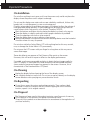
Control Panel Functions
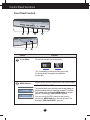
Front Panel Controls
1
2
5
3
4
6
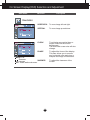
Control
4:3 in Wide
Function
To select the image size of the screen.
WIDE
4:3
*4:3 : Depending on the input video signal ratio,
it is automatically changed to an optimized
screen ratio.
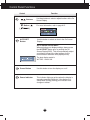
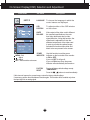
MENU Button
Use this button to enter or exit from the On Screen Display.
OSD LOCKED/UNLOCKED
This function allows you to lock the current control settings, so
that these settings are not inadvertently changed. To lock the
OSD settings, press and hold the MENU button for several
seconds. The message "OSD LOCKED" appears.
You can unlock the OSD settings at any time by
pushing the MENU button for several seconds. The
message "OSD UNLOCKED" appears.
A7