1
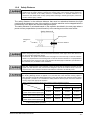
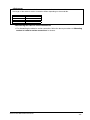
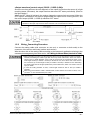
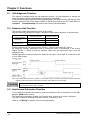
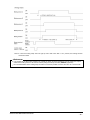
In case that this device is used under auto-reset mode, set the system not to be auto reset by
the safety relay unit, etc. (conforming to EN 60204-1)
<Reference>
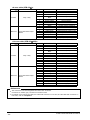
It is possible to change the condition for interlock by using the handy controller (SFB-HC) (optional).
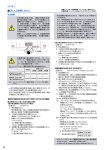
2-6 External Device Monitor Function
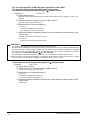
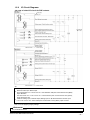
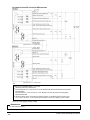
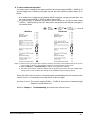
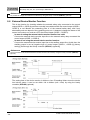
This is the function for checking whether the external safety relay connected to the control
output (OSSD 1, OSSD 2) performs normally in accordance with the control output (OSSD 1,
OSSD 2) or not. Monitor the contacting point ‘b’ of the external safety relay, and if any
abnormality such as deposit of the contacting point, etc. is detected, change the status of the
sensor into lockout one, and turn OFF the control output (OSSD 1, OSSD 2).
・
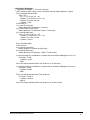
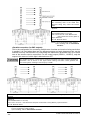
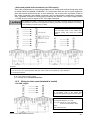
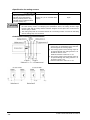
In case of setting the external device monitor function into valid:
Connect the external device monitor input line to the external safety relay connected the
control output (OSSD 1, OSSD 2).
・
In case of not using the external device monitor function:
Connect the external device monitor input line to the auxiliary output line. At this time, the
auxiliary output is set as [negative logic of control output (OSSD 1, OSSD 2)] (factory
setting) [Set through the handy controller (SFB-HC) (optional)]
<Reference>
It is also possible to set the external device monitor function into invalid by using the handy controller (SFB-HC)
(optional).
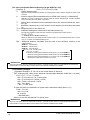
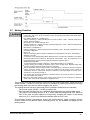
The setting time of the device monitor is 300ms or less. Exceeding 300ms turns the device
into lockout status. It can be set within 100 to 600ms (unit: 10ms) by using the handy
controller (SFB-HC)(optional).
SUNX Limited MJE-SF4B No.6084-00
- 46 -