1
28
QUICKSTART MANUAL
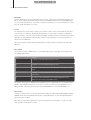
•• (Filter) Edit
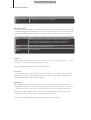
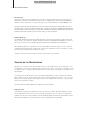
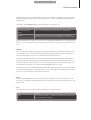
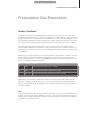
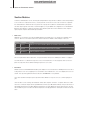
Press the EDIT button to enter the Filter Edit menu. This menu contains all of the parameters relevant to the
filter section, including Filter Routing and both the Filter and Amplifier Envelopes. Use the PARAMETER buttons to move through the pages - if you want to navigate more quickly, you can use the EDIT button to jump
from one group of parameters to the next.
•• Cutoff 2
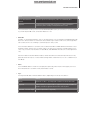
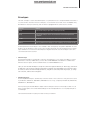
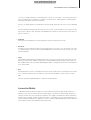
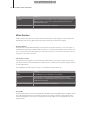
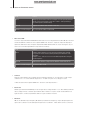
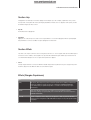
This determines the offset of Filter 2, relative to that of Filter 1. Filter 2 Cutoff is set by default to follow Filter
1 Cutoff at the same frequency. By adjusting this parameter, you cause Filter 2 to operate at a different frequency from Filter 1, which will change the perceived depth of the filters. Please note this parameter is highly
dependent on other parameters within the filter section (such as Filter Balance, for instance) and may not
always have an audible effect.
Tip: If you want Filter 2 Cutoff to behave independently, you need to switch Cutoff Link to ‘Off’ in the Filter
Edit menu.
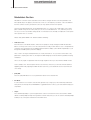
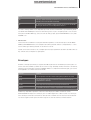
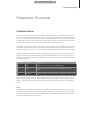
•• Filt 1/2 Mode
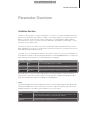
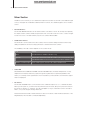
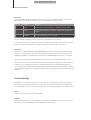
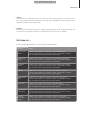
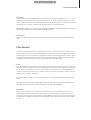
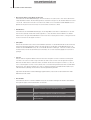
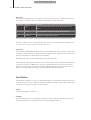
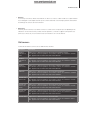
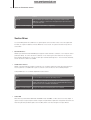
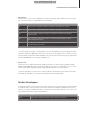
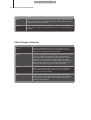
Use the FILT 1 and FILT 2 MODE buttons to select different filter types for either filter. The following modes
are available for both filters:
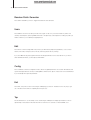
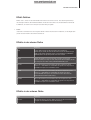
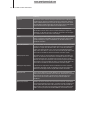
Mode
Meaning
LP
‘Lowpass’ for removing frequencies above the cutoff
HP
‘Highpass’ for removing frequencies below the cutoff
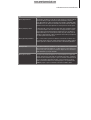
BP
‘Bandpass’ for removing frequencies above and below a narrow band around the
cutoff
BS
‘Bandstop’ for removing frequencies within a narrow band (sometimes called a
‘notch’ filter)
AF
AF ‘Analog 1-4 pole’ inspired by the 4-pole lowpass ladder filter from the
Minimoog tm. This mode is only available to Filter 1
The ‘Analog’ filter modes are available via the FILTER EDIT menu, or alternatively, you can use SHIFT+FILT1
MODE to select between Analog 1/2/3 or 4 pole. If you want to set it up as an accurate emulation of the
Minimoog’s filter, select Analog 4 pole mode, turn FILTER BALANCE to -64 and OSC VOLUME to +0.
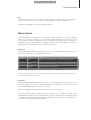
•• Filt 1/2 Select
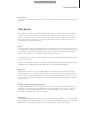
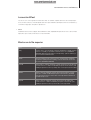
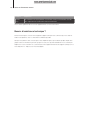
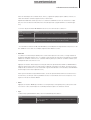
The FILT 1/2 SELECT buttons are used to determine which filters are affected by the RESONANCE and ENV
AMOUNT knobs. Select either filter by pressing the corresponding button, or select both (default) by pressing the two buttons together.
When both are selected, any adjustments cause the target parameter of both filters to ‘snap’ to the same
value, regardless of their previous setting.