1
Contents
1.
INTRODUCTION .............................................................................................................. 3
2.
OPERATION ..................................................................................................................... 4
2.1.
2.2.
XForce intelligent protection control ............................................................................................................. 4
How to operate the thruster .......................................................................................................................... 4
2.2.1.
2.2.2.
2.2.3.
2.2.4.
2.2.5.
2.2.6.
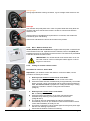
Operating panel versions ...................................................................................................................................... 4
Operating instructions........................................................................................................................................... 5
Directions for use.................................................................................................................................................. 5
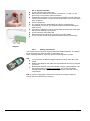
RCU – Remote Control Unit ................................................................................................................................. 6
Coding of wireless remote control ........................................................................................................................ 6
Battery replacement ............................................................................................................................................. 7
3.
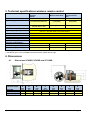
TECHNICAL SPECIFICATIONS WIRELESS REMOTE CONTROL ................................ 8
4.
DIMENSIONS ................................................................................................................... 8
4.1.
4.2.
4.3.
Dimensions XF60SR, XF90SR and XF130SR............................................................................................. 8
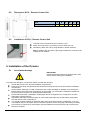
Dimensions RCU – Remote Control Unit ..................................................................................................... 9
Installation of RCU – Remote Control Unit................................................................................................... 9
5.
INSTALLATION OF THE THRUSTER ............................................................................. 9
5.1.
5.2.
5.3.
Avoid water damage..................................................................................................................................... 9
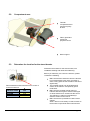
Compartment area ..................................................................................................................................... 10
Determine the location for the stern thruster .............................................................................................. 10
6.
MECHANICAL INSTALLATION ..................................................................................... 11
6.1.
6.2.
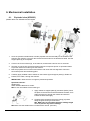
Exploded view (XF90SR) ........................................................................................................................... 11
Propeller installation ................................................................................................................................... 12
7.
ELECTRICAL CONNECTIONS ...................................................................................... 13
7.1.
7.2.
7.3.
7.4.
7.5.
7.6.
7.7.
7.8.
7.9.
7.10.
7.11.
7.12.
Installation of the touch panel .................................................................................................................... 13
Joystick installation ..................................................................................................................................... 14
Connecting the RCU control cable ............................................................................................................. 14
Contradicting direction ................................................................................................................................ 15
Connecting cables to the bow thruster ....................................................................................................... 15
Connecting cables to the battery ................................................................................................................ 16
Fuse connections ....................................................................................................................................... 16
Recommended main switch ....................................................................................................................... 16
Main switch terminal ................................................................................................................................... 16
XForce Thruster Cable, fuse and battery requirements ......................................................................... 17
Wiring diagram ........................................................................................................................................ 17
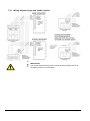
Wiring diagram single and double joystick ............................................................................................. 18
8.
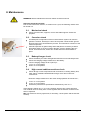
MAINTENANCE ............................................................................................................. 19
8.1.
8.2.
8.3.
8.4.
8.5.
Mechanical check ....................................................................................................................................... 19
Corrosion check ......................................................................................................................................... 19
Battery/charger check ................................................................................................................................ 19
High current cable/connections check ....................................................................................................... 19
Joystick/operator panel check .................................................................................................................... 20
9.
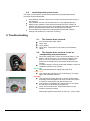
TROUBLESHOOTING.................................................................................................... 20
9.1. The thruster does not work......................................................................................................................... 20
9.2. The thruster does not work or has an unexpectedly low performance ...................................................... 20
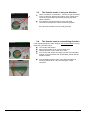
9.3. The thruster works in only one direction .................................................................................................... 21
9.4. The thruster runs in contradicting direction ................................................................................................ 21
The thruster runs for short intervals or a clicking sound is to be heard from the thruster ..................................... 22
9.5. The thruster stops working after a long period of use ................................................................................ 22
10.
INSTALLATION OF EQUIPMENT WITH HIGH CURRENTS. ........................................ 22
10.1.
Special considerations. ........................................................................................................................... 22
10.1.1.
10.2.
XF
Preface/introduction............................................................................................................................................ 22
Battery..................................................................................................................................................... 23
Rev: 4, 2010-02-01
Page 2