1
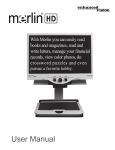
Congratulations on your purchase of Merlin HD from Enhanced
Vision. Merlin HD is a full-color, auto-focus video magnifier system
designed to enhance the lifestyle of the visually impaired. With the
LCD monitor’s adjustable arm, Merlin HD can provide the user with
the ultimate flexibility in the position of the screen.
Merlin HD enables individuals with low vision to read, write,
view photos, enjoy crafts and hobbies, and more – in color,
black-and-white, or enhanced high-contrast positive or negative
viewing modes. Merlin HD also includes 3 different preset color
combinations for both text and background to provide improved
viewing when reading. An additional 25 color combinations are
available and can be programmed. With easy-to-use buttons that
are also distinguishable by touch, you can enlarge or reduce the
image in seconds, change-viewing modes for easier visibility, and
establish preset buttons to your favorite viewing image sizes.
Please read this booklet and familiarize yourself with Merlin HD’s
features and operation before using this system. Your Merlin HD is
ready to use right out of the box. By reviewing all Merlin HD features
and controls before use and following the directions carefully, you’ll
be able to enjoy all the great benefits from your purchase.
Enhanced Vision products are designed to give you the highest
quality image, convenient and easy-to-use features and years of
reliable service. Thank you for choosing the Enhanced Vision Merlin
HD.
FCC COMPLIANCE NOTICE
This device complies with Part 15 of the FCC Rules. Operation is
subject to the following two conditions: (1) This device may not cause
harmful interference, and (2) this device must accept any interference
received, including interference that may cause undesired operation.
This equipment has been tested and found to comply with the limits
for a Class B digital device, pursuant to Part 15 of the FCC Rules.
These limits are designed to provide reasonable protection against
harmful interference in a residential installation. This equipment
generates, uses, and can radiate radio frequency energy and, if not
installed and used in accordance with the instructions, may cause
harmful interference to radio communications. However, there is no
guarantee that interference will not occur in a particular installation. If
this equipment does cause harmful interference to radio or television
reception, which can be determined by turning the equipment off and
on, the user is encouraged to try to correct the interference by one or
more of the following measures:
– Reorient or relocate the receiving antenna.
– Increase the separation between the equipment and receiver.
– Connect the equipment into an outlet on a circuit different from that
to which the receiver is connected.
– Consult the dealer or an experienced radio/TV technician for help.
Unauthorized changes or modification to this system can void the
user’s authority to operate this equipment.
If your Low Vision device has an option to connect to a TV, it must be
used with shielded interface cables in order to meet FCC emissions
limits for Class B digital devices. It is the responsibility of the user to
use the shielded interface cables supplied with the equipment.
FCC Compliance Notice