1
Chapter 7: Reporting
140
7 Reporting
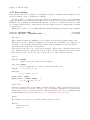
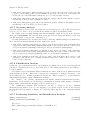
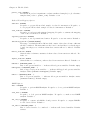
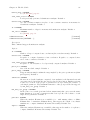
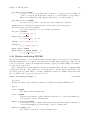
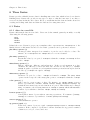
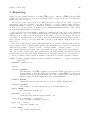
Dynare provides a simple interface for creating LATEX reports, comprised of LATEX tables and TikZ
graphs. You can use the report as created through Dynare or pick out the pieces you want for
inclusion in your own paper.
Reports are created and modified by calling methods on class objects. The objects are
hierarchical, with the following order (from highest to lowest): Report, Page, Section,
Graph/Table/Vspace, Series. For simplicity of syntax, we abstract away from these classes,
allowing you to operate directly on a Report object, while maintaining the names of these classes
in the Report Class methods you will use.
The report is created sequentially, command by command, hence the order of the commands
matters. When an object of a certain hierarchy is inserted, all methods will function on that object
until an object of equal or greater hierarchy is added. Hence, once you add a Page to the report,
every time you add a Section object, it will be added to this Page until another Page is added to
the report (via [addPage], page 141). This will become more clear with the example at the end of
the section.
Options to the methods are passed differently than those to Dynare commands. They take the
form of named options to Matlab functions where the arguments come in pairs (e.g. function_
name(’option_1_name’, ‘option_1_value’, ’option_2_name’, ’option_2_value’, ...),
where option_X_name is the name of the option while option_X_value is the value assigned to
that option). The ordering of the option pairs matters only in the unusual case when an option is
provided twice (probably erroneously). In this case, the last value passed is the one that is used.
Below, you will see a list of methods available for the Report class and a clarifying example.
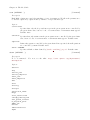
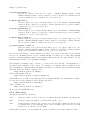
report compiler, showDate, filename, margin, marginUnit, orientation,
[Method on Report]
paper, title
Instantiates a Report object.
Options
compiler, FILENAME
The full path to the LATEX compiler on your system. If this option is not provided,
Dynare will try to find the appropriate program to compile LATEX on your system.
Default is system dependent: Windows: the result of findtexmf --file-type=exe
pdflatex, Mac OS X and Linux: the result of which pdflatex
showDate, BOOLEAN
Display the date and time when the report was compiled. Default: true
filename, FILENAME
The filename to use when saving this report. Default: report.tex
margin, DOUBLE
The margin size. Default: 2.5
marginUnit, ‘cm’ | ‘in’
Units associated with the margin. Default: ‘cm’
orientation, ‘landscape’ | ‘portrait’
Paper orientation: Default: ‘portrait’
paper, ‘a4’ | ‘letter’
Paper size. Default: ‘a4’
title, STRING
Report Title. Default: none