1
PostgreSQL 7.3.2 Programmer’s Guide
The PostgreSQL Global Development Group
PostgreSQL 7.3.2 Programmer’s Guide
by The PostgreSQL Global Development Group
Copyright © 1996-2002 by The PostgreSQL Global Development Group
Legal Notice
PostgreSQL is Copyright © 1996-2002 by the PostgreSQL Global Development Group and is distributed under the terms of the license of the
University of California below.
Postgres95 is Copyright © 1994-5 by the Regents of the University of California.
Permission to use, copy, modify, and distribute this software and its documentation for any purpose, without fee, and without a written agreement
is hereby granted, provided that the above copyright notice and this paragraph and the following two paragraphs appear in all copies.
IN NO EVENT SHALL THE UNIVERSITY OF CALIFORNIA BE LIABLE TO ANY PARTY FOR DIRECT, INDIRECT, SPECIAL, INCIDENTAL, OR CONSEQUENTIAL DAMAGES, INCLUDING LOST PROFITS, ARISING OUT OF THE USE OF THIS SOFTWARE AND ITS
DOCUMENTATION, EVEN IF THE UNIVERSITY OF CALIFORNIA HAS BEEN ADVISED OF THE POSSIBILITY OF SUCH DAMAGE.
THE UNIVERSITY OF CALIFORNIA SPECIFICALLY DISCLAIMS ANY WARRANTIES, INCLUDING, BUT NOT LIMITED TO, THE IMPLIED WARRANTIES OF MERCHANTABILITY AND FITNESS FOR A PARTICULAR PURPOSE. THE SOFTWARE PROVIDED HEREUNDER IS ON AN “AS-IS” BASIS, AND THE UNIVERSITY OF CALIFORNIA HAS NO OBLIGATIONS TO PROVIDE MAINTENANCE,
SUPPORT, UPDATES, ENHANCEMENTS, OR MODIFICATIONS.
Table of Contents
Preface .........................................................................................................................................................i
1. What is PostgreSQL? ......................................................................................................................i
2. A Short History of PostgreSQL ......................................................................................................i
2.1. The Berkeley POSTGRES Project ................................................................................... ii
2.2. Postgres95......................................................................................................................... ii
2.3. PostgreSQL...................................................................................................................... iii
3. What’s In This Book .....................................................................................................................iv
4. Overview of Documentation Resources........................................................................................iv
5. Terminology and Notation .............................................................................................................v
6. Bug Reporting Guidelines.............................................................................................................vi
6.1. Identifying Bugs ...............................................................................................................vi
6.2. What to report................................................................................................................. vii
6.3. Where to report bugs ..................................................................................................... viii
I. Client Interfaces .....................................................................................................................................1
1. libpq - C Library ............................................................................................................................1
1.1. Introduction .......................................................................................................................1
1.2. Database Connection Functions ........................................................................................1
1.3. Command Execution Functions ........................................................................................7
1.3.1. Main Routines.......................................................................................................8
1.3.2. Escaping strings for inclusion in SQL queries......................................................9
1.3.3. Escaping binary strings for inclusion in SQL queries ..........................................9
1.3.4. Retrieving SELECT Result Information.............................................................10
1.3.5. Retrieving SELECT Result Values .....................................................................11
1.3.6. Retrieving Non-SELECT Result Information ....................................................12
1.4. Asynchronous Query Processing.....................................................................................13
1.5. The Fast-Path Interface....................................................................................................16
1.6. Asynchronous Notification..............................................................................................16
1.7. Functions Associated with the COPY Command ...........................................................17
1.8. libpq Tracing Functions...................................................................................................19
1.9. libpq Control Functions...................................................................................................20
1.10. Environment Variables ..................................................................................................20
1.11. Files ...............................................................................................................................21
1.12. Threading Behavior .......................................................................................................22
1.13. Building Libpq Programs ..............................................................................................22
1.14. Example Programs.........................................................................................................23
2. Large Objects ...............................................................................................................................32
2.1. Introduction .....................................................................................................................32
2.2. Implementation Features .................................................................................................32
2.3. Interfaces .........................................................................................................................32
2.3.1. Creating a Large Object ......................................................................................33
2.3.2. Importing a Large Object....................................................................................33
2.3.3. Exporting a Large Object....................................................................................33
2.3.4. Opening an Existing Large Object......................................................................33
2.3.5. Writing Data to a Large Object...........................................................................34
2.3.6. Reading Data from a Large Object .....................................................................34
iii
2.3.7. Seeking on a Large Object ..................................................................................34
2.3.8. Closing a Large Object Descriptor .....................................................................34
2.3.9. Removing a Large Object ...................................................................................34
2.4. Server-side Built-in Functions.........................................................................................35
2.5. Accessing Large Objects from Libpq..............................................................................35
3. pgtcl - Tcl Binding Library ..........................................................................................................41
3.1. Introduction .....................................................................................................................41
3.2. Loading pgtcl into your application ................................................................................42
3.3. pgtcl Command Reference Information ..........................................................................42
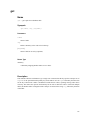
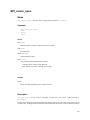
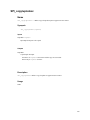
pg_connect ....................................................................................................................43
pg_disconnect ...............................................................................................................45
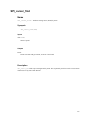
pg_conndefaults ............................................................................................................46
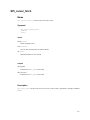
pg_exec .........................................................................................................................47
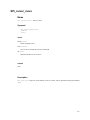
pg_result........................................................................................................................48
pg_select .......................................................................................................................50
pg_execute ....................................................................................................................52
pg_listen........................................................................................................................54
pg_on_connection_loss.................................................................................................55
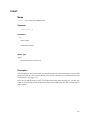
pg_lo_creat....................................................................................................................56
pg_lo_open....................................................................................................................57
pg_lo_close ...................................................................................................................58
pg_lo_read.....................................................................................................................59
pg_lo_write ...................................................................................................................60
pg_lo_lseek ...................................................................................................................61
pg_lo_tell ......................................................................................................................62
pg_lo_unlink .................................................................................................................63
pg_lo_import.................................................................................................................64
pg_lo_export .................................................................................................................65
4. ECPG - Embedded SQL in C.......................................................................................................66
4.1. The Concept.....................................................................................................................66
4.2. Connecting to the Database Server..................................................................................66
4.3. Closing a Connection ......................................................................................................67
4.4. Running SQL Commands................................................................................................67
4.5. Passing Data ....................................................................................................................68
4.6. Error Handling.................................................................................................................69
4.7. Including Files .................................................................................................................72
4.8. Processing Embedded SQL Programs.............................................................................73
4.9. Library Functions ............................................................................................................73
4.10. Porting From Other RDBMS Packages.........................................................................74
4.11. For the Developer ..........................................................................................................74
4.11.1. The Preprocessor...............................................................................................74
4.11.2. The Library .......................................................................................................76
5. JDBC Interface.............................................................................................................................77
5.1. Setting up the JDBC Driver.............................................................................................77
5.1.1. Getting the Driver ...............................................................................................77
5.1.2. Setting up the Class Path.....................................................................................77
5.1.3. Preparing the Database for JDBC .......................................................................78
5.2. Using the Driver ..............................................................................................................78
iv
5.2.1. Importing JDBC..................................................................................................78
5.2.2. Loading the Driver ..............................................................................................78
5.2.3. Connecting to the Database ................................................................................79
5.2.4. Closing the Connection.......................................................................................79
5.3. Issuing a Query and Processing the Result......................................................................80
5.3.1. Using the Statement or PreparedStatement Interface .............................80
5.3.2. Using the ResultSet Interface .........................................................................81
5.4. Performing Updates.........................................................................................................81
5.5. Creating and Modifying Database Objects......................................................................82
5.6. Storing Binary Data.........................................................................................................82
5.7. PostgreSQL Extensions to the JDBC API.......................................................................85
5.7.1. Accessing the Extensions....................................................................................85
5.7.1.1. Class org.postgresql.PGConnection ............................................85
5.7.1.1.1. Methods .....................................................................................85
5.7.1.2. Class org.postgresql.Fastpath.....................................................86
5.7.1.2.1. Methods .....................................................................................87
5.7.1.3. Class org.postgresql.fastpath.FastpathArg ...........................89
5.7.1.3.1. Constructors...............................................................................89
5.7.2. Geometric Data Types.........................................................................................90
5.7.3. Large Objects ....................................................................................................103
5.7.3.1. Class org.postgresql.largeobject.LargeObject ..................103
5.7.3.1.1. Variables ..................................................................................104
5.7.3.1.2. Methods ...................................................................................104
5.7.3.2. Class org.postgresql.largeobject.LargeObjectManager ...105
5.7.3.2.1. Variables ..................................................................................106
5.7.3.2.2. Methods ...................................................................................106
5.8. Using the driver in a multithreaded or a servlet environment .......................................107
5.9. Connection Pools And DataSources..............................................................................107
5.9.1. JDBC, JDK Version Support.............................................................................107
5.9.2. JDBC Connection Pooling API ........................................................................107
5.9.3. Application Servers: ConnectionPoolDataSource ............................................108
5.9.4. Applications: DataSource .................................................................................109
5.9.5. DataSources and JNDI......................................................................................111
5.9.6. Specific Application Server Configurations......................................................112
5.10. Further Reading ...........................................................................................................112
6. PyGreSQL - Python Interface ....................................................................................................113
6.1. The pg Module ..............................................................................................................113
6.1.1. Constants...........................................................................................................113
6.2. pg Module Functions.....................................................................................................114
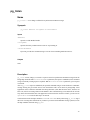
connect ........................................................................................................................114
get_defhost..................................................................................................................117
set_defhost ..................................................................................................................118
get_defport ..................................................................................................................119
set_defport...................................................................................................................120
get_defopt ...................................................................................................................121
set_defopt....................................................................................................................122
get_deftty ....................................................................................................................123
set_deftty.....................................................................................................................124
v
get_defbase .................................................................................................................125
set_defbase..................................................................................................................126
6.3. Connection Object: pgobject......................................................................................127
query ...........................................................................................................................127
reset .............................................................................................................................129
close ............................................................................................................................130
fileno ...........................................................................................................................131
getnotify ......................................................................................................................132
inserttable....................................................................................................................133
putline .........................................................................................................................134
getline..........................................................................................................................135
endcopy .......................................................................................................................136
locreate........................................................................................................................137
getlo.............................................................................................................................138
loimport.......................................................................................................................139
6.4. Database Wrapper Class: DB .........................................................................................140
pkey.............................................................................................................................140
get_databases ..............................................................................................................142
get_tables ....................................................................................................................143
get_attnames ...............................................................................................................144
get................................................................................................................................145
insert............................................................................................................................146
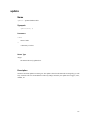
update..........................................................................................................................147
clear.............................................................................................................................148
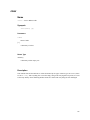
delete ...........................................................................................................................149
6.5. Query Result Object: pgqueryobject ........................................................................150
getresult.......................................................................................................................150
dictresult......................................................................................................................151
listfields .......................................................................................................................152
fieldname.....................................................................................................................153
fieldnum ......................................................................................................................154
ntuples .........................................................................................................................155
6.6. Large Object: pglarge .................................................................................................156
open.............................................................................................................................156
close ............................................................................................................................158
read..............................................................................................................................159
write ............................................................................................................................160
seek .............................................................................................................................161
tell ...............................................................................................................................162
unlink ..........................................................................................................................163
size ..............................................................................................................................164
export ..........................................................................................................................165
II. Server Programming ........................................................................................................................166
7. Architecture................................................................................................................................168
7.1. PostgreSQL Architectural Concepts..............................................................................168
8. Extending SQL: An Overview ...................................................................................................171
8.1. How Extensibility Works...............................................................................................171
vi
8.2. The PostgreSQL Type System.......................................................................................171
8.3. About the PostgreSQL System Catalogs.......................................................................171
9. Extending SQL: Functions.........................................................................................................175
9.1. Introduction ...................................................................................................................175
9.2. Query Language (SQL) Functions ................................................................................175
9.2.1. Examples...........................................................................................................175
9.2.2. SQL Functions on Base Types ..........................................................................176
9.2.3. SQL Functions on Composite Types ................................................................177
9.2.4. SQL Table Functions ........................................................................................179
9.2.5. SQL Functions Returning Sets .........................................................................179
9.3. Procedural Language Functions ....................................................................................181
9.4. Internal Functions..........................................................................................................181
9.5. C Language Functions...................................................................................................181
9.5.1. Dynamic Loading..............................................................................................182
9.5.2. Base Types in C-Language Functions...............................................................183
9.5.3. Version-0 Calling Conventions for C-Language Functions ..............................185
9.5.4. Version-1 Calling Conventions for C-Language Functions ..............................188
9.5.5. Composite Types in C-Language Functions .....................................................190
9.5.6. Table Function API ...........................................................................................192
9.5.6.1. Returning Rows (Composite Types) ....................................................192
9.5.6.2. Returning Sets ......................................................................................193
9.5.7. Writing Code.....................................................................................................198
9.5.8. Compiling and Linking Dynamically-Loaded Functions .................................199
9.6. Function Overloading ....................................................................................................202
9.7. Table Functions..............................................................................................................203
9.8. Procedural Language Handlers......................................................................................203
10. Extending SQL: Types .............................................................................................................206
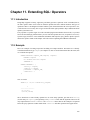
11. Extending SQL: Operators.......................................................................................................209
11.1. Introduction .................................................................................................................209
11.2. Example.......................................................................................................................209
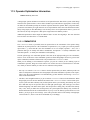
11.3. Operator Optimization Information.............................................................................210
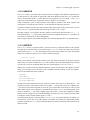
11.3.1. COMMUTATOR.............................................................................................210
11.3.2. NEGATOR ......................................................................................................210
11.3.3. RESTRICT......................................................................................................211
11.3.4. JOIN................................................................................................................212
11.3.5. HASHES .........................................................................................................212
11.3.6. MERGES (SORT1, SORT2, LTCMP, GTCMP).......................................................213
12. Extending SQL: Aggregates ....................................................................................................215
13. The Rule System ......................................................................................................................217
13.1. Introduction .................................................................................................................217
13.2. What is a Query Tree? .................................................................................................217
13.2.1. The Parts of a Query tree ................................................................................217
13.3. Views and the Rule System .........................................................................................219
13.3.1. Implementation of Views in PostgreSQL .......................................................219
13.3.2. How SELECT Rules Work .............................................................................219
13.3.3. View Rules in Non-SELECT Statements........................................................225
13.3.4. The Power of Views in PostgreSQL ...............................................................226
13.3.4.1. Benefits...............................................................................................226
vii
13.3.5. What about updating a view?..........................................................................226
13.4. Rules on INSERT, UPDATE and DELETE ................................................................227
13.4.1. Differences from View Rules..........................................................................227
13.4.2. How These Rules Work ..................................................................................227
13.4.2.1. A First Rule Step by Step...................................................................228
13.4.3. Cooperation with Views..................................................................................231
13.5. Rules and Permissions.................................................................................................237
13.6. Rules and Command Status.........................................................................................238
13.7. Rules versus Triggers ..................................................................................................239
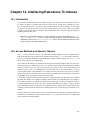
14. Interfacing Extensions To Indexes ...........................................................................................242
14.1. Introduction .................................................................................................................242
14.2. Access Methods and Operator Classes........................................................................242
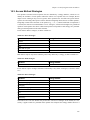
14.3. Access Method Strategies............................................................................................242
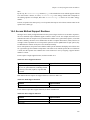
14.4. Access Method Support Routines ...............................................................................244
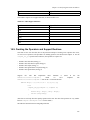
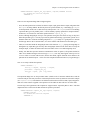
14.5. Creating the Operators and Support Routines .............................................................245
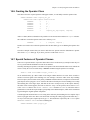
14.6. Creating the Operator Class.........................................................................................246
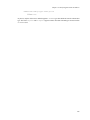
14.7. Special Features of Operator Classes ..........................................................................247
15. Index Cost Estimation Functions .............................................................................................249
16. Triggers ....................................................................................................................................252
16.1. Trigger Definition ........................................................................................................252
16.2. Interaction with the Trigger Manager..........................................................................253
16.3. Visibility of Data Changes...........................................................................................255
16.4. Examples .....................................................................................................................256
17. Server Programming Interface .................................................................................................260
17.1. Interface Functions ......................................................................................................260
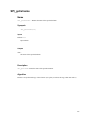
SPI_connect ................................................................................................................260
SPI_finish....................................................................................................................262
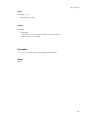
SPI_exec......................................................................................................................263
SPI_prepare.................................................................................................................266
SPI_execp....................................................................................................................268
SPI_cursor_open .........................................................................................................270
SPI_cursor_find...........................................................................................................272
SPI_cursor_fetch.........................................................................................................273
SPI_cursor_move ........................................................................................................274
SPI_cursor_close.........................................................................................................275
SPI_saveplan...............................................................................................................276
17.2. Interface Support Functions ........................................................................................278
SPI_fnumber ...............................................................................................................278
SPI_fname...................................................................................................................280
SPI_getvalue ...............................................................................................................281
SPI_getbinval ..............................................................................................................283
SPI_gettype .................................................................................................................285
SPI_gettypeid..............................................................................................................286
SPI_getrelname ...........................................................................................................287
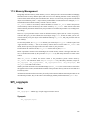
17.3. Memory Management .................................................................................................288
SPI_copytuple .............................................................................................................288
SPI_copytupledesc......................................................................................................290
SPI_copytupleintoslot .................................................................................................291
viii
SPI_modifytuple .........................................................................................................292
SPI_palloc ...................................................................................................................294
SPI_repalloc................................................................................................................295
SPI_pfree.....................................................................................................................296
SPI_freetuple...............................................................................................................297
SPI_freetuptable..........................................................................................................298
SPI_freeplan................................................................................................................299
17.4. Visibility of Data Changes...........................................................................................300
17.5. Examples .....................................................................................................................300
III. Procedural Languages ....................................................................................................................303
18. Procedural Languages ..............................................................................................................305
18.1. Introduction .................................................................................................................305
18.2. Installing Procedural Languages .................................................................................305
19. PL/pgSQL - SQL Procedural Language ..................................................................................307
19.1. Overview .....................................................................................................................307
19.1.1. Advantages of Using PL/pgSQL ....................................................................308
19.1.1.1. Better Performance.............................................................................308
19.1.1.2. SQL Support.......................................................................................308
19.1.1.3. Portability ...........................................................................................308
19.1.2. Developing in PL/pgSQL................................................................................309
19.2. Structure of PL/pgSQL................................................................................................309
19.2.1. Lexical Details ................................................................................................310
19.3. Declarations.................................................................................................................310
19.3.1. Aliases for Function Parameters .....................................................................311
19.3.2. Row Types.......................................................................................................312
19.3.3. Records ...........................................................................................................313
19.3.4. Attributes.........................................................................................................313
19.3.5. RENAME........................................................................................................314
19.4. Expressions..................................................................................................................314
19.5. Basic Statements..........................................................................................................315
19.5.1. Assignment .....................................................................................................316
19.5.2. SELECT INTO ...............................................................................................316
19.5.3. Executing an expression or query with no result ............................................317
19.5.4. Executing dynamic queries .............................................................................317
19.5.5. Obtaining result status.....................................................................................319
19.6. Control Structures........................................................................................................320
19.6.1. Returning from a function...............................................................................320
19.6.2. Conditionals ....................................................................................................321
19.6.2.1. IF-THEN .............................................................................................321
19.6.2.2. IF-THEN-ELSE ..................................................................................321
19.6.2.3. IF-THEN-ELSE IF............................................................................322
19.6.2.4. IF-THEN-ELSIF-ELSE .....................................................................322
19.6.3. Simple Loops ..................................................................................................323
19.6.3.1. LOOP .................................................................................................323
19.6.3.2. EXIT...................................................................................................323
19.6.3.3. WHILE ...............................................................................................324
19.6.3.4. FOR (integer for-loop) .......................................................................324
ix
19.6.4. Looping Through Query Results ....................................................................325
19.7. Cursors.........................................................................................................................326
19.7.1. Declaring Cursor Variables .............................................................................326
19.7.2. Opening Cursors .............................................................................................327
19.7.2.1. OPEN FOR SELECT .........................................................................327
19.7.2.2. OPEN FOR EXECUTE .....................................................................327
19.7.2.3. Opening a bound cursor .....................................................................327
19.7.3. Using Cursors..................................................................................................327
19.7.3.1. FETCH ...............................................................................................328
19.7.3.2. CLOSE ...............................................................................................328
19.7.3.3. Returning Cursors ..............................................................................328
19.8. Errors and Messages....................................................................................................329
19.8.1. Exceptions.......................................................................................................330
19.9. Trigger Procedures ......................................................................................................330
19.10. Examples ...................................................................................................................332
19.11. Porting from Oracle PL/SQL.....................................................................................333
19.11.1. Main Differences...........................................................................................333
19.11.1.1. Quote Me on That: Escaping Single Quotes ....................................334
19.11.2. Porting Functions ..........................................................................................335
19.11.3. Procedures.....................................................................................................339
19.11.4. Packages........................................................................................................340
19.11.5. Other Things to Watch For............................................................................341
19.11.5.1. EXECUTE........................................................................................342
19.11.5.2. Optimizing PL/pgSQL Functions.....................................................342
19.11.6. Appendix.......................................................................................................342
19.11.6.1. Code for my instr functions ..........................................................342
20. PL/Tcl - Tcl Procedural Language...........................................................................................345
20.1. Overview .....................................................................................................................345
20.2. Description ..................................................................................................................345
20.2.1. PL/Tcl Functions and Arguments ...................................................................345
20.2.2. Data Values in PL/Tcl .....................................................................................346
20.2.3. Global Data in PL/Tcl.....................................................................................347
20.2.4. Database Access from PL/Tcl.........................................................................347
20.2.5. Trigger Procedures in PL/Tcl..........................................................................349
20.2.6. Modules and the unknown command .............................................................351
20.2.7. Tcl Procedure Names......................................................................................351
21. PL/Perl - Perl Procedural Language.........................................................................................352
21.1. PL/Perl Functions and Arguments...............................................................................352
21.2. Data Values in PL/Perl.................................................................................................353
21.3. Database Access from PL/Perl ....................................................................................353
21.4. Trusted and Untrusted PL/Perl ....................................................................................354
21.5. Missing Features..........................................................................................................354
22. PL/Python - Python Procedural Language...............................................................................356
22.1. PL/Python Functions ...................................................................................................356
22.2. Trigger Functions ........................................................................................................356
22.3. Database Access ..........................................................................................................357
22.4. Restricted Environment ...............................................................................................358
x
Bibliography ...........................................................................................................................................359
Index........................................................................................................................................................361
xi
List of Tables
3-1. pgtcl Commands ..............................................................................................................................41
5-1. ConnectionPoolDataSource Implementations..................................................................................108
5-2. ConnectionPoolDataSource Configuration Properties .....................................................................108
5-3. DataSource Implementations ...........................................................................................................109
5-4. DataSource Configuration Properties...............................................................................................110
5-5. Additional Pooling DataSource Configuration Properties ...............................................................110
8-1. PostgreSQL System Catalogs...........................................................................................................172
9-1. Equivalent C Types for Built-In PostgreSQL Types ........................................................................183
14-1. B-tree Strategies .............................................................................................................................243
14-2. Hash Strategies ...............................................................................................................................243
14-3. R-tree Strategies .............................................................................................................................243
14-4. B-tree Support Functions................................................................................................................244
14-5. Hash Support Functions .................................................................................................................244
14-6. R-tree Support Functions................................................................................................................244
14-7. GiST Support Functions.................................................................................................................245
19-1. Single Quotes Escaping Chart........................................................................................................334
List of Figures
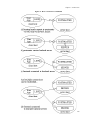
7-1. How a connection is established.......................................................................................................168
8-1. The major PostgreSQL system catalogs...........................................................................................172
List of Examples
1-1. libpq Example Program 1...................................................................................................................24
1-2. libpq Example Program 2...................................................................................................................26
1-3. libpq Example Program 3...................................................................................................................28
2-1. Large Objects with Libpq Example Program.....................................................................................35
3-1. pgtcl Example Program ......................................................................................................................41
5-1. Processing a Simple Query in JDBC..................................................................................................80
5-2. Simple Delete Example ......................................................................................................................81
5-3. Drop Table Example...........................................................................................................................82
5-4. Binary Data Examples........................................................................................................................83
5-5. ConnectionPoolDataSource Configuration Example................................................................109
5-6. DataSource Code Example............................................................................................................110
5-7. DataSource JNDI Code Example ..................................................................................................111
18-1. Manual Installation of PL/pgSQL ..................................................................................................306
19-1. A PL/pgSQL Trigger Procedure Example .....................................................................................331
19-2. A Simple PL/pgSQL Function to Increment an Integer.................................................................332
19-3. A Simple PL/pgSQL Function to Concatenate Text ......................................................................333
19-4. A PL/pgSQL Function on Composite Type ...................................................................................333
19-5. A Simple Function..........................................................................................................................335
19-6. A Function that Creates Another Function.....................................................................................336
xii
19-7. A Procedure with a lot of String Manipulation and OUT Parameters ...........................................337
xiii
Preface
1. What is PostgreSQL?
PostgreSQL is an object-relational database management system (ORDBMS) based on POSTGRES,
Version 4.21, developed at the University of California at Berkeley Computer Science Department. The
POSTGRES project, led by Professor Michael Stonebraker, was sponsored by the Defense Advanced
Research Projects Agency (DARPA), the Army Research Office (ARO), the National Science Foundation
(NSF), and ESL, Inc.
PostgreSQL is an open-source descendant of this original Berkeley code. It provides SQL92/SQL99 language support and other modern features.
POSTGRES pioneered many of the object-relational concepts now becoming available in some commercial databases. Traditional relational database management systems (RDBMS) support a data model consisting of a collection of named relations, containing attributes of a specific type. In current commercial
systems, possible types include floating point numbers, integers, character strings, money, and dates. It is
commonly recognized that this model is inadequate for future data-processing applications. The relational
model successfully replaced previous models in part because of its “Spartan simplicity”. However, this
simplicity makes the implementation of certain applications very difficult. PostgreSQL offers substantial
additional power by incorporating the following additional concepts in such a way that users can easily
extend the system:
•
•
•
inheritance
data types
functions
Other features provide additional power and flexibility:
•
•
•
•
constraints
triggers
rules
transactional integrity
These features put PostgreSQL into the category of databases referred to as object-relational. Note that
this is distinct from those referred to as object-oriented, which in general are not as well suited to supporting traditional relational database languages. So, although PostgreSQL has some object-oriented features,
it is firmly in the relational database world. In fact, some commercial databases have recently incorporated
features pioneered by PostgreSQL.
1.
http://s2k-ftp.CS.Berkeley.EDU:8000/postgres/postgres.html
i
Preface
2. A Short History of PostgreSQL
The object-relational database management system now known as PostgreSQL (and briefly called Postgres95) is derived from the POSTGRES package written at the University of California at Berkeley. With
over a decade of development behind it, PostgreSQL is the most advanced open-source database available
anywhere, offering multiversion concurrency control, supporting almost all SQL constructs (including
subselects, transactions, and user-defined types and functions), and having a wide range of language bindings available (including C, C++, Java, Perl, Tcl, and Python).
2.1. The Berkeley POSTGRES Project
Implementation of the POSTGRES DBMS began in 1986. The initial concepts for the system were presented in The design of POSTGRES and the definition of the initial data model appeared in The POSTGRES data model. The design of the rule system at that time was described in The design of the POSTGRES rules system. The rationale and architecture of the storage manager were detailed in The design of
the POSTGRES storage system.
Postgres has undergone several major releases since then. The first “demoware” system became operational in 1987 and was shown at the 1988 ACM-SIGMOD Conference. Version 1, described in The implementation of POSTGRES, was released to a few external users in June 1989. In response to a critique
of the first rule system (A commentary on the POSTGRES rules system), the rule system was redesigned
(On Rules, Procedures, Caching and Views in Database Systems) and Version 2 was released in June 1990
with the new rule system. Version 3 appeared in 1991 and added support for multiple storage managers,
an improved query executor, and a rewritten rewrite rule system. For the most part, subsequent releases
until Postgres95 (see below) focused on portability and reliability.
POSTGRES has been used to implement many different research and production applications. These include: a financial data analysis system, a jet engine performance monitoring package, an asteroid tracking
database, a medical information database, and several geographic information systems. POSTGRES has
also been used as an educational tool at several universities. Finally, Illustra Information Technologies
(later merged into Informix2, which is now owned by IBM3.) picked up the code and commercialized it.
POSTGRES became the primary data manager for the Sequoia 20004 scientific computing project in late
1992.
The size of the external user community nearly doubled during 1993. It became increasingly obvious that
maintenance of the prototype code and support was taking up large amounts of time that should have been
devoted to database research. In an effort to reduce this support burden, the Berkeley POSTGRES project
officially ended with Version 4.2.
2.2. Postgres95
In 1994, Andrew Yu and Jolly Chen added a SQL language interpreter to POSTGRES. Postgres95 was
subsequently released to the Web to find its own way in the world as an open-source descendant of the
original POSTGRES Berkeley code.
Postgres95 code was completely ANSI C and trimmed in size by 25%. Many internal changes improved
performance and maintainability. Postgres95 release 1.0.x ran about 30-50% faster on the Wisconsin
2.
3.
4.
http://www.informix.com/
http://www.ibm.com/
http://meteora.ucsd.edu/s2k/s2k_home.html
ii
Preface
Benchmark compared to POSTGRES, Version 4.2. Apart from bug fixes, the following were the major
enhancements:
•
The query language PostQUEL was replaced with SQL (implemented in the server). Subqueries were
not supported until PostgreSQL (see below), but they could be imitated in Postgres95 with user-defined
SQL functions. Aggregates were re-implemented. Support for the GROUP BY query clause was also
added. The libpq interface remained available for C programs.
•
In addition to the monitor program, a new program (psql) was provided for interactive SQL queries
using GNU Readline.
•
A new front-end library, libpgtcl, supported Tcl-based clients. A sample shell, pgtclsh, provided
new Tcl commands to interface Tcl programs with the Postgres95 backend.
•
The large-object interface was overhauled. The Inversion large objects were the only mechanism for
storing large objects. (The Inversion file system was removed.)
•
The instance-level rule system was removed. Rules were still available as rewrite rules.
•
A short tutorial introducing regular SQL features as well as those of Postgres95 was distributed with
the source code
•
GNU make (instead of BSD make) was used for the build. Also, Postgres95 could be compiled with an
unpatched GCC (data alignment of doubles was fixed).
2.3. PostgreSQL
By 1996, it became clear that the name “Postgres95” would not stand the test of time. We chose a new
name, PostgreSQL, to reflect the relationship between the original POSTGRES and the more recent versions with SQL capability. At the same time, we set the version numbering to start at 6.0, putting the
numbers back into the sequence originally begun by the Berkeley POSTGRES project.
The emphasis during development of Postgres95 was on identifying and understanding existing problems
in the backend code. With PostgreSQL, the emphasis has shifted to augmenting features and capabilities,
although work continues in all areas.
Major enhancements in PostgreSQL include:
•
Table-level locking has been replaced by multiversion concurrency control, which allows readers to
continue reading consistent data during writer activity and enables hot backups from pg_dump while
the database stays available for queries.
•
Important backend features, including subselects, defaults, constraints, and triggers, have been implemented.
•
Additional SQL92-compliant language features have been added, including primary keys, quoted identifiers, literal string type coercion, type casting, and binary and hexadecimal integer input.
•
Built-in types have been improved, including new wide-range date/time types and additional geometric
type support.
•
Overall backend code speed has been increased by approximately 20-40%, and backend start-up time
has decreased by 80% since version 6.0 was released.
iii
Preface
3. What’s In This Book
This book is for PostgreSQL application programmers. It is divided into three parts.
The first part of this book describes the client programming interfaces distributed with PostgreSQL. Each
of these chapters can be read independently. Note that there are many other programming interfaces for
client programs that are distributed separately and contain their own documentation. Readers of the first
part should be familiar with using SQL commands to manipulate and query the database (see the PostgreSQL User’s Guide) and of course with the programming language that the interface uses.
The second part of this book is about extending the server functionality with user-defined functions, data
types, triggers, etc. These are advanced topics which should probably be approached only after all the
other user documentation about PostgreSQL has been understood.
The third part of this book described the available server-side programming languages. This information
is related to the second part and is only useful to readers that have read at least the first few chapters
thereof.
This book covers PostgreSQL 7.3.2 only. For information on other versions, please read the documentation
that accompanies that release.
4. Overview of Documentation Resources
The PostgreSQL documentation is organized into several books:
PostgreSQL Tutorial
An informal introduction for new users.
PostgreSQL User’s Guide
Documents the SQL query language environment, including data types and functions, as well as
user-level performance tuning. Every PostgreSQL user should read this.
PostgreSQL Administrator’s Guide
Installation and server management information. Everyone who runs a PostgreSQL server, either for
personal use or for other users, needs to read this.
PostgreSQL Programmer’s Guide
Advanced information for application programmers. Topics include type and function extensibility,
library interfaces, and application design issues.
PostgreSQL Reference Manual
Reference pages for SQL command syntax, and client and server programs. This book is auxiliary to
the User’s, Administrator’s, and Programmer’s Guides.
PostgreSQL Developer’s Guide
Information for PostgreSQL developers. This is intended for those who are contributing to the PostgreSQL project; application development information appears in the Programmer’s Guide.
iv
Preface
In addition to this manual set, there are other resources to help you with PostgreSQL installation and use:
man pages
The Reference Manual’s pages in the traditional Unix man format. There is no difference in content.
FAQs
Frequently Asked Questions (FAQ) lists document both general issues and some platform-specific
issues.
READMEs
README files are available for some contributed packages.
Web Site
The PostgreSQL web site5 carries details on the latest release, upcoming features, and other information to make your work or play with PostgreSQL more productive.
Mailing Lists
The mailing lists are a good place to have your questions answered, to share experiences with other
users, and to contact the developers. Consult the User’s Lounge6 section of the PostgreSQL web site
for details.
Yourself!
PostgreSQL is an open-source effort. As such, it depends on the user community for ongoing support.
As you begin to use PostgreSQL, you will rely on others for help, either through the documentation or
through the mailing lists. Consider contributing your knowledge back. If you learn something which
is not in the documentation, write it up and contribute it. If you add features to the code, contribute
them.
Even those without a lot of experience can provide corrections and minor changes in the documentation, and that is a good way to start. The <[email protected]> mailing list is the place
to get going.
5. Terminology and Notation
An administrator is generally a person who is in charge of installing and running the server. A user
could be anyone who is using, or wants to use, any part of the PostgreSQL system. These terms should
not be interpreted too narrowly; this documentation set does not have fixed presumptions about system
administration procedures.
We use /usr/local/pgsql/ as the root directory of the installation and /usr/local/pgsql/data as
the directory with the database files. These directories may vary on your site, details can be derived in the
Administrator’s Guide.
5.
6.
http://www.postgresql.org
http://www.postgresql.org/users-lounge/
v
Preface
In a command synopsis, brackets ([ and ]) indicate an optional phrase or keyword. Anything in braces ({
and }) and containing vertical bars (|) indicates that you must choose one alternative.
Examples will show commands executed from various accounts and programs. Commands executed from
a Unix shell may be preceded with a dollar sign (“$”). Commands executed from particular user accounts
such as root or postgres are specially flagged and explained. SQL commands may be preceded with “=>”
or will have no leading prompt, depending on the context.
Note: The notation for flagging commands is not universally consistent throughout the documentation
set. Please report problems to the documentation mailing list <[email protected]>.
6. Bug Reporting Guidelines
When you find a bug in PostgreSQL we want to hear about it. Your bug reports play an important part
in making PostgreSQL more reliable because even the utmost care cannot guarantee that every part of
PostgreSQL will work on every platform under every circumstance.
The following suggestions are intended to assist you in forming bug reports that can be handled in an
effective fashion. No one is required to follow them but it tends to be to everyone’s advantage.
We cannot promise to fix every bug right away. If the bug is obvious, critical, or affects a lot of users,
chances are good that someone will look into it. It could also happen that we tell you to update to a newer
version to see if the bug happens there. Or we might decide that the bug cannot be fixed before some
major rewrite we might be planning is done. Or perhaps it is simply too hard and there are more important
things on the agenda. If you need help immediately, consider obtaining a commercial support contract.
6.1. Identifying Bugs
Before you report a bug, please read and re-read the documentation to verify that you can really do
whatever it is you are trying. If it is not clear from the documentation whether you can do something or
not, please report that too; it is a bug in the documentation. If it turns out that the program does something
different from what the documentation says, that is a bug. That might include, but is not limited to, the
following circumstances:
•
A program terminates with a fatal signal or an operating system error message that would point to a
problem in the program. (A counterexample might be a “disk full” message, since you have to fix that
yourself.)
•
A program produces the wrong output for any given input.
•
A program refuses to accept valid input (as defined in the documentation).
•
A program accepts invalid input without a notice or error message. But keep in mind that your idea of
invalid input might be our idea of an extension or compatibility with traditional practice.
•
PostgreSQL fails to compile, build, or install according to the instructions on supported platforms.
Here “program” refers to any executable, not only the backend server.
vi
Preface
Being slow or resource-hogging is not necessarily a bug. Read the documentation or ask on one of the
mailing lists for help in tuning your applications. Failing to comply to the SQL standard is not necessarily
a bug either, unless compliance for the specific feature is explicitly claimed.
Before you continue, check on the TODO list and in the FAQ to see if your bug is already known. If you
cannot decode the information on the TODO list, report your problem. The least we can do is make the
TODO list clearer.
6.2. What to report
The most important thing to remember about bug reporting is to state all the facts and only facts. Do not
speculate what you think went wrong, what “it seemed to do”, or which part of the program has a fault.
If you are not familiar with the implementation you would probably guess wrong and not help us a bit.
And even if you are, educated explanations are a great supplement to but no substitute for facts. If we are
going to fix the bug we still have to see it happen for ourselves first. Reporting the bare facts is relatively
straightforward (you can probably copy and paste them from the screen) but all too often important details
are left out because someone thought it does not matter or the report would be understood anyway.
The following items should be contained in every bug report:
•
The exact sequence of steps from program start-up necessary to reproduce the problem. This should
be self-contained; it is not enough to send in a bare select statement without the preceding create table
and insert statements, if the output should depend on the data in the tables. We do not have the time
to reverse-engineer your database schema, and if we are supposed to make up our own data we would
probably miss the problem. The best format for a test case for query-language related problems is a file
that can be run through the psql frontend that shows the problem. (Be sure to not have anything in your
~/.psqlrc start-up file.) An easy start at this file is to use pg_dump to dump out the table declarations
and data needed to set the scene, then add the problem query. You are encouraged to minimize the size
of your example, but this is not absolutely necessary. If the bug is reproducible, we will find it either
way.
If your application uses some other client interface, such as PHP, then please try to isolate the offending
queries. We will probably not set up a web server to reproduce your problem. In any case remember
to provide the exact input files, do not guess that the problem happens for “large files” or “mid-size
databases”, etc. since this information is too inexact to be of use.
•
The output you got. Please do not say that it “didn’t work” or “crashed”. If there is an error message,
show it, even if you do not understand it. If the program terminates with an operating system error,
say which. If nothing at all happens, say so. Even if the result of your test case is a program crash or
otherwise obvious it might not happen on our platform. The easiest thing is to copy the output from the
terminal, if possible.
Note: In case of fatal errors, the error message reported by the client might not contain all the
information available. Please also look at the log output of the database server. If you do not keep
your server’s log output, this would be a good time to start doing so.
vii
Preface
•
The output you expected is very important to state. If you just write “This command gives me that
output.” or “This is not what I expected.”, we might run it ourselves, scan the output, and think it
looks OK and is exactly what we expected. We should not have to spend the time to decode the exact
semantics behind your commands. Especially refrain from merely saying that “This is not what SQL
says/Oracle does.” Digging out the correct behavior from SQL is not a fun undertaking, nor do we all
know how all the other relational databases out there behave. (If your problem is a program crash, you
can obviously omit this item.)
•
Any command line options and other start-up options, including concerned environment variables or
configuration files that you changed from the default. Again, be exact. If you are using a prepackaged
distribution that starts the database server at boot time, you should try to find out how that is done.
•
Anything you did at all differently from the installation instructions.
•
The PostgreSQL version. You can run the command SELECT version(); to find out the version of
the server you are connected to. Most executable programs also support a --version option; at least
postmaster --version and psql --version should work. If the function or the options do not
exist then your version is more than old enough to warrant an upgrade. You can also look into the
README file in the source directory or at the name of your distribution file or package name. If you run
a prepackaged version, such as RPMs, say so, including any subversion the package may have. If you
are talking about a CVS snapshot, mention that, including its date and time.
If your version is older than 7.3.2 we will almost certainly tell you to upgrade. There are tons of bug
fixes in each new release, that is why we make new releases.
•
Platform information. This includes the kernel name and version, C library, processor, memory information. In most cases it is sufficient to report the vendor and version, but do not assume everyone knows
what exactly “Debian” contains or that everyone runs on Pentiums. If you have installation problems
then information about compilers, make, etc. is also necessary.
Do not be afraid if your bug report becomes rather lengthy. That is a fact of life. It is better to report
everything the first time than us having to squeeze the facts out of you. On the other hand, if your input
files are huge, it is fair to ask first whether somebody is interested in looking into it.
Do not spend all your time to figure out which changes in the input make the problem go away. This will
probably not help solving it. If it turns out that the bug cannot be fixed right away, you will still have time
to find and share your work-around. Also, once again, do not waste your time guessing why the bug exists.
We will find that out soon enough.
When writing a bug report, please choose non-confusing terminology. The software package in total is
called “PostgreSQL”, sometimes “Postgres” for short. If you are specifically talking about the backend
server, mention that, do not just say “PostgreSQL crashes”. A crash of a single backend server process is
quite different from crash of the parent “postmaster” process; please don’t say “the postmaster crashed”
when you mean a single backend went down, nor vice versa. Also, client programs such as the interactive
frontend “psql” are completely separate from the backend. Please try to be specific about whether the
problem is on the client or server side.
6.3. Where to report bugs
In general, send bug reports to the bug report mailing list at <[email protected]>. You are
viii
Preface
requested to use a descriptive subject for your email message, perhaps parts of the error message.
Another method is to fill in the bug report web-form available at the project’s web site
http://www.postgresql.org/. Entering a bug report this way causes it to be mailed to the
<[email protected]> mailing list.
Do not send bug reports to any of the user mailing lists, such as <[email protected]> or
<[email protected]>. These mailing lists are for answering user questions and their
subscribers normally do not wish to receive bug reports. More importantly, they are unlikely to fix them.
Also, please do not send reports to the developers’ mailing list <[email protected]>.
This list is for discussing the development of PostgreSQL and it would be nice if we could keep the bug
reports separate. We might choose to take up a discussion about your bug report on pgsql-hackers, if
the problem needs more review.
If you have a problem with the documentation, the best place to report it is the documentation mailing
list <[email protected]>. Please be specific about what part of the documentation you are
unhappy with.
If your bug is a portability problem on a non-supported platform, send mail to
<[email protected]>, so we (and you) can work on porting PostgreSQL to your
platform.
Note: Due to the unfortunate amount of spam going around, all of the above email addresses are
closed mailing lists. That is, you need to be subscribed to a list to be allowed to post on it. (You need
not be subscribed to use the bug report web-form, however.) If you would like to send mail but do not
want to receive list traffic, you can subscribe and set your subscription option to nomail. For more
information send mail to <[email protected]> with the single word help in the body of the
message.
ix
I. Client Interfaces
This part of the manual is the description of the client-side programming interfaces and support libraries
for various languages.
Chapter 1. libpq - C Library
1.1. Introduction
libpq is the C application programmer’s interface to PostgreSQL. libpq is a set of library routines that
allow client programs to pass queries to the PostgreSQL backend server and to receive the results of these
queries. libpq is also the underlying engine for several other PostgreSQL application interfaces, including
libpq++ (C++), libpgtcl (Tcl), Perl, and ecpg. So some aspects of libpq’s behavior will be important
to you if you use one of those packages.
Three short programs are included at the end of this section to show how to write programs that use
libpq. There are several complete examples of libpq applications in the following directories:
src/test/examples
src/bin/psql
Frontend programs that use libpq must include the header file libpq-fe.h and must link with the
libpq library.
1.2. Database Connection Functions
The following routines deal with making a connection to a PostgreSQL backend server. The application
program can have several backend connections open at one time. (One reason to do that is to access
more than one database.) Each connection is represented by a PGconn object which is obtained from
PQconnectdb or PQsetdbLogin. Note that these functions will always return a non-null object pointer,
unless perhaps there is too little memory even to allocate the PGconn object. The PQstatus function
should be called to check whether a connection was successfully made before queries are sent via the
connection object.
• PQconnectdb
Makes a new connection to the database server.
PGconn *PQconnectdb(const char *conninfo)
This routine opens a new database connection using the parameters taken from the string conninfo.
Unlike PQsetdbLogin below, the parameter set can be extended without changing the function signature, so use either of this routine or the nonblocking analogues PQconnectStart and PQconnectPoll
is preferred for application programming. The passed string can be empty to use all default parameters,
or it can contain one or more parameter settings separated by whitespace.
Each parameter setting is in the form keyword = value. (To write an empty value or a value containing spaces, surround it with single quotes, e.g., keyword = ’a value’. Single quotes and backslashes within the value must be escaped with a backslash, e.g., \’ or \\.) Spaces around the equal sign
are optional. The currently recognized parameter keywords are:
1
Chapter 1. libpq - C Library
host
Name of host to connect to. If this begins with a slash, it specifies Unix-domain communication
rather than TCP/IP communication; the value is the name of the directory in which the socket file
is stored. The default is to connect to a Unix-domain socket in /tmp.
hostaddr
IP address of host to connect to. This should be in standard numbers-and-dots form, as used by the
BSD functions inet_aton et al. If a nonzero-length string is specified, TCP/IP communication is
used.
Using hostaddr instead of host allows the application to avoid a host name look-up, which may
be important in applications with time constraints. However, Kerberos authentication requires the
host name. The following therefore applies. If host is specified without hostaddr, a host name
lookup is forced. If hostaddr is specified without host, the value for hostaddr gives the remote address; if Kerberos is used, this causes a reverse name query. If both host and hostaddr
are specified, the value for hostaddr gives the remote address; the value for host is ignored,
unless Kerberos is used, in which case that value is used for Kerberos authentication. Note that
authentication is likely to fail if libpq is passed a host name that is not the name of the machine at
hostaddr.
Without either a host name or host address, libpq will connect using a local Unix domain socket.
port
Port number to connect to at the server host, or socket file name extension for Unix-domain connections.
dbname
The database name.
user
User name to connect as.
password
Password to be used if the server demands password authentication.
connect_timeout
Time space in seconds given to connect routine. Zero or not set means infinite.
options
Trace/debug options to be sent to the server.
tty
A file or tty for optional debug output from the backend.
requiressl
Set to 1 to require SSL connection to the server. Libpq will then refuse to connect if the server
does not accept an SSL connection. Set to 0 (default) to negotiate with server. This option is only
available if PostgreSQL is compiled with SSL support.
2
Chapter 1. libpq - C Library
If any parameter is unspecified, then the corresponding environment variable (see Section 1.10) is
checked. If the environment variable is not set either, then hardwired defaults are used. The return value
is a pointer to an abstract struct representing the connection to the backend.
• PQsetdbLogin
Makes a new connection to the database server.
PGconn *PQsetdbLogin(const
const
const
const
const
const
const
char
char
char
char
char
char
char
*pghost,
*pgport,
*pgoptions,
*pgtty,
*dbName,
*login,
*pwd)
This is the predecessor of PQconnectdb with a fixed number of parameters but the same functionality.
• PQsetdb
Makes a new connection to the database server.
PGconn *PQsetdb(char
char
char
char
char
*pghost,
*pgport,
*pgoptions,
*pgtty,
*dbName)
This is a macro that calls PQsetdbLogin with null pointers for the login and pwd parameters. It is
provided primarily for backward compatibility with old programs.
• PQconnectStart, PQconnectPoll
Make a connection to the database server in a nonblocking man-
ner.
PGconn *PQconnectStart(const char *conninfo)
PostgresPollingStatusType PQconnectPoll(PGconn *conn)
These two routines are used to open a connection to a database server such that your application’s
thread of execution is not blocked on remote I/O whilst doing so.
The database connection is made using the parameters taken from the string conninfo, passed to
PQconnectStart. This string is in the same format as described above for PQconnectdb.
Neither PQconnectStart nor PQconnectPoll will block, as long as a number of restrictions are
met:
•
The hostaddr and host parameters are used appropriately to ensure that name and reverse name
queries are not made. See the documentation of these parameters under PQconnectdb above for
details.
•
If you call PQtrace, ensure that the stream object into which you trace will not block.
•
You ensure for yourself that the socket is in the appropriate state before calling PQconnectPoll, as
described below.
To begin, call conn=PQconnectStart("connection_info_string"). If conn is NULL, then
libpq has been unable to allocate a new PGconn structure. Otherwise, a valid PGconn pointer is returned
3
Chapter 1. libpq - C Library
(though not yet representing a valid connection to the database). On return from PQconnectStart, call
status=PQstatus(conn). If status equals CONNECTION_BAD, PQconnectStart has failed.
If PQconnectStart succeeds, the next stage is to poll libpq so that it may proceed with the connection sequence. Loop thus: Consider a connection “inactive” by default. If PQconnectPoll last
returned PGRES_POLLING_ACTIVE, consider it “active” instead. If PQconnectPoll(conn) last returned PGRES_POLLING_READING, perform a select() for reading on PQsocket(conn). If it last
returned PGRES_POLLING_WRITING, perform a select() for writing on PQsocket(conn). If you
have yet to call PQconnectPoll, i.e. after the call to PQconnectStart, behave as if it last returned PGRES_POLLING_WRITING. If the select() shows that the socket is ready, consider it “active”. If it has been decided that this connection is “active”, call PQconnectPoll(conn) again. If
this call returns PGRES_POLLING_FAILED, the connection procedure has failed. If this call returns
PGRES_POLLING_OK, the connection has been successfully made.
Note that the use of select() to ensure that the socket is ready is merely a (likely) example; those
with other facilities available, such as a poll() call, may of course use that instead.
At any time during connection, the status of the connection may be checked, by calling PQstatus. If
this is CONNECTION_BAD, then the connection procedure has failed; if this is CONNECTION_OK, then
the connection is ready. Either of these states should be equally detectable from the return value of
PQconnectPoll, as above. Other states may be shown during (and only during) an asynchronous
connection procedure. These indicate the current stage of the connection procedure, and may be useful
to provide feedback to the user for example. These statuses may include:
CONNECTION_STARTED
Waiting for connection to be made.
CONNECTION_MADE
Connection OK; waiting to send.
CONNECTION_AWAITING_RESPONSE
Waiting for a response from the server.
CONNECTION_AUTH_OK
Received authentication; waiting for connection start-up to continue.
CONNECTION_SETENV
Negotiating environment (part of the connection start-up).
Note that, although these constants will remain (in order to maintain compatibility), an application
should never rely upon these appearing in a particular order, or at all, or on the status always being one
of these documented values. An application may do something like this:
switch(PQstatus(conn))
{
case CONNECTION_STARTED:
feedback = "Connecting...";
break;
case CONNECTION_MADE:
feedback = "Connected to server...";
break;
.
4
Chapter 1. libpq - C Library
.
.
default:
feedback = "Connecting...";
}
Note that if PQconnectStart returns a non-NULL pointer, you must call PQfinish when you are
finished with it, in order to dispose of the structure and any associated memory blocks. This must be
done even if a call to PQconnectStart or PQconnectPoll failed.
PQconnectPoll will currently block if libpq is compiled with USE_SSL defined. This restriction may
be removed in the future.
These functions leave the socket in a nonblocking state as if PQsetnonblocking had been called.
• PQconndefaults
Returns the default connection options.
PQconninfoOption *PQconndefaults(void)
struct PQconninfoOption
{
char
*keyword;
/*
char
*envvar;
/*
char
*compiled; /*
char
*val;
/*
char
*label;
/*
char
*dispchar; /*
int
dispsize;
The keyword of the option */
Fallback environment variable name */
Fallback compiled in default value */
Option’s current value, or NULL */
Label for field in connect dialog */
Character to display for this field
in a connect dialog. Values are:
""
Display entered value as is
"*"
Password field - hide value
"D"
Debug option - don’t show by default */
/* Field size in characters for dialog */
}
Returns a connection options array. This may be used to determine all possible PQconnectdb options
and their current default values. The return value points to an array of PQconninfoOption structs,
which ends with an entry having a NULL keyword pointer. Note that the default values (val fields)
will depend on environment variables and other context. Callers must treat the connection options data
as read-only.
After processing the options array, free it by passing it to PQconninfoFree. If this is not done, a small
amount of memory is leaked for each call to PQconndefaults.
In PostgreSQL versions before 7.0, PQconndefaults returned a pointer to a static array, rather than a
dynamically allocated array. That was not thread-safe, so the behavior has been changed.
• PQfinish
Close the connection to the backend. Also frees memory used by the PGconn object.
void PQfinish(PGconn *conn)
5
Chapter 1. libpq - C Library
Note that even if the backend connection attempt fails (as indicated by PQstatus), the application
should call PQfinish to free the memory used by the PGconn object. The PGconn pointer should not
be used after PQfinish has been called.
• PQreset
Reset the communication port with the backend.
void PQreset(PGconn *conn)
This function will close the connection to the backend and attempt to reestablish a new connection to
the same server, using all the same parameters previously used. This may be useful for error recovery
if a working connection is lost.
• PQresetStart PQresetPoll Reset the communication port with the backend, in a nonblocking man-
ner.
int PQresetStart(PGconn *conn);
PostgresPollingStatusType PQresetPoll(PGconn *conn);
These functions will close the connection to the backend and attempt to reestablish a new connection to
the same server, using all the same parameters previously used. This may be useful for error recovery
if a working connection is lost. They differ from PQreset (above) in that they act in a nonblocking
manner. These functions suffer from the same restrictions as PQconnectStart and PQconnectPoll.
Call PQresetStart. If it returns 0, the reset has failed. If it returns 1, poll the reset using PQresetPoll in exactly the same way as you would create the connection using PQconnectPoll.
libpq application programmers should be careful to maintain the PGconn abstraction. Use the accessor
functions below to get at the contents of PGconn. Avoid directly referencing the fields of the PGconn
structure because they are subject to change in the future. (Beginning in PostgreSQL release 6.4, the
definition of struct PGconn is not even provided in libpq-fe.h. If you have old code that accesses
PGconn fields directly, you can keep using it by including libpq-int.h too, but you are encouraged to
fix the code soon.)
• PQdb
Returns the database name of the connection.
char *PQdb(const PGconn *conn)
PQdb and the next several functions return the values established at connection. These values are fixed
for the life of the PGconn object.
• PQuser
Returns the user name of the connection.
char *PQuser(const PGconn *conn)
• PQpass
Returns the password of the connection.
char *PQpass(const PGconn *conn)
• PQhost
Returns the server host name of the connection.
char *PQhost(const PGconn *conn)
• PQport
Returns the port of the connection.
char *PQport(const PGconn *conn)
6
Chapter 1. libpq - C Library
• PQtty
Returns the debug tty of the connection.
char *PQtty(const PGconn *conn)
• PQoptions
Returns the backend options used in the connection.
char *PQoptions(const PGconn *conn)
• PQstatus
Returns the status of the connection.
ConnStatusType PQstatus(const PGconn *conn)
The status can be one of a number of values. However, only two of these are seen outside of an asynchronous connection procedure - CONNECTION_OK or CONNECTION_BAD. A good connection to the
database has the status CONNECTION_OK. A failed connection attempt is signaled by status CONNECTION_BAD. Ordinarily, an OK status will remain so until PQfinish, but a communications failure
might result in the status changing to CONNECTION_BAD prematurely. In that case the application could
try to recover by calling PQreset.
See the entry for PQconnectStart and PQconnectPoll with regards to other status codes that might
be seen.
• PQerrorMessage
Returns the error message most recently generated by an operation on the connec-
tion.
char *PQerrorMessage(const PGconn* conn);
Nearly all libpq functions will set PQerrorMessage if they fail. Note that by libpq convention, a
non-empty PQerrorMessage will include a trailing newline.
• PQbackendPID
Returns the process ID of the backend server handling this connection.
int PQbackendPID(const PGconn *conn);
The backend PID is useful for debugging purposes and for comparison to NOTIFY messages (which
include the PID of the notifying backend). Note that the PID belongs to a process executing on the
database server host, not the local host!
• PQgetssl
Returns the SSL structure used in the connection, or NULL if SSL is not in use.
SSL *PQgetssl(const PGconn *conn);
This structure can be used to verify encryption levels, check server certificate and more. Refer to the
SSL documentation for information about this structure.
You must define USE_SSL in order to get the prototype for this function. Doing this will also automatically include ssl.h from OpenSSL.
7
Chapter 1. libpq - C Library
1.3. Command Execution Functions
Once a connection to a database server has been successfully established, the functions described here are
used to perform SQL queries and commands.
1.3.1. Main Routines
• PQexec
Submit a command to the server and wait for the result.
PGresult *PQexec(PGconn *conn,
const char *query);
Returns a PGresult pointer or possibly a NULL pointer. A non-NULL pointer will generally be returned except in out-of-memory conditions or serious errors such as inability to send the command
to the backend. If a NULL is returned, it should be treated like a PGRES_FATAL_ERROR result. Use
PQerrorMessage to get more information about the error.
The PGresult structure encapsulates the result returned by the backend. libpq application programmers
should be careful to maintain the PGresult abstraction. Use the accessor functions below to get at the
contents of PGresult. Avoid directly referencing the fields of the PGresult structure because they are
subject to change in the future. (Beginning in PostgreSQL 6.4, the definition of struct PGresult is not
even provided in libpq-fe.h. If you have old code that accesses PGresult fields directly, you can keep
using it by including libpq-int.h too, but you are encouraged to fix the code soon.)
• PQresultStatus
Returns the result status of the command.
ExecStatusType PQresultStatus(const PGresult *res)
PQresultStatus can return one of the following values:
•
PGRES_EMPTY_QUERY -- The string sent to the backend was empty.
•
PGRES_COMMAND_OK -- Successful completion of a command returning no data
•
PGRES_TUPLES_OK -- The query successfully executed
•
PGRES_COPY_OUT -- Copy Out (from server) data transfer started
•
PGRES_COPY_IN -- Copy In (to server) data transfer started
•
PGRES_BAD_RESPONSE -- The server’s response was not understood
•
PGRES_NONFATAL_ERROR
•
PGRES_FATAL_ERROR
If the result status is PGRES_TUPLES_OK, then the routines described below can be used to retrieve the
rows returned by the query. Note that a SELECT command that happens to retrieve zero rows still shows
PGRES_TUPLES_OK. PGRES_COMMAND_OK is for commands that can never return rows (INSERT, UPDATE, etc.). A response of PGRES_EMPTY_QUERY often exposes a bug in the client software.
Converts the enumerated type returned by PQresultStatus into a string constant
describing the status code.
• PQresStatus
char *PQresStatus(ExecStatusType status);
8
Chapter 1. libpq - C Library
• PQresultErrorMessage
returns the error message associated with the query, or an empty string if
there was no error.
char *PQresultErrorMessage(const PGresult *res);
Immediately following a PQexec or PQgetResult call, PQerrorMessage (on the connection) will
return the same string as PQresultErrorMessage (on the result). However, a PGresult will retain
its error message until destroyed, whereas the connection’s error message will change when subsequent
operations are done. Use PQresultErrorMessage when you want to know the status associated with
a particular PGresult; use PQerrorMessage when you want to know the status from the latest operation on the connection.
• PQclear
Frees the storage associated with the PGresult. Every query result should be freed via
PQclear when it is no longer needed.
void PQclear(PQresult *res);
You can keep a PGresult object around for as long as you need it; it does not go away when you issue
a new query, nor even if you close the connection. To get rid of it, you must call PQclear. Failure to
do this will result in memory leaks in the frontend application.
• PQmakeEmptyPGresult
Constructs an empty PGresult object with the given status.
PGresult* PQmakeEmptyPGresult(PGconn *conn, ExecStatusType status);
This is libpq’s internal routine to allocate and initialize an empty PGresult object. It is exported
because some applications find it useful to generate result objects (particularly objects with error status)
themselves. If conn is not NULL and status indicates an error, the connection’s current error message
is copied into the PGresult. Note that PQclear should eventually be called on the object, just as with
a PGresult returned by libpq itself.
1.3.2. Escaping strings for inclusion in SQL queries
PQescapeString Escapes a string for use within an SQL query.
size_t PQescapeString (char *to, const char *from, size_t length);
If you want to include strings that have been received from a source that is not trustworthy (for example, because a random user entered them), you cannot directly include them in SQL queries for security
reasons. Instead, you have to quote special characters that are otherwise interpreted by the SQL parser.
PQescapeString performs this operation. The from points to the first character of the string that is to be
escaped, and the length parameter counts the number of characters in this string (a terminating zero byte
is neither necessary nor counted). to shall point to a buffer that is able to hold at least one more character
than twice the value of length, otherwise the behavior is undefined. A call to PQescapeString writes
an escaped version of the from string to the to buffer, replacing special characters so that they cannot
cause any harm, and adding a terminating zero byte. The single quotes that must surround PostgreSQL
string literals are not part of the result string.
PQescapeString returns the number of characters written to to, not including the terminating zero byte.
Behavior is undefined when the to and from strings overlap.
9
Chapter 1. libpq - C Library
1.3.3. Escaping binary strings for inclusion in SQL queries
PQescapeBytea Escapes a binary string (bytea type) for use within an SQL query.
unsigned char *PQescapeBytea(unsigned char *from,
size_t from_length,
size_t *to_length);
Certain ASCII characters must be escaped (but all characters may be escaped) when used as part of a
bytea string literal in an SQL statement. In general, to escape a character, it is converted into the three
digit octal number equal to the decimal ASCII value, and preceded by two backslashes. The single quote
(’) and backslash (\) characters have special alternate escape sequences. See the User’s Guide for more
information. PQescapeBytea performs this operation, escaping only the minimally required characters.
The from parameter points to the first character of the string that is to be escaped, and the from_length
parameter reflects the number of characters in this binary string (a terminating zero byte is neither necessary nor counted). The to_length parameter shall point to a buffer suitable to hold the resultant escaped
string length. The result string length includes the terminating zero byte of the result.
PQescapeBytea returns an escaped version of the from parameter binary string, to a caller-provided
buffer. The return string has all special characters replaced so that they can be properly processed by the
PostgreSQL string literal parser, and the bytea input function. A terminating zero byte is also added. The
single quotes that must surround PostgreSQL string literals are not part of the result string.
PQunescapeBytea Converts an escaped string representation of binary data into binary data - the reverse
of PQescapeBytea.
unsigned char *PQunescapeBytea(unsigned char *from, size_t *to_length);
The from parameter points to an escaped string such as might be returned by PQgetvalue of a BYTEA
column. PQunescapeBytea converts this string representation into its binary representation, filling the
supplied buffer. It returns a pointer to the buffer which is NULL on error, and the size of the buffer in
to_length. The pointer may subsequently be used as an argument to the function free(3).
1.3.4. Retrieving SELECT Result Information
• PQntuples
Returns the number of tuples (rows) in the query result.
int PQntuples(const PGresult *res);
• PQnfields
Returns the number of fields (columns) in each row of the query result.
int PQnfields(const PGresult *res);
• PQfname Returns the field (column) name associated with the given field index. Field indices start at 0.
char *PQfname(const PGresult *res,
int field_index);
• PQfnumber
Returns the field (column) index associated with the given field name.
int PQfnumber(const PGresult *res,
10
Chapter 1. libpq - C Library
const char *field_name);
-1 is returned if the given name does not match any field.
• PQftype Returns the field type associated with the given field index. The integer returned is an internal
coding of the type. Field indices start at 0.
Oid PQftype(const PGresult *res,
int field_index);
You can query the system table pg_type to obtain the name and properties of the various data types.
The OIDs of the built-in data types are defined in src/include/catalog/pg_type.h in the source
tree.
Returns the type-specific modification data of the field associated with the given field index.
Field indices start at 0.
• PQfmod
int PQfmod(const PGresult *res,
int field_index);
• PQfsize
Returns the size in bytes of the field associated with the given field index. Field indices start
at 0.
int PQfsize(const PGresult *res,
int field_index);
PQfsize returns the space allocated for this field in a database tuple, in other words the size of the
server’s binary representation of the data type. -1 is returned if the field is variable size.
• PQbinaryTuples
Returns 1 if the PGresult contains binary tuple data, 0 if it contains ASCII data.
int PQbinaryTuples(const PGresult *res);
Currently, binary tuple data can only be returned by a query that extracts data from a binary cursor.
1.3.5. Retrieving SELECT Result Values
Returns a single field (column) value of one tuple (row) of a PGresult. Tuple and field
indices start at 0.
• PQgetvalue
char* PQgetvalue(const PGresult *res,
int tup_num,
int field_num);
For most queries, the value returned by PQgetvalue is a null-terminated character string representation
of the attribute value. But if PQbinaryTuples() is 1, the value returned by PQgetvalue is the binary
representation of the type in the internal format of the backend server (but not including the size word,
if the field is variable-length). It is then the programmer’s responsibility to cast and convert the data to
the correct C type. The pointer returned by PQgetvalue points to storage that is part of the PGresult
structure. One should not modify it, and one must explicitly copy the value into other storage if it is to
be used past the lifetime of the PGresult structure itself.
• PQgetisnull
Tests a field for a NULL entry. Tuple and field indices start at 0.
int PQgetisnull(const PGresult *res,
11
Chapter 1. libpq - C Library
int tup_num,
int field_num);
This function returns 1 if the field contains a NULL, 0 if it contains a non-null value. (Note that PQgetvalue will return an empty string, not a null pointer, for a NULL field.)
• PQgetlength
Returns the length of a field (attribute) value in bytes. Tuple and field indices start at 0.
int PQgetlength(const PGresult *res,
int tup_num,
int field_num);
This is the actual data length for the particular data value, that is the size of the object pointed to by
PQgetvalue. Note that for character-represented values, this size has little to do with the binary size
reported by PQfsize.
• PQprint
Prints out all the tuples and, optionally, the attribute names to the specified output stream.
void PQprint(FILE* fout,
/* output stream */
const PGresult *res,
const PQprintOpt *po);
struct {
pqbool header;
pqbool align;
pqbool standard;
pqbool html3;
pqbool expanded;
pqbool pager;
char
*fieldSep;
char
*tableOpt;
char
*caption;
char
**fieldName;
} PQprintOpt;
/*
/*
/*
/*
/*
/*
/*
/*
/*
/*
print output field headings and row count */
fill align the fields */
old brain dead format */
output html tables */
expand tables */
use pager for output if needed */
field separator */
insert to HTML table ... */
HTML caption */
null terminated array of replacement field names */
This function was formerly used by psql to print query results, but this is no longer the case and this
function is no longer actively supported.
1.3.6. Retrieving Non-SELECT Result Information
• PQcmdStatus
Returns the command status string from the SQL command that generated the PGre-
sult.
char * PQcmdStatus(PGresult *res);
• PQcmdTuples
Returns the number of rows affected by the SQL command.
char * PQcmdTuples(PGresult *res);
If the SQL command that generated the PGresult was INSERT, UPDATE or DELETE, this returns a
string containing the number of rows affected. If the command was anything else, it returns the empty
string.
12
Chapter 1. libpq - C Library
Returns the object ID of the inserted row, if the SQL command was an INSERT that
inserted exactly one row into a table that has OIDs. Otherwise, returns InvalidOid.
• PQoidValue
Oid PQoidValue(const PGresult *res);
The type Oid and the constant InvalidOid will be defined if you include the libpq header file. They
will both be some integer type.
Returns a string with the object ID of the inserted row, if the SQL command was an
INSERT. (The string will be 0 if the INSERT did not insert exactly one row, or if the target table does
not have OIDs.) If the command was not an INSERT, returns an empty string.
• PQoidStatus
char * PQoidStatus(const PGresult *res);
This function is deprecated in favor of PQoidValue and is not thread-safe.
1.4. Asynchronous Query Processing
The PQexec function is adequate for submitting commands in simple synchronous applications. It has a
couple of major deficiencies however:
waits for the command to be completed. The application may have other work to do (such as
maintaining a user interface), in which case it won’t want to block waiting for the response.
• PQexec
•
Since control is buried inside PQexec, it is hard for the frontend to decide it would like to try to cancel
the ongoing command. (It can be done from a signal handler, but not otherwise.)
can return only one PGresult structure. If the submitted command string contains multiple
SQL commands, all but the last PGresult are discarded by PQexec.
• PQexec
Applications that do not like these limitations can instead use the underlying functions that PQexec is
built from: PQsendQuery and PQgetResult.
Older programs that used this functionality as well as PQputline and PQputnbytes could block waiting
to send data to the backend. To address that issue, the function PQsetnonblocking was added.
Old applications can neglect to use PQsetnonblocking and get the older potentially blocking behavior.
Newer programs can use PQsetnonblocking to achieve a completely nonblocking connection to the
backend.
• PQsetnonblocking
Sets the nonblocking status of the connection.
int PQsetnonblocking(PGconn *conn, int arg)
Sets the state of the connection to nonblocking if arg is 1, blocking if arg is 0. Returns 0 if OK, -1 if
error.
In the nonblocking state, calls to PQputline, PQputnbytes, PQsendQuery and PQendcopy will not
block but instead return an error if they need to be called again.
When a database connection has been set to nonblocking mode and PQexec is called, it will temporarily
set the state of the connection to blocking until the PQexec completes.
13
Chapter 1. libpq - C Library
More of libpq is expected to be made safe for PQsetnonblocking functionality in the near future.
• PQisnonblocking
Returns the blocking status of the database connection.
int PQisnonblocking(const PGconn *conn)
Returns 1 if the connection is set to nonblocking mode, 0 if blocking.
Submit a command to the server without waiting for the result(s). 1 is returned if the
command was successfully dispatched, 0 if not (in which case, use PQerrorMessage to get more
information about the failure).
• PQsendQuery
int PQsendQuery(PGconn *conn,
const char *query);
After successfully calling PQsendQuery, call PQgetResult one or more times to obtain the results.
PQsendQuery may not be called again (on the same connection) until PQgetResult has returned
NULL, indicating that the command is done.
Wait for the next result from a prior PQsendQuery, and return it. NULL is returned
when the query is complete and there will be no more results.
• PQgetResult
PGresult *PQgetResult(PGconn *conn);
PQgetResult must be called repeatedly until it returns NULL, indicating that the command is done.
(If called when no command is active, PQgetResult will just return NULL at once.) Each non-NULL
result from PQgetResult should be processed using the same PGresult accessor functions previously described. Don’t forget to free each result object with PQclear when done with it. Note that
PQgetResult will block only if a query is active and the necessary response data has not yet been read
by PQconsumeInput.
Using PQsendQuery and PQgetResult solves one of PQexec’s problems: If a command string contains
multiple SQL commands, the results of those commands can be obtained individually. (This allows a
simple form of overlapped processing, by the way: the frontend can be handling the results of one query
while the backend is still working on later queries in the same command string.) However, calling PQgetResult will still cause the frontend to block until the backend completes the next SQL command. This
can be avoided by proper use of three more functions:
• PQconsumeInput
If input is available from the backend, consume it.
int PQconsumeInput(PGconn *conn);
PQconsumeInput normally returns 1 indicating “no error”, but returns 0 if there was some kind of
trouble (in which case PQerrorMessage is set). Note that the result does not say whether any input
data was actually collected. After calling PQconsumeInput, the application may check PQisBusy
and/or PQnotifies to see if their state has changed.
PQconsumeInput may be called even if the application is not prepared to deal with a result or notification just yet. The routine will read available data and save it in a buffer, thereby causing a select()
read-ready indication to go away. The application can thus use PQconsumeInput to clear the select() condition immediately, and then examine the results at leisure.
14
Chapter 1. libpq - C Library
• PQisBusy Returns 1 if a query is busy, that is, PQgetResult would block waiting for input. A 0 return
indicates that PQgetResult can be called with assurance of not blocking.
int PQisBusy(PGconn *conn);
PQisBusy will not itself attempt to read data from the backend; therefore PQconsumeInput must be
invoked first, or the busy state will never end.
Attempt to flush any data queued to the backend, returns 0 if successful (or if the send queue
is empty) or EOF if it failed for some reason.
• PQflush
int PQflush(PGconn *conn);
PQflush needs to be called on a nonblocking connection before calling select() to determine if a
response has arrived. If 0 is returned it ensures that there is no data queued to the backend that has not
actually been sent. Only applications that have used PQsetnonblocking have a need for this.
• PQsocket Obtain the file descriptor number for the backend connection socket. A valid descriptor will
be >= 0; a result of -1 indicates that no backend connection is currently open.
int PQsocket(const PGconn *conn);
PQsocket should be used to obtain the backend socket descriptor in preparation for executing select(). This allows an application using a blocking connection to wait for either backend responses
or other conditions. If the result of select() indicates that data can be read from the backend socket,
then PQconsumeInput should be called to read the data; after which, PQisBusy, PQgetResult,
and/or PQnotifies can be used to process the response.
Nonblocking connections (that have used PQsetnonblocking) should not use select() until
PQflush has returned 0 indicating that there is no buffered data waiting to be sent to the backend.
A typical frontend using these functions will have a main loop that uses select to wait for all the conditions that it must respond to. One of the conditions will be input available from the backend, which
in select’s terms is readable data on the file descriptor identified by PQsocket. When the main loop
detects input ready, it should call PQconsumeInput to read the input. It can then call PQisBusy, followed by PQgetResult if PQisBusy returns false (0). It can also call PQnotifies to detect NOTIFY
messages (see Section 1.6).
A frontend that uses PQsendQuery/PQgetResult can also attempt to cancel a command that is still
being processed by the backend.
• PQrequestCancel
Request that PostgreSQL abandon processing of the current command.
int PQrequestCancel(PGconn *conn);
The return value is 1 if the cancel request was successfully dispatched, 0 if not. (If not, PQerrorMessage tells why not.) Successful dispatch is no guarantee that the request will have any effect, however.
Regardless of the return value of PQrequestCancel, the application must continue with the normal
result-reading sequence using PQgetResult. If the cancellation is effective, the current command will
terminate early and return an error result. If the cancellation fails (say, because the backend was already
done processing the command), then there will be no visible result at all.
15
Chapter 1. libpq - C Library
Note that if the current command is part of a transaction, cancellation will abort the whole transaction.
PQrequestCancel can safely be invoked from a signal handler. So, it is also possible to use it in conjunction with plain PQexec, if the decision to cancel can be made in a signal handler. For example,
psql invokes PQrequestCancel from a SIGINT signal handler, thus allowing interactive cancellation of
queries that it issues through PQexec. Note that PQrequestCancel will have no effect if the connection
is not currently open or the backend is not currently processing a command.
1.5. The Fast-Path Interface
PostgreSQL provides a fast-path interface to send function calls to the backend. This is a trapdoor into
system internals and can be a potential security hole. Most users will not need this feature.
• PQfn
Request execution of a backend function via the fast-path interface.
PGresult* PQfn(PGconn* conn,
int fnid,
int *result_buf,
int *result_len,
int result_is_int,
const PQArgBlock *args,
int nargs);
The fnid argument is the object identifier of the function to be executed. result_buf is the buffer
in which to place the return value. The caller must have allocated sufficient space to store the return
value (there is no check!). The actual result length will be returned in the integer pointed to by result_len. If a 4-byte integer result is expected, set result_is_int to 1; otherwise set it to 0.
(Setting result_is_int to 1 tells libpq to byte-swap the value if necessary, so that it is delivered
as a proper int value for the client machine. When result_is_int is 0, the byte string sent by the
backend is returned unmodified.) args and nargs specify the arguments to be passed to the function.
typedef struct {
int len;
int isint;
union {
int *ptr;
int integer;
} u;
} PQArgBlock;
PQfn always returns a valid PGresult*. The result status should be checked before the result is used.
The caller is responsible for freeing the PGresult with PQclear when it is no longer needed.
1.6. Asynchronous Notification
PostgreSQL supports asynchronous notification via the LISTEN and NOTIFY commands. A backend registers its interest in a particular notification condition with the LISTEN command (and can stop listening
16
Chapter 1. libpq - C Library
with the UNLISTEN command). All backends listening on a particular condition will be notified asynchronously when a NOTIFY of that condition name is executed by any backend. No additional information
is passed from the notifier to the listener. Thus, typically, any actual data that needs to be communicated
is transferred through a database relation. Commonly the condition name is the same as the associated
relation, but it is not necessary for there to be any associated relation.
libpq applications submit LISTEN and UNLISTEN commands as ordinary SQL command. Subsequently,
arrival of NOTIFY messages can be detected by calling PQnotifies.
• PQnotifies Returns the next notification from a list of unhandled notification messages received from
the backend. Returns NULL if there are no pending notifications. Once a notification is returned from
PQnotifies, it is considered handled and will be removed from the list of notifications.
PGnotify* PQnotifies(PGconn *conn);
typedef struct pgNotify {
char *relname;
int be_pid;
} PGnotify;
/* name of relation containing data */
/* process id of backend */
After processing a PGnotify object returned by PQnotifies, be sure to free it with free() to avoid
a memory leak.
Note: In PostgreSQL 6.4 and later, the be_pid is that of the notifying backend, whereas in earlier
versions it was always the PID of your own backend.
The second sample program gives an example of the use of asynchronous notification.
PQnotifies() does not actually read backend data; it just returns messages previously absorbed by an-
other libpq function. In prior releases of libpq, the only way to ensure timely receipt of NOTIFY messages
was to constantly submit queries, even empty ones, and then check PQnotifies() after each PQexec().
While this still works, it is deprecated as a waste of processing power.
A better way to check for NOTIFY messages when you have no useful queries to make is to call PQconsumeInput(), then check PQnotifies(). You can use select() to wait for backend data to arrive,
thereby using no CPU power unless there is something to do. (See PQsocket() to obtain the file descriptor number to use with select().) Note that this will work OK whether you submit queries with
PQsendQuery/PQgetResult or simply use PQexec. You should, however, remember to check PQnotifies() after each PQgetResult or PQexec, to see if any notifications came in during the processing
of the query.
1.7. Functions Associated with the COPY Command
The COPY command in PostgreSQL has options to read from or write to the network connection used by
libpq. Therefore, functions are necessary to access this network connection directly so applications may
take advantage of this capability.
17
Chapter 1. libpq - C Library
These functions should be executed only after obtaining a PGRES_COPY_OUT or PGRES_COPY_IN result
object from PQexec or PQgetResult.
Reads a newline-terminated line of characters (transmitted by the backend server) into a
buffer string of size length.
• PQgetline
int PQgetline(PGconn *conn,
char *string,
int length)
Like fgets, this routine copies up to length-1 characters into string. It is like gets, however, in that it
converts the terminating newline into a zero byte. PQgetline returns EOF at the end of input, 0 if the
entire line has been read, and 1 if the buffer is full but the terminating newline has not yet been read.
Notice that the application must check to see if a new line consists of the two characters \., which indicates that the backend server has finished sending the results of the copy command. If the application
might receive lines that are more than length-1 characters long, care is needed to be sure one recognizes
the \. line correctly (and does not, for example, mistake the end of a long data line for a terminator
line). The code in src/bin/psql/copy.c contains example routines that correctly handle the copy
protocol.
Reads a newline-terminated line of characters (transmitted by the backend server)
into a buffer without blocking.
• PQgetlineAsync
int PQgetlineAsync(PGconn *conn,
char *buffer,
int bufsize)
This routine is similar to PQgetline, but it can be used by applications that must read COPY
data asynchronously, that is without blocking. Having issued the COPY command and gotten a
PGRES_COPY_OUT response, the application should call PQconsumeInput and PQgetlineAsync
until the end-of-data signal is detected. Unlike PQgetline, this routine takes responsibility for
detecting end-of-data. On each call, PQgetlineAsync will return data if a complete newlineterminated data line is available in libpq’s input buffer, or if the incoming data line is too long to fit in
the buffer offered by the caller. Otherwise, no data is returned until the rest of the line arrives.
The routine returns -1 if the end-of-copy-data marker has been recognized, or 0 if no data is available,
or a positive number giving the number of bytes of data returned. If -1 is returned, the caller must next
call PQendcopy, and then return to normal processing. The data returned will not extend beyond a
newline character. If possible a whole line will be returned at one time. But if the buffer offered by the
caller is too small to hold a line sent by the backend, then a partial data line will be returned. This can be
detected by testing whether the last returned byte is \n or not. The returned string is not null-terminated.
(If you want to add a terminating null, be sure to pass a bufsize one smaller than the room actually
available.)
Sends a null-terminated string to the backend server. Returns 0 if OK, EOF if unable to
send the string.
• PQputline
int PQputline(PGconn *conn,
const char *string);
18
Chapter 1. libpq - C Library
Note the application must explicitly send the two characters \. on a final line to indicate to the backend
that it has finished sending its data.
• PQputnbytes Sends a non-null-terminated string to the backend server. Returns 0 if OK, EOF if unable
to send the string.
int PQputnbytes(PGconn *conn,
const char *buffer,
int nbytes);
This is exactly like PQputline, except that the data buffer need not be null-terminated since the number
of bytes to send is specified directly.
Synchronizes with the backend. This function waits until the backend has finished the
copy. It should either be issued when the last string has been sent to the backend using PQputline or
when the last string has been received from the backend using PGgetline. It must be issued or the
backend may get “out of sync” with the frontend. Upon return from this function, the backend is ready
to receive the next SQL command. The return value is 0 on successful completion, nonzero otherwise.
• PQendcopy
int PQendcopy(PGconn *conn);
As an example:
PQexec(conn, "CREATE TABLE foo (a int4, b char(16), d double precision)");
PQexec(conn, "COPY foo FROM STDIN");
PQputline(conn, "3\thello world\t4.5\n");
PQputline(conn,"4\tgoodbye world\t7.11\n");
...
PQputline(conn,"\\.\n");
PQendcopy(conn);
When using PQgetResult, the application should respond to a PGRES_COPY_OUT result by executing
PQgetline repeatedly, followed by PQendcopy after the terminator line is seen. It should then return
to the PQgetResult loop until PQgetResult returns NULL. Similarly a PGRES_COPY_IN result is
processed by a series of PQputline calls followed by PQendcopy, then return to the PQgetResult
loop. This arrangement will ensure that a copy in or copy out command embedded in a series of SQL
commands will be executed correctly.
Older applications are likely to submit a copy in or copy out via PQexec and assume that the transaction
is done after PQendcopy. This will work correctly only if the copy in/out is the only SQL command in
the command string.
1.8. libpq Tracing Functions
• PQtrace
Enable tracing of the frontend/backend communication to a debugging file stream.
void PQtrace(PGconn *conn
FILE *debug_port)
19
Chapter 1. libpq - C Library
• PQuntrace
Disable tracing started by PQtrace.
void PQuntrace(PGconn *conn)
1.9. libpq Control Functions
• PQsetNoticeProcessor
Control reporting of notice and warning messages generated by libpq.
typedef void (*PQnoticeProcessor) (void *arg, const char *message);
PQnoticeProcessor
PQsetNoticeProcessor(PGconn *conn,
PQnoticeProcessor proc,
void *arg);
By default, libpq prints notice messages from the backend on stderr, as well as a few error messages
that it generates by itself. This behavior can be overridden by supplying a callback function that does
something else with the messages. The callback function is passed the text of the error message (which
includes a trailing newline), plus a void pointer that is the same one passed to PQsetNoticeProcessor.
(This pointer can be used to access application-specific state if needed.) The default notice processor is
simply
static void
defaultNoticeProcessor(void * arg, const char * message)
{
fprintf(stderr, "%s", message);
}
To use a special notice processor, call PQsetNoticeProcessor just after creation of a new PGconn
object.
The return value is the pointer to the previous notice processor. If you supply a callback function pointer
of NULL, no action is taken, but the current pointer is returned.
Once you have set a notice processor, you should expect that that function could be called as long as
either the PGconn object or PGresult objects made from it exist. At creation of a PGresult, the PGconn’s current notice processor pointer is copied into the PGresult for possible use by routines like
PQgetvalue.
1.10. Environment Variables
The following environment variables can be used to select default connection parameter values, which
will be used by PQconnectdb, PQsetdbLogin and PQsetdb if no value is directly specified by the
20
Chapter 1. libpq - C Library
calling code. These are useful to avoid hard-coding database connection information into simple client
applications.
•
PGHOST sets the default server name. If this begins with a slash, it specifies Unix-domain communication rather than TCP/IP communication; the value is the name of the directory in which the socket file
is stored (default /tmp).
•
PGPORT sets the default TCP port number or Unix-domain socket file extension for communicating
with the PostgreSQL backend.
•
PGDATABASE sets the default PostgreSQL database name.
•
PGUSER sets the user name used to connect to the database and for authentication.
•
PGPASSWORD sets the password used if the backend demands password authentication. This functionality is deprecated for security reasons; consider migrating to use the $HOME/.pgpass file.
• PGREALM
sets the Kerberos realm to use with PostgreSQL, if it is different from the local realm. If
PGREALM is set, PostgreSQL applications will attempt authentication with servers for this realm and
use separate ticket files to avoid conflicts with local ticket files. This environment variable is only used
if Kerberos authentication is selected by the backend.
• PGOPTIONS
• PGTTY
sets additional run-time options for the PostgreSQL backend.
sets the file or tty on which debugging messages from the backend server are displayed.
sets whether or not the connection must be made over SSL. If set to “1”, libpq will
refuse to connect if the server does not accept an SSL connection. This option is only available if
PostgreSQL is compiled with SSL support.
• PGREQUIRESSL
sets the maximum number of seconds that libpq will wait when attempting to
connect to the PostgreSQL server. This option should be set to at least 2 seconds.
• PGCONNECT_TIMEOUT
The following environment variables can be used to specify user-level default behavior for every PostgreSQL session:
• PGDATESTYLE
• PGTZ
sets the default style of date/time representation.
sets the default time zone.
• PGCLIENTENCODING
sets the default client encoding (if multibyte support was selected when config-
uring PostgreSQL).
The following environment variables can be used to specify default internal behavior for every PostgreSQL session:
• PGGEQO
sets the default mode for the genetic optimizer.
Refer to the SET SQL command for information on correct values for these environment variables.
21
Chapter 1. libpq - C Library
1.11. Files
The file .pgpass in the home directory is a file that can contain passwords to be used if the connection
requires a password. This file should have the format:
hostname:port:database:username:password
Any of these may be a literal name, or *, which matches anything. The first matching entry will be used,
so put more-specific entries first. When an entry contains : or \, it must be escaped with \.
The permissions on .pgpass must disallow any access to world or group; achieve this by the command
chmod 0600 .pgpass. If the permissions are less strict than this, the file will be ignored.
1.12. Threading Behavior
libpq is thread-safe as of PostgreSQL 7.0, so long as no two threads attempt to manipulate the same
PGconn object at the same time. In particular, you cannot issue concurrent queries from different threads
through the same connection object. (If you need to run concurrent queries, start up multiple connections.)
PGresult objects are read-only after creation, and so can be passed around freely between threads.
The deprecated functions PQoidStatus and fe_setauthsvc are not thread-safe and should not be used
in multithread programs. PQoidStatus can be replaced by PQoidValue. There is no good reason to call
fe_setauthsvc at all.
Libpq clients using the crypt encryption method rely on the crypt() operating system function, which
is often not thread-safe. It is better to use MD5 encryption, which is thread-safe on all platforms.
1.13. Building Libpq Programs
To build (i.e., compile and link) your libpq programs you need to do all of the following things:
•
Include the libpq-fe.h header file:
#include <libpq-fe.h>
If you failed to do that then you will normally get error messages from your compiler similar to
foo.c: In
foo.c:34:
foo.c:35:
foo.c:54:
foo.c:68:
foo.c:95:
•
function ‘main’:
‘PGconn’ undeclared (first use in this function)
‘PGresult’ undeclared (first use in this function)
‘CONNECTION_BAD’ undeclared (first use in this function)
‘PGRES_COMMAND_OK’ undeclared (first use in this function)
‘PGRES_TUPLES_OK’ undeclared (first use in this function)
Point your compiler to the directory where the PostgreSQL header files were installed, by supplying
the -Idirectory option to your compiler. (In some cases the compiler will look into the directory in
question by default, so you can omit this option.) For instance, your compile command line could look
like:
cc -c -I/usr/local/pgsql/include testprog.c
22
Chapter 1. libpq - C Library
If you are using makefiles then add the option to the CPPFLAGS variable:
CPPFLAGS += -I/usr/local/pgsql/include
If there is any chance that your program might be compiled by other users then you should not hardcode
the directory location like that. Instead, you can run the utility pg_config to find out where the header
files are on the local system:
$ pg_config --includedir
/usr/local/include
Failure to specify the correct option to the compiler will result in an error message such as
testlibpq.c:8:22: libpq-fe.h: No such file or directory
•
When linking the final program, specify the option -lpq so that the libpq library gets pulled in, as
well as the option -Ldirectory to point it to the directory where the libpq library resides. (Again, the
compiler will search some directories by default.) For maximum portability, put the -L option before
the -lpq option. For example:
cc -o testprog testprog1.o testprog2.o -L/usr/local/pgsql/lib -lpq
You can find out the library directory using pg_config as well:
$ pg_config --libdir
/usr/local/pgsql/lib
Error messages that point to problems in this area could look like the following.
testlibpq.o: In function
testlibpq.o(.text+0x60):
testlibpq.o(.text+0x71):
testlibpq.o(.text+0xa4):
‘main’:
undefined reference to ‘PQsetdbLogin’
undefined reference to ‘PQstatus’
undefined reference to ‘PQerrorMessage’
This means you forgot -lpq.
/usr/bin/ld: cannot find -lpq
This means you forgot the -L or did not specify the right path.
If your codes references the header file libpq-int.h and you refuse to fix your code to not use it, starting
in PostgreSQL 7.2, this file will be found in includedir/postgresql/internal/libpq-int.h, so
you need to add the appropriate -I option to your compiler command line.
23
Chapter 1. libpq - C Library
1.14. Example Programs
Example 1-1. libpq Example Program 1
/*
* testlibpq.c
*
* Test the C version of libpq, the PostgreSQL frontend
* library.
*/
#include <stdio.h>
#include <libpq-fe.h>
void
exit_nicely(PGconn *conn)
{
PQfinish(conn);
exit(1);
}
main()
{
char
char
int
int
*pghost,
*pgport,
*pgoptions,
*pgtty;
*dbName;
nFields;
i,
j;
/* FILE *debug; */
PGconn
PGresult
*conn;
*res;
/*
* begin, by setting the parameters for a backend connection if the
* parameters are null, then the system will try to use reasonable
* defaults by looking up environment variables or, failing that,
* using hardwired constants
*/
pghost = NULL;
/* host name of the backend server */
pgport = NULL;
/* port of the backend server */
pgoptions = NULL;
/* special options to start up the backend
* server */
pgtty = NULL;
/* debugging tty for the backend server */
dbName = "template1";
/* make a connection to the database */
conn = PQsetdb(pghost, pgport, pgoptions, pgtty, dbName);
/*
24
Chapter 1. libpq - C Library
* check to see that the backend connection was successfully made
*/
if (PQstatus(conn) == CONNECTION_BAD)
{
fprintf(stderr, "Connection to database ’%s’ failed.\n", dbName);
fprintf(stderr, "%s", PQerrorMessage(conn));
exit_nicely(conn);
}
/* debug = fopen("/tmp/trace.out","w"); */
/* PQtrace(conn, debug); */
/* start a transaction block */
res = PQexec(conn, "BEGIN");
if (!res || PQresultStatus(res) != PGRES_COMMAND_OK)
{
fprintf(stderr, "BEGIN command failed\n");
PQclear(res);
exit_nicely(conn);
}
/*
* should PQclear PGresult whenever it is no longer needed to avoid
* memory leaks
*/
PQclear(res);
/*
* fetch rows from the pg_database, the system catalog of
* databases
*/
res = PQexec(conn, "DECLARE mycursor CURSOR FOR SELECT * FROM pg_database");
if (!res || PQresultStatus(res) != PGRES_COMMAND_OK)
{
fprintf(stderr, "DECLARE CURSOR command failed\n");
PQclear(res);
exit_nicely(conn);
}
PQclear(res);
res = PQexec(conn, "FETCH ALL in mycursor");
if (!res || PQresultStatus(res) != PGRES_TUPLES_OK)
{
fprintf(stderr, "FETCH ALL command didn’t return tuples properly\n");
PQclear(res);
exit_nicely(conn);
}
/* first, print out the attribute names */
nFields = PQnfields(res);
for (i = 0; i < nFields; i++)
printf("%-15s", PQfname(res, i));
printf("\n\n");
25
Chapter 1. libpq - C Library
/* next, print out the rows */
for (i = 0; i < PQntuples(res); i++)
{
for (j = 0; j < nFields; j++)
printf("%-15s", PQgetvalue(res, i, j));
printf("\n");
}
PQclear(res);
/* close the cursor */
res = PQexec(conn, "CLOSE mycursor");
PQclear(res);
/* commit the transaction */
res = PQexec(conn, "COMMIT");
PQclear(res);
/* close the connection to the database and cleanup */
PQfinish(conn);
/* fclose(debug); */
return 0;
}
Example 1-2. libpq Example Program 2
/*
* testlibpq2.c
* Test of the asynchronous notification interface
*
* Start this program, then from psql in another window do
*
NOTIFY TBL2;
*
* Or, if you want to get fancy, try this:
* Populate a database with the following:
*
*
CREATE TABLE TBL1 (i int4);
*
*
CREATE TABLE TBL2 (i int4);
*
*
CREATE RULE r1 AS ON INSERT TO TBL1 DO
*
(INSERT INTO TBL2 values (new.i); NOTIFY TBL2);
*
* and do
*
*
INSERT INTO TBL1 values (10);
*
*/
#include <stdio.h>
#include "libpq-fe.h"
26
Chapter 1. libpq - C Library
void
exit_nicely(PGconn *conn)
{
PQfinish(conn);
exit(1);
}
main()
{
char
char
int
int
PGconn
PGresult
PGnotify
*pghost,
*pgport,
*pgoptions,
*pgtty;
*dbName;
nFields;
i,
j;
*conn;
*res;
*notify;
/*
* begin, by setting the parameters for a backend connection if the
* parameters are null, then the system will try to use reasonable
* defaults by looking up environment variables or, failing that,
* using hardwired constants
*/
pghost = NULL;
/* host name of the backend server */
pgport = NULL;
/* port of the backend server */
pgoptions = NULL;
/* special options to start up the backend
* server */
pgtty = NULL;
/* debugging tty for the backend server */
dbName = getenv("USER");
/* change this to the name of your test
* database */
/* make a connection to the database */
conn = PQsetdb(pghost, pgport, pgoptions, pgtty, dbName);
/*
* check to see that the backend connection was successfully made
*/
if (PQstatus(conn) == CONNECTION_BAD)
{
fprintf(stderr, "Connection to database ’%s’ failed.\n", dbName);
fprintf(stderr, "%s", PQerrorMessage(conn));
exit_nicely(conn);
}
res = PQexec(conn, "LISTEN TBL2");
if (!res || PQresultStatus(res) != PGRES_COMMAND_OK)
{
fprintf(stderr, "LISTEN command failed\n");
27
Chapter 1. libpq - C Library
PQclear(res);
exit_nicely(conn);
}
/*
* should PQclear PGresult whenever it is no longer needed to avoid
* memory leaks
*/
PQclear(res);
while (1)
{
/*
* wait a little bit between checks; waiting with select()
* would be more efficient.
*/
sleep(1);
/* collect any asynchronous backend messages */
PQconsumeInput(conn);
/* check for asynchronous notify messages */
while ((notify = PQnotifies(conn)) != NULL)
{
fprintf(stderr,
"ASYNC NOTIFY of ’%s’ from backend pid ’%d’ received\n",
notify->relname, notify->be_pid);
free(notify);
}
}
/* close the connection to the database and cleanup */
PQfinish(conn);
return 0;
}
Example 1-3. libpq Example Program 3
/*
*
*
*
*
*
*
*
*
*
*
*
*
*
testlibpq3.c Test the C version of Libpq, the PostgreSQL frontend
library. tests the binary cursor interface
populate a database by doing the following:
CREATE TABLE test1 (i int4, d real, p polygon);
INSERT INTO test1 values (1, 3.567, polygon ’(3.0, 4.0, 1.0, 2.0)’);
INSERT INTO test1 values (2, 89.05, polygon ’(4.0, 3.0, 2.0, 1.0)’);
28
Chapter 1. libpq - C Library
* the expected output is:
*
* tuple 0: got i = (4 bytes) 1, d = (4 bytes) 3.567000, p = (4
* bytes) 2 points
boundbox = (hi=3.000000/4.000000, lo =
* 1.000000,2.000000) tuple 1: got i = (4 bytes) 2, d = (4 bytes)
* 89.050003, p = (4 bytes) 2 points
boundbox =
* (hi=4.000000/3.000000, lo = 2.000000,1.000000)
*
*
*/
#include <stdio.h>
#include "libpq-fe.h"
#include "utils/geo_decls.h"
/* for the POLYGON type */
void
exit_nicely(PGconn *conn)
{
PQfinish(conn);
exit(1);
}
main()
{
char
char
int
int
int
PGconn
PGresult
*pghost,
*pgport,
*pgoptions,
*pgtty;
*dbName;
nFields;
i,
j;
i_fnum,
d_fnum,
p_fnum;
*conn;
*res;
/*
* begin, by setting the parameters for a backend connection if the
* parameters are null, then the system will try to use reasonable
* defaults by looking up environment variables or, failing that,
* using hardwired constants
*/
pghost = NULL;
/* host name of the backend server */
pgport = NULL;
/* port of the backend server */
pgoptions = NULL;
/* special options to start up the backend
* server */
pgtty = NULL;
/* debugging tty for the backend server */
dbName = getenv("USER");
/* change this to the name of your test
* database */
/* make a connection to the database */
29
Chapter 1. libpq - C Library
conn = PQsetdb(pghost, pgport, pgoptions, pgtty, dbName);
/*
* check to see that the backend connection was successfully made
*/
if (PQstatus(conn) == CONNECTION_BAD)
{
fprintf(stderr, "Connection to database ’%s’ failed.\n", dbName);
fprintf(stderr, "%s", PQerrorMessage(conn));
exit_nicely(conn);
}
/* start a transaction block */
res = PQexec(conn, "BEGIN");
if (!res || PQresultStatus(res) != PGRES_COMMAND_OK)
{
fprintf(stderr, "BEGIN command failed\n");
PQclear(res);
exit_nicely(conn);
}
/*
* should PQclear PGresult whenever it is no longer needed to avoid
* memory leaks
*/
PQclear(res);
/*
* fetch rows from the pg_database, the system catalog of
* databases
*/
res = PQexec(conn, "DECLARE mycursor BINARY CURSOR FOR SELECT * FROM test1");
if (!res || PQresultStatus(res) != PGRES_COMMAND_OK)
{
fprintf(stderr, "DECLARE CURSOR command failed\n");
PQclear(res);
exit_nicely(conn);
}
PQclear(res);
res = PQexec(conn, "FETCH ALL in mycursor");
if (!res || PQresultStatus(res) != PGRES_TUPLES_OK)
{
fprintf(stderr, "FETCH ALL command didn’t return tuples properly\n");
PQclear(res);
exit_nicely(conn);
}
i_fnum = PQfnumber(res, "i");
d_fnum = PQfnumber(res, "d");
p_fnum = PQfnumber(res, "p");
for (i = 0; i < 3; i++)
30
Chapter 1. libpq - C Library
{
printf("type[%d] = %d, size[%d] = %d\n",
i, PQftype(res, i),
i, PQfsize(res, i));
}
for (i = 0; i < PQntuples(res); i++)
{
int
*ival;
float
*dval;
int
plen;
POLYGON
*pval;
/* we hard-wire this to the 3 fields we know about */
ival = (int *) PQgetvalue(res, i, i_fnum);
dval = (float *) PQgetvalue(res, i, d_fnum);
plen = PQgetlength(res, i, p_fnum);
/*
* plen doesn’t include the length field so need to
* increment by VARHDSZ
*/
pval = (POLYGON *) malloc(plen + VARHDRSZ);
pval->size = plen;
memmove((char *) &pval->npts, PQgetvalue(res, i, p_fnum), plen);
printf("tuple %d: got\n", i);
printf(" i = (%d bytes) %d,\n",
PQgetlength(res, i, i_fnum), *ival);
printf(" d = (%d bytes) %f,\n",
PQgetlength(res, i, d_fnum), *dval);
printf(" p = (%d bytes) %d points \tboundbox = (hi=%f/%f, lo = %f,%f)\n",
PQgetlength(res, i, d_fnum),
pval->npts,
pval->boundbox.xh,
pval->boundbox.yh,
pval->boundbox.xl,
pval->boundbox.yl);
}
PQclear(res);
/* close the cursor */
res = PQexec(conn, "CLOSE mycursor");
PQclear(res);
/* commit the transaction */
res = PQexec(conn, "COMMIT");
PQclear(res);
/* close the connection to the database and cleanup */
PQfinish(conn);
return 0;
}
31
Chapter 2. Large Objects
2.1. Introduction
In PostgreSQL releases prior to 7.1, the size of any row in the database could not exceed the size of a
data page. Since the size of a data page is 8192 bytes (the default, which can be raised up to 32768),
the upper limit on the size of a data value was relatively low. To support the storage of larger atomic
values, PostgreSQL provided and continues to provide a large object interface. This interface provides
file-oriented access to user data that has been declared to be a large object.
POSTGRES 4.2, the indirect predecessor of PostgreSQL, supported three standard implementations of
large objects: as files external to the POSTGRES server, as external files managed by the POSTGRES
server, and as data stored within the POSTGRES database. This caused considerable confusion among
users. As a result, only support for large objects as data stored within the database is retained in PostgreSQL. Even though this is slower to access, it provides stricter data integrity. For historical reasons, this
storage scheme is referred to as Inversion large objects. (You will see the term Inversion used occasionally
to mean the same thing as large object.) Since PostgreSQL 7.1, all large objects are placed in one system
table called pg_largeobject.
PostgreSQL 7.1 introduced a mechanism (nicknamed “TOAST”) that allows data rows to be much larger
than individual data pages. This makes the large object interface partially obsolete. One remaining advantage of the large object interface is that it allows random access to the data, i.e., the ability to read or write
small chunks of a large value. It is planned to equip TOAST with such functionality in the future.
This section describes the implementation and the programming and query language interfaces to PostgreSQL large object data. We use the libpq C library for the examples in this section, but most programming interfaces native to PostgreSQL support equivalent functionality. Other interfaces may use the large
object interface internally to provide generic support for large values. This is not described here.
2.2. Implementation Features
The large object implementation breaks large objects up into “chunks” and stores the chunks in tuples in
the database. A B-tree index guarantees fast searches for the correct chunk number when doing random
access reads and writes.
2.3. Interfaces
The facilities PostgreSQL provides to access large objects, both in the backend as part of user-defined
functions or the front end as part of an application using the interface, are described below. For users
familiar with POSTGRES 4.2, PostgreSQL has a new set of functions providing a more coherent interface.
Note: All large object manipulation must take place within an SQL transaction. This requirement is
strictly enforced as of PostgreSQL 6.5, though it has been an implicit requirement in previous versions,
resulting in misbehavior if ignored.
32
Chapter 2. Large Objects
The PostgreSQL large object interface is modeled after the Unix file-system interface, with analogues of
open(2), read(2), write(2), lseek(2), etc. User functions call these routines to retrieve only the
data of interest from a large object. For example, if a large object type called mugshot existed that stored
photographs of faces, then a function called beard could be declared on mugshot data. beard could look
at the lower third of a photograph, and determine the color of the beard that appeared there, if any. The
entire large-object value need not be buffered, or even examined, by the beard function. Large objects
may be accessed from dynamically-loaded C functions or database client programs that link the library.
PostgreSQL provides a set of routines that support opening, reading, writing, closing, and seeking on large
objects.
2.3.1. Creating a Large Object
The routine
Oid lo_creat(PGconn *conn, int mode)
creates a new large object. mode is a bit mask describing several different attributes of the new object.
The symbolic constants listed here are defined in the header file libpq/libpq-fs.h. The access type
(read, write, or both) is controlled by or’ing together the bits INV_READ and INV_WRITE. The low-order
sixteen bits of the mask have historically been used at Berkeley to designate the storage manager number
on which the large object should reside. These bits should always be zero now. The commands below
create a large object:
inv_oid = lo_creat(INV_READ|INV_WRITE);
2.3.2. Importing a Large Object
To import an operating system file as a large object, call
Oid lo_import(PGconn *conn, const char *filename)
filename specifies the operating system name of the file to be imported as a large object.
2.3.3. Exporting a Large Object
To export a large object into an operating system file, call
int lo_export(PGconn *conn, Oid lobjId, const char *filename)
The lobjId argument specifies the OID of the large object to export and the filename argument
specifies the operating system name name of the file.
33
Chapter 2. Large Objects
2.3.4. Opening an Existing Large Object
To open an existing large object, call
int lo_open(PGconn *conn, Oid lobjId, int mode)
The lobjId argument specifies the OID of the large object to open. The mode bits control whether
the object is opened for reading (INV_READ), writing (INV_WRITE), or both. A large object cannot be
opened before it is created. lo_open returns a large object descriptor for later use in lo_read, lo_write,
lo_lseek, lo_tell, and lo_close.
2.3.5. Writing Data to a Large Object
The routine
int lo_write(PGconn *conn, int fd, const char *buf, size_t len)
writes len bytes from buf to large object fd. The fd argument must have been returned by a previous
lo_open. The number of bytes actually written is returned. In the event of an error, the return value is
negative.
2.3.6. Reading Data from a Large Object
The routine
int lo_read(PGconn *conn, int fd, char *buf, size_t len)
reads len bytes from large object fd into buf. The fd argument must have been returned by a previous
lo_open. The number of bytes actually read is returned. In the event of an error, the return value is
negative.
2.3.7. Seeking on a Large Object
To change the current read or write location on a large object, call
int lo_lseek(PGconn *conn, int fd, int offset, int whence)
This routine moves the current location pointer for the large object described by fd to the new location
specified by offset. The valid values for whence are SEEK_SET, SEEK_CUR, and SEEK_END.
2.3.8. Closing a Large Object Descriptor
A large object may be closed by calling
int lo_close(PGconn *conn, int fd)
where fd is a large object descriptor returned by lo_open. On success, lo_close returns zero. On error,
the return value is negative.
34
Chapter 2. Large Objects
2.3.9. Removing a Large Object
To remove a large object from the database, call
int lo_unlink(PGconn *conn, Oid lobjId)
The lobjId argument specifies the OID of the large object to remove. In the event of an error, the return
value is negative.
2.4. Server-side Built-in Functions
There are two built-in registered functions, lo_import and lo_export which are convenient for use in
SQL queries. Here is an example of their use
CREATE TABLE image (
name
text,
raster
oid
);
INSERT INTO image (name, raster)
VALUES (’beautiful image’, lo_import(’/etc/motd’));
SELECT lo_export(image.raster, ’/tmp/motd’) FROM image
WHERE name = ’beautiful image’;
2.5. Accessing Large Objects from Libpq
Example 2-1 is a sample program which shows how the large object interface in libpq can be used. Parts
of the program are commented out but are left in the source for the reader’s benefit. This program can be
found in src/test/examples/testlo.c in the source distribution. Frontend applications which use
the large object interface in libpq should include the header file libpq/libpq-fs.h and link with the
libpq library.
Example 2-1. Large Objects with Libpq Example Program
/*-------------------------------------------------------------*
* testlo.c-*
test using large objects with libpq
*
* Copyright (c) 1994, Regents of the University of California
*
*-------------------------------------------------------------*/
#include <stdio.h>
#include "libpq-fe.h"
#include "libpq/libpq-fs.h"
35
Chapter 2. Large Objects
#define BUFSIZE
1024
/*
* importFile
*
import file "in_filename" into database as large object "lobjOid"
*
*/
Oid
importFile(PGconn *conn, char *filename)
{
Oid
lobjId;
int
lobj_fd;
char
buf[BUFSIZE];
int
nbytes,
tmp;
int
fd;
/*
* open the file to be read in
*/
fd = open(filename, O_RDONLY, 0666);
if (fd < 0)
{
/* error */
fprintf(stderr, "can’t open unix file %s\n", filename);
}
/*
* create the large object
*/
lobjId = lo_creat(conn, INV_READ | INV_WRITE);
if (lobjId == 0)
fprintf(stderr, "can’t create large object\n");
lobj_fd = lo_open(conn, lobjId, INV_WRITE);
/*
* read in from the Unix file and write to the inversion file
*/
while ((nbytes = read(fd, buf, BUFSIZE)) > 0)
{
tmp = lo_write(conn, lobj_fd, buf, nbytes);
if (tmp < nbytes)
fprintf(stderr, "error while reading large object\n");
}
(void) close(fd);
(void) lo_close(conn, lobj_fd);
return lobjId;
}
void
36
Chapter 2. Large Objects
pickout(PGconn *conn, Oid lobjId, int start, int len)
{
int
lobj_fd;
char
*buf;
int
nbytes;
int
nread;
lobj_fd = lo_open(conn, lobjId, INV_READ);
if (lobj_fd < 0)
{
fprintf(stderr, "can’t open large object %d\n",
lobjId);
}
lo_lseek(conn, lobj_fd, start, SEEK_SET);
buf = malloc(len + 1);
nread = 0;
while (len - nread > 0)
{
nbytes = lo_read(conn, lobj_fd, buf, len - nread);
buf[nbytes] = ’ ’;
fprintf(stderr, ">>> %s", buf);
nread += nbytes;
}
free(buf);
fprintf(stderr, "\n");
lo_close(conn, lobj_fd);
}
void
overwrite(PGconn *conn, Oid lobjId, int start, int len)
{
int
lobj_fd;
char
*buf;
int
nbytes;
int
nwritten;
int
i;
lobj_fd = lo_open(conn, lobjId, INV_READ);
if (lobj_fd < 0)
{
fprintf(stderr, "can’t open large object %d\n",
lobjId);
}
lo_lseek(conn, lobj_fd, start, SEEK_SET);
buf = malloc(len + 1);
for (i = 0; i < len; i++)
buf[i] = ’X’;
buf[i] = ’ ’;
37
Chapter 2. Large Objects
nwritten = 0;
while (len - nwritten > 0)
{
nbytes = lo_write(conn, lobj_fd, buf + nwritten, len - nwritten);
nwritten += nbytes;
}
free(buf);
fprintf(stderr, "\n");
lo_close(conn, lobj_fd);
}
/*
* exportFile *
export large object "lobjOid" to file "out_filename"
*
*/
void
exportFile(PGconn *conn, Oid lobjId, char *filename)
{
int
lobj_fd;
char
buf[BUFSIZE];
int
nbytes,
tmp;
int
fd;
/*
* create an inversion "object"
*/
lobj_fd = lo_open(conn, lobjId, INV_READ);
if (lobj_fd < 0)
{
fprintf(stderr, "can’t open large object %d\n",
lobjId);
}
/*
* open the file to be written to
*/
fd = open(filename, O_CREAT | O_WRONLY, 0666);
if (fd < 0)
{
/* error */
fprintf(stderr, "can’t open unix file %s\n",
filename);
}
/*
* read in from the Unix file and write to the inversion file
*/
while ((nbytes = lo_read(conn, lobj_fd, buf, BUFSIZE)) > 0)
{
tmp = write(fd, buf, nbytes);
if (tmp < nbytes)
{
fprintf(stderr, "error while writing %s\n",
38
Chapter 2. Large Objects
filename);
}
}
(void) lo_close(conn, lobj_fd);
(void) close(fd);
return;
}
void
exit_nicely(PGconn *conn)
{
PQfinish(conn);
exit(1);
}
int
main(int argc, char **argv)
{
char
*in_filename,
*out_filename;
char
*database;
Oid
lobjOid;
PGconn
*conn;
PGresult
*res;
if (argc != 4)
{
fprintf(stderr, "Usage: %s database_name in_filename out_filename\n",
argv[0]);
exit(1);
}
database = argv[1];
in_filename = argv[2];
out_filename = argv[3];
/*
* set up the connection
*/
conn = PQsetdb(NULL, NULL, NULL, NULL, database);
/* check to see that the backend connection was successfully made */
if (PQstatus(conn) == CONNECTION_BAD)
{
fprintf(stderr, "Connection to database ’%s’ failed.\n", database);
fprintf(stderr, "%s", PQerrorMessage(conn));
exit_nicely(conn);
}
res = PQexec(conn, "begin");
PQclear(res);
39
Chapter 2. Large Objects
/*
printf("importing file %s\n", in_filename);
lobjOid = importFile(conn, in_filename); */
lobjOid = lo_import(conn, in_filename);
/*
printf("as large object %d.\n", lobjOid);
printf("picking out bytes 1000-2000 of the large object\n");
pickout(conn, lobjOid, 1000, 1000);
printf("overwriting bytes 1000-2000 of the large object with X’s\n");
overwrite(conn, lobjOid, 1000, 1000);
*/
/*
printf("exporting large object to file %s\n", out_filename);
exportFile(conn, lobjOid, out_filename); */
lo_export(conn, lobjOid, out_filename);
res = PQexec(conn, "end");
PQclear(res);
PQfinish(conn);
exit(0);
}
40
Chapter 3. pgtcl - Tcl Binding Library
3.1. Introduction
pgtcl is a Tcl package for client programs to interface with PostgreSQL servers. It makes most of the
functionality of libpq available to Tcl scripts.
This package was originally written by Jolly Chen.
Table 3-1 gives an overview over the commands available in pgtcl. These commands are described further
on subsequent pages.
Table 3-1. pgtcl Commands
Command
Description
pg_connect
opens a connection to the backend server
pg_disconnect
closes a connection
pg_conndefaults
get connection options and their defaults
pg_exec
send a query to the backend
pg_result
manipulate the results of a query
pg_select
loop over the result of a SELECT statement
pg_execute
send a query and optionally loop over the results
pg_listen
establish a callback for NOTIFY messages
pg_on_connection_loss
establish a callback for unexpected connection loss
pg_lo_creat
create a large object
pg_lo_open
open a large object
pg_lo_close
close a large object
pg_lo_read
read a large object
pg_lo_write
write a large object
pg_lo_lseek
seek to a position in a large object
pg_lo_tell
return the current seek position of a large object
pg_lo_unlink
delete a large object
pg_lo_import
import a Unix file into a large object
pg_lo_export
export a large object into a Unix file
The pg_lo_* routines are interfaces to the large object features of PostgreSQL. The functions are designed to mimic the analogous file system functions in the standard Unix file system interface. The
pg_lo_* routines should be used within a BEGIN/COMMIT transaction block because the file descriptor
returned by pg_lo_open is only valid for the current transaction. pg_lo_import and pg_lo_export
must be used in a BEGIN/COMMIT transaction block.
Example 3-1 shows a small example of how to use the routines.
41
Example 3-1. pgtcl Example Program
# getDBs :
#
get the names of all the databases at a given host and port number
#
with the defaults being the localhost and port 5432
#
return them in alphabetical order
proc getDBs { {host "localhost"} {port "5432"} } {
# datnames is the list to be result
set conn [pg_connect template1 -host $host -port $port]
set res [pg_exec $conn "SELECT datname FROM pg_database ORDER BY datname"]
set ntups [pg_result $res -numTuples]
for {set i 0} {$i < $ntups} {incr i} {
lappend datnames [pg_result $res -getTuple $i]
}
pg_result $res -clear
pg_disconnect $conn
return $datnames
}
3.2. Loading pgtcl into your application
Before using pgtcl commands, you must load libpgtcl into your Tcl application. This is normally done
with the Tcl load command. Here is an example:
load libpgtcl[info sharedlibextension]
The use of info sharedlibextension is recommended in preference to hard-wiring .so or .sl into
the program.
The load command will fail unless the system’s dynamic loader knows where to look for the
libpgtcl shared library file. You may need to work with ldconfig, or set the environment variable
LD_LIBRARY_PATH, or use some equivalent facility for your platform to make it work. Refer to the
PostgreSQL installation instructions for more information.
libpgtcl in turn depends on libpq, so the dynamic loader must also be able to find the libpq shared
library. In practice this is seldom an issue, since both of these shared libraries are normally stored in the
same directory, but it can be a stumbling block in some configurations.
If you use a custom executable for your application, you might choose to statically bind libpgtcl into
the executable and thereby avoid the load command and the potential problems of dynamic linking. See
the source code for pgtclsh for an example.
42
pg_connect
3.3. pgtcl Command Reference Information
pg_connect
Name
pg_connect — open a connection to the backend server
Synopsis
pg_connect -conninfo connectOptions
pg_connect dbName [-host hostName]
[-port portNumber] [-tty pqtty]
[-options optionalBackendArgs]
Inputs (new style)
connectOptions
A string of connection options, each written in the form keyword = value. A list of valid options can
be found in libpq’s PQconnectdb() manual entry.
Inputs (old style)
dbName
Specifies a valid database name.
[-host hostName]
Specifies the domain name of the backend server for dbName.
[-port portNumber]
Specifies the IP port number of the backend server for dbName.
[-tty pqtty]
Specifies file or tty for optional debug output from backend.
[-options optionalBackendArgs]
Specifies options for the backend server for dbName.
43
pg_connect
Outputs
dbHandle
If successful, a handle for a database connection is returned. Handles start with the prefix pgsql.
Description
pg_connect opens a connection to the PostgreSQL backend.
Two syntaxes are available. In the older one, each possible option has a separate option switch in the
pg_connect statement. In the newer form, a single option string is supplied that can contain multiple
option values. See pg_conndefaults for info about the available options in the newer syntax.
Usage
44
pg_disconnect
Name
pg_disconnect — close a connection to the backend server
Synopsis
pg_disconnect dbHandle
Inputs
dbHandle
Specifies a valid database handle.
Outputs
None
Description
pg_disconnect closes a connection to the PostgreSQL backend.
45
pg_conndefaults
Name
pg_conndefaults — obtain information about default connection parameters
Synopsis
pg_conndefaults
Inputs
None.
Outputs
option list
The result is a list describing the possible connection options and their current default values. Each
entry in the list is a sublist of the format:
{optname label dispchar dispsize value}
where the optname is usable as an option in pg_connect -conninfo.
Description
pg_conndefaults returns info about the connection options available in pg_connect -conninfo and
the current default value for each option.
Usage
pg_conndefaults
46
pg_exec
Name
pg_exec — send a command string to the server
Synopsis
pg_exec dbHandle queryString
Inputs
dbHandle
Specifies a valid database handle.
queryString
Specifies a valid SQL query.
Outputs
resultHandle
A Tcl error will be returned if pgtcl was unable to obtain a backend response. Otherwise, a query
result object is created and a handle for it is returned. This handle can be passed to pg_result to
obtain the results of the query.
Description
pg_exec submits a query to the PostgreSQL backend and returns a result. Query result handles start with
the connection handle and add a period and a result number.
Note that lack of a Tcl error is not proof that the query succeeded! An error message returned by the
backend will be processed as a query result with failure status, not by generating a Tcl error in pg_exec.
47
pg_result
Name
pg_result — get information about a query result
Synopsis
pg_result resultHandle resultOption
Inputs
resultHandle
The handle for a query result.
resultOption
Specifies one of several possible options.
Options
-status
the status of the result.
-error
the error message, if the status indicates error; otherwise an empty string.
-conn
the connection that produced the result.
-oid
if the command was an INSERT, the OID of the inserted tuple; otherwise 0.
-numTuples
the number of tuples returned by the query.
-numAttrs
the number of attributes in each tuple.
-assign arrayName
assign the results to an array, using subscripts of the form (tupno,attributeName).
-assignbyidx arrayName ?appendstr?
assign the results to an array using the first attribute’s value and the remaining attributes’
names as keys. If appendstr is given then it is appended to each key. In short, all
but the first field of each tuple are stored into the array, using subscripts of the form
(firstFieldValue,fieldNameAppendStr).
48
pg_result
-getTuple tupleNumber
returns the fields of the indicated tuple in a list. Tuple numbers start at zero.
-tupleArray tupleNumber arrayName
stores the fields of the tuple in array arrayName, indexed by field names. Tuple numbers start at
zero.
-attributes
returns a list of the names of the tuple attributes.
-lAttributes
returns a list of sublists, {name ftype fsize} for each tuple attribute.
-clear
clear the result query object.
Outputs
The result depends on the selected option, as described above.
Description
pg_result returns information about a query result created by a prior pg_exec.
You can keep a query result around for as long as you need it, but when you are done with it, be sure to
free it by executing pg_result -clear. Otherwise, you have a memory leak, and Pgtcl will eventually
start complaining that you’ve created too many query result objects.
49
pg_select
Name
pg_select — loop over the result of a SELECT statement
Synopsis
pg_select dbHandle queryString arrayVar queryProcedure
Inputs
dbHandle
Specifies a valid database handle.
queryString
Specifies a valid SQL select query.
arrayVar
Array variable for tuples returned.
queryProcedure
Procedure run on each tuple found.
Outputs
None.
Description
pg_select submits a SELECT query to the PostgreSQL backend, and executes a given chunk of code
for each tuple in the result. The queryString must be a SELECT statement. Anything else returns an
error. The arrayVar variable is an array name used in the loop. For each tuple, arrayVar is filled in
with the tuple field values, using the field names as the array indexes. Then the queryProcedure is
executed.
In addition to the field values, the following special entries are made in the array:
.headers
A list of the column names returned by the SELECT.
.numcols
The number of columns returned by the SELECT.
50
pg_select
.tupno
The current tuple number, starting at zero and incrementing for each iteration of the loop body.
Usage
This would work if table table has fields control and name (and, perhaps, other fields):
pg_select $pgconn "SELECT * FROM table" array {
puts [format "%5d %s" $array(control) $array(name)]
}
51
pg_execute
Name
pg_execute — send a query and optionally loop over the results
Synopsis
pg_execute [-array arrayVar] [-oid oidVar] dbHandle queryString [queryProcedure]
Inputs
[-array arrayVar]
Specifies the name of an array variable where result tuples are stored, indexed by the field names.
This is ignored if queryString is not a SELECT statement. For SELECT statements, if this option
is not used, result tuples values are stored in individual variables named according to the field names
in the result.
[-oid oidVar]
Specifies the name of a variable into which the OID from an INSERT statement will be stored.
dbHandle
Specifies a valid database handle.
queryString
Specifies a valid SQL query.
[queryProcedure]
Optional command to execute for each result tuple of a SELECT statement.
Outputs
ntuples
The number of tuples affected or returned by the query.
Description
pg_execute submits a query to the PostgreSQL backend.
If the query is not a SELECT statement, the query is executed and the number of tuples affected by the
query is returned. If the query is an INSERT and a single tuple is inserted, the OID of the inserted tuple is
stored in the oidVar variable if the optional -oid argument is supplied.
52
pg_execute
If the query is a SELECT statement, the query is executed. For each tuple in the result, the tuple field
values are stored in the arrayVar variable, if supplied, using the field names as the array indexes, else
in variables named by the field names, and then the optional queryProcedure is executed if supplied.
(Omitting the queryProcedure probably makes sense only if the query will return a single tuple.) The
number of tuples selected is returned.
The queryProcedure can use the Tcl break, continue, and return commands, with the expected
behavior. Note that if the queryProcedure executes return, pg_execute does not return ntuples.
pg_execute is a newer function which provides a superset of the features of pg_select, and can replace
pg_exec in many cases where access to the result handle is not needed.
For backend-handled errors, pg_execute will throw a Tcl error and return two element list. The first
element is an error code such as PGRES_FATAL_ERROR, and the second element is the backend error text.
For more serious errors, such as failure to communicate with the backend, pg_execute will throw a Tcl
error and return just the error message text.
Usage
In the following examples, error checking with catch has been omitted for clarity.
Insert a row and save the OID in result_oid:
pg_execute -oid result_oid $pgconn "insert into mytable values (1)"
Print the item and value fields from each row:
pg_execute -array d $pgconn "select item, value from mytable" {
puts "Item=$d(item) Value=$d(value)"
}
Find the maximum and minimum values and store them in $s(max) and $s(min):
pg_execute -array s $pgconn "select max(value) as max,\
min(value) as min from mytable"
Find the maximum and minimum values and store them in $max and $min:
pg_execute $pgconn "select max(value) as max, min(value) as min from mytable"
53
pg_listen
Name
pg_listen — set or change a callback for asynchronous NOTIFY messages
Synopsis
pg_listen dbHandle notifyName callbackCommand
Inputs
dbHandle
Specifies a valid database handle.
notifyName
Specifies the notify condition name to start or stop listening to.
callbackCommand
If present, provides the command string to execute when a matching notification arrives.
Outputs
None
Description
pg_listen creates, changes, or cancels a request to listen for asynchronous NOTIFY messages from the
PostgreSQL backend. With a callbackCommand parameter, the request is established, or the command
string of an already existing request is replaced. With no callbackCommand parameter, a prior request
is canceled.
After a pg_listen request is established, the specified command string is executed whenever a NOTIFY
message bearing the given name arrives from the backend. This occurs when any PostgreSQL client
application issues a NOTIFY command referencing that name. (Note that the name can be, but does not
have to be, that of an existing relation in the database.) The command string is executed from the Tcl idle
loop. That is the normal idle state of an application written with Tk. In non-Tk Tcl shells, you can execute
update or vwait to cause the idle loop to be entered.
You should not invoke the SQL statements LISTEN or UNLISTEN directly when using pg_listen. Pgtcl
takes care of issuing those statements for you. But if you want to send a NOTIFY message yourself, invoke
the SQL NOTIFY statement using pg_exec.
54
pg_on_connection_loss
Name
pg_on_connection_loss — set or change a callback for unexpected connection loss
Synopsis
pg_on_connection_loss dbHandle callbackCommand
Inputs
dbHandle
Specifies a valid database handle.
callbackCommand
If present, provides the command string to execute when connection loss is detected.
Outputs
None
Description
pg_on_connection_loss creates, changes, or cancels a request to execute a callback command if an
unexpected loss of connection to the database occurs. With a callbackCommand parameter, the request
is established, or the command string of an already existing request is replaced. With no callbackCommand parameter, a prior request is canceled.
The callback command string is executed from the Tcl idle loop. That is the normal idle state of an
application written with Tk. In non-Tk Tcl shells, you can execute update or vwait to cause the idle
loop to be entered.
55
pg_lo_creat
Name
pg_lo_creat — create a large object
Synopsis
pg_lo_creat conn mode
Inputs
conn
Specifies a valid database connection.
mode
Specifies the access mode for the large object
Outputs
objOid
The OID of the large object created.
Description
pg_lo_creat creates an Inversion Large Object.
Usage
mode can be any or’ing together of INV_READ and INV_WRITE. The “or” operator is |.
[pg_lo_creat $conn "INV_READ|INV_WRITE"]
56
pg_lo_open
Name
pg_lo_open — open a large object
Synopsis
pg_lo_open conn objOid mode
Inputs
conn
Specifies a valid database connection.
objOid
Specifies a valid large object OID.
mode
Specifies the access mode for the large object
Outputs
fd
A file descriptor for use in later pg_lo* routines.
Description
pg_lo_open open an Inversion Large Object.
Usage
Mode can be either r, w, or rw.
57
pg_lo_close
Name
pg_lo_close — close a large object
Synopsis
pg_lo_close conn fd
Inputs
conn
Specifies a valid database connection.
fd
A file descriptor for use in later pg_lo* routines.
Outputs
None
Description
pg_lo_close closes an Inversion Large Object.
Usage
58
pg_lo_read
Name
pg_lo_read — read a large object
Synopsis
pg_lo_read conn fd bufVar len
Inputs
conn
Specifies a valid database connection.
fd
File descriptor for the large object from pg_lo_open.
bufVar
Specifies a valid buffer variable to contain the large object segment.
len
Specifies the maximum allowable size of the large object segment.
Outputs
None
Description
pg_lo_read reads at most len bytes from a large object into a variable named bufVar.
Usage
bufVar must be a valid variable name.
59
pg_lo_write
Name
pg_lo_write — write a large object
Synopsis
pg_lo_write conn fd buf len
Inputs
conn
Specifies a valid database connection.
fd
File descriptor for the large object from pg_lo_open.
buf
Specifies a valid string variable to write to the large object.
len
Specifies the maximum size of the string to write.
Outputs
None
Description
pg_lo_write writes at most len bytes to a large object from a variable buf.
Usage
buf must be the actual string to write, not a variable name.
60
pg_lo_lseek
Name
pg_lo_lseek — seek to a position in a large object
Synopsis
pg_lo_lseek conn fd offset whence
Inputs
conn
Specifies a valid database connection.
fd
File descriptor for the large object from pg_lo_open.
offset
Specifies a zero-based offset in bytes.
whence
whence can be SEEK_CUR, SEEK_END, or SEEK_SET
Outputs
None
Description
pg_lo_lseek positions to offset bytes from the beginning of the large object.
Usage
whence can be SEEK_CUR, SEEK_END, or SEEK_SET.
61
pg_lo_tell
Name
pg_lo_tell — return the current seek position of a large object
Synopsis
pg_lo_tell conn fd
Inputs
conn
Specifies a valid database connection.
fd
File descriptor for the large object from pg_lo_open.
Outputs
offset
A zero-based offset in bytes suitable for input to pg_lo_lseek.
Description
pg_lo_tell returns the current to offset in bytes from the beginning of the large object.
Usage
62
pg_lo_unlink
Name
pg_lo_unlink — delete a large object
Synopsis
pg_lo_unlink conn lobjId
Inputs
conn
Specifies a valid database connection.
lobjId
Identifier for a large object.
Outputs
None
Description
pg_lo_unlink deletes the specified large object.
Usage
63
pg_lo_import
Name
pg_lo_import — import a large object from a file
Synopsis
pg_lo_import conn filename
Inputs
conn
Specifies a valid database connection.
filename
Unix file name.
Outputs
None
Description
pg_lo_import reads the specified file and places the contents into a large object.
Usage
pg_lo_import must be called within a BEGIN/END transaction block.
64
pg_lo_export
Name
pg_lo_export — export a large object to a file
Synopsis
pg_lo_export conn lobjId filename
Inputs
conn
Specifies a valid database connection.
lobjId
Large object identifier.
filename
Unix file name.
Outputs
None
Description
pg_lo_export writes the specified large object into a Unix file.
Usage
pg_lo_export must be called within a BEGIN/END transaction block.
65
Chapter 4. ECPG - Embedded SQL in C
This chapter describes the embedded SQL package for PostgreSQL. It works with C and C++. It was
written by Linus Tolke (<[email protected]>) and Michael Meskes (<[email protected]>).
Admittedly, this documentation is quite incomplete. But since this interface is standardized, additional
information can be found in many resources about SQL.
4.1. The Concept
An embedded SQL program consists of code written in an ordinary programming language, in this case
C, mixed with SQL commands in specially marked sections. To build the program, the source code is first
passed to the embedded SQL preprocessor, which converts it to an ordinary C program, and afterwards it
can be processed by a C compilation tool chain.
Embedded SQL has advantages over other methods for handling SQL commands from C code. First,
it takes care of the tedious passing of information to and from variables in your C program. Secondly,
embedded SQL in C is defined in the SQL standard and supported by many other SQL databases. The
PostgreSQL implementation is designed to match this standard as much as possible, and it is usually
possible to port embedded SQL programs written for other RDBMS to PostgreSQL with relative ease.
As indicated, programs written for the embedded SQL interface are normal C programs with special code
inserted to perform database-related actions. This special code always has the form
EXEC SQL ...;
These statements syntactically take the place of a C statement. Depending on the particular statement,
they may appear in the global context or within a function. Embedded SQL statements follow the casesensitivity rules of normal SQL code, and not those of C.
The following sections explain all the embedded SQL statements.
4.2. Connecting to the Database Server
One connects to a database using the following statement:
EXEC SQL CONNECT TO target [AS connection-name] [USER user-name];
The target can be specified in the following ways:
• dbname[@hostname][:port]
• tcp:postgresql://hostname[:port][/dbname][?options]
• unix:postgresql://hostname[:port][/dbname][?options]
• character variable
• character string
• DEFAULT
66
Chapter 4. ECPG - Embedded SQL in C
There are also different ways to specify the user name:
• userid
• userid/password
• userid IDENTIFIED BY password
• userid USING password
The userid and password may be a constant text, a character variable, or a character string.
The connection-name is used to handle multiple connections in one program. It can be omitted if a
program uses only one connection.
4.3. Closing a Connection
To close a connection, use the following statement:
EXEC SQL DISCONNECT [connection];
The connection can be specified in the following ways:
• connection-name
• DEFAULT
• CURRENT
• ALL
4.4. Running SQL Commands
Any SQL command can be run from within an embedded SQL application. Below are some examples of
how to do that.
Creating a table:
EXEC SQL CREATE TABLE foo (number integer, ascii char(16));
EXEC SQL CREATE UNIQUE INDEX num1 ON foo(number);
EXEC SQL COMMIT;
Inserting rows:
EXEC SQL INSERT INTO foo (number, ascii) VALUES (9999, ’doodad’);
EXEC SQL COMMIT;
67
Chapter 4. ECPG - Embedded SQL in C
Deleting rows:
EXEC SQL DELETE FROM foo WHERE number = 9999;
EXEC SQL COMMIT;
Singleton Select:
EXEC SQL SELECT foo INTO :FooBar FROM table1 WHERE ascii = ’doodad’;
Select using Cursors:
EXEC SQL DECLARE foo_bar CURSOR FOR
SELECT number, ascii FROM foo
ORDER BY ascii;
EXEC SQL FETCH foo_bar INTO :FooBar, DooDad;
...
EXEC SQL CLOSE foo_bar;
EXEC SQL COMMIT;
Updates:
EXEC SQL UPDATE foo
SET ascii = ’foobar’
WHERE number = 9999;
EXEC SQL COMMIT;
The tokens of the form :something are host variables, that is, they refer to variables in the C program.
They are explained in the next section.
In the default mode, statements are committed only when EXEC SQL COMMIT is issued. The embedded SQL interface also supports autocommit of transactions (as known from other interfaces) via the -t
command-line option to ecpg (see below) or via the EXEC SQL SET AUTOCOMMIT TO ON statement. In
autocommit mode, each query is automatically committed unless it is inside an explicit transaction block.
This mode can be explicitly turned off using EXEC SQL SET AUTOCOMMIT TO OFF.
4.5. Passing Data
To pass data from the program to the database, for example as parameters in a query, or to pass data from
the database back to the program, the C variables that are intended to contain this data need to be declared
in a specially marked section, so the embedded SQL preprocessor is made aware of them.
This section starts with
EXEC SQL BEGIN DECLARE SECTION;
and ends with
68
Chapter 4. ECPG - Embedded SQL in C
EXEC SQL END DECLARE SECTION;
Between those lines, there must be normal C variable declarations, such as
int
char
x;
foo[16], bar[16];
The declarations are also echoed to the output file as a normal C variables, so there’s no need to declare
them again. Variables that are not intended to be used with SQL commands can be declared normally
outside these special sections.
The definition of a structure or union also must be listed inside a DECLARE section. Otherwise the preprocessor cannot handle these types since it does not know the definition.
The special types VARCHAR and VARCHAR2 are converted into a named struct for every variable. A
declaration like:
VARCHAR var[180];
is converted into:
struct varchar_var { int len; char arr[180]; } var;
This structure is suitable for interfacing with SQL datums of type VARCHAR.
To use a properly declared C variable in an SQL statement, write :varname where an expression is
expected. See the previous section for some examples.
4.6. Error Handling
The embedded SQL interface provides a simplistic and a complex way to handle exceptional conditions
in a program. The first method causes a message to printed automatically when a certain condition occurs.
For example:
EXEC SQL WHENEVER sqlerror sqlprint;
or
EXEC SQL WHENEVER not found sqlprint;
This error handling remains enabled throughout the entire program.
Note: This is not an exhaustive example of usage for the EXEC SQL WHENEVER statement. Further
examples of usage may be found in SQL manuals (e.g., The LAN TIMES Guide to SQL by Groff and
Weinberg).
For a more powerful error handling, the embedded SQL interface provides a struct and a variable with
the name sqlca as follows:
struct sqlca
69
Chapter 4. ECPG - Embedded SQL in C
{
char sqlcaid[8];
long sqlabc;
long sqlcode;
struct
{
int sqlerrml;
char sqlerrmc[70];
} sqlerrm;
char sqlerrp[8];
long sqlerrd[6];
/* 0: empty
*/
/* 1: OID of processed tuple if applicable
*/
/* 2: number of rows processed in an INSERT, UPDATE */
/*
or DELETE statement
*/
/* 3: empty
*/
/* 4: empty
*/
/* 5: empty
*/
char sqlwarn[8];
/* 0: set to ’W’ if at least one other is ’W’
/* 1: if ’W’ at least one character string
/*
value was truncated when it was
/*
stored into a host variable.
/* 2: empty
/* 3: empty
/* 4: empty
/* 5: empty
/* 6: empty
/* 7: empty
*/
*/
*/
*/
*/
*/
*/
*/
*/
*/
char sqlext[8];
} sqlca;
(Many of the empty fields may be used in a future release.)
If no error occurred in the last SQL statement, sqlca.sqlcode will be 0 (ECPG_NO_ERROR). If
sqlca.sqlcode is less that zero, this is a serious error, like the database definition does not match the
query. If it is greater than zero, it is a normal error like the table did not contain the requested row.
sqlca.sqlerrm.sqlerrmc will contain a string that describes the error. The string ends with the line
number in the source file.
These are the errors that can occur:
-12, Out of memory in line %d.
Should not normally occur. This indicates your virtual memory is exhausted.
-200 (ECPG_UNSUPPORTED): Unsupported type %s on line %d.
Should not normally occur. This indicates the preprocessor has generated something that the library
does not know about. Perhaps you are running incompatible versions of the preprocessor and the
library.
70
Chapter 4. ECPG - Embedded SQL in C
-201 (ECPG_TOO_MANY_ARGUMENTS): Too many arguments line %d.
This means that the server has returned more arguments than we have matching variables. Perhaps
you have forgotten a couple of the host variables in the INTO :var1,:var2 list.
-202 (ECPG_TOO_FEW_ARGUMENTS): Too few arguments line %d.
This means that the server has returned fewer arguments than we have host variables. Perhaps you
have too many host variables in the INTO :var1,:var2 list.
-203 (ECPG_TOO_MANY_MATCHES): Too many matches line %d.
This means the query has returned several rows but the variables specified are not arrays. The SELECT
command was not unique.
-204 (ECPG_INT_FORMAT): Not correctly formatted int type: %s line %d.
This means the host variable is of type int and the field in the PostgreSQL database is of another
type and contains a value that cannot be interpreted as an int. The library uses strtol() for this
conversion.
-205 (ECPG_UINT_FORMAT): Not correctly formatted unsigned type: %s line %d.
This means the host variable is of type unsigned int and the field in the PostgreSQL database is
of another type and contains a value that cannot be interpreted as an unsigned int. The library
uses strtoul() for this conversion.
-206 (ECPG_FLOAT_FORMAT): Not correctly formatted floating-point type: %s
line %d.
This means the host variable is of type float and the field in the PostgreSQL database is of another
type and contains a value that cannot be interpreted as a float. The library uses strtod() for this
conversion.
-207 (ECPG_CONVERT_BOOL): Unable to convert %s to bool on line %d.
This means the host variable is of type bool and the field in the PostgreSQL database is neither ’t’
nor ’f’.
-208 (ECPG_EMPTY): Empty query line %d.
The query was empty. (This cannot normally happen in an embedded SQL program, so it may point
to an internal error.)
-209 (ECPG_MISSING_INDICATOR): NULL value without indicator in line %d.
A null value was returned and no null indicator variable was supplied.
-210 (ECPG_NO_ARRAY): Variable is not an array in line %d.
An ordinary variable was used in a place that requires an array.
-211 (ECPG_DATA_NOT_ARRAY): Data read from backend is not an array in line
%d.
The database returned an ordinary variable in a place that requires array value.
-220 (ECPG_NO_CONN): No such connection %s in line %d.
The program tried to access a connection that does not exist.
71
Chapter 4. ECPG - Embedded SQL in C
-221 (ECPG_NOT_CONN): Not connected in line %d.
The program tried to access a connection that does exist but is not open.
-230 (ECPG_INVALID_STMT): Invalid statement name %s in line %d.
The statement you are trying to use has not been prepared.
-240 (ECPG_UNKNOWN_DESCRIPTOR): Descriptor %s not found in line %d.
The descriptor specified was not found. The statement you are trying to use has not been prepared.
-241 (ECPG_INVALID_DESCRIPTOR_INDEX): Descriptor index out of range in line
%d.
The descriptor index specified was out of range.
-242 (ECPG_UNKNOWN_DESCRIPTOR_ITEM): Descriptor %s not found in line %d.
The descriptor specified was not found. The statement you are trying to use has not been prepared.
-243 (ECPG_VAR_NOT_NUMERIC): Variable is not a numeric type in line %d.
The database returned a numeric value and the variable was not numeric.
-244 (ECPG_VAR_NOT_CHAR): Variable is not a character type in line %d.
The database returned a non-numeric value and the variable was numeric.
-400 (ECPG_PGSQL): Postgres error: %s line %d.
Some PostgreSQL error. The message contains the error message from the PostgreSQL backend.
-401 (ECPG_TRANS): Error in transaction processing line %d.
PostgreSQL signaled that we cannot start, commit, or rollback the transaction.
-402 (ECPG_CONNECT): Could not connect to database %s in line %d.
The connect to the database did not work.
100 (ECPG_NOT_FOUND): Data not found line %d.
This is a “normal” error that tells you that what you are querying cannot be found or you are at the
end of the cursor.
4.7. Including Files
To include an external file into your embedded SQL program, use:
EXEC SQL INCLUDE filename;
The embedded SQL preprocessor will look for a file named filename.h, preprocess it, and include it in
the resulting C output. Thus, embedded SQL statements in the included file are handled correctly.
Note that this is not the same as
#include <filename.h>
72
Chapter 4. ECPG - Embedded SQL in C
because the file would not be subject to SQL command preprocessing. Naturally, you can continue to use
the C #include directive to include other header files.
Note: The include file name is case-sensitive, even though the rest of the EXEC SQL INCLUDE command follows the normal SQL case-sensitivity rules.
4.8. Processing Embedded SQL Programs
Now that you have an idea how to form embedded SQL C programs, you probably want to know how
to compile them. Before compiling you run the file through the embedded SQL C preprocessor, which
converts the SQL statements you used to special function calls. After compiling, you must link with a
special library that contains the needed functions. These functions fetch information from the arguments,
perform the SQL query using the libpq interface, and put the result in the arguments specified for output.
The preprocessor program is called ecpg and is included in a normal PostgreSQL installation. Embedded
SQL programs are typically named with an extension .pgc. If you have a program file called prog1.pgc,
you can preprocess it by simply calling
ecpg prog1.pgc
This will create a file called prog1.c. If your input files do not follow the suggested naming pattern, you
can specify the output file explicitly using the -o option.
The preprocessed file can be compiled normally, for example
cc -c prog1.c
The generated C source files include headers files from the PostgreSQL installation, so if you
installed PostgreSQL in a location that is not searched by default, you have to add an option such as
-I/usr/local/pgsql/include to the compilation command line.
To link an embedded SQL program, you need to include the libecpg library, like so:
cc -o myprog prog1.o prog2.o ... -lecpg
Again, you might have to add an option like -L/usr/local/pgsql/lib to that command line.
If you manage the build process of a larger project using make, it may be convenient to include the
following implicit rule to your makefiles:
ECPG = ecpg
%.c: %.pgc
$(ECPG) $<
The complete syntax of the ecpg command is detailed in the PostgreSQL Reference Manual.
73
Chapter 4. ECPG - Embedded SQL in C
4.9. Library Functions
The libecpg library primarily contains “hidden” functions that are used to implement the functionality
expressed by the embedded SQL commands. But there are some functions that can usefully be called
directly. Note that this makes your code unportable.
• ECPGdebug(int on, FILE *stream) turns on debug logging if called with the first argument non-
zero. Debug logging is done on stream. Most SQL statement log their arguments and results.
The most important function, ECPGdo, logs all SQL statements with both the expanded string, i.e. the
string with all the input variables inserted, and the result from the PostgreSQL server. This can be very
useful when searching for errors in your SQL statements.
• ECPGstatus()
This method returns true if we are connected to a database and false if not.
4.10. Porting From Other RDBMS Packages
The design of ecpg follows the SQL standard. Porting from a standard RDBMS should not be a problem.
Unfortunately there is no such thing as a standard RDBMS. Therefore ecpg tries to understand syntax
extensions as long as they do not create conflicts with the standard.
The following list shows all the known incompatibilities. If you find one not listed please notify the
developers. Note, however, that we list only incompatibilities from a preprocessor of another RDBMS to
ecpg and not ecpg features that these RDBMS do not support.
Syntax of FETCH
The standard syntax for FETCH is:
FETCH [direction] [amount] IN|FROM cursor
Oracle, however, does not use the keywords IN or FROM. This feature cannot be added since it would
create parsing conflicts.
4.11. For the Developer
This section explain how ecpg works internally. This information can occasionally be useful to help users
understand how to use ecpg.
4.11.1. The Preprocessor
The first four lines written by ecpg to the output are fixed lines. Two are comments and two are include
lines necessary to interface to the library. Then the preprocessor reads through the file and writes output.
Normally it just echoes everything to the output.
When it sees an EXEC SQL statement, it intervenes and changes it. The command starts with exec sql
and ends with ;. Everything in between is treated as an SQL statement and parsed for variable substitution.
74
Chapter 4. ECPG - Embedded SQL in C
Variable substitution occurs when a symbol starts with a colon (:). The variable with that name is looked
up among the variables that were previously declared within a EXEC SQL DECLARE section. Depending
on whether the variable is being use for input or output, a pointer to the variable is output to allow access
by the function.
For every variable that is part of the SQL query, the function gets other arguments:
•
The type as a special symbol.
•
A pointer to the value or a pointer to the pointer.
•
The size of the variable if it is a char or varchar.
•
The number of elements in the array (for array fetches).
•
The offset to the next element in the array (for array fetches).
•
The type of the indicator variable as a special symbol.
•
A pointer to the value of the indicator variable or a pointer to the pointer of the indicator variable.
•
0
•
Number of elements in the indicator array (for array fetches).
•
The offset to the next element in the indicator array (for array fetches).
Note that not all SQL commands are treated in this way. For instance, an open cursor statement like
EXEC SQL OPEN cursor;
is not copied to the output. Instead, the cursor’s DECLARE command is used because it opens the cursor as
well.
Here is a complete example describing the output of the preprocessor of a file foo.pgc (details may
change with each particular version of the preprocessor):
EXEC SQL BEGIN DECLARE SECTION;
int index;
int result;
EXEC SQL END DECLARE SECTION;
...
EXEC SQL SELECT res INTO :result FROM mytable WHERE index = :index;
is translated into:
/* Processed by ecpg (2.6.0) */
/* These two include files are added by the preprocessor */
#include <ecpgtype.h>;
#include <ecpglib.h>;
/* exec sql begin declare section */
#line 1 "foo.pgc"
int index;
int result;
75
Chapter 4. ECPG - Embedded SQL in C
/* exec sql end declare section */
...
ECPGdo(__LINE__, NULL, "SELECT res FROM mytable WHERE index = ?
ECPGt_int,&(index),1L,1L,sizeof(int),
ECPGt_NO_INDICATOR, NULL , 0L, 0L, 0L, ECPGt_EOIT,
ECPGt_int,&(result),1L,1L,sizeof(int),
ECPGt_NO_INDICATOR, NULL , 0L, 0L, 0L, ECPGt_EORT);
#line 147 "foo.pgc"
",
(The indentation in this manual is added for readability and not something the preprocessor does.)
4.11.2. The Library
The most important function in the library is ECPGdo. It takes a variable number of arguments. Hopefully
there are no computers that limit the number of variables that can be accepted by a varargs() function.
This can easily add up to 50 or so arguments.
The arguments are:
A line number
This is a line number of the original line; used in error messages only.
A string
This is the SQL query that is to be issued. It is modified by the input variables, i.e. the variables that
where not known at compile time but are to be entered in the query. Where the variables should go
the string contains ?.
Input variables
As described in the section about the preprocessor, every input variable gets ten arguments.
ECPGt_EOIT
An enum telling that there are no more input variables.
Output variables
As described in the section about the preprocessor, every input variable gets ten arguments. These
variables are filled by the function.
ECPGt_EORT
An enum telling that there are no more variables.
76
Chapter 5. JDBC Interface
Author: Originally written by Peter T. Mount (<[email protected]>), the original author of the
JDBC driver.
JDBC is a core API of Java 1.1 and later. It provides a standard set of interfaces to SQL-compliant
databases.
PostgreSQL provides a type 4 JDBC Driver. Type 4 indicates that the driver is written in Pure Java, and
communicates in the database system’s own network protocol. Because of this, the driver is platform
independent; once compiled, the driver can be used on any system.
This chapter is not intended as a complete guide to JDBC programming, but should help to get you started.
For more information refer to the standard JDBC API documentation. Also, take a look at the examples
included with the source. The basic example is used here.
5.1. Setting up the JDBC Driver
5.1.1. Getting the Driver
Precompiled versions of the driver can be downloaded from the PostgreSQL JDBC web site1.
Alternatively you can build the driver from source, but you should only need to do this if you are making
changes to the source code. For details, refer to the PostgreSQL installation instructions. After installation,
the driver should be found in PREFIX/share/java/postgresql.jar. The resulting driver will be built
for the version of Java you are running. If you build with a 1.1 JDK you will build a version that supports
the JDBC 1 specification, if you build with a Java 2 JDK (e.g., JDK 1.2 or JDK 1.3) you will build a
version that supports the JDBC 2 specification.
5.1.2. Setting up the Class Path
To use the driver, the JAR archive (named postgresql.jar if you built from source, otherwise it will
likely be named jdbc7.2-1.1.jar or jdbc7.2-1.2.jar for the JDBC 1 and JDBC 2 versions respectively) needs to be included in the class path, either by putting it in the CLASSPATH environment variable,
or by using flags on the java command line.
For instance, I have an application that uses the JDBC driver to access a large database containing astronomical objects. I have the application and the JDBC driver installed in the /usr/local/lib directory,
and the Java JDK installed in /usr/local/jdk1.3.1. To run the application, I would use:
export CLASSPATH=/usr/local/lib/finder.jar➊:/usr/local/pgsql/share/java/postgresql.jar:
java Finder
➊
1.
finder.jar contains the Finder application.
http://jdbc.postgresql.org
77
Chapter 5. JDBC Interface
Loading the driver from within the application is covered in Section 5.2.
5.1.3. Preparing the Database for JDBC
Because Java only uses TCP/IP connections, the PostgreSQL server must be configured to accept TCP/IP
connections. This can be done by setting tcpip_socket = true in the postgresql.conf file or by
supplying the -i option flag when starting postmaster.
Also, the client authentication setup in the pg_hba.conf file may need to be configured. Refer to the
Administrator’s Guide for details. The JDBC Driver supports the trust, ident, password, md5, and crypt
authentication methods.
5.2. Using the Driver
5.2.1. Importing JDBC
Any source that uses JDBC needs to import the java.sql package, using:
import java.sql.*;
Important: Do not import the org.postgresql package. If you do, your source will not compile, as
javac will get confused.
5.2.2. Loading the Driver
Before you can connect to a database, you need to load the driver. There are two methods available, and it
depends on your code which is the best one to use.
In the first method, your code implicitly loads the driver using the Class.forName() method. For PostgreSQL, you would use:
Class.forName("org.postgresql.Driver");
This will load the driver, and while loading, the driver will automatically register itself with JDBC.
Note: The forName() method can throw a ClassNotFoundException if the driver is not available.
78
Chapter 5. JDBC Interface
This is the most common method to use, but restricts your code to use just PostgreSQL. If your code may
access another database system in the future, and you do not use any PostgreSQL-specific extensions,
then the second method is advisable.
The second method passes the driver as a parameter to the JVM as it starts, using the -D argument.
Example:
java -Djdbc.drivers=org.postgresql.Driver example.ImageViewer
In this example, the JVM will attempt to load the driver as part of its initialization. Once done, the ImageViewer is started.
Now, this method is the better one to use because it allows your code to be used with other database
packages without recompiling the code. The only thing that would also change is the connection URL,
which is covered next.
One last thing: When your code then tries to open a Connection, and you get a No driver available
SQLException being thrown, this is probably caused by the driver not being in the class path, or the
value in the parameter not being correct.
5.2.3. Connecting to the Database
With JDBC, a database is represented by a URL (Uniform Resource Locator). With PostgreSQL, this
takes one of the following forms:
• jdbc:postgresql:database
• jdbc:postgresql://host/database
• jdbc:postgresql://host:port/database
where:
host
The host name of the server. Defaults to localhost.
port
The port number the server is listening on. Defaults to the PostgreSQL standard port number (5432).
database
The database name.
To connect, you need to get a Connection instance from JDBC. To do this, you would use the DriverManager.getConnection() method:
Connection db = DriverManager.getConnection(url, username, password);
79
Chapter 5. JDBC Interface
5.2.4. Closing the Connection
To close the database connection, simply call the close() method to the Connection:
db.close();
5.3. Issuing a Query and Processing the Result
Any time you want to issue SQL statements to the database, you require a Statement or PreparedStatement instance. Once you have a Statement or PreparedStatement, you can use issue a query.
This will return a ResultSet instance, which contains the entire result. Example 5-1 illustrates this process.
Example 5-1. Processing a Simple Query in JDBC
This example will issue a simple query and print out the first column of each row using a Statement.
Statement st = db.createStatement();
ResultSet rs = st.executeQuery("SELECT * FROM mytable where columnfoo = 500");
while(rs.next()) {
System.out.print("Column 1 returned ");
System.out.println(rs.getString(1));
}
rs.close();
st.close();
This example will issue the same query as before using a PreparedStatement and a bind value in the
query.
int foovalue = 500;
PreparedStatement st = db.prepareStatement("SELECT * FROM mytable where columnfoo = ?");
st.setInt(1, foovalue);
ResultSet rs = st.executeQuery();
while(rs.next()) {
System.out.print("Column 1 returned ");
System.out.println(rs.getString(1));
}
rs.close();
st.close();
80
Chapter 5. JDBC Interface
5.3.1. Using the Statement or PreparedStatement Interface
The following must be considered when using the Statement or PreparedStatement interface:
•
You can use a single Statement instance as many times as you want. You could create one as soon as
you open the connection and use it for the connection’s lifetime. But you have to remember that only
one ResultSet can exist per Statement or PreparedStatement at a given time.
•
If you need to perform a query while processing a ResultSet, you can simply create and use another
Statement.
•
If you are using threads, and several are using the database, you must use a separate Statement for
each thread. Refer to Section 5.8 if you are thinking of using threads, as it covers some important points.
•
When you are done using the Statement or PreparedStatement you should close it.
5.3.2. Using the ResultSet Interface
The following must be considered when using the ResultSet interface:
•
Before reading any values, you must call next(). This returns true if there is a result, but more importantly, it prepares the row for processing.
•
Under the JDBC specification, you should access a field only once. It is safest to stick to this rule,
although at the current time, the PostgreSQL driver will allow you to access a field as many times as
you want.
•
You must close a ResultSet by calling close() once you have finished using it.
•
Once you make another query with the Statement used to create a ResultSet, the currently open
ResultSet instance is closed automatically.
is currently read only. You can not update data through the ResultSet. If you want to
update data you need to do it the old fashioned way by issuing a SQL update statement. This is in
conformance with the JDBC specification which does not require drivers to provide this functionality.
• ResultSet
5.4. Performing Updates
To change data (perform an insert, update, or delete) you use the executeUpdate() method. executeUpdate() is similar to the executeQuery() used to issue a select, however it doesn’t return a
ResultSet, instead it returns the number of records affected by the insert, update, or delete statement.
Example 5-2. Simple Delete Example
This example will issue a simple delete and print out the number of rows deleted.
int foovalue = 500;
81
Chapter 5. JDBC Interface
PreparedStatement st = db.prepareStatement("DELETE FROM mytable where columnfoo = ?");
st.setInt(1, foovalue);
int rowsDeleted = st.executeUpdate();
System.out.println(rowsDeleted + " rows deleted");
st.close();
5.5. Creating and Modifying Database Objects
To create, modify or drop a database object like a table or view you use the execute() method. execute
is similar to the executeQuery() used to issue a select, however it doesn’t return a result.
Example 5-3. Drop Table Example
This example will drop a table.
Statement st = db.createStatement();
ResultSet rs = st.executeQuery("DROP TABLE mytable");
st.close();
5.6. Storing Binary Data
PostgreSQL provides two distinct ways to store binary data. Binary data can be stored in a table using
PostgreSQL’s binary data type bytea, or by using the Large Object feature which stores the binary data
in a separate table in a special format, and refers to that table by storing a value of type OID in your table.
In order to determine which method is appropriate you need to understand the limitations of each method.
The bytea data type is not well suited for storing very large amounts of binary data. While a column of
type bytea can hold up to 1 GB of binary data, it would require a huge amount of memory (RAM) to
process such a large value. The Large Object method for storing binary data is better suited to storing very
large values, but it has its own limitations. Specifically deleting a row that contains a Large Object does
not delete the Large Object. Deleting the Large Object is a separate operation that needs to be performed.
Large Objects also have some security issues since anyone connected to the database case view and/or
modify any Large Object, even if they don’t have permissions to view/update the row containing the
Large Object.
7.2 is the first release of the JDBC Driver that supports the bytea data type. The introduction of this
functionality in 7.2 has introduced a change in behavior as compared to previous releases. In 7.2 the
methods getBytes(), setBytes(), getBinaryStream(), and setBinaryStream() operate on the
bytea data type. In 7.1 these methods operated on the OID data type associated with Large Objects. It
is possible to revert the driver back to the old 7.1 behavior by setting the compatible property on the
Connection to a value of 7.1
To use the bytea data type you should simply use the getBytes(), setBytes(), getBinaryStream(), or setBinaryStream() methods.
82
Chapter 5. JDBC Interface
To use the Large Object functionality you can use either the LargeObject API provided by the PostgreSQL JDBC Driver, or by using the getBLOB() and setBLOB() methods.
Important: For PostgreSQL, you must access Large Objects within an SQL transaction. You would
open a transaction by using the setAutoCommit() method with an input parameter of false.
Note: In a future release of the JDBC Driver, the getBLOB() and setBLOB() methods may no longer
interact with Large Objects and will instead work on bytea data types. So it is recommended that you
use the LargeObject API if you intend to use Large Objects.
Example 5-4. Binary Data Examples
For example, suppose you have a table containing the file name of an image and you also want to store
the image in a bytea column:
CREATE TABLE images (imgname text, img bytea);
To insert an image, you would use:
File file = new File("myimage.gif");
FileInputStream fis = new FileInputStream(file);
PreparedStatement ps = conn.prepareStatement("INSERT INTO images VALUES (?, ?)");
ps.setString(1, file.getName());
ps.setBinaryStream(2, fis, file.length());
ps.executeUpdate();
ps.close();
fis.close();
Here, setBinaryStream() transfers a set number of bytes from a stream into the column of type bytea.
This also could have been done using the setBytes() method if the contents of the image was already
in a byte[].
Retrieving an image is even easier. (We use PreparedStatement here, but the Statement class can
equally be used.)
PreparedStatement ps = con.prepareStatement("SELECT img FROM images WHERE imgname=?");
ps.setString(1, "myimage.gif");
ResultSet rs = ps.executeQuery();
if (rs != null) {
while(rs.next()) {
byte[] imgBytes = rs.getBytes(1);
// use the stream in some way here
}
rs.close();
}
ps.close();
Here the binary data was retrieved as an byte[]. You could have used a InputStream object instead.
Alternatively you could be storing a very large file and want to use the LargeObject API to store the
file:
83
Chapter 5. JDBC Interface
CREATE TABLE imagesLO (imgname text, imgOID OID);
To insert an image, you would use:
// All LargeObject API calls must be within a transaction
conn.setAutoCommit(false);
// Get the Large Object Manager to perform operations with
LargeObjectManager lobj = ((org.postgresql.PGConnection)conn).getLargeObjectAPI();
//create a new large object
int oid = lobj.create(LargeObjectManager.READ | LargeObjectManager.WRITE);
//open the large object for write
LargeObject obj = lobj.open(oid, LargeObjectManager.WRITE);
// Now open the file
File file = new File("myimage.gif");
FileInputStream fis = new FileInputStream(file);
// copy the data from the file to the large object
byte buf[] = new byte[2048];
int s, tl = 0;
while ((s = fis.read(buf, 0, 2048)) > 0)
{
obj.write(buf, 0, s);
tl += s;
}
// Close the large object
obj.close();
//Now insert the row into imagesLO
PreparedStatement ps = conn.prepareStatement("INSERT INTO imagesLO VALUES (?, ?)");
ps.setString(1, file.getName());
ps.setInt(2, oid);
ps.executeUpdate();
ps.close();
fis.close();
Retrieving the image from the Large Object:
// All LargeObject API calls must be within a transaction
conn.setAutoCommit(false);
// Get the Large Object Manager to perform operations with
LargeObjectManager lobj = ((org.postgresql.PGConnection)conn).getLargeObjectAPI();
PreparedStatement ps = con.prepareStatement("SELECT imgOID FROM imagesLO WHERE imgname=?
ps.setString(1, "myimage.gif");
ResultSet rs = ps.executeQuery();
if (rs != null) {
while(rs.next()) {
//open the large object for reading
int oid = rs.getInt(1);
84
Chapter 5. JDBC Interface
LargeObject obj = lobj.open(oid, LargeObjectManager.READ);
//read the data
byte buf[] = new byte[obj.size()];
obj.read(buf, 0, obj.size());
//do something with the data read here
// Close the object
obj.close();
}
rs.close();
}
ps.close();
5.7. PostgreSQL Extensions to the JDBC API
PostgreSQL is an extensible database system. You can add your own functions to the backend, which can
then be called from queries, or even add your own data types. As these are facilities unique to PostgreSQL,
we support them from Java, with a set of extension API’s. Some features within the core of the standard
driver actually use these extensions to implement Large Objects, etc.
5.7.1. Accessing the Extensions
To
access
some
of
the
extensions,
you
need
to
use
some
extra
methods
in
the
org.postgresql.PGConnection class. In this case, you would need to case the return value of
Driver.getConnection(). For example:
Connection db = Driver.getConnection(url, username, password);
// ...
// later on
Fastpath fp = ((org.postgresql.PGConnection)db).getFastpathAPI();
5.7.1.1. Class org.postgresql.PGConnection
public class PGConnection
These are the extra methods used to gain access to PostgreSQL’s extensions.
5.7.1.1.1. Methods
• public Fastpath getFastpathAPI() throws SQLException
This returns the Fastpath API for the current connection. It is primarily used by the Large Object API.
The best way to use this is as follows:
import org.postgresql.fastpath.*;
85
Chapter 5. JDBC Interface
...
Fastpath fp = ((org.postgresql.PGConnection)myconn).getFastpathAPI();
where myconn is an open Connection to PostgreSQL.
Returns: Fastpath object allowing access to functions on the PostgreSQL backend.
Throws: SQLException by Fastpath when initializing for first time
•
public LargeObjectManager getLargeObjectAPI() throws SQLException
This returns the Large Object API for the current connection.
The best way to use this is as follows:
import org.postgresql.largeobject.*;
...
LargeObjectManager lo = ((org.postgresql.PGConnection)myconn).getLargeObjectAPI();
where myconn is an open Connection to PostgreSQL.
Returns: LargeObject object that implements the API
Throws: SQLException by LargeObject when initializing for first time
•
public void addDataType(String type, String name)
This allows client code to add a handler for one of PostgreSQL’s more unique data types. Normally, a
data type not known by the driver is returned by ResultSet.getObject() as a PGobject instance.
This method allows you to write a class that extends PGobject, and tell the driver the type name, and
class name to use. The down side to this, is that you must call this method each time a connection is
made.
The best way to use this is as follows:
...
((org.postgresql.PGConnection)myconn).addDataType("mytype","my.class.name");
...
where myconn is an open Connection to PostgreSQL. The handling class must extend
org.postgresql.util.PGobject.
5.7.1.2. Class org.postgresql.Fastpath
public class Fastpath extends Object
java.lang.Object
|
+----org.postgresql.fastpath.Fastpath
86
Chapter 5. JDBC Interface
Fastpath is an API that exists within the libpq C interface, and allows a client machine to execute a
function on the database backend. Most client code will not need to use this method, but it is provided
because the Large Object API uses it.
To use, you need to import the org.postgresql.fastpath package, using the line:
import org.postgresql.fastpath.*;
Then, in your code, you need to get a FastPath object:
Fastpath fp = ((org.postgresql.PGConnection)conn).getFastpathAPI();
This will return an instance associated with the database connection that you can use to issue commands. The casing of Connection to org.postgresql.PGConnection is required, as the getFastpathAPI() is an extension method, not part of JDBC. Once you have a Fastpath instance, you can use
the fastpath() methods to execute a backend function.
See Also: FastpathFastpathArg, LargeObject
5.7.1.2.1. Methods
• public Object fastpath(int fnid,
boolean resulttype,
FastpathArg args[]) throws SQLException
Send a function call to the PostgreSQL backend.
Parameters: fnid - Function id resulttype - True if the result is an integer, false for other results
args - FastpathArguments to pass to fastpath
Returns: null if no data, Integer if an integer result, or byte[] otherwise
• public Object fastpath(String name,
boolean resulttype,
FastpathArg args[]) throws SQLException
Send a function call to the PostgreSQL backend by name.
Note: The mapping for the procedure name to function id needs to exist, usually to an earlier call
to addfunction(). This is the preferred method to call, as function id’s can/may change between
versions of the backend. For an example of how this works, refer to org.postgresql.LargeObject
Parameters: name - Function name resulttype - True if the result is an integer, false for other
results args - FastpathArguments to pass to fastpath
Returns: null if no data, Integer if an integer result, or byte[] otherwise
See Also: LargeObject
• public int getInteger(String name,
FastpathArg args[]) throws SQLException
87
Chapter 5. JDBC Interface
This convenience method assumes that the return value is an Integer
Parameters: name - Function name args - Function arguments
Returns: integer result
Throws: SQLException if a database-access error occurs or no result
• public byte[] getData(String name,
FastpathArg args[]) throws SQLException
This convenience method assumes that the return value is binary data.
Parameters: name - Function name args - Function arguments
Returns: byte[] array containing result
Throws: SQLException if a database-access error occurs or no result
• public void addFunction(String name,
int fnid)
This adds a function to our look-up table. User code should use the addFunctions method, which
is based upon a query, rather than hard coding the OID. The OID for a function is not guaranteed to
remain static, even on different servers of the same version.
• public void addFunctions(ResultSet rs) throws SQLException
This takes a ResultSet containing two columns. Column 1 contains the function name, Column 2 the
OID. It reads the entire ResultSet, loading the values into the function table.
Important: Remember to close() the ResultSet after calling this!
Implementation note about function name look-ups: PostgreSQL stores the function id’s and
their corresponding names in the pg_proc table. To speed things up locally, instead of querying
each function from that table when required, a Hashtable is used. Also, only the function’s required
are entered into this table, keeping connection times as fast as possible.
The org.postgresql.LargeObject class performs a query upon its start-up, and passes the returned ResultSet to the addFunctions() method here. Once this has been done, the Large Object
API refers to the functions by name.
Do not think that manually converting them to the OIDs will work. OK, they will for now, but they can
change during development (there was some discussion about this for V7.0), so this is implemented
to prevent any unwarranted headaches in the future.
See Also: LargeObjectManager
• public int getID(String name) throws SQLException
88
Chapter 5. JDBC Interface
This returns the function id associated by its name If addFunction() or addFunctions() have not
been called for this name, then an SQLException is thrown.
5.7.1.3. Class org.postgresql.fastpath.FastpathArg
public class FastpathArg extends Object
java.lang.Object
|
+----org.postgresql.fastpath.FastpathArg
Each fastpath call requires an array of arguments, the number and type dependent on the function being
called. This class implements methods needed to provide this capability.
For an example on how to use this, refer to the org.postgresql.LargeObject package.
See Also: Fastpath, LargeObjectManager, LargeObject
5.7.1.3.1. Constructors
• public FastpathArg(int value)
Constructs an argument that consists of an integer value
Parameters: value - int value to set
• public FastpathArg(byte bytes[])
Constructs an argument that consists of an array of bytes
Parameters: bytes - array to store
• public FastpathArg(byte buf[],
int off,
int len)
Constructs an argument that consists of part of a byte array
Parameters:
buf
source array
off
offset within array
89
Chapter 5. JDBC Interface
len
length of data to include
• public FastpathArg(String s)
Constructs an argument that consists of a String.
5.7.2. Geometric Data Types
PostgreSQL has a set of data types that can store geometric features into a table. These include single
points, lines, and polygons. We support these types in Java with the org.postgresql.geometric package. It
contains classes that extend the org.postgresql.util.PGobject class. Refer to that class for details on how
to implement your own data type handlers.
Class org.postgresql.geometric.PGbox
java.lang.Object
|
+----org.postgresql.util.PGobject
|
+----org.postgresql.geometric.PGbox
public class PGbox extends PGobject implements Serializable,
Cloneable
This represents the box data type within PostgreSQL.
Variables
public PGpoint point[]
These are the two corner points of the box.
Constructors
public PGbox(double
double
double
double
Parameters:
x1 y1 x2 y2 -
x1,
y1,
x2,
y2)
first x coordinate
first y coordinate
second x coordinate
second y coordinate
90
Chapter 5. JDBC Interface
public PGbox(PGpoint p1,
PGpoint p2)
Parameters:
p1 - first point
p2 - second point
public PGbox(String s) throws SQLException
Parameters:
s - Box definition in PostgreSQL syntax
Throws: SQLException
if definition is invalid
public PGbox()
Required constructor
Methods
public void setValue(String value) throws SQLException
This method sets the value of this object. It should be
overridden, but still called by subclasses.
Parameters:
value - a string representation of the value of the
object
Throws: SQLException
thrown if value is invalid for this type
Overrides:
setValue in class PGobject
public boolean equals(Object obj)
Parameters:
obj - Object to compare with
Returns:
true if the two boxes are identical
Overrides:
equals in class PGobject
public Object clone()
This must be overridden to allow the object to be cloned
Overrides:
clone in class PGobject
91
Chapter 5. JDBC Interface
public String getValue()
Returns:
the PGbox in the syntax expected by PostgreSQL
Overrides:
getValue in class PGobject
Class org.postgresql.geometric.PGcircle
java.lang.Object
|
+----org.postgresql.util.PGobject
|
+----org.postgresql.geometric.PGcircle
public class PGcircle extends PGobject implements Serializable,
Cloneable
This represents PostgreSQL’s circle data type, consisting of a point
and a radius
Variables
public PGpoint center
This is the center point
double radius
This is the radius
Constructors
public PGcircle(double x,
double y,
double r)
Parameters:
x - coordinate of center
y - coordinate of center
r - radius of circle
public PGcircle(PGpoint c,
double r)
Parameters:
c - PGpoint describing the circle’s center
r - radius of circle
public PGcircle(String s) throws SQLException
92
Chapter 5. JDBC Interface
Parameters:
s - definition of the circle in PostgreSQL’s syntax.
Throws: SQLException
on conversion failure
public PGcircle()
This constructor is used by the driver.
Methods
public void setValue(String s) throws SQLException
Parameters:
s - definition of the circle in PostgreSQL’s syntax.
Throws: SQLException
on conversion failure
Overrides:
setValue in class PGobject
public boolean equals(Object obj)
Parameters:
obj - Object to compare with
Returns:
true if the two circles are identical
Overrides:
equals in class PGobject
public Object clone()
This must be overridden to allow the object to be cloned
Overrides:
clone in class PGobject
public String getValue()
Returns:
the PGcircle in the syntax expected by PostgreSQL
Overrides:
getValue in class PGobject
Class org.postgresql.geometric.PGline
java.lang.Object
|
93
Chapter 5. JDBC Interface
+----org.postgresql.util.PGobject
|
+----org.postgresql.geometric.PGline
public class PGline extends PGobject implements Serializable,
Cloneable
This implements a line consisting of two points. Currently line is
not yet implemented in the backend, but this class ensures that when
it’s done were ready for it.
Variables
public PGpoint point[]
These are the two points.
Constructors
public PGline(double
double
double
double
Parameters:
x1 y1 x2 y2 -
x1,
y1,
x2,
y2)
coordinate
coordinate
coordinate
coordinate
for
for
for
for
first point
first point
second point
second point
public PGline(PGpoint p1,
PGpoint p2)
Parameters:
p1 - first point
p2 - second point
public PGline(String s) throws SQLException
Parameters:
s - definition of the line in PostgreSQL’s syntax.
Throws: SQLException
on conversion failure
public PGline()
required by the driver
Methods
public void setValue(String s) throws SQLException
94
Chapter 5. JDBC Interface
Parameters:
s - Definition of the line segment in PostgreSQL’s
syntax
Throws: SQLException
on conversion failure
Overrides:
setValue in class PGobject
public boolean equals(Object obj)
Parameters:
obj - Object to compare with
Returns:
true if the two lines are identical
Overrides:
equals in class PGobject
public Object clone()
This must be overridden to allow the object to be cloned
Overrides:
clone in class PGobject
public String getValue()
Returns:
the PGline in the syntax expected by PostgreSQL
Overrides:
getValue in class PGobject
Class org.postgresql.geometric.PGlseg
java.lang.Object
|
+----org.postgresql.util.PGobject
|
+----org.postgresql.geometric.PGlseg
public class PGlseg extends PGobject implements Serializable,
Cloneable
This implements a lseg (line segment) consisting of two points
Variables
public PGpoint point[]
95
Chapter 5. JDBC Interface
These are the two points.
Constructors
public PGlseg(double
double
double
double
x1,
y1,
x2,
y2)
Parameters:
x1
y1
x2
y2
-
coordinate
coordinate
coordinate
coordinate
for
for
for
for
first point
first point
second point
second point
public PGlseg(PGpoint p1,
PGpoint p2)
Parameters:
p1 - first point
p2 - second point
public PGlseg(String s) throws SQLException
Parameters:
s - Definition of the line segment in PostgreSQL’s syntax.
Throws: SQLException
on conversion failure
public PGlseg()
required by the driver
Methods
public void setValue(String s) throws SQLException
Parameters:
s - Definition of the line segment in PostgreSQL’s
syntax
Throws: SQLException
on conversion failure
Overrides:
setValue in class PGobject
public boolean equals(Object obj)
Parameters:
obj - Object to compare with
96
Chapter 5. JDBC Interface
Returns:
true if the two line segments are identical
Overrides:
equals in class PGobject
public Object clone()
This must be overridden to allow the object to be cloned
Overrides:
clone in class PGobject
public String getValue()
Returns:
the PGlseg in the syntax expected by PostgreSQL
Overrides:
getValue in class PGobject
Class org.postgresql.geometric.PGpath
java.lang.Object
|
+----org.postgresql.util.PGobject
|
+----org.postgresql.geometric.PGpath
public class PGpath extends PGobject implements Serializable,
Cloneable
This implements a path (a multiply segmented line, which may be
closed)
Variables
public boolean open
True if the path is open, false if closed
public PGpoint points[]
The points defining this path
Constructors
public PGpath(PGpoint points[],
boolean open)
Parameters:
points - the PGpoints that define the path
97
Chapter 5. JDBC Interface
open - True if the path is open, false if closed
public PGpath()
Required by the driver
public PGpath(String s) throws SQLException
Parameters:
s - definition of the path in PostgreSQL’s syntax.
Throws: SQLException
on conversion failure
Methods
public void setValue(String s) throws SQLException
Parameters:
s - Definition of the path in PostgreSQL’s syntax
Throws: SQLException
on conversion failure
Overrides:
setValue in class PGobject
public boolean equals(Object obj)
Parameters:
obj - Object to compare with
Returns:
true if the two pathes are identical
Overrides:
equals in class PGobject
public Object clone()
This must be overridden to allow the object to be cloned
Overrides:
clone in class PGobject
public String getValue()
This returns the path in the syntax expected by
PostgreSQL
Overrides:
getValue in class PGobject
98
Chapter 5. JDBC Interface
public boolean isOpen()
This returns true if the path is open
public boolean isClosed()
This returns true if the path is closed
public void closePath()
Marks the path as closed
public void openPath()
Marks the path as open
Class org.postgresql.geometric.PGpoint
java.lang.Object
|
+----org.postgresql.util.PGobject
|
+----org.postgresql.geometric.PGpoint
public class PGpoint extends PGobject implements Serializable,
Cloneable
This implements a version of java.awt.Point, except it uses double
to represent the coordinates.
It maps to the point data type in PostgreSQL.
Variables
public double x
The X coordinate of the point
public double y
The Y coordinate of the point
Constructors
public PGpoint(double x,
double y)
Parameters:
x - coordinate
y - coordinate
public PGpoint(String value) throws SQLException
99
Chapter 5. JDBC Interface
This is called mainly from the other geometric types, when a
point is embedded within their definition.
Parameters:
value - Definition of this point in PostgreSQL’s
syntax
public PGpoint()
Required by the driver
Methods
public void setValue(String s) throws SQLException
Parameters:
s - Definition of this point in PostgreSQL’s syntax
Throws: SQLException
on conversion failure
Overrides:
setValue in class PGobject
public boolean equals(Object obj)
Parameters:
obj - Object to compare with
Returns:
true if the two points are identical
Overrides:
equals in class PGobject
public Object clone()
This must be overridden to allow the object to be cloned
Overrides:
clone in class PGobject
public String getValue()
Returns:
the PGpoint in the syntax expected by PostgreSQL
Overrides:
getValue in class PGobject
public void translate(int x,
int y)
100
Chapter 5. JDBC Interface
Translate the point with the supplied amount.
Parameters:
x - integer amount to add on the x axis
y - integer amount to add on the y axis
public void translate(double x,
double y)
Translate the point with the supplied amount.
Parameters:
x - double amount to add on the x axis
y - double amount to add on the y axis
public void move(int x,
int y)
Moves the point to the supplied coordinates.
Parameters:
x - integer coordinate
y - integer coordinate
public void move(double x,
double y)
Moves the point to the supplied coordinates.
Parameters:
x - double coordinate
y - double coordinate
public void setLocation(int x,
int y)
Moves the point to the supplied coordinates. refer to
java.awt.Point for description of this
Parameters:
x - integer coordinate
y - integer coordinate
See Also:
Point
public void setLocation(Point p)
Moves the point to the supplied java.awt.Point refer to
java.awt.Point for description of this
Parameters:
p - Point to move to
101
Chapter 5. JDBC Interface
See Also:
Point
Class org.postgresql.geometric.PGpolygon
java.lang.Object
|
+----org.postgresql.util.PGobject
|
+----org.postgresql.geometric.PGpolygon
public class PGpolygon extends PGobject implements Serializable,
Cloneable
This implements the polygon data type within PostgreSQL.
Variables
public PGpoint points[]
The points defining the polygon
Constructors
public PGpolygon(PGpoint points[])
Creates a polygon using an array of PGpoints
Parameters:
points - the points defining the polygon
public PGpolygon(String s) throws SQLException
Parameters:
s - definition of the polygon in PostgreSQL’s syntax.
Throws: SQLException
on conversion failure
public PGpolygon()
Required by the driver
Methods
public void setValue(String s) throws SQLException
Parameters:
s - Definition of the polygon in PostgreSQL’s syntax
Throws: SQLException
on conversion failure
102
Chapter 5. JDBC Interface
Overrides:
setValue in class PGobject
public boolean equals(Object obj)
Parameters:
obj - Object to compare with
Returns:
true if the two polygons are identical
Overrides:
equals in class PGobject
public Object clone()
This must be overridden to allow the object to be cloned
Overrides:
clone in class PGobject
public String getValue()
Returns:
the PGpolygon in the syntax expected by PostgreSQL
Overrides:
getValue in class PGobject
5.7.3. Large Objects
Large objects are supported in the standard JDBC specification. However, that interface is limited, and the
API provided by PostgreSQL allows for random access to the objects contents, as if it was a local file.
The org.postgresql.largeobject package provides to Java the libpq C interface’s large object API. It consists
of two classes, LargeObjectManager, which deals with creating, opening and deleting large objects, and
LargeObject which deals with an individual object.
5.7.3.1. Class org.postgresql.largeobject.LargeObject
public class LargeObject extends Object
java.lang.Object
|
+----org.postgresql.largeobject.LargeObject
This class implements the large object interface to PostgreSQL.
It provides the basic methods required to run the interface, plus a pair of methods that provide InputStream and OutputStream classes for this object.
103
Chapter 5. JDBC Interface
Normally, client code would use the methods in BLOB to access large objects.
However, sometimes lower level access to Large Objects is required, that is not supported by the JDBC
specification.
Refer to org.postgresql.largeobject.LargeObjectManager on how to gain access to a Large Object, or how
to create one.
See Also: LargeObjectManager
5.7.3.1.1. Variables
public static final int SEEK_SET
Indicates a seek from the beginning of a file
public static final int SEEK_CUR
Indicates a seek from the current position
public static final int SEEK_END
Indicates a seek from the end of a file
5.7.3.1.2. Methods
• public int getOID()
Returns the OID of this LargeObject
• public void close() throws SQLException
This method closes the object. You must not call methods in this object after this is called.
• public byte[] read(int len) throws SQLException
Reads some data from the object, and return as a byte[] array
• public int read(byte buf[],
int off,
int len) throws SQLException
Reads some data from the object into an existing array
Parameters:
buf
destination array
off
offset within array
104
Chapter 5. JDBC Interface
len
number of bytes to read
• public void write(byte buf[]) throws SQLException
Writes an array to the object
• public void write(byte buf[],
int off,
int len) throws SQLException
Writes some data from an array to the object
Parameters:
buf
destination array
off
offset within array
len
number of bytes to write
5.7.3.2. Class org.postgresql.largeobject.LargeObjectManager
public class LargeObjectManager extends Object
java.lang.Object
|
+----org.postgresql.largeobject.LargeObjectManager
This class implements the large object interface to PostgreSQL. It provides methods that allow client
code to create, open and delete large objects from the database. When opening an object, an instance of
org.postgresql.largeobject.LargeObject is returned, and its methods then allow access to the
object.
This class can only be created by org.postgresql.PGConnection. To get access to this class, use the following segment of code:
import org.postgresql.largeobject.*;
Connection conn;
LargeObjectManager lobj;
105
Chapter 5. JDBC Interface
// ... code that opens a connection ...
lobj = ((org.postgresql.PGConnection)myconn).getLargeObjectAPI();
Normally, client code would use the BLOB methods to access large objects. However, sometimes lower
level access to Large Objects is required, that is not supported by the JDBC specification.
Refer to org.postgresql.largeobject.LargeObject on how to manipulate the contents of a Large Object.
5.7.3.2.1. Variables
public static final int WRITE
This mode indicates we want to write to an object.
public static final int READ
This mode indicates we want to read an object.
public static final int READWRITE
This mode is the default. It indicates we want read and write access to a large object.
5.7.3.2.2. Methods
• public LargeObject open(int oid) throws SQLException
This opens an existing large object, based on its OID. This method assumes that READ and WRITE
access is required (the default).
• public LargeObject open(int oid,
int mode) throws SQLException
This opens an existing large object, based on its OID, and allows setting the access mode.
• public int create() throws SQLException
This creates a large object, returning its OID. It defaults to READWRITE for the new object’s attributes.
• public int create(int mode) throws SQLException
This creates a large object, returning its OID, and sets the access mode.
• public void delete(int oid) throws SQLException
This deletes a large object.
• public void unlink(int oid) throws SQLException
106
Chapter 5. JDBC Interface
This deletes a large object. It is identical to the delete method, and is supplied as the C API uses
“unlink”.
5.8. Using the driver in a multithreaded or a servlet environment
A problem with many JDBC drivers is that only one thread can use a Connection at any one time -otherwise a thread could send a query while another one is receiving results, and this would be a bad thing
for the database engine.
The PostgreSQL JDBC Driver is thread safe. Consequently, if your application uses multiple threads then
you do not have to worry about complex algorithms to ensure that only one uses the database at any time.
If a thread attempts to use the connection while another one is using it, it will wait until the other thread
has finished its current operation. If it is a regular SQL statement, then the operation consists of sending
the statement and retrieving any ResultSet (in full). If it is a Fastpath call (e.g., reading a block from
a LargeObject) then it is the time to send and retrieve that block.
This is fine for applications and applets but can cause a performance problem with servlets. With servlets
you can have a heavy load on the connection. If you have several threads performing queries then each
but one will pause, which may not be what you are after.
To solve this, you would be advised to create a pool of connections. When ever a thread needs to use the
database, it asks a manager class for a Connection. The manager hands a free connection to the thread
and marks it as busy. If a free connection is not available, it opens one. Once the thread has finished with
it, it returns it to the manager who can then either close it or add it to the pool. The manager would also
check that the connection is still alive and remove it from the pool if it is dead.
So, with servlets, it is up to you to use either a single connection, or a pool. The plus side for a pool is that
threads will not be hit by the bottle neck caused by a single network connection. The down side is that it
increases the load on the server, as a backend process is created for each Connection. It is up to you and
your applications requirements.
5.9. Connection Pools And DataSources
5.9.1. JDBC, JDK Version Support
JDBC 2 introduced standard connection pooling features in an add-on API known as the JDBC 2.0 Optional Package (also known as the JDBC 2.0 Standard Extension). These features have since been included
in the core JDBC 3 API. The PostgreSQL JDBC drivers support these features with JDK 1.3.x in combination with the JDBC 2.0 Optional Package (JDBC 2), or with JDK 1.4+ (JDBC 3). Most application
servers include the JDBC 2.0 Optional Package, but it is also available separately from the Sun JDBC
download site2.
2.
http://java.sun.com/products/jdbc/download.html#spec
107
Chapter 5. JDBC Interface
5.9.2. JDBC Connection Pooling API
The JDBC API provides a client and a server interface for connection pooling. The client interface is
javax.sql.DataSource, which is what application code will typically use to acquire a pooled database
connection. The server interface is javax.sql.ConnectionPoolDataSource, which is how most application servers will interface with the PostgreSQL JDBC driver.
In an application server environment, the application server configuration will typically refer to the PostgreSQL ConnectionPoolDataSource implementation, while the application component code will typically acquire a DataSource implementation provided by the application server (not by PostgreSQL).
In an environment without an application server, PostgreSQL provides two implementations of DataSource which an application can use directly. One implementation performs connection pooling, while
the other simply provides access to database connections through the DataSource interface without any
pooling. Again, these implementations should not be used in an application server environment unless the
application server does not support the ConnectionPoolDataSource interface.
5.9.3. Application Servers: ConnectionPoolDataSource
PostgreSQL includes one implementation of ConnectionPoolDataSource for JDBC 2, and one for
JDBC 3:
Table 5-1. ConnectionPoolDataSource Implementations
JDBC
Implementation Class
2
org.postgresql.jdbc2.optional.ConnectionPool
3
org.postgresql.jdbc3.Jdbc3ConnectionPool
Both implementations use the same configuration scheme. JDBC requires that a ConnectionPoolDataSource be configured via JavaBean properties, so there are get and set methods for each of these properties:
Table 5-2. ConnectionPoolDataSource Configuration Properties
Property
Type
Description
serverName
String
PostgreSQL database server
hostname
databaseName
String
PostgreSQL database name
portNumber
int
TCP/IP port which the
PostgreSQL database server is
listening on (or 0 to use the
default port)
user
String
User used to make database
connections
108
Chapter 5. JDBC Interface
Property
Type
Description
password
String
Password used to make database
connections
defaultAutoCommit
boolean
Whether connections should have
autoCommit enabled or disabled
when they are supplied to the
caller. The default is false, to
disable autoCommit.
Many application servers use a properties-style syntax to configure these properties, so it would not be
unusual to enter properties as a block of text.
Example 5-5. ConnectionPoolDataSource Configuration Example
If the application server provides a single area to enter all the properties, they might be listed like this:
serverName=localhost
databaseName=test
user=testuser
password=testpassword
Or, separated by semicolons instead of newlines, like this:
serverName=localhost;databaseName=test;user=testuser;password=testpassword
5.9.4. Applications: DataSource
PostgreSQL includes two implementations of DataSource for JDBC 2, and two for JDBC 3. The pooling
implementations do not actually close connections when the client calls the close method, but instead
return the connections to a pool of available connections for other clients to use. This avoids any overhead
of repeatedly opening and closing connections, and allows a large number of clients to share a small
number of database connections.
The pooling datasource implementation provided here is not the most feature-rich in the world. Among
other things, connections are never closed until the pool itself is closed; there is no way to shrink the
pool. As well, connections requested for users other than the default configured user are not pooled. Many
application servers provide more advanced pooling features, and use the ConnectionPoolDataSource
implementation instead.
Table 5-3. DataSource Implementations
JDBC
Pooling
Implementation Class
2
No
org.postgresql.jdbc2.optional.SimpleData
2
Yes
org.postgresql.jdbc2.optional.PoolingDat
3
No
org.postgresql.jdbc3.Jdbc3SimpleDataSour
109
Chapter 5. JDBC Interface
JDBC
Pooling
Implementation Class
3
Yes
org.postgresql.jdbc3.Jdbc3PoolingDataSou
All the implementations use the same configuration scheme. JDBC requires that a DataSource be configured via JavaBean properties, so there are get and set methods for each of these properties.
Table 5-4. DataSource Configuration Properties
Property
Type
Description
serverName
String
PostgreSQL database server
hostname
databaseName
String
PostgreSQL database name
portNumber
int
TCP/IP port which the
PostgreSQL database server is
listening on (or 0 to use the
default port)
user
String
User used to make database
connections
password
String
Password used to make database
connections
The pooling implementations require some additional configuration properties:
Table 5-5. Additional Pooling DataSource Configuration Properties
Property
Type
Description
dataSourceName
String
Every pooling DataSource must
have a unique name
initialConnections
int
The number of database
connections to be created when
the pool is initialized.
maxConnections
int
The maximum number of open
database connections to allow.
When more connections are
requested, the caller will hang
until a connection is returned to
the pool.
Here’s an example of typical application code using a pooling DataSource:
Example 5-6. DataSource Code Example
Code to initialize a pooling DataSource might look like this:
Jdbc3PoolingDataSource source = new Jdbc3PoolingDataSource();
source.setDataSourceName("A Data Source");
110
Chapter 5. JDBC Interface
source.setServerName("localhost");
source.setDatabaseName("test");
source.setUser("testuser");
source.setPassword("testpassword");
source.setMaxConnections(10);
Then code to use a connection from the pool might look like this. Note that it is critical that the connections
are closed, or else the pool will "leak" connections, and eventually lock all the clients out.
Connection con = null;
try {
con = source.getConnection();
// use connection
} catch(SQLException e) {
// log error
} finally {
if(con != null) {
try {con.close();}catch(SQLException e) {}
}
}
5.9.5. DataSources and JNDI
All the ConnectionPoolDataSource and DataSource implementations can be stored in JNDI. In the
case of the non-pooling implementations, a new instance will be created every time the object is retrieved
from JNDI, with the same settings as the instance which was stored. For the pooling implementations, the
same instance will be retrieved as long as it is available (e.g. not a different JVM retrieving the pool from
JNDI), or a new instance with the same settings created otherwise.
In the application server environment, typically the application server’s DataSource instance will be
stored in JNDI, instead of the PostgreSQL ConnectionPoolDataSource implementation.
In an application environment, the application may store the DataSource in JNDI so that it doesn’t have
to make a reference to the DataSource available to all application components that may need to use it:
Example 5-7. DataSource JNDI Code Example
Application code to initialize a pooling DataSource and add it to JNDI might look like this:
Jdbc3PoolingDataSource source = new Jdbc3PoolingDataSource();
source.setDataSourceName("A Data Source");
source.setServerName("localhost");
source.setDatabaseName("test");
source.setUser("testuser");
source.setPassword("testpassword");
source.setMaxConnections(10);
new InitialContext().rebind("DataSource", source);
Then code to use a connection from the pool might look like this:
Connection con = null;
try {
DataSource source = (DataSource)new InitialContext().lookup("DataSource");
con = source.getConnection();
111
Chapter 5. JDBC Interface
// use connection
} catch(SQLException e) {
// log error
} catch(NamingException e) {
// DataSource wasn’t found in JNDI
} finally {
if(con != null) {
try {con.close();}catch(SQLException e) {}
}
}
5.9.6. Specific Application Server Configurations
Configuration examples for specific application servers will be included here.
5.10. Further Reading
If you have not yet read it, I’d advise you read the JDBC API Documentation (supplied with Sun’s JDK),
and the JDBC Specification. Both are available from http://java.sun.com/products/jdbc/index.html.
http://jdbc.postgresql.org contains updated information not included in this document, and also includes
precompiled drivers.
112
Chapter 6. PyGreSQL - Python Interface
Author: Written by D’Arcy J.M. Cain (<[email protected]>). Based heavily on code written by Pascal
Andre <[email protected]>. Copyright © 1995, Pascal Andre. Further modifications Copyright © 1997-2000 by D’Arcy J.M. Cain.
You may either choose to use the old mature interface provided by the pg module or otherwise the newer
pgdb interface compliant with the DB-API 2.01 specification developed by the Python DB-SIG.
Here we describe only the older pg API. As long as PyGreSQL does not contain a description of the
DB-API you should read about the API at http://www.python.org/topics/database/DatabaseAPI-2.0.html.
A tutorial-like introduction to the DB-API can be found at http://www2.linuxjournal.com/ljissues/issue49/2605.html
6.1. The pg Module
The pg module defines three objects:
• pgobject,
which handles the connection and all the requests to the database,
• pglargeobject,
• pgqueryobject
which handles all the accesses to PostgreSQL large objects, and
that handles query results.
If you want to see a simple example of the use of some of these functions, see http://www.druid.net/rides
where you can find a link at the bottom to the actual Python code for the page.
6.1.1. Constants
Some constants are defined in the pg module dictionary. They are intended to be used as a parameters
for methods calls. You should refer to the libpq description (Chapter 1) for more information about them.
These constants are:
INV_READ
INV_WRITE
large objects access modes, used by (pgobject.)locreate and (pglarge.)open.
SEEK_SET
SEEK_CUR
SEEK_END
positional flags, used by (pglarge.)seek.
1.
http://www.python.org/topics/database/DatabaseAPI-2.0.html
113
version
__version__
constants that give the current version
6.2. pg Module Functions
pg module defines only a few methods that allow to connect to a database and to define “default variables”
that override the environment variables used by PostgreSQL.
These “default variables” were designed to allow you to handle general connection parameters without
heavy code in your programs. You can prompt the user for a value, put it in the default variable, and
forget it, without having to modify your environment. The support for default variables can be disabled
by setting the -DNO_DEF_VAR option in the Python Setup file. Methods relative to this are specified by
the tag [DV].
All variables are set to None at module initialization, specifying that standard environment variables
should be used.
connect
Name
connect — open a connection to the database server
Synopsis
connect([dbname], [host], [port], [opt], [tty], [user], [passwd])
Parameters
dbname
Name of connected database (string/None).
host
Name of the server host (string/None).
port
Port used by the database server (integer/-1).
opt
Options for the server (string/None).
114
connect
tty
File or tty for optional debug output from backend (string/None).
user
PostgreSQL user (string/None).
passwd
Password for user (string/None).
Return Type
pgobject
If successful, an object handling a database connection is returned.
Exceptions
TypeError
Bad argument type, or too many arguments.
SyntaxError
Duplicate argument definition.
pg.error
Some error occurred during pg connection definition.
(plus all exceptions relative to object allocation)
Description
This method opens a connection to a specified database on a given PostgreSQL server. You can use key
words here, as described in the Python tutorial. The names of the key words are the name of the parameters
given in the syntax line. For a precise description of the parameters, please refer to the PostgreSQL user
manual.
Examples
import pg
con1 = pg.connect(’testdb’, ’myhost’, 5432, None, None, ’bob’, None)
con2 = pg.connect(dbname=’testdb’, host=’localhost’, user=’bob’)
115
connect
116
get_defhost
Name
get_defhost — get default host name [DV]
Synopsis
get_defhost()
Parameters
none
Return Type
string or None
Default host specification
Exceptions
SyntaxError
Too many arguments.
Description
get_defhost() returns the current default host specification, or None if the environment variables
should be used. Environment variables will not be looked up.
117
set_defhost
Name
set_defhost — set default host name [DV]
Synopsis
set_defhost(host)
Parameters
host
New default host (string/None).
Return Type
string or None
Previous default host specification.
Exceptions
TypeError
Bad argument type, or too many arguments.
Description
set_defhost() sets the default host value for new connections. If None is supplied as parameter, envi-
ronment variables will be used in future connections. It returns the previous setting for default host.
118
get_defport
Name
get_defport — get default port [DV]
Synopsis
get_defport()
Parameters
none
Return Type
integer or None
Default port specification
Exceptions
SyntaxError
Too many arguments.
Description
get_defport() returns the current default port specification, or None if the environment variables
should be used. Environment variables will not be looked up.
119
set_defport
Name
set_defport — set default port [DV]
Synopsis
set_defport(port)
Parameters
port
New default host (integer/-1).
Return Type
integer or None
Previous default port specification.
Exceptions
TypeError
Bad argument type, or too many arguments.
Description
set_defport() sets the default port value for new connections. If -1 is supplied as parameter, environ-
ment variables will be used in future connections. It returns the previous setting for default port.
120
get_defopt
Name
get_defopt — get default options specification [DV]
Synopsis
get_defopt()
Parameters
none
Return Type
string or None
Default options specification
Exceptions
SyntaxError
Too many arguments.
Description
get_defopt() returns the current default connection options specification, or None if the environment
variables should be used. Environment variables will not be looked up.
121
set_defopt
Name
set_defopt — set default options specification [DV]
Synopsis
set_defopt(options)
Parameters
options
New default connection options (string/None).
Return Type
string or None
Previous default opt specification.
Exceptions
TypeError
Bad argument type, or too many arguments.
Description
set_defopt() sets the default connection options value for new connections. If None is supplied as
parameter, environment variables will be used in future connections. It returns the previous setting for
default options.
122
get_deftty
Name
get_deftty — get default connection debug terminal specification [DV]
Synopsis
get_deftty()
Parameters
none
Return Type
string or None
Default debug terminal specification
Exceptions
SyntaxError
Too many arguments.
Description
get_deftty() returns the current default debug terminal specification, or None if the environment variables should be used. Environment variables will not be looked up.
123
set_deftty
Name
set_deftty — set default connection debug terminal specification [DV]
Synopsis
set_deftty(terminal)
Parameters
terminal
New default debug terminal (string/None).
Return Type
string or None
Previous default debug terminal specification.
Exceptions
TypeError
Bad argument type, or too many arguments.
Description
set_deftty() sets the default terminal value for new connections. If None is supplied as parameter, en-
vironment variables will be used in future connections. It returns the previous setting for default terminal.
124
get_defbase
Name
get_defbase — get default database name specification [DV]
Synopsis
get_defbase()
Parameters
none
Return Type
string or None
Default debug database name specification
Exceptions
SyntaxError
Too many arguments.
Description
get_defbase() returns the current default database name specification, or None if the environment
variables should be used. Environment variables will not be looked up.
125
set_defbase
Name
set_defbase — set default database name specification [DV]
Synopsis
set_defbase(database)
Parameters
database
New default database name (string/None).
Return Type
string or None
Previous default database name specification.
Exceptions
TypeError
Bad argument type, or too many arguments.
Description
set_defbase() sets the default database name for new connections. If None is supplied as parame-
ter, environment variables will be used in future connections. It returns the previous setting for default
database name.
126
6.3. Connection Object: pgobject
This object handles a connection to the PostgreSQL database. It embeds and hides all the parameters that
define this connection, leaving just really significant parameters in function calls.
Some methods give direct access to the connection socket. They are specified by the tag [DA]. Do not
use them unless you really know what you are doing. If you prefer disabling them, set the -DNO_DIRECT
option in the Python Setup file.
Some other methods give access to large objects. if you want to forbid access to these from the module,
set the -DNO_LARGE option in the Python Setup file. These methods are specified by the tag [LO].
Every pgobject defines a set of read-only attributes that describe the connection and its status. These
attributes are:
host
the host name of the server (string)
port
the port of the server (integer)
db
the selected database (string)
options
the connection options (string)
tty
the connection debug terminal (string)
user
user name on the database system (string)
status
the status of the connection (integer: 1 - OK, 0 - bad)
error
the last warning/error message from the server (string)
query
Name
query — execute a SQL command
127
query
Synopsis
query(command)
Parameters
command
SQL command (string).
Return Type
pgqueryobject or None
Result values.
Exceptions
TypeError
Bad argument type, or too many arguments.
ValueError
Empty SQL query.
pg.error
Error during query processing, or invalid connection.
Description
query() method sends a SQL query to the database. If the query is an insert statement, the return value
is the OID of the newly inserted row. If it is otherwise a query that does not return a result (i.e., is not
a some kind of SELECT statement), it returns None. Otherwise, it returns a pgqueryobject that can be
accessed via the getresult() or dictresult() methods or simply printed.
128
reset
Name
reset — reset the connection
Synopsis
reset()
Parameters
none
Return Type
none
Exceptions
TypeError
Too many (any) arguments.
Description
reset() method resets the current database.
129
close
Name
close — close the database connection
Synopsis
close()
Parameters
none
Return Type
none
Exceptions
TypeError
Too many (any) arguments.
Description
close() method closes the database connection. The connection will be closed in any case when the
connection is deleted but this allows you to explicitly close it. It is mainly here to allow the DB-SIG API
wrapper to implement a close function.
130
fileno
Name
fileno — return the socket used to connect to the database
Synopsis
fileno()
Parameters
none
Return Type
socket id
The underlying socket id used to connect to the database.
Exceptions
TypeError
Too many (any) arguments.
Description
fileno() method returns the underlying socket id used to connect to the database. This is useful for use
in select calls, etc.
131
getnotify
Name
getnotify — get the last notify from the server
Synopsis
getnotify()
Parameters
none
Return Type
tuple, None
Last notify from server
Exceptions
TypeError
Too many (any) arguments.
pg.error
Invalid connection.
Description
getnotify() method tries to get a notify from the server (from the SQL statement NOTIFY). If the
server returns no notify, the methods returns None. Otherwise, it returns a tuple (couple) (relname,
pid), where relname is the name of the notify and pid the process id of the connection that triggered
the notify. Remember to do a listen query first otherwise getnotify will always return None.
132
inserttable
Name
inserttable — insert a list into a table
Synopsis
inserttable(table, values)
Parameters
table
The table name (string).
values
The list of rows values to insert (list).
Return Type
none
Exceptions
TypeError
Bad argument type or too many (any) arguments.
pg.error
Invalid connection.
Description
inserttable() method allows to quickly insert large blocks of data in a table: it inserts the whole values
list into the given table. The list is a list of tuples/lists that define the values for each inserted row. The
rows values may contain string, integer, long or double (real) values. Be very careful: this method does not
type-check the fields according to the table definition; it just look whether or not it knows how to handle
such types.
133
putline
Name
putline — write a line to the server socket [DA]
Synopsis
putline(line)
Parameters
line
Line to be written (string).
Return Type
none
Exceptions
TypeError
Bad argument type or too many (any) arguments.
pg.error
Invalid connection.
Description
putline() method allows to directly write a string to the server socket.
134
getline
Name
getline — get a line from server socket [DA]
Synopsis
getline()
Parameters
none
Return Type
string
The line read.
Exceptions
TypeError
Bad argument type or too many (any) arguments.
pg.error
Invalid connection.
Description
getline() method allows to directly read a string from the server socket.
135
endcopy
Name
endcopy — synchronize client and server [DA]
Synopsis
endcopy()
Parameters
none
Return Type
none
Exceptions
TypeError
Bad argument type or too many (any) arguments.
pg.error
Invalid connection.
Description
The use of direct access methods may desynchronize client and server. This method ensure that client and
server will be synchronized.
136
locreate
Name
locreate — create a large object in the database [LO]
Synopsis
locreate(mode)
Parameters
mode
Large object create mode.
Return Type
pglarge
Object handling the PostgreSQL large object.
Exceptions
TypeError
Bad argument type or too many arguments.
pg.error
Invalid connection, or creation error.
Description
locreate() method creates a large object in the database. The mode can be defined by OR-ing the
constants defined in the pg module (INV_READ and INV_WRITE).
137
getlo
Name
getlo — build a large object from given OID [LO]
Synopsis
getlo(oid)
Parameters
oid
OID of the existing large object (integer).
Return Type
pglarge
Object handling the PostgreSQL large object.
Exceptions
TypeError
Bad argument type or too many arguments.
pg.error
Invalid connection.
Description
getlo() method allows to reuse a formerly created large object through the pglarge interface, providing
the user has its OID.
138
loimport
Name
loimport — import a file to a PostgreSQL large object [LO]
Synopsis
loimport(filename)
Parameters
filename
The name of the file to be imported (string).
Return Type
pglarge
Object handling the PostgreSQL large object.
Exceptions
TypeError
Bad argument type or too many arguments.
pg.error
Invalid connection, or error during file import.
Description
loimport() method allows to create large objects in a very simple way. You just give the name of a file
containing the data to be use.
139
6.4. Database Wrapper Class: DB
pg module contains a class called DB. All pgobject methods are included in this class also. A number of
additional DB class methods are described below. The preferred way to use this module is as follows (See
description of the initialization method below.):
import pg
db = pg.DB(...)
for r in db.query(
"SELECT foo,bar
FROM foo_bar_table
WHERE foo !~ bar"
).dictresult():
print ’%(foo)s %(bar)s’ % r
The following describes the methods and variables of this class.
The DB class is initialized with the same arguments as the pg.connect method. It also initializes a few
internal variables. The statement db = DB() will open the local database with the name of the user just
like pg.connect() does.
pkey
Name
pkey — return the primary key of a table
Synopsis
pkey(table)
Parameters
table
name of table.
Return Type
string
Name of field which is the primary key of the table.
140
pkey
Description
pkey() method returns the primary key of a table. Note that this raises an exception if the table does not
have a primary key.
141
get_databases
Name
get_databases — get list of databases in the system
Synopsis
get_databases()
Parameters
none
Return Type
list
List of databases in the system.
Description
Although you can do this with a simple select, it is added here for convenience
142
get_tables
Name
get_tables — get list of tables in connected database
Synopsis
get_tables()
Parameters
none
Return Type
list
List of tables in connected database.
Description
Although you can do this with a simple select, it is added here for convenience
143
get_attnames
Name
get_attnames — return the attribute names of a table
Synopsis
get_attnames(table)
Parameters
table
name of table.
Return Type
dictionary
The dictionary’s keys are the attribute names, the values are the type names of the attributes.
Description
Given the name of a table, digs out the set of attribute names and types.
144
get
Name
get — get a tuple from a database table
Synopsis
get(table, arg, [keyname])
Parameters
table
Name of table.
arg
Either a dictionary or the value to be looked up.
[keyname]
Name of field to use as key (optional).
Return Type
dictionary
A dictionary mapping attribute names to row values.
Description
This method is the basic mechanism to get a single row. It assumes that the key specifies a unique row. If
keyname is not specified then the primary key for the table is used. If arg is a dictionary then the value
for the key is taken from it and it is modified to include the new values, replacing existing values where
necessary. The OID is also put into the dictionary but in order to allow the caller to work with multiple
tables, the attribute name is munged to make it unique. It consists of the string oid_ followed by the name
of the table.
145
insert
Name
insert — insert a tuple into a database table
Synopsis
insert(table, a)
Parameters
table
Name of table.
a
A dictionary of values.
Return Type
integer
The OID of the newly inserted row.
Description
This method inserts values into the table specified filling in the values from the dictionary. It then reloads
the dictionary with the values from the database. This causes the dictionary to be updated with values that
are modified by rules, triggers, etc.
Due to the way that this function works you will find inserts taking longer and longer as your table gets
bigger. To overcome this problem simply add an index onto the OID of any table that you think may get
large over time.
146
update
Name
update — update a database table
Synopsis
update(table, a)
Parameters
table
Name of table.
a
A dictionary of values.
Return Type
integer
The OID of the newly updated row.
Description
Similar to insert but updates an existing row. The update is based on the OID value as munged by get. The
array returned is the one sent modified to reflect any changes caused by the update due to triggers, rules,
defaults, etc.
147
clear
Name
clear — clear a database table
Synopsis
clear(table, [a])
Parameters
table
Name of table.
[a]
A dictionary of values.
Return Type
dictionary
A dictionary with an empty row.
Description
This method clears all the attributes to values determined by the types. Numeric types are set to 0, dates
are set to ’today’ and everything else is set to the empty string. If the array argument is present, it is used
as the array and any entries matching attribute names are cleared with everything else left unchanged.
148
delete
Name
delete — delete a row from a table
Synopsis
delete(table, [a])
Parameters
table
Name of table.
[a]
A dictionary of values.
Return Type
none
Description
This method deletes the row from a table. It deletes based on the OID as munged as described above.
149
6.5. Query Result Object: pgqueryobject
getresult
Name
getresult — get the values returned by the query
Synopsis
getresult()
Parameters
none
Return Type
list
List of tuples.
Exceptions
SyntaxError
Too many arguments.
pg.error
Invalid previous result.
Description
getresult() method returns the list of the values returned by the query. More information about this
result may be accessed using listfields, fieldname and fieldnum methods.
150
dictresult
Name
dictresult — get the values returned by the query as a list of dictionaries
Synopsis
dictresult()
Parameters
none
Return Type
list
List of dictionaries.
Exceptions
SyntaxError
Too many arguments.
pg.error
Invalid previous result.
Description
dictresult() method returns the list of the values returned by the query with each tuple returned as a
dictionary with the field names used as the dictionary index.
151
listfields
Name
listfields — list the fields names of the query result
Synopsis
listfields()
Parameters
none
Return Type
list
field names
Exceptions
SyntaxError
Too many arguments.
pg.error
Invalid query result, or invalid connection.
Description
listfields() method returns the list of field names defined for the query result. The fields are in the
same order as the result values.
152
fieldname
Name
fieldname — get field name by number
Synopsis
fieldname(i)
Parameters
i
field number (integer).
Return Type
string
field name.
Exceptions
TypeError
Bad parameter type, or too many arguments.
ValueError
Invalid field number.
pg.error
Invalid query result, or invalid connection.
Description
fieldname() method allows to find a field name from its rank number. It can be useful for displaying a
result. The fields are in the same order than the result values.
153
fieldnum
Name
fieldnum — get field number by name
Synopsis
fieldnum(name)
Parameters
name
field name (string).
Return Type
integer
field number (integer).
Exceptions
TypeError
Bad parameter type, or too many arguments.
ValueError
Unknown field name.
pg.error
Invalid query result, or invalid connection.
Description
fieldnum() method returns a field number from its name. It can be used to build a function that converts
result list strings to their correct type, using a hardcoded table definition. The number returned is the field
rank in the result values list.
154
ntuples
Name
ntuples — return the number of tuples in query object
Synopsis
ntuples()
Parameters
none
Return Type
integer
The number of tuples in query object.
Exceptions
SyntaxError
Too many arguments.
Description
ntuples() method returns the number of tuples found in a query.
155
6.6. Large Object: pglarge
This object handles all the request concerning a PostgreSQL large object. It embeds and hides all the
“recurrent” variables (object OID and connection), exactly in the same way pgobjects do, thus only
keeping significant parameters in function calls. It keeps a reference to the pgobject used for its creation,
sending requests though with its parameters. Any modification but dereferencing the pgobject will thus
affect the pglarge object. Dereferencing the initial pgobject is not a problem since Python will not
deallocate it before the large object dereference it. All functions return a generic error message on call
error, whatever the exact error was. The error attribute of the object allows to get the exact error message.
pglarge objects define a read-only set of attributes that allow to get some information about it. These
attributes are:
oid
the OID associated with the object
pgcnx
the pgobject associated with the object
error
the last warning/error message of the connection
Important: In multithreaded environments, error may be modified by another thread using the same
pgobject. Remember that these object are shared, not duplicated; you should provide some locking if
you want to check for the error message in this situation. The OID attribute is very interesting because
it allow you to reuse the OID later, creating the pglarge object with a pgobject getlo() method call.
See also Chapter 2 for more information about the PostgreSQL large object interface.
open
Name
open — open a large object
Synopsis
open(mode)
156
open
Parameters
mode
open mode definition (integer).
Return Type
none
Exceptions
TypeError
Bad parameter type, or too many arguments.
IOError
Already opened object, or open error.
pg.error
Invalid connection.
Description
open() method opens a large object for reading/writing, in the same way than the Unix open() function. The mode value can be obtained by OR-ing the constants defined in the pg module (INV_READ,
INV_WRITE).
157
close
Name
close — close the large object
Synopsis
close()
Parameters
none
Return Type
none
Exceptions
SyntaxError
Too many arguments.
IOError
Object is not opened, or close error.
pg.error
Invalid connection.
Description
close() method closes previously opened large object, in the same way than the Unix close() function.
158
read
Name
read — read from the large object
Synopsis
read(size)
Parameters
size
Maximal size of the buffer to be read (integer).
Return Type
string
The read buffer.
Exceptions
TypeError
Bad parameter type, or too many arguments.
IOError
Object is not opened, or read error.
pg.error
Invalid connection or invalid object.
Description
read() method allows to read data from the large object, starting at current position.
159
write
Name
write — write to the large object
Synopsis
write(string)
Parameters
string
Buffer to be written (string).
Return Type
none
Exceptions
TypeError
Bad parameter type, or too many arguments.
IOError
Object is not opened, or write error.
pg.error
Invalid connection or invalid object.
Description
write() method allows to write data to the large object, starting at current position.
160
seek
Name
seek — change current position in the large object
Synopsis
seek(offset, whence)
Parameters
offset
Position offset (integer).
whence
Positional parameter (integer).
Return Type
integer
New current position in the object.
Exceptions
TypeError
Bad parameter type, or too many arguments.
IOError
Object is not opened, or seek error.
pg.error
Invalid connection or invalid object.
Description
seek() method allows to move the cursor position in the large object. The whence parameter can be
obtained by OR-ing the constants defined in the pg module (SEEK_SET, SEEK_CUR, SEEK_END).
161
tell
Name
tell — return current position in the large object
Synopsis
tell()
Parameters
none
Return Type
integer
Current position in the object.
Exceptions
SyntaxError
Too many arguments.
IOError
Object is not opened, or seek error.
pg.error
Invalid connection or invalid object.
Description
tell() method allows to get the current position in the large object.
162
unlink
Name
unlink — delete the large object
Synopsis
unlink()
Parameters
none
Return Type
none
Exceptions
SyntaxError
Too many arguments.
IOError
Object is not closed, or unlink error.
pg.error
Invalid connection or invalid object.
Description
unlink() method unlinks (deletes) the large object.
163
size
Name
size — return the large object size
Synopsis
size()
Parameters
none
Return Type
integer
The large object size.
Exceptions
SyntaxError
Too many arguments.
IOError
Object is not opened, or seek/tell error.
pg.error
Invalid connection or invalid object.
Description
size() method allows to get the size of the large object. It was implemented because this function is very
useful for a WWW-interfaced database. Currently, the large object needs to be opened first.
164
export
Name
export — save the large object to file
Synopsis
export(filename)
Parameters
filename
The file to be created.
Return Type
none
Exceptions
TypeError
Bad argument type, or too many arguments.
IOError
Object is not closed, or export error.
pg.error
Invalid connection or invalid object.
Description
export() method allows to dump the content of a large object in a very simple way. The exported file is
created on the host of the program, not the server host.
165
II. Server Programming
This second part of the manual explains the PostgreSQL approach to extensibility and describe how users
can extend PostgreSQL by adding user-defined types, operators, aggregates, and both query language
and programming language functions. After a discussion of the PostgreSQL rule system, we discuss the
trigger and SPI interfaces.
Chapter 7. Architecture
7.1. PostgreSQL Architectural Concepts
Before we begin, you should understand the basic PostgreSQL system architecture. Understanding how
the parts of PostgreSQL interact will make the next chapter somewhat clearer. In database jargon, PostgreSQL uses a simple "process per-user" client/server model. A PostgreSQL session consists of the following cooperating Unix processes (programs):
•
A supervisory daemon process (the postmaster),
•
the user’s frontend application (e.g., the psql program), and
•
one or more backend database servers (the postgres process itself).
A single postmaster manages a given collection of databases on a single host. Such a collection of
databases is called a cluster (of databases). A frontend application that wishes to access a given database
within a cluster makes calls to an interface library (e.g., libpq) that is linked into the application. The
library sends user requests over the network to the postmaster (Figure 7-1(a)), which in turn starts a new
backend server process (Figure 7-1(b))
168
Chapter 7. Architecture
Figure 7-1. How a connection is established
169
Chapter 7. Architecture
and connects the frontend process to the new server (Figure 7-1(c)). From that point on, the frontend
process and the backend server communicate without intervention by the postmaster. Hence, the postmaster is always running, waiting for connection requests, whereas frontend and backend processes come
and go. The libpq library allows a single frontend to make multiple connections to backend processes.
However, each backend process is a single-threaded process that can only execute one query at a time; so
the communication over any one frontend-to-backend connection is single-threaded.
One implication of this architecture is that the postmaster and the backend always run on the same machine
(the database server), while the frontend application may run anywhere. You should keep this in mind,
because the files that can be accessed on a client machine may not be accessible (or may only be accessed
using a different path name) on the database server machine.
You should also be aware that the postmaster and postgres servers run with the user ID of the PostgreSQL
“superuser”. Note that the PostgreSQL superuser does not have to be any particular user (e.g., a user
named postgres), although many systems are installed that way. Furthermore, the PostgreSQL superuser
should definitely not be the Unix superuser, root! It is safest if the PostgreSQL superuser is an ordinary,
unprivileged user so far as the surrounding Unix system is concerned. In any case, all files relating to a
database should belong to this Postgres superuser.
170
Chapter 8. Extending SQL: An Overview
In the sections that follow, we will discuss how you can extend the PostgreSQL SQL query language by
adding:
•
•
•
•
functions
data types
operators
aggregates
8.1. How Extensibility Works
PostgreSQL is extensible because its operation is catalog-driven. If you are familiar with standard relational systems, you know that they store information about databases, tables, columns, etc., in what are
commonly known as system catalogs. (Some systems call this the data dictionary). The catalogs appear to
the user as tables like any other, but the DBMS stores its internal bookkeeping in them. One key difference
between PostgreSQL and standard relational systems is that PostgreSQL stores much more information in
its catalogs -- not only information about tables and columns, but also information about its types, functions, access methods, and so on. These tables can be modified by the user, and since PostgreSQL bases its
internal operation on these tables, this means that PostgreSQL can be extended by users. By comparison,
conventional database systems can only be extended by changing hardcoded procedures within the DBMS
or by loading modules specially written by the DBMS vendor.
PostgreSQL is also unlike most other data managers in that the server can incorporate user-written code
into itself through dynamic loading. That is, the user can specify an object code file (e.g., a shared library)
that implements a new type or function and PostgreSQL will load it as required. Code written in SQL is
even more trivial to add to the server. This ability to modify its operation “on the fly” makes PostgreSQL
uniquely suited for rapid prototyping of new applications and storage structures.
8.2. The PostgreSQL Type System
The PostgreSQL type system can be broken down in several ways. Types are divided into base types and
composite types. Base types are those, like int4, that are implemented in a language such as C. They
generally correspond to what are often known as abstract data types; PostgreSQL can only operate on
such types through methods provided by the user and only understands the behavior of such types to the
extent that the user describes them. Composite types are created whenever the user creates a table.
PostgreSQL stores these types in only one way (within the file that stores all rows of a table) but the user
can “look inside” at the attributes of these types from the query language and optimize their retrieval by
(for example) defining indexes on the attributes. PostgreSQL base types are further divided into builtin types and user-defined types. Built-in types (like int4) are those that are compiled into the system.
User-defined types are those created by the user in the manner to be described later.
171
Chapter 8. Extending SQL: An Overview
8.3. About the PostgreSQL System Catalogs
Having introduced the basic extensibility concepts, we can now take a look at how the catalogs are actually
laid out. You can skip this section for now, but some later sections will be incomprehensible without the
information given here, so mark this page for later reference. All system catalogs have names that begin
with pg_. The following tables contain information that may be useful to the end user. (There are many
other system catalogs, but there should rarely be a reason to query them directly.)
Table 8-1. PostgreSQL System Catalogs
Catalog Name
Description
pg_database
databases
pg_class
tables
pg_attribute
table columns
pg_index
indexes
pg_proc
procedures/functions
pg_type
data types (both base and complex)
pg_operator
operators
pg_aggregate
aggregate functions
pg_am
access methods
pg_amop
access method operators
pg_amproc
access method support functions
pg_opclass
access method operator classes
172
Chapter 8. Extending SQL: An Overview
Figure 8-1. The major PostgreSQL system catalogs
173
Chapter 8. Extending SQL: An Overview
The Developer’s Guide gives a more detailed explanation of these catalogs and their columns. However,
Figure 8-1 shows the major entities and their relationships in the system catalogs. (Columns that do not
refer to other entities are not shown unless they are part of a primary key.) This diagram is more or less
incomprehensible until you actually start looking at the contents of the catalogs and see how they relate
to each other. For now, the main things to take away from this diagram are as follows:
• In several of the sections that follow, we will present various join queries on the system catalogs that
display information we need to extend the system. Looking at this diagram should make some of these
join queries (which are often three- or four-way joins) more understandable, because you will be able
to see that the columns used in the queries form foreign keys in other tables.
• Many different features (tables, columns, functions, types, access methods, etc.) are tightly integrated
in this schema. A simple create command may modify many of these catalogs.
• Types and procedures are central to the schema.
Note: We use the words procedure and function more or less interchangeably.
Nearly every catalog contains some reference to rows in one or both of these tables. For example,
PostgreSQL frequently uses type signatures (e.g., of functions and operators) to identify unique rows
of other catalogs.
•
There are many columns and relationships that have obvious meanings, but there are many (particularly
those that have to do with access methods) that do not.
174
Chapter 9. Extending SQL: Functions
9.1. Introduction
PostgreSQL provides four kinds of functions:
•
query language functions (functions written in SQL)
•
procedural language functions (functions written in, for example, PL/Tcl or PL/pgSQL)
•
internal functions
•
C language functions
Every kind of function can take a base type, a composite type, or some combination as arguments (parameters). In addition, every kind of function can return a base type or a composite type. It’s easiest to define
SQL functions, so we’ll start with those. Examples in this section can also be found in funcs.sql and
funcs.c in the tutorial directory.
Throughout this chapter, it can be useful to look at the reference page of the CREATE FUNCTION command
to understand the examples better.
9.2. Query Language (SQL) Functions
SQL functions execute an arbitrary list of SQL statements, returning the result of the last query in the
list, which must be a SELECT. In the simple (non-set) case, the first row of the last query’s result will be
returned. (Bear in mind that “the first row” of a multirow result is not well-defined unless you use ORDER
BY.) If the last query happens to return no rows at all, NULL will be returned.
Alternatively, an SQL function may be declared to return a set, by specifying the function’s return type
as SETOF sometype. In this case all rows of the last query’s result are returned. Further details appear
below.
The body of an SQL function should be a list of one or more SQL statements separated by semicolons.
Note that because the syntax of the CREATE FUNCTION command requires the body of the function to be
enclosed in single quotes, single quote marks (’) used in the body of the function must be escaped, by
writing two single quotes (”) or a backslash (\’) where each quote is desired.
Arguments to the SQL function may be referenced in the function body using the syntax $n: $1 refers
to the first argument, $2 to the second, and so on. If an argument is of a composite type, then the “dot
notation”, e.g., $1.emp, may be used to access attributes of the argument.
9.2.1. Examples
To illustrate a simple SQL function, consider the following, which might be used to debit a bank account:
CREATE FUNCTION tp1 (integer, numeric) RETURNS integer AS ’
UPDATE bank
SET balance = balance - $2
175
Chapter 9. Extending SQL: Functions
WHERE accountno = $1;
SELECT 1;
’ LANGUAGE SQL;
A user could execute this function to debit account 17 by $100.00 as follows:
SELECT tp1(17, 100.0);
In practice one would probably like a more useful result from the function than a constant “1”, so a more
likely definition is
CREATE FUNCTION tp1 (integer, numeric) RETURNS numeric AS ’
UPDATE bank
SET balance = balance - $2
WHERE accountno = $1;
SELECT balance FROM bank WHERE accountno = $1;
’ LANGUAGE SQL;
which adjusts the balance and returns the new balance.
Any collection of commands in the SQL language can be packaged together and defined as a function. The
commands can include data modification (i.e., INSERT, UPDATE, and DELETE) as well as SELECT queries.
However, the final command must be a SELECT that returns whatever is specified as the function’s return
type. Alternatively, if you want to define a SQL function that performs actions but has no useful value to
return, you can define it as returning void. In that case it must not end with a SELECT. For example:
CREATE FUNCTION clean_EMP () RETURNS void AS ’
DELETE FROM EMP
WHERE EMP.salary <= 0;
’ LANGUAGE SQL;
SELECT clean_EMP();
clean_emp
----------(1 row)
9.2.2. SQL Functions on Base Types
The simplest possible SQL function has no arguments and simply returns a base type, such as integer:
CREATE FUNCTION one() RETURNS integer AS ’
SELECT 1 as RESULT;
’ LANGUAGE SQL;
SELECT one();
one
176
Chapter 9. Extending SQL: Functions
----1
Notice that we defined a column alias within the function body for the result of the function (with the
name RESULT), but this column alias is not visible outside the function. Hence, the result is labeled one
instead of RESULT.
It is almost as easy to define SQL functions that take base types as arguments. In the example below,
notice how we refer to the arguments within the function as $1 and $2:
CREATE FUNCTION add_em(integer, integer) RETURNS integer AS ’
SELECT $1 + $2;
’ LANGUAGE SQL;
SELECT add_em(1, 2) AS answer;
answer
-------3
9.2.3. SQL Functions on Composite Types
When specifying functions with arguments of composite types, we must not only specify which argument
we want (as we did above with $1 and $2) but also the attributes of that argument. For example, suppose
that EMP is a table containing employee data, and therefore also the name of the composite type of each
row of the table. Here is a function double_salary that computes what your salary would be if it were
doubled:
CREATE FUNCTION double_salary(EMP) RETURNS integer AS ’
SELECT $1.salary * 2 AS salary;
’ LANGUAGE SQL;
SELECT name, double_salary(EMP) AS dream
FROM EMP
WHERE EMP.cubicle ~= point ’(2,1)’;
name | dream
------+------Sam | 2400
Notice the use of the syntax $1.salary to select one field of the argument row value. Also notice how the
calling SELECT command uses a table name to denote the entire current row of that table as a composite
value.
It is also possible to build a function that returns a composite type. This is an example of a function that
returns a single EMP row:
177
Chapter 9. Extending SQL: Functions
CREATE FUNCTION new_emp() RETURNS EMP AS ’
SELECT text ”None” AS name,
1000 AS salary,
25 AS age,
point ”(2,2)” AS cubicle;
’ LANGUAGE SQL;
In this case we have specified each of the attributes with a constant value, but any computation or expression could have been substituted for these constants. Note two important things about defining the
function:
•
The target list order must be exactly the same as that in which the columns appear in the table associated
with the composite type. (Naming the columns, as we did above, is irrelevant to the system.)
•
You must typecast the expressions to match the definition of the composite type, or you will get errors
like this:
ERROR:
function declared to return emp returns varchar instead of text at column 1
A function that returns a row (composite type) can be used as a table function, as described below. It can
also be called in the context of an SQL expression, but only when you extract a single attribute out of the
row or pass the entire row into another function that accepts the same composite type. For example,
SELECT (new_emp()).name;
name
-----None
We need the extra parentheses to keep the parser from getting confused:
SELECT new_emp().name;
ERROR: parser: parse error at or near "."
Another option is to use functional notation for extracting an attribute. The simple way to explain this is
that we can use the notations attribute(table) and table.attribute interchangeably:
SELECT name(new_emp());
name
-----None
--- this is the same as:
-- SELECT EMP.name AS youngster FROM EMP WHERE EMP.age < 30
-SELECT name(EMP) AS youngster
FROM EMP
178
Chapter 9. Extending SQL: Functions
WHERE age(EMP) < 30;
youngster
----------Sam
Another way to use a function returning a row result is to declare a second function accepting a row type
parameter, and pass the function result to it:
CREATE FUNCTION getname(emp) RETURNS text AS
’SELECT $1.name;’
LANGUAGE SQL;
SELECT getname(new_emp());
getname
--------None
(1 row)
9.2.4. SQL Table Functions
A table function is one that may be used in the FROM clause of a query. All SQL language functions may
be used in this manner, but it is particularly useful for functions returning composite types. If the function
is defined to return a base type, the table function produces a one-column table. If the function is defined
to return a composite type, the table function produces a column for each column of the composite type.
Here is an example:
CREATE
INSERT
INSERT
INSERT
TABLE foo (fooid int, foosubid int, fooname text);
INTO foo VALUES(1,1,’Joe’);
INTO foo VALUES(1,2,’Ed’);
INTO foo VALUES(2,1,’Mary’);
CREATE FUNCTION getfoo(int) RETURNS foo AS ’
SELECT * FROM foo WHERE fooid = $1;
’ LANGUAGE SQL;
SELECT *, upper(fooname) FROM getfoo(1) AS t1;
fooid | foosubid | fooname | upper
-------+----------+---------+------1 |
1 | Joe
| JOE
(2 rows)
As the example shows, we can work with the columns of the function’s result just the same as if they were
columns of a regular table.
Note that we only got one row out of the function. This is because we did not say SETOF.
179
Chapter 9. Extending SQL: Functions
9.2.5. SQL Functions Returning Sets
When an SQL function is declared as returning SETOF sometype, the function’s final SELECT query is
executed to completion, and each row it outputs is returned as an element of the set.
This feature is normally used by calling the function as a table function. In this case each row returned
by the function becomes a row of the table seen by the query. For example, assume that table foo has the
same contents as above, and we say:
CREATE FUNCTION getfoo(int) RETURNS setof foo AS ’
SELECT * FROM foo WHERE fooid = $1;
’ LANGUAGE SQL;
SELECT * FROM getfoo(1) AS t1;
fooid | foosubid | fooname
-------+----------+--------1 |
1 | Joe
1 |
2 | Ed
(2 rows)
Currently, functions returning sets may also be called in the target list of a SELECT query. For each row
that the SELECT generates by itself, the function returning set is invoked, and an output row is generated
for each element of the function’s result set. Note, however, that this capability is deprecated and may be
removed in future releases. The following is an example function returning a set from the target list:
CREATE FUNCTION listchildren(text) RETURNS SETOF text AS
’SELECT name FROM nodes WHERE parent = $1’
LANGUAGE SQL;
SELECT * FROM nodes;
name
| parent
-----------+-------Top
|
Child1
| Top
Child2
| Top
Child3
| Top
SubChild1 | Child1
SubChild2 | Child1
(6 rows)
SELECT listchildren(’Top’);
listchildren
-------------Child1
Child2
Child3
(3 rows)
SELECT name, listchildren(name) FROM nodes;
name | listchildren
--------+--------------
180
Chapter 9. Extending SQL: Functions
Top
|
Top
|
Top
|
Child1 |
Child1 |
(5 rows)
Child1
Child2
Child3
SubChild1
SubChild2
In the last SELECT, notice that no output row appears for Child2, Child3, etc. This happens because
listchildren returns an empty set for those inputs, so no output rows are generated.
9.3. Procedural Language Functions
Procedural languages aren’t built into the PostgreSQL server; they are offered by loadable modules. Please
refer to the documentation of the procedural language in question for details about the syntax and how the
function body is interpreted for each language.
There are currently four procedural languages available in the standard PostgreSQL distribution:
PL/pgSQL, PL/Tcl, PL/Perl, and PL/Python. Other languages can be defined by users. Refer to Chapter
18 for more information. The basics of developing a new procedural language are covered in Section 9.8.
9.4. Internal Functions
Internal functions are functions written in C that have been statically linked into the PostgreSQL server.
The “body” of the function definition specifies the C-language name of the function, which need not be
the same as the name being declared for SQL use. (For reasons of backwards compatibility, an empty
body is accepted as meaning that the C-language function name is the same as the SQL name.)
Normally, all internal functions present in the backend are declared during the initialization of the database
cluster (initdb), but a user could use CREATE FUNCTION to create additional alias names for an internal function. Internal functions are declared in CREATE FUNCTION with language name internal. For
instance, to create an alias for the sqrt function:
CREATE FUNCTION square_root(double precision) RETURNS double precision
AS ’dsqrt’
LANGUAGE INTERNAL
WITH (isStrict);
(Most internal functions expect to be declared “strict”.)
Note: Not all “predefined” functions are “internal” in the above sense. Some predefined functions are
written in SQL.
181
Chapter 9. Extending SQL: Functions
9.5. C Language Functions
User-defined functions can be written in C (or a language that can be made compatible with C, such as
C++). Such functions are compiled into dynamically loadable objects (also called shared libraries) and
are loaded by the server on demand. The dynamic loading feature is what distinguishes “C language”
functions from “internal” functions --- the actual coding conventions are essentially the same for both.
(Hence, the standard internal function library is a rich source of coding examples for user-defined C
functions.)
Two different calling conventions are currently used for C functions. The newer “version 1” calling convention is indicated by writing a PG_FUNCTION_INFO_V1() macro call for the function, as illustrated
below. Lack of such a macro indicates an old-style ("version 0") function. The language name specified
in CREATE FUNCTION is C in either case. Old-style functions are now deprecated because of portability
problems and lack of functionality, but they are still supported for compatibility reasons.
9.5.1. Dynamic Loading
The first time a user-defined function in a particular loadable object file is called in a backend session,
the dynamic loader loads that object file into memory so that the function can be called. The CREATE
FUNCTION for a user-defined C function must therefore specify two pieces of information for the function:
the name of the loadable object file, and the C name (link symbol) of the specific function to call within
that object file. If the C name is not explicitly specified then it is assumed to be the same as the SQL
function name.
The following algorithm is used to locate the shared object file based on the name given in the CREATE
FUNCTION command:
1. If the name is an absolute path, the given file is loaded.
2. If the name starts with the string $libdir, that part is replaced by the PostgreSQL package library
directory name, which is determined at build time.
3. If the name does not contain a directory part, the file is searched for in the path specified by the
configuration variable dynamic_library_path.
4. Otherwise (the file was not found in the path, or it contains a non-absolute directory part), the dynamic
loader will try to take the name as given, which will most likely fail. (It is unreliable to depend on the
current working directory.)
If this sequence does not work, the platform-specific shared library file name extension (often .so) is
appended to the given name and this sequence is tried again. If that fails as well, the load will fail.
Note: The user ID the PostgreSQL server runs as must be able to traverse the path to the file you
intend to load. Making the file or a higher-level directory not readable and/or not executable by the
postgres user is a common mistake.
In any case, the file name that is given in the CREATE FUNCTION command is recorded literally in the
system catalogs, so if the file needs to be loaded again the same procedure is applied.
Note: PostgreSQL will not compile a C function automatically. The object file must be compiled before
it is referenced in a CREATE FUNCTION command. See Section 9.5.8 for additional information.
182
Chapter 9. Extending SQL: Functions
Note: After it is used for the first time, a dynamically loaded object file is retained in memory. Future
calls in the same session to the function(s) in that file will only incur the small overhead of a symbol
table lookup. If you need to force a reload of an object file, for example after recompiling it, use the
LOAD command or begin a fresh session.
It is recommended to locate shared libraries either relative to $libdir or through the dynamic library
path. This simplifies version upgrades if the new installation is at a different location. The actual directory
that $libdir stands for can be found out with the command pg_config --pkglibdir.
Note: Before PostgreSQL release 7.2, only exact absolute paths to object files could be specified in
CREATE FUNCTION. This approach is now deprecated since it makes the function definition unnecessarily unportable. It’s best to specify just the shared library name with no path nor extension, and let
the search mechanism provide that information instead.
9.5.2. Base Types in C-Language Functions
Table 9-1 gives the C type required for parameters in the C functions that will be loaded into PostgreSQL.
The “Defined In” column gives the header file that needs to be included to get the type definition. (The
actual definition may be in a different file that is included by the listed file. It is recommended that users
stick to the defined interface.) Note that you should always include postgres.h first in any source file,
because it declares a number of things that you will need anyway.
Table 9-1. Equivalent C Types for Built-In PostgreSQL Types
SQL Type
C Type
Defined In
abstime
AbsoluteTime
utils/nabstime.h
boolean
bool
postgres.h (maybe compiler
built-in)
box
BOX*
utils/geo_decls.h
bytea
bytea*
postgres.h
"char"
char
(compiler built-in)
character
BpChar*
postgres.h
cid
CommandId
postgres.h
date
DateADT
utils/date.h
smallint (int2)
int2 or int16
postgres.h
int2vector
int2vector*
postgres.h
integer (int4)
int4 or int32
postgres.h
real (float4)
float4*
postgres.h
double precision (float8)
float8*
postgres.h
183
Chapter 9. Extending SQL: Functions
SQL Type
C Type
Defined In
interval
Interval*
utils/timestamp.h
lseg
LSEG*
utils/geo_decls.h
name
Name
postgres.h
oid
Oid
postgres.h
oidvector
oidvector*
postgres.h
path
PATH*
utils/geo_decls.h
point
POINT*
utils/geo_decls.h
regproc
regproc
postgres.h
reltime
RelativeTime
utils/nabstime.h
text
text*
postgres.h
tid
ItemPointer
storage/itemptr.h
time
TimeADT
utils/date.h
time with time zone
TimeTzADT
utils/date.h
timestamp
Timestamp*
utils/timestamp.h
tinterval
TimeInterval
utils/nabstime.h
varchar
VarChar*
postgres.h
xid
TransactionId
postgres.h
Internally, PostgreSQL regards a base type as a “blob of memory”. The user-defined functions that you
define over a type in turn define the way that PostgreSQL can operate on it. That is, PostgreSQL will only
store and retrieve the data from disk and use your user-defined functions to input, process, and output the
data. Base types can have one of three internal formats:
•
pass by value, fixed-length
•
pass by reference, fixed-length
•
pass by reference, variable-length
By-value types can only be 1, 2 or 4 bytes in length (also 8 bytes, if sizeof(Datum) is 8 on your
machine). You should be careful to define your types such that they will be the same size (in bytes) on
all architectures. For example, the long type is dangerous because it is 4 bytes on some machines and 8
bytes on others, whereas int type is 4 bytes on most Unix machines. A reasonable implementation of the
int4 type on Unix machines might be:
/* 4-byte integer, passed by value */
typedef int int4;
PostgreSQL automatically figures things out so that the integer types really have the size they advertise.
On the other hand, fixed-length types of any size may be passed by-reference. For example, here is a
sample implementation of a PostgreSQL type:
/* 16-byte structure, passed by reference */
184
Chapter 9. Extending SQL: Functions
typedef struct
{
double x, y;
} Point;
Only pointers to such types can be used when passing them in and out of PostgreSQL functions. To return
a value of such a type, allocate the right amount of memory with palloc(), fill in the allocated memory,
and return a pointer to it. (Alternatively, you can return an input value of the same type by returning its
pointer. Never modify the contents of a pass-by-reference input value, however.)
Finally, all variable-length types must also be passed by reference. All variable-length types must begin
with a length field of exactly 4 bytes, and all data to be stored within that type must be located in the
memory immediately following that length field. The length field is the total length of the structure (i.e.,
it includes the size of the length field itself). We can define the text type as follows:
typedef struct {
int4 length;
char data[1];
} text;
Obviously, the data field declared here is not long enough to hold all possible strings. Since it’s impossible
to declare a variable-size structure in C, we rely on the knowledge that the C compiler won’t range-check
array subscripts. We just allocate the necessary amount of space and then access the array as if it were
declared the right length. (If this isn’t a familiar trick to you, you may wish to spend some time with
an introductory C programming textbook before delving deeper into PostgreSQL server programming.)
When manipulating variable-length types, we must be careful to allocate the correct amount of memory
and set the length field correctly. For example, if we wanted to store 40 bytes in a text structure, we might
use a code fragment like this:
#include "postgres.h"
...
char buffer[40]; /* our source data */
...
text *destination = (text *) palloc(VARHDRSZ + 40);
destination->length = VARHDRSZ + 40;
memcpy(destination->data, buffer, 40);
...
VARHDRSZ is the same as sizeof(int4), but it’s considered good style to use the macro VARHDRSZ to
refer to the size of the overhead for a variable-length type.
Now that we’ve gone over all of the possible structures for base types, we can show some examples of
real functions.
9.5.3. Version-0 Calling Conventions for C-Language Functions
We present the “old style” calling convention first --- although this approach is now deprecated, it’s easier
to get a handle on initially. In the version-0 method, the arguments and result of the C function are just
185
Chapter 9. Extending SQL: Functions
declared in normal C style, but being careful to use the C representation of each SQL data type as shown
above.
Here are some examples:
#include "postgres.h"
#include <string.h>
/* By Value */
int
add_one(int arg)
{
return arg + 1;
}
/* By Reference, Fixed Length */
float8 *
add_one_float8(float8 *arg)
{
float8
*result = (float8 *) palloc(sizeof(float8));
*result = *arg + 1.0;
return result;
}
Point *
makepoint(Point *pointx, Point *pointy)
{
Point
*new_point = (Point *) palloc(sizeof(Point));
new_point->x = pointx->x;
new_point->y = pointy->y;
return new_point;
}
/* By Reference, Variable Length */
text *
copytext(text *t)
{
/*
* VARSIZE is the total size of the struct in bytes.
*/
text *new_t = (text *) palloc(VARSIZE(t));
VARATT_SIZEP(new_t) = VARSIZE(t);
/*
* VARDATA is a pointer to the data region of the struct.
*/
memcpy((void *) VARDATA(new_t), /* destination */
186
Chapter 9. Extending SQL: Functions
(void *) VARDATA(t),
VARSIZE(t)-VARHDRSZ);
return new_t;
/* source */
/* how many bytes */
}
text *
concat_text(text *arg1, text *arg2)
{
int32 new_text_size = VARSIZE(arg1) + VARSIZE(arg2) - VARHDRSZ;
text *new_text = (text *) palloc(new_text_size);
VARATT_SIZEP(new_text) = new_text_size;
memcpy(VARDATA(new_text), VARDATA(arg1), VARSIZE(arg1)-VARHDRSZ);
memcpy(VARDATA(new_text) + (VARSIZE(arg1)-VARHDRSZ),
VARDATA(arg2), VARSIZE(arg2)-VARHDRSZ);
return new_text;
}
Supposing that the above code has been prepared in file funcs.c and compiled into a shared object, we
could define the functions to PostgreSQL with commands like this:
CREATE FUNCTION add_one(int4) RETURNS int4
AS ’PGROOT/tutorial/funcs’ LANGUAGE C
WITH (isStrict);
-- note overloading of SQL function name add_one()
CREATE FUNCTION add_one(float8) RETURNS float8
AS ’PGROOT/tutorial/funcs’,
’add_one_float8’
LANGUAGE C WITH (isStrict);
CREATE FUNCTION makepoint(point, point) RETURNS point
AS ’PGROOT/tutorial/funcs’ LANGUAGE C
WITH (isStrict);
CREATE FUNCTION copytext(text) RETURNS text
AS ’PGROOT/tutorial/funcs’ LANGUAGE C
WITH (isStrict);
CREATE FUNCTION concat_text(text, text) RETURNS text
AS ’PGROOT/tutorial/funcs’ LANGUAGE C
WITH (isStrict);
Here PGROOT stands for the full path to the PostgreSQL source tree. (Better style would be to use just
’funcs’ in the AS clause, after having added PGROOT /tutorial to the search path. In any case, we
may omit the system-specific extension for a shared library, commonly .so or .sl.)
Notice that we have specified the functions as “strict”, meaning that the system should automatically
assume a NULL result if any input value is NULL. By doing this, we avoid having to check for NULL
inputs in the function code. Without this, we’d have to check for null values explicitly, for example by
187
Chapter 9. Extending SQL: Functions
checking for a null pointer for each pass-by-reference argument. (For pass-by-value arguments, we don’t
even have a way to check!)
Although this calling convention is simple to use, it is not very portable; on some architectures there are
problems with passing smaller-than-int data types this way. Also, there is no simple way to return a NULL
result, nor to cope with NULL arguments in any way other than making the function strict. The version-1
convention, presented next, overcomes these objections.
9.5.4. Version-1 Calling Conventions for C-Language Functions
The version-1 calling convention relies on macros to suppress most of the complexity of passing arguments and results. The C declaration of a version-1 function is always
Datum funcname(PG_FUNCTION_ARGS)
In addition, the macro call
PG_FUNCTION_INFO_V1(funcname);
must appear in the same source file (conventionally it’s written just before the function itself). This macro
call is not needed for internal-language functions, since PostgreSQL currently assumes all internal
functions are version-1. However, it is required for dynamically-loaded functions.
In a version-1 function, each actual argument is fetched using a PG_GETARG_xxx() macro that corresponds to the argument’s data type, and the result is returned using a PG_RETURN_xxx() macro for the
return type.
Here we show the same functions as above, coded in version-1 style:
#include "postgres.h"
#include <string.h>
#include "fmgr.h"
/* By Value */
PG_FUNCTION_INFO_V1(add_one);
Datum
add_one(PG_FUNCTION_ARGS)
{
int32
arg = PG_GETARG_INT32(0);
PG_RETURN_INT32(arg + 1);
}
/* By Reference, Fixed Length */
PG_FUNCTION_INFO_V1(add_one_float8);
Datum
add_one_float8(PG_FUNCTION_ARGS)
{
/* The macros for FLOAT8 hide its pass-by-reference nature */
188
Chapter 9. Extending SQL: Functions
float8
arg = PG_GETARG_FLOAT8(0);
PG_RETURN_FLOAT8(arg + 1.0);
}
PG_FUNCTION_INFO_V1(makepoint);
Datum
makepoint(PG_FUNCTION_ARGS)
{
/* Here, the pass-by-reference nature of Point is not hidden */
Point
*pointx = PG_GETARG_POINT_P(0);
Point
*pointy = PG_GETARG_POINT_P(1);
Point
*new_point = (Point *) palloc(sizeof(Point));
new_point->x = pointx->x;
new_point->y = pointy->y;
PG_RETURN_POINT_P(new_point);
}
/* By Reference, Variable Length */
PG_FUNCTION_INFO_V1(copytext);
Datum
copytext(PG_FUNCTION_ARGS)
{
text
*t = PG_GETARG_TEXT_P(0);
/*
* VARSIZE is the total size of the struct in bytes.
*/
text
*new_t = (text *) palloc(VARSIZE(t));
VARATT_SIZEP(new_t) = VARSIZE(t);
/*
* VARDATA is a pointer to the data region of the struct.
*/
memcpy((void *) VARDATA(new_t), /* destination */
(void *) VARDATA(t),
/* source */
VARSIZE(t)-VARHDRSZ);
/* how many bytes */
PG_RETURN_TEXT_P(new_t);
}
PG_FUNCTION_INFO_V1(concat_text);
Datum
concat_text(PG_FUNCTION_ARGS)
{
text *arg1 = PG_GETARG_TEXT_P(0);
text *arg2 = PG_GETARG_TEXT_P(1);
int32 new_text_size = VARSIZE(arg1) + VARSIZE(arg2) - VARHDRSZ;
text *new_text = (text *) palloc(new_text_size);
189
Chapter 9. Extending SQL: Functions
VARATT_SIZEP(new_text) = new_text_size;
memcpy(VARDATA(new_text), VARDATA(arg1), VARSIZE(arg1)-VARHDRSZ);
memcpy(VARDATA(new_text) + (VARSIZE(arg1)-VARHDRSZ),
VARDATA(arg2), VARSIZE(arg2)-VARHDRSZ);
PG_RETURN_TEXT_P(new_text);
}
The CREATE FUNCTION commands are the same as for the version-0 equivalents.
At first glance, the version-1 coding conventions may appear to be just pointless obscurantism. However, they do offer a number of improvements, because the macros can hide unnecessary detail. An
example is that in coding add_one_float8, we no longer need to be aware that float8 is a passby-reference type. Another example is that the GETARG macros for variable-length types hide the need
to deal with fetching “toasted” (compressed or out-of-line) values. The old-style copytext and concat_text functions shown above are actually wrong in the presence of toasted values, because they
don’t call pg_detoast_datum() on their inputs. (The handler for old-style dynamically-loaded functions currently takes care of this detail, but it does so less efficiently than is possible for a version-1
function.)
One big improvement in version-1 functions is better handling of NULL inputs and results. The macro
PG_ARGISNULL(n) allows a function to test whether each input is NULL (of course, doing this is only
necessary in functions not declared “strict”). As with the PG_GETARG_xxx() macros, the input arguments
are counted beginning at zero. Note that one should refrain from executing PG_GETARG_xxx() until one
has verified that the argument isn’t NULL. To return a NULL result, execute PG_RETURN_NULL(); this
works in both strict and nonstrict functions.
Other options provided in the new-style interface are two variants of the PG_GETARG_xxx() macros. The
first of these, PG_GETARG_xxx_COPY() guarantees to return a copy of the specified parameter which is
safe for writing into. (The normal macros will sometimes return a pointer to a value that is physically
stored in a table, and so must not be written to. Using the PG_GETARG_xxx_COPY() macros guarantees
a writable result.)
The second variant consists of the PG_GETARG_xxx_SLICE() macros which take three parameters. The
first is the number of the parameter (as above). The second and third are the offset and length of the
segment to be returned. Offsets are counted from zero, and a negative length requests that the remainder
of the value be returned. These routines provide more efficient access to parts of large values in the case
where they have storage type "external". (The storage type of a column can be specified using ALTER
TABLE tablename ALTER COLUMN colname SET STORAGE storagetype. Storage type is one of
plain, external, extended, or main.)
The version-1 function call conventions make it possible to return “set” results and implement
trigger functions and procedural-language call handlers. Version-1 code is also more portable than
version-0, because it does not break ANSI C restrictions on function call protocol. For more details see
src/backend/utils/fmgr/README in the source distribution.
9.5.5. Composite Types in C-Language Functions
Composite types do not have a fixed layout like C structures. Instances of a composite type may contain
null fields. In addition, composite types that are part of an inheritance hierarchy may have different fields
190
Chapter 9. Extending SQL: Functions
than other members of the same inheritance hierarchy. Therefore, PostgreSQL provides a procedural interface for accessing fields of composite types from C. As PostgreSQL processes a set of rows, each row will
be passed into your function as an opaque structure of type TUPLE. Suppose we want to write a function
to answer the query
SELECT name, c_overpaid(emp, 1500) AS overpaid
FROM emp
WHERE name = ’Bill’ OR name = ’Sam’;
In the query above, we can define c_overpaid as:
#include "postgres.h"
#include "executor/executor.h"
/* for GetAttributeByName() */
bool
c_overpaid(TupleTableSlot *t, /* the current row of EMP */
int32 limit)
{
bool isnull;
int32 salary;
salary = DatumGetInt32(GetAttributeByName(t, "salary", &isnull));
if (isnull)
return (false);
return salary > limit;
}
/* In version-1 coding, the above would look like this: */
PG_FUNCTION_INFO_V1(c_overpaid);
Datum
c_overpaid(PG_FUNCTION_ARGS)
{
TupleTableSlot *t = (TupleTableSlot *) PG_GETARG_POINTER(0);
int32
limit = PG_GETARG_INT32(1);
bool isnull;
int32 salary;
salary = DatumGetInt32(GetAttributeByName(t, "salary", &isnull));
if (isnull)
PG_RETURN_BOOL(false);
/* Alternatively, we might prefer to do PG_RETURN_NULL() for null salary */
PG_RETURN_BOOL(salary > limit);
}
GetAttributeByName is the PostgreSQL system function that returns attributes out of the current row.
It has three arguments: the argument of type TupleTableSlot* passed into the function, the name of the
191
Chapter 9. Extending SQL: Functions
desired attribute, and a return parameter that tells whether the attribute is null. GetAttributeByName returns a Datum value that you can convert to the proper data type by using the appropriate DatumGetXXX()
macro.
The following command lets PostgreSQL know about the c_overpaid function:
CREATE FUNCTION c_overpaid(emp, int4)
RETURNS bool
AS ’PGROOT/tutorial/funcs’
LANGUAGE C;
9.5.6. Table Function API
The Table Function API assists in the creation of user-defined C language table functions (Section 9.7).
Table functions are functions that produce a set of rows, made up of either base (scalar) data types, or
composite (multi-column) data types. The API is split into two main components: support for returning
composite data types, and support for returning multiple rows (set returning functions or SRFs).
The Table Function API relies on macros and functions to suppress most of the complexity of building
composite data types and returning multiple results. A table function must follow the version-1 calling
convention described above. In addition, the source file must include:
#include "funcapi.h"
9.5.6.1. Returning Rows (Composite Types)
The Table Function API support for returning composite data types (or rows) starts with the AttInMetadata structure. This structure holds arrays of individual attribute information needed to create a row from
raw C strings. It also saves a pointer to the TupleDesc. The information carried here is derived from the
TupleDesc, but it is stored here to avoid redundant CPU cycles on each call to a table function. In the
case of a function returning a set, the AttInMetadata structure should be computed once during the first
call and saved for re-use in later calls.
typedef struct AttInMetadata
{
/* full TupleDesc */
TupleDesc
tupdesc;
/* array of attribute type input function finfo */
FmgrInfo
*attinfuncs;
/* array of attribute type typelem */
Oid
*attelems;
/* array of attribute typmod */
int32
*atttypmods;
} AttInMetadata;
192
Chapter 9. Extending SQL: Functions
To assist you in populating this structure, several functions and a macro are available. Use
TupleDesc RelationNameGetTupleDesc(const char *relname)
to get a TupleDesc based on a specified relation, or
TupleDesc TypeGetTupleDesc(Oid typeoid, List *colaliases)
to get a TupleDesc based on a type OID. This can be used to get a TupleDesc for a base (scalar) or
composite (relation) type. Then
AttInMetadata *TupleDescGetAttInMetadata(TupleDesc tupdesc)
will return a pointer to an AttInMetadata, initialized based on the given TupleDesc. AttInMetadata
can be used in conjunction with C strings to produce a properly formed tuple. The metadata is stored here
to avoid redundant work across multiple calls.
To return a tuple you must create a tuple slot based on the TupleDesc. You can use
TupleTableSlot *TupleDescGetSlot(TupleDesc tupdesc)
to initialize this tuple slot, or obtain one through other (user provided) means. The tuple slot is needed to
create a Datum for return by the function. The same slot can (and should) be re-used on each call.
After constructing an AttInMetadata structure,
HeapTuple BuildTupleFromCStrings(AttInMetadata *attinmeta, char **values)
can be used to build a HeapTuple given user data in C string form. "values" is an array of C strings, one
for each attribute of the return tuple. Each C string should be in the form expected by the input function
of the attribute data type. In order to return a null value for one of the attributes, the corresponding pointer
in the values array should be set to NULL. This function will need to be called again for each tuple you
return.
Building a tuple via TupleDescGetAttInMetadata and BuildTupleFromCStrings is only convenient if your function naturally computes the values to be returned as text strings. If your code naturally
computes the values as a set of Datums, you should instead use the underlying heap_formtuple routine
to convert the Datums directly into a tuple. You will still need the TupleDesc and a TupleTableSlot,
but not AttInMetadata.
Once you have built a tuple to return from your function, the tuple must be converted into a Datum. Use
TupleGetDatum(TupleTableSlot *slot, HeapTuple tuple)
to get a Datum given a tuple and a slot. This Datum can be returned directly if you intend to return just a
single row, or it can be used as the current return value in a set-returning function.
An example appears below.
193
Chapter 9. Extending SQL: Functions
9.5.6.2. Returning Sets
A set-returning function (SRF) is normally called once for each item it returns. The SRF must therefore save enough state to remember what it was doing and return the next item on each call. The Table
Function API provides the FuncCallContext structure to help control this process. fcinfo->flinfo>fn_extra is used to hold a pointer to FuncCallContext across calls.
typedef struct
{
/*
* Number of times we’ve been called before.
*
* call_cntr is initialized to 0 for you by SRF_FIRSTCALL_INIT(), and
* incremented for you every time SRF_RETURN_NEXT() is called.
*/
uint32 call_cntr;
/*
* OPTIONAL maximum number of calls
*
* max_calls is here for convenience ONLY and setting it is OPTIONAL.
* If not set, you must provide alternative means to know when the
* function is done.
*/
uint32 max_calls;
/*
* OPTIONAL pointer to result slot
*
* slot is for use when returning tuples (i.e. composite data types)
* and is not needed when returning base (i.e. scalar) data types.
*/
TupleTableSlot *slot;
/*
* OPTIONAL pointer to misc user provided context info
*
* user_fctx is for use as a pointer to your own struct to retain
* arbitrary context information between calls for your function.
*/
void *user_fctx;
/*
* OPTIONAL pointer to struct containing arrays of attribute type input
* metainfo
*
* attinmeta is for use when returning tuples (i.e. composite data types)
* and is not needed when returning base (i.e. scalar) data types. It
* is ONLY needed if you intend to use BuildTupleFromCStrings() to create
* the return tuple.
*/
AttInMetadata *attinmeta;
194
Chapter 9. Extending SQL: Functions
/*
* memory context used for structures which must live for multiple calls
*
* multi_call_memory_ctx is set by SRF_FIRSTCALL_INIT() for you, and used
* by SRF_RETURN_DONE() for cleanup. It is the most appropriate memory
* context for any memory that is to be re-used across multiple calls
* of the SRF.
*/
MemoryContext multi_call_memory_ctx;
} FuncCallContext;
An SRF uses several functions and macros that automatically manipulate the FuncCallContext structure (and expect to find it via fn_extra). Use
SRF_IS_FIRSTCALL()
to determine if your function is being called for the first or a subsequent time. On the first call (only) use
SRF_FIRSTCALL_INIT()
to initialize the FuncCallContext. On every function call, including the first, use
SRF_PERCALL_SETUP()
to properly set up for using the FuncCallContext and clearing any previously returned data left over
from the previous pass.
If your function has data to return, use
SRF_RETURN_NEXT(funcctx, result)
to return it to the caller. (The result must be a Datum, either a single value or a tuple prepared as
described earlier.) Finally, when your function is finished returning data, use
SRF_RETURN_DONE(funcctx)
to clean up and end the SRF.
The memory context that is current when the SRF is called is a transient context that will be cleared
between calls. This means that you do not need to pfree everything you palloc; it will go away anyway.
However, if you want to allocate any data structures to live across calls, you need to put them somewhere
else. The memory context referenced by multi_call_memory_ctx is a suitable location for any data
that needs to survive until the SRF is finished running. In most cases, this means that you should switch
into multi_call_memory_ctx while doing the first-call setup.
A complete pseudo-code example looks like the following:
Datum
my_Set_Returning_Function(PG_FUNCTION_ARGS)
{
FuncCallContext *funcctx;
Datum
result;
MemoryContext
oldcontext;
[user defined declarations]
195
Chapter 9. Extending SQL: Functions
if (SRF_IS_FIRSTCALL())
{
funcctx = SRF_FIRSTCALL_INIT();
oldcontext = MemoryContextSwitchTo(funcctx->multi_call_memory_ctx);
/* one-time setup code appears here: */
[user defined code]
[if returning composite]
[build TupleDesc, and perhaps AttInMetadata]
[obtain slot]
funcctx->slot = slot;
[endif returning composite]
[user defined code]
MemoryContextSwitchTo(oldcontext);
}
/* each-time setup code appears here: */
[user defined code]
funcctx = SRF_PERCALL_SETUP();
[user defined code]
/* this is just one way we might test whether we are done: */
if (funcctx->call_cntr < funcctx->max_calls)
{
/* here we want to return another item: */
[user defined code]
[obtain result Datum]
SRF_RETURN_NEXT(funcctx, result);
}
else
{
/* here we are done returning items, and just need to clean up: */
[user defined code]
SRF_RETURN_DONE(funcctx);
}
}
A complete example of a simple SRF returning a composite type looks like:
PG_FUNCTION_INFO_V1(testpassbyval);
Datum
testpassbyval(PG_FUNCTION_ARGS)
{
FuncCallContext
*funcctx;
int
call_cntr;
int
max_calls;
TupleDesc
tupdesc;
TupleTableSlot
*slot;
AttInMetadata
*attinmeta;
/* stuff done only on the first call of the function */
if (SRF_IS_FIRSTCALL())
{
196
Chapter 9. Extending SQL: Functions
MemoryContext oldcontext;
/* create a function context for cross-call persistence */
funcctx = SRF_FIRSTCALL_INIT();
/* switch to memory context appropriate for multiple function calls */
oldcontext = MemoryContextSwitchTo(funcctx->multi_call_memory_ctx);
/* total number of tuples to be returned */
funcctx->max_calls = PG_GETARG_UINT32(0);
/*
* Build a tuple description for a __testpassbyval tuple
*/
tupdesc = RelationNameGetTupleDesc("__testpassbyval");
/* allocate a slot for a tuple with this tupdesc */
slot = TupleDescGetSlot(tupdesc);
/* assign slot to function context */
funcctx->slot = slot;
/*
* Generate attribute metadata needed later to produce tuples from raw
* C strings
*/
attinmeta = TupleDescGetAttInMetadata(tupdesc);
funcctx->attinmeta = attinmeta;
MemoryContextSwitchTo(oldcontext);
}
/* stuff done on every call of the function */
funcctx = SRF_PERCALL_SETUP();
call_cntr = funcctx->call_cntr;
max_calls = funcctx->max_calls;
slot = funcctx->slot;
attinmeta = funcctx->attinmeta;
if (call_cntr < max_calls)
{
char
**values;
HeapTuple
tuple;
Datum
result;
/* do when there is more left to send */
/*
* Prepare a values array for storage in our slot.
* This should be an array of C strings which will
* be processed later by the appropriate "in" functions.
*/
values = (char **) palloc(3 * sizeof(char *));
values[0] = (char *) palloc(16 * sizeof(char));
197
Chapter 9. Extending SQL: Functions
values[1] = (char *) palloc(16 * sizeof(char));
values[2] = (char *) palloc(16 * sizeof(char));
snprintf(values[0], 16, "%d", 1 * PG_GETARG_INT32(1));
snprintf(values[1], 16, "%d", 2 * PG_GETARG_INT32(1));
snprintf(values[2], 16, "%d", 3 * PG_GETARG_INT32(1));
/* build a tuple */
tuple = BuildTupleFromCStrings(attinmeta, values);
/* make the tuple into a datum */
result = TupleGetDatum(slot, tuple);
/* Clean up (this is not actually necessary) */
pfree(values[0]);
pfree(values[1]);
pfree(values[2]);
pfree(values);
SRF_RETURN_NEXT(funcctx, result);
}
else
{
/* do when there is no more left */
SRF_RETURN_DONE(funcctx);
}
}
with supporting SQL code of
CREATE TYPE __testpassbyval AS (f1 int4, f2 int4, f3 int4);
CREATE OR REPLACE FUNCTION testpassbyval(int4, int4) RETURNS setof __testpassbyval
AS ’MODULE_PATHNAME’,’testpassbyval’ LANGUAGE ’c’ IMMUTABLE STRICT;
See contrib/tablefunc for more examples of table functions.
9.5.7. Writing Code
We now turn to the more difficult task of writing programming language functions. Be warned: this section
of the manual will not make you a programmer. You must have a good understanding of C (including the
use of pointers) before trying to write C functions for use with PostgreSQL. While it may be possible to
load functions written in languages other than C into PostgreSQL, this is often difficult (when it is possible
at all) because other languages, such as FORTRAN and Pascal often do not follow the same calling
convention as C. That is, other languages do not pass argument and return values between functions in the
same way. For this reason, we will assume that your programming language functions are written in C.
The basic rules for building C functions are as follows:
198
Chapter 9. Extending SQL: Functions
•
Use pg_config --includedir-server to find out where the PostgreSQL server header files are
installed on your system (or the system that your users will be running on). This option is new with
PostgreSQL 7.2. For PostgreSQL 7.1 you should use the option --includedir. (pg_config will exit
with a non-zero status if it encounters an unknown option.) For releases prior to 7.1 you will have to
guess, but since that was before the current calling conventions were introduced, it is unlikely that you
want to support those releases.
•
When allocating memory, use the PostgreSQL routines palloc and pfree instead of the corresponding
C library routines malloc and free. The memory allocated by palloc will be freed automatically at
the end of each transaction, preventing memory leaks.
•
Always zero the bytes of your structures using memset or bzero. Several routines (such as the hash
access method, hash join and the sort algorithm) compute functions of the raw bits contained in your
structure. Even if you initialize all fields of your structure, there may be several bytes of alignment
padding (holes in the structure) that may contain garbage values.
•
Most of the internal PostgreSQL types are declared in postgres.h, while the function manager interfaces (PG_FUNCTION_ARGS, etc.) are in fmgr.h, so you will need to include at least these two files.
For portability reasons it’s best to include postgres.h first, before any other system or user header
files. Including postgres.h will also include elog.h and palloc.h for you.
•
Symbol names defined within object files must not conflict with each other or with symbols defined in
the PostgreSQL server executable. You will have to rename your functions or variables if you get error
messages to this effect.
•
Compiling and linking your object code so that it can be dynamically loaded into PostgreSQL always
requires special flags. See Section 9.5.8 for a detailed explanation of how to do it for your particular
operating system.
9.5.8. Compiling and Linking Dynamically-Loaded Functions
Before you are able to use your PostgreSQL extension functions written in C, they must be compiled and
linked in a special way to produce a file that can be dynamically loaded by the server. To be precise, a
shared library needs to be created.
For more information you should read the documentation of your operating system, in particular the
manual pages for the C compiler, cc, and the link editor, ld. In addition, the PostgreSQL source code
contains several working examples in the contrib directory. If you rely on these examples you will
make your modules dependent on the availability of the PostgreSQL source code, however.
Creating shared libraries is generally analogous to linking executables: first the source files are compiled
into object files, then the object files are linked together. The object files need to be created as positionindependent code (PIC), which conceptually means that they can be placed at an arbitrary location in
memory when they are loaded by the executable. (Object files intended for executables are usually not
compiled that way.) The command to link a shared library contains special flags to distinguish it from
linking an executable. --- At least this is the theory. On some systems the practice is much uglier.
In the following examples we assume that your source code is in a file foo.c and we will create a shared
library foo.so. The intermediate object file will be called foo.o unless otherwise noted. A shared library
can contain more than one object file, but we only use one here.
199
Chapter 9. Extending SQL: Functions
BSD/OS
The compiler flag to create PIC is -fpic. The linker flag to create shared libraries is -shared.
gcc -fpic -c foo.c
ld -shared -o foo.so foo.o
This is applicable as of version 4.0 of BSD/OS.
FreeBSD
The compiler flag to create PIC is -fpic. To create shared libraries the compiler flag is -shared.
gcc -fpic -c foo.c
gcc -shared -o foo.so foo.o
This is applicable as of version 3.0 of FreeBSD.
HP-UX
The compiler flag of the system compiler to create PIC is +z. When using GCC it’s -fpic. The
linker flag for shared libraries is -b. So
cc +z -c foo.c
or
gcc -fpic -c foo.c
and then
ld -b -o foo.sl foo.o
HP-UX uses the extension .sl for shared libraries, unlike most other systems.
IRIX
PIC is the default, no special compiler options are necessary. The linker option to produce shared
libraries is -shared.
cc -c foo.c
ld -shared -o foo.so foo.o
Linux
The compiler flag to create PIC is -fpic. On some platforms in some situations -fPIC must be used
if -fpic does not work. Refer to the GCC manual for more information. The compiler flag to create
a shared library is -shared. A complete example looks like this:
cc -fpic -c foo.c
cc -shared -o foo.so foo.o
MacOS X
Here is a sample. It assumes the developer tools are installed.
cc -c foo.c
cc -bundle -flat_namespace -undefined suppress -o foo.so foo.o
200
Chapter 9. Extending SQL: Functions
NetBSD
The compiler flag to create PIC is -fpic. For ELF systems, the compiler with the flag -shared is
used to link shared libraries. On the older non-ELF systems, ld -Bshareable is used.
gcc -fpic -c foo.c
gcc -shared -o foo.so foo.o
OpenBSD
The compiler flag to create PIC is -fpic. ld -Bshareable is used to link shared libraries.
gcc -fpic -c foo.c
ld -Bshareable -o foo.so foo.o
Solaris
The compiler flag to create PIC is -KPIC with the Sun compiler and -fpic with GCC. To link shared
libraries, the compiler option is -G with either compiler or alternatively -shared with GCC.
cc -KPIC -c foo.c
cc -G -o foo.so foo.o
or
gcc -fpic -c foo.c
gcc -G -o foo.so foo.o
Tru64 UNIX
PIC is the default, so the compilation command is the usual one. ld with special options is used to
do the linking:
cc -c foo.c
ld -shared -expect_unresolved ’*’ -o foo.so foo.o
The same procedure is used with GCC instead of the system compiler; no special options are required.
UnixWare
The compiler flag to create PIC is -K PIC with the SCO compiler and -fpic with GCC. To link
shared libraries, the compiler option is -G with the SCO compiler and -shared with GCC.
cc -K PIC -c foo.c
cc -G -o foo.so foo.o
or
gcc -fpic -c foo.c
gcc -shared -o foo.so foo.o
201
Chapter 9. Extending SQL: Functions
Tip: If you want to package your extension modules for wide distribution you should consider using
GNU Libtool1 for building shared libraries. It encapsulates the platform differences into a general and
powerful interface. Serious packaging also requires considerations about library versioning, symbol
resolution methods, and other issues.
The resulting shared library file can then be loaded into PostgreSQL. When specifying the file name to the
CREATE FUNCTION command, one must give it the name of the shared library file, not the intermediate
object file. Note that the system’s standard shared-library extension (usually .so or .sl) can be omitted
from the CREATE FUNCTION command, and normally should be omitted for best portability.
Refer back to Section 9.5.1 about where the server expects to find the shared library files.
9.6. Function Overloading
More than one function may be defined with the same SQL name, so long as the arguments they take
are different. In other words, function names can be overloaded. When a query is executed, the server
will determine which function to call from the data types and the number of the provided arguments.
Overloading can also be used to simulate functions with a variable number of arguments, up to a finite
maximum number.
A function may also have the same name as an attribute. In the case that there is an ambiguity between a
function on a complex type and an attribute of the complex type, the attribute will always be used.
When creating a family of overloaded functions, one should be careful not to create ambiguities. For
instance, given the functions
CREATE FUNCTION test(int, real) RETURNS ...
CREATE FUNCTION test(smallint, double precision) RETURNS ...
it is not immediately clear which function would be called with some trivial input like test(1, 1.5).
The currently implemented resolution rules are described in the User’s Guide, but it is unwise to design a
system that subtly relies on this behavior.
When overloading C language functions, there is an additional constraint: The C name of each function
in the family of overloaded functions must be different from the C names of all other functions, either
internal or dynamically loaded. If this rule is violated, the behavior is not portable. You might get a runtime linker error, or one of the functions will get called (usually the internal one). The alternative form
of the AS clause for the SQL CREATE FUNCTION command decouples the SQL function name from the
function name in the C source code. E.g.,
CREATE FUNCTION test(int) RETURNS int
AS ’filename’, ’test_1arg’
LANGUAGE C;
CREATE FUNCTION test(int, int) RETURNS int
AS ’filename’, ’test_2arg’
LANGUAGE C;
The names of the C functions here reflect one of many possible conventions.
1.
http://www.gnu.org/software/libtool/
202
Chapter 9. Extending SQL: Functions
Prior to PostgreSQL 7.0, this alternative syntax did not exist. There is a trick to get around the problem, by
defining a set of C functions with different names and then define a set of identically-named SQL function
wrappers that take the appropriate argument types and call the matching C function.
9.7. Table Functions
Table functions are functions that produce a set of rows, made up of either base (scalar) data types, or
composite (multi-column) data types. They are used like a table, view, or subselect in the FROM clause of
a query. Columns returned by table functions may be included in SELECT, JOIN, or WHERE clauses in the
same manner as a table, view, or subselect column.
If a table function returns a base data type, the single result column is named for the function. If the
function returns a composite type, the result columns get the same names as the individual attributes of
the type.
A table function may be aliased in the FROM clause, but it also may be left unaliased. If a function is used
in the FROM clause with no alias, the function name is used as the relation name.
Table functions work wherever tables do in SELECT statements. For example
CREATE TABLE foo (fooid int, foosubid int, fooname text);
CREATE FUNCTION getfoo(int) RETURNS setof foo AS ’
SELECT * FROM foo WHERE fooid = $1;
’ LANGUAGE SQL;
SELECT * FROM getfoo(1) AS t1;
SELECT * FROM foo
WHERE foosubid in (select foosubid from getfoo(foo.fooid) z
where z.fooid = foo.fooid);
CREATE VIEW vw_getfoo AS SELECT * FROM getfoo(1);
SELECT * FROM vw_getfoo;
are all valid statements.
In some cases it is useful to define table functions that can return different column sets depending on how
they are invoked. To support this, the table function can be declared as returning the pseudo-type record.
When such a function is used in a query, the expected row structure must be specified in the query itself,
so that the system can know how to parse and plan the query. Consider this example:
SELECT *
FROM dblink(’dbname=template1’, ’select proname, prosrc from pg_proc’)
AS t1(proname name, prosrc text)
WHERE proname LIKE ’bytea%’;
The dblink function executes a remote query (see contrib/dblink). It is declared to return record
since it might be used for any kind of query. The actual column set must be specified in the calling query
so that the parser knows, for example, what * should expand to.
203
Chapter 9. Extending SQL: Functions
9.8. Procedural Language Handlers
All calls to functions that are written in a language other than the current “version 1” interface for compiled
languages (this includes functions in user-defined procedural languages, functions written in SQL, and
functions using the version 0 compiled language interface), go through a call handler function for the
specific language. It is the responsibility of the call handler to execute the function in a meaningful way,
such as by interpreting the supplied source text. This section describes how a language call handler can
be written. This is not a common task, in fact, it has only been done a handful of times in the history of
PostgreSQL, but the topic naturally belongs in this chapter, and the material might give some insight into
the extensible nature of the PostgreSQL system.
The call handler for a procedural language is a “normal” function, which must be written in a compiled language such as C and registered with PostgreSQL as taking no arguments and returning the language_handler type. This special pseudo-type identifies the handler as a call handler and prevents it
from being called directly in queries.
Note: In PostgreSQL 7.1 and later, call handlers must adhere to the “version 1” function manager
interface, not the old-style interface.
The call handler is called in the same way as any other function: It receives a pointer to a FunctionCallInfoData struct containing argument values and information about the called function, and it is
expected to return a Datum result (and possibly set the isnull field of the FunctionCallInfoData
structure, if it wishes to return an SQL NULL result). The difference between a call handler and an ordinary callee function is that the flinfo->fn_oid field of the FunctionCallInfoData structure will
contain the OID of the actual function to be called, not of the call handler itself. The call handler must use
this field to determine which function to execute. Also, the passed argument list has been set up according
to the declaration of the target function, not of the call handler.
It’s up to the call handler to fetch the pg_proc entry and to analyze the argument and return types of
the called procedure. The AS clause from the CREATE FUNCTION of the procedure will be found in the
prosrc attribute of the pg_proc table entry. This may be the source text in the procedural language itself
(like for PL/Tcl), a path name to a file, or anything else that tells the call handler what to do in detail.
Often, the same function is called many times per SQL statement. A call handler can avoid repeated
lookups of information about the called function by using the flinfo->fn_extra field. This will initially be NULL, but can be set by the call handler to point at information about the PL function. On
subsequent calls, if flinfo->fn_extra is already non-NULL then it can be used and the information
lookup step skipped. The call handler must be careful that flinfo->fn_extra is made to point at memory that will live at least until the end of the current query, since an FmgrInfo data structure could be kept
that long. One way to do this is to allocate the extra data in the memory context specified by flinfo>fn_mcxt; such data will normally have the same lifespan as the FmgrInfo itself. But the handler could
also choose to use a longer-lived context so that it can cache function definition information across queries.
When a PL function is invoked as a trigger, no explicit arguments are passed, but the FunctionCallInfoData’s context field points at a TriggerData node, rather than being NULL as it is in a plain
function call. A language handler should provide mechanisms for PL functions to get at the trigger information.
This is a template for a PL handler written in C:
204
Chapter 9. Extending SQL: Functions
#include
#include
#include
#include
#include
#include
#include
#include
#include
"postgres.h"
"executor/spi.h"
"commands/trigger.h"
"utils/elog.h"
"fmgr.h"
"access/heapam.h"
"utils/syscache.h"
"catalog/pg_proc.h"
"catalog/pg_type.h"
PG_FUNCTION_INFO_V1(plsample_call_handler);
Datum
plsample_call_handler(PG_FUNCTION_ARGS)
{
Datum
retval;
if (CALLED_AS_TRIGGER(fcinfo))
{
/*
* Called as a trigger procedure
*/
TriggerData
*trigdata = (TriggerData *) fcinfo->context;
retval = ...
}
else {
/*
* Called as a function
*/
retval = ...
}
return retval;
}
Only a few thousand lines of code have to be added instead of the dots to complete the call handler. See
Section 9.5 for information on how to compile it into a loadable module.
The following commands then register the sample procedural language:
CREATE FUNCTION plsample_call_handler () RETURNS language_handler
AS ’/usr/local/pgsql/lib/plsample’
LANGUAGE C;
CREATE LANGUAGE plsample
HANDLER plsample_call_handler;
205
Chapter 10. Extending SQL: Types
As previously mentioned, there are two kinds of types in PostgreSQL: base types (defined in a programming language) and composite types. This chapter describes how to define new base types.
The examples in this section can be found in complex.sql and complex.c in the tutorial directory.
Composite examples are in funcs.sql.
A user-defined type must always have input and output functions. These functions determine how the type
appears in strings (for input by the user and output to the user) and how the type is organized in memory.
The input function takes a null-terminated character string as its input and returns the internal (in memory)
representation of the type. The output function takes the internal representation of the type and returns a
null-terminated character string.
Suppose we want to define a complex type which represents complex numbers. Naturally, we would
choose to represent a complex in memory as the following C structure:
typedef struct Complex {
double
x;
double
y;
} Complex;
and a string of the form (x,y) as the external string representation.
The functions are usually not hard to write, especially the output function. However, there are a number
of points to remember:
•
When defining your external (string) representation, remember that you must eventually write a complete and robust parser for that representation as your input function!
For instance:
Complex *
complex_in(char *str)
{
double x, y;
Complex *result;
if (sscanf(str, " ( %lf , %lf )", &x, &y) != 2) {
elog(ERROR, "complex_in: error in parsing %s", str);
return NULL;
}
result = (Complex *)palloc(sizeof(Complex));
result->x = x;
result->y = y;
return (result);
}
The output function can simply be:
char *
complex_out(Complex *complex)
{
char *result;
206
Chapter 10. Extending SQL: Types
if (complex == NULL)
return(NULL);
result = (char *) palloc(60);
sprintf(result, "(%g,%g)", complex->x, complex->y);
return(result);
}
•
You should try to make the input and output functions inverses of each other. If you do not, you will
have severe problems when you need to dump your data into a file and then read it back in (say, into
someone else’s database on another computer). This is a particularly common problem when floatingpoint numbers are involved.
To define the complex type, we need to create the two user-defined functions complex_in and complex_out before creating the type:
CREATE FUNCTION complex_in(cstring)
RETURNS complex
AS ’PGROOT/tutorial/complex’
LANGUAGE C;
CREATE FUNCTION complex_out(complex)
RETURNS cstring
AS ’PGROOT/tutorial/complex’
LANGUAGE C;
Finally, we can declare the data type:
CREATE TYPE complex (
internallength = 16,
input = complex_in,
output = complex_out
);
Notice that the declarations of the input and output functions must reference the not-yet-defined type. This
is allowed, but will draw warning messages that may be ignored.
As discussed earlier, PostgreSQL fully supports arrays of base types. Additionally, PostgreSQL supports
arrays of user-defined types as well. When you define a type, PostgreSQL automatically provides support
for arrays of that type. For historical reasons, the array type has the same name as the user-defined type
with the underscore character _ prepended.
Composite types do not need any function defined on them, since the system already understands what
they look like inside.
If the values of your data type might exceed a few hundred bytes in size (in internal form), you should
be careful to mark them TOAST-able. To do this, the internal representation must follow the standard
layout for variable-length data: the first four bytes must be an int32 containing the total length in bytes
of the datum (including itself). Then, all your functions that accept values of the type must be careful
207
Chapter 10. Extending SQL: Types
to call pg_detoast_datum() on the supplied values --- after checking that the value is not NULL, if
your function is not strict. Finally, select the appropriate storage option when giving the CREATE TYPE
command.
208
Chapter 11. Extending SQL: Operators
11.1. Introduction
PostgreSQL supports left unary, right unary, and binary operators. Operators can be overloaded; that is,
the same operator name can be used for different operators that have different numbers and types of
operands. If there is an ambiguous situation and the system cannot determine the correct operator to use,
it will return an error. You may have to type-cast the left and/or right operands to help it understand which
operator you meant to use.
Every operator is “syntactic sugar” for a call to an underlying function that does the real work; so you must
first create the underlying function before you can create the operator. However, an operator is not merely
syntactic sugar, because it carries additional information that helps the query planner optimize queries
that use the operator. Much of this chapter will be devoted to explaining that additional information.
11.2. Example
Here is an example of creating an operator for adding two complex numbers. We assume we’ve already
created the definition of type complex (see Chapter 10). First we need a function that does the work, then
we can define the operator:
CREATE FUNCTION complex_add(complex, complex)
RETURNS complex
AS ’PGROOT/tutorial/complex’
LANGUAGE C;
CREATE OPERATOR + (
leftarg = complex,
rightarg = complex,
procedure = complex_add,
commutator = +
);
Now we can do:
SELECT (a + b) AS c FROM test_complex;
c
----------------(5.2,6.05)
(133.42,144.95)
We’ve shown how to create a binary operator here. To create unary operators, just omit one of leftarg
(for left unary) or rightarg (for right unary). The procedure clause and the argument clauses are the
only required items in CREATE OPERATOR. The commutator clause shown in the example is an optional
hint to the query optimizer. Further details about commutator and other optimizer hints appear below.
209
Chapter 11. Extending SQL: Operators
11.3. Operator Optimization Information
Author: Written by Tom Lane.
A PostgreSQL operator definition can include several optional clauses that tell the system useful things
about how the operator behaves. These clauses should be provided whenever appropriate, because they
can make for considerable speedups in execution of queries that use the operator. But if you provide them,
you must be sure that they are right! Incorrect use of an optimization clause can result in backend crashes,
subtly wrong output, or other Bad Things. You can always leave out an optimization clause if you are not
sure about it; the only consequence is that queries might run slower than they need to.
Additional optimization clauses might be added in future versions of PostgreSQL. The ones described
here are all the ones that release 7.3.2 understands.
11.3.1. COMMUTATOR
The COMMUTATOR clause, if provided, names an operator that is the commutator of the operator being
defined. We say that operator A is the commutator of operator B if (x A y) equals (y B x) for all possible
input values x, y. Notice that B is also the commutator of A. For example, operators < and > for a
particular data type are usually each others’ commutators, and operator + is usually commutative with
itself. But operator - is usually not commutative with anything.
The left operand type of a commuted operator is the same as the right operand type of its commutator,
and vice versa. So the name of the commutator operator is all that PostgreSQL needs to be given to look
up the commutator, and that’s all that needs to be provided in the COMMUTATOR clause.
When you are defining a self-commutative operator, you just do it. When you are defining a pair of
commutative operators, things are a little trickier: how can the first one to be defined refer to the other
one, which you haven’t defined yet? There are two solutions to this problem:
•
One way is to omit the COMMUTATOR clause in the first operator that you define, and then provide one
in the second operator’s definition. Since PostgreSQL knows that commutative operators come in pairs,
when it sees the second definition it will automatically go back and fill in the missing COMMUTATOR
clause in the first definition.
•
The other, more straightforward way is just to include COMMUTATOR clauses in both definitions. When
PostgreSQL processes the first definition and realizes that COMMUTATOR refers to a non-existent operator, the system will make a dummy entry for that operator in the system catalog. This dummy entry will
have valid data only for the operator name, left and right operand types, and result type, since that’s
all that PostgreSQL can deduce at this point. The first operator’s catalog entry will link to this dummy
entry. Later, when you define the second operator, the system updates the dummy entry with the additional information from the second definition. If you try to use the dummy operator before it’s been
filled in, you’ll just get an error message. (Note: This procedure did not work reliably in PostgreSQL
versions before 6.5, but it is now the recommended way to do things.)
210
Chapter 11. Extending SQL: Operators
11.3.2. NEGATOR
The NEGATOR clause, if provided, names an operator that is the negator of the operator being defined. We
say that operator A is the negator of operator B if both return Boolean results and (x A y) equals NOT
(x B y) for all possible inputs x, y. Notice that B is also the negator of A. For example, < and >= are a
negator pair for most data types. An operator can never validly be its own negator.
Unlike commutators, a pair of unary operators could validly be marked as each others’ negators; that
would mean (A x) equals NOT (B x) for all x, or the equivalent for right unary operators.
An operator’s negator must have the same left and/or right operand types as the operator itself, so just as
with COMMUTATOR, only the operator name need be given in the NEGATOR clause.
Providing a negator is very helpful to the query optimizer since it allows expressions like NOT (x = y)
to be simplified into x <> y. This comes up more often than you might think, because NOT operations can
be inserted as a consequence of other rearrangements.
Pairs of negator operators can be defined using the same methods explained above for commutator pairs.
11.3.3. RESTRICT
The RESTRICT clause, if provided, names a restriction selectivity estimation function for the operator
(note that this is a function name, not an operator name). RESTRICT clauses only make sense for binary
operators that return boolean. The idea behind a restriction selectivity estimator is to guess what fraction
of the rows in a table will satisfy a WHERE-clause condition of the form
column OP constant
for the current operator and a particular constant value. This assists the optimizer by giving it some idea
of how many rows will be eliminated by WHERE clauses that have this form. (What happens if the constant
is on the left, you may be wondering? Well, that’s one of the things that COMMUTATOR is for...)
Writing new restriction selectivity estimation functions is far beyond the scope of this chapter, but fortunately you can usually just use one of the system’s standard estimators for many of your own operators.
These are the standard restriction estimators:
eqsel for =
neqsel for <>
scalarltsel for < or <=
scalargtsel for > or >=
It might seem a little odd that these are the categories, but they make sense if you think about it. = will
typically accept only a small fraction of the rows in a table; <> will typically reject only a small fraction.
< will accept a fraction that depends on where the given constant falls in the range of values for that
table column (which, it just so happens, is information collected by ANALYZE and made available to the
selectivity estimator). <= will accept a slightly larger fraction than < for the same comparison constant,
but they’re close enough to not be worth distinguishing, especially since we’re not likely to do better than
a rough guess anyhow. Similar remarks apply to > and >=.
You can frequently get away with using either eqsel or neqsel for operators that have very high or very
low selectivity, even if they aren’t really equality or inequality. For example, the approximate-equality
geometric operators use eqsel on the assumption that they’ll usually only match a small fraction of the
entries in a table.
211
Chapter 11. Extending SQL: Operators
You can use scalarltsel and scalargtsel for comparisons on data types that have some sensible
means of being converted into numeric scalars for range comparisons. If possible, add the data type to
those understood by the routine convert_to_scalar() in src/backend/utils/adt/selfuncs.c.
(Eventually, this routine should be replaced by per-data-type functions identified through a column of the
pg_type system catalog; but that hasn’t happened yet.) If you do not do this, things will still work, but
the optimizer’s estimates won’t be as good as they could be.
There
are
additional
selectivity
functions designed for geometric operators in
src/backend/utils/adt/geo_selfuncs.c: areasel, positionsel, and contsel. At this
writing these are just stubs, but you may want to use them (or even better, improve them) anyway.
11.3.4. JOIN
The JOIN clause, if provided, names a join selectivity estimation function for the operator (note that this
is a function name, not an operator name). JOIN clauses only make sense for binary operators that return
boolean. The idea behind a join selectivity estimator is to guess what fraction of the rows in a pair of
tables will satisfy a WHERE-clause condition of the form
table1.column1 OP table2.column2
for the current operator. As with the RESTRICT clause, this helps the optimizer very substantially by
letting it figure out which of several possible join sequences is likely to take the least work.
As before, this chapter will make no attempt to explain how to write a join selectivity estimator function,
but will just suggest that you use one of the standard estimators if one is applicable:
eqjoinsel for =
neqjoinsel for <>
scalarltjoinsel for < or <=
scalargtjoinsel for > or >=
areajoinsel for 2D area-based comparisons
positionjoinsel for 2D position-based comparisons
contjoinsel for 2D containment-based comparisons
11.3.5. HASHES
The HASHES clause, if present, tells the system that it is permissible to use the hash join method for a
join based on this operator. HASHES only makes sense for binary operators that return boolean, and in
practice the operator had better be equality for some data type.
The assumption underlying hash join is that the join operator can only return true for pairs of left and right
values that hash to the same hash code. If two values get put in different hash buckets, the join will never
compare them at all, implicitly assuming that the result of the join operator must be false. So it never
makes sense to specify HASHES for operators that do not represent equality.
In fact, logical equality is not good enough either; the operator had better represent pure bitwise equality,
because the hash function will be computed on the memory representation of the values regardless of
what the bits mean. For example, equality of time intervals is not bitwise equality; the interval equality
212
Chapter 11. Extending SQL: Operators
operator considers two time intervals equal if they have the same duration, whether or not their endpoints
are identical. What this means is that a join using = between interval fields would yield different results
if implemented as a hash join than if implemented another way, because a large fraction of the pairs
that should match will hash to different values and will never be compared by the hash join. But if the
optimizer chose to use a different kind of join, all the pairs that the equality operator says are equal will
be found. We don’t want that kind of inconsistency, so we don’t mark interval equality as hashable.
There are also machine-dependent ways in which a hash join might fail to do the right thing. For example,
if your data type is a structure in which there may be uninteresting pad bits, it’s unsafe to mark the
equality operator HASHES. (Unless, perhaps, you write your other operators to ensure that the unused
bits are always zero.) Another example is that the floating-point data types are unsafe for hash joins.
On machines that meet the IEEE floating-point standard, minus zero and plus zero are different values
(different bit patterns) but they are defined to compare equal. So, if the equality operator on floating-point
data types were marked HASHES, a minus zero and a plus zero would probably not be matched up by a
hash join, but they would be matched up by any other join process.
The bottom line is that you should probably only use HASHES for equality operators that are (or could be)
implemented by memcmp().
11.3.6. MERGES (SORT1, SORT2, LTCMP, GTCMP)
The MERGES clause, if present, tells the system that it is permissible to use the merge join method for a
join based on this operator. MERGES only makes sense for binary operators that return boolean, and in
practice the operator must represent equality for some data type or pair of data types.
Merge join is based on the idea of sorting the left- and right-hand tables into order and then scanning them
in parallel. So, both data types must be capable of being fully ordered, and the join operator must be one
that can only succeed for pairs of values that fall at the “same place” in the sort order. In practice this
means that the join operator must behave like equality. But unlike hash join, where the left and right data
types had better be the same (or at least bitwise equivalent), it is possible to merge-join two distinct data
types so long as they are logically compatible. For example, the int2-versus-int4 equality operator is
merge-joinable. We only need sorting operators that will bring both data types into a logically compatible
sequence.
Execution of a merge join requires that the system be able to identify four operators related to the mergejoin equality operator: less-than comparison for the left input data type, less-than comparison for the right
input data type, less-than comparison between the two data types, and greater-than comparison between
the two data types. (These are actually four distinct operators if the merge-joinable operator has two
different input data types; but when the input types are the same the three less-than operators are all
the same operator.) It is possible to specify these operators individually by name, as the SORT1, SORT2,
LTCMP, and GTCMP options respectively. The system will fill in the default names <, <, <, > respectively
if any of these are omitted when MERGES is specified. Also, MERGES will be assumed to be implied if any
of these four operator options appear, so it is possible to specify just some of them and let the system fill
in the rest.
The input data types of the four comparison operators can be deduced from the input types of the mergejoinable operator, so just as with COMMUTATOR, only the operator names need be given in these clauses.
Unless you are using peculiar choices of operator names, it’s sufficient to write MERGES and let the system
fill in the details. (As with COMMUTATOR and NEGATOR, the system is able to make dummy operator entries
if you happen to define the equality operator before the other ones.)
213
Chapter 11. Extending SQL: Operators
There are additional restrictions on operators that you mark merge-joinable. These restrictions are not
currently checked by CREATE OPERATOR, but errors may occur when the operator is used if any are not
true:
•
A merge-joinable equality operator must have a merge-joinable commutator (itself if the two data types
are the same, or a related equality operator if they are different).
•
If there is a merge-joinable operator relating any two data types A and B, and another merge-joinable
operator relating B to any third data type C, then A and C must also have a merge-joinable operator; in
other words, having a merge-joinable operator must be transitive.
•
Bizarre results will ensue at runtime if the four comparison operators you name do not sort the data
values compatibly.
Note: In PostgreSQL versions before 7.3, the MERGES shorthand was not available: to make a mergejoinable operator one had to write both SORT1 and SORT2 explicitly. Also, the LTCMP and GTCMP options
did not exist; the names of those operators were hardwired as < and > respectively.
214
Chapter 12. Extending SQL: Aggregates
Aggregate functions in PostgreSQL are expressed as state values and state transition functions. That is,
an aggregate can be defined in terms of state that is modified whenever an input item is processed. To
define a new aggregate function, one selects a data type for the state value, an initial value for the state,
and a state transition function. The state transition function is just an ordinary function that could also be
used outside the context of the aggregate. A final function can also be specified, in case the desired output
of the aggregate is different from the data that needs to be kept in the running state value.
Thus, in addition to the input and result data types seen by a user of the aggregate, there is an internal
state-value data type that may be different from both the input and result types.
If we define an aggregate that does not use a final function, we have an aggregate that computes a running
function of the column values from each row. Sum is an example of this kind of aggregate. Sum starts at
zero and always adds the current row’s value to its running total. For example, if we want to make a sum
aggregate to work on a data type for complex numbers, we only need the addition function for that data
type. The aggregate definition is:
CREATE AGGREGATE complex_sum (
sfunc = complex_add,
basetype = complex,
stype = complex,
initcond = ’(0,0)’
);
SELECT complex_sum(a) FROM test_complex;
complex_sum
------------(34,53.9)
(In practice, we’d just name the aggregate sum, and rely on PostgreSQL to figure out which kind of sum
to apply to a column of type complex.)
The above definition of sum will return zero (the initial state condition) if there are no non-null input
values. Perhaps we want to return NULL in that case instead --- the SQL standard expects sum to behave
that way. We can do this simply by omitting the initcond phrase, so that the initial state condition is
NULL. Ordinarily this would mean that the sfunc would need to check for a NULL state-condition input,
but for sum and some other simple aggregates like max and min, it’s sufficient to insert the first non-null
input value into the state variable and then start applying the transition function at the second non-null
input value. PostgreSQL will do that automatically if the initial condition is NULL and the transition
function is marked “strict” (i.e., not to be called for NULL inputs).
Another bit of default behavior for a “strict” transition function is that the previous state value is retained
unchanged whenever a NULL input value is encountered. Thus, null values are ignored. If you need some
other behavior for NULL inputs, just define your transition function as non-strict, and code it to test for
NULL inputs and do whatever is needed.
Avg (average) is a more complex example of an aggregate. It requires two pieces of running state: the
sum of the inputs and the count of the number of inputs. The final result is obtained by dividing these
quantities. Average is typically implemented by using a two-element array as the transition state value.
For example, the built-in implementation of avg(float8) looks like:
215
Chapter 12. Extending SQL: Aggregates
CREATE AGGREGATE avg (
sfunc = float8_accum,
basetype = float8,
stype = float8[],
finalfunc = float8_avg,
initcond = ’{0,0}’
);
For further details see the description of the CREATE AGGREGATE command in the Reference Manual.
216
Chapter 13. The Rule System
Author: Written by Jan Wieck. Updates for 7.1 by Tom Lane.
13.1. Introduction
Production rule systems are conceptually simple, but there are many subtle points involved in actually
using them. Some of these points and the theoretical foundations of the PostgreSQL rule system can be
found in On Rules, Procedures, Caching and Views in Database Systems.
Some other database systems define active database rules. These are usually stored procedures and triggers
and are implemented in PostgreSQL as functions and triggers.
The query rewrite rule system (the rule system from now on) is totally different from stored procedures
and triggers. It modifies queries to take rules into consideration, and then passes the modified query to the
query planner for planning and execution. It is very powerful, and can be used for many things such as
query language procedures, views, and versions. The power of this rule system is discussed in A Unified
Framework for Version Modeling Using Production Rules in a Database System as well as On Rules,
Procedures, Caching and Views in Database Systems.
13.2. What is a Query Tree?
To understand how the rule system works it is necessary to know when it is invoked and what its input
and results are.
The rule system is located between the query parser and the planner. It takes the output of the parser, one
query tree, and the rewrite rules from the pg_rewrite catalog, which are query trees too with some extra
information, and creates zero or many query trees as result. So its input and output are always things the
parser itself could have produced and thus, anything it sees is basically representable as an SQL statement.
Now what is a query tree? It is an internal representation of an SQL statement where the single parts that
built it are stored separately. These query trees are visible when starting the PostgreSQL backend with debug level 4 and typing queries into the interactive backend interface. The rule actions in the pg_rewrite
system catalog are also stored as query trees. They are not formatted like the debug output, but they
contain exactly the same information.
Reading a query tree requires some experience and it was a hard time when I started to work on the
rule system. I can remember that I was standing at the coffee machine and I saw the cup in a target list,
water and coffee powder in a range table and all the buttons in a qualification expression. Since SQL
representations of query trees are sufficient to understand the rule system, this document will not teach
how to read them. It might help to learn it and the naming conventions are required in the later following
descriptions.
217
Chapter 13. The Rule System
13.2.1. The Parts of a Query tree
When reading the SQL representations of the query trees in this document it is necessary to be able to
identify the parts the statement is broken into when it is in the query tree structure. The parts of a query
tree are
the command type
This is a simple value telling which command (SELECT, INSERT, UPDATE, DELETE) produced
the parse tree.
the range table
The range table is a list of relations that are used in the query. In a SELECT statement these are the
relations given after the FROM keyword.
Every range table entry identifies a table or view and tells by which name it is called in the other parts
of the query. In the query tree the range table entries are referenced by index rather than by name, so
here it doesn’t matter if there are duplicate names as it would in an SQL statement. This can happen
after the range tables of rules have been merged in. The examples in this document will not have this
situation.
the result relation
This is an index into the range table that identifies the relation where the results of the query go.
SELECT queries normally don’t have a result relation. The special case of a SELECT INTO is mostly
identical to a CREATE TABLE, INSERT ... SELECT sequence and is not discussed separately here.
On INSERT, UPDATE and DELETE queries the result relation is the table (or view!) where the
changes take effect.
the target list
The target list is a list of expressions that define the result of the query. In the case of a SELECT,
the expressions are what builds the final output of the query. They are the expressions between the
SELECT and the FROM keywords. (* is just an abbreviation for all the attribute names of a relation.
It is expanded by the parser into the individual attributes, so the rule system never sees it.)
DELETE queries don’t need a target list because they don’t produce any result. In fact the planner
will add a special CTID entry to the empty target list. But this is after the rule system and will be
discussed later. For the rule system the target list is empty.
In INSERT queries the target list describes the new rows that should go into the result relation. It is
the expressions in the VALUES clause or the ones from the SELECT clause in INSERT ... SELECT.
The first step of the rewrite process adds target list entries for any columns that were not assigned
to by the original query and have defaults. Any remaining columns (with neither a given value nor a
default) will be filled in by the planner with a constant NULL expression.
In UPDATE queries, the target list describes the new rows that should replace the old ones. In the
rule system, it contains just the expressions from the SET attribute = expression part of the query.
The planner will handle missing columns by inserting expressions that copy the values from the old
row into the new one. And it will add the special CTID entry just as for DELETE too.
Every entry in the target list contains an expression that can be a constant value, a variable pointing
to an attribute of one of the relations in the range table, a parameter, or an expression tree made of
function calls, constants, variables, operators etc.
218
Chapter 13. The Rule System
the qualification
The query’s qualification is an expression much like one of those contained in the target list entries. The result value of this expression is a Boolean that tells if the operation (INSERT, UPDATE,
DELETE or SELECT) for the final result row should be executed or not. It is the WHERE clause of
an SQL statement.
the join tree
The query’s join tree shows the structure of the FROM clause. For a simple query like SELECT
FROM a, b, c the join tree is just a list of the FROM items, because we are allowed to join them in
any order. But when JOIN expressions --- particularly outer joins --- are used, we have to join in the
order shown by the joins. The join tree shows the structure of the JOIN expressions. The restrictions
associated with particular JOIN clauses (from ON or USING expressions) are stored as qualification
expressions attached to those join tree nodes. It turns out to be convenient to store the top-level
WHERE expression as a qualification attached to the top-level join tree item, too. So really the join
tree represents both the FROM and WHERE clauses of a SELECT.
the others
The other parts of the query tree like the ORDER BY clause aren’t of interest here. The rule system
substitutes entries there while applying rules, but that doesn’t have much to do with the fundamentals
of the rule system.
13.3. Views and the Rule System
13.3.1. Implementation of Views in PostgreSQL
Views in PostgreSQL are implemented using the rule system. In fact there is essentially no difference
between
CREATE VIEW myview AS SELECT * FROM mytab;
compared against the two commands
CREATE TABLE myview (same attribute list as for mytab);
CREATE RULE "_RETURN" AS ON SELECT TO myview DO INSTEAD
SELECT * FROM mytab;
because this is exactly what the CREATE VIEW command does internally. This has some side effects.
One of them is that the information about a view in the PostgreSQL system catalogs is exactly the same
as it is for a table. So for the query parser, there is absolutely no difference between a table and a view.
They are the same thing - relations. That is the important one for now.
219
Chapter 13. The Rule System
13.3.2. How SELECT Rules Work
Rules ON SELECT are applied to all queries as the last step, even if the command given is an INSERT,
UPDATE or DELETE. And they have different semantics from the others in that they modify the parse
tree in place instead of creating a new one. So SELECT rules are described first.
Currently, there can be only one action in an ON SELECT rule, and it must be an unconditional SELECT
action that is INSTEAD. This restriction was required to make rules safe enough to open them for ordinary
users and it restricts rules ON SELECT to real view rules.
The examples for this document are two join views that do some calculations and some more views using
them in turn. One of the two first views is customized later by adding rules for INSERT, UPDATE and
DELETE operations so that the final result will be a view that behaves like a real table with some magic
functionality. It is not such a simple example to start from and this makes things harder to get into. But
it’s better to have one example that covers all the points discussed step by step rather than having many
different ones that might mix up in mind.
The database needed to play with the examples is named al_bundy. You’ll see soon why this is the
database name. And it needs the procedural language PL/pgSQL installed, because we need a little min()
function returning the lower of 2 integer values. We create that as
CREATE FUNCTION min(integer, integer) RETURNS integer AS ’
BEGIN
IF $1 < $2 THEN
RETURN $1;
END IF;
RETURN $2;
END;
’ LANGUAGE plpgsql;
The real tables we need in the first two rule system descriptions are these:
CREATE TABLE shoe_data (
shoename
char(10),
sh_avail
integer,
slcolor
char(10),
slminlen
float,
slmaxlen
float,
slunit
char(8)
);
-------
primary key
available # of pairs
preferred shoelace color
miminum shoelace length
maximum shoelace length
length unit
CREATE TABLE shoelace_data (
sl_name
char(10),
sl_avail
integer,
sl_color
char(10),
sl_len
float,
sl_unit
char(8)
);
------
primary key
available # of pairs
shoelace color
shoelace length
length unit
CREATE TABLE unit (
un_name
char(8),
un_fact
float
-- the primary key
-- factor to transform to cm
220
Chapter 13. The Rule System
);
I think most of us wear shoes and can realize that this is really useful data. Well there are shoes out in the
world that don’t require shoelaces, but this doesn’t make Al’s life easier and so we ignore it.
The views are created as
CREATE VIEW shoe AS
SELECT sh.shoename,
sh.sh_avail,
sh.slcolor,
sh.slminlen,
sh.slminlen * un.un_fact AS slminlen_cm,
sh.slmaxlen,
sh.slmaxlen * un.un_fact AS slmaxlen_cm,
sh.slunit
FROM shoe_data sh, unit un
WHERE sh.slunit = un.un_name;
CREATE VIEW shoelace AS
SELECT s.sl_name,
s.sl_avail,
s.sl_color,
s.sl_len,
s.sl_unit,
s.sl_len * u.un_fact AS sl_len_cm
FROM shoelace_data s, unit u
WHERE s.sl_unit = u.un_name;
CREATE VIEW shoe_ready AS
SELECT rsh.shoename,
rsh.sh_avail,
rsl.sl_name,
rsl.sl_avail,
min(rsh.sh_avail, rsl.sl_avail) AS total_avail
FROM shoe rsh, shoelace rsl
WHERE rsl.sl_color = rsh.slcolor
AND rsl.sl_len_cm >= rsh.slminlen_cm
AND rsl.sl_len_cm <= rsh.slmaxlen_cm;
The CREATE VIEW command for the shoelace view (which is the simplest one we have) will create
a relation shoelace and an entry in pg_rewrite that tells that there is a rewrite rule that must be applied
whenever the relation shoelace is referenced in a query’s range table. The rule has no rule qualification
(discussed later, with the non SELECT rules, since SELECT rules currently cannot have them) and it is
INSTEAD. Note that rule qualifications are not the same as query qualifications! The rule’s action has a
query qualification.
The rule’s action is one query tree that is a copy of the SELECT statement in the view creation command.
Note: The two extra range table entries for NEW and OLD (named *NEW* and *CURRENT* for
historical reasons in the printed query tree) you can see in the pg_rewrite entry aren’t of interest for
SELECT rules.
221
Chapter 13. The Rule System
Now we populate unit, shoe_data and shoelace_data and Al types the first SELECT in his life:
al_bundy=> INSERT INTO unit VALUES (’cm’, 1.0);
al_bundy=> INSERT INTO unit VALUES (’m’, 100.0);
al_bundy=> INSERT INTO unit VALUES (’inch’, 2.54);
al_bundy=>
al_bundy=> INSERT INTO shoe_data VALUES
al_bundy->
(’sh1’, 2, ’black’, 70.0, 90.0, ’cm’);
al_bundy=> INSERT INTO shoe_data VALUES
al_bundy->
(’sh2’, 0, ’black’, 30.0, 40.0, ’inch’);
al_bundy=> INSERT INTO shoe_data VALUES
al_bundy->
(’sh3’, 4, ’brown’, 50.0, 65.0, ’cm’);
al_bundy=> INSERT INTO shoe_data VALUES
al_bundy->
(’sh4’, 3, ’brown’, 40.0, 50.0, ’inch’);
al_bundy=>
al_bundy=> INSERT INTO shoelace_data VALUES
al_bundy->
(’sl1’, 5, ’black’, 80.0, ’cm’);
al_bundy=> INSERT INTO shoelace_data VALUES
al_bundy->
(’sl2’, 6, ’black’, 100.0, ’cm’);
al_bundy=> INSERT INTO shoelace_data VALUES
al_bundy->
(’sl3’, 0, ’black’, 35.0 , ’inch’);
al_bundy=> INSERT INTO shoelace_data VALUES
al_bundy->
(’sl4’, 8, ’black’, 40.0 , ’inch’);
al_bundy=> INSERT INTO shoelace_data VALUES
al_bundy->
(’sl5’, 4, ’brown’, 1.0 , ’m’);
al_bundy=> INSERT INTO shoelace_data VALUES
al_bundy->
(’sl6’, 0, ’brown’, 0.9 , ’m’);
al_bundy=> INSERT INTO shoelace_data VALUES
al_bundy->
(’sl7’, 7, ’brown’, 60 , ’cm’);
al_bundy=> INSERT INTO shoelace_data VALUES
al_bundy->
(’sl8’, 1, ’brown’, 40 , ’inch’);
al_bundy=>
al_bundy=> SELECT * FROM shoelace;
sl_name
|sl_avail|sl_color |sl_len|sl_unit |sl_len_cm
----------+--------+----------+------+--------+--------sl1
|
5|black
|
80|cm
|
80
sl2
|
6|black
|
100|cm
|
100
sl7
|
7|brown
|
60|cm
|
60
sl3
|
0|black
|
35|inch
|
88.9
sl4
|
8|black
|
40|inch
|
101.6
sl8
|
1|brown
|
40|inch
|
101.6
sl5
|
4|brown
|
1|m
|
100
sl6
|
0|brown
|
0.9|m
|
90
(8 rows)
It’s the simplest SELECT Al can do on our views, so we take this to explain the basics of view rules. The
SELECT * FROM shoelace was interpreted by the parser and produced the parse tree
SELECT shoelace.sl_name, shoelace.sl_avail,
shoelace.sl_color, shoelace.sl_len,
shoelace.sl_unit, shoelace.sl_len_cm
FROM shoelace shoelace;
222
Chapter 13. The Rule System
and this is given to the rule system. The rule system walks through the range table and checks if there are
rules in pg_rewrite for any relation. When processing the range table entry for shoelace (the only one
up to now) it finds the _RETURN rule with the parse tree
SELECT s.sl_name, s.sl_avail,
s.sl_color, s.sl_len, s.sl_unit,
float8mul(s.sl_len, u.un_fact) AS sl_len_cm
FROM shoelace *OLD*, shoelace *NEW*,
shoelace_data s, unit u
WHERE bpchareq(s.sl_unit, u.un_name);
Note that the parser changed the calculation and qualification into calls to the appropriate functions. But
in fact this changes nothing.
To expand the view, the rewriter simply creates a subselect range-table entry containing the rule’s action
parse tree, and substitutes this range table entry for the original one that referenced the view. The resulting
rewritten parse tree is almost the same as if Al had typed
SELECT shoelace.sl_name, shoelace.sl_avail,
shoelace.sl_color, shoelace.sl_len,
shoelace.sl_unit, shoelace.sl_len_cm
FROM (SELECT s.sl_name,
s.sl_avail,
s.sl_color,
s.sl_len,
s.sl_unit,
s.sl_len * u.un_fact AS sl_len_cm
FROM shoelace_data s, unit u
WHERE s.sl_unit = u.un_name) shoelace;
There is one difference however: the sub-query’s range table has two extra entries shoelace *OLD*,
shoelace *NEW*. These entries don’t participate directly in the query, since they aren’t referenced by the
sub-query’s join tree or target list. The rewriter uses them to store the access permission check info that
was originally present in the range-table entry that referenced the view. In this way, the executor will still
check that the user has proper permissions to access the view, even though there’s no direct use of the
view in the rewritten query.
That was the first rule applied. The rule system will continue checking the remaining range-table entries
in the top query (in this example there are no more), and it will recursively check the range-table entries
in the added sub-query to see if any of them reference views. (But it won’t expand *OLD* or *NEW* --otherwise we’d have infinite recursion!) In this example, there are no rewrite rules for shoelace_data or
unit, so rewriting is complete and the above is the final result given to the planner.
Now we face Al with the problem that the Blues Brothers appear in his shop and want to buy some new
shoes, and as the Blues Brothers are, they want to wear the same shoes. And they want to wear them
immediately, so they need shoelaces too.
Al needs to know for which shoes currently in the store he has the matching shoelaces (color and size)
and where the total number of exactly matching pairs is greater or equal to two. We teach him what to do
and he asks his database:
al_bundy=> SELECT * FROM shoe_ready WHERE total_avail >= 2;
shoename |sh_avail|sl_name
|sl_avail|total_avail
223
Chapter 13. The Rule System
----------+--------+----------+--------+----------sh1
|
2|sl1
|
5|
2
sh3
|
4|sl7
|
7|
4
(2 rows)
Al is a shoe guru and so he knows that only shoes of type sh1 would fit (shoelace sl7 is brown and shoes
that need brown shoelaces aren’t shoes the Blues Brothers would ever wear).
The output of the parser this time is the parse tree
SELECT shoe_ready.shoename, shoe_ready.sh_avail,
shoe_ready.sl_name, shoe_ready.sl_avail,
shoe_ready.total_avail
FROM shoe_ready shoe_ready
WHERE int4ge(shoe_ready.total_avail, 2);
The first rule applied will be the one for the shoe_ready view and it results in the parse tree
SELECT shoe_ready.shoename, shoe_ready.sh_avail,
shoe_ready.sl_name, shoe_ready.sl_avail,
shoe_ready.total_avail
FROM (SELECT rsh.shoename,
rsh.sh_avail,
rsl.sl_name,
rsl.sl_avail,
min(rsh.sh_avail, rsl.sl_avail) AS total_avail
FROM shoe rsh, shoelace rsl
WHERE rsl.sl_color = rsh.slcolor
AND rsl.sl_len_cm >= rsh.slminlen_cm
AND rsl.sl_len_cm <= rsh.slmaxlen_cm) shoe_ready
WHERE int4ge(shoe_ready.total_avail, 2);
Similarly, the rules for shoe and shoelace are substituted into the range table of the sub-query, leading
to a three-level final query tree:
SELECT shoe_ready.shoename, shoe_ready.sh_avail,
shoe_ready.sl_name, shoe_ready.sl_avail,
shoe_ready.total_avail
FROM (SELECT rsh.shoename,
rsh.sh_avail,
rsl.sl_name,
rsl.sl_avail,
min(rsh.sh_avail, rsl.sl_avail) AS total_avail
FROM (SELECT sh.shoename,
sh.sh_avail,
sh.slcolor,
sh.slminlen,
sh.slminlen * un.un_fact AS slminlen_cm,
sh.slmaxlen,
sh.slmaxlen * un.un_fact AS slmaxlen_cm,
sh.slunit
FROM shoe_data sh, unit un
WHERE sh.slunit = un.un_name) rsh,
(SELECT s.sl_name,
224
Chapter 13. The Rule System
s.sl_avail,
s.sl_color,
s.sl_len,
s.sl_unit,
s.sl_len * u.un_fact AS sl_len_cm
FROM shoelace_data s, unit u
WHERE s.sl_unit = u.un_name) rsl
WHERE rsl.sl_color = rsh.slcolor
AND rsl.sl_len_cm >= rsh.slminlen_cm
AND rsl.sl_len_cm <= rsh.slmaxlen_cm) shoe_ready
WHERE int4ge(shoe_ready.total_avail, 2);
It turns out that the planner will collapse this tree into a two-level query tree: the bottommost selects will
be “pulled up” into the middle select since there’s no need to process them separately. But the middle
select will remain separate from the top, because it contains aggregate functions. If we pulled those up
it would change the behavior of the topmost select, which we don’t want. However, collapsing the query
tree is an optimization that the rewrite system doesn’t have to concern itself with.
Note: There is currently no recursion stopping mechanism for view rules in the rule system (only for
the other kinds of rules). This doesn’t hurt much, because the only way to push this into an endless
loop (blowing up the backend until it reaches the memory limit) is to create tables and then setup the
view rules by hand with CREATE RULE in such a way, that one selects from the other that selects
from the one. This could never happen if CREATE VIEW is used because for the first CREATE VIEW,
the second relation does not exist and thus the first view cannot select from the second.
13.3.3. View Rules in Non-SELECT Statements
Two details of the parse tree aren’t touched in the description of view rules above. These are the command
type and the result relation. In fact, view rules don’t need this information.
There are only a few differences between a parse tree for a SELECT and one for any other command.
Obviously they have another command type and this time the result relation points to the range table entry
where the result should go. Everything else is absolutely the same. So having two tables t1 and t2 with
attributes a and b, the parse trees for the two statements
SELECT t2.b FROM t1, t2 WHERE t1.a = t2.a;
UPDATE t1 SET b = t2.b WHERE t1.a = t2.a;
are nearly identical.
•
The range tables contain entries for the tables t1 and t2.
•
The target lists contain one variable that points to attribute b of the range table entry for table t2.
•
The qualification expressions compare the attributes a of both ranges for equality.
•
The join trees show a simple join between t1 and t2.
225
Chapter 13. The Rule System
The consequence is, that both parse trees result in similar execution plans. They are both joins over the
two tables. For the UPDATE the missing columns from t1 are added to the target list by the planner and
the final parse tree will read as
UPDATE t1 SET a = t1.a, b = t2.b WHERE t1.a = t2.a;
and thus the executor run over the join will produce exactly the same result set as a
SELECT t1.a, t2.b FROM t1, t2 WHERE t1.a = t2.a;
will do. But there is a little problem in UPDATE. The executor does not care what the results from the
join it is doing are meant for. It just produces a result set of rows. The difference that one is a SELECT
command and the other is an UPDATE is handled in the caller of the executor. The caller still knows
(looking at the parse tree) that this is an UPDATE, and he knows that this result should go into table t1.
But which of the rows that are there has to be replaced by the new row?
To resolve this problem, another entry is added to the target list in UPDATE (and also in DELETE)
statements: the current tuple ID (CTID). This is a system attribute containing the file block number and
position in the block for the row. Knowing the table, the CTID can be used to retrieve the original t1 row
to be updated. After adding the CTID to the target list, the query actually looks like
SELECT t1.a, t2.b, t1.ctid FROM t1, t2 WHERE t1.a = t2.a;
Now another detail of PostgreSQL enters the stage. At this moment, table rows aren’t overwritten and
this is why ABORT TRANSACTION is fast. In an UPDATE, the new result row is inserted into the table
(after stripping CTID) and in the tuple header of the row that CTID pointed to the cmax and xmax entries
are set to the current command counter and current transaction ID. Thus the old row is hidden and after
the transaction committed the vacuum cleaner can really move it out.
Knowing all that, we can simply apply view rules in absolutely the same way to any command. There is
no difference.
13.3.4. The Power of Views in PostgreSQL
The above demonstrates how the rule system incorporates view definitions into the original parse tree. In
the second example a simple SELECT from one view created a final parse tree that is a join of 4 tables
(unit is used twice with different names).
13.3.4.1. Benefits
The benefit of implementing views with the rule system is, that the planner has all the information about
which tables have to be scanned plus the relationships between these tables plus the restrictive qualifications from the views plus the qualifications from the original query in one single parse tree. And this
is still the situation when the original query is already a join over views. Now the planner has to decide
which is the best path to execute the query. The more information the planner has, the better this decision
can be. And the rule system as implemented in PostgreSQL ensures, that this is all information available
about the query up to now.
226
Chapter 13. The Rule System
13.3.5. What about updating a view?
What happens if a view is named as the target relation for an INSERT, UPDATE, or DELETE? After
doing the substitutions described above, we will have a query tree in which the result relation points at a
subquery range table entry. This will not work, so the rewriter throws an error if it sees it has produced
such a thing.
To change this we can define rules that modify the behavior of non-SELECT queries. This is the topic of
the next section.
13.4. Rules on INSERT, UPDATE and DELETE
13.4.1. Differences from View Rules
Rules that are defined ON INSERT, UPDATE and DELETE are totally different from the view rules
described in the previous section. First, their CREATE RULE command allows more:
•
They can have no action.
•
They can have multiple actions.
•
The keyword INSTEAD is optional.
•
The pseudo relations NEW and OLD become useful.
•
They can have rule qualifications.
Second, they don’t modify the parse tree in place. Instead they create zero or many new parse trees and
can throw away the original one.
13.4.2. How These Rules Work
Keep the syntax
CREATE RULE rule_name AS ON event
TO object [WHERE rule_qualification]
DO [INSTEAD] [action | (actions) | NOTHING];
in mind. In the following, update rules means rules that are defined ON INSERT, UPDATE or DELETE.
Update rules get applied by the rule system when the result relation and the command type of a parse tree
are equal to the object and event given in the CREATE RULE command. For update rules, the rule system
creates a list of parse trees. Initially the parse tree list is empty. There can be zero (NOTHING keyword),
one or multiple actions. To simplify, we look at a rule with one action. This rule can have a qualification
or not and it can be INSTEAD or not.
What is a rule qualification? It is a restriction that tells when the actions of the rule should be done and
when not. This qualification can only reference the NEW and/or OLD pseudo relations which are basically
the relation given as object (but with a special meaning).
So we have four cases that produce the following parse trees for a one-action rule.
227
Chapter 13. The Rule System
•
No qualification and not INSTEAD:
•
•
No qualification but INSTEAD:
•
•
The parse tree from the rule action where the original parse tree’s qualification has been added.
Qualification given and not INSTEAD:
•
•
The parse tree from the rule action where the original parse tree’s qualification has been added.
The parse tree from the rule action where the rule qualification and the original parse tree’s qualification have been added.
Qualification given and INSTEAD:
•
The parse tree from the rule action where the rule qualification and the original parse tree’s qualification have been added.
•
The original parse tree where the negated rule qualification has been added.
Finally, if the rule is not INSTEAD, the unchanged original parse tree is added to the list. Since only
qualified INSTEAD rules already add the original parse tree, we end up with either one or two output
parse trees for a rule with one action.
For ON INSERT rules, the original query (if not suppressed by INSTEAD) is done before any actions
added by rules. This allows the actions to see the inserted row(s). But for ON UPDATE and ON DELETE
rules, the original query is done after the actions added by rules. This ensures that the actions can see the
to-be-updated or to-be-deleted rows; otherwise, the actions might do nothing because they find no rows
matching their qualifications.
The parse trees generated from rule actions are thrown into the rewrite system again and maybe more
rules get applied resulting in more or less parse trees. So the parse trees in the rule actions must have
either another command type or another result relation. Otherwise this recursive process will end up in a
loop. There is a compiled-in recursion limit of currently 100 iterations. If after 100 iterations there are still
update rules to apply the rule system assumes a loop over multiple rule definitions and reports an error.
The parse trees found in the actions of the pg_rewrite system catalog are only templates. Since they can
reference the range-table entries for NEW and OLD, some substitutions have to be made before they can
be used. For any reference to NEW, the target list of the original query is searched for a corresponding
entry. If found, that entry’s expression replaces the reference. Otherwise NEW means the same as OLD
(for an UPDATE) or is replaced by NULL (for an INSERT). Any reference to OLD is replaced by a
reference to the range-table entry which is the result relation.
After we are done applying update rules, we apply view rules to the produced parse tree(s). Views cannot
insert new update actions so there is no need to apply update rules to the output of view rewriting.
13.4.2.1. A First Rule Step by Step
We want to trace changes to the sl_avail column in the shoelace_data relation. So we setup a log table
and a rule that conditionally writes a log entry when an UPDATE is performed on shoelace_data.
CREATE TABLE shoelace_log (
sl_name
char(10),
-- shoelace changed
228
Chapter 13. The Rule System
sl_avail
log_who
log_when
integer,
text,
timestamp
-- new available value
-- who did it
-- when
);
CREATE RULE log_shoelace AS ON UPDATE TO shoelace_data
WHERE NEW.sl_avail != OLD.sl_avail
DO INSERT INTO shoelace_log VALUES (
NEW.sl_name,
NEW.sl_avail,
current_user,
current_timestamp
);
Now Al does
al_bundy=> UPDATE shoelace_data SET sl_avail = 6
al_bundy->
WHERE sl_name = ’sl7’;
and we look at the log table.
al_bundy=> SELECT * FROM shoelace_log;
sl_name
|sl_avail|log_who|log_when
----------+--------+-------+-------------------------------sl7
|
6|Al
|Tue Oct 20 16:14:45 1998 MET DST
(1 row)
That’s what we expected. What happened in the background is the following. The parser created the parse
tree (this time the parts of the original parse tree are highlighted because the base of operations is the rule
action for update rules).
UPDATE shoelace_data SET sl_avail = 6
FROM shoelace_data shoelace_data
WHERE bpchareq(shoelace_data.sl_name, ’sl7’);
There is a rule log_shoelace that is ON UPDATE with the rule qualification expression
int4ne(NEW.sl_avail, OLD.sl_avail)
and one action
INSERT INTO shoelace_log VALUES(
*NEW*.sl_name, *NEW*.sl_avail,
current_user, current_timestamp)
FROM shoelace_data *NEW*, shoelace_data *OLD*;
This is a little strange-looking since you can’t normally write INSERT ... VALUES ... FROM. The FROM
clause here is just to indicate that there are range-table entries in the parse tree for *NEW* and *OLD*.
These are needed so that they can be referenced by variables in the INSERT command’s query tree.
229
Chapter 13. The Rule System
The rule is a qualified non-INSTEAD rule, so the rule system has to return two parse trees: the modified
rule action and the original parse tree. In the first step the range table of the original query is incorporated
into the rule’s action parse tree. This results in
INSERT INTO shoelace_log VALUES(
*NEW*.sl_name, *NEW*.sl_avail,
current_user, current_timestamp)
FROM shoelace_data *NEW*, shoelace_data *OLD*,
shoelace_data shoelace_data;
In step 2 the rule qualification is added to it, so the result set is restricted to rows where sl_avail changes.
INSERT INTO shoelace_log VALUES(
*NEW*.sl_name, *NEW*.sl_avail,
current_user, current_timestamp)
FROM shoelace_data *NEW*, shoelace_data *OLD*,
shoelace_data shoelace_data
WHERE int4ne(*NEW*.sl_avail, *OLD*.sl_avail);
This is even stranger-looking, since INSERT ... VALUES doesn’t have a WHERE clause either, but the
planner and executor will have no difficulty with it. They need to support this same functionality anyway
for INSERT ... SELECT.
In step 3 the original parse tree’s qualification is added, restricting the result set further to only the rows
touched by the original parse tree.
INSERT INTO shoelace_log VALUES(
*NEW*.sl_name, *NEW*.sl_avail,
current_user, current_timestamp)
FROM shoelace_data *NEW*, shoelace_data *OLD*,
shoelace_data shoelace_data
WHERE int4ne(*NEW*.sl_avail, *OLD*.sl_avail)
AND bpchareq(shoelace_data.sl_name, ’sl7’);
Step 4 replaces NEW references by the target list entries from the original parse tree or by the matching
variable references from the result relation.
INSERT INTO shoelace_log VALUES(
shoelace_data.sl_name, 6,
current_user, current_timestamp)
FROM shoelace_data *NEW*, shoelace_data *OLD*,
shoelace_data shoelace_data
WHERE int4ne(6, *OLD*.sl_avail)
AND bpchareq(shoelace_data.sl_name, ’sl7’);
Step 5 changes OLD references into result relation references.
INSERT INTO shoelace_log VALUES(
shoelace_data.sl_name, 6,
current_user, current_timestamp)
FROM shoelace_data *NEW*, shoelace_data *OLD*,
shoelace_data shoelace_data
WHERE int4ne(6, shoelace_data.sl_avail)
AND bpchareq(shoelace_data.sl_name, ’sl7’);
230
Chapter 13. The Rule System
That’s it. Since the rule is not INSTEAD, we also output the original parse tree. In short, the output from
the rule system is a list of two parse trees that are the same as the statements:
INSERT INTO shoelace_log VALUES(
shoelace_data.sl_name, 6,
current_user, current_timestamp)
FROM shoelace_data
WHERE 6 != shoelace_data.sl_avail
AND shoelace_data.sl_name = ’sl7’;
UPDATE shoelace_data SET sl_avail = 6
WHERE sl_name = ’sl7’;
These are executed in this order and that is exactly what the rule defines. The substitutions and the qualifications added ensure that if the original query would be, say,
UPDATE shoelace_data SET sl_color = ’green’
WHERE sl_name = ’sl7’;
no log entry would get written. This time the original parse tree does not contain a target list entry for
sl_avail, so NEW.sl_avail will get replaced by shoelace_data.sl_avail resulting in the extra query
INSERT INTO shoelace_log VALUES(
shoelace_data.sl_name, shoelace_data.sl_avail,
current_user, current_timestamp)
FROM shoelace_data
WHERE shoelace_data.sl_avail != shoelace_data.sl_avail
AND shoelace_data.sl_name = ’sl7’;
and that qualification will never be true. It will also work if the original query modifies multiple rows. So
if Al would issue the command
UPDATE shoelace_data SET sl_avail = 0
WHERE sl_color = ’black’;
four rows in fact get updated (sl1, sl2, sl3 and sl4). But sl3 already has sl_avail = 0. This time, the original
parse trees qualification is different and that results in the extra parse tree
INSERT INTO shoelace_log SELECT
shoelace_data.sl_name, 0,
current_user, current_timestamp
FROM shoelace_data
WHERE 0 != shoelace_data.sl_avail
AND shoelace_data.sl_color = ’black’;
This parse tree will surely insert three new log entries. And that’s absolutely correct.
Here we can see why it is important that the original parse tree is executed last. If the UPDATE would
have been executed first, all the rows are already set to zero, so the logging INSERT would not find any
row where 0 != shoelace_data.sl_avail.
231
Chapter 13. The Rule System
13.4.3. Cooperation with Views
A simple way to protect view relations from the mentioned possibility that someone can try to INSERT,
UPDATE and DELETE on them is to let those parse trees get thrown away. We create the rules
CREATE
DO
CREATE
DO
CREATE
DO
RULE shoe_ins_protect AS ON INSERT TO shoe
INSTEAD NOTHING;
RULE shoe_upd_protect AS ON UPDATE TO shoe
INSTEAD NOTHING;
RULE shoe_del_protect AS ON DELETE TO shoe
INSTEAD NOTHING;
If Al now tries to do any of these operations on the view relation shoe, the rule system will apply the
rules. Since the rules have no actions and are INSTEAD, the resulting list of parse trees will be empty and
the whole query will become nothing because there is nothing left to be optimized or executed after the
rule system is done with it.
A more sophisticated way to use the rule system is to create rules that rewrite the parse tree into one that
does the right operation on the real tables. To do that on the shoelace view, we create the following
rules:
CREATE RULE shoelace_ins AS ON INSERT TO shoelace
DO INSTEAD
INSERT INTO shoelace_data VALUES (
NEW.sl_name,
NEW.sl_avail,
NEW.sl_color,
NEW.sl_len,
NEW.sl_unit);
CREATE RULE shoelace_upd AS ON UPDATE TO shoelace
DO INSTEAD
UPDATE shoelace_data SET
sl_name = NEW.sl_name,
sl_avail = NEW.sl_avail,
sl_color = NEW.sl_color,
sl_len = NEW.sl_len,
sl_unit = NEW.sl_unit
WHERE sl_name = OLD.sl_name;
CREATE RULE shoelace_del AS ON DELETE TO shoelace
DO INSTEAD
DELETE FROM shoelace_data
WHERE sl_name = OLD.sl_name;
Now there is a pack of shoelaces arriving in Al’s shop and it has a big part list. Al is not that good
in calculating and so we don’t want him to manually update the shoelace view. Instead we setup two
little tables, one where he can insert the items from the part list and one with a special trick. The create
commands for these are:
CREATE TABLE shoelace_arrive (
arr_name
char(10),
arr_quant
integer
232
Chapter 13. The Rule System
);
CREATE TABLE shoelace_ok (
ok_name
char(10),
ok_quant
integer
);
CREATE RULE shoelace_ok_ins AS ON INSERT TO shoelace_ok
DO INSTEAD
UPDATE shoelace SET
sl_avail = sl_avail + NEW.ok_quant
WHERE sl_name = NEW.ok_name;
Now Al can sit down and do whatever until
al_bundy=> SELECT * FROM shoelace_arrive;
arr_name |arr_quant
----------+--------sl3
|
10
sl6
|
20
sl8
|
20
(3 rows)
is exactly what’s on the part list. We take a quick look at the current data,
al_bundy=> SELECT * FROM shoelace;
sl_name
|sl_avail|sl_color |sl_len|sl_unit |sl_len_cm
----------+--------+----------+------+--------+--------sl1
|
5|black
|
80|cm
|
80
sl2
|
6|black
|
100|cm
|
100
sl7
|
6|brown
|
60|cm
|
60
sl3
|
0|black
|
35|inch
|
88.9
sl4
|
8|black
|
40|inch
|
101.6
sl8
|
1|brown
|
40|inch
|
101.6
sl5
|
4|brown
|
1|m
|
100
sl6
|
0|brown
|
0.9|m
|
90
(8 rows)
move the arrived shoelaces in
al_bundy=> INSERT INTO shoelace_ok SELECT * FROM shoelace_arrive;
and check the results
al_bundy=> SELECT * FROM shoelace ORDER BY sl_name;
sl_name
|sl_avail|sl_color |sl_len|sl_unit |sl_len_cm
----------+--------+----------+------+--------+--------sl1
|
5|black
|
80|cm
|
80
sl2
|
6|black
|
100|cm
|
100
sl7
|
6|brown
|
60|cm
|
60
sl4
|
8|black
|
40|inch
|
101.6
sl3
|
10|black
|
35|inch
|
88.9
sl8
|
21|brown
|
40|inch
|
101.6
sl5
|
4|brown
|
1|m
|
100
233
Chapter 13. The Rule System
sl6
(8 rows)
|
20|brown
|
0.9|m
|
90
al_bundy=> SELECT * FROM shoelace_log;
sl_name
|sl_avail|log_who|log_when
----------+--------+-------+-------------------------------sl7
|
6|Al
|Tue Oct 20 19:14:45 1998 MET DST
sl3
|
10|Al
|Tue Oct 20 19:25:16 1998 MET DST
sl6
|
20|Al
|Tue Oct 20 19:25:16 1998 MET DST
sl8
|
21|Al
|Tue Oct 20 19:25:16 1998 MET DST
(4 rows)
It’s a long way from the one INSERT ... SELECT to these results. And its description will be the last in
this document (but not the last example :-). First there was the parser’s output
INSERT INTO shoelace_ok SELECT
shoelace_arrive.arr_name, shoelace_arrive.arr_quant
FROM shoelace_arrive shoelace_arrive, shoelace_ok shoelace_ok;
Now the first rule shoelace_ok_ins is applied and turns it into
UPDATE shoelace SET
sl_avail = int4pl(shoelace.sl_avail, shoelace_arrive.arr_quant)
FROM shoelace_arrive shoelace_arrive, shoelace_ok shoelace_ok,
shoelace_ok *OLD*, shoelace_ok *NEW*,
shoelace shoelace
WHERE bpchareq(shoelace.sl_name, showlace_arrive.arr_name);
and throws away the original INSERT on shoelace_ok. This rewritten query is passed to the rule system
again and the second applied rule shoelace_upd produced
UPDATE shoelace_data SET
sl_name = shoelace.sl_name,
sl_avail = int4pl(shoelace.sl_avail, shoelace_arrive.arr_quant),
sl_color = shoelace.sl_color,
sl_len = shoelace.sl_len,
sl_unit = shoelace.sl_unit
FROM shoelace_arrive shoelace_arrive, shoelace_ok shoelace_ok,
shoelace_ok *OLD*, shoelace_ok *NEW*,
shoelace shoelace, shoelace *OLD*,
shoelace *NEW*, shoelace_data showlace_data
WHERE bpchareq(shoelace.sl_name, showlace_arrive.arr_name)
AND bpchareq(shoelace_data.sl_name, shoelace.sl_name);
Again it’s an INSTEAD rule and the previous parse tree is trashed. Note that this query still uses the view
shoelace. But the rule system isn’t finished with this loop so it continues and applies the _RETURN rule
on it and we get
UPDATE shoelace_data SET
sl_name = s.sl_name,
sl_avail = int4pl(s.sl_avail, shoelace_arrive.arr_quant),
sl_color = s.sl_color,
sl_len = s.sl_len,
234
Chapter 13. The Rule System
sl_unit = s.sl_unit
FROM shoelace_arrive shoelace_arrive, shoelace_ok shoelace_ok,
shoelace_ok *OLD*, shoelace_ok *NEW*,
shoelace shoelace, shoelace *OLD*,
shoelace *NEW*, shoelace_data showlace_data,
shoelace *OLD*, shoelace *NEW*,
shoelace_data s, unit u
WHERE bpchareq(s.sl_name, showlace_arrive.arr_name)
AND bpchareq(shoelace_data.sl_name, s.sl_name);
Again an update rule has been applied and so the wheel turns on and we are in rewrite round 3. This time
rule log_shoelace gets applied, producing the extra parse tree
INSERT INTO shoelace_log SELECT
s.sl_name,
int4pl(s.sl_avail, shoelace_arrive.arr_quant),
current_user,
current_timestamp
FROM shoelace_arrive shoelace_arrive, shoelace_ok shoelace_ok,
shoelace_ok *OLD*, shoelace_ok *NEW*,
shoelace shoelace, shoelace *OLD*,
shoelace *NEW*, shoelace_data showlace_data,
shoelace *OLD*, shoelace *NEW*,
shoelace_data s, unit u,
shoelace_data *OLD*, shoelace_data *NEW*
shoelace_log shoelace_log
WHERE bpchareq(s.sl_name, showlace_arrive.arr_name)
AND bpchareq(shoelace_data.sl_name, s.sl_name);
AND int4ne(int4pl(s.sl_avail, shoelace_arrive.arr_quant), s.sl_avail);
After that the rule system runs out of rules and returns the generated parse trees. So we end up with two
final parse trees that are equal to the SQL statements
INSERT INTO shoelace_log SELECT
s.sl_name,
s.sl_avail + shoelace_arrive.arr_quant,
current_user,
current_timestamp
FROM shoelace_arrive shoelace_arrive, shoelace_data shoelace_data,
shoelace_data s
WHERE s.sl_name = shoelace_arrive.arr_name
AND shoelace_data.sl_name = s.sl_name
AND s.sl_avail + shoelace_arrive.arr_quant != s.sl_avail;
UPDATE shoelace_data SET
sl_avail = shoelace_data.sl_avail + shoelace_arrive.arr_quant
FROM shoelace_arrive shoelace_arrive,
shoelace_data shoelace_data,
shoelace_data s
WHERE s.sl_name = shoelace_arrive.sl_name
AND shoelace_data.sl_name = s.sl_name;
235
Chapter 13. The Rule System
The result is that data coming from one relation inserted into another, changed into updates on a third,
changed into updating a fourth plus logging that final update in a fifth gets reduced into two queries.
There is a little detail that’s a bit ugly. Looking at the two queries turns out, that the shoelace_data
relation appears twice in the range table where it could definitely be reduced to one. The planner does not
handle it and so the execution plan for the rule systems output of the INSERT will be
Nested Loop
-> Merge Join
-> Seq Scan
-> Sort
-> Seq Scan on s
-> Seq Scan
-> Sort
-> Seq Scan on shoelace_arrive
-> Seq Scan on shoelace_data
while omitting the extra range table entry would result in a
Merge Join
-> Seq Scan
-> Sort
->
-> Seq Scan
-> Sort
->
Seq Scan on s
Seq Scan on shoelace_arrive
that totally produces the same entries in the log relation. Thus, the rule system caused one extra scan on
the shoelace_data relation that is absolutely not necessary. And the same obsolete scan is done once
more in the UPDATE. But it was a really hard job to make that all possible at all.
A final demonstration of the PostgreSQL rule system and its power. There is a cute blonde that sells
shoelaces. And what Al could never realize, she’s not only cute, she’s smart too - a little too smart. Thus,
it happens from time to time that Al orders shoelaces that are absolutely not sellable. This time he ordered
1000 pairs of magenta shoelaces and since another kind is currently not available but he committed to buy
some, he also prepared his database for pink ones.
al_bundy=> INSERT INTO shoelace VALUES
al_bundy->
(’sl9’, 0, ’pink’, 35.0, ’inch’, 0.0);
al_bundy=> INSERT INTO shoelace VALUES
al_bundy->
(’sl10’, 1000, ’magenta’, 40.0, ’inch’, 0.0);
Since this happens often, we must lookup for shoelace entries, that fit for absolutely no shoe sometimes.
We could do that in a complicated statement every time, or we can setup a view for it. The view for this is
CREATE VIEW shoelace_obsolete AS
SELECT * FROM shoelace WHERE NOT EXISTS
(SELECT shoename FROM shoe WHERE slcolor = sl_color);
Its output is
al_bundy=> SELECT * FROM shoelace_obsolete;
sl_name
|sl_avail|sl_color |sl_len|sl_unit |sl_len_cm
----------+--------+----------+------+--------+---------
236
Chapter 13. The Rule System
sl9
sl10
|
|
0|pink
1000|magenta
|
|
35|inch
40|inch
|
|
88.9
101.6
For the 1000 magenta shoelaces we must debit Al before we can throw ’em away, but that’s another
problem. The pink entry we delete. To make it a little harder for PostgreSQL, we don’t delete it directly.
Instead we create one more view
CREATE VIEW shoelace_candelete AS
SELECT * FROM shoelace_obsolete WHERE sl_avail = 0;
and do it this way:
DELETE FROM shoelace WHERE EXISTS
(SELECT * FROM shoelace_candelete
WHERE sl_name = shoelace.sl_name);
Voilà:
al_bundy=> SELECT * FROM shoelace;
sl_name
|sl_avail|sl_color |sl_len|sl_unit |sl_len_cm
----------+--------+----------+------+--------+--------sl1
|
5|black
|
80|cm
|
80
sl2
|
6|black
|
100|cm
|
100
sl7
|
6|brown
|
60|cm
|
60
sl4
|
8|black
|
40|inch
|
101.6
sl3
|
10|black
|
35|inch
|
88.9
sl8
|
21|brown
|
40|inch
|
101.6
sl10
|
1000|magenta
|
40|inch
|
101.6
sl5
|
4|brown
|
1|m
|
100
sl6
|
20|brown
|
0.9|m
|
90
(9 rows)
A DELETE on a view, with a subselect qualification that in total uses 4 nesting/joined views, where one
of them itself has a subselect qualification containing a view and where calculated view columns are used,
gets rewritten into one single parse tree that deletes the requested data from a real table.
I think there are only a few situations out in the real world, where such a construct is necessary. But it
makes me feel comfortable that it works.
The truth is: Doing this I found one more bug while writing this document. But after fixing that I was a
little amazed that it works at all.
13.5. Rules and Permissions
Due to rewriting of queries by the PostgreSQL rule system, other tables/views than those used in the
original query get accessed. Using update rules, this can include write access to tables.
Rewrite rules don’t have a separate owner. The owner of a relation (table or view) is automatically the
owner of the rewrite rules that are defined for it. The PostgreSQL rule system changes the behavior of
the default access control system. Relations that are used due to rules get checked against the permissions
237
Chapter 13. The Rule System
of the rule owner, not the user invoking the rule. This means, that a user does only need the required
permissions for the tables/views he names in his queries.
For example: A user has a list of phone numbers where some of them are private, the others are of interest
for the secretary of the office. He can construct the following:
CREATE TABLE phone_data (person text, phone text, private bool);
CREATE VIEW phone_number AS
SELECT person, phone FROM phone_data WHERE NOT private;
GRANT SELECT ON phone_number TO secretary;
Nobody except him (and the database superusers) can access the phone_data table. But due to the GRANT,
the secretary can SELECT from the phone_number view. The rule system will rewrite the SELECT from
phone_number into a SELECT from phone_data and add the qualification that only entries where private is false are wanted. Since the user is the owner of phone_number, the read access to phone_data
is now checked against his permissions and the query is considered granted. The check for accessing
phone_number is also performed, but this is done against the invoking user, so nobody but the user and
the secretary can use it.
The permissions are checked rule by rule. So the secretary is for now the only one who can see the public
phone numbers. But the secretary can setup another view and grant access to that to public. Then, anyone
can see the phone_number data through the secretaries view. What the secretary cannot do is to create a
view that directly accesses phone_data (actually he can, but it will not work since every access aborts the
transaction during the permission checks). And as soon as the user will notice, that the secretary opened
his phone_number view, he can REVOKE his access. Immediately any access to the secretaries view will
fail.
Someone might think that this rule by rule checking is a security hole, but in fact it isn’t. If this would
not work, the secretary could setup a table with the same columns as phone_number and copy the data to
there once per day. Then it’s his own data and he can grant access to everyone he wants. A GRANT means
“I trust you”. If someone you trust does the thing above, it’s time to think it over and then REVOKE.
This mechanism does also work for update rules. In the examples of the previous section, the owner of
the tables in Al’s database could GRANT SELECT, INSERT, UPDATE and DELETE on the shoelace
view to al. But only SELECT on shoelace_log. The rule action to write log entries will still be executed
successfully. And Al could see the log entries. But he cannot create fake entries, nor could he manipulate
or remove existing ones.
Warning: GRANT ALL currently includes RULE permission. This means the granted user could drop
the rule, do the changes and reinstall it. I think this should get changed quickly.
13.6. Rules and Command Status
The PostgreSQL server returns a command status string, such as INSERT 149592 1, for each query it
receives. This is simple enough when there are no rules involved, but what happens when the query is
rewritten by rules?
As of PostgreSQL 7.3, rules affect the command status as follows:
238
Chapter 13. The Rule System
1. If there is no unconditional INSTEAD rule for the query, then the originally given query will be
executed, and its command status will be returned as usual. (But note that if there were any conditional
INSTEAD rules, the negation of their qualifications will have been added to the original query. This
may reduce the number of rows it processes, and if so the reported status will be affected.)
2. If there is any unconditional INSTEAD rule for the query, then the original query will not be executed
at all. In this case, the server will return the command status for the last query that was inserted by
an INSTEAD rule (conditional or unconditional) and is of the same type (INSERT, UPDATE, or
DELETE) as the original query. If no query meeting those requirements is added by any rule, then
the returned command status shows the original query type and zeroes for the tuple-count and OID
fields.
The programmer can ensure that any desired INSTEAD rule is the one that sets the command status in the
second case, by giving it the alphabetically last rule name among the active rules, so that it fires last.
13.7. Rules versus Triggers
Many things that can be done using triggers can also be implemented using the PostgreSQL rule system.
What currently cannot be implemented by rules are some kinds of constraints. It is possible, to place a
qualified rule that rewrites a query to NOTHING if the value of a column does not appear in another table.
But then the data is silently thrown away and that’s not a good idea. If checks for valid values are required,
and in the case of an invalid value an error message should be generated, it must be done by a trigger for
now.
On the other hand a trigger that is fired on INSERT on a view can do the same as a rule, put the data
somewhere else and suppress the insert in the view. But it cannot do the same thing on UPDATE or
DELETE, because there is no real data in the view relation that could be scanned and thus the trigger
would never get called. Only a rule will help.
For the things that can be implemented by both, it depends on the usage of the database, which is the best.
A trigger is fired for any row affected once. A rule manipulates the parse tree or generates an additional
one. So if many rows are affected in one statement, a rule issuing one extra query would usually do a
better job than a trigger that is called for any single row and must execute his operations this many times.
For example: There are two tables
CREATE TABLE computer (
hostname
text,
manufacturer
text
);
-- indexed
-- indexed
CREATE TABLE software (
software
text,
hostname
text
);
-- indexed
-- indexed
Both tables have many thousands of rows and the index on hostname is unique. The hostname column
contains the full qualified domain name of the computer. The rule/trigger should constraint delete rows
from software that reference the deleted host. Since the trigger is called for each individual row deleted
from computer, it can use the statement
239
Chapter 13. The Rule System
DELETE FROM software WHERE hostname = $1;
in a prepared and saved plan and pass the hostname in the parameter. The rule would be written as
CREATE RULE computer_del AS ON DELETE TO computer
DO DELETE FROM software WHERE hostname = OLD.hostname;
Now we look at different types of deletes. In the case of a
DELETE FROM computer WHERE hostname = ’mypc.local.net’;
the table computer is scanned by index (fast) and the query issued by the trigger would also be an index
scan (fast too). The extra query from the rule would be a
DELETE FROM software WHERE computer.hostname = ’mypc.local.net’
AND software.hostname = computer.hostname;
Since there are appropriate indexes setup, the planner will create a plan of
Nestloop
-> Index Scan using comp_hostidx on computer
-> Index Scan using soft_hostidx on software
So there would be not that much difference in speed between the trigger and the rule implementation.
With the next delete we want to get rid of all the 2000 computers where the hostname starts with ’old’.
There are two possible queries to do that. One is
DELETE FROM computer WHERE hostname >= ’old’
AND hostname < ’ole’
Where the plan for the rule query will be a
Hash Join
-> Seq Scan on software
-> Hash
-> Index Scan using comp_hostidx on computer
The other possible query is a
DELETE FROM computer WHERE hostname ~ ’^old’;
with the execution plan
Nestloop
-> Index Scan using comp_hostidx on computer
-> Index Scan using soft_hostidx on software
This shows, that the planner does not realize that the qualification for the hostname on computer could
also be used for an index scan on software when there are multiple qualification expressions combined
with AND, what he does in the regexp version of the query. The trigger will get invoked once for any of
the 2000 old computers that have to be deleted and that will result in one index scan over computer and
2000 index scans for the software. The rule implementation will do it with two queries over indexes. And
it depends on the overall size of the software table if the rule will still be faster in the sequential scan
240
Chapter 13. The Rule System
situation. 2000 query executions over the SPI manager take some time, even if all the index blocks to look
them up will soon appear in the cache.
The last query we look at is a
DELETE FROM computer WHERE manufacurer = ’bim’;
Again this could result in many rows to be deleted from computer. So the trigger will again fire many
queries into the executor. But the rule plan will again be the nested loop over two index scans. Only using
another index on computer:
Nestloop
-> Index Scan using comp_manufidx on computer
-> Index Scan using soft_hostidx on software
resulting from the rules query
DELETE FROM software WHERE computer.manufacurer = ’bim’
AND software.hostname = computer.hostname;
In any of these cases, the extra queries from the rule system will be more or less independent from the
number of affected rows in a query.
Another situation is cases on UPDATE where it depends on the change of an attribute if an action should
be performed or not. In PostgreSQL version 6.4, the attribute specification for rule events is disabled (it
will have its comeback latest in 6.5, maybe earlier - stay tuned). So for now the only way to create a rule
as in the shoelace_log example is to do it with a rule qualification. That results in an extra query that is
performed always, even if the attribute of interest cannot change at all because it does not appear in the
target list of the initial query. When this is enabled again, it will be one more advantage of rules over
triggers. Optimization of a trigger must fail by definition in this case, because the fact that its actions will
only be done when a specific attribute is updated is hidden in its functionality. The definition of a trigger
only allows to specify it on row level, so whenever a row is touched, the trigger must be called to make its
decision. The rule system will know it by looking up the target list and will suppress the additional query
completely if the attribute isn’t touched. So the rule, qualified or not, will only do its scans if there ever
could be something to do.
Rules will only be significantly slower than triggers if their actions result in large and bad qualified joins,
a situation where the planner fails. They are a big hammer. Using a big hammer without caution can cause
big damage. But used with the right touch, they can hit any nail on the head.
241
Chapter 14. Interfacing Extensions To Indexes
14.1. Introduction
The procedures described thus far let you define new types, new functions, and new operators. However,
we cannot yet define a secondary index (such as a B-tree, R-tree, or hash access method) over a new
type, nor associate operators of a new type with secondary indexes. To do these things, we must define
an operator class for the new data type. We will describe operator classes in the context of a running
example: a new operator class for the B-tree access method that stores and sorts complex numbers in
ascending absolute value order.
Note: Prior to PostgreSQL release 7.3, it was necessary to make manual additions to pg_amop,
pg_amproc, and pg_opclass in order to create a user-defined operator class. That approach is now
deprecated in favor of using CREATE OPERATOR CLASS, which is a much simpler and less error-prone
way of creating the necessary catalog entries.
14.2. Access Methods and Operator Classes
The pg_am table contains one row for every index access method. Support for access to regular tables is
built into PostgreSQL, but all index access methods are described in pg_am. It is possible to add a new
index access method by defining the required interface routines and then creating a row in pg_am --- but
that is far beyond the scope of this chapter.
The routines for an index access method do not directly know anything about the data types the access
method will operate on. Instead, an operator class identifies the set of operations that the access method
needs to be able to use to work with a particular data type. Operator classes are so called because one
thing they specify is the set of WHERE-clause operators that can be used with an index (ie, can be
converted into an index scan qualification). An operator class may also specify some support procedures
that are needed by the internal operations of the index access method, but do not directly correspond to
any WHERE-clause operator that can be used with the index.
It is possible to define multiple operator classes for the same input data type and index access method.
By doing this, multiple sets of indexing semantics can be defined for a single data type. For example, a
B-tree index requires a sort ordering to be defined for each data type it works on. It might be useful for
a complex-number data type to have one B-tree operator class that sorts the data by complex absolute
value, another that sorts by real part, and so on. Typically one of the operator classes will be deemed most
commonly useful and will be marked as the default operator class for that data type and index access
method.
The same operator class name can be used for several different access methods (for example, both B-tree
and hash access methods have operator classes named oid_ops), but each such class is an independent
entity and must be defined separately.
242
Chapter 14. Interfacing Extensions To Indexes
14.3. Access Method Strategies
The operators associated with an operator class are identified by “strategy numbers”, which serve to
identify the semantics of each operator within the context of its operator class. For example, B-trees
impose a strict ordering on keys, lesser to greater, and so operators like “less than” and “greater than or
equal to” are interesting with respect to a B-tree. Because PostgreSQL allows the user to define operators,
PostgreSQL cannot look at the name of an operator (e.g., < or >=) and tell what kind of comparison it
is. Instead, the index access method defines a set of “strategies”, which can be thought of as generalized
operators. Each operator class shows which actual operator corresponds to each strategy for a particular
data type and interpretation of the index semantics.
B-tree indexes define 5 strategies, as shown in Table 14-1.
Table 14-1. B-tree Strategies
Operation
Strategy Number
less than
1
less than or equal
2
equal
3
greater than or equal
4
greater than
5
Hash indexes express only bitwise similarity, and so they define only 1 strategy, as shown in Table 14-2.
Table 14-2. Hash Strategies
Operation
Strategy Number
equal
1
R-tree indexes express rectangle-containment relationships. They define 8 strategies, as shown in Table
14-3.
Table 14-3. R-tree Strategies
Operation
Strategy Number
left of
1
left of or overlapping
2
overlapping
3
right of or overlapping
4
right of
5
same
6
contains
7
contained by
8
GiST indexes are even more flexible: they do not have a fixed set of strategies at all. Instead, the “consistency” support routine of a particular GiST operator class interprets the strategy numbers however it
243
Chapter 14. Interfacing Extensions To Indexes
likes.
By the way, the amorderstrategy column in pg_am tells whether the access method supports ordered
scan. Zero means it doesn’t; if it does, amorderstrategy is the strategy number that corresponds to
the ordering operator. For example, B-tree has amorderstrategy = 1, which is its “less than” strategy
number.
In short, an operator class must specify a set of operators that express each of these semantic ideas for the
operator class’s data type.
14.4. Access Method Support Routines
Strategies aren’t usually enough information for the system to figure out how to use an index. In practice,
the access methods require additional support routines in order to work. For example, the B-tree access
method must be able to compare two keys and determine whether one is greater than, equal to, or less than
the other. Similarly, the R-tree access method must be able to compute intersections, unions, and sizes of
rectangles. These operations do not correspond to operators used in qualifications in SQL queries; they
are administrative routines used by the access methods, internally.
Just as with operators, the operator class identifies which specific functions should play each of these roles
for a given data type and semantic interpretation. The index access method specifies the set of functions
it needs, and the operator class identifies the correct functions to use by assigning “support function
numbers” to them.
B-trees require a single support function, as shown in Table 14-4.
Table 14-4. B-tree Support Functions
Function
Support Number
Compare two keys and return an integer less than 1
zero, zero, or greater than zero, indicating whether
the first key is less than, equal to, or greater than
the second.
Hash indexes likewise require one support function, as shown in Table 14-5.
Table 14-5. Hash Support Functions
Function
Support Number
Compute the hash value for a key
1
R-tree indexes require three support functions, as shown in Table 14-6.
Table 14-6. R-tree Support Functions
Function
Support Number
union
1
intersection
2
244
Chapter 14. Interfacing Extensions To Indexes
Function
Support Number
size
3
GiST indexes require seven support functions, as shown in Table 14-7.
Table 14-7. GiST Support Functions
Function
Support Number
consistent
1
union
2
compress
3
decompress
4
penalty
5
picksplit
6
equal
7
14.5. Creating the Operators and Support Routines
Now that we have seen the ideas, here is the promised example of creating a new operator class. First,
we need a set of operators. The procedure for defining operators was discussed in Chapter 11. For the
complex_abs_ops operator class on B-trees, the operators we require are:
•
•
•
•
•
absolute-value less-than (strategy 1)
absolute-value less-than-or-equal (strategy 2)
absolute-value equal (strategy 3)
absolute-value greater-than-or-equal (strategy 4)
absolute-value greater-than (strategy 5)
Suppose
the
code
that
implements
these
functions
is
PGROOT/src/tutorial/complex.c,
which
we
have
PGROOT/src/tutorial/complex.so. Part of the C code looks like this:
stored
in
the
compiled
file
into
#define Mag(c) ((c)->x*(c)->x + (c)->y*(c)->y)
bool
complex_abs_eq(Complex *a, Complex *b)
{
double amag = Mag(a), bmag = Mag(b);
return (amag==bmag);
}
(Note that we will only show the equality operator in this text. The other four operators are very similar.
Refer to complex.c or complex.source for the details.)
We make the function known to PostgreSQL like this:
245
Chapter 14. Interfacing Extensions To Indexes
CREATE FUNCTION complex_abs_eq(complex, complex) RETURNS boolean
AS ’PGROOT/src/tutorial/complex’
LANGUAGE C;
There are some important things that are happening here:
•
First, note that operators for less-than, less-than-or-equal, equal, greater-than-or-equal, and greater-than
for complex are being defined. We can only have one operator named, say, = and taking type complex
for both operands. In this case we don’t have any other operator = for complex, but if we were building
a practical data type we’d probably want = to be the ordinary equality operation for complex numbers.
In that case, we’d need to use some other operator name for complex_abs_eq.
•
Second, although PostgreSQL can cope with operators having the same name as long as they have
different input data types, C can only cope with one global routine having a given name, period. So we
shouldn’t name the C function something simple like abs_eq. Usually it’s a good practice to include
the data type name in the C function name, so as not to conflict with functions for other data types.
•
Third, we could have made the PostgreSQL name of the function abs_eq, relying on PostgreSQL to
distinguish it by input data types from any other PostgreSQL function of the same name. To keep the
example simple, we make the function have the same names at the C level and PostgreSQL level.
•
Finally, note that these operator functions return Boolean values. In practice, all operators defined as
index access method strategies must return type boolean, since they must appear at the top level of
a WHERE clause to be used with an index. (On the other hand, support functions return whatever the
particular access method expects -- in the case of the comparison function for B-trees, a signed integer.)
Now we are ready to define the operators:
CREATE OPERATOR = (
leftarg = complex, rightarg = complex,
procedure = complex_abs_eq,
restrict = eqsel, join = eqjoinsel
);
The important things here are the procedure names (which are the C functions defined above) and the
restriction and join selectivity functions. You should just use the selectivity functions used in the example
(see complex.source). Note that there are different such functions for the less-than, equal, and greaterthan cases. These must be supplied or the optimizer will be unable to make effective use of the index.
The next step is the registration of the comparison “support routine” required by B-trees. The C code that
implements this is in the same file that contains the operator procedures:
CREATE FUNCTION complex_abs_cmp(complex, complex)
RETURNS integer
AS ’PGROOT/src/tutorial/complex’
LANGUAGE C;
246
Chapter 14. Interfacing Extensions To Indexes
14.6. Creating the Operator Class
Now that we have the required operators and support routine, we can finally create the operator class:
CREATE OPERATOR CLASS complex_abs_ops
DEFAULT FOR TYPE complex USING btree AS
OPERATOR
1
< ,
OPERATOR
2
<= ,
OPERATOR
3
= ,
OPERATOR
4
>= ,
OPERATOR
5
> ,
FUNCTION
1
complex_abs_cmp(complex, complex);
And we’re done! (Whew.) It should now be possible to create and use B-tree indexes on complex columns.
We could have written the operator entries more verbosely, as in
OPERATOR
1
< (complex, complex) ,
but there is no need to do so when the operators take the same data type we are defining the operator class
for.
The above example assumes that you want to make this new operator class the default B-tree operator
class for the complex data type. If you don’t, just leave out the word DEFAULT.
14.7. Special Features of Operator Classes
There are two special features of operator classes that we have not discussed yet, mainly because they are
not very useful with the default B-tree index access method.
Normally, declaring an operator as a member of an operator class means that the index access method can
retrieve exactly the set of rows that satisfy a WHERE condition using the operator. For example,
SELECT * FROM table WHERE integer_column < 4;
can be satisfied exactly by a B-tree index on the integer column. But there are cases where an index is
useful as an inexact guide to the matching rows. For example, if an R-tree index stores only bounding
boxes for objects, then it cannot exactly satisfy a WHERE condition that tests overlap between nonrectangular objects such as polygons. Yet we could use the index to find objects whose bounding box overlaps
the bounding box of the target object, and then do the exact overlap test only on the objects found by
the index. If this scenario applies, the index is said to be “lossy” for the operator, and we add RECHECK
to the OPERATOR clause in the CREATE OPERATOR CLASS command. RECHECK is valid if the index is
guaranteed to return all the required tuples, plus perhaps some additional tuples, which can be eliminated
by performing the original operator comparison.
Consider again the situation where we are storing in the index only the bounding box of a complex object
such as a polygon. In this case there’s not much value in storing the whole polygon in the index entry --we may as well store just a simpler object of type box. This situation is expressed by the STORAGE option
in CREATE OPERATOR CLASS: we’d write something like
CREATE OPERATOR CLASS polygon_ops
247
Chapter 14. Interfacing Extensions To Indexes
DEFAULT FOR TYPE polygon USING gist AS
...
STORAGE box;
At present, only the GiST access method supports a STORAGE type that’s different from the column data
type. The GiST compress and decompress support routines must deal with data-type conversion when
STORAGE is used.
248
Chapter 15. Index Cost Estimation Functions
Author: Written by Tom Lane (<[email protected]>) on 2000-01-24
Note: This must eventually become part of a much larger chapter about writing new index access
methods.
Every index access method must provide a cost estimation function for use by the planner/optimizer. The
procedure OID of this function is given in the amcostestimate field of the access method’s pg_am
entry.
Note: Prior to PostgreSQL 7.0, a different scheme was used for registering index-specific cost estimation functions.
The amcostestimate function is given a list of WHERE clauses that have been determined to be usable with
the index. It must return estimates of the cost of accessing the index and the selectivity of the WHERE
clauses (that is, the fraction of main-table tuples that will be retrieved during the index scan). For simple
cases, nearly all the work of the cost estimator can be done by calling standard routines in the optimizer;
the point of having an amcostestimate function is to allow index access methods to provide index-typespecific knowledge, in case it is possible to improve on the standard estimates.
Each amcostestimate function must have the signature:
void
amcostestimate (Query *root,
RelOptInfo *rel,
IndexOptInfo *index,
List *indexQuals,
Cost *indexStartupCost,
Cost *indexTotalCost,
Selectivity *indexSelectivity,
double *indexCorrelation);
The first four parameters are inputs:
root
The query being processed.
rel
The relation the index is on.
249
Chapter 15. Index Cost Estimation Functions
index
The index itself.
indexQuals
List of index qual clauses (implicitly ANDed); a NIL list indicates no qualifiers are available.
The last four parameters are pass-by-reference outputs:
*indexStartupCost
Set to cost of index start-up processing
*indexTotalCost
Set to total cost of index processing
*indexSelectivity
Set to index selectivity
*indexCorrelation
Set to correlation coefficient between index scan order and underlying table’s order
Note that cost estimate functions must be written in C, not in SQL or any available procedural language,
because they must access internal data structures of the planner/optimizer.
The
index
access
costs
should
be
computed
in
the
units
used
by
a
sequential
disk
block
fetch
has
cost 1.0, a nonsequential fetch has cost random_page_cost, and the cost of processing one index tuple
should usually be taken as cpu_index_tuple_cost (which is a user-adjustable optimizer parameter). In
addition, an appropriate multiple of cpu_operator_cost should be charged for any comparison operators
invoked during index processing (especially evaluation of the indexQuals themselves).
src/backend/optimizer/path/costsize.c:
The access costs should include all disk and CPU costs associated with scanning the index itself, but NOT
the costs of retrieving or processing the main-table tuples that are identified by the index.
The “start-up cost” is the part of the total scan cost that must be expended before we can begin to fetch
the first tuple. For most indexes this can be taken as zero, but an index type with a high start-up cost might
want to set it nonzero.
The indexSelectivity should be set to the estimated fraction of the main table tuples that will be retrieved
during the index scan. In the case of a lossy index, this will typically be higher than the fraction of tuples
that actually pass the given qual conditions.
The indexCorrelation should be set to the correlation (ranging between -1.0 and 1.0) between the index
order and the table order. This is used to adjust the estimate for the cost of fetching tuples from the main
table.
250
Chapter 15. Index Cost Estimation Functions
Cost Estimation
A typical cost estimator will proceed as follows:
1.
Estimate and return the fraction of main-table tuples that will be visited based on the given qual
conditions. In the absence of any index-type-specific knowledge, use the standard optimizer function
clauselist_selectivity():
*indexSelectivity = clauselist_selectivity(root, indexQuals,
lfirsti(rel->relids));
2.
Estimate the number of index tuples that will be visited during the scan. For many index types this
is the same as indexSelectivity times the number of tuples in the index, but it might be more. (Note
that the index’s size in pages and tuples is available from the IndexOptInfo struct.)
3.
Estimate the number of index pages that will be retrieved during the scan. This might be just indexSelectivity times the index’s size in pages.
4.
Compute the index access cost. A generic estimator might do this:
/*
* Our generic assumption is that the index pages will be read
* sequentially, so they have cost 1.0 each, not random_page_cost.
* Also, we charge for evaluation of the indexquals at each index tuple.
* All the costs are assumed to be paid incrementally during the scan.
*/
*indexStartupCost = 0;
*indexTotalCost = numIndexPages +
(cpu_index_tuple_cost + cost_qual_eval(indexQuals)) * numIndexTuples;
5.
Estimate the index correlation. For a simple ordered index on a single field, this can be retrieved from
pg_statistic. If the correlation is not known, the conservative estimate is zero (no correlation).
Examples of cost estimator functions can be found in src/backend/utils/adt/selfuncs.c.
By convention, the pg_proc entry for an amcostestimate function should show eight arguments all
declared as internal (since none of them have types that are known to SQL), and the return type is
void.
251
Chapter 16. Triggers
PostgreSQL has various server-side function interfaces. Server-side functions can be written in SQL, C,
or any defined procedural language. Trigger functions can be written in C and most procedural languages,
but not in SQL. Note that statement-level trigger events are not supported in the current version. You can
currently specify BEFORE or AFTER on INSERT, DELETE or UPDATE of a tuple as a trigger event.
16.1. Trigger Definition
If a trigger event occurs, the trigger manager (called by the Executor) sets up a TriggerData information
structure (described below) and calls the trigger function to handle the event.
The trigger function must be defined before the trigger itself can be created. The trigger function must be
declared as a function taking no arguments and returning type trigger. (The trigger function receives its
input through a TriggerData structure, not in the form of ordinary function arguments.) If the function
is written in C, it must use the “version 1” function manager interface.
The syntax for creating triggers is:
CREATE TRIGGER trigger [ BEFORE | AFTER ] [ INSERT | DELETE | UPDATE [ OR ... ] ]
ON relation FOR EACH [ ROW | STATEMENT ]
EXECUTE PROCEDURE procedure
(args);
where the arguments are:
trigger
The trigger must have a name distinct from all other triggers on the same table. The name is needed
if you ever have to delete the trigger.
BEFORE
AFTER
Determines whether the function is called before or after the event.
INSERT
DELETE
UPDATE
The next element of the command determines what event(s) will trigger the function. Multiple events
can be specified separated by OR.
relation
The relation name indicates which table the event applies to.
ROW
STATEMENT
The FOR EACH clause determines whether the trigger is fired for each affected row or before (or
after) the entire statement has completed. Currently only the ROW case is supported.
252
Chapter 16. Triggers
procedure
The procedure name is the function to be called.
args
The arguments passed to the function in the TriggerData structure. This is either empty or a list of
one or more simple literal constants (which will be passed to the function as strings).
The purpose of including arguments in the trigger definition is to allow different triggers with similar
requirements to call the same function. As an example, there could be a generalized trigger function
that takes as its arguments two field names and puts the current user in one and the current time
stamp in the other. Properly written, this trigger function would be independent of the specific table
it is triggering on. So the same function could be used for INSERT events on any table with suitable
fields, to automatically track creation of records in a transaction table for example. It could also be
used to track last-update events if defined as an UPDATE trigger.
Trigger functions return a HeapTuple to the calling executor. The return value is ignored for triggers fired
AFTER an operation, but it allows BEFORE triggers to:
•
Return a NULL pointer to skip the operation for the current tuple (and so the tuple will not be inserted/updated/deleted).
•
For INSERT and UPDATE triggers only, the returned tuple becomes the tuple which will be inserted or
will replace the tuple being updated. This allows the trigger function to modify the row being inserted
or updated.
A BEFORE trigger that does not intend to cause either of these behaviors must be careful to return the
same NEW tuple it is passed.
Note that there is no initialization performed by the CREATE TRIGGER handler. This may be changed
in the future.
If more than one trigger is defined for the same event on the same relation, the triggers will be fired in
alphabetical order by name. In the case of BEFORE triggers, the possibly-modified tuple returned by
each trigger becomes the input to the next trigger. If any BEFORE trigger returns NULL, the operation is
abandoned and subsequent triggers are not fired.
If a trigger function executes SQL-queries (using SPI) then these queries may fire triggers again. This is
known as cascading triggers. There is no direct limitation on the number of cascade levels. It is possible
for cascades to cause recursive invocation of the same trigger --- for example, an INSERT trigger might
execute a query that inserts an additional tuple into the same table, causing the INSERT trigger to be fired
again. It is the trigger programmer’s responsibility to avoid infinite recursion in such scenarios.
16.2. Interaction with the Trigger Manager
This section describes the low-level details of the interface to a trigger function. This information is only
needed when writing a trigger function in C. If you are using a higher-level function language then these
details are handled for you.
253
Chapter 16. Triggers
Note: The interface described here applies for PostgreSQL 7.1 and later. Earlier versions passed the
TriggerData pointer in a global variable CurrentTriggerData.
When a function is called by the trigger manager, it is not passed any normal parameters, but it is passed a
“context” pointer pointing to a TriggerData structure. C functions can check whether they were called
from the trigger manager or not by executing the macro CALLED_AS_TRIGGER(fcinfo), which expands
to
((fcinfo)->context != NULL && IsA((fcinfo)->context, TriggerData))
If this returns true, then it is safe to cast fcinfo->context to type TriggerData * and make use of
the pointed-to TriggerData structure. The function must not alter the TriggerData structure or any of
the data it points to.
struct TriggerData is defined in commands/trigger.h:
typedef struct TriggerData
{
NodeTag
type;
TriggerEvent tg_event;
Relation
tg_relation;
HeapTuple
tg_trigtuple;
HeapTuple
tg_newtuple;
Trigger
*tg_trigger;
} TriggerData;
where the members are defined as follows:
type
Always T_TriggerData if this is a trigger event.
tg_event
describes the event for which the function is called. You may use the following macros to examine
tg_event:
TRIGGER_FIRED_BEFORE(tg_event)
returns TRUE if trigger fired BEFORE.
TRIGGER_FIRED_AFTER(tg_event)
Returns TRUE if trigger fired AFTER.
TRIGGER_FIRED_FOR_ROW(event)
Returns TRUE if trigger fired for a ROW-level event.
TRIGGER_FIRED_FOR_STATEMENT(event)
Returns TRUE if trigger fired for STATEMENT-level event.
TRIGGER_FIRED_BY_INSERT(event)
Returns TRUE if trigger fired by INSERT.
254
Chapter 16. Triggers
TRIGGER_FIRED_BY_DELETE(event)
Returns TRUE if trigger fired by DELETE.
TRIGGER_FIRED_BY_UPDATE(event)
Returns TRUE if trigger fired by UPDATE.
tg_relation
is a pointer to structure describing the triggered relation. Look at utils/rel.h for details about this
structure. The most interesting things are tg_relation->rd_att (descriptor of the relation tuples)
and tg_relation->rd_rel->relname (relation’s name. This is not char*, but NameData. Use
SPI_getrelname(tg_relation) to get char* if you need a copy of the name).
tg_trigtuple
is a pointer to the tuple for which the trigger is fired. This is the tuple being inserted (if INSERT),
deleted (if DELETE) or updated (if UPDATE). If INSERT/DELETE then this is what you are to
return to Executor if you don’t want to replace tuple with another one (INSERT) or skip the operation.
tg_newtuple
is a pointer to the new version of tuple if UPDATE and NULL if this is for an INSERT or a DELETE.
This is what you are to return to Executor if UPDATE and you don’t want to replace this tuple with
another one or skip the operation.
tg_trigger
is pointer to structure Trigger defined in utils/rel.h:
typedef struct Trigger
{
Oid
tgoid;
char
*tgname;
Oid
tgfoid;
int16
tgtype;
bool
tgenabled;
bool
tgisconstraint;
Oid
tgconstrrelid;
bool
tgdeferrable;
bool
tginitdeferred;
int16
tgnargs;
int16
tgattr[FUNC_MAX_ARGS];
char
**tgargs;
} Trigger;
where tgname is the trigger’s name, tgnargs is number of arguments in tgargs, tgargs is an
array of pointers to the arguments specified in the CREATE TRIGGER statement. Other members
are for internal use only.
255
Chapter 16. Triggers
16.3. Visibility of Data Changes
PostgreSQL data changes visibility rule: during a query execution, data changes made by the query itself
(via SQL-function, SPI-function, triggers) are invisible to the query scan. For example, in query
INSERT INTO a SELECT * FROM a;
tuples inserted are invisible for SELECT scan. In effect, this duplicates the database table within itself
(subject to unique index rules, of course) without recursing.
But keep in mind this notice about visibility in the SPI documentation:
Changes made by query Q are visible by queries that are started after query Q, no matter whether they are started
inside Q (during the execution of Q) or after Q is done.
This is true for triggers as well so, though a tuple being inserted (tg_trigtuple) is not visible to queries
in a BEFORE trigger, this tuple (just inserted) is visible to queries in an AFTER trigger, and to queries in
BEFORE/AFTER triggers fired after this!
16.4. Examples
There are more complex examples in src/test/regress/regress.c and in contrib/spi.
Here is a very simple example of trigger usage. Function trigf reports the number of tuples in the
triggered relation ttest and skips the operation if the query attempts to insert a null value into x (i.e - it
acts as a not-null constraint but doesn’t abort the transaction).
#include "executor/spi.h"
#include "commands/trigger.h"
/* this is what you need to work with SPI */
/* -"- and triggers */
extern Datum trigf(PG_FUNCTION_ARGS);
PG_FUNCTION_INFO_V1(trigf);
Datum
trigf(PG_FUNCTION_ARGS)
{
TriggerData *trigdata = (TriggerData *) fcinfo->context;
TupleDesc
tupdesc;
HeapTuple
rettuple;
char
*when;
bool
checknull = false;
bool
isnull;
int
ret, i;
/* Make sure trigdata is pointing at what I expect */
if (!CALLED_AS_TRIGGER(fcinfo))
elog(ERROR, "trigf: not fired by trigger manager");
/* tuple to return to Executor */
if (TRIGGER_FIRED_BY_UPDATE(trigdata->tg_event))
256
Chapter 16. Triggers
rettuple = trigdata->tg_newtuple;
else
rettuple = trigdata->tg_trigtuple;
/* check for null values */
if (!TRIGGER_FIRED_BY_DELETE(trigdata->tg_event)
&& TRIGGER_FIRED_BEFORE(trigdata->tg_event))
checknull = true;
if (TRIGGER_FIRED_BEFORE(trigdata->tg_event))
when = "before";
else
when = "after ";
tupdesc = trigdata->tg_relation->rd_att;
/* Connect to SPI manager */
if ((ret = SPI_connect()) < 0)
elog(INFO, "trigf (fired %s): SPI_connect returned %d", when, ret);
/* Get number of tuples in relation */
ret = SPI_exec("SELECT count(*) FROM ttest", 0);
if (ret < 0)
elog(NOTICE, "trigf (fired %s): SPI_exec returned %d", when, ret);
/* count(*) returns int8 as of PG 7.2, so be careful to convert */
i = (int) DatumGetInt64(SPI_getbinval(SPI_tuptable->vals[0],
SPI_tuptable->tupdesc,
1,
&isnull));
elog (NOTICE, "trigf (fired %s): there are %d tuples in ttest", when, i);
SPI_finish();
if (checknull)
{
(void) SPI_getbinval(rettuple, tupdesc, 1, &isnull);
if (isnull)
rettuple = NULL;
}
return PointerGetDatum(rettuple);
}
Now, compile and create the trigger function:
CREATE FUNCTION trigf () RETURNS TRIGGER AS
’...path_to_so’ LANGUAGE C;
CREATE TABLE ttest (x int4);
257
Chapter 16. Triggers
vac=> CREATE TRIGGER tbefore BEFORE INSERT OR UPDATE OR DELETE ON ttest
FOR EACH ROW EXECUTE PROCEDURE trigf();
CREATE
vac=> CREATE TRIGGER tafter AFTER INSERT OR UPDATE OR DELETE ON ttest
FOR EACH ROW EXECUTE PROCEDURE trigf();
CREATE
vac=> INSERT INTO ttest VALUES (NULL);
WARNING: trigf (fired before): there are 0 tuples in ttest
INSERT 0 0
-- Insertion skipped and AFTER trigger is not fired
vac=> SELECT * FROM ttest;
x
--(0 rows)
vac=> INSERT INTO ttest VALUES (1);
INFO: trigf (fired before): there are 0 tuples in ttest
INFO: trigf (fired after ): there are 1 tuples in ttest
^^^^^^^^
remember what we said about visibility.
INSERT 167793 1
vac=> SELECT * FROM ttest;
x
--1
(1 row)
vac=> INSERT INTO ttest SELECT x * 2 FROM ttest;
INFO: trigf (fired before): there are 1 tuples in ttest
INFO: trigf (fired after ): there are 2 tuples in ttest
^^^^^^^^
remember what we said about visibility.
INSERT 167794 1
vac=> SELECT * FROM ttest;
x
--1
2
(2 rows)
vac=> UPDATE
INFO: trigf
UPDATE 0
vac=> UPDATE
INFO: trigf
INFO: trigf
UPDATE 1
vac=> SELECT
x
--1
ttest SET x = NULL WHERE x = 2;
(fired before): there are 2 tuples in ttest
ttest SET x = 4 WHERE x = 2;
(fired before): there are 2 tuples in ttest
(fired after ): there are 2 tuples in ttest
* FROM ttest;
258
Chapter 16. Triggers
4
(2 rows)
vac=> DELETE FROM ttest;
INFO: trigf (fired before):
INFO: trigf (fired after ):
INFO: trigf (fired before):
INFO: trigf (fired after ):
there
there
there
there
are
are
are
are
2 tuples in
1 tuples in
1 tuples in
0 tuples in
^^^^^^^^
remember what we said
ttest
ttest
ttest
ttest
about visibility.
DELETE 2
vac=> SELECT * FROM ttest;
x
--(0 rows)
259
Chapter 17. Server Programming Interface
The Server Programming Interface (SPI) gives users the ability to run SQL queries inside user-defined C
functions.
Note: The available Procedural Languages (PL) give an alternate means to build functions that can
execute queries.
In fact, SPI is just a set of native interface functions to simplify access to the Parser, Planner, Optimizer
and Executor. SPI also does some memory management.
To avoid misunderstanding we’ll use function to mean SPI interface functions and procedure for userdefined C-functions using SPI.
Procedures which use SPI are called by the Executor. The SPI calls recursively invoke the Executor in
turn to run queries. When the Executor is invoked recursively, it may itself call procedures which may
make SPI calls.
Note that if during execution of a query from a procedure the transaction is aborted, then control will not
be returned to your procedure. Rather, all work will be rolled back and the server will wait for the next
command from the client. This will probably be changed in future versions.
A related restriction is the inability to execute BEGIN, END and ABORT (transaction control statements).
This will also be changed in the future.
If successful, SPI functions return a non-negative result (either via a returned integer value or in SPI_result
global variable, as described below). On error, a negative or NULL result will be returned.
17.1. Interface Functions
SPI_connect
Name
SPI_connect — Connects your procedure to the SPI manager.
Synopsis
int SPI_connect(void)
Inputs
None
260
SPI_connect
Outputs
int
Return status
SPI_OK_CONNECT
if connected
SPI_ERROR_CONNECT
if not connected
Description
SPI_connect opens a connection from a procedure invocation to the SPI manager. You must call this
function if you will need to execute queries. Some utility SPI functions may be called from un-connected
procedures.
If your procedure is already connected, SPI_connect will return an SPI_ERROR_CONNECT error.
Note that this may happen if a procedure which has called SPI_connect directly calls another procedure
which itself calls SPI_connect. While recursive calls to the SPI manager are permitted when an SPI
query invokes another function which uses SPI, directly nested calls to SPI_connect and SPI_finish
are forbidden.
Usage
Algorithm
SPI_connect performs the following: Initializes the SPI internal structures for query execution and
memory management.
261
SPI_finish
Name
SPI_finish — Disconnects your procedure from the SPI manager.
Synopsis
SPI_finish(void)
Inputs
None
Outputs
int
SPI_OK_FINISH if properly disconnected
SPI_ERROR_UNCONNECTED if called from an un-connected procedure
Description
SPI_finish closes an existing connection to the SPI manager. You must call this function after complet-
ing the SPI operations needed during your procedure’s current invocation.
You may get the error return SPI_ERROR_UNCONNECTED if SPI_finish is called without having a
current valid connection. There is no fundamental problem with this; it means that nothing was done by
the SPI manager.
Usage
SPI_finish must be called as a final step by a connected procedure, or you may get unpredictable
results! However, you do not need to worry about making this happen if the transaction is aborted via
elog(ERROR). In that case SPI will clean itself up.
Algorithm
SPI_finish performs the following: Disconnects your procedure from the SPI manager and frees all
memory allocations made by your procedure via palloc since the SPI_connect. These allocations
can’t be used any more! See Memory management.
262
SPI_exec
Name
SPI_exec — Creates an execution plan (parser+planner+optimizer) and executes a query.
Synopsis
SPI_exec(query, tcount)
Inputs
char *query
String containing query plan
int tcount
Maximum number of tuples to return
Outputs
int
SPI_ERROR_UNCONNECTED if called from an un-connected procedure
SPI_ERROR_ARGUMENT if query is NULL or tcount < 0.
SPI_ERROR_UNCONNECTED if procedure is unconnected.
SPI_ERROR_COPY if COPY TO/FROM stdin.
SPI_ERROR_CURSOR if DECLARE/CLOSE CURSOR, FETCH.
SPI_ERROR_TRANSACTION if BEGIN/ABORT/END.
SPI_ERROR_OPUNKNOWN if type of query is unknown (this shouldn’t occur).
If execution of your query was successful then one of the following (non-negative) values will be
returned:
SPI_OK_UTILITY if some utility (e.g. CREATE TABLE ...) was executed
SPI_OK_SELECT if SELECT (but not SELECT ... INTO!) was executed
SPI_OK_SELINTO if SELECT ... INTO was executed
SPI_OK_INSERT if INSERT (or INSERT ... SELECT) was executed
SPI_OK_DELETE if DELETE was executed
SPI_OK_UPDATE if UPDATE was executed
263
SPI_exec
Description
SPI_exec creates an execution plan (parser+planner+optimizer) and executes the query for tcount
tuples.
Usage
This should only be called from a connected procedure. If tcount is zero then it executes the query for
all tuples returned by the query scan. Using tcount > 0 you may restrict the number of tuples for which
the query will be executed (much like a LIMIT clause). For example,
SPI_exec ("INSERT INTO tab SELECT * FROM tab", 5);
will allow at most 5 tuples to be inserted into table. If execution of your query was successful then a
non-negative value will be returned.
Note: You may pass multiple queries in one string or query string may be re-written by RULEs.
SPI_exec returns the result for the last query executed.
The actual number of tuples for which the (last) query was executed is returned in the global variable
SPI_processed (if not SPI_OK_UTILITY). If SPI_OK_SELECT is returned then you may use global
pointer SPITupleTable *SPI_tuptable to access the result tuples.
SPI_exec may return one of the following (negative) values:
SPI_ERROR_ARGUMENT if query is NULL or tcount < 0.
SPI_ERROR_UNCONNECTED if procedure is unconnected.
SPI_ERROR_COPY if COPY TO/FROM stdin.
SPI_ERROR_CURSOR if DECLARE/CLOSE CURSOR, FETCH.
SPI_ERROR_TRANSACTION if BEGIN/ABORT/END.
SPI_ERROR_OPUNKNOWN if type of query is unknown (this shouldn’t occur).
Structures
If SPI_OK_SELECT is returned then you may use the global pointer SPITupleTable *SPI_tuptable to
access the selected tuples.
Structure SPITupleTable is defined in spi.h:
typedef struct
{
MemoryContext tuptabcxt;
uint32
alloced;
uint32
free;
TupleDesc
tupdesc;
HeapTuple *vals;
/*
/*
/*
/*
/*
memory context of result table */
# of alloced vals */
# of free vals */
tuple descriptor */
tuples */
264
SPI_exec
} SPITupleTable;
vals is an array of pointers to tuples (the number of useful entries is given by SPI_processed). tupdesc
is a tuple descriptor which you may pass to SPI functions dealing with tuples. tuptabcxt, alloced, and
free are internal fields not intended for use by SPI callers.
Note: Functions SPI_exec, SPI_execp and SPI_prepare change both SPI_processed and
SPI_tuptable (just the pointer, not the contents of the structure). Save these two global variables into
local procedure variables if you need to access the result of one SPI_exec or SPI_execp across later
calls.
SPI_finish frees all SPITupleTables allocated during the current procedure. You can free a particular
result table earlier, if you are done with it, by calling SPI_freetuptable.
265
SPI_prepare
Name
SPI_prepare — Prepares a plan for a query, without executing it yet
Synopsis
SPI_prepare(query, nargs, argtypes)
Inputs
query
Query string
nargs
Number of input parameters ($1 ... $nargs - as in SQL-functions)
argtypes
Pointer to array of type OIDs for input parameter types
Outputs
void *
Pointer to an execution plan (parser+planner+optimizer)
Description
SPI_prepare creates and returns an execution plan (parser+planner+optimizer) but doesn’t execute the
query. Should only be called from a connected procedure.
Usage
When the same or similar query is to be executed repeatedly, it may be advantageous to perform query
planning only once. SPI_prepare converts a query string into an execution plan that can be passed
repeatedly to SPI_execp.
A prepared query can be generalized by writing parameters ($1, $2, etc) in place of what would be constants in a normal query. The values of the parameters are then specified when SPI_execp is called. This
allows the prepared query to be used over a wider range of situations than would be possible without
parameters.
266
SPI_prepare
Note: However, there is a disadvantage: since the planner does not know the values that will be
supplied for the parameters, it may make worse query planning choices than it would make for a
simple query with all constants visible.
If the query uses parameters, their number and data types must be specified in the call to SPI_prepare.
The plan returned by SPI_prepare may be used only in current invocation of the procedure since
SPI_finish frees memory allocated for a plan. But see SPI_saveplan to save a plan for longer.
If successful, a non-null pointer will be returned. Otherwise, you’ll get a NULL plan. In
both cases SPI_result will be set like the value returned by SPI_exec, except that it is set to
SPI_ERROR_ARGUMENT if query is NULL or nargs < 0 or nargs > 0 && argtypes is NULL.
267
SPI_execp
Name
SPI_execp — Executes a plan from SPI_prepare
Synopsis
SPI_execp(plan,
values,
nulls,
tcount)
Inputs
void *plan
Execution plan
Datum *values
Actual parameter values
char *nulls
Array describing which parameters are NULLs
n indicates NULL (values[] entry ignored)
space indicates not NULL (values[] entry is valid)
int tcount
Number of tuples for which plan is to be executed
Outputs
int
Returns the same value as SPI_exec as well as
SPI_ERROR_ARGUMENT if plan is NULL or tcount < 0
SPI_ERROR_PARAM if values is NULL and plan was prepared with some parameters.
SPI_tuptable
initialized as in SPI_exec if successful
268
SPI_execp
SPI_processed
initialized as in SPI_exec if successful
Description
SPI_execp executes a plan prepared by SPI_prepare. tcount has the same interpretation as in
SPI_exec.
Usage
If nulls is NULL then SPI_execp assumes that all parameters (if any) are NOT NULL.
Note: If one of the objects (a relation, function, etc.) referenced by the prepared plan is dropped during
your session (by your backend or another process) then the results of SPI_execp for this plan will be
unpredictable.
269
SPI_cursor_open
Name
SPI_cursor_open — Sets up a cursor using a plan created with SPI_prepare
Synopsis
SPI_cursor_open(name,
plan,
values,
nulls)
Inputs
char *name
Name for portal, or NULL to let the system select a name
void *plan
Execution plan
Datum *values
Actual parameter values
char *nulls
Array describing which parameters are NULLs
n indicates NULL (values[] entry ignored)
space indicates not NULL (values[] entry is valid)
Outputs
Portal
Pointer to Portal containing cursor, or NULL on error
Description
SPI_cursor_open sets up a cursor (internally, a Portal) that will execute a plan prepared by
SPI_prepare.
Using a cursor instead of executing the plan directly has two benefits. First, the result rows can be retrieved
a few at a time, avoiding memory overrun for queries that return many rows. Second, a Portal can outlive
270
SPI_cursor_open
the current procedure (it can, in fact, live to the end of the current transaction). Returning the portal name
to the procedure’s caller provides a way of returning a rowset result.
Usage
If nulls is NULL then SPI_cursor_open assumes that all parameters (if any) are NOT NULL.
271
SPI_cursor_find
Name
SPI_cursor_find — Finds an existing cursor (Portal) by name
Synopsis
SPI_cursor_find(name)
Inputs
char *name
Name of portal
Outputs
Portal
Pointer to Portal with given name, or NULL if not found
Description
SPI_cursor_find finds a pre-existing Portal by name. This is primarily useful to resolve a cursor name
returned as text by some other function.
272
SPI_cursor_fetch
Name
SPI_cursor_fetch — Fetches some rows from a cursor
Synopsis
SPI_cursor_fetch(portal,
forward,
count)
Inputs
Portal portal
Portal containing cursor
bool forward
True for fetch forward, false for fetch backward
int count
Maximum number of rows to fetch
Outputs
SPI_tuptable
initialized as in SPI_exec if successful
SPI_processed
initialized as in SPI_exec if successful
Description
SPI_cursor_fetch fetches some (more) rows from a cursor. This is equivalent to the SQL command
FETCH.
273
SPI_cursor_move
Name
SPI_cursor_move — Moves a cursor
Synopsis
SPI_cursor_move(portal,
forward,
count)
Inputs
Portal portal
Portal containing cursor
bool forward
True for move forward, false for move backward
int count
Maximum number of rows to move
Outputs
None
Description
SPI_cursor_move skips over some number of rows in a cursor. This is equivalent to the SQL command
MOVE.
274
SPI_cursor_close
Name
SPI_cursor_close — Closes a cursor
Synopsis
SPI_cursor_close(portal)
Inputs
Portal portal
Portal containing cursor
Outputs
None
Description
SPI_cursor_close closes a previously created cursor and releases its Portal storage.
Usage
All open cursors are closed implicitly at transaction end. SPI_cursor_close need only be invoked if it
is desirable to release resources sooner.
275
SPI_saveplan
Name
SPI_saveplan — Saves a passed plan
Synopsis
SPI_saveplan(plan)
Inputs
void *query
Passed plan
Outputs
void *
Execution plan location. NULL if unsuccessful.
SPI_result
SPI_ERROR_ARGUMENT if plan is NULL
SPI_ERROR_UNCONNECTED if procedure is un-connected
Description
SPI_saveplan stores a plan prepared by SPI_prepare in safe memory protected from freeing by
SPI_finish or the transaction manager.
In the current version of PostgreSQL there is no ability to store prepared plans in the system catalog
and fetch them from there for execution. This will be implemented in future versions. As an alternative,
there is the ability to reuse prepared plans in the subsequent invocations of your procedure in the current
session. Use SPI_execp to execute this saved plan.
Usage
SPI_saveplan saves a passed plan (prepared by SPI_prepare) in memory protected from freeing by
SPI_finish and by the transaction manager and returns a pointer to the saved plan. You may save the
276
SPI_saveplan
pointer returned in a local variable. Always check if this pointer is NULL or not either when preparing a
plan or using an already prepared plan in SPI_execp (see below).
Note: If one of the objects (a relation, function, etc.) referenced by the prepared plan is dropped during
your session (by your backend or another process) then the results of SPI_execp for this plan will be
unpredictable.
277
17.2. Interface Support Functions
The functions described here provide convenient interfaces for extracting information from tuple sets
returned by SPI_exec and other SPI interface functions.
All functions described in this section may be used by both connected and unconnected procedures.
SPI_fnumber
Name
SPI_fnumber — Finds the attribute number for specified attribute name
Synopsis
SPI_fnumber(tupdesc, fname)
Inputs
TupleDesc tupdesc
Input tuple description
char * fname
Field name
Outputs
int
Attribute number
Valid one-based index number of attribute
SPI_ERROR_NOATTRIBUTE if the named attribute is not found
Description
SPI_fnumber returns the attribute number for the attribute with name in fname.
278
SPI_fnumber
Usage
Attribute numbers are 1 based.
If the given fname refers to a system attribute (eg, oid) then the appropriate negative attribute number
will be returned. The caller should be careful to test for exact equality to SPI_ERROR_NOATTRIBUTE
to detect error; testing for result <= 0 is not correct unless system attributes should be rejected.
279
SPI_fname
Name
SPI_fname — Finds the attribute name for the specified attribute number
Synopsis
SPI_fname(tupdesc, fnumber)
Inputs
TupleDesc tupdesc
Input tuple description
int fnumber
Attribute number
Outputs
char *
Attribute name
NULL if fnumber is out of range
SPI_result set to SPI_ERROR_NOATTRIBUTE on error
Description
SPI_fname returns the attribute name for the specified attribute.
Usage
Attribute numbers are 1 based.
Algorithm
Returns a newly-allocated copy of the attribute name. (Use pfree() to release the copy when done with it.)
280
SPI_getvalue
Name
SPI_getvalue — Returns the string value of the specified attribute
Synopsis
SPI_getvalue(tuple, tupdesc, fnumber)
Inputs
HeapTuple tuple
Input tuple to be examined
TupleDesc tupdesc
Input tuple description
int fnumber
Attribute number
Outputs
char *
Attribute value or NULL if
attribute is NULL
fnumber is out of range (SPI_result set to SPI_ERROR_NOATTRIBUTE)
no output function available (SPI_result set to SPI_ERROR_NOOUTFUNC)
Description
SPI_getvalue returns an external (string) representation of the value of the specified attribute.
Usage
Attribute numbers are 1 based.
281
SPI_getvalue
Algorithm
The result is returned as a palloc’d string. (Use pfree() to release the string when done with it.)
282
SPI_getbinval
Name
SPI_getbinval — Returns the binary value of the specified attribute
Synopsis
SPI_getbinval(tuple, tupdesc, fnumber, isnull)
Inputs
HeapTuple tuple
Input tuple to be examined
TupleDesc tupdesc
Input tuple description
int fnumber
Attribute number
Outputs
Datum
Attribute binary value
bool * isnull
flag for null value in attribute
SPI_result
SPI_ERROR_NOATTRIBUTE
Description
SPI_getbinval returns the specified attribute’s value in internal form (as a Datum).
283
SPI_getbinval
Usage
Attribute numbers are 1 based.
Algorithm
Does not allocate new space for the datum. In the case of a pass-by- reference data type, the Datum will
be a pointer into the given tuple.
284
SPI_gettype
Name
SPI_gettype — Returns the type name of the specified attribute
Synopsis
SPI_gettype(tupdesc, fnumber)
Inputs
TupleDesc tupdesc
Input tuple description
int fnumber
Attribute number
Outputs
char *
The type name for the specified attribute number
SPI_result
SPI_ERROR_NOATTRIBUTE
Description
SPI_gettype returns a copy of the type name for the specified attribute, or NULL on error.
Usage
Attribute numbers are 1 based.
Algorithm
Returns a newly-allocated copy of the type name. (Use pfree() to release the copy when done with it.)
285
SPI_gettypeid
Name
SPI_gettypeid — Returns the type OID of the specified attribute
Synopsis
SPI_gettypeid(tupdesc, fnumber)
Inputs
TupleDesc tupdesc
Input tuple description
int fnumber
Attribute number
Outputs
OID
The type OID for the specified attribute number
SPI_result
SPI_ERROR_NOATTRIBUTE
Description
SPI_gettypeid returns the type OID for the specified attribute.
Usage
Attribute numbers are 1 based.
286
SPI_getrelname
Name
SPI_getrelname — Returns the name of the specified relation
Synopsis
SPI_getrelname(rel)
Inputs
Relation rel
Input relation
Outputs
char *
The name of the specified relation
Description
SPI_getrelname returns the name of the specified relation.
Algorithm
Returns a newly-allocated copy of the rel name. (Use pfree() to release the copy when done with it.)
287
17.3. Memory Management
PostgreSQL allocates memory within memory contexts, which provide a convenient method of managing
allocations made in many different places that need to live for differing amounts of time. Destroying a
context releases all the memory that was allocated in it. Thus, it is not necessary to keep track of individual
objects to avoid memory leaks --- only a relatively small number of contexts have to be managed. palloc
and related functions allocate memory from the “current” context.
SPI_connect creates a new memory context and makes it current. SPI_finish restores the previous
current memory context and destroys the context created by SPI_connect. These actions ensure that
transient memory allocations made inside your procedure are reclaimed at procedure exit, avoiding memory leakage.
However, if your procedure needs to return an allocated memory object (such as a value of a pass-byreference data type), you can’t allocate the return object using palloc, at least not while you are connected to SPI. If you try, the object will be deallocated during SPI_finish, and your procedure will not
work reliably!
To solve this problem, use SPI_palloc to allocate your return object. SPI_palloc allocates space from
“upper Executor” memory --- that is, the memory context that was current when SPI_connect was
called, which is precisely the right context for return values of your procedure.
If called while not connected to SPI, SPI_palloc acts the same as plain palloc.
Before a procedure connects to the SPI manager, the current memory context is the upper Executor context, so all allocations made by the procedure via palloc or by SPI utility functions are made in this
context.
After SPI_connect is called, the current context is the procedure’s private context made by
SPI_connect. All allocations made via palloc/repalloc or by SPI utility functions (except for
SPI_copytuple, SPI_copytupledesc, SPI_copytupleintoslot, SPI_modifytuple, and
SPI_palloc) are made in this context.
When a procedure disconnects from the SPI manager (via SPI_finish) the current context is restored to
the upper Executor context, and all allocations made in the procedure memory context are freed and can’t
be used any more!
All functions described in this section may be used by both connected and unconnected procedures. In an
unconnected procedure, they act the same as the underlying ordinary backend functions (palloc etc).
SPI_copytuple
Name
SPI_copytuple — Makes copy of tuple in upper Executor context
Synopsis
SPI_copytuple(tuple)
288
SPI_copytuple
Inputs
HeapTuple tuple
Input tuple to be copied
Outputs
HeapTuple
Copied tuple
non-NULL if tuple is not NULL and the copy was successful
NULL only if tuple is NULL
Description
SPI_copytuple makes a copy of tuple in upper Executor context.
Usage
TBD
289
SPI_copytupledesc
Name
SPI_copytupledesc — Makes copy of tuple descriptor in upper Executor context
Synopsis
SPI_copytupledesc(tupdesc)
Inputs
TupleDesc tupdesc
Input tuple descriptor to be copied
Outputs
TupleDesc
Copied tuple descriptor
non-NULL if tupdesc is not NULL and the copy was successful
NULL only if tupdesc is NULL
Description
SPI_copytupledesc makes a copy of tupdesc in upper Executor context.
Usage
TBD
290
SPI_copytupleintoslot
Name
SPI_copytupleintoslot — Makes copy of tuple and descriptor in upper Executor context
Synopsis
SPI_copytupleintoslot(tuple, tupdesc)
Inputs
HeapTuple tuple
Input tuple to be copied
TupleDesc tupdesc
Input tuple descriptor to be copied
Outputs
TupleTableSlot *
Tuple slot containing copied tuple and descriptor
non-NULL if tuple and tupdesc are not NULL and the copy was successful
NULL only if tuple or tupdesc is NULL
Description
SPI_copytupleintoslot makes a copy of tuple in upper Executor context, returning it in the form of
a filled-in TupleTableSlot.
Usage
TBD
291
SPI_modifytuple
Name
SPI_modifytuple — Creates a tuple by replacing selected fields of a given tuple
Synopsis
SPI_modifytuple(rel, tuple, nattrs, attnum, Values, Nulls)
Inputs
Relation rel
Used only as source of tuple descriptor for tuple. (Passing a relation rather than a tuple descriptor is
a misfeature.)
HeapTuple tuple
Input tuple to be modified
int nattrs
Number of attribute numbers in attnum array
int * attnum
Array of numbers of the attributes that are to be changed
Datum * Values
New values for the attributes specified
char * Nulls
Which new values are NULL, if any
Outputs
HeapTuple
New tuple with modifications
non-NULL if tuple is not NULL and the modify was successful
NULL only if tuple is NULL
SPI_result
SPI_ERROR_ARGUMENT if rel is NULL or tuple is NULL or natts <= 0 or attnum is NULL or
Values is NULL.
SPI_ERROR_NOATTRIBUTE if there is an invalid attribute number in attnum (attnum <= 0 or
> number of attributes in tuple)
292
SPI_modifytuple
Description
SPI_modifytuple creates a new tuple by substituting new values for selected attributes, copying the
original tuple’s attributes at other positions. The input tuple is not modified.
Usage
If successful, a pointer to the new tuple is returned. The new tuple is allocated in upper Executor context.
293
SPI_palloc
Name
SPI_palloc — Allocates memory in upper Executor context
Synopsis
SPI_palloc(size)
Inputs
Size size
Octet size of storage to allocate
Outputs
void *
New storage space of specified size
Description
SPI_palloc allocates memory in upper Executor context.
Usage
TBD
294
SPI_repalloc
Name
SPI_repalloc — Re-allocates memory in upper Executor context
Synopsis
SPI_repalloc(pointer, size)
Inputs
void * pointer
Pointer to existing storage
Size size
Octet size of storage to allocate
Outputs
void *
New storage space of specified size with contents copied from existing area
Description
SPI_repalloc re-allocates memory in upper Executor context.
Usage
This function is no longer different from plain repalloc. It’s kept just for backward compatibility of
existing code.
295
SPI_pfree
Name
SPI_pfree — Frees memory in upper Executor context
Synopsis
SPI_pfree(pointer)
Inputs
void * pointer
Pointer to existing storage
Outputs
None
Description
SPI_pfree frees memory in upper Executor context.
Usage
This function is no longer different from plain pfree. It’s kept just for backward compatibility of existing
code.
296
SPI_freetuple
Name
SPI_freetuple — Frees a tuple allocated in upper Executor context
Synopsis
SPI_freetuple(pointer)
Inputs
HeapTuple pointer
Pointer to allocated tuple
Outputs
None
Description
SPI_freetuple frees a tuple previously allocated in upper Executor context.
Usage
This function is no longer different from plain heap_freetuple. It’s kept just for backward compatibility
of existing code.
297
SPI_freetuptable
Name
SPI_freetuptable — Frees a tuple set created by SPI_exec or similar function
Synopsis
SPI_freetuptable(tuptable)
Inputs
SPITupleTable * tuptable
Pointer to tuple table
Outputs
None
Description
SPI_freetuptable frees a tuple set created by a prior SPI query function, such as SPI_exec.
Usage
This function is useful if a SPI procedure needs to execute multiple queries and does not want to keep
the results of earlier queries around until it ends. Note that any unfreed tuple sets will be freed anyway at
SPI_finish.
298
SPI_freeplan
Name
SPI_freeplan — Releases a previously saved plan
Synopsis
SPI_freeplan(plan)
Inputs
void *plan
Passed plan
Outputs
int
SPI_ERROR_ARGUMENT if plan is NULL
Description
SPI_freeplan releases a query plan previously returned by SPI_prepare or saved by SPI_saveplan.
299
Chapter 17. Server Programming Interface
17.4. Visibility of Data Changes
PostgreSQL data changes visibility rule: during a query execution, data changes made by the query itself
(via SQL-function, SPI-function, triggers) are invisible to the query scan. For example, in query
INSERT INTO a SELECT * FROM a
tuples inserted are invisible for SELECT’s scan. In effect, this duplicates the database table within itself
(subject to unique index rules, of course) without recursing.
Changes made by query Q are visible to queries that are started after query Q, no matter whether they are
started inside Q (during the execution of Q) or after Q is done.
17.5. Examples
This example of SPI usage demonstrates the visibility rule. There are more complex examples in
src/test/regress/regress.c and in contrib/spi.
This is a very simple example of SPI usage. The procedure execq accepts an SQL-query in its first argument and tcount in its second, executes the query using SPI_exec and returns the number of tuples for
which the query executed:
#include "executor/spi.h"
/* this is what you need to work with SPI */
int execq(text *sql, int cnt);
int
execq(text *sql, int cnt)
{
char *query;
int ret;
int proc;
/* Convert given TEXT object to a C string */
query = DatumGetCString(DirectFunctionCall1(textout,
PointerGetDatum(sql)));
SPI_connect();
ret = SPI_exec(query, cnt);
proc = SPI_processed;
/*
* If this is SELECT and some tuple(s) fetched * returns tuples to the caller via elog (INFO).
*/
if ( ret == SPI_OK_SELECT && SPI_processed > 0 )
{
TupleDesc tupdesc = SPI_tuptable->tupdesc;
SPITupleTable *tuptable = SPI_tuptable;
char buf[8192];
int i,j;
300
Chapter 17. Server Programming Interface
for (j = 0; j < proc; j++)
{
HeapTuple tuple = tuptable->vals[j];
for (i = 1, buf[0] = 0; i <= tupdesc->natts; i++)
snprintf(buf + strlen (buf), sizeof(buf) - strlen(buf)," %s%s",
SPI_getvalue(tuple, tupdesc, i),
(i == tupdesc->natts) ? " " : " |");
elog (INFO, "EXECQ: %s", buf);
}
}
SPI_finish();
pfree(query);
return (proc);
}
Now, compile and create the function:
CREATE FUNCTION execq (text, integer) RETURNS integer
AS ’...path_to_so’
LANGUAGE C;
vac=> SELECT execq(’CREATE TABLE a (x INTEGER)’, 0);
execq
----0
(1 row)
vac=> INSERT INTO a VALUES (execq(’INSERT INTO a VALUES (0)’,0));
INSERT 167631 1
vac=> SELECT execq(’SELECT * FROM a’,0);
INFO: EXECQ: 0 <<< inserted by execq
INFO:
EXECQ:
1 <<< value returned by execq and inserted by upper INSERT
execq
----2
(1 row)
vac=> SELECT execq(’INSERT INTO a SELECT x + 2 FROM a’,1);
execq
----1
(1 row)
vac=> SELECT execq(’SELECT * FROM a’, 10);
INFO: EXECQ: 0
301
Chapter 17. Server Programming Interface
INFO:
EXECQ:
1
INFO:
EXECQ:
2 <<< 0 + 2, only one tuple inserted - as specified
execq
----3
(1 row)
<<< 10 is max value only, 3 is real # of tuples
vac=> DELETE FROM a;
DELETE 3
vac=> INSERT INTO a VALUES (execq(’SELECT * FROM a’, 0) + 1);
INSERT 167712 1
vac=> SELECT * FROM a;
x
1
<<< no tuples in a (0) + 1
(1 row)
vac=> INSERT INTO a VALUES (execq(’SELECT * FROM a’, 0) + 1);
INFO: EXECQ: 0
INSERT 167713 1
vac=> SELECT * FROM a;
x
1
2
<<< there was single tuple in a + 1
(2 rows)
--
This demonstrates data changes visibility rule:
vac=> INSERT INTO a SELECT execq(’SELECT * FROM a’, 0) * x FROM a;
INFO: EXECQ: 1
INFO: EXECQ: 2
INFO: EXECQ: 1
INFO: EXECQ: 2
INFO: EXECQ: 2
INSERT 0 2
vac=> SELECT * FROM a;
x
1
2
2
<<< 2 tuples * 1 (x in first tuple)
6
<<< 3 tuples (2 + 1 just inserted) * 2 (x in second tuple)
(4 rows)
^^^^^^^^
tuples visible to execq() in different invocations
302
III. Procedural Languages
This part documents the procedural languages available in the PostgreSQL distribution as well as general
issues concerning procedural languages.
Chapter 18. Procedural Languages
18.1. Introduction
PostgreSQL allows users to add new programming languages to be available for writing functions and
procedures. These are called procedural languages (PL). In the case of a function or trigger procedure
written in a procedural language, the database server has no built-in knowledge about how to interpret
the function’s source text. Instead, the task is passed to a special handler that knows the details of the
language. The handler could either do all the work of parsing, syntax analysis, execution, etc. itself, or it
could serve as “glue” between PostgreSQL and an existing implementation of a programming language.
The handler itself is a special programming language function compiled into a shared object and loaded
on demand.
Writing a handler for a new procedural language is described in Section 9.8. Several procedural languages
are available in the standard PostgreSQL distribution, which can serve as examples.
18.2. Installing Procedural Languages
A procedural language must be “installed” into each database where it is to be used. But procedural
languages installed in the template1 database are automatically available in all subsequently created
databases. So the database administrator can decide which languages are available in which databases,
and can make some languages available by default if he chooses.
For the languages supplied with the standard distribution, the shell script createlang may be used
instead of carrying out the details by hand. For example, to install PL/pgSQL into the template1 database,
use
createlang plpgsql template1
The manual procedure described below is only recommended for installing custom languages that createlang does not know about.
Manual Procedural Language Installation
A procedural language is installed in the database in three steps, which must be carried out by a database
superuser.
1.
The shared object for the language handler must be compiled and installed into an appropriate library
directory. This works in the same way as building and installing modules with regular user-defined C
functions does; see Section 9.5.8.
2.
The handler must be declared with the command
CREATE FUNCTION handler_function_name ()
RETURNS LANGUAGE_HANDLER AS
’path-to-shared-object’ LANGUAGE C;
The special return type of LANGUAGE_HANDLER tells the database that this function does not return
one of the defined SQL data types and is not directly usable in SQL statements.
305
Chapter 18. Procedural Languages
3.
The PL must be declared with the command
CREATE [TRUSTED] [PROCEDURAL] LANGUAGE language-name
HANDLER handler_function_name;
The optional key word TRUSTED tells whether ordinary database users that have no superuser privileges should be allowed to use this language to create functions and trigger procedures. Since PL functions are executed inside the database server, the TRUSTED flag should only be given for languages
that do not allow access to database server internals or the file system. The languages PL/pgSQL,
PL/Tcl, PL/Perl, and PL/Python are known to be trusted; the languages PL/TclU and PL/PerlU are
designed to provide unlimited functionality should not be marked trusted.
In a default PostgreSQL installation, the handler for the PL/pgSQL language is built and installed into the
“library” directory. If Tcl/Tk support is configured in, the handlers for PL/Tcl and PL/TclU are also built
and installed in the same location. Likewise, the PL/Perl and PL/PerlU handlers are built and installed if
Perl support is configured, and PL/Python is installed if Python support is configured. The createlang
script automates step 2 and step 3 described above.
Example 18-1. Manual Installation of PL/pgSQL
The following command tells the database server where to find the shared object for the PL/pgSQL language’s call handler function.
CREATE FUNCTION plpgsql_call_handler () RETURNS LANGUAGE_HANDLER AS
’$libdir/plpgsql’ LANGUAGE C;
The command
CREATE TRUSTED PROCEDURAL LANGUAGE plpgsql
HANDLER plpgsql_call_handler;
then defines that the previously declared call handler function should be invoked for functions and trigger
procedures where the language attribute is plpgsql.
306
Chapter 19. PL/pgSQL - SQL Procedural
Language
PL/pgSQL is a loadable procedural language for the PostgreSQL database system.
This package was originally written by Jan Wieck. This documentation was in part written by Roberto
Mello (<[email protected]>).
19.1. Overview
The design goals of PL/pgSQL were to create a loadable procedural language that
•
can be used to create functions and trigger procedures,
•
adds control structures to the SQL language,
•
can perform complex computations,
•
inherits all user defined types, functions and operators,
•
can be defined to be trusted by the server,
•
is easy to use.
The PL/pgSQL call handler parses the function’s source text and produces an internal binary instruction
tree the first time the function is called (within any one backend process). The instruction tree fully translates the PL/pgSQL statement structure, but individual SQL expressions and SQL queries used in the
function are not translated immediately.
As each expression and SQL query is first used in the function, the PL/pgSQL interpreter creates a prepared execution plan (using the SPI manager’s SPI_prepare and SPI_saveplan functions). Subsequent
visits to that expression or query re-use the prepared plan. Thus, a function with conditional code that contains many statements for which execution plans might be required will only prepare and save those plans
that are really used during the lifetime of the database connection. This can substantially reduce the total
amount of time required to parse, and generate query plans for the statements in a procedural language
function. A disadvantage is that errors in a specific expression or query may not be detected until that part
of the function is reached in execution.
Once PL/pgSQL has made a query plan for a particular query in a function, it will re-use that plan for the
life of the database connection. This is usually a win for performance, but it can cause some problems if
you dynamically alter your database schema. For example:
CREATE FUNCTION populate() RETURNS INTEGER AS ’
DECLARE
-- Declarations
BEGIN
PERFORM my_function();
END;
’ LANGUAGE ’plpgsql’;
307
Chapter 19. PL/pgSQL - SQL Procedural Language
If you execute the above function, it will reference the OID for my_function() in the query plan produced for the PERFORM statement. Later, if you drop and re-create my_function(), then populate()
will not be able to find my_function() anymore. You would then have to re-create populate(), or at
least start a new database session so that it will be compiled afresh.
Because PL/pgSQL saves execution plans in this way, queries that appear directly in a PL/pgSQL function
must refer to the same tables and fields on every execution; that is, you cannot use a parameter as the name
of a table or field in a query. To get around this restriction, you can construct dynamic queries using the
PL/pgSQL EXECUTE statement --- at the price of constructing a new query plan on every execution.
Note: The PL/pgSQL EXECUTE statement is not related to the EXECUTE statement supported by the
PostgreSQL backend. The backend EXECUTE statement cannot be used within PL/pgSQL functions
(and is not needed).
Except for input/output conversion and calculation functions for user defined types, anything that can
be defined in C language functions can also be done with PL/pgSQL. It is possible to create complex
conditional computation functions and later use them to define operators or use them in functional indexes.
19.1.1. Advantages of Using PL/pgSQL
•
Better performance (see Section 19.1.1.1)
•
SQL support (see Section 19.1.1.2)
•
Portability (see Section 19.1.1.3)
19.1.1.1. Better Performance
SQL is the language PostgreSQL (and most other relational databases) use as query language. It’s portable
and easy to learn. But every SQL statement must be executed individually by the database server.
That means that your client application must send each query to the database server, wait for it to process
it, receive the results, do some computation, then send other queries to the server. All this incurs interprocess communication and may also incur network overhead if your client is on a different machine than
the database server.
With PL/pgSQL you can group a block of computation and a series of queries inside the database server,
thus having the power of a procedural language and the ease of use of SQL, but saving lots of time
because you don’t have the whole client/server communication overhead. This can make for a considerable
performance increase.
19.1.1.2. SQL Support
PL/pgSQL adds the power of a procedural language to the flexibility and ease of SQL. With PL/pgSQL
you can use all the data types, columns, operators and functions of SQL.
308
Chapter 19. PL/pgSQL - SQL Procedural Language
19.1.1.3. Portability
Because PL/pgSQL functions run inside PostgreSQL, these functions will run on any platform where
PostgreSQL runs. Thus you can reuse code and reduce development costs.
19.1.2. Developing in PL/pgSQL
Developing in PL/pgSQL is pretty straight forward, especially if you have developed in other database
procedural languages, such as Oracle’s PL/SQL. Two good ways of developing in PL/pgSQL are:
•
Using a text editor and reloading the file with psql
•
Using PostgreSQL’s GUI Tool: PgAccess
One good way to develop in PL/pgSQL is to simply use the text editor of your choice to create your
functions, and in another window, use psql (PostgreSQL’s interactive monitor) to load those functions. If
you are doing it this way, it is a good idea to write the function using CREATE OR REPLACE FUNCTION.
That way you can reload the file to update the function definition. For example:
CREATE OR REPLACE FUNCTION testfunc(INTEGER) RETURNS INTEGER AS ’
....
end;
’ LANGUAGE ’plpgsql’;
While running psql, you can load or reload such a function definition file with
\i filename.sql
and then immediately issue SQL commands to test the function.
Another good way to develop in PL/pgSQL is using PostgreSQL’s GUI tool: PgAccess. It does some nice
things for you, like escaping single-quotes, and making it easy to recreate and debug functions.
19.2. Structure of PL/pgSQL
PL/pgSQL is a block structured language. The complete text of a function definition must be a block. A
block is defined as:
[ <<label>> ]
[ DECLARE
declarations ]
BEGIN
statements
END;
309
Chapter 19. PL/pgSQL - SQL Procedural Language
Any statement in the statement section of a block can be a sub-block. Sub-blocks can be used for logical
grouping or to localize variables to a small group of statements.
The variables declared in the declarations section preceding a block are initialized to their default values
every time the block is entered, not only once per function call. For example:
CREATE FUNCTION somefunc() RETURNS INTEGER AS ’
DECLARE
quantity INTEGER := 30;
BEGIN
RAISE NOTICE ”Quantity here is %”,quantity; -- Quantity here is 30
quantity := 50;
--- Create a sub-block
-DECLARE
quantity INTEGER := 80;
BEGIN
RAISE NOTICE ”Quantity here is %”,quantity; -- Quantity here is 80
END;
RAISE NOTICE ”Quantity here is %”,quantity;
-- Quantity here is 50
RETURN quantity;
END;
’ LANGUAGE ’plpgsql’;
It is important not to confuse the use of BEGIN/END for grouping statements in PL/pgSQL with the
database commands for transaction control. PL/pgSQL’s BEGIN/END are only for grouping; they do
not start or end a transaction. Functions and trigger procedures are always executed within a transaction
established by an outer query --- they cannot start or commit transactions, since PostgreSQL does not
have nested transactions.
19.2.1. Lexical Details
Each statement and declaration within a block is terminated by a semicolon.
All keywords and identifiers can be written in mixed upper- and lower-case. Identifiers are implicitly
converted to lower-case unless double-quoted.
There are two types of comments in PL/pgSQL. A double dash -- starts a comment that extends to the
end of the line. A /* starts a block comment that extends to the next occurrence of */. Block comments
cannot be nested, but double dash comments can be enclosed into a block comment and a double dash can
hide the block comment delimiters /* and */.
310
Chapter 19. PL/pgSQL - SQL Procedural Language
19.3. Declarations
All variables, rows and records used in a block must be declared in the declarations section of the block.
(The only exception is that the loop variable of a FOR loop iterating over a range of integer values is
automatically declared as an integer variable.)
PL/pgSQL variables can have any SQL data type, such as INTEGER, VARCHAR and CHAR.
Here are some examples of variable declarations:
user_id INTEGER;
quantity NUMERIC(5);
url VARCHAR;
myrow tablename%ROWTYPE;
myfield tablename.fieldname%TYPE;
arow RECORD;
The general syntax of a variable declaration is:
name [ CONSTANT ] type [ NOT NULL ] [ { DEFAULT | := } expression ];
The DEFAULT clause, if given, specifies the initial value assigned to the variable when the block is
entered. If the DEFAULT clause is not given then the variable is initialized to the SQL NULL value.
The CONSTANT option prevents the variable from being assigned to, so that its value remains constant
for the duration of the block. If NOT NULL is specified, an assignment of a NULL value results in a
run-time error. All variables declared as NOT NULL must have a non-NULL default value specified.
The default value is evaluated every time the block is entered. So, for example, assigning ’now’ to a
variable of type timestamp causes the variable to have the time of the current function call, not when the
function was precompiled.
Examples:
quantity INTEGER DEFAULT 32;
url varchar := ”http://mysite.com”;
user_id CONSTANT INTEGER := 10;
19.3.1. Aliases for Function Parameters
name ALIAS FOR $n;
Parameters passed to functions are named with the identifiers $1, $2, etc. Optionally, aliases can be
declared for $n parameter names for increased readability. Either the alias or the numeric identifier can
then be used to refer to the parameter value. Some examples:
CREATE FUNCTION sales_tax(REAL) RETURNS REAL AS ’
311
Chapter 19. PL/pgSQL - SQL Procedural Language
DECLARE
subtotal ALIAS FOR $1;
BEGIN
return subtotal * 0.06;
END;
’ LANGUAGE ’plpgsql’;
CREATE FUNCTION instr(VARCHAR,INTEGER) RETURNS INTEGER AS ’
DECLARE
v_string ALIAS FOR $1;
index ALIAS FOR $2;
BEGIN
-- Some computations here
END;
’ LANGUAGE ’plpgsql’;
CREATE FUNCTION use_many_fields(tablename) RETURNS TEXT AS ’
DECLARE
in_t ALIAS FOR $1;
BEGIN
RETURN in_t.f1 || in_t.f3 || in_t.f5 || in_t.f7;
END;
’ LANGUAGE ’plpgsql’;
19.3.2. Row Types
name tablename%ROWTYPE;
A variable of a composite type is called a row variable (or row-type variable). Such a variable can hold
a whole row of a SELECT or FOR query result, so long as that query’s column set matches the declared
type of the variable. The individual fields of the row value are accessed using the usual dot notation, for
example rowvar.field.
Presently, a row variable can only be declared using the %ROWTYPE notation; although one might expect a
bare table name to work as a type declaration, it won’t be accepted within PL/pgSQL functions.
Parameters to a function can be composite types (complete table rows). In that case, the corresponding
identifier $n will be a row variable, and fields can be selected from it, for example $1.user_id.
Only the user-defined attributes of a table row are accessible in a row-type variable, not OID or other
system attributes (because the row could be from a view). The fields of the row type inherit the table’s
field size or precision for data types such as char(n).
CREATE FUNCTION use_two_tables(tablename) RETURNS TEXT AS ’
DECLARE
in_t ALIAS FOR $1;
312
Chapter 19. PL/pgSQL - SQL Procedural Language
use_t table2name%ROWTYPE;
BEGIN
SELECT * INTO use_t FROM table2name WHERE ... ;
RETURN in_t.f1 || use_t.f3 || in_t.f5 || use_t.f7;
END;
’ LANGUAGE ’plpgsql’;
19.3.3. Records
name RECORD;
Record variables are similar to row-type variables, but they have no predefined structure. They take on the
actual row structure of the row they are assigned during a SELECT or FOR command. The substructure
of a record variable can change each time it is assigned to. A consequence of this is that until a record
variable is first assigned to, it has no substructure, and any attempt to access a field in it will draw a
run-time error.
Note that RECORD is not a true data type, only a placeholder.
19.3.4. Attributes
Using the %TYPE and %ROWTYPE attributes, you can declare variables with the same data type or structure
as another database item (e.g: a table field).
variable%TYPE
%TYPE provides the data type of a variable or database column. You can use this to declare variables
that will hold database values. For example, let’s say you have a column named user_id in your
users table. To declare a variable with the same data type as users.user_id you write:
user_id
users.user_id%TYPE;
By using %TYPE you don’t need to know the data type of the structure you are referencing, and
most important, if the data type of the referenced item changes in the future (e.g: you change your
table definition of user_id from INTEGER to REAL), you may not need to change your function
definition.
table%ROWTYPE
%ROWTYPE provides the composite data type corresponding to a whole row of the specified table.
table must be an existing table or view name of the database.
DECLARE
users_rec users%ROWTYPE;
user_id users.user_id%TYPE;
BEGIN
user_id := users_rec.user_id;
313
Chapter 19. PL/pgSQL - SQL Procedural Language
...
CREATE FUNCTION does_view_exist(INTEGER) RETURNS bool AS ’
DECLARE
key ALIAS FOR $1;
table_data cs_materialized_views%ROWTYPE;
BEGIN
SELECT INTO table_data * FROM cs_materialized_views
WHERE sort_key=key;
IF NOT FOUND THEN
RETURN false;
END IF;
RETURN true;
END;
’ LANGUAGE ’plpgsql’;
19.3.5. RENAME
RENAME oldname TO newname;
Using the RENAME declaration you can change the name of a variable, record or row. This is primarily
useful if NEW or OLD should be referenced by another name inside a trigger procedure. See also ALIAS.
Examples:
RENAME id TO user_id;
RENAME this_var TO that_var;
Note: RENAME appears to be broken as of PostgreSQL 7.3. Fixing this is of low priority, since ALIAS
covers most of the practical uses of RENAME.
19.4. Expressions
All expressions used in PL/pgSQL statements are processed using the server’s regular SQL executor.
Expressions that appear to contain constants may in fact require run-time evaluation (e.g. ’now’ for the
timestamp type) so it is impossible for the PL/pgSQL parser to identify real constant values other than
the NULL keyword. All expressions are evaluated internally by executing a query
SELECT expression
using the SPI manager. In the expression, occurrences of PL/pgSQL variable identifiers are replaced by
parameters and the actual values from the variables are passed to the executor in the parameter array.
314
Chapter 19. PL/pgSQL - SQL Procedural Language
This allows the query plan for the SELECT to be prepared just once and then re-used for subsequent
evaluations.
The evaluation done by the PostgreSQL main parser has some side effects on the interpretation of constant
values. In detail there is a difference between what these two functions do:
CREATE FUNCTION logfunc1 (TEXT) RETURNS TIMESTAMP AS ’
DECLARE
logtxt ALIAS FOR $1;
BEGIN
INSERT INTO logtable VALUES (logtxt, ”now”);
RETURN ”now”;
END;
’ LANGUAGE ’plpgsql’;
and
CREATE FUNCTION logfunc2 (TEXT) RETURNS TIMESTAMP AS ’
DECLARE
logtxt ALIAS FOR $1;
curtime timestamp;
BEGIN
curtime := ”now”;
INSERT INTO logtable VALUES (logtxt, curtime);
RETURN curtime;
END;
’ LANGUAGE ’plpgsql’;
In the case of logfunc1(), the PostgreSQL main parser knows when preparing the plan for the INSERT,
that the string ’now’ should be interpreted as timestamp because the target field of logtable is of that
type. Thus, it will make a constant from it at this time and this constant value is then used in all invocations
of logfunc1() during the lifetime of the backend. Needless to say that this isn’t what the programmer
wanted.
In the case of logfunc2(), the PostgreSQL main parser does not know what type ’now’ should become
and therefore it returns a data value of type text containing the string ’now’. During the ensuing assignment to the local variable curtime, the PL/pgSQL interpreter casts this string to the timestamp type
by calling the text_out() and timestamp_in() functions for the conversion. So, the computed time
stamp is updated on each execution as the programmer expects.
The mutable nature of record variables presents a problem in this connection. When fields of a record
variable are used in expressions or statements, the data types of the fields must not change between calls
of one and the same expression, since the expression will be planned using the data type that is present
when the expression is first reached. Keep this in mind when writing trigger procedures that handle events
for more than one table. (EXECUTE can be used to get around this problem when necessary.)
19.5. Basic Statements
In this section and the following ones, we describe all the statement types that are explicitly understood
by PL/pgSQL. Anything not recognized as one of these statement types is presumed to be an SQL query,
and is sent to the main database engine to execute (after substitution for any PL/pgSQL variables used in
315
Chapter 19. PL/pgSQL - SQL Procedural Language
the statement). Thus, for example, SQL INSERT, UPDATE, and DELETE commands may be considered to
be statements of PL/pgSQL. But they are not specifically listed here.
19.5.1. Assignment
An assignment of a value to a variable or row/record field is written as:
identifier := expression;
As explained above, the expression in such a statement is evaluated by means of an SQL SELECT command sent to the main database engine. The expression must yield a single value.
If the expression’s result data type doesn’t match the variable’s data type, or the variable has a specific
size/precision (like char(20)), the result value will be implicitly converted by the PL/pgSQL interpreter
using the result type’s output-function and the variable type’s input-function. Note that this could potentially result in run-time errors generated by the input function, if the string form of the result value is not
acceptable to the input function.
Examples:
user_id := 20;
tax := subtotal * 0.06;
19.5.2. SELECT INTO
The result of a SELECT command yielding multiple columns (but only one row) can be assigned to a
record variable, row-type variable, or list of scalar variables. This is done by:
SELECT INTO target expressions FROM ...;
where target can be a record variable, a row variable, or a comma-separated list of simple variables and
record/row fields. Note that this is quite different from PostgreSQL’s normal interpretation of SELECT
INTO, which is that the INTO target is a newly created table. (If you want to create a table from a SELECT
result inside a PL/pgSQL function, use the syntax CREATE TABLE ... AS SELECT.)
If a row or a variable list is used as target, the selected values must exactly match the structure of the
target(s), or a run-time error occurs. When a record variable is the target, it automatically configures itself
to the row type of the query result columns.
Except for the INTO clause, the SELECT statement is the same as a normal SQL SELECT query and can
use the full power of SELECT.
If the SELECT query returns zero rows, null values are assigned to the target(s). If the SELECT query
returns multiple rows, the first row is assigned to the target(s) and the rest are discarded. (Note that “the
first row” is not well-defined unless you’ve used ORDER BY.)
At present, the INTO clause can appear almost anywhere in the SELECT query, but it is recommended to
place it immediately after the SELECT keyword as depicted above. Future versions of PL/pgSQL may be
less forgiving about placement of the INTO clause.
316
Chapter 19. PL/pgSQL - SQL Procedural Language
You can use FOUND immediately after a SELECT INTO statement to determine whether the assignment
was successful (that is, at least one row was was returned by the SELECT statement). For example:
SELECT INTO myrec * FROM EMP WHERE empname = myname;
IF NOT FOUND THEN
RAISE EXCEPTION ”employee % not found”, myname;
END IF;
Alternatively, you can use the IS NULL (or ISNULL) conditional to test for whether a RECORD/ROW
result is null. Note that there is no way to tell whether any additional rows might have been discarded.
DECLARE
users_rec RECORD;
full_name varchar;
BEGIN
SELECT INTO users_rec * FROM users WHERE user_id=3;
IF users_rec.homepage IS NULL THEN
-- user entered no homepage, return "http://"
RETURN ”http://”;
END IF;
END;
19.5.3. Executing an expression or query with no result
Sometimes one wishes to evaluate an expression or query but discard the result (typically because one is
calling a function that has useful side-effects but no useful result value). To do this in PL/pgSQL, use the
PERFORM statement:
PERFORM query;
This executes a SELECT query and discards the result. PL/pgSQL variables are substituted in the query
as usual. Also, the special variable FOUND is set to true if the query produced at least one row, or false if it
produced no rows.
Note: One might expect that SELECT with no INTO clause would accomplish this result, but at present
the only accepted way to do it is PERFORM.
An example:
PERFORM create_mv(”cs_session_page_requests_mv”, my_query);
317
Chapter 19. PL/pgSQL - SQL Procedural Language
19.5.4. Executing dynamic queries
Oftentimes you will want to generate dynamic queries inside your PL/pgSQL functions, that is, queries
that will involve different tables or different data types each time they are executed. PL/pgSQL’s normal
attempts to cache plans for queries will not work in such scenarios. To handle this sort of problem, the
EXECUTE statement is provided:
EXECUTE query-string;
where query-string is an expression yielding a string (of type text) containing the query to be
executed. This string is fed literally to the SQL engine.
Note in particular that no substitution of PL/pgSQL variables is done on the query string. The values of
variables must be inserted in the query string as it is constructed.
When working with dynamic queries you will have to face escaping of single quotes in PL/pgSQL. Please
refer to the table in Section 19.11 for a detailed explanation that will save you some effort.
Unlike all other queries in PL/pgSQL, a query run by an EXECUTE statement is not prepared and saved
just once during the life of the server. Instead, the query is prepared each time the statement is run. The
query-string can be dynamically created within the procedure to perform actions on variable tables
and fields.
The results from SELECT queries are discarded by EXECUTE, and SELECT INTO is not currently
supported within EXECUTE. So, the only way to extract a result from a dynamically-created SELECT is
to use the FOR-IN-EXECUTE form described later.
An example:
EXECUTE ”UPDATE tbl SET ”
|| quote_ident(fieldname)
|| ” = ”
|| quote_literal(newvalue)
|| ” WHERE ...”;
This example shows use of the functions quote_ident(TEXT) and quote_literal(TEXT). Variables
containing field and table identifiers should be passed to function quote_ident(). Variables containing
literal elements of the dynamic query string should be passed to quote_literal(). Both take the appropriate steps to return the input text enclosed in single or double quotes and with any embedded special
characters properly escaped.
Here is a much larger example of a dynamic query and EXECUTE:
CREATE FUNCTION cs_update_referrer_type_proc() RETURNS INTEGER AS ’
DECLARE
referrer_keys RECORD; -- Declare a generic record to be used in a FOR
a_output varchar(4000);
BEGIN
a_output := ”CREATE FUNCTION cs_find_referrer_type(varchar,varchar,varchar)
RETURNS VARCHAR AS ””
DECLARE
v_host ALIAS FOR $1;
v_domain ALIAS FOR $2;
318
Chapter 19. PL/pgSQL - SQL Procedural Language
v_url ALIAS FOR $3;
BEGIN ”;
--- Notice how we scan through the results of a query in a FOR loop
-- using the FOR <record> construct.
-FOR referrer_keys IN SELECT * FROM cs_referrer_keys ORDER BY try_order LOOP
a_output := a_output || ” IF v_” || referrer_keys.kind || ” LIKE ”””””
|| referrer_keys.key_string || ””””” THEN RETURN ”””
|| referrer_keys.referrer_type || ”””; END IF;”;
END LOOP;
a_output := a_output || ” RETURN NULL; END; ”” LANGUAGE ””plpgsql””;”;
-- This works because we are not substituting any variables
-- Otherwise it would fail. Look at PERFORM for another way to run functions
EXECUTE a_output;
END;
’ LANGUAGE ’plpgsql’;
19.5.5. Obtaining result status
There are several ways to determine the effect of a command. The first method is to use the GET DIAGNOSTICS, which has the form:
GET DIAGNOSTICS variable = item [ , ... ] ;
This command allows retrieval of system status indicators. Each item is a keyword identifying a state
value to be assigned to the specified variable (which should be of the right data type to receive it). The
currently available status items are ROW_COUNT, the number of rows processed by the last SQL query sent
down to the SQL engine; and RESULT_OID, the OID of the last row inserted by the most recent SQL
query. Note that RESULT_OID is only useful after an INSERT query.
GET DIAGNOSTICS var_integer = ROW_COUNT;
There is a special variable named FOUND of type boolean. FOUND starts out false within each PL/pgSQL
function. It is set by each of the following types of statements:
•
A SELECT INTO statement sets FOUND true if it returns a row, false if no row is returned.
•
A PERFORM statement sets FOUND true if it produces (discards) a row, false if no row is produced.
•
UPDATE, INSERT, and DELETE statements set FOUND true if at least one row is affected, false if no
row is affected.
319
Chapter 19. PL/pgSQL - SQL Procedural Language
•
A FETCH statement sets FOUND true if it returns a row, false if no row is returned.
•
A FOR statement sets FOUND true if it iterates one or more times, else false. This applies to all three
variants of the FOR statement (integer FOR loops, record-set FOR loops, and dynamic record-set FOR
loops). FOUND is only set when the FOR loop exits: inside the execution of the loop, FOUND is not
modified by the FOR statement, although it may be changed by the execution of other statements
within the loop body.
FOUND is a local variable; any changes to it affect only the current PL/pgSQL function.
19.6. Control Structures
Control structures are probably the most useful (and important) part of PL/pgSQL. With PL/pgSQL’s
control structures, you can manipulate PostgreSQL data in a very flexible and powerful way.
19.6.1. Returning from a function
RETURN expression;
RETURN with an expression is used to return from a PL/pgSQL function that does not return a set. The
function terminates and the value of expression is returned to the caller.
To return a composite (row) value, you must write a record or row variable as the expression. When
returning a scalar type, any expression can be used. The expression’s result will be automatically cast into
the function’s return type as described for assignments. (If you have declared the function to return void,
then the expression can be omitted, and will be ignored in any case.)
The return value of a function cannot be left undefined. If control reaches the end of the top-level block
of the function without hitting a RETURN statement, a run-time error will occur.
When a PL/pgSQL function is declared to return SETOF sometype, the procedure to follow is slightly
different. In that case, the individual items to return are specified in RETURN NEXT commands, and then
a final RETURN command with no arguments is used to indicate that the function has finished executing.
RETURN NEXT can be used with both scalar and composite data types; in the later case, an entire "table"
of results will be returned. Functions that use RETURN NEXT should be called in the following fashion:
SELECT * FROM some_func();
That is, the function is used as a table source in a FROM clause.
RETURN NEXT expression;
RETURN NEXT does not actually return from the function; it simply saves away the value of the expression (or record or row variable, as appropriate for the data type being returned). Execution then continues
with the next statement in the PL/pgSQL function. As successive RETURN NEXT commands are executed, the result set is built up. A final RETURN, which need have no argument, causes control to exit the
function.
Note: The current implementation of RETURN NEXT for PL/pgSQL stores the entire result set before
returning from the function, as discussed above. That means that if a PL/pgSQL function produces
320
Chapter 19. PL/pgSQL - SQL Procedural Language
a very large result set, performance may be poor: data will be written to disk to avoid memory exhaustion, but the function itself will not return until the entire result set has been generated. A future
version of PL/pgSQL may allow users to allow users to define set-returning functions that do not
have this limitation. Currently, the point at which data begins being written to disk is controlled by the
SORT_MEM configuration variable. Administrators who have sufficient memory to store larger result sets
in memory should consider increasing this parameter.
19.6.2. Conditionals
IF statements let you execute commands based on certain conditions. PL/pgSQL has four forms of IF:
• IF ... THEN
• IF ... THEN ... ELSE
• IF ... THEN ... ELSE IF
and
• IF ... THEN ... ELSIF ... THEN ... ELSE
19.6.2.1. IF-THEN
IF boolean-expression THEN
statements
END IF;
IF-THEN statements are the simplest form of IF. The statements between THEN and END IF will be
executed if the condition is true. Otherwise, they are skipped.
IF v_user_id <> 0 THEN
UPDATE users SET email = v_email WHERE user_id = v_user_id;
END IF;
19.6.2.2. IF-THEN-ELSE
IF boolean-expression THEN
statements
ELSE
statements
END IF;
IF-THEN-ELSE statements add to IF-THEN by letting you specify an alternative set of statements that
should be executed if the condition evaluates to FALSE.
IF parentid IS NULL or parentid = ””
THEN
321
Chapter 19. PL/pgSQL - SQL Procedural Language
return fullname;
ELSE
return hp_true_filename(parentid) || ”/” || fullname;
END IF;
IF v_count
INSERT
return
ELSE
return
END IF;
> 0 THEN
INTO users_count(count) VALUES(v_count);
”t”;
”f”;
19.6.2.3. IF-THEN-ELSE IF
IF statements can be nested, as in the following example:
IF demo_row.sex = ”m” THEN
pretty_sex := ”man”;
ELSE
IF demo_row.sex = ”f” THEN
pretty_sex := ”woman”;
END IF;
END IF;
When you use this form, you are actually nesting an IF statement inside the ELSE part of an outer IF
statement. Thus you need one END IF statement for each nested IF and one for the parent IF-ELSE. This
is workable but grows tedious when there are many alternatives to be checked.
19.6.2.4. IF-THEN-ELSIF-ELSE
IF boolean-expression THEN
statements
[ ELSIF boolean-expression THEN
statements
[ ELSIF boolean-expression THEN
statements
...]]
[ ELSE
statements ]
END IF;
IF-THEN-ELSIF-ELSE provides a more convenient method of checking many alternatives in one statement. Formally it is equivalent to nested IF-THEN-ELSE-IF-THEN commands, but only one END IF is
needed.
Here is an example:
322
Chapter 19. PL/pgSQL - SQL Procedural Language
IF number = 0 THEN
result := ”zero”;
ELSIF number > 0 THEN
result := ”positive”;
ELSIF number < 0 THEN
result := ”negative”;
ELSE
-- hmm, the only other possibility is that number IS NULL
result := ”NULL”;
END IF;
The final ELSE section is optional.
19.6.3. Simple Loops
With the LOOP, EXIT, WHILE and FOR statements, you can arrange for your PL/pgSQL function to
repeat a series of commands.
19.6.3.1. LOOP
[<<label>>]
LOOP
statements
END LOOP;
LOOP defines an unconditional loop that is repeated indefinitely until terminated by an EXIT or RETURN
statement. The optional label can be used by EXIT statements in nested loops to specify which level of
nesting should be terminated.
19.6.3.2. EXIT
EXIT [ label ] [ WHEN expression ];
If no label is given, the innermost loop is terminated and the statement following END LOOP is executed next. If label is given, it must be the label of the current or some outer level of nested loop
or block. Then the named loop or block is terminated and control continues with the statement after the
loop’s/block’s corresponding END.
If WHEN is present, loop exit occurs only if the specified condition is true, otherwise control passes to
the statement after EXIT.
Examples:
LOOP
-- some computations
IF count > 0 THEN
EXIT; -- exit loop
323
Chapter 19. PL/pgSQL - SQL Procedural Language
END IF;
END LOOP;
LOOP
-- some computations
EXIT WHEN count > 0;
END LOOP;
BEGIN
-- some computations
IF stocks > 100000 THEN
EXIT; -- illegal. Can’t use EXIT outside of a LOOP
END IF;
END;
19.6.3.3. WHILE
[<<label>>]
WHILE expression LOOP
statements
END LOOP;
The WHILE statement repeats a sequence of statements so long as the condition expression evaluates to
true. The condition is checked just before each entry to the loop body.
For example:
WHILE amount_owed > 0 AND gift_certificate_balance > 0 LOOP
-- some computations here
END LOOP;
WHILE NOT boolean_expression LOOP
-- some computations here
END LOOP;
19.6.3.4. FOR (integer for-loop)
[<<label>>]
FOR name IN [ REVERSE ] expression .. expression LOOP
statements
END LOOP;
This form of FOR creates a loop that iterates over a range of integer values. The variable name is automatically defined as type integer and exists only inside the loop. The two expressions giving the lower and
upper bound of the range are evaluated once when entering the loop. The iteration step is normally 1, but
is -1 when REVERSE is specified.
324
Chapter 19. PL/pgSQL - SQL Procedural Language
Some examples of integer FOR loops:
FOR i IN 1..10 LOOP
-- some expressions here
RAISE NOTICE ”i is %”,i;
END LOOP;
FOR i IN REVERSE 10..1 LOOP
-- some expressions here
END LOOP;
19.6.4. Looping Through Query Results
Using a different type of FOR loop, you can iterate through the results of a query and manipulate that data
accordingly. The syntax is:
[<<label>>]
FOR record | row IN select_query LOOP
statements
END LOOP;
The record or row variable is successively assigned all the rows resulting from the SELECT query and the
loop body is executed for each row. Here is an example:
CREATE FUNCTION cs_refresh_mviews () RETURNS INTEGER AS ’
DECLARE
mviews RECORD;
BEGIN
PERFORM cs_log(”Refreshing materialized views...”);
FOR mviews IN SELECT * FROM cs_materialized_views ORDER BY sort_key LOOP
-- Now "mviews" has one record from cs_materialized_views
PERFORM cs_log(”Refreshing materialized view ” || quote_ident(mviews.mv_name) |
EXECUTE ”TRUNCATE TABLE ” || quote_ident(mviews.mv_name);
EXECUTE ”INSERT INTO ” || quote_ident(mviews.mv_name) || ” ” || mviews.mv_query
END LOOP;
PERFORM cs_log(”Done refreshing materialized views.”);
RETURN 1;
end;
’ LANGUAGE ’plpgsql’;
If the loop is terminated by an EXIT statement, the last assigned row value is still accessible after the
loop.
The FOR-IN-EXECUTE statement is another way to iterate over records:
325
Chapter 19. PL/pgSQL - SQL Procedural Language
[<<label>>]
FOR record | row IN EXECUTE text_expression LOOP
statements
END LOOP;
This is like the previous form, except that the source SELECT statement is specified as a string expression,
which is evaluated and re-planned on each entry to the FOR loop. This allows the programmer to choose
the speed of a pre-planned query or the flexibility of a dynamic query, just as with a plain EXECUTE
statement.
Note: The PL/pgSQL parser presently distinguishes the two kinds of FOR loops (integer or recordreturning) by checking whether the target variable mentioned just after FOR has been declared as a
record/row variable. If not, it’s presumed to be an integer FOR loop. This can cause rather nonintuitive
error messages when the true problem is, say, that one has misspelled the FOR variable name.
19.7. Cursors
Rather than executing a whole query at once, it is possible to set up a cursor that encapsulates the query,
and then read the query result a few rows at a time. One reason for doing this is to avoid memory overrun
when the result contains a large number of rows. (However, PL/pgSQL users don’t normally need to
worry about that, since FOR loops automatically use a cursor internally to avoid memory problems.) A
more interesting usage is to return a reference to a cursor that it has created, allowing the caller to read the
rows. This provides an efficient way to return large row sets from functions.
19.7.1. Declaring Cursor Variables
All access to cursors in PL/pgSQL goes through cursor variables, which are always of the special data
type refcursor. One way to create a cursor variable is just to declare it as a variable of type refcursor.
Another way is to use the cursor declaration syntax, which in general is:
name CURSOR [ ( arguments ) ] FOR select_query ;
(FOR may be replaced by IS for Oracle compatibility.) arguments, if any, are a comma-separated list
of name datatype pairs that define names to be replaced by parameter values in the given query. The
actual values to substitute for these names will be specified later, when the cursor is opened.
Some examples:
DECLARE
curs1 refcursor;
curs2 CURSOR FOR SELECT * from tenk1;
curs3 CURSOR (key int) IS SELECT * from tenk1 where unique1 = key;
All three of these variables have the data type refcursor, but the first may be used with any query, while
the second has a fully specified query already bound to it, and the last has a parameterized query bound
to it. (key will be replaced by an integer parameter value when the cursor is opened.) The variable curs1
is said to be unbound since it is not bound to any particular query.
326
Chapter 19. PL/pgSQL - SQL Procedural Language
19.7.2. Opening Cursors
Before a cursor can be used to retrieve rows, it must be opened. (This is the equivalent action to the
SQL command DECLARE CURSOR.) PL/pgSQL has four forms of the OPEN statement, two of which use
unbound cursor variables and the other two use bound cursor variables.
19.7.2.1. OPEN FOR SELECT
OPEN unbound-cursor FOR SELECT ...;
The cursor variable is opened and given the specified query to execute. The cursor cannot be open already,
and it must have been declared as an unbound cursor (that is, as a simple refcursor variable). The
SELECT query is treated in the same way as other SELECT statements in PL/pgSQL: PL/pgSQL variable
names are substituted, and the query plan is cached for possible re-use.
OPEN curs1 FOR SELECT * FROM foo WHERE key = mykey;
19.7.2.2. OPEN FOR EXECUTE
OPEN unbound-cursor FOR EXECUTE query-string;
The cursor variable is opened and given the specified query to execute. The cursor cannot be open already,
and it must have been declared as an unbound cursor (that is, as a simple refcursor variable). The query
is specified as a string expression in the same way as in the EXECUTE command. As usual, this gives
flexibility so the query can vary from one run to the next.
OPEN curs1 FOR EXECUTE ”SELECT * FROM ” || quote_ident($1);
19.7.2.3. Opening a bound cursor
OPEN bound-cursor [ ( argument_values ) ];
This form of OPEN is used to open a cursor variable whose query was bound to it when it was declared.
The cursor cannot be open already. A list of actual argument value expressions must appear if and only if
the cursor was declared to take arguments. These values will be substituted in the query. The query plan
for a bound cursor is always considered cacheable --- there is no equivalent of EXECUTE in this case.
OPEN curs2;
OPEN curs3(42);
327
Chapter 19. PL/pgSQL - SQL Procedural Language
19.7.3. Using Cursors
Once a cursor has been opened, it can be manipulated with the statements described here.
These manipulations need not occur in the same function that opened the cursor to begin with. You can
return a refcursor value out of a function and let the caller operate on the cursor. (Internally, a refcursor value is simply the string name of a Portal containing the active query for the cursor. This name can
be passed around, assigned to other refcursor variables, and so on, without disturbing the Portal.)
All Portals are implicitly closed at transaction end. Therefore a refcursor value is useful to reference
an open cursor only until the end of the transaction.
19.7.3.1. FETCH
FETCH cursor INTO target;
FETCH retrieves the next row from the cursor into a target, which may be a row variable, a record variable,
or a comma-separated list of simple variables, just like SELECT INTO. As with SELECT INTO, the
special variable FOUND may be checked to see whether a row was obtained or not.
FETCH curs1 INTO rowvar;
FETCH curs2 INTO foo,bar,baz;
19.7.3.2. CLOSE
CLOSE cursor;
CLOSE closes the Portal underlying an open cursor. This can be used to release resources earlier than end
of transaction, or to free up the cursor variable to be opened again.
CLOSE curs1;
19.7.3.3. Returning Cursors
PL/pgSQL functions can return cursors to the caller. This is used to return multiple rows or columns from
the function. The function opens the cursor and returns the cursor name to the caller. The caller can then
FETCH rows from the cursor. The cursor can be closed by the caller, or it will be closed automatically
when the transaction closes.
The cursor name returned by the function can be specified by the caller or automatically generated. The
following example shows how a cursor name can be supplied by the caller:
CREATE TABLE test (col text);
INSERT INTO test VALUES (’123’);
CREATE FUNCTION reffunc(refcursor) RETURNS refcursor AS ’
BEGIN
328
Chapter 19. PL/pgSQL - SQL Procedural Language
OPEN $1 FOR SELECT col FROM test;
RETURN $1;
END;
’ LANGUAGE ’plpgsql’;
BEGIN;
SELECT reffunc(’funccursor’);
FETCH ALL IN funccursor;
COMMIT;
The following example uses automatic cursor name generation:
CREATE FUNCTION reffunc2() RETURNS refcursor AS ’
DECLARE
ref refcursor;
BEGIN
OPEN ref FOR SELECT col FROM test;
RETURN ref;
END;
’ LANGUAGE ’plpgsql’;
BEGIN;
SELECT reffunc2();
reffunc2
-------------------<unnamed cursor 1>
(1 row)
FETCH ALL IN "<unnamed cursor 1>";
COMMIT;
19.8. Errors and Messages
Use the RAISE statement to report messages and raise errors.
RAISE level ’format’ [, variable [...]];
Possible levels are DEBUG (write the message to the server log), LOG (write the message to the server
log with a higher priority), INFO, NOTICE and WARNING (write the message to the server log and send
it to the client, with respectively higher priorities), and EXCEPTION (raise an error and abort the current
transaction). Whether error messages of a particular priority are reported to the client, written to the server
log, or both is controlled by the SERVER_MIN_MESSAGES and CLIENT_MIN_MESSAGES configuration
variables. See the PostgreSQL Administrator’s Guide for more information.
329
Chapter 19. PL/pgSQL - SQL Procedural Language
Inside the format string, % is replaced by the next optional argument’s external representation. Write %%
to emit a literal %. Note that the optional arguments must presently be simple variables, not expressions,
and the format must be a simple string literal.
Examples:
RAISE NOTICE ”Calling cs_create_job(%)”,v_job_id;
In this example, the value of v_job_id will replace the % in the string.
RAISE EXCEPTION ”Inexistent ID --> %”,user_id;
This will abort the transaction with the given error message.
19.8.1. Exceptions
PostgreSQL does not have a very smart exception handling model. Whenever the parser, planner/optimizer
or executor decide that a statement cannot be processed any longer, the whole transaction gets aborted and
the system jumps back into the main loop to get the next query from the client application.
It is possible to hook into the error mechanism to notice that this happens. But currently it is impossible
to tell what really caused the abort (input/output conversion error, floating-point error, parse error). And
it is possible that the database backend is in an inconsistent state at this point so returning to the upper
executor or issuing more commands might corrupt the whole database.
Thus, the only thing PL/pgSQL currently does when it encounters an abort during execution of a function
or trigger procedure is to write some additional NOTICE level log messages telling in which function
and where (line number and type of statement) this happened. The error always stops execution of the
function.
19.9. Trigger Procedures
PL/pgSQL can be used to define trigger procedures. A trigger procedure is created with the CREATE
FUNCTION command as a function with no arguments and a return type of TRIGGER. Note that the function
must be declared with no arguments even if it expects to receive arguments specified in CREATE TRIGGER
--- trigger arguments are passed via TG_ARGV, as described below.
When a PL/pgSQL function is called as a trigger, several special variables are created automatically in the
top-level block. They are:
NEW
Data type RECORD; variable holding the new database row for INSERT/UPDATE operations in ROW
level triggers.
OLD
Data type RECORD; variable holding the old database row for UPDATE/DELETE operations in ROW
level triggers.
330
Chapter 19. PL/pgSQL - SQL Procedural Language
TG_NAME
Data type name; variable that contains the name of the trigger actually fired.
TG_WHEN
Data type text; a string of either BEFORE or AFTER depending on the trigger’s definition.
TG_LEVEL
Data type text; a string of either ROW or STATEMENT depending on the trigger’s definition.
TG_OP
Data type text; a string of INSERT, UPDATE or DELETE telling for which operation the trigger is
fired.
TG_RELID
Data type oid; the object ID of the table that caused the trigger invocation.
TG_RELNAME
Data type name; the name of the table that caused the trigger invocation.
TG_NARGS
Data type integer; the number of arguments given to the trigger procedure in the CREATE TRIGGER
statement.
TG_ARGV[]
Data type array of text; the arguments from the CREATE TRIGGER statement. The index counts
from 0 and can be given as an expression. Invalid indices (< 0 or >= tg_nargs) result in a null
value.
A trigger function must return either NULL or a record/row value having exactly the structure of the
table the trigger was fired for. Triggers fired BEFORE may return NULL to signal the trigger manager to skip the rest of the operation for this row (ie, subsequent triggers are not fired, and the INSERT/UPDATE/DELETE does not occur for this row). If a non-NULL value is returned then the operation proceeds with that row value. Note that returning a row value different from the original value of
NEW alters the row that will be inserted or updated. It is possible to replace single values directly in NEW
and return that, or to build a complete new record/row to return.
The return value of a trigger fired AFTER is ignored; it may as well always return a NULL value. But an
AFTER trigger can still abort the operation by raising an error.
Example 19-1. A PL/pgSQL Trigger Procedure Example
This example trigger ensures that any time a row is inserted or updated in the table, the current user name
and time are stamped into the row. And it ensures that an employee’s name is given and that the salary is
a positive value.
CREATE TABLE emp (
empname text,
salary integer,
last_date timestamp,
331
Chapter 19. PL/pgSQL - SQL Procedural Language
last_user text
);
CREATE FUNCTION emp_stamp () RETURNS TRIGGER AS ’
BEGIN
-- Check that empname and salary are given
IF NEW.empname ISNULL THEN
RAISE EXCEPTION ”empname cannot be NULL value”;
END IF;
IF NEW.salary ISNULL THEN
RAISE EXCEPTION ”% cannot have NULL salary”, NEW.empname;
END IF;
-- Who works for us when she must pay for?
IF NEW.salary < 0 THEN
RAISE EXCEPTION ”% cannot have a negative salary”, NEW.empname;
END IF;
-- Remember who changed the payroll when
NEW.last_date := ”now”;
NEW.last_user := current_user;
RETURN NEW;
END;
’ LANGUAGE ’plpgsql’;
CREATE TRIGGER emp_stamp BEFORE INSERT OR UPDATE ON emp
FOR EACH ROW EXECUTE PROCEDURE emp_stamp();
19.10. Examples
Here are only a few functions to demonstrate how easy it is to write PL/pgSQL functions. For more
complex examples the programmer might look at the regression test for PL/pgSQL.
One painful detail in writing functions in PL/pgSQL is the handling of single quotes. The function’s
source text in CREATE FUNCTION must be a literal string. Single quotes inside of literal strings must be
either doubled or quoted with a backslash. We are still looking for an elegant alternative. In the meantime,
doubling the single quotes as in the examples below should be used. Any solution for this in future versions
of PostgreSQL will be forward compatible.
For a detailed explanation and examples of how to escape single quotes in different situations, please see
Section 19.11.1.1.
Example 19-2. A Simple PL/pgSQL Function to Increment an Integer
The following two PL/pgSQL functions are identical to their counterparts from the C language function
discussion. This function receives an integer and increments it by one, returning the incremented value.
CREATE FUNCTION add_one (integer) RETURNS INTEGER AS ’
BEGIN
RETURN $1 + 1;
332
Chapter 19. PL/pgSQL - SQL Procedural Language
END;
’ LANGUAGE ’plpgsql’;
Example 19-3. A Simple PL/pgSQL Function to Concatenate Text
This function receives two text parameters and returns the result of concatenating them.
CREATE FUNCTION concat_text (TEXT, TEXT) RETURNS TEXT AS ’
BEGIN
RETURN $1 || $2;
END;
’ LANGUAGE ’plpgsql’;
Example 19-4. A PL/pgSQL Function on Composite Type
In this example, we take EMP (a table) and an integer as arguments to our function, which returns a
boolean. If the salary field of the EMP table is NULL, we return f. Otherwise we compare with that field
with the integer passed to the function and return the boolean result of the comparison (t or f). This is
the PL/pgSQL equivalent to the example from the C functions.
CREATE FUNCTION c_overpaid (EMP, INTEGER) RETURNS BOOLEAN AS ’
DECLARE
emprec ALIAS FOR $1;
sallim ALIAS FOR $2;
BEGIN
IF emprec.salary ISNULL THEN
RETURN ”f”;
END IF;
RETURN emprec.salary > sallim;
END;
’ LANGUAGE ’plpgsql’;
19.11. Porting from Oracle PL/SQL
Author: Roberto Mello (<[email protected]>)
This section explains differences between Oracle’s PL/SQL and PostgreSQL’s PL/pgSQL languages in
the hopes of helping developers port applications from Oracle to PostgreSQL. Most of the code here is
from the ArsDigita1 Clickstream module2 that I ported to PostgreSQL when I took an internship with
OpenForce Inc.3 in the Summer of 2000.
PL/pgSQL is similar to PL/SQL in many aspects. It is a block structured, imperative language (all
variables have to be declared). PL/SQL has many more features than its PostgreSQL counterpart, but
PL/pgSQL allows for a great deal of functionality and it is being improved constantly.
1.
2.
3.
http://www.arsdigita.com
http://www.arsdigita.com/asj/clickstream
http://www.openforce.net
333
Chapter 19. PL/pgSQL - SQL Procedural Language
19.11.1. Main Differences
Some things you should keep in mind when porting from Oracle to PostgreSQL:
•
No default parameters in PostgreSQL.
•
You can overload functions in PostgreSQL. This is often used to work around the lack of default parameters.
•
Assignments, loops and conditionals are similar.
•
No need for cursors in PostgreSQL, just put the query in the FOR statement (see example below)
•
In PostgreSQL you need to escape single quotes. See Section 19.11.1.1.
19.11.1.1. Quote Me on That: Escaping Single Quotes
In PostgreSQL you need to escape single quotes inside your function definition. This can lead to quite
amusing code at times, especially if you are creating a function that generates other function(s), as in
Example 19-6. One thing to keep in mind when escaping lots of single quotes is that, except for the
beginning/ending quotes, all the others will come in even quantity.
Table 19-1 gives the scoop. (You’ll love this little chart.)
Table 19-1. Single Quotes Escaping Chart
No. of Quotes
Usage
Example
Result
1
To begin/terminate
function bodies
CREATE FUNCTION foo() RETURNS INTEGER AS ’...’
LANGUAGE ’plpgsql’;
as is
2
In assignments, SELECT
a_output := ”Blah”;
SELECT * FROM
statements, to delimit
SEusers WHERE
strings, etc.
LECT * FROM users WHERE
f_name=’foobar’;
f_name=”foobar”;
4
When you need two
single quotes in your
resulting string without
terminating that string.
a_output := a_output
AND name
|| ”LIKE
AND name
bar”” AND ...”
’foobar’ AND ...
LIKE
6
When you want double
a_output := a_output
AND name
|| ”LIKE
AND name
quotes in your resulting bar”””
’foobar’
string and terminate that
string.
LIKE
334
Chapter 19. PL/pgSQL - SQL Procedural Language
No. of Quotes
Usage
Example
Result
10
When you want two
single quotes in the
resulting string (which
accounts for 8 quotes)
and terminate that string
(2 more). You will
probably only need that
if you were using a
function to generate
other functions (like in
Example 19-6).
a_output := a_output
if v_<...>
|| ” if
like
v_” ||
refer”<...>” then
rer_keys.kind || ” like
return
”””””
”<...>”;
|| referend if;
rer_keys.key_string || ”””””
then return ””” || referrer_keys.referrer_type
|| ”””; end if;”;
19.11.2. Porting Functions
Example 19-5. A Simple Function
Here is an Oracle function:
CREATE OR REPLACE FUNCTION cs_fmt_browser_version(v_name IN varchar, v_version IN varchar)
RETURN varchar IS
BEGIN
IF v_version IS NULL THEN
RETURN v_name;
END IF;
RETURN v_name || ’/’ || v_version;
END;
/
SHOW ERRORS;
Let’s go through this function and see the differences to PL/pgSQL:
•
PostgreSQL does not have named parameters. You have to explicitly alias them inside your function.
•
Oracle can have IN, OUT, and INOUT parameters passed to functions. The INOUT, for example, means
that the parameter will receive a value and return another. PostgreSQL only has “IN” parameters and
functions can return only a single value.
•
The RETURN key word in the function prototype (not the function body) becomes RETURNS in PostgreSQL.
•
On PostgreSQL functions are created using single quotes as delimiters, so you have to escape single
quotes inside your functions (which can be quite annoying at times; see Section 19.11.1.1).
•
The /show errors command does not exist in PostgreSQL.
So let’s see how this function would look when ported to PostgreSQL:
CREATE OR REPLACE FUNCTION cs_fmt_browser_version(VARCHAR, VARCHAR)
335
Chapter 19. PL/pgSQL - SQL Procedural Language
RETURNS VARCHAR AS ’
DECLARE
v_name ALIAS FOR $1;
v_version ALIAS FOR $2;
BEGIN
IF v_version IS NULL THEN
return v_name;
END IF;
RETURN v_name || ”/” || v_version;
END;
’ LANGUAGE ’plpgsql’;
Example 19-6. A Function that Creates Another Function
The following procedure grabs rows from a SELECT statement and builds a large function with the results
in IF statements, for the sake of efficiency. Notice particularly the differences in cursors, FOR loops, and
the need to escape single quotes in PostgreSQL.
CREATE OR REPLACE PROCEDURE cs_update_referrer_type_proc IS
CURSOR referrer_keys IS
SELECT * FROM cs_referrer_keys
ORDER BY try_order;
a_output VARCHAR(4000);
BEGIN
a_output := ’CREATE OR REPLACE FUNCTION cs_find_referrer_type(v_host IN VARCHAR, v_domain IN VARCHAR,
v_url IN VARCHAR) RETURN VARCHAR IS BEGIN’;
FOR referrer_key IN referrer_keys LOOP
a_output := a_output || ’ IF v_’ || referrer_key.kind || ’ LIKE ”’ ||
referrer_key.key_string || ”’ THEN RETURN ”’ || referrer_key.referrer_type ||
”’; END IF;’;
END LOOP;
a_output := a_output || ’ RETURN NULL; END;’;
EXECUTE IMMEDIATE a_output;
END;
/
show errors
Here is how this function would end up in PostgreSQL:
CREATE FUNCTION cs_update_referrer_type_proc() RETURNS INTEGER AS ’
DECLARE
referrer_keys RECORD; -- Declare a generic record to be used in a FOR
a_output varchar(4000);
BEGIN
a_output := ”CREATE FUNCTION cs_find_referrer_type(VARCHAR,VARCHAR,VARCHAR)
RETURNS VARCHAR AS ””
DECLARE
v_host ALIAS FOR $1;
336
Chapter 19. PL/pgSQL - SQL Procedural Language
v_domain ALIAS FOR $2;
v_url ALIAS FOR $3;
BEGIN ”;
--- Notice how we scan through the results of a query in a FOR loop
-- using the FOR <record> construct.
-FOR referrer_keys IN SELECT * FROM cs_referrer_keys ORDER BY try_order LOOP
a_output := a_output || ” IF v_” || referrer_keys.kind || ” LIKE ”””””
|| referrer_keys.key_string || ””””” THEN RETURN ”””
|| referrer_keys.referrer_type || ”””; END IF;”;
END LOOP;
a_output := a_output || ” RETURN NULL; END; ”” LANGUAGE ””plpgsql””;”;
-- This works because we are not substituting any variables
-- Otherwise it would fail. Look at PERFORM for another way to run functions
EXECUTE a_output;
END;
’ LANGUAGE ’plpgsql’;
Example 19-7. A Procedure with a lot of String Manipulation and OUT Parameters
The following Oracle PL/SQL procedure is used to parse a URL and return several elements (host, path
and query). It is an procedure because in PL/pgSQL functions only one value can be returned (see Section
19.11.3). In PostgreSQL, one way to work around this is to split the procedure in three different functions:
one to return the host, another for the path and another for the query.
CREATE OR REPLACE PROCEDURE cs_parse_url(
v_url IN VARCHAR,
v_host OUT VARCHAR, -- This will be passed back
v_path OUT VARCHAR, -- This one too
v_query OUT VARCHAR) -- And this one
is
a_pos1 INTEGER;
a_pos2 INTEGER;
begin
v_host := NULL;
v_path := NULL;
v_query := NULL;
a_pos1 := instr(v_url, ’//’); -- PostgreSQL doesn’t have an instr function
IF a_pos1 = 0 THEN
RETURN;
END IF;
a_pos2 := instr(v_url, ’/’, a_pos1 + 2);
IF a_pos2 = 0 THEN
v_host := substr(v_url, a_pos1 + 2);
337
Chapter 19. PL/pgSQL - SQL Procedural Language
v_path := ’/’;
RETURN;
END IF;
v_host := substr(v_url, a_pos1 + 2, a_pos2 - a_pos1 - 2);
a_pos1 := instr(v_url, ’?’, a_pos2 + 1);
IF a_pos1 = 0 THEN
v_path := substr(v_url, a_pos2);
RETURN;
END IF;
v_path := substr(v_url, a_pos2, a_pos1 - a_pos2);
v_query := substr(v_url, a_pos1 + 1);
END;
/
show errors;
Here is how this procedure could be translated for PostgreSQL:
CREATE OR REPLACE FUNCTION cs_parse_url_host(VARCHAR) RETURNS VARCHAR AS ’
DECLARE
v_url ALIAS FOR $1;
v_host VARCHAR;
v_path VARCHAR;
a_pos1 INTEGER;
a_pos2 INTEGER;
a_pos3 INTEGER;
BEGIN
v_host := NULL;
a_pos1 := instr(v_url,”//”);
IF a_pos1 = 0 THEN
RETURN ””; -- Return a blank
END IF;
a_pos2 := instr(v_url,”/”,a_pos1 + 2);
IF a_pos2 = 0 THEN
v_host := substr(v_url, a_pos1 + 2);
v_path := ”/”;
RETURN v_host;
END IF;
v_host := substr(v_url, a_pos1 + 2, a_pos2 - a_pos1 - 2 );
RETURN v_host;
END;
’ LANGUAGE ’plpgsql’;
Note: PostgreSQL does not have an instr function, so you can work around it using a combination
of other functions. I got tired of doing this and created my own instr functions that behave exactly
like Oracle’s (it makes life easier). See the Section 19.11.6 for the code.
338
Chapter 19. PL/pgSQL - SQL Procedural Language
19.11.3. Procedures
Oracle procedures give a little more flexibility to the developer because nothing needs to be explicitly
returned, but it can be through the use of INOUT or OUT parameters.
An example:
CREATE OR REPLACE PROCEDURE cs_create_job(v_job_id IN INTEGER) IS
a_running_job_count INTEGER;
PRAGMA AUTONOMOUS_TRANSACTION;➊
BEGIN
LOCK TABLE cs_jobs IN EXCLUSIVE MODE;➋
SELECT count(*) INTO a_running_job_count
FROM cs_jobs
WHERE end_stamp IS NULL;
IF a_running_job_count > 0 THEN
COMMIT; -- free lock➌
raise_application_error(-20000, ’Unable to create a new job: a job is currently running.’);
END IF;
DELETE FROM cs_active_job;
INSERT INTO cs_active_job(job_id) VALUES (v_job_id);
BEGIN
INSERT INTO cs_jobs (job_id, start_stamp) VALUES (v_job_id, sysdate);
EXCEPTION WHEN dup_val_on_index THEN NULL; -- don’t worry if it already exists➍
END;
COMMIT;
END;
/
show errors
Procedures like this can be easily converted into PostgreSQL functions returning an INTEGER. This procedure in particular is interesting because it can teach us some things:
➊
There is no pragma statement in PostgreSQL.
➋
If you do a LOCK TABLE in PL/pgSQL, the lock will not be released until the calling transaction is
finished.
➌
You also cannot have transactions in PL/pgSQL procedures. The entire function (and other functions
called from therein) is executed in a transaction and PostgreSQL rolls back the results if something
goes wrong. Therefore only one BEGIN statement is allowed.
➍
The exception when would have to be replaced by an IF statement.
So let’s see one of the ways we could port this procedure to PL/pgSQL:
339
Chapter 19. PL/pgSQL - SQL Procedural Language
CREATE OR REPLACE FUNCTION cs_create_job(INTEGER) RETURNS INTEGER AS ’
DECLARE
v_job_id ALIAS FOR $1;
a_running_job_count INTEGER;
a_num INTEGER;
-- PRAGMA AUTONOMOUS_TRANSACTION;
BEGIN
LOCK TABLE cs_jobs IN EXCLUSIVE MODE;
SELECT count(*) INTO a_running_job_count
FROM cs_jobs
WHERE end_stamp IS NULL;
IF a_running_job_count > 0
THEN
-- COMMIT; -- free lock
RAISE EXCEPTION ”Unable to create a new job: a job is currently running.”;
END IF;
DELETE FROM cs_active_job;
INSERT INTO cs_active_job(job_id) VALUES (v_job_id);
SELECT count(*) into a_num
FROM cs_jobs
WHERE job_id=v_job_id;
IF NOT FOUND THEN -- If nothing was returned in the last query
-- This job is not in the table so lets insert it.
INSERT INTO cs_jobs(job_id, start_stamp) VALUES (v_job_id, sysdate());
RETURN 1;
ELSE
RAISE NOTICE ”Job already running.”;➊
END IF;
RETURN 0;
END;
’ LANGUAGE ’plpgsql’;
➊
Notice how you can raise notices (or errors) in PL/pgSQL.
19.11.4. Packages
Note: I haven’t done much with packages myself, so if there are mistakes here, please let me know.
Packages are a way Oracle gives you to encapsulate PL/SQL statements and functions into one entity,
like Java classes, where you define methods and objects. You can access these objects/methods with a “.”
(dot). Here is an example of an Oracle package from ACS 4 (the ArsDigita Community System4):
4.
http://www.arsdigita.com/doc/
340
Chapter 19. PL/pgSQL - SQL Procedural Language
CREATE OR REPLACE PACKAGE BODY acs
AS
FUNCTION add_user (
user_id
IN users.user_id%TYPE DEFAULT NULL,
object_type
IN acs_objects.object_type%TYPE DEFAULT ’user’,
creation_date
IN acs_objects.creation_date%TYPE DEFAULT sysdate,
creation_user
IN acs_objects.creation_user%TYPE DEFAULT NULL,
creation_ip
IN acs_objects.creation_ip%TYPE DEFAULT NULL,
...
) RETURN users.user_id%TYPE
IS
v_user_id
users.user_id%TYPE;
v_rel_id
membership_rels.rel_id%TYPE;
BEGIN
v_user_id := acs_user.new (user_id, object_type, creation_date,
creation_user, creation_ip, email, ...
RETURN v_user_id;
END;
END acs;
/
show errors
We port this to PostgreSQL by creating the different objects of the Oracle package as functions with
a standard naming convention. We have to pay attention to some other details, like the lack of default
parameters in PostgreSQL functions. The above package would become something like this:
CREATE FUNCTION acs__add_user(INTEGER,INTEGER,VARCHAR,TIMESTAMP,INTEGER,INTEGER,...)
RETURNS INTEGER AS ’
DECLARE
user_id ALIAS FOR $1;
object_type ALIAS FOR $2;
creation_date ALIAS FOR $3;
creation_user ALIAS FOR $4;
creation_ip ALIAS FOR $5;
...
v_user_id users.user_id%TYPE;
v_rel_id membership_rels.rel_id%TYPE;
BEGIN
v_user_id := acs_user__new(user_id,object_type,creation_date,creation_user,creation_
...
RETURN v_user_id;
END;
’ LANGUAGE ’plpgsql’;
341
Chapter 19. PL/pgSQL - SQL Procedural Language
19.11.5. Other Things to Watch For
19.11.5.1. EXECUTE
The PostgreSQL version of EXECUTE works nicely, but you have to remember to use
quote_literal(TEXT) and quote_string(TEXT) as described in Section 19.5.4. Constructs of the
type EXECUTE ”SELECT * from $1”; will not work unless you use these functions.
19.11.5.2. Optimizing PL/pgSQL Functions
PostgreSQL gives you two function creation modifiers to optimize execution: iscachable (function
always returns the same result when given the same arguments) and isstrict (function returns NULL
if any argument is NULL). Consult the CREATE FUNCTION reference for details.
To make use of these optimization attributes, you have to use the WITH modifier in your CREATE FUNCTION statement. Something like:
CREATE FUNCTION foo(...) RETURNS INTEGER AS ’
...
’ LANGUAGE ’plpgsql’
WITH (isstrict, iscachable);
19.11.6. Appendix
19.11.6.1. Code for my instr functions
-------------
instr functions that mimic Oracle’s counterpart
Syntax: instr(string1,string2,[n],[m]) where [] denotes optional params.
Searches string1 beginning at the nth character for the mth
occurrence of string2. If n is negative, search backwards. If m is
not passed, assume 1 (search starts at first character).
by Roberto Mello ([email protected])
modified by Robert Gaszewski ([email protected])
Licensed under the GPL v2 or later.
CREATE FUNCTION instr(VARCHAR,VARCHAR) RETURNS INTEGER AS ’
DECLARE
pos integer;
BEGIN
pos:= instr($1,$2,1);
RETURN pos;
END;
’ LANGUAGE ’plpgsql’;
342
Chapter 19. PL/pgSQL - SQL Procedural Language
CREATE FUNCTION instr(VARCHAR,VARCHAR,INTEGER) RETURNS INTEGER AS ’
DECLARE
string ALIAS FOR $1;
string_to_search ALIAS FOR $2;
beg_index ALIAS FOR $3;
pos integer NOT NULL DEFAULT 0;
temp_str VARCHAR;
beg INTEGER;
length INTEGER;
ss_length INTEGER;
BEGIN
IF beg_index > 0 THEN
temp_str := substring(string FROM beg_index);
pos := position(string_to_search IN temp_str);
IF pos = 0 THEN
RETURN 0;
ELSE
RETURN pos + beg_index - 1;
END IF;
ELSE
ss_length := char_length(string_to_search);
length := char_length(string);
beg := length + beg_index - ss_length + 2;
WHILE beg > 0 LOOP
temp_str := substring(string FROM beg FOR ss_length);
pos := position(string_to_search IN temp_str);
IF pos > 0 THEN
RETURN beg;
END IF;
beg := beg - 1;
END LOOP;
RETURN 0;
END IF;
END;
’ LANGUAGE ’plpgsql’;
--- Written by Robert Gaszewski ([email protected])
-- Licensed under the GPL v2 or later.
-CREATE FUNCTION instr(VARCHAR,VARCHAR,INTEGER,INTEGER) RETURNS INTEGER AS ’
DECLARE
string ALIAS FOR $1;
string_to_search ALIAS FOR $2;
beg_index ALIAS FOR $3;
occur_index ALIAS FOR $4;
343
Chapter 19. PL/pgSQL - SQL Procedural Language
pos integer NOT NULL DEFAULT 0;
occur_number INTEGER NOT NULL DEFAULT 0;
temp_str VARCHAR;
beg INTEGER;
i INTEGER;
length INTEGER;
ss_length INTEGER;
BEGIN
IF beg_index > 0 THEN
beg := beg_index;
temp_str := substring(string FROM beg_index);
FOR i IN 1..occur_index LOOP
pos := position(string_to_search IN temp_str);
IF i = 1 THEN
beg := beg + pos - 1;
ELSE
beg := beg + pos;
END IF;
temp_str := substring(string FROM beg + 1);
END LOOP;
IF pos = 0 THEN
RETURN 0;
ELSE
RETURN beg;
END IF;
ELSE
ss_length := char_length(string_to_search);
length := char_length(string);
beg := length + beg_index - ss_length + 2;
WHILE beg > 0 LOOP
temp_str := substring(string FROM beg FOR ss_length);
pos := position(string_to_search IN temp_str);
IF pos > 0 THEN
occur_number := occur_number + 1;
IF occur_number = occur_index THEN
RETURN beg;
END IF;
END IF;
beg := beg - 1;
END LOOP;
RETURN 0;
END IF;
END;
’ LANGUAGE ’plpgsql’;
344
Chapter 20. PL/Tcl - Tcl Procedural Language
PL/Tcl is a loadable procedural language for the PostgreSQL database system that enables the Tcl language to be used to write functions and trigger procedures.
This package was originally written by Jan Wieck.
20.1. Overview
PL/Tcl offers most of the capabilities a function writer has in the C language, except for some restrictions.
The good restriction is that everything is executed in a safe Tcl interpreter. In addition to the limited
command set of safe Tcl, only a few commands are available to access the database via SPI and to raise
messages via elog(). There is no way to access internals of the database backend or to gain OS-level
access under the permissions of the PostgreSQL user ID, as a C function can do. Thus, any unprivileged
database user may be permitted to use this language.
The other, implementation restriction is that Tcl procedures cannot be used to create input/output functions
for new data types.
Sometimes it is desirable to write Tcl functions that are not restricted to safe Tcl --- for example, one might
want a Tcl function that sends mail. To handle these cases, there is a variant of PL/Tcl called PL/TclU
(for untrusted Tcl). This is the exact same language except that a full Tcl interpreter is used. If PL/TclU
is used, it must be installed as an untrusted procedural language so that only database superusers can
create functions in it. The writer of a PL/TclU function must take care that the function cannot be used to
do anything unwanted, since it will be able to do anything that could be done by a user logged in as the
database administrator.
The shared object for the PL/Tcl and PL/TclU call handlers is automatically built and installed in the
PostgreSQL library directory if Tcl/Tk support is specified in the configuration step of the installation
procedure. To install PL/Tcl and/or PL/TclU in a particular database, use the createlang script, for
example createlang pltcl dbname or createlang pltclu dbname.
20.2. Description
20.2.1. PL/Tcl Functions and Arguments
To create a function in the PL/Tcl language, use the standard syntax
CREATE FUNCTION funcname (argument-types) RETURNS return-type AS ’
# PL/Tcl function body
’ LANGUAGE ’pltcl’;
PL/TclU is the same, except that the language should be specified as pltclu.
The body of the function is simply a piece of Tcl script. When the function is called, the argument values
are passed as variables $1 ... $n to the Tcl script. The result is returned from the Tcl code in the usual
345
Chapter 20. PL/Tcl - Tcl Procedural Language
way, with a return statement. For example, a function returning the greater of two integer values could
be defined as:
CREATE FUNCTION tcl_max (integer, integer) RETURNS integer AS ’
if {$1 > $2} {return $1}
return $2
’ LANGUAGE ’pltcl’ WITH (isStrict);
Note the clause WITH (isStrict), which saves us from having to think about NULL input values: if a
NULL is passed, the function will not be called at all, but will just return a NULL result automatically.
In a non-strict function, if the actual value of an argument is NULL, the corresponding $n variable will
be set to an empty string. To detect whether a particular argument is NULL, use the function argisnull.
For example, suppose that we wanted tcl_max with one null and one non-null argument to return the
non-null argument, rather than NULL:
CREATE FUNCTION tcl_max (integer, integer) RETURNS integer AS ’
if {[argisnull 1]} {
if {[argisnull 2]} { return_null }
return $2
}
if {[argisnull 2]} { return $1 }
if {$1 > $2} {return $1}
return $2
’ LANGUAGE ’pltcl’;
As shown above, to return a NULL value from a PL/Tcl function, execute return_null. This can be
done whether the function is strict or not.
Composite-type arguments are passed to the procedure as Tcl arrays. The element names of the array are
the attribute names of the composite type. If an attribute in the passed row has the NULL value, it will
not appear in the array! Here is an example that defines the overpaid_2 function (as found in the older
PostgreSQL documentation) in PL/Tcl:
CREATE FUNCTION overpaid_2 (EMP) RETURNS bool AS ’
if {200000.0 < $1(salary)} {
return "t"
}
if {$1(age) < 30 && 100000.0 < $1(salary)} {
return "t"
}
return "f"
’ LANGUAGE ’pltcl’;
There is not currently any support for returning a composite-type result value.
346
Chapter 20. PL/Tcl - Tcl Procedural Language
20.2.2. Data Values in PL/Tcl
The argument values supplied to a PL/Tcl function’s script are simply the input arguments converted to
text form (just as if they had been displayed by a SELECT statement). Conversely, the return command
will accept any string that is acceptable input format for the function’s declared return type. So, the PL/Tcl
programmer can manipulate data values as if they were just text.
20.2.3. Global Data in PL/Tcl
Sometimes it is useful to have some global status data that is held between two calls to a procedure or
is shared between different procedures. This is easily done since all PL/Tcl procedures executed in one
backend share the same safe Tcl interpreter. So, any global Tcl variable is accessible to all PL/Tcl procedure calls, and will persist for the duration of the SQL client connection. (Note that PL/TclU functions
likewise share global data, but they are in a different Tcl interpreter and cannot communicate with PL/Tcl
functions.)
To help protect PL/Tcl procedures from unintentionally interfering with each other, a global array is made
available to each procedure via the upvar command. The global name of this variable is the procedure’s
internal name and the local name is GD. It is recommended that GD be used for private status data of
a procedure. Use regular Tcl global variables only for values that you specifically intend to be shared
among multiple procedures.
An example of using GD appears in the spi_execp example below.
20.2.4. Database Access from PL/Tcl
The following commands are available to access the database from the body of a PL/Tcl procedure:
spi_exec ?-count n? ?-array name? query ?loop-body?
Execute an SQL query given as a string. An error in the query causes an error to be raised. Otherwise, the command’s return value is the number of rows processed (selected, inserted, updated, or
deleted) by the query, or zero if the query is a utility statement. In addition, if the query is a SELECT
statement, the values of the selected columns are placed in Tcl variables as described below.
The optional -count value tells spi_exec the maximum number of rows to process in the query.
The effect of this is comparable to setting up the query as a cursor and then saying FETCH n.
If the query is a SELECT statement, the values of the statement’s result columns are placed into Tcl
variables named after the columns. If the -array option is given, the column values are instead
stored into the named associative array, with the SELECT column names used as array indexes.
If the query is a SELECT statement and no loop-body script is given, then only the first row of results are stored into Tcl variables; remaining rows, if any, are ignored. No store occurs if the SELECT
returns no rows (this case can be detected by checking the result of spi_exec). For example,
spi_exec "SELECT count(*) AS cnt FROM pg_proc"
will set the Tcl variable $cnt to the number of rows in the pg_proc system catalog.
347
Chapter 20. PL/Tcl - Tcl Procedural Language
If the optional loop-body argument is given, it is a piece of Tcl script that is executed once for
each row in the SELECT result (note: loop-body is ignored if the given query is not a SELECT).
The values of the current row’s fields are stored into Tcl variables before each iteration. For example,
spi_exec -array C "SELECT * FROM pg_class" {
elog DEBUG "have table $C(relname)"
}
will print a DEBUG log message for every row of pg_class. This feature works similarly to other Tcl
looping constructs; in particular continue and break work in the usual way inside the loop body.
If a field of a SELECT result is NULL, the target variable for it is “unset” rather than being set.
spi_prepare query typelist
Prepares and saves a query plan for later execution. The saved plan will be retained for the life of the
current backend.
The query may use arguments, which are placeholders for values to be supplied whenever the plan
is actually executed. In the query string, refer to arguments by the symbols $1 ... $n. If the query
uses arguments, the names of the argument types must be given as a Tcl list. (Write an empty list
for typelist if no arguments are used.) Presently, the argument types must be identified by the
internal type names shown in pg_type; for example int4 not integer.
The return value from spi_prepare is a query ID to be used in subsequent calls to spi_execp.
See spi_execp for an example.
spi_execp ?-count n? ?-array name? ?-nulls string? queryid ?value-list? ?loopbody?
Execute a query previously prepared with spi_prepare. queryid is the ID returned by
spi_prepare. If the query references arguments, a value-list must be supplied: this is a Tcl
list of actual values for the arguments. This must be the same length as the argument type list
previously given to spi_prepare. Omit value-list if the query has no arguments.
The optional value for -nulls is a string of spaces and ’n’ characters telling spi_execp which of
the arguments are null values. If given, it must have exactly the same length as the value-list. If
it is not given, all the argument values are non-NULL.
Except for the way in which the query and its arguments are specified, spi_execp works just like
spi_exec. The -count, -array, and loop-body options are the same, and so is the result value.
Here’s an example of a PL/Tcl function using a prepared plan:
CREATE FUNCTION t1_count(integer, integer) RETURNS integer AS ’
if {![ info exists GD(plan) ]} {
# prepare the saved plan on the first call
set GD(plan) [ spi_prepare \\
"SELECT count(*) AS cnt FROM t1 WHERE num >= \\$1 AND num <= \\$2"
[ list int4 int4 ] ]
}
spi_execp -count 1 $GD(plan) [ list $1 $2 ]
return $cnt
’ LANGUAGE ’pltcl’;
348
Chapter 20. PL/Tcl - Tcl Procedural Language
Note that each backslash that Tcl should see must be doubled when we type in the function, since
the main parser processes backslashes too in CREATE FUNCTION. We need backslashes inside
the query string given to spi_prepare to ensure that the $n markers will be passed through to
spi_prepare as-is, and not replaced by Tcl variable substitution.
spi_lastoid
Returns the OID of the row inserted by the last spi_exec’d or spi_execp’d query, if that query
was a single-row INSERT. (If not, you get zero.)
quote string
Duplicates all occurrences of single quote and backslash characters in the given string. This may
be used to safely quote strings that are to be inserted into SQL queries given to spi_exec or
spi_prepare. For example, think about a query string like
"SELECT ’$val’ AS ret"
where the Tcl variable val actually contains doesn’t. This would result in the final query string
SELECT ’doesn’t’ AS ret
which would cause a parse error during spi_exec or spi_prepare. The submitted query should
contain
SELECT ’doesn”t’ AS ret
which can be formed in PL/Tcl as
"SELECT ’[ quote $val ]’ AS ret"
One advantage of spi_execp is that you don’t have to quote argument values like this, since the
arguments are never parsed as part of an SQL query string.
elog level msg
Emit a log or error message. Possible levels are DEBUG, LOG, INFO, NOTICE, WARNING, ERROR, and
FATAL. Most simply emit the given message just like the elog backend C function. ERROR raises an
error condition: further execution of the function is abandoned, and the current transaction is aborted.
FATAL aborts the transaction and causes the current backend to shut down (there is probably no good
reason to use this error level in PL/Tcl functions, but it’s provided for completeness).
20.2.5. Trigger Procedures in PL/Tcl
Trigger procedures can be written in PL/Tcl. As is customary in PostgreSQL, a procedure that’s to be
called as a trigger must be declared as a function with no arguments and a return type of trigger.
The information from the trigger manager is passed to the procedure body in the following variables:
$TG_name
The name of the trigger from the CREATE TRIGGER statement.
$TG_relid
The object ID of the table that caused the trigger procedure to be invoked.
349
Chapter 20. PL/Tcl - Tcl Procedural Language
$TG_relatts
A Tcl list of the table field names, prefixed with an empty list element. So looking up an element
name in the list with Tcl’s lsearch command returns the element’s number starting with 1 for the
first column, the same way the fields are customarily numbered in PostgreSQL.
$TG_when
The string BEFORE or AFTER depending on the type of trigger call.
$TG_level
The string ROW or STATEMENT depending on the type of trigger call.
$TG_op
The string INSERT, UPDATE or DELETE depending on the type of trigger call.
$NEW
An associative array containing the values of the new table row for INSERT/UPDATE actions, or
empty for DELETE. The array is indexed by field name. Fields that are NULL will not appear in the
array!
$OLD
An associative array containing the values of the old table row for UPDATE/DELETE actions, or
empty for INSERT. The array is indexed by field name. Fields that are NULL will not appear in the
array!
$args
A Tcl list of the arguments to the procedure as given in the CREATE TRIGGER statement. These
arguments are also accessible as $1 ... $n in the procedure body.
The return value from a trigger procedure can be one of the strings OK or SKIP, or a list as returned by
the array get Tcl command. If the return value is OK, the operation (INSERT/UPDATE/DELETE) that
fired the trigger will proceed normally. SKIP tells the trigger manager to silently suppress the operation
for this row. If a list is returned, it tells PL/Tcl to return a modified row to the trigger manager that will
be inserted instead of the one given in $NEW (this works for INSERT/UPDATE only). Needless to say
that all this is only meaningful when the trigger is BEFORE and FOR EACH ROW; otherwise the return
value is ignored.
Here’s a little example trigger procedure that forces an integer value in a table to keep track of the number
of updates that are performed on the row. For new rows inserted, the value is initialized to 0 and then
incremented on every update operation:
CREATE FUNCTION trigfunc_modcount() RETURNS TRIGGER AS ’
switch $TG_op {
INSERT {
set NEW($1) 0
}
UPDATE {
set NEW($1) $OLD($1)
incr NEW($1)
350
Chapter 20. PL/Tcl - Tcl Procedural Language
}
default {
return OK
}
}
return [array get NEW]
’ LANGUAGE ’pltcl’;
CREATE TABLE mytab (num integer, description text, modcnt integer);
CREATE TRIGGER trig_mytab_modcount BEFORE INSERT OR UPDATE ON mytab
FOR EACH ROW EXECUTE PROCEDURE trigfunc_modcount(’modcnt’);
Notice that the trigger procedure itself does not know the column name; that’s supplied from the trigger
arguments. This lets the trigger procedure be re-used with different tables.
20.2.6. Modules and the unknown command
PL/Tcl has support for auto-loading Tcl code when used. It recognizes a special table, pltcl_modules,
which is presumed to contain modules of Tcl code. If this table exists, the module unknown is fetched
from the table and loaded into the Tcl interpreter immediately after creating the interpreter.
While the unknown module could actually contain any initialization script you need, it normally defines
a Tcl “unknown” procedure that is invoked whenever Tcl does not recognize an invoked procedure name.
PL/Tcl’s standard version of this procedure tries to find a module in pltcl_modules that will define
the required procedure. If one is found, it is loaded into the interpreter, and then execution is allowed to
proceed with the originally attempted procedure call. A secondary table pltcl_modfuncs provides an
index of which functions are defined by which modules, so that the lookup is reasonably quick.
The PostgreSQL distribution includes support scripts to maintain these tables: pltcl_loadmod,
pltcl_listmod, pltcl_delmod, as well as source for the standard unknown module
share/unknown.pltcl. This module must be loaded into each database initially to support the
autoloading mechanism.
The tables pltcl_modules and pltcl_modfuncs must be readable by all, but it is wise to make them
owned and writable only by the database administrator.
20.2.7. Tcl Procedure Names
In PostgreSQL, one and the same function name can be used for different functions as long as the number
of arguments or their types differ. Tcl, however, requires all procedure names to be distinct. PL/Tcl deals
with this by making the internal Tcl procedure names contain the object ID of the procedure’s pg_proc
row as part of their name. Thus, PostgreSQL functions with the same name and different argument types
will be different Tcl procedures too. This is not normally a concern for a PL/Tcl programmer, but it might
be visible when debugging.
351
Chapter 21. PL/Perl - Perl Procedural Language
PL/Perl is a loadable procedural language that enables you to write PostgreSQL functions in the Perl1
programming language.
To install PL/Perl in a particular database, use createlang plperl dbname.
Tip: If a language is installed into template1, all subsequently created databases will have the language installed automatically.
Note: Users of source packages must specially enable the build of PL/Perl during the installation
process (refer to the installation instructions for more information). Users of binary packages might
find PL/Perl in a separate subpackage.
21.1. PL/Perl Functions and Arguments
To create a function in the PL/Perl language, use the standard syntax:
CREATE FUNCTION funcname (argument-types) RETURNS return-type AS ’
# PL/Perl function body
’ LANGUAGE plperl;
The body of the function is ordinary Perl code.
Arguments and results are handled as in any other Perl subroutine: Arguments are passed in @_, and a
result value is returned with return or as the last expression evaluated in the function. For example, a
function returning the greater of two integer values could be defined as:
CREATE FUNCTION perl_max (integer, integer) RETURNS integer AS ’
if ($_[0] > $_[1]) { return $_[0]; }
return $_[1];
’ LANGUAGE plperl;
If an SQL null value is passed to a function, the argument value will appear as “undefined” in Perl.
The above function definition will not behave very nicely with null inputs (in fact, it will act as though
they are zeroes). We could add STRICT to the function definition to make PostgreSQL do something
more reasonable: if a null value is passed, the function will not be called at all, but will just return a
null result automatically. Alternatively, we could check for undefined inputs in the function body. For
example, suppose that we wanted perl_max with one null and one non-null argument to return the nonnull argument, rather than a null value:
CREATE FUNCTION perl_max (integer, integer) RETURNS integer AS ’
my ($a,$b) = @_;
if (! defined $a) {
1.
http://www.perl.com
352
Chapter 21. PL/Perl - Perl Procedural Language
if (! defined $b) { return undef; }
return $b;
}
if (! defined $b) { return $a; }
if ($a > $b) { return $a; }
return $b;
’ LANGUAGE plperl;
As shown above, to return an SQL null value from a PL/Perl function, return an undefined value. This can
be done whether the function is strict or not.
Composite-type arguments are passed to the function as references to hashes. The keys of the hash are the
attribute names of the composite type. Here is an example:
CREATE TABLE employee (
name text,
basesalary integer,
bonus integer
);
CREATE FUNCTION empcomp(employee) RETURNS integer AS ’
my ($emp) = @_;
return $emp->{”basesalary”} + $emp->{”bonus”};
’ LANGUAGE plperl;
SELECT name, empcomp(employee) FROM employee;
There is currently no support for returning a composite-type result value.
Tip: Because the function body is passed as an SQL string literal to CREATE FUNCTION, you have to
escape single quotes and backslashes within your Perl source, typically by doubling them as shown
in the above example. Another possible approach is to avoid writing single quotes by using Perl’s
extended quoting operators (q[], qq[], qw[]).
21.2. Data Values in PL/Perl
The argument values supplied to a PL/Perl function’s script are simply the input arguments converted to
text form (just as if they had been displayed by a SELECT statement). Conversely, the return command
will accept any string that is acceptable input format for the function’s declared return type. So, the PL/Perl
programmer can manipulate data values as if they were just text.
353
Chapter 21. PL/Perl - Perl Procedural Language
21.3. Database Access from PL/Perl
Access to the database itself from your Perl function can be done via an experimental module
DBD::PgSPI2 (also available at CPAN mirror sites3). This module makes available a DBI-compliant
database-handle named $pg_dbh that can be used to perform queries with normal DBI syntax.
PL/Perl itself presently provides only one additional Perl command:
elog level, msg
Emit a log or error message. Possible levels are DEBUG, LOG, INFO, NOTICE, WARNING, and ERROR.
ERROR raises an error condition: further execution of the function is abandoned, and the current
transaction is aborted.
21.4. Trusted and Untrusted PL/Perl
Normally, PL/Perl is installed as a “trusted” programming language named plperl. In this setup, certain
Perl operations are disabled to preserve security. In general, the operations that are restricted are those
that interact with the environment. This includes file handle operations, require, and use (for external
modules). There is no way to access internals of the database backend process or to gain OS-level access
with the permissions of the PostgreSQL user ID, as a C function can do. Thus, any unprivileged database
user may be permitted to use this language.
Here is an example of a function that will not work because file system operations are not allowed for
security reasons:
CREATE FUNCTION badfunc() RETURNS integer AS ’
open(TEMP, ">/tmp/badfile");
print TEMP "Gotcha!\n";
return 1;
’ LANGUAGE plperl;
The creation of the function will succeed, but executing it will not.
Sometimes it is desirable to write Perl functions that are not restricted --- for example, one might want
a Perl function that sends mail. To handle these cases, PL/Perl can also be installed as an “untrusted”
language (usually called PL/PerlU). In this case the full Perl language is available. If the createlang
program is used to install the language, the language name plperlu will select the untrusted PL/Perl
variant.
The writer of a PL/PerlU function must take care that the function cannot be used to do anything unwanted,
since it will be able to do anything that could be done by a user logged in as the database administrator.
Note that the database system allows only database superusers to create functions in untrusted languages.
If the above function was created by a superuser using the language plperlu, execution would succeed.
2.
3.
http://www.cpan.org/modules/by-module/DBD/APILOS/
http://www.cpan.org/SITES.html
354
Chapter 21. PL/Perl - Perl Procedural Language
21.5. Missing Features
The following features are currently missing from PL/Perl, but they would make welcome contributions:
•
PL/Perl functions cannot call each other directly (because they are anonymous subroutines inside Perl).
There’s presently no way for them to share global variables, either.
•
PL/Perl cannot be used to write trigger functions.
•
DBD::PgSPI or similar capability should be integrated into the standard PostgreSQL distribution.
355
Chapter 22. PL/Python - Python Procedural
Language
The PL/Python procedural language allows PostgreSQL functions to be written in the Python1 language.
To install PL/Python in a particular database, use createlang plpython dbname.
Note: Users of source packages must specially enable the build of PL/Python during the installation
process (refer to the installation instructions for more information). Users of binary packages might
find PL/Python in a separate subpackage.
22.1. PL/Python Functions
The Python code you write gets transformed into a function. E.g.,
CREATE FUNCTION myfunc(text) RETURNS text
AS ’return args[0]’
LANGUAGE ’plpython’;
gets transformed into
def __plpython_procedure_myfunc_23456():
return args[0]
where 23456 is the OID of the function.
If you do not provide a return value, Python returns the default None which may or may not be what you
want. The language module translates Python’s None into the SQL null value.
The PostgreSQL function parameters are available in the global args list. In the myfunc example,
args[0] contains whatever was passed in as the text argument. For myfunc2(text, integer),
args[0] would contain the text variable and args[1] the integer variable.
The global dictionary SD is available to store data between function calls. This variable is private static
data. The global dictionary GD is public data, available to all Python functions within a session. Use with
care.
Each function gets its own restricted execution object in the Python interpreter, so that global data and
function arguments from myfunc are not available to myfunc2. The exception is the data in the GD
dictionary, as mentioned above.
22.2. Trigger Functions
When a function is used in a trigger, the dictionary TD contains trigger-related values. The trigger rows
are in TD["new"] and/or TD["old"] depending on the trigger event. TD["event"] contains the event
as a string (INSERT, UPDATE, DELETE, or UNKNOWN). TD["when"] contains one of BEFORE, AFTER, and
1.
http://www.python.org
356
Chapter 22. PL/Python - Python Procedural Language
UNKNOWN. TD["level"] contains one of ROW, STATEMENT, and UNKNOWN. TD["name"] contains the
trigger name, and TD["relid"] contains the relation ID of the table on which the trigger occurred. If the
trigger was called with arguments they are available in TD["args"][0] to TD["args"][(n-1)].
If the TD["when"] is BEFORE, you may return None or "OK" from the Python function to indicate the
row is unmodified, "SKIP" to abort the event, or "MODIFY" to indicate you’ve modified the row.
22.3. Database Access
The PL/Python language module automatically imports a Python module called plpy. The functions
and constants in this module are available to you in the Python code as plpy.foo. At present
plpy implements the functions plpy.debug("msg"), plpy.log("msg"), plpy.info("msg"),
plpy.notice("msg"), plpy.warning("msg"), plpy.error("msg"), and plpy.fatal("msg").
They are mostly equivalent to calling elog(LEVEL, "msg") from C code. plpy.error and
plpy.fatal actually raise a Python exception which, if uncaught, causes the PL/Python module to call
elog(ERROR, msg) when the function handler returns from the Python interpreter. Long-jumping
out of the Python interpreter is probably not good. raise plpy.ERROR("msg") and raise
plpy.FATAL("msg") are equivalent to calling plpy.error and plpy.fatal, respectively.
Additionally, the plpy module provides two functions called execute and prepare. Calling
plpy.execute with a query string and an optional limit argument causes that query to be run and the
result to be returned in a result object. The result object emulates a list or dictionary object. The result
object can be accessed by row number and field name. It has these additional methods: nrows() which
returns the number of rows returned by the query, and status which is the SPI_exec return variable.
The result object can be modified.
For example,
rv = plpy.execute("SELECT * FROM my_table", 5)
returns up to 5 rows from my_table. If my_table has a column my_field, it would be accessed as
foo = rv[i]["my_field"]
The second function plpy.prepare is called with a query string and a list of argument types if you have
bind variables in the query. For example:
plan = plpy.prepare("SELECT last_name FROM my_users WHERE first_name = $1", [ "text" ])
text is the type of the variable you will be passing as $1. After preparing a statement, you use the function
plpy.execute to run it:
rv = plpy.execute(plan, [ "name" ], 5)
The limit argument is optional in the call to plpy.execute.
In the current version, any database error encountered while running a PL/Python function will result
in the immediate termination of that function by the server; it is not possible to trap error conditions
using Python try ... catch constructs. For example, a syntax error in an SQL statement passed to the
plpy.execute() call will terminate the function. This behavior may be changed in a future release.
357
Chapter 22. PL/Python - Python Procedural Language
When you prepare a plan using the PL/Python module it is automatically saved. Read the SPI documentation (Chapter 17) for a description of what this means.
In order to make effective use of this across function calls one needs to use one of the persistent storage
dictionaries SD or GD, see Section 22.1. For example:
CREATE FUNCTION usesavedplan ( ) RETURNS TRIGGER AS ’
if SD.has_key("plan"):
plan = SD["plan"]
else:
plan = plpy.prepare("SELECT 1")
SD["plan"] = plan
# rest of function
’ LANGUAGE ’plpython’;
22.4. Restricted Environment
The current version of PL/Python functions as a trusted language only; access to the file system and other
local resources is disabled. Specifically, PL/Python uses the Python restricted execution environment,
further restricts it to prevent the use of the file open call, and allows only modules from a specific list
to be imported. Presently, that list includes: array, bisect, binascii, calendar, cmath, codecs,
errno, marshal, math, md5, mpz, operator, pcre, pickle, random, re, regex, sre, sha, string,
StringIO, struct, time, whrandom, and zlib.
358
Bibliography
Selected references and readings for SQL and PostgreSQL.
Some white papers and technical reports from the original POSTGRES development team are available at
the University of California, Berkeley, Computer Science Department web site1
SQL Reference Books
Judith Bowman, Sandra Emerson, and Marcy Darnovsky, The Practical SQL Handbook: Using Structured
Query Language, Third Edition, Addison-Wesley, ISBN 0-201-44787-8, 1996.
C. J. Date and Hugh Darwen, A Guide to the SQL Standard: A user’s guide to the standard database
language SQL, Fourth Edition, Addison-Wesley, ISBN 0-201-96426-0, 1997.
C. J. Date, An Introduction to Database Systems, Volume 1, Sixth Edition, Addison-Wesley, 1994.
Ramez Elmasri and Shamkant Navathe, Fundamentals of Database Systems, 3rd Edition,
Addison-Wesley, ISBN 0-805-31755-4, August 1999.
Jim Melton and Alan R. Simon, Understanding the New SQL: A complete guide, Morgan Kaufmann,
ISBN 1-55860-245-3, 1993.
Jeffrey D. Ullman, Principles of Database and Knowledge: Base Systems, Volume 1, Computer Science
Press, 1988.
PostgreSQL-Specific Documentation
Stefan Simkovics, Enhancement of the ANSI SQL Implementation of PostgreSQL, Department of Information Systems, Vienna University of Technology, November 29, 1998.
Discusses SQL history and syntax, and describes the addition of INTERSECT and EXCEPT constructs
into PostgreSQL. Prepared as a Master’s Thesis with the support of O. Univ. Prof. Dr. Georg Gottlob
and Univ. Ass. Mag. Katrin Seyr at Vienna University of Technology.
A. Yu and J. Chen, The POSTGRES Group, The Postgres95 User Manual, University of California, Sept.
5, 1995.
Zelaine Fong, The design and implementation of the POSTGRES query optimizer2, University of California, Berkeley, Computer Science Department.
1.
2.
http://s2k-ftp.CS.Berkeley.EDU:8000/postgres/papers/
http://s2k-ftp.CS.Berkeley.EDU:8000/postgres/papers/UCB-MS-zfong.pdf
359
Bibliography
Proceedings and Articles
Nels Olson, Partial indexing in POSTGRES: research project, University of California, UCB Engin
T7.49.1993 O676, 1993.
L. Ong and J. Goh, “A Unified Framework for Version Modeling Using Production Rules in a Database
System”, ERL Technical Memorandum M90/33, University of California, April, 1990.
L. Rowe and M. Stonebraker, “The POSTGRES data model3”, Proc. VLDB Conference, Sept. 1987.
P. Seshadri and A. Swami, “Generalized Partial Indexes4 ”, Proc. Eleventh International Conference on
Data Engineering, 6-10 March 1995, IEEE Computer Society Press, Cat. No.95CH35724, 1995, p.
420-7.
M. Stonebraker and L. Rowe, “The design of POSTGRES5”, Proc. ACM-SIGMOD Conference on Management of Data, May 1986.
M. Stonebraker, E. Hanson, and C. H. Hong, “The design of the POSTGRES rules system”, Proc. IEEE
Conference on Data Engineering, Feb. 1987.
M. Stonebraker, “The design of the POSTGRES storage system6”, Proc. VLDB Conference, Sept. 1987.
M. Stonebraker, M. Hearst, and S. Potamianos, “A commentary on the POSTGRES rules system7”, SIGMOD Record 18(3), Sept. 1989.
M. Stonebraker, “The case for partial indexes8”, SIGMOD Record 18(4), Dec. 1989, p. 4-11.
M. Stonebraker, L. A. Rowe, and M. Hirohama, “The implementation of POSTGRES9”, Transactions on
Knowledge and Data Engineering 2(1), IEEE, March 1990.
M. Stonebraker, A. Jhingran, J. Goh, and S. Potamianos, “On Rules, Procedures, Caching and Views in
Database Systems10”, Proc. ACM-SIGMOD Conference on Management of Data, June 1990.
3.
4.
5.
6.
7.
8.
9.
10.
http://s2k-ftp.CS.Berkeley.EDU:8000/postgres/papers/ERL-M87-13.pdf
http://simon.cs.cornell.edu/home/praveen/papers/partindex.de95.ps.Z
http://s2k-ftp.CS.Berkeley.EDU:8000/postgres/papers/ERL-M85-95.pdf
http://s2k-ftp.CS.Berkeley.EDU:8000/postgres/papers/ERL-M87-06.pdf
http://s2k-ftp.CS.Berkeley.EDU:8000/postgres/papers/ERL-M89-82.pdf
http://s2k-ftp.CS.Berkeley.EDU:8000/postgres/papers/ERL-M89-17.pdf
http://s2k-ftp.CS.Berkeley.EDU:8000/postgres/papers/ERL-M90-34.pdf
http://s2k-ftp.CS.Berkeley.EDU:8000/postgres/papers/ERL-M90-36.pdf
360
Index
Boolean
data type, ?
operators
(See operators, logical)
box (data type), ?
BSD/OS, ?, ?
Symbols
$libdir, ?
C
A
aggregate, ?
aggregate functions, ?
extending, 215
alias
(See label)
for table name in query, ?
all, ?
and
operator, ?
any, ?, ?
anyarray, ?
arrays, ?, ?
constants, ?
Australian time zones, ?
auto-increment
(See serial)
autocommit, ?
average, ?
function, ?
B
B-tree
(See indexes)
backup, ?
between, ?
bigint, ?
bigserial, ?
binary strings
concatenation, ?
length, ?
bison, ?
bit strings
constants, ?
data type, ?
BLOB
(See large object)
case, ?
case sensitivity
SQL commands, ?
catalogs, 171
character set encoding, ?
character strings
concatenation, ?
constants, ?
data types, ?
length, ?
cid, ?
cidr, ?
circle, ?
client authentication, ?
cluster, ?
column, ?
columns
system columns, ?
col_description, ?
comments
in SQL, ?
comparison
operators, ?
concurrency, ?
conditionals, ?
configuration
server, ?
configure, ?
connection loss, 55
constants, ?
COPY, ?
with libpq, 17
count, ?
CREATE TABLE, ?
createdb, ?
crypt, ?
cstring, ?
currval, ?
361
Index
D
data area
(See database cluster)
data types, ?, 171
constants, ?
extending, 206
numeric, ?
type casts, ?
database, ?
creating, ?
database cluster, ?
date
constants, ?
current, ?
data type, ?
output format, ?
(See Also Formatting)
date style, ?
deadlock
timeout, ?
decimal
(See numeric)
DELETE, ?
Digital UNIX
(See Tru64 UNIX)
dirty read, ?
disk space, ?
disk usage, ?
DISTINCT, ?, ?
double precision, ?
DROP TABLE, ?
duplicate, ?
dynamic loading, ?
dynamic_library_path, ?, ?
extending SQL, 171
types, 171
F
false, ?
FETCH
embedded SQL, ?
files, 21
flex, ?
float4
(See real)
float8
(See double precision)
floating point, ?
foreign key, ?
formatting, ?
FreeBSD, ?, ?, ?
fsync, ?
function, 175, 203
internal, 181
SQL, 175
functions, ?
G
genetic query optimization, ?
GEQO
(See genetic query optimization)
get_bit, ?
get_byte, ?
group, ?
GROUP BY, ?
H
E
elog, ?
PL/Perl, ?
embedded SQL
in C, 66
environment variables, 20
error message, ?
escaping binary strings, 9
escaping strings, 9
except, ?
exists, ?
hash
(See indexes)
has_database_privilege, ?
has_function_privilege, ?
has_language_privilege, ?
has_schema_privilege, ?
has_table_privilege, ?
HAVING, ?
hierarchical database, ?
HP-UX, ?, ?
362
Index
K
I
ident, ?
identifiers, ?
in, ?
index scan, ?
indexes, ?
B-tree, ?
hash, ?
multicolumn, ?
on functions, ?
partial, ?
R-tree, ?
unique, ?
inet (data type), ?
inheritance, ?, ?
initlocation, ?
input function, ?
INSERT, ?
installation, ?
on Windows, ?, ?
int2
(See smallint)
int4
(See integer)
int8
(See bigint)
integer, ?
internal, ?
intersection, ?
interval, ?
IRIX, ?
IS NULL, ?
isolation levels, ?
read committed, ?
read serializable, ?
Kerberos, ?
key words
list of, ?
syntax, ?
L
label
column, ?
table, ?
language_handler, ?
large object, 32
LC_COLLATE, ?
ldconfig, ?
length
binary strings
(See binary strings, length)
character strings
(See character strings, length)
libperl, ?
libpgtcl, 41
libpq, 1
libpq-fe.h, ?
libpq-int.h, ?, ?
libpython, ?
like, ?
limit, ?
line, ?
Linux, ?, ?, ?
locale, ?, ?
locking, ?
log files, ?
M
J
join, ?
outer, ?
self, ?
joins, ?
cross, ?
left, ?
natural, ?
outer, ?
MAC address
(See macaddr)
macaddr (data type), ?
MacOS X, ?, ?
make, ?
MANPATH, ?
(See Also man pages)
max, ?
MD5, ?
363
Index
overlay, ?
overloading, 202
min, ?
multibyte, ?
N
P
names
qualified, ?
unqualified, ?
namespaces, ?, ?
NetBSD, ?, ?, ?
network
addresses, ?
nextval, ?
nonblocking connection, ?, 13
nonrepeatable read, ?
not
operator, ?
not in, ?
notice processor, ?
NOTIFY, 16, 54
nullif, ?
numeric
constants, ?
numeric (data type), ?
O
object identifier
data type, ?
object-oriented database, ?
obj_description, ?
offset
with query results, ?
OID, ?, ?
opaque, ?
OpenBSD, ?, ?, ?
OpenSSL, ?
(See Also SSL)
operators, ?
logical, ?
precedence, ?
syntax, ?
or
operator, ?
Oracle, ?, 333
ORDER BY, ?, ?
output function, ?
password, ?
.pgpass, ?
PATH, ?
path (data type), ?
Perl, 352
PGDATA, ?
PGDATABASE, ?
PGHOST, ?
PGPASSWORD, ?
PGPORT, ?
pgtcl
closing, 58
connecting, 43, 45, 46, 47, 48, 50
connection loss, 55
creating, 56
delete, 63
export, 65
import, 64
notify, 54
opening, 57
positioning, 61, 62
query, 52
reading, 59
writing, 60
PGUSER, ?
pg_config, ?, ?
pg_conndefaults, 46
pg_connect, 43, 45, 47, 48, 50
pg_ctl, ?
pg_dumpall, ?
pg_execute, 52
pg_function_is_visible, ?
pg_get_constraintdef, ?
pg_get_indexdef, ?
pg_get_ruledef, ?
pg_get_userbyid, ?
pg_get_viewdef, ?
pg_hba.conf, ?
pg_ident.conf, ?
pg_lo_close, 58
pg_lo_creat, 56
pg_lo_export, 65
364
Index
pg_lo_import, 64
pg_lo_lseek, 61
pg_lo_open, 57
pg_lo_read, 59
pg_lo_tell, 62
pg_lo_unlink, 63
pg_lo_write, 60
pg_opclass_is_visible, ?
pg_operator_is_visible, ?
pg_table_is_visible, ?
pg_type_is_visible, ?
phantom read, ?
PIC, ?
PL/Perl, 352
PL/pgSQL, 307
PL/Python, 356
PL/SQL, 333
PL/Tcl, 345
point, ?
polygon, ?
port, ?
postgres user, ?
postmaster, ?, ?
ps
to monitor activity, ?
psql, ?
Python, 356
Q
qualified names, ?
query, ?
quotes
and identifiers, ?
escaping, ?
R
R-tree
(See indexes)
range table, ?
readline, ?
real, ?
record, ?
referential integrity, ?
regclass, ?
regoper, ?
regoperator, ?
regproc, ?
regprocedure, ?
regression test, ?
regtype, ?
regular expressions, ?, ?
(See Also pattern matching)
reindex, ?
relation, ?
relational database, ?
row, ?
rules, 217
and views, 219
S
schema
current, ?
schemas, ?
current schema, ?
SCO OpenServer, ?
search path, ?
changing at runtime, ?
current, ?
search_path, ?
SELECT, ?
select list, ?
semaphores, ?
sequences, ?
and serial type, ?
sequential scan, ?
serial, ?
serial4, ?
serial8, ?
SETOF, ?
(See Also function)
setting
current, ?
set, ?
setval, ?
set_bit, ?
set_byte, ?
shared libraries, ?
shared memory, ?
SHMMAX, ?
SIGHUP, ?, ?, ?
similar to, ?
365
Index
sliced bread
(See TOAST)
smallint, ?
Solaris, ?, ?, ?
some, ?
sorting
query results, ?
SPI
allocating space, 294, 295, 296, 297, 298,
299
connecting, 260, 266, 268, 276
copying tuple descriptors, 290
copying tuples, 288, 291
cursors, 270, 272, 273, 274, 275
decoding tuples, 278, 280, 281, 283, 285,
286, 287
disconnecting, 262
executing, 263
modifying tuples, 292
SPI_connect, 260
SPI_copytuple, 288
SPI_copytupledesc, 290
SPI_copytupleintoslot, 291
SPI_cursor_close, 275
SPI_cursor_fetch, 273
SPI_cursor_find, 272
SPI_cursor_move, 274
SPI_cursor_open, 270
SPI_exec, 263
SPI_execp, 268
SPI_finish, 262
SPI_fname, 280
SPI_fnumber, 278
SPI_freeplan, 299
SPI_freetuple, 297
SPI_freetuptable, 298
SPI_getbinval, 283
SPI_getrelname, 287
SPI_gettype, 285
SPI_gettypeid, 286
SPI_getvalue, 281
spi_lastoid, ?
SPI_modifytuple, 292
SPI_palloc, 294
SPI_pfree, 296
SPI_prepare, 266
SPI_repalloc, 295
SPI_saveplan, 276
ssh, ?
SSL, ?, ?, ?
standard deviation, ?
statistics, ?
strings
(See character strings)
subqueries, ?, ?
subquery, ?
substring, ?, ?, ?
sum, ?
superuser, ?
syntax
SQL, ?
T
table, ?
Tcl, 41, 345
TCP/IP, ?
text
(See character strings)
threads
with libpq, 22
tid, ?
time
constants, ?
current, ?
data type, ?
output format, ?
(See Also Formatting)
time with time zone
data type, ?
time without time zone
time, ?
time zone, ?
time zones, ?, ?
timeout
authentication, ?
deadlock, ?
timestamp
data type, ?
timestamp with time zone
data type, ?
timestamp without time zone
data type, ?
timezone
conversion, ?
366
Index
TOAST, ?
and user-defined types, ?
transaction ID
wraparound, ?
transaction isolation level, ?
transactions, ?
trigger, ?
triggers
in PL/Tcl, ?
Tru64 UNIX, ?
true, ?
types
(See data types)
U
union, ?
UnixWare, ?, ?
unqualified names, ?
UPDATE, ?
upgrading, ?, ?
user
current, ?
V
vacuum, ?
variance, ?
version, ?, ?
view, ?
views
updating, 226
void, ?
W
where, ?
X
xid, ?
Y
yacc, ?
367