1
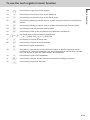
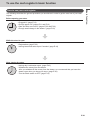
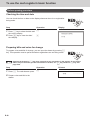
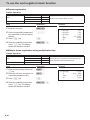
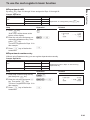
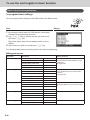
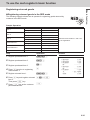
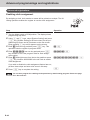
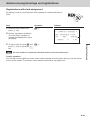
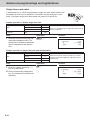
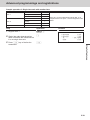
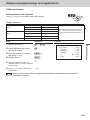
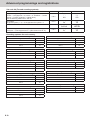
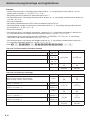
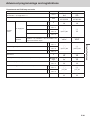
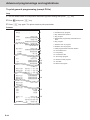
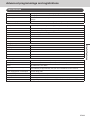
To use the cash register’s basic function
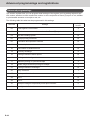
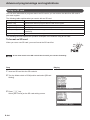
Sub menu
What is to be set
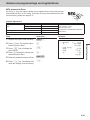
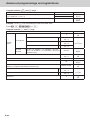
[Message Setting]
01 Logo 1
Sets logo, commercial, and bottom messages on receipts.
See page E-63.
02 Logo 2
03 Logo 3
04 Logo 4
05 Commercial 1
06 Commercial 2
07 Commercial 3
08 Commercial 4
01 Bottom 1
02 Bottom 2
03 Bottom 3
04 Bottom 4
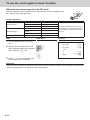
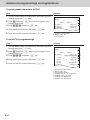
[POP Setting]
POP Message No. 1 [ ]
POP Message No. 2 [ ]
POP Message No. 3 [ ]
Sets preset pop messages and illustration.
See page E-63.
POP Message No. 4 [ ]
POP Graphic No.[ ]
POP Print
All Message
All Graphic
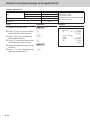
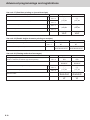
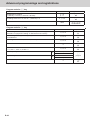
[Tax Setting]
[RATE
]
[ROUND
]
[CAL TYPE ]
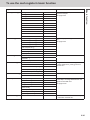
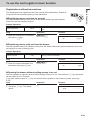
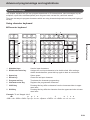
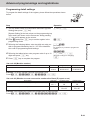
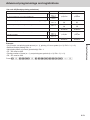
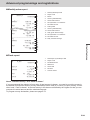
[General Setting]
Enable clerk
Journal 1/2 Print
Consective No. Reset [Yes]
Sets general controls of the register such
as clerk assignment, printing journal in
half size etc.
EJ clear (After Daily Z) [Yes]
EJ/Sales→SD (After XZ) [Yes]
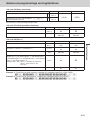
[Water Mark Setting]
YES
NO
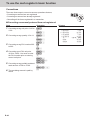
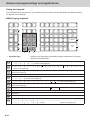
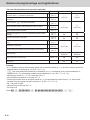
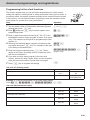
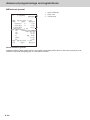
[SD card]
[Backup → SD]
[Restore← SD]
[Program→ SD]
[Program← SD]
Exchanges sales data, program data,
and receipt’s message data between the
register and an SD card.
See page E-104.
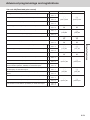
[SD Format ]
[Backup → Flash]
[AutoPropram→ SD]
[AutoProgram← SD]
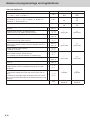
[System Setting]
Used to set characters, functions of keys,
or calculation methods etc.
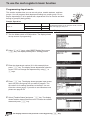
E-27
Basic function
Top menu