1
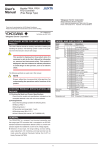
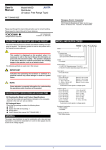
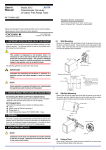
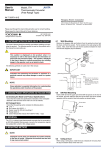
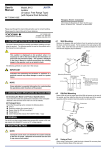
User's Manual Models FT5A, FT5V Thermocouple Converter (Free Range Type) Network Solutions Business Division 2-9-32, Naka-cho Musashino-shi, Tokyo 180-8750 Japan Phone: +81-422-52-7179 Facsimile: +81-422-52-6619 Thank you for purchasing the JUXTA Signal Conditioner. Please read through this manual before use for correct handling. IM 77J08T05-01E 1st Edition Jan. 2007 (YK) CAUTIONARY NOTES FOR SAFE USE OF THE PRODUCT MODEL AND SUFFIX CODES Model FT5A FT5V Input This User’s Manual should be carefully read before installing and operating the product. The following symbol is used on the product and in this manual to ensure safe usage. This symbol is displayed on the product when it is necessary to refer to the User's Manual for information on personal and instrument safety. This symbol is displayed in the User's Manual to indicate precautions to avoid danger to the operator, such as an electric shock. Suffix codes Description - *C / Thermocouple converter (Free Range Type) -1 -2 -3 -4 -5 -6 -7 -8 -0 Output The following symbols are used only in this manual. NOTE Draws attention to essential information for understanding the operations and/or functions of the product. CHECKING PRODUCT SPECIFICATIONS AND PACKAGE Style code Burnout (1) Checking the Model and Product Specifications Check that the model and specifications indicated on the nameplate attached to the main unit are as ordered. (2) Packaged Items Check that the package contains the following items: FT5A or FT5V: 1 Mounting block: 2 Tag number and range label : 1 each Mounting screw (M4 x 0.7): 2 User’s Manual (this manual : IM 77J08T05-01E) Temperature unit GENERAL The FT5A/FT5V is a free range type thermocouple converter that is connected to an IEC/JIS-standard thermocouple (TC), such as a Type K, T, E, J, R, S, B or N thermocouple to convert temperature signals into isolated DC current or DC voltage signals. Selection of input type (sensor type), temperature unit (°C, K), I/ O range setting, burnout setting, output adjustment, RJC on/off and I/O monitoring can be made using the optional Parameter Setting Tool (VJ77) or Handy Terminal (JHT200). A B C D E F G Z 1 2 3 4 5 6 7 0 *C /BU /BD /BN /DF K (CA) T (CC) E (CRC) J (IC) R S B (RH) N Custom order 4 to 20 mA DC 2 to 10 mA DC 1 to 5 mA DC 0 to 20 mA DC 0 to 16 mA DC 0 to 10 mA DC 0 to 1mA DC Custom order 0 to 10 mV DC 0 to 100 mV DC 0 to 1 V DC 0 to 10 V DC 0 to 5 V DC 1 to 5 V DC -10 to 10 V DC Custom order Style C Up Down None Fahrenheit (°F) display function FT5A FT5V 1. MOUNTING METHOD 1.4 DIN Rail Mounting 1.1 Installing/Uninstalling the Mounting Block Place the converter so that the DIN rail fits into the upper part of the DIN-rail groove at the rear of the socket, and fasten the socket using the slide lock located underneath the socket. To remove the converter, pull down the slide lock using a slotted screw-driver. The mounting block is necessary for rack mounting or wall mounting. Installing the mounting block Fit the mounting block into the grooves of the converter, and slide it in the direction of an arrow as shown belowleft. Uninstalling the mounting block Lift the stopper using a slotted screw-driver as shown below-right, and pull the mounting block to remove it. Mounting block DIN rail DIN rail groove Slide lock Groove (Wall mounting) Stopper Groove (Rack mounting) 1.5 Mounting Dimensions Unit: mm Angle Mounting Dimensions 1.2 Rack Mounting 24.5 24.5 24.5 24.5 Take the FRK panel and install it on mounting angle as shown below. 24.5 M4×0.7 Mounting screw Mounting angle This method is suitable for high density mounting of the converters on a 19-inch rack panel. FRK panel Support 73 90 Mounting angle n×24.5+2 Wall Mounting Dimensions 24.5 24.5 Mounting screw (M4x0.7) (2 screws in the package) Mounting Dimensions 24.5 24.5 24.5 M4×0.7 Mounting screw M5 screw (4 places) 465±1 90 Unit: mm 450±1 2. INSTALLATION LOCATION 50 25 Avoid the following environments for installation locations: Areas with vibration, corrosive gases, dust, water, oil, solvents, direct sunlight, radiation, a strong electric field, and/or a strong magnetic field, altitude of more than 2000m above sea level. If there is any risk of a surge being induced into the power line and/or signal lines due to lightning or other factors, a dedicated lightning arrester should be used as protection for both this converter and a field-installed device. Operating temperature/humidity range: 0 to 50C/5 to 90%RH (no condensation) Mounting angle 25 50 Supplied spacer(50) or Wiring space(30 to 60) 1.3 Wall Mounting Mount the converter onto the FRK panel as shown below or mount it directly on the wall. 3. EXTERNAL WIRING FRK panel WARNING Be sure to turn OFF the power supply before wiring to avoid the risk of electric shock. Use a tester or similar device to ensure that no power is being supplied to a cable to be connected. IM 77J08T05-01E 1st Edition 2007.01.15-00 Connection of Setting Tools M4 screw terminals are provided for the connection of external signals. Attach a crimp-on lug to each wire for connection to the terminals. ●Recommended cables: A nominal cross-sectional area of 0.5 mm2 or thicker for signal cables, and that of 1.25 mm2 or thicker for power cables. JUXTA communication cable 3 pin connector (F9182ED) [Provided with VJ77 and JHT200] JHT200 Handy Terminal Wiring Diagram Input(RJC) + 2 − 3 RJC 1 2 3 DO NOT use the terminal Dedicated cable (E9786WK) [Provided with VJ77] Output Power supply + 6 − 7 VJ77 Dedicated adapter (E9789HA) [Provided with VJ77] 4 5 6 7 PC with VJ77 installed 4 + 5 − *Be sure to use the VJ77 of version R1.05 or later. Setting Thermocouple Type Set the thermocouple type to be connected to the input in [B06: TYPE]. NOTE Display K TYPE E TYPE J TYPE T TYPE R TYPE S TYPE B TYPE N TYPE ●The power line and input/output signal lines should be installed away from noise-generating sources. Otherwise accuracy cannot be guaranteed. ●Adhere strictly to the specifications to avoid overheating or damage. Before turning on the power, ensure the following: (a) Power supply voltage and input signal value applied to the product should meet the required specifications. (b) The external wiring to the terminals and wiring to ground are as specifications. ●Do not operate the product in the presence of flammable or explosive gases or vapors. ●The product is sensitive to static electricity; exercise care when in operation. Before you operate the product, touch a nearby metal part to discharge static electricity. Measuring range -270 to 1372°C -270 to 1000°C -210 to 1200°C -270 to 400°C -50 to 1768°C -50 to 1768°C 0 to 1820°C -270 to 1300°C Measuring span 3mV or more Setting Temperature Unit Set the temperature unit of the input range in [B09: UNIT]. NOTE Do not set the "-----" as the temperature unit, even if it is displayed during the setting. Otherwise it may cause the malfunction or damage. ●Connect the RJC sensor to the terminal of the converter together with the input signal line so that the crimp-on lug of the input signal line overlaps the RJC sensor. ●Handle the RJC sensor lead wire with care to prevent disconnection. Setting Input Range Set the zero percent value of input range in [B10: ZERO], and the span of input range in [B11: SPAN]. Setting Burnout Action Set the burnout action in [B12: BURN OUT]. Set "OFF", "UP", or "DOWN." Power Supply and Isolation Power supply voltage: 24V DC ±10% (ripple: less than 5% p-p) Current consumption: FT5A 65mA, FT5V 50mA Insulation resistance: 100MΩ at 500V DC between input, output and power supply mutually Withstand voltage: 1500V AC/minute between input-output, input-power supply 500V AC/minute between output-power supply NOTE The wire resistance compensation should be applied when the setting of input range, burnout action direction or input wiring has been changed. 4. SETTING PARAMETERS The parameters are set as you specified in your order. Refer to the following to change the default settings. Set the parameters using a PC (VJ77 Parameter Setting Tool) or the Handy Terminal. Refer to "5. List of Parameters" in this manual and the User’s Manual for VJ77 PC-based Parameters Setting Tool (IM 77J01J77-01E) or the User’s Manual for JHT200 Handy Terminal (IM JF81-02E). Parameters are shown in brackets "[ ]". IM 77J08T05-01E 1st Edition 2007.01.15-00 5. LIST OF PARAMETERS Parameter Display A DISPLAY A01 INPUT A02 OUTPUT A03 STATUS A04 REV NO B SET B01 TAG NO.1 B02 TAG NO.2 B03 COMMENT1 B04 COMMENT2 B06 TYPE B09 UNIT B10 ZERO B11 SPAN B12 BURN OUT C ADJUST C01 OUT 0% C02 OUT 100% C03 WIRING R C04 ZERO ADJ C05 SPAN ADJ C08 RJC Turning the RJC on/off (1) (2) Items Display Input value Output value Status (*1) Revision number. Setting Tag number 1 Tag number 2 Comment 1 Comment 2 Input type Unit Zero (0% of input range) Span (Input span) Burnout Adjustment Output 0% adjustment Output 100% adjustment Wire resistance compensation Input zero adjustment Input span adjustment RJC on/off (*2) NOTE The RJC returns to "ON" after the power is turned off and then on again. Input Adjustment Procedure (1) (2) (3) (4) (5) *1: This “STATUS” is for the customer’s engineer to check the history. *2: The RJC returns to ON after the power is turned off and then on again. (6) 6. MAINTENANCE When adjusting 0% value of output: (1) Set the adjustment value 0% in the parameter [C01: OUT 0%]. •The value equivalent to 0% of the output range will be output, irrespective of the input. (2) Check the output value via digital multimeter, and adjust it in the parameter [C01: OUT 0%]. •If it slips out to the (+) side, set (−) value equivalent to slipout; if it slips out to the (−) side, set (+) value equivalent to slipout for adjusting the output value to 0%. *: The 100% value of output can be adjusted by the same operation as the above in [C02: OUT 100%]. 6.1 Calibration Apparatus A voltage current source (Yokogawa 7651 or equivalent) A digital multimeter (Yokogawa 7561 or equivalent) A precision resistor of 250 Ω ±0.01%, 1W A setting tool for adjustment (Refer to "4. Setting Parameters" in this manual. 6.2 Calibration Procedure 1.Connect the instruments as shown below. Input 1 2 3 Setting tool Power supply 24V DC + 6 − 7 2 + 3 − Input the value equivalent to 0% value of the input range to the converter. Read the parameter [C04: ZERO ADJ] and check the input value. Select “INC” or “DEC” in the parameter [C04: ZERO ADJ] to adjust. INC: Increase (Adjusts the increased value of the input [voltage] value) DEC: Decrease (Adjusts the decreased value of the input [voltage] value) RST: Reset of the adjustment value Input the value equivalent to 100% value of the input range to the converter. Read the parameter [C05: SPAN ADJ] and check the input value. Adjust the span in the same way as (3). Output Adjustment Procedure The product starts running immediately when the power is turned on; however, it needs 10 to 15 minutes of warm-up before it meets the specified performance. Read the parameter [C08: RJC]. Select "ON" or "OFF" in the parameter [C08: RJC]. Voltage current source Wire Resistance Compensation (1) Short-circuit at the sensing end of the field side. Output 4 5 6 7 4 5 + Ro − FT5A FT5V DMM Short-circuit at the cable end Ro: 250Ω precision resistor for current output (2) 2.Turn off the RJC using the setting tool. 3.Use the voltage current source and apply the electromotive force equivalent to 0, 25, 50, 75, and 100% of the measuring range to the converter. 4.Verify that the corresponding output voltages are 0, 25, 50, 75, and 100% respectively and within the specified accuracy rating. (Ro is used for current output.) Use the setting tool (VJ77 Parameter Setting Tool or JHT200 Handy Terminal) to adjust the input/output signals. (3) Read the parameter [C04: ZERO ADJ] and make sure the setting is "RESET". (If the setting is "EXECUTE, select "RESET". The compensation value will be reset.) If "EXECUTE" is selected in the parameter [C03: WIRING R], the wire resistance compensation will be done automatically. For adjustment using a setting tool, refer to the User’s Manual for each setting tool and “5. List of Parameters” in this manual. User’s Manual for VJ77 [Document No.: IM 77J01J77-01E]; however, use the VJ77 of version R1.05 or later. User’s Manual for JHT200 [Document No.: IM JF81-02E] IM 77J08T05-01E 1st Edition 2007.01.15-00