1
LogoMaster PLUS
USER
manual
LogoMaster PLUS - USER MANUAL
Location
Don't install the device at places with mechanical shakings and vibrations, high
dustiness or high temperature. Not keeping these conditions can lead to shorter lifetime
or its damage.
DON´ T expose the device to influence of water, rain or moisture. It could lead to electric
shock or fire.
Ventilation
It is necessary to ensure fans against their covering and secure the devices to have
admission of air.
Supply voltage
Don´t use any other supply voltage meant in technical specification and manufacture
label. Not keeping proper supply voltage could lead to damaging the device, starting a fire
or its wrong function.
Power cord
Check if power cord is not mechanical damaged and if it is connected properly. Check
also if the socket is designed sufficiently for needed loading. Otherwise there is a danger
of electric shock or a fire. Power cord must not be bent excessively, led through sharp
edges or given to mechanical stress. Don´t pull the supply lead out by the flex but only by
the plug. The device must always be connected behind the main switch. Do not touch the
supply lead with vet hands, you are threatened by electric shock.
Other important cautions
Don´t poke any objects into cooling fans and ventilator, it could lead to serious electric
shock or damaging the device. Be careful of no water or other liquid entering.
Maintenance and cleaning
Don´t use any solvent and similar chemicals which could damage surface finish or some
parts of device. Use soft and smooth cloth for cleaning optical parts of device and its
surface. Never use washing powders or other cleaning agents with grinding effect.
Connect the device to power supply after complete drying.
Service
Never try to repair, dismantle or do some construction changes in case of any failure.
Always consult qualified employee or dealer. Not keeping this rule you can suffer
dangerous electric shock. Disconnect the device from mains before replacing the lamp or
dismantling the housing. Not keeping this procedure you can suffer dangerous electric
shock.
Unplug mains lead before opening the housing and cleaning internal parts of device./
optical system, dichroic filters, etc/ You can suffer electric shock.
Unpacking
Unpack the device and after acclimatisation take off the protective foil. Make sure that
there are no damages caused by transportation.
Installation
The device can be installed in any position without altering its operation. For mounting
use bracket of device, which is a mounting hole in. First make sure that the structure you
are going to attach the projector is secure.
When installing the projector over the ground use the safe chain and steel-wire rope as a
double protection against falling down. Make sure the housing is closed firmly with the
screw tightened up.
It is necessary to ensure cooling fans against their covering and secure ventilator and
cooling fans to have admission of air.
Before removal of the cover you must be sure that device is switched off! Otherwise you
risk damaging electronic control of faulty operating.
The device is supplied from manufacturer without light power. There are the types of light
power recommended by manufacturer : halogen lamp ENH 120V/250W GX5,3 /
OSRAM, PHILIPS, TUNSRAM, GE/.
Procedure
5 Loose fastening screw
5 Pull out the upper cover
5 If you replace the lamp, first take out original one you used before.
5 Insert new lamp into the socket. Never touch the glass-bulb discharge lamp barehanded-always use bulb
cover or dry cotton cloth or gloves.
5 Make sure that the lamp is installed tightly-it must be in vertical direction.
5 Close the cover and tighten fastening screw.
NEVER try lamp without cover ! Otherwise you risk damaging your sight by light.
Function of the device
On a right side of device is switch by witch you switch the device to rotary or static
function / gobo is rotating or no/. In the front side of the device is placed focus by witch you
focus picture. This you can slack and secure by detent screw on a top of focus. Size of
picture /ZOOM/ you set by slacking detent screw and its movement witch is on the top of
cover.
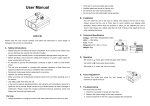
Technical specification
Supply voltage
Light source
GOBOS
Focus
Fuse
Power consumption
Weight
Dimensions
230V/50Hz
ENH 120V/250W
1x /dichro/metal/ 40mm(image 30mm)
Manual
T3,15A
440W
3,5 Kg
340x190x190
Description of the device:
OD
Š
A
A
C ED
ER
ES
K
M
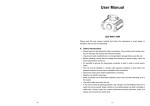
Gobo projector with adjusting focus. Possibility choice picture of offer , or according to
your offer. Decorating effect suitable for advertisement. In standard offer is the most
logotype well-known firms.
F I A T
PEUGEOT
A
UTO
BE N Z