1
SECTION 2
Programme Checking
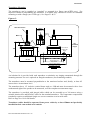
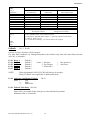
To check that the previous programme functions properly, hold the transducer approximately 1.5m
above a surface; the display will read approximately zero.
If it displays LOST it is because the transducer is more than the 1.5 metre (distance to furthest point)
from your target. Go closer and wait for LOST to change to 0.00 and then to a level display.
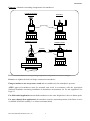
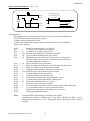
By slowly moving the transducer towards the surface the display will increase, simulating a rising
level. When the display exceeds 0.7 the relay will switch, indicated by the LED "RELAY 1" and, if
the transducer is then raised, the display will decrease and the relay will reset below 0.5.
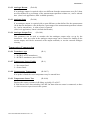
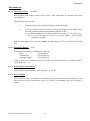
Programme Correction or Resetting to Factory Defaults
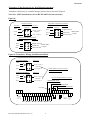
If at any time you feel that a mistake has been made, the following routine clears the programme
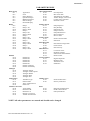
back to the known starting position of the factory set values shown on Page 56.
It is also advisable to return to the factory default values before building a programme for a new
application. This is achieved as follows:Press
"
"
"
"
"
"
"
"
"
'MODE'
'1'
'99'
'DSP'
'CE'
'ENT'
'9753'
'ENT'
'DSP'
'1'
to display 'PROG'
immediately to display a Pr number.
to display Pr.99
to show '===='
to clear the display
to display COdE, requesting the security code.
the display will now show 'P.rES' followed by 't.rES' and finally '===='
to display 'Pr.99'
to display 'Pr.01'. The new programme can now be entered.
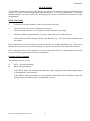
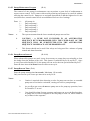
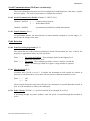
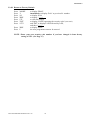
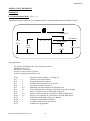
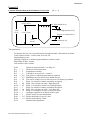
The above is a brief introduction.
To understand programming completely it is necessary to read the detailed section describing
Programming (Section 3) along with the parameter descriptions (Section 4) and the examples
(Section 5) before continuing.
Ref: MULTIFLEX MANUAL Rev .04
15