1
1. To give a quote
1.1.Overview
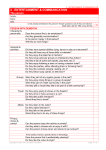
This is the main screen of MarkO Software. When you’re giving a quote to a client either in person or on
the phone, you don’t need to enter their personal information right away.
The software is ready to calculate a price. Categories:
Mount type: Under this drop down menu choose the type of art you’re quoting for, canvas, photo,
paper art, etc.
Image measurement: Enter the art measurements on this box. Measurements are in inches and they
increase and decrease in 1/8s
Glazing or Mirror: If required, enter the type of glass needed for the job.
Fitting: This is the labour being charged for the job. Increases/decreases in 1/4hr
Frame style: Enter the code of the frame being used for the project.
Top mat: If a mat(s) is required, Scan the bar code of the chosen mat(s), starting from the bottom mat to
the top.
Mat exposure: For each mat selected, enter the amount of exposure required.
Press the QUOTE button to calculate a price.
pg. 4
http://MarkO.new-mkt.com
©2012