1
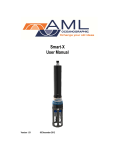
Plus⋅X User Manual Version 1.4 26 Feb 2013 User Manual for AML Oceanographic’s Plus⋅X Revision Version 1.4 Date of Revision 26 February 2013 Changes Name Added Turbidity•Xchange™, Configurations Table, Overview Drawings Dustin Olender 1 User Manual for AML Oceanographic’s Plus⋅X Table of Contents General Description of the Instrument ............................................................................................................ 3 Which Manual Do I Start With? ....................................................................................................................... 4 Shipping & Receiving ...................................................................................................................................... 5 Receiving an Instrument ............................................................................................................................ 5 Returning an Instrument to the Factory ...................................................................................................... 6 Using the Instrument ....................................................................................................................................... 7 Pressure Ratings........................................................................................................................................ 7 Pre-Deployment Procedures ...................................................................................................................... 7 Supported Sensor Configurations .............................................................................................................. 8 Understanding the LED indicator ............................................................................................................... 9 Configuring Sampling Parameters using SeaCast ................................................................................... 10 Selecting an instrument for configuration........................................................................................... 10 Configuring the selected instrument .................................................................................................. 11 Instrument time, memory & log file settings ....................................................................................... 12 Configuring Sampling Parameters with HyperTerminal ........................................................................... 13 Logging a Profile ...................................................................................................................................... 13 Monitoring Real Time Data ...................................................................................................................... 14 Post-Deployment Procedures .................................................................................................................. 14 Viewing your Data .................................................................................................................................... 15 Configuring the Instrument for Data on Power Up ................................................................................... 17 Disabling Data on Power Up .................................................................................................................... 17 Maintaining the Instrument............................................................................................................................ 18 Battery Care ............................................................................................................................................. 18 Charging Ni-Cad Batteries (if Ni-Cad option is purchased): ..................................................................... 18 Periodic Maintenance............................................................................................................................... 19 Communications ........................................................................................................................................... 20 PC Settings .............................................................................................................................................. 20 Output Formats ........................................................................................................................................ 20 Default output format ......................................................................................................................... 20 Default example outputs .................................................................................................................... 21 Customer Support ......................................................................................................................................... 24 Troubleshooting ....................................................................................................................................... 24 AML Oceanographic Contact Info ............................................................................................................ 26 Appendices ................................................................................................................................................... 27 Commands ............................................................................................................................................... 27 Communications commands.............................................................................................................. 27 Sampling rate commands .................................................................................................................. 27 Output format commands .................................................................................................................. 28 Logging commands ........................................................................................................................... 29 General commands ........................................................................................................................... 29 Technical Specifications........................................................................................................................... 30 Ordering Codes ........................................................................................................................................ 33 Warranty................................................................................................................................................... 34 Technical Overview Drawings .................................................................................................................. 35 2 User Manual for AML Oceanographic’s Plus⋅X General Description of the Instrument The AML Oceanographic X series instruments and sensors provide a major advancement in ocean instrumentation. The swappable and interchangeable sensor technologies dramatically improve the capabilities of ocean instrumentation. These capabilities include: • Changing the instrument sensor types, while at sea, within seconds, and without tools. For example the same instrument can be changed from a CTD to a sound speed profiler. • The sensor ranges can be swapped as sampling conditions change to maximize the instrument’s resolution and accuracy. For example, a deep pressure sensor can be swapped for a shallow pressure sensor, and the salt water conductivity sensor can be swapped for a fresh water conductivity sensor. • Sensors from one instrument can be swapped to another instrument to maintain mission critical capabilities. • Calibrated sensors can be sent to the instrument so that the instrument does not need to be removed from service for calibration. • Spare sensors ensure that an instrument can be immediately returned to service after catastrophic damage, such as a high speed impact with the ship’s hull. • All calibration and traceability data resides within each sensor. There is no need update instrument configuration files or coefficients. Calibration data for all sensors is instantly available from the instrument, and calibration certificates can be printed from AML Oceanographic’s SeaCast software whenever the instrument is connected. • Logged data is stamped with sensor traceability and instrument configuration data. So there is never a doubt about how the data was collected or the status of the sensor’s calibration. • Since only the sensors need to be returned for recalibration the shipping costs are dramatically reduced. The Plus•X is the largest, multi-sensor, data logging instrument of the X series family. It is designed primarily for deep, winch deployed, profiling operations. The Plus•X is equipped with one primary Xchange™ sensor port (I.e. conductivity or sound speed) and two secondary Xchange™ sensor ports (I.e. temperature and pressure). Additional Xchange sensor ports, up to five digital ports or up to 10 analog ports can be added by the factory, if required. The Plus•X is capable of logging continuously for 49 hours with fresh alkaline batteries. The actual life varies somewhat depending on the sensors installed. Sampling rates are programmable by time (25 Hz to every 24 hours), by pressure (0.1 dbar or greater increments) or by sound speed (0.1 m/s or greater increments). When logging at time intervals of 25 seconds or more, the Plus•X powers down between samples to conserve the batteries. Communications with the Plus•X are accomplished with RS-232 or RS-485. The instrument can be powered both internally and externally. 3 User Manual for AML Oceanographic’s Plus⋅X Which Manual Do I Start With? AML Oceanographic’s Xchange™ instruments are shipped with several manuals on the CD: • • • An instrument manual (ie. This Plus•X manual) which provides an overview on how to use and maintain the instrument; A software manual (ie. SeaCast) which provides instructions on how to use the software to configure the instrument and review instrument data; Xchange™ sensor manuals (C•Xchange™, SV•Xchange™, P•Xchange™, and T•Xchange™) which provide overviews on how to install and maintain each of the Xchange™ sensors; If you are configuring an instrument for field use or lab test, we recommend that you begin with the software (SeaCast) manual. If you are focussed on instrument maintenance, we recommend that you begin with the instrument manual. If you are wishing to swap an Xchange™ sensor, we recommend that you read the appropriate Xchange™ manual. 4 User Manual for AML Oceanographic’s Plus⋅X Shipping & Receiving Receiving an Instrument When an instrument is received at a new location it is prudent to perform the following steps to ensure the instrument is capable of performing when required. • • • • • Check the shipping container for signs of damage. This could indicate damage to the instrument inside. The shipping package should include all of the following items o Plus•X instrument o Data/Power cable o Red shorting plug o Black dummy plug o One primary sensor blanking plug o Two secondary sensor blanking plugs o CD with manuals and documentation Check for damage o Check the cable for slices or gouges o Check the connector sockets for corrosion, dirt and salt deposits o Check the pressure case for dents and scrapes o Check the sensors for cracks or bends Check all the Xchange™ sensors are installed tightly. The blue retaining ring should be within 1 mm of the instrument end cap. Connect the instrument to a computer with the data cable and perform a scan or monitor if using SeaCast. Check the battery voltage on the output (normally the last column of data unless calculated parameters have been enabled). It should be between 9.9 and 14 volts. 5 User Manual for AML Oceanographic’s Plus⋅X Returning an Instrument to the Factory • • • If shipping for repair or recalibration obtain an RMA number from the service centre. Perform all the steps listed above for Receiving Pack the instrument in its original shipping box, if possible, to prevent damage during shipping An RMA number can be requested using any of the following contact options: Service Department: Email: [email protected] Phone: 1-250-656-0771 Fax: 1-250-655-3655 Website: http://www.AMLoceanographic.com Customer Portal: RMA requests may also be submitted through the customer portal on the AML Oceanographic website. To access the Customer Portal, please navigate to the ‘Support’ button, located on the top right hand side of AML Oceanographic home page, select the ‘Customer Centre’ from the options on the drop down menu and follow the instructions provided. Mailing and Shipping Address: AML Oceanographic. 2071 Malaview Ave. Sidney, BC, Canada V8L 5X6 6 User Manual for AML Oceanographic’s Plus⋅X Using the Instrument Pressure Ratings Pressure ratings are given for both the P•Xchange™ and Turbidity•Xchange™ sensors and the entire instrument. Deployments should never exceed the lower of these two pressure ratings. For example, a 5000m instrument equipped with a 6000 dBar (0-6000m) P•Xchange™ sensor is limited to deployments of 5000m depth or less. Similarly, a 6000m instrument equipped with a 500 dBar (0-500m) P•Xchange™ sensor is limited to deployments of 500m depth or less. It is desirable to optimize the accuracy of pressure measurements by using a P•Xchange™ sensor with pressure range that closely matches the depth of the deployment. Caution: Do not exceed the specified pressure ratings of the P•Xchange™ sensor or instrument housing. Overpressure can result in damage to the P•Xchange™ sensor and the instrument. Turbidity•Xchange™ sensors are limited to deployments of 500m depth or less. Pre-Deployment Procedures • • 4 to 6 weeks ahead o Use the receiving steps above to verify the instrument is in good working order. o Verify the calibrations of all sensors are valid for the duration of the deployment. If not, swap the Xchange™ sensors for sensors with valid calibrations or send the Xchange™ sensors to a service center for recalibration. o Lightly lubricate the connectors with 3M silicone spray or equivalent. Before leaving the jetty o Verify the P•Xchange™ pressure range is appropriate for the depth of the deployment. o Connect the instrument to a computer using the data cable. o Check the instrument memory Save any unsaved memory files Initialize the memory using SeaCast or the ‘INIT’ command. Caution: Install blanking plugs in all unused sensor ports prior to deployment. Failure to install blanking plugs will result in damage to the connectors. C•Xchange™ & SV•Xchange™ blanking plug T•Xchange™, P•Xchange™ & Turbidity•Xchange™ blanking plug 7 User Manual for AML Oceanographic’s Plus⋅X Supported Sensor Configurations Primary Port Elevated C•Xchange™ SV•Xchange™ Secondary Port Upper T•Xchange™ P•Xchange™ Secondary Port Lower T•Xchange™ P•Xchange™ Turbidity•Xchange™ Plus•X endcap with one primary and four secondary ports (abbreviated as P1S4). Blanking plugs shown installed. Plus•X endcaps are available with different combinations of ports to allow for a wide variety of sensor combinations. Swappable sensors allow you to configure your instrument in a number of different ways. See tables below for two endcap styles and popular sensor combinations. Note that not all supported sensor combinations are shown. It is possible, for example, to install two T•Xchange™ sensors, or two P•Xchange™ sensors simultaneously for cross verification, or in the case of Turbidity•Xchange™, using two different ranges to capture both high and low events accurately. Port Type Port Level 1 2 3 4 Port Type Port Level 1 2 3 4 P2S2 Endcap Primary (P2) Elevated ↑↑ Upper ↑ C SV C SV C SV C SV Primary (P1) Elevated ↑↑ C C SV SV Secondary (S2) Upper ↑ Lower ↓ T P P T T Turbidity P Turbidity P1S4 Endcap Secondary (S4) Upper ↑ Lower ↓ P Turbidity T Turbidity P Turbidity T Turbidity Upper ↑ T P T P 8 Lower ↓ Turbidity Turbidity Turbidity Turbidity User Manual for AML Oceanographic’s Plus⋅X Understanding the LED indicator The LED indicator is located next to the data/power connector on the instrument top endcap. The LED indicator will be on whenever the data/power cable is plugged into the instrument. The LED indicator will turn on when the red shorting plug is inserted into the instrument. It will turn off after 5 minutes to conserve power. When the instrument is logging and is brought back to the surface the LED indicator will resume for 5 minutes so that the operator can see that the instrument is still functioning after the cast. The LED indicator displays are as follows: • LED is a constant green. This indicates the instrument is on and the batteries have more than 20% capacity remaining for alkaline batteries, 5% for NiCad batteries. • LED is flashing green. The instrument is logging data and the batteries have more than 20% capacity remaining for alkaline batteries, 5% for NiCad batteries. Notes: o The flashing green LED will turn off after 5 minutes to conserve power. o The instrument will not start logging until it is immersed in water and it takes its first sample at the programmed sampling rate. • LED is a constant red. This indicates the instrument is on and the batteries have less than 20% capacity remaining for alkaline batteries, 5% for NiCad batteries. • LED is flashing red. The instrument is logging data and the batteries have less than 20% capacity remaining for alkaline batteries, 5% for NiCad batteries. Notes: o The flashing red LED will turn off after 5 minutes to conserve power. o The instrument will not start logging until it is immersed in water and it takes its first sample at the programmed sampling rate. • LED off with data/power cable attached. The instrument is not working properly. Consult the troubleshooting section or call the service department. • LED off with the red shorting plug inserted. If the shorting plug was inserted less than 5 minutes ago the instrument is not working properly. Consult the troubleshooting section or call the service department. If the LED was on for the first 5 minutes after inserting the shorting plug the instrument is functioning correctly and the LED has turned off to conserve power. 9 User Manual for AML Oceanographic’s Plus⋅X Configuring Sampling Parameters using SeaCast AML Oceanographic’s SeaCast application software greatly simplifies the process of setting up an instrument to complete a profile. Full details on the instrument configuration process can be found in the SeaCast manual. Below please find a quick summary of that process: Selecting an instrument for configuration On the Instrument Tab, the first row of fields ‘Port’, ‘Baud Rate’ and ‘Status’ control and display the communications with the instrument. The ‘Port’ field allows the user to select the computer communications port to which the instrument is connected. If uncertain about the port the user can check the ports in the Device Manager or Hardware Manager found in the control panel in the Windows operating system. The ‘Refresh’ selection at the bottom of the list allows the user to force a new detection of available ports. This is useful if a USB connection is made after SeaCast is launched. The ‘Baud Rate’ field is used to select the baud rate the user wishes to use while communicating to the instrument. Lower baud rates allow longer cables to be used if using RS232/485/422. Higher baud rates shorten the data transfer times. Choose 38,400 baud whenever possible. 10 User Manual for AML Oceanographic’s Plus⋅X If an instrument is set to autobaud (default setting) it will detect the baud rate chosen in SeaCast and communicate at that baud rate. If the baud rate is changed in SeaCast then power to the instrument must be cycled to re-establish communications at the new baud rate. Some instruments are set up to communicate at fixed baud rates. In this case the baud rate in SeaCast must be set to the same baud rate as the instrument. If the instrument baud rate is unknown, the ‘Scan’ switch below the ‘Baud Rate’ field can be used to have SeaCast cycle through all the baud rates to try to detect the instrument baud rate. The “Status” field shows the status of the communications with the instrument. The green light indicates that communications have been established with the instrument. During the identification process, SeaCast is determining the type and serial number of the instrument and any connected sensors. During the settings process, SeaCast is determining the latest sampling and logging settings that were programmed into the instrument. When all the required handshaking has been completed, the ‘Status’ field will show “Connected” and the user may now use the instrument. Please note that the handshaking can take up to 30 seconds to complete. The Detect Instrument button forces SeaCast to re-detect and re-identify the instrument and its sensors. Configuring the selected instrument After the instrument has been detected by SeaCast, select the Setup tab at the top of the SeaCast window. 11 User Manual for AML Oceanographic’s Plus⋅X The box in the upper left of the Setup page controls the sampling of the instrument. There are three sampling methods available: • • • Sampling by Time Interval (ie. sample 25 times per second, 10 times per hour, every 5 seconds, etc.) Sampling by Depth Interval (ie. 1 sample every 1 dbar, 1 sample every 20 dbars, etc.) This option is only available when a Pressure•Xchange™ sensor is installed in the instrument. Sampling by Sound Velocity Interval (ie. 1 sample every time sound velocity changes by more than 1 m/s, 1 sample every time sound velocity changes by more than 4 m/s, etc.) This option is only available when a Sound Velocity•Xchange™ sensor is installed in the instrument. Sampling Method Selection Tab SeaCast will allow the user to use only one sampling method at a time. Thus, if 5 samples per second is chosen, as shown above, the depth and sound velocity increments are zeroed. This prevents conflicting sampling requirements from being programmed into the instrument. Instrument time, memory & log file settings The memory fields show the size of the memory installed on the instrument and the percentage of the memory that has been used. The ‘Clear Memory’ check box allows the user to erase the entire memory. A pop up warning window will be displayed if this check box is selected. The ‘Log File Name’ field displays the current log file name that data will be logged to in the instrument memory. The instrument log file name is limited to 8 characters plus 3 characters for the file extension. For example, data.txt, profile1.raw, or april.dat. Please note this is the log file in the instrument not the export file for SeaCast. The ‘Update Date/Time’ check box will synchronize the instrument clock to the computer’s clock. 12 User Manual for AML Oceanographic’s Plus⋅X Configuring Sampling Parameters with HyperTerminal Instruments can also be configured for deployment using HyperTerminal or other terminal emulation programs. As with SeaCast, communications with the instrument must be established using the correct communications port and settings. The communications settings are 8 data bits, 1 stop bit, no parity, no flow control and the desired baud rate. The following steps must be completed by issuing text commands. Step Possible Commands Initialize Memory (erases instrument memory) INIT Set Log File Name SET LOG filename.txt Set Instrument Time & Date SET TIME hh:mm:ss SET DATE mm/dd/yy Set Sampling Parameters SET SAMPLE RATE CONTINUOUS SET SAMPLE RATE 5/s SET P INC 1 SET SOUND INC 2 Please consult the Commands section of the Appendix for full syntax details on how to issue the commands in question. Please note that the above table provides example commands only; many additional sampling regimes can be established. Logging a Profile Ensure the pre-deployment procedures have been completed (see Page 6). Plug the data/power cable into the instrument. Ensure that the desired sampling requirements have been selected and applied. With the instrument in air, use the zero command to zero the barometric pressure offset. Insert the red shorting plug to power the instrument. Insertion of the shorting plug tells the instrument to begin logging data once it is submerged. The instrument determines whether or not it is submerged by looking for valid conductivity or sound speed readings. o The green LED light should illuminate on the top of the instrument indicating the battery has more than 20% capacity remaining with alkaline batteries, 5% remaining with Ni-Cad batteries, and the instrument is ready to start logging. o If the LED light is red the battery charge is less than 20% capacity remaining with alkaline batteries, 5% remaining with Ni-Cad batteries, but the instrument is still ready to log. o If the LED light fails to illuminate the instrument will not log. Refer to the troubleshooting section of this manual if this occurs. • Securely attach the lowering cable to the instrument shackle bar. • Lower the instrument until it is just submerged. Keep the instrument at this depth for 2 minutes prior to beginning the cast. This allows the sensors time to wet and the pressure case to shed heat. • Send the instrument down to the desired depth and return it to the surface. • Note that with the Plus•X in the typical, vertical orientation, the downcast is usually more accurate than the upcast data since the downcast measurements are not contaminated by the thermal shedding from the pressure case. • • • • • 13 User Manual for AML Oceanographic’s Plus⋅X Monitoring Real Time Data Ensure the pre-deployment procedures have been done (see Page 6). Ensure that the desired sampling requirements have been selected and applied. Plug the data/power cable into the instrument. If you power the instrument externally over a long cable, please note the following: o The longer the cable the higher the voltage drop on the cable. The voltage drop on a standard AML cable, with a standard Plus•X, is about 2 volts per 100m of cable while sampling and 0 volts per 100m when in low power mode. o The instrument’s low voltage warning has a default level of 9.9 volts. o The instrument’s auto shutdown voltage has a default level of 8.0 volts. o The instrument’s maximum voltage is 26 volts. o The voltage at the instrument, while sampling, must be above the shutdown level for the instrument to operate. • With the instrument in air, use the zero command to zero the barometric pressure offset. • Securely attach the lowering cable to the instrument shackle bar. • Lower the instrument until it is just submerged. Keep the instrument at this depth for 2 minutes prior to beginning the cast. This allows the sensors time to wet and the pressure case to shed heat. • Begin monitoring data using SeaCast or HyperTerminal. • • • • Send the instrument down to the desired depth and return it to the surface. • Note that with the Plus•X in the typical, vertical orientation, the downcast is usually more accurate than the upcast data since the downcast measurements are not contaminated by the thermal shedding from the pressure case. Post-Deployment Procedures • • • • When the instrument is pulled from the water it should be rinsed in fresh water. Dry the area around the connectors with a clean cloth or compressed air prior to disconnecting the plugs or cables. Do not blow compressed air into the Pressure•Xchange™ sensor. Remove the shorting plug or cable. Place dummy plug in the connector to protect it. Dry the instrument and stow it securely. 14 User Manual for AML Oceanographic’s Plus⋅X Viewing your Data You may download and view data using SeaCast or HyperTerminal. To download and review data: • Connect the instrument to the computer using the data/power cable • Download the files to the computer: o With SeaCast, use the Choose Log File and Choose Cast fields to retrieve the cast of interest Choose log file Choose cast o With HyperTerminal, use the DIR command to list all the files on memory, use the DUMP command to retrieve the file of interest. For example: Plus.X Version 4.09 SN:8221 AML Oceanographic Ltd. 968.5 MBytes installed >dir test .raw data .txt 5598 02/24/10 14:41:55.00 3987 02/24/10 14:45:08.00 960 MBytes free 7 MBytes Used 2 File(s) listed >dump data.txt [cast header] InstrumentSN=08221 Date=02/24/10 Time=14:45:10.55 PressureOffset=0.09 UsePressureOffset=yes Slot1Sensor1=SV-C.Xchange SV.X SN 131197 01/22/10 Slot2Sensor1=P-T.Xchange P.X SN 145721 08/21/09 T.X SN 400048 11/17/09 [Data] 02/24/10 14:45:10.66 02/24/10 14:45:10.69 02/24/10 14:45:11.19 02/24/10 14:45:11.69 02/24/10 14:45:12.19 02/24/10 14:45:12.69 02/24/10 14:45:13.19 1474.313 1474.334 1474.332 1474.326 1474.319 1474.321 1474.318 0000.015 0000.015 0000.027 0000.027 0000.027 0000.034 0000.023 17.447 17.449 17.451 17.451 17.457 17.459 17.457 15 008.18 008.20 008.20 008.20 008.20 008.20 008.20 00.034 00.046 00.037 00.032 00.011 00.005 00.008 0998.724 0998.733 0998.726 0998.722 0998.705 0998.700 0998.702 User Manual for AML Oceanographic’s Plus⋅X 02/24/10 14:45:13.69 1474.321 0000.019 17.458 008.20 00.010 0998.704 02/24/10 14:45:14.19 1474.427 0000.019 17.459 008.20 00.100 0998.773 02/24/10 14:45:14.69 0000.000 -0000.015 17.601 008.20 00.000 0000.000 02/24/10 14:45:15.19 0000.000 -0000.030 17.655 008.20 00.000 0000.000 02/24/10 14:45:15.69 0000.000 -0000.011 17.651 008.20 00.000 0000.000 02/24/10 14:45:16.19 0000.000 -0000.015 17.632 008.20 00.000 0000.000 02/24/10 14:45:16.69 0000.000 -0000.015 17.624 008.20 00.000 0000.000 02/24/10 14:45:17.19 0000.000 -0000.015 17.622 008.20 00.000 0000.000 02/24/10 14:45:17.69 0000.000 -0000.015 17.618 008.20 00.000 0000.000 [cast header] InstrumentSN=08221 Date=02/24/10 Time=14:45:21.85 PressureOffset=0.09 UsePressureOffset=yes Slot1Sensor1=SV-C.Xchange SV.X SN 131197 01/22/10 Slot2Sensor1=P-T.Xchange P.X SN 145721 08/21/09 T.X SN 400048 11/17/09 [Data] 02/24/10 14:45:21.92 02/24/10 14:45:21.95 02/24/10 14:45:22.44 02/24/10 14:45:22.94 02/24/10 14:45:23.44 02/24/10 14:45:23.94 02/24/10 14:45:24.44 02/24/10 14:45:24.94 02/24/10 14:45:25.44 02/24/10 14:45:25.94 02/24/10 14:45:26.44 02/24/10 14:45:26.94 02/24/10 14:45:27.44 02/24/10 14:45:27.94 02/24/10 14:45:28.44 02/24/10 14:45:28.94 02/24/10 14:45:29.44 02/24/10 14:45:29.94 02/24/10 14:45:30.44 02/24/10 14:45:30.94 02/24/10 14:45:31.44 02/24/10 14:45:31.94 02/24/10 14:45:32.44 02/24/10 14:45:32.94 02/24/10 14:45:33.44 02/24/10 14:45:33.94 02/24/10 14:45:34.44 02/24/10 14:45:34.94 02/24/10 14:45:35.44 02/24/10 14:45:35.94 02/24/10 14:45:36.44 > 1474.309 -0000.019 1474.308 0000.019 1474.301 0000.023 1474.297 0000.011 1474.294 0000.019 1474.314 0000.019 1474.310 0000.027 1474.307 0000.015 1474.307 0000.027 1474.308 0000.023 1474.313 0000.023 1474.294 0000.023 1474.313 0000.023 1474.303 0000.023 1474.312 0000.023 1474.319 0000.030 1474.336 0000.027 1474.314 0000.027 1474.326 0000.027 1474.320 0000.027 1474.305 0000.023 1474.312 0000.030 1474.311 0000.034 1474.312 0000.030 0000.000 -0000.011 0000.000 -0000.019 0000.000 -0000.015 0000.000 -0000.023 0000.000 -0000.015 0000.000 -0000.023 0000.000 -0000.019 17.598 17.451 17.453 17.453 17.451 17.453 17.453 17.451 17.453 17.454 17.451 17.452 17.453 17.454 17.453 17.453 17.450 17.450 17.451 17.451 17.454 17.451 17.453 17.450 17.459 17.569 17.548 17.515 17.498 17.487 17.485 16 008.20 008.20 008.20 008.20 008.20 008.20 008.20 008.20 008.20 008.20 008.20 008.20 008.20 008.20 008.20 008.20 008.20 008.20 008.20 008.20 008.20 008.20 008.20 008.20 008.20 008.20 008.20 008.20 008.20 008.20 008.20 00.000 00.017 00.005 00.003 00.005 00.019 00.015 00.016 00.009 00.008 00.021 00.002 00.015 00.004 00.015 00.019 00.045 00.023 00.032 00.027 00.006 00.020 00.014 00.021 00.000 00.000 00.000 00.000 00.000 00.000 00.000 0998.671 0998.711 0998.701 0998.699 0998.702 0998.711 0998.709 0998.709 0998.704 0998.703 0998.714 0998.699 0998.709 0998.700 0998.708 0998.712 0998.732 0998.715 0998.722 0998.718 0998.701 0998.713 0998.708 0998.714 0000.000 0000.000 0000.000 0000.000 0000.000 0000.000 0000.000 User Manual for AML Oceanographic’s Plus⋅X Configuring the Instrument for Data on Power Up Perform the following steps: • Open a terminal emulation program, such as HyperTerminal, and ensure the serial port has been selected in the program. If the instrument has been set to a specific baud rate with the SET DETECT command the terminal emulation program must be configured for that baud rate. • Connect the instrument to the computer using the data/power cable supplied with the instrument. • Using the terminal emulation program issue the following commands to the instrument: o SET STARTUP NOHEADER (disables the power up header information) o SET STARTUP MONITOR (enable data output on power up) o SET SAMPLE RATE 10/S (set the desired sampling rate) o SET DETECT 07 (set fixed 38400 baudrate) Note details on the SET DETECT command can be found in the appendix. • Unplug the data/power cable from the instrument to turn the instrument off. • Plug the data/power cable into the instrument to turn the instrument on. Disabling Data on Power Up Perform the following steps: • Open a terminal emulation program, such as HyperTerminal, and ensure the serial port has been selected in the program. If the instrument has been set to a specific baud rate with the SET DETECT command the terminal emulation program must be configured for that baud rate. • Connect the instrument to the computer using the data/power cable supplied with the instrument. • Unplug the data/power cable from the instrument to turn the instrument off. • Hold down < ENTER > • Plug the data/power cable into the instrument to turn the instrument on. • Release the <ENTER> key once the prompt ‘>’ is displayed. • Using the terminal emulation program issue the following commands to disable data on powerup: o SET STARTUP HEADER (enables the power up header information) o SET STARTUP PROMPT (disable data output on power up) o SET SAMPLE RATE 10/S (selects the desired sampling rate) o SET DETECT A7 (set 10 autobaud attempts then default to 38400 baud) Note details on the SET DETECT command can be found in the appendix. • Unplug the data/power cable from the instrument to turn the instrument off. 17 User Manual for AML Oceanographic’s Plus⋅X Maintaining the Instrument Battery Care Incorrect care can reduce the life of the batteries. Below are some guidelines to prevent damage to the batteries. • Do not leave the data cable installed in the instrument. This turns the instrument on and depletes the battery. • Do not leave the red shorting plug installed. This turns the instrument on and depletes the battery. • Before storing the instrument for several months remove the alkaline batteries, or charge the Ni-Cad batteries. The Ni-Cad batteries will self discharge even with the instrument turned off so extended storage durations can require recharging to protect the battery from fully depleting. Charging Ni-Cad Batteries (if Ni-Cad option is purchased): Refer to the wiring diagram in the appendix, and perform the following steps: • Ensure the instrument is dry. • To avoid possible combustible gas build up inside the instrument case, open the battery compartment prior to charging the batteries. Do this by unscrewing the retaining ring on the shackle end cap. Grasp the shackle bar and wiggle the endcap off the pressure case. Opening the case by at least 3 cm is recommended. • Plug the battery charging cable into the instrument. • Plug the charger into the charging cable. • Plug the charger into a 120 or 240 volt AC outlet. • Turn the charger on with the power switch on the charger. The fast charge indicator light will turn on indicating the batteries are being charged. • Allow the batteries to charge until the fast charge light on the charger turns off. A full charge requires approximately 6 hours. 18 User Manual for AML Oceanographic’s Plus⋅X Periodic Maintenance Periodic maintenance will prolong the life of the instrument. The following is recommended: • • • • • If the instrument is very dirty or oily use warm soapy water and allow the instrument to soak before cleaning with a rag or soft brush. Rinse with fresh water. Before each use o Check the battery pack voltage (a new set of alkaline batteries will be approximately 13.5 volts, a low battery will be less than 9.9 volts) o Check the tightness of swappable sensors o Check for nicks and cuts on the cable After each use o Clean and rinse the instrument using fresh water o Dry and safely store the instrument o Partially charge the batteries if storing the instrument for long periods Monthly o Lightly lubricate the connector contacts with 3M silicone spray or equivalent o Lubricate the retainer rings with silicone grease Yearly o Send the instrument or Xchange™ sensors to a service centre for diagnostics and re-calibration 19 User Manual for AML Oceanographic’s Plus⋅X Communications PC Settings The Plus•X will communicate with both RS-232 and RS-485 serial connections. The computer to which the instrument is connected must be set up as follows: • 8 bits • 1 stop bit • No parity • No hardware handshaking • Baud rate of 600, 1200, 2400, 4800, 9600, 19,200 or 38,400 baud After power up, the Plus•X will wait for an ASCII carriage return. The instrument will automatically detect whether communications are RS-232 or RS-485 as well as the baud rate. Output Formats Output formats can be modified by the user. If the modifications required are not supported by the commonly used command list in the next section, please contact the factory and we will support your requirements. The user can change: • The number of decimal places for each channel • Turn on or off o date and time o calculated parameters o battery voltage o power up information (header) o automatic monitoring on power up Default output format The output from the Plus•X is space separated values. There are commands to change the delimiter to tab or comma separated values if required. The default data channel outputs with all calculated parameters turned on are: SV,P,T sensors Date mm/dd/yy Time hh:mm:ss.ss C,P,T sensors Date mm/dd/yy Time hh:mm:ss.ss Sound velocity m/s Pressure dbar Temperature C Battery volts Density kg/m3 Salinity ppt Conductivity mS/cm Pressure dbar Temperature C Battery volts Density kg/m3 Salinity ppt 20 Sound velocity m/s User Manual for AML Oceanographic’s Plus⋅X Default example outputs User inputs in the output capture shown below are in bold type. Plus.X Version 4.09 SN:8221 AML Oceanographic Ltd. 968.5 MBytes installed >scan 02/24/10 14:59:20.90 1474.372 0000.098 >monitor 02/24/10 14:59:25.10 1474.374 0000.102 02/24/10 14:59:25.60 1474.354 0000.106 02/24/10 14:59:26.10 1474.386 0000.110 02/24/10 14:59:26.60 1474.374 0000.102 >dis options [Instrument] Type=Plus.X EmulationMode=disabled UseCustomHeader=yes SN=8221 Firmware=V4.09 SampleUnits=/ second SampleInterval=2 PressureInc=0.00 SoundInc=0.00 LogFile=data.txt Date=02/24/10 Time=14:59:36 MemorySize=968.5 MB MemoryUsed=7.6 MB DisplayTime=yes DisplayDate=yes DisplaySalinity=yes DisplayDensity=yes DisplaySoundVelocity=no DisplayBattery=yes RelayMode=auto detection RealtimeLogging=no LoggingTimeout=0 StartupDelay=10 DisplayHeader=yes StartupMode=prompt CharacterReception=yes LoggingBreakMode=no DetectionMode=A5 BatteryACoefficient=+3.500000E-01 BatteryBCoefficient=+2.500000E-02 ShutDownVoltage=6.5 WarningVoltage=7.2 PressureOffset=0.00 UsePressureOffset=no SoundVelocityThreshold=1375.00 DelimterMode=Space SensorDetectionMode=Once Traceability=yes SkipPowerOff=no 17.470 008.15 00.018 0998.708 17.472 17.474 17.474 17.473 008.18 008.18 008.18 008.18 00.014 00.000 00.018 00.010 0998.705 0998.694 0998.708 0998.702 [Slot 1] SensorName=SV-C.Xchange SV.X SN 131197 01/22/10 BoardSN=65535 21 User Manual for AML Oceanographic’s Plus⋅X [Slot 2] SensorName=P-T.Xchange P.X SN 145721 08/21/09 T.X SN 400048 11/17/09 BoardSN=65535 >dir test data .raw .txt 5598 02/24/10 14:41:55.00 3987 02/24/10 14:45:08.00 960 MBytes free 7 MBytes Used 2 File(s) listed >dump data.txt [cast header] InstrumentSN=08221 Date=02/24/10 Time=14:45:10.55 PressureOffset=0.09 UsePressureOffset=yes Slot1Sensor1=SV-C.Xchange SV.X SN 131197 01/22/10 Slot2Sensor1=P-T.Xchange P.X SN 145721 08/21/09 T.X SN 400048 11/17/09 [Data] 02/24/10 14:45:10.66 1474.313 0000.015 17.447 008.18 00.034 0998.724 02/24/10 14:45:10.69 1474.334 0000.015 17.449 008.20 00.046 0998.733 02/24/10 14:45:11.19 1474.332 0000.027 17.451 008.20 00.037 0998.726 02/24/10 14:45:11.69 1474.326 0000.027 17.451 008.20 00.032 0998.722 02/24/10 14:45:12.19 1474.319 0000.027 17.457 008.20 00.011 0998.705 02/24/10 14:45:12.69 1474.321 0000.034 17.459 008.20 00.005 0998.700 02/24/10 14:45:13.19 1474.318 0000.023 17.457 008.20 00.008 0998.702 02/24/10 14:45:13.69 1474.321 0000.019 17.458 008.20 00.010 0998.704 02/24/10 14:45:14.19 1474.427 0000.019 17.459 008.20 00.100 0998.773 02/24/10 14:45:14.69 0000.000 -0000.015 17.601 008.20 00.000 0000.000 02/24/10 14:45:15.19 0000.000 -0000.030 17.655 008.20 00.000 0000.000 02/24/10 14:45:15.69 0000.000 -0000.011 17.651 008.20 00.000 0000.000 02/24/10 14:45:16.19 0000.000 -0000.015 17.632 008.20 00.000 0000.000 02/24/10 14:45:16.69 0000.000 -0000.015 17.624 008.20 00.000 0000.000 02/24/10 14:45:17.19 0000.000 -0000.015 17.622 008.20 00.000 0000.000 02/24/10 14:45:17.69 0000.000 -0000.015 17.618 008.20 00.000 0000.000 [cast header] InstrumentSN=08221 Date=02/24/10 Time=14:45:21.85 PressureOffset=0.09 UsePressureOffset=yes Slot1Sensor1=SV-C.Xchange SV.X SN 131197 01/22/10 Slot2Sensor1=P-T.Xchange P.X SN 145721 08/21/09 T.X SN 400048 11/17/09 [Data] 02/24/10 02/24/10 02/24/10 02/24/10 02/24/10 02/24/10 02/24/10 02/24/10 02/24/10 02/24/10 02/24/10 02/24/10 02/24/10 14:45:21.92 14:45:21.95 14:45:22.44 14:45:22.94 14:45:23.44 14:45:23.94 14:45:24.44 14:45:24.94 14:45:25.44 14:45:25.94 14:45:26.44 14:45:26.94 14:45:27.44 1474.309 -0000.019 1474.308 0000.019 1474.301 0000.023 1474.297 0000.011 1474.294 0000.019 1474.314 0000.019 1474.310 0000.027 1474.307 0000.015 1474.307 0000.027 1474.308 0000.023 1474.313 0000.023 1474.294 0000.023 1474.313 0000.023 22 17.598 17.451 17.453 17.453 17.451 17.453 17.453 17.451 17.453 17.454 17.451 17.452 17.453 008.20 008.20 008.20 008.20 008.20 008.20 008.20 008.20 008.20 008.20 008.20 008.20 008.20 00.000 00.017 00.005 00.003 00.005 00.019 00.015 00.016 00.009 00.008 00.021 00.002 00.015 0998.671 0998.711 0998.701 0998.699 0998.702 0998.711 0998.709 0998.709 0998.704 0998.703 0998.714 0998.699 0998.709 User Manual for AML Oceanographic’s Plus⋅X 02/24/10 02/24/10 02/24/10 02/24/10 02/24/10 02/24/10 02/24/10 02/24/10 02/24/10 02/24/10 02/24/10 02/24/10 02/24/10 02/24/10 02/24/10 02/24/10 02/24/10 02/24/10 > 14:45:27.94 14:45:28.44 14:45:28.94 14:45:29.44 14:45:29.94 14:45:30.44 14:45:30.94 14:45:31.44 14:45:31.94 14:45:32.44 14:45:32.94 14:45:33.44 14:45:33.94 14:45:34.44 14:45:34.94 14:45:35.44 14:45:35.94 14:45:36.44 1474.303 1474.312 1474.319 1474.336 1474.314 1474.326 1474.320 1474.305 1474.312 1474.311 1474.312 0000.000 0000.000 0000.000 0000.000 0000.000 0000.000 0000.000 0000.023 0000.023 0000.030 0000.027 0000.027 0000.027 0000.027 0000.023 0000.030 0000.034 0000.030 -0000.011 -0000.019 -0000.015 -0000.023 -0000.015 -0000.023 -0000.019 23 17.454 17.453 17.453 17.450 17.450 17.451 17.451 17.454 17.451 17.453 17.450 17.459 17.569 17.548 17.515 17.498 17.487 17.485 008.20 008.20 008.20 008.20 008.20 008.20 008.20 008.20 008.20 008.20 008.20 008.20 008.20 008.20 008.20 008.20 008.20 008.20 00.004 00.015 00.019 00.045 00.023 00.032 00.027 00.006 00.020 00.014 00.021 00.000 00.000 00.000 00.000 00.000 00.000 00.000 0998.700 0998.708 0998.712 0998.732 0998.715 0998.722 0998.718 0998.701 0998.713 0998.708 0998.714 0000.000 0000.000 0000.000 0000.000 0000.000 0000.000 0000.000 User Manual for AML Oceanographic’s Plus⋅X Customer Support Troubleshooting Instrument fails to communicate: • Check the cables o Is the data power cable connected to the instrument and computer? o If using a cable other than an AML cable, it should be configured as a null modem cable. o If using multiple cable lengths, the extensions should not be configured as null modem cables. o Are there any cuts in the cable? • Are the batteries dead? Try using external power. • If using external power over a long cable, check the voltage drop over the cable. Measure the voltage across a 10 watt, 27Ω, resistor across pins 1 and 4 of the cable. The voltage should be above 9.9 volts. • Are the communication settings in the program used on the computer correct? o Comm port selection o 8 bits o 1 stop bit o No parity o No hardware handshaking o Baud rate between 600 and 38,400 baud • Are the communication settings in the instrument correct? o Was the instrument specifically set to one baud rate last time? If so, the user must use that baud rate to resume communications. o Was the instrument set to only RS-232 or only RS-485 last time? If so, the user must resume communications in the required protocol. o Was the instrument set to RX OFF last time? If so, a carriage return must be sent to the instrument immediately after power is applied to interrupt this mode. o Was the instrument set to monitor on power up mode? If so, a carriage return must be sent to the instrument immediately after power is applied to interrupt this mode • Is the connector damaged? Instrument fails to log: • Verify the LED indicator status: o With the instrument in air, insert the red shorting plug. The LED indicator should show solid green indicating the instrument is powered and ready. (if neither a SV•Xchange™ or Conductivity•Xchange™ sensor is installed the instrument will begin logging in air) o Place the instrument sensors in water. The LED indicator should show flashing green indicating the instrument is powered and logging. o If the LED indicator shows red, replace or charge the batteries. o If the indicator does not light up then the instrument is not operating correctly, continue with the following troubleshooting items. 24 User Manual for AML Oceanographic’s Plus⋅X • • • • • • • Allow two sample periods for the instrument to detect that it is immersed. Was the red shorting plug firmly seated in the instrument? Are the batteries dead (LED light does not illuminate when shorting plug is installed)? Were the sound velocity increment, pressure increment and/or sample rate settings set to values preventing logging? Was the log file name set correctly? Is the connector damaged, dirty or corroded? Send an INIT command to the instrument to re-initialize the memory. Instrument generates noisy data: • Is the connector damaged, dirty or corroded? • If connected to external power, is there noise on the power supply? Switching power supplies are common sources of noise. • Nearby EMI sources such as electric motors can create noise. If possible move the instrument and its cables away from the noise source. • Are there bubbles on the SV•Xchange™ sensor or in the Conductivity•Xchange™ sensor? • Is the SV•Xchange™ sensor clean? • Is the Conductivity•Xchange™ sensor clean? • Is the temperature sensor damaged? • Is there something nearby affecting the water temperature? Ni-Cad batteries fails to fully charge (if Ni-Cad battery option is enabled at the factory): • Is the charger connected to the charging cable? • Is the power switch on the charger turned on? • Is the charger plugged in to a 120 VAC or 240VAC supply? • Allow the charger to charge the batteries until the fast charge indicator light on the charger turns off. SeaCast fails to recognize a sensor: • Be sure to download the latest version of SeaCast o Turbidity•Xchange™ requires SeaCast version 3.0 or greater for full functionality 25 User Manual for AML Oceanographic’s Plus⋅X AML Oceanographic Contact Info Service: To request an RMA or technical support Email: [email protected] Phone: 1-250-656-0771 Fax: 1-250-655-3655 Sales: For all general sales inquiries Email: [email protected] Phone: 1-250-656-0771 Fax: 1-250-655-3655 Website: http://www.AMLoceanographic.com Customer Portal: The Customer Portal allows AML Oceanographic customers to download calibration certificates and other related instrument documentation, view instrument details and diagnostic reports. It also allows AML Oceanographic customers to gather technical documentation, troubleshooting guides etc. RMA requests or technical support queries may also be submitted through the portal To access the Customer Portal, please navigate to the ‘Support’ button, located on the top right hand side of AML Oceanographic home page and select the ‘Customer Centre’ from the options on the drop down menu. Mailing and Shipping Address: AML Oceanographic. 2071 Malaview Ave. Sidney, BC, Canada V8L 5X6 26 User Manual for AML Oceanographic’s Plus⋅X Appendices Commands When using SeaCast, the command set is not usually necessary. However, text commands are available. Below is a listing of commonly used commands. Note that some commands are only be available on instruments equipped with the appropriate with Xchange™ sensors. Communications commands Command SET FORCE 232 SET FORCE 485 SET FORCE AUTO DISPLAY FORCE DISPLAY DETECT SET DETECT ab Description Sets com mode to RS-232. Power must be cycled for changes to take effect. Sets com mode to RS-485. Power must be cycled for changes to take effect. Sets for auto-detection of RS-232 or RS-485 comms. Note that if instrument is not connected to a com port on power up, it assumes RS-485 operation & will remain in that mode until powered down. Displays current com mode (ie RS232, RS485, AUTO) Displays the baud rate detection settings. Sets the baud rate detection. ‘a’ sets the number of autobaud detection attempts before the instrument reverts to the default baud rate set by ‘b’. Setting ‘a’=0 forces the instrument to a fixed baud rate determined by ‘b’. ’b’= 1 = 600 baud 4 = 4800 baud 7 = 38400 baud 2 = 1200 baud 5 = 9600 baud 8 = 57600 baud 3 = 2400 baud 6 = 19200 baud 9 = 115200 baud Requires Sampling rate commands Command DISPLAY SAMPLE RATE SET SAMPLE n t DISPLAY INCREMENT SET PRESSURE INCREMENT n SET SOUND INCREMENT n DISPLAY SOUND INCREMENT Description Displays the time based sampling rate Sets the desired sampling rate. ‘n’ is a number and t is the time units. Examples are SET S C sets the sampling to continuous (25 Hz) SET S 5 /s 5 samples per sec SET S 1 s 1 sample per second SET S 2 /m 2 samples per minute SET S 5 m 1 sample every 5 minutes SET S 2 /h 2 samples per hour SET S 24 h 1 sample every 24 hours Displays logging increment for pressure in dBars Sets logging by increment of pressure specified by n = increment value in dBar (resolution of 2 decimal places) Sets logging by increment of SV specified by n = increment value in m/s (resolution of 1 decimal place) Displays the logging increment for sound velocity in m/s 27 Requires P•X P•X SV•X SV•X User Manual for AML Oceanographic’s Plus⋅X Output format commands Command DISPLAY SCAN SET SCAN NOBAT SET SCAN BAT SET SCAN NODENSITY Description Displays current scan options. Turns the battery channel off. Turns the battery channel on. Turns the calculated density channel off. SET SCAN DENSITY Turns the calculated density channel on. SET SCAN NOSALINITY Turns the calculated salinity channel off. SET SCAN SALINITY Turns the calculated salinity channel on. SET SCAN NOSV Turns the calculated salinity channel off, removing it from the instrument output scans. Current salinity display status is viewable using DIS SCAN. Turns the calculated sound velocity channel on, allowing it to be present in instrument output scans. Current salinity display status is viewable using DIS SCAN. This is only available when C,P and T sensors are attached. Enables displaying time in data scan Disables time from being displayed in data scan Enables displaying date in data scan Disables date from being displayed in data scan Displays the current delimiter setting for the scan/monitor/log output. Options available are space, comma, and tab. Sets the delimiter to space separated values for scan/monitor/log output Sets the delimiter to comma separated values for scan/monitor/log output Sets the delimiter to tab separated values for scan/monitor/log output Displays the power up output settings Sets the instrument to wait for user commands on power up. SET SCAN SV SET SCAN TIME SET SCAN NOTIME SET SCAN DATE SET SCAN NODATE DIS DELIMITER SET DELIMITER SPACE SET DELIMITER COMMA SET DELIMITER TAB DISPLAY STARTUP SET STARTUP PROMPT SET STARTUP SCAN SET STARTUP MONITOR SET STARTUP NOHEADER SET STARTUP HEADER Sets the instrument to output one scan on powerup nd then wait for a user command. Sets the instrument to start monitoring data on power up Disables the instrument identification header output on powerup. Enables the instrument identification header output on powerup. 28 Requires C•X, T•X, and P•X Or SV•X, T•X, and P•X C•X, T•X, and P•X Or SV•X, T•X, and P•X C•X, T•X, and P•X Or SV•X, T•X, and P•X C•X, T•X, and P•X Or SV•X, T•X, and P•X C•X, T•X, and P•X C•X, T•X, and P•X User Manual for AML Oceanographic’s Plus⋅X Logging commands Command SET SCAN LOGGING SET SCAN NOLOGGING SET TIMEOUT nn LOG SET LOG tttttttt.ttt INIT DIRECTORY DUMP tttttttt.ttt DELETE tttttttt.ttt DISPLAY LOG Description Enables simultaneous logging & real-time output. If real-time logging in air is desired, set instrument conductivity threshold and sound velocity & pressure increments to zero. Disables simultaneous real-time logging. Requires nn is time in minutes from 0 to 30. Enters logging mode after the specified time interval has passed in which the instrument has been idle. Power the unit off, then on to exit the logging mode.A time interval of 0 will deactivate the command. Setting is viewable using DIS STARTUP. Puts unit into logging mode from real-time mode. It will remain in logging mode until power is turned off. Sets new log file name. tttttttt.ttt = log file name. Name can have up to 8 characters in length + 3 chars for file extension Clears the instruments logging memory Displays list of files in instrument memory & memory status including amount of memory space free and used Dumps the data of the specified logged file defined by tttttttt.ttt in REAL or RAW format depending on the current instrument mode. Erases specified logged file defined by tttttttt.ttt Max 8 character name with 3 character extension. Displays current log file name General commands Command SCAN MONITOR VERSION DISPLAY OPTIONS ZERO ON ZERO OFF DIS TIME SET TIME hh:mm:ss.ss DIS DATE SET DATE mm/dd/yy DETECT DISPLAY BATTERY TALK n CTRL+C Description Measure and output one scan of data Scan at the set sampling rate. Displays the instrument identification header. Displays the instrument status and user settings Corrects the barometric offset to set zero pressure at surface for current barometric pressure Disables barometric offset Displays current time. Time format is HH:MM:SS.ss Sets instrument time using 24 hour clock of format hh:mm:ss.ss Displays the current date. Sets date using format mm/dd/yy Checks each slot in logger board to identify what is plugged in and displays sensor / board type & serial number or empty for each slot. Displays battery channel coefficients and shutdown voltage. Enables communications directly with a sensor board via the logger board, where n = value from 1-3 that identifies the slot number of the board to be communicated with. See Detect command. Press ctrl key and c key at same time to exit sensor board talk mode & return to logger communications. 29 Requires P•X P•X User Manual for AML Oceanographic’s Plus⋅X Technical Specifications Sensors Primary Xchange™ Sensors Response Time 25 ms at 1 m/s flow rate Type Range Accuracy Precision Resolution Conductivity•Xchange™ 0 to 70 mS/cm ±10 µS/cm ±3 µS/cm 1 µS/cm Conductivity•Xchange™ 0 to 2 mS/cm ±10 µS/cm ±0.6 µS/cm 0.1 µS/cm 25 ms at 1 m/s flow SV•Xchange™ 1375 to 1625 m/s ±0.025 m/s ±0.006 m/s 0.001 m/s 47 µs Secondary Xchange™ Sensors Range Type Temperature•Xchange™ -2°C to 32°C Temperature•Xchange™ -2°C to 45°C Pressure•Xchange™ 50, 100, 200, 500, 1000, 2000, 4000, 5000 & 6000 dbars Turbidity•Xchange™ 100, 400, 1000 & 3000 NTU Accuracy Precision Resolution Response Time ±0.005°C ±0.003°C 0.001°C 100 ms ±0.008°C ±0.004°C 0.001°C 100 ms ±0.05%FS ±0.003%FS 0.002%FS 10 ms ±1%, ±1%, ±2% & ±5% of reading 0.1, 0.2, 0.5 & 1.0 NTU 0.01, 0.01, 0.1 & 0.1 NTU 700 ms Calculated Parameters Type Required Sensors Equation Accuracy Range Salinity C.X, T.X, P.X EOS80 ±0.010 psu 0 to 42 psu Salinity SV.X, T.X, P.X AML ‘07 ±0.035 ppt 0 to 42 ppt 30 User Manual for AML Oceanographic’s Plus⋅X Density C.X, T.X, P.X EOS80 ±0.027 kg/m3 990 to 1230 kg/m3 Density SV.X, T.X, P.X EOS80 ±0.051 kg/m3 990 to 1230 kg/m3 Electrical Mother Board • • Flash, non volatile data memory ( Minimum 1 GB) 2 dedicated slots o Primary Xchange™ sensor slot o Secondary Xchange™ sensor slot 5 expansion slots Sensor Boards Sound velocity or conductivity Xchange™ sensor board Pressure and temperature Xchange™ sensor board Auto detect RS232 or RS485 (½ duplex ASCII) Autobaud to 38,400 Power • Current • 250 mA when sampling 50 mA in standby mode 60 µA when in low power mode Battery voltage limits 14 volts: Full charge with alkaline batteries 11.3 volts: Full charge with optional Ni-Cad batteries 9.9 volts: Low battery warning 8.0 volts: Auto shutdown Status Internal Power Supply Type Capacity Voltage Standard 9 D-cell Alkaline batteries 14.4 Ahrs 1.5 Volts/cell Optional 9 D-cell Ni-Cad batteries 4.4 Ahrs 1.2 Volts/cell Status Standard External Power Supply Type External 31 Voltage 8 to 26 VDC User Manual for AML Oceanographic’s Plus⋅X Pressure Case • Hard anodized aluminum • Environmental Limits Storage, -40°C to 60°C Usage, -20°C to 45°C Status Type Depth Rating Standard 6061-T6 5000 m Optional 7075-T6 6000 m Housing Diameter Length 100mm (4.0”) 881mm (34.9”) Weight (in water) Weight (in air) 3.4 Kg (7.5 lbs) 7.7 Kg (17.0 lbs) 3.4 Kg (7.5 lbs) 7.7 Kg (17.0 lbs) Type Pins Sex Material Manufacturer Bulkhead Micro 8 Female SS316 Subconn Sampling Capabilities • Frequency Time: selectable sample rates from 25 per second to 1 per 24 hours Pressure: specific pressure increments in 0.01 dbar steps Sound Velocity: specific sound velocity increments in 0.1 m/s steps • Configurations Single scan or continuous output on command or autonomous on power up Included Items • Plus•X instrument • 2m Data/Power Pigtail • Red shorting plug • Black dummy plug • Primary sensor blanking plugs • Secondary sensor blanking plugs • CD with manuals and documentation • Battery charger and charging cable (if Ni-Cad batteries are ordered) Software • SeaCast 32 User Manual for AML Oceanographic’s Plus⋅X Ordering Codes Instruments PDC-PLX-P1S2-50 PDC-PLX-P1S2-60 Sensors XCH-SV-STD XCH-PRS-0050 XCH-PRS-0100 XCH-PRS-0200 XCH-PRS-0500 XCH-PRS-1000 XCH-PRS-2000 XCH-PRS-4000 XCH-PRS-5000 XCH-PRS-6000 XCH-CND-RA070 XCH-CND-RA002 XCH-CND-ST002 XCH-CND-ST070 XCH-TMP-n232 XCH-TMP-n245 XCH-TRB-0100 XCH-TRB-0400 XCH-TRB-1000 XCH-TRB-3000 Accessories SUB-G0072 SUB-G0208 SUB-G0071 SUB-G0217 CSE-0001 CSE-0002 Plus• X, 5000 dbar, 6061-T6 pressure housing Plus• X, 6000 dbar, 7075-T6 pressure housing SV • Xchange™ P • Xchange™ 5 bar P • Xchange™ 10 bar P • Xchange™ 20 bar P • Xchange™ 50 bar P • Xchange™ 100 bar P • Xchange™ 200 bar P • Xchange™ 400 bar P • Xchange™ 500 bar P • Xchange™ 600 bar C • Xchange™ Right Angle, Oceanographic (0-70mS/cm) Range C • Xchange™ Right Angle, Ultra Freshwater (0-2mS/cm) Range C • Xchange™ Straight, Oceanographic (0-70mS/cm) Range C • Xchange™ Straight, Ultra Freshwater (0-2mS/cm) Range T • Xchange™ -2 to 32 C Range T • Xchange™ -2 to 45 C Range Turbidity • Xchange™ 100 NTU Range Turbidity • Xchange™ 400 NTU Range Turbidity • Xchange™ 1000 NTU Range Turbidity • Xchange™ 3000 NTU Range Instrument suspension bar type A-P. Refer to technical drawings Instrument suspension bar type B-P. Refer to technical drawings Instrument protection frame type C-P. Refer to technical drawings Instrument protection frame type D-P. Refer to technical drawings Rechargable Ni-Cad batteries, 120 VAC charger and charging cable Rechargable Ni-Cad batteries, 240VAC charger and charging cable 33 User Manual for AML Oceanographic’s Plus⋅X Warranty AML warrants the instrument for a period of one year from the date of delivery. AML will repair or replace, at its option and at no charge, components which prove to be defective. The warranty applies only to the original purchaser of the instruments. The warranty does not apply if the instrument has been damaged, by accident or misuse, and is void if repairs or modifications are made by other than authorized personnel. This warranty is the only warranty given by AML. No warranties implied by law, including but not limited to the implied warranties of merchantability and fitness for a particular purpose shall apply. In no event will AML be liable for any direct, indirect, consequential or incidental damages resulting from any defects or failure of performance of any instrument supplied by AML. 34 User Manual for AML Oceanographic’s Plus⋅X Technical Overview Drawings 35 .52 137 5.4 6061 or 7075 Aluminum Hard Anodized Housing 6061 Aluminum Hard Anodized Protective Cage Delrin Fender Ring (Bumper) Status Indicator Window 744 29.3 NOTES: 1. 2. 3. 4. MCBH-8-FS Dimensions in inches [millimeters] Depth Rating: 5000m or 6000m Weight (w/o sensors): 11.8 lbs (in air) 6.4 lbs (in water) X-Series is available with two endcap configurations and depth ratings: PDC-PLX-P2S2-50 PDC-PLX-P1S4-50 PDC-PLX-P2S2-60 PDC-PLX-P1S4-60 where: PDC-MTX-P_S_-__ No. of Primary Mounts: SV Xchange C Xchange Depth Rating: 5000m (50) 6000m (60) No. of Secondary Mounts: DO Xchange P Xchange T Xchange TU Xchange 114 4.5 TITLE 2071 MALAVIEW AVE. W., SIDNEY, B.C. CANADA V8L 5X6 PH:(250) 656 0771 FAX: (250) 655 3655 www.AMLoceanographic.com PLUS, X-SERIES MECHANICAL OUTLINE SYSTEM AML PART NO. DATE SLDRW NO. PLUS 01 MAR 2013 PDC-PLX-P1S4/P2S2-50/60 MC7-GA-03640 Micro 8 Provides RS232 or RS485 Serial Communications To Plus V2 Electronics Pin 1 2 3 4 EXT PWR Signal (Tx or DO) Si gnal (Rx or DO) PWR/COMM Ground 5 6 7 8 Unused Unused Unused 2 1 External Power + Red Green White Black Brown Blue Screen 2 3 External Power Gnd 8 5 1 2 3 7 7 4 9 Pin "D" Connector 5 N/C N/C 8 3 Pin 6 6 5 4 PMCIL-8-MP MCBH-8-FS External Power 9 Pin "D" Connector Noise Suppression Ferrite TITLE PLUS, X-SERIES COMMS AND POWER INTERFACE 2071 MALAVIEW AVE. W., SIDNEY, B.C. CANADA V8L 5X6 PH:(250) 656 0771 FAX: (250) 655 3655 www.AMLoceanographic.com SYSTEM AML PART NO. DATE SLDRW NO. PLUS 01 MAR 2013 PDC-PLX-P1S4/P2S2-50/60 MC7-GA-03640