1
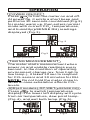
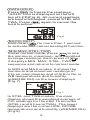
“CAL” and calibrating value (75.2% if
at 25 oC) are blinking on the LCD with
current temperature at the left. Meter is
now calibrating. Wait about 60 minutes
until blinking stops, then calibration is
completed and it returns to normal mode.
NOTE:
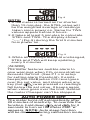
Users can also calibrate either point.
To calibrate 33% only, press CALEsc and
exit when 33% calibration is completed.
To calibrate 75% only, press
or DP/WBT
within the 5 minutes while initializing
33% calibration.
TROUBLESHOOTING
Can’t power on
Press SET for more than 0.3 seconds
and try again. Check whether batteries
are in good contact and correct polarity,
or the adaptor is well plugged.
Fixed readings
Check whether data hold function was
activated. (HOLD icon at the left top)
Slow response
Check whether the air flow channels on
the rear were blocked.
Error messages
E01: CO2 sensor damaged.
E02: The value is under range.
E03: The value is over range.
E04: The original data error results in
this error (DP, WB)
E07: Too low voltage to measure CO2.
Replace batteries or use an adaptor.
E11: Retry humidity calibration.
E17: Retry CO2 calibration.
E31: Temperature sensor damaged.
E34: Humidity sensor damaged.
10