1
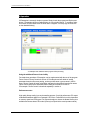
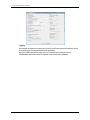
CONTROLCENTER RESAMPLER USER MANUAL 4 FanoutControl Control Program Fanout Control can be used in environments without the ControlCenter workflow to control the fanout. Fanout Control sits in front of CCresampler and intercepts files and parses the file names. Based on the naming, Fanout Control can then apply a given fanout setting to the job and pass it on to CCresampler for physical processing Hotfolder Fanout Control Hotfolder CCresampler The setup of Fanout Control has two steps: Defining fanout sets and defining file name parsing Fanout sets: Go to File -> Fanout sets.. and add and name fanout scaling setup. The setup names should reflect the job’s characteristics, e.g. print method, press or paper weight. File name configuration: Go to File->Naming configuration.. and define the naming convention for the incoming files, by isolating the name f interest, e.g. the publication (product) name. Also set the (one) input folder where TIFF-files are entered and set the output folder to the input folder of CCresampler. INFRALOGIC APS 13