1
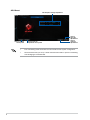
Remote Desktop Control Notification
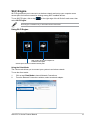
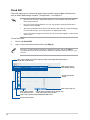
This function allows you to send the control authorization to a smart device and directly start
using Remote Desktop in your device.
To use Remote Desktop Control Notification:
1. Click Select Device.
2. Select a device from the drop list.
3. Click Send to send the Remote Desktop control authorization to the selected device.
This function requires the Push Notice feature to be installed. You can get the PUSH
Notice installer from the bundled support DVD or download the latest installer from
www.asus.com.
28