1
1
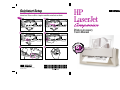
Installing the HP LaserJet Companion
Printer Accessory
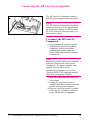
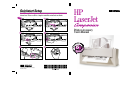
Introducing the HP LaserJet Companion
Congratulations on your purchase of the HP LaserJet Companion! The
HP LaserJet Companion expands the capabilities of your HP LaserJet
Printer so you can be more productive right at your desk. With the HP
LaserJet Companion you can:
• Copy—Make great-looking HP LaserJet copies. You can copy 10 to 20
originals (depending on the paper thickness) at a time to your HP
LaserJet printer, even with your computer turned off. Or, send the
document to your computer and adjust the size, brightness, and contrast
of the scanned document using the HP LaserJet Companion Copier
software. Then send multiple copies of the adjusted document to a
printer.
• Fax—Add input capability to your computer fax solution. Feed a
document into the HP LaserJet Companion, drag the thumbnail image
onto the fax icon, and send the fax to its destination.
• File—Store and organize documents in a filing cabinet on your
computer. Easily find that invoice, receipt, or business card from weeks
ago.
• Read—Scan pages directly into your word processor. Included optical
character recognition (OCR) software converts text from scanned
documents into a format that you can edit in your word processor.
EN
Installing the HP LaserJet Companion Printer Accessory 1-1