1
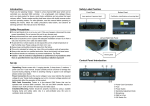
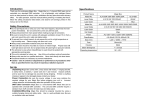
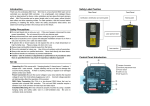
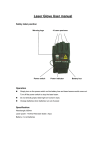
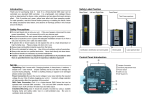
Introduction Thank you for selecting Planet Laser. Planet Laser is a laser that equipped with 57 red 4.9mW diodes per unit to project 57 strong beams. It comes with an easy controller AL-57C (equipped with 10 meters of cable and 1/4” microphone jack) to blackout the unit and run 3 different functions. It is an ideal product for discos, small clubs, exhibitions and any place that need visionary effect. For safe operation, read this manual before powering or installing the fixture, follow the safety precautions listed below, and observe all warnings printed in this manual and on the fixture. Safety Precautions Never look directly into laser beam. Do not spill liquids in to or on to your unit. If this ever happens, disconnect the main power immediately. Do not connect this unit to any dimmer pack. Always disconnect from main power before making any type of connection. Be sure to locate this unit in a place with adequate ventilation at least 15 cm from a wall, and mount this unit in safe and stable matter. To prevent fire or shock hazard, do not expose this unit to a high temperature or high humidity area. Please unplug unit when not in use. Always keep combustible materials away from the fixture. This unit is intended for indoor use. Use of this unit outdoors voids all warranties. Always refer service to a qualified technician. Occasional breaks are necessary to prevent breakdowns. Caution - Use of controls or adjustments or performance of procedures other than as specified herein may result in hazardous radiation exposure! Set Up Unpacking Planet Laser comes with: 1 easy controller AL-57C, 1 power cord and 1 user guide. Unpack carefully and be sure that no damage has occurred during shipping. If there is anything missing or appear to be damaged please contact your dealer. Power Connection Be sure the source voltage in your area matches the required voltage for your Planet Laser before plugging your unit in. Incorrect voltage selection will detrimentally affect the operation of this product. Easy Controller Connection Planet Laser comes with an easy controller AL-57C to blackout the unit and run 3 different functions. This unit and AL-57C easy controller require a standard 1/4” microphone jack for input and output. Installation/Mounting Planet Laser should be properly mounted by using a suitable hanging clamp and safety cable. Use in a well-ventilated area. Be sure no ventilation slots are blocked. Specifications Product Name Planet Model No. AL57-05R Laser Diode 57 × 4.9mW Laser Color Red Net Weight 7.5Kgs Power AC 100V~120V or 220V~240V 50/60HZ Classification 3R Size (mm) L245 x W375 x H300 Ø 290 Housing Metal Beam Divergence < 1.5 mrad Operating Temperature 18~25°C Trouble Shooting Operating Modes If there is no light from the unit, please check the main power supply and fuse. If unit does not response to the music please adjust the sound-active sensitivity level by Sensitivity Adjustment Knob. If problems cannot be solved please contact your dealer for service. This laser effect has been designed to function on a mains power supply of either 120V~60Hz or 240V~50Hz and has been fitted with a suitable power plug for use with your local voltage. Check the label and voltage selector switch (if fitted) on the unit and the power plug for the correct voltage. Cleaning When connected to the mains power supply the unit should illuminate and by Use a soft cloth and normal glass cleaner to clean the outside casing. Cleaning frequency depends on the environment in which the fixture operates. Be sure to dry all parts before plugging the unit back in. connecting to the 1/4” microphone jack of the controller, you will find that the POWER LED of controller will be on and can control the unit for Sound-Activated, Blink and Full On function or Black Out. Fuse Replacement Always disconnect from main power supply before attempting to replace the fuse Remove the old fuse from the holder and replace with the exact same type fuse. Replacement with anything other than the specified part may damage your unit. Easy Controller When the power switch is on, the RUN LED will be on. It featuring three functions: Sound-Activated, Blink and Full On. To select any of the given functions, switch the FUNCTION knob to the required one is showing on the controller. 1. SOUND: Sound Activation with great laser beams. 2. BLINK: Flash speed 1 flash/ 1.5 sec. 3. CONTI.: Full On function. Control Panel Introduction Safety Label Position 57 laser apertures & 3 labels 4 5 6 1 2 3 1 Power Cord Connection 2 Fuse 3 Power Switch 4 Sensitivity Adjustment Knob 5 Microphone 6 Connector for controller Certification, identification and warning label Planet AL57 User Manual Your Best Mate in Laser Lighting! ©2006 ACTOR-MATE CO., LTD. No.15, Lane 83, Lungshou Street, Taoyuan City, Taiwan 330, R.O.C. Tel:+886 3 3791326 / Fax:+886 3 3791919 www.actlaser.com.tw [email protected]