1
Trouble Shooting
Operating Modes
If there is no light from the unit, please check the main power supply and fuse.
If unit does not response to the music please adjust the sound-active sensitivity level
by Sensitivity Adjustment Knob.
If problems cannot be solved please contact your dealer for service.
This laser effect has been designed to function on a mains power supply of either
120V~60Hz or 240V~50Hz and has been fitted with a suitable power plug for use with
your local voltage. Check the label and voltage selector switch (if fitted) on the unit
and the power plug for the correct voltage.
Cleaning
When connected to the mains power supply the unit should illuminate and by
Use a soft cloth and normal glass cleaner to clean the outside casing.
Cleaning frequency depends on the environment in which the fixture operates.
Be sure to dry all parts before plugging the unit back in.
connecting to the 1/4” microphone jack of the controller, you will find that the POWER
LED of controller will be on and can control the unit for Sound-Activated, Blink and
Full On function or Black Out.
Fuse Replacement
Always disconnect from main power supply before attempting to replace the fuse
Remove the old fuse from the holder and replace with the exact same type fuse.
Replacement with anything other than the specified part may damage your unit.
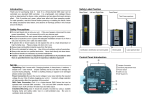
Easy Controller
When the power switch is on, the RUN LED will be on. It featuring three functions:
Sound-Activated, Blink and Full On.
To select any of the given functions, switch the FUNCTION knob to the required one
is showing on the controller.
1. SOUND: Sound Activation with great laser beams.
2. BLINK: Flash speed 1 flash/ 1.5 sec.
3.
CONTI.: Full On function.