1
37
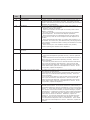
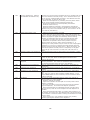
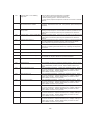
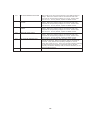
Too long at exit.
This status is reported if the exit sensor is covered for a longer that
allowed time for the current notes.
1 Inspect the note transport and delivery throat make sure all belts
are on track and there are no documents jammed in the transport
or exit areas. Place all belts on their respective rollers and gears.
Clear the jammed documents.
2. Make sure that the exit sensor is clean and operation correctly.
3. Turn the AC power OFF for a few seconds and then back ON to
power cycle and reset the cash dispenser. Clear all errors and test
the dispenser with a live transaction. It the status clears, place the
cash dispenser in service. Otherwise, replace the dispenser.
Note, if this occurs on a Mini Mech, only during a multi note
dispense, the exit sensors may have become weak. Consider
sending the dispenser to repair to have new sensors installed.
38
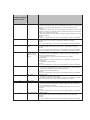
Blocked exit
39
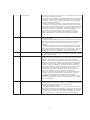
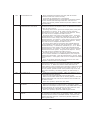
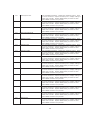
Too many notes
This status appears if the exit sensor is covered or defective when
the dispenser starts.
1. Inspect the note transport make sure all belts are on track and
there is no currency jammed in the transport or exit areas. Place all
belts on their respective rollers and gears. Clear the jammed
documents.
2. Make sure that the exit sensor is clean and operation correctly.
3. Turn the AC power OFF for a few seconds and then back ON to
power cycle and reset the cash dispenser. Clear all errors and test
the dispenser with a live transaction. It the status clears, place the
cash dispenser in service. Otherwise, replace the dispenser.
Clean the all sensors. Verify that all sensors are operation correctly.
If all sensors are operation correctly, and the error persists, replace
the replace the dispenser.
42
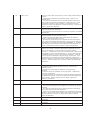
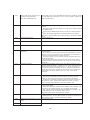
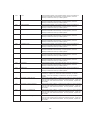
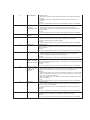
Transport error.
This is a timing wheel or timing wheel sensor error.. 1. Inspect the
dispenser to make sure all belts are on track and in good physical
condition. Place all belts on their rollers and gears. If a belt
displays excessive wear or damage you may be able to replace it.
Otherwise, replace the dispenser.2. Verify that the DC voltages to
the dispenser are correct. Replace the power supply or dispenser
DC power if either is defective.3. Examine the timing wheel for
physical defect. Make sure the electrical connections to the timing
wheel sensor are secure and the time wheel sensor is clean.
Replace the timing wheel or the timing wheel sensors if they are
defective. Otherwise, it may be necessary to replace the
dispenser.4. Turn the AC power OFF for a few seconds and then
back ON to power cycle and reset the cash dispenser. Clear all
errors and test the dispenser by completing several TEST
DISPENSES. If the status clears and the return code are normal
place the cash dispenser in service. If these actions have no effect,
replace the dispenser.
44
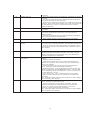
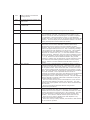
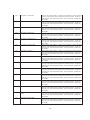
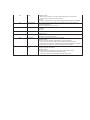
Bad Roller Profile
This status is generated if the double detect is unable to calibrate.
Probable cause for this error is a faulty or uncalibrated double detect
module, or a jammed currency in the double detect.
1. Clear any jammed currency.
2. Turn the AC power OFF for a few seconds and then back ON to
power cycle and reset the cash dispenser. Clear all errors and test
the dispenser by completing several TEST DISPENSES. If the status
clears and the return code are normal place the cash dispenser in
service. If these actions have no effect, replace the dispenser.