1
Minidisplay technology has even led to a wristwatch version from Garmin,
which is ANT+ compatible and displays power meter data along with run
data. It’s also waterproof for swimming, which makes it a good choice if you
are a triathlete as all bike and run data are captured in one place.
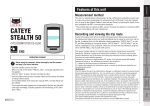
Regardless of all these options, here are the most common items displayed by power meter head units. Not all head units use the same display
abbreviations I’ll use here, so you may need to consult the user guide that
came with yours.
Power
This is the most basic information you need from your head unit. If you can
customize the display to put the fields on your head unit wherever you want,
be sure to place the current or instantaneous power display (often called
“WATTS” or “PWR”) in a prominent place, such as upper left, so that you
can see it at a glance while riding. You’ll be referring to this field more than
any other.
Heart Rate
Just because you have a power meter doesn’t mean you are going to forget
about your heart rate. It’s still quite valuable information. In Chapter 6 I’ll
teach you how to compare power and heart rate to accurately gauge changes
in aerobic fitness. Again, if you can customize your screen display on the
head unit, I’d suggest putting the “HR” readout next to power so that they
can be easily seen and compared.
Duration
In addition to intensity (WATTS and HR), the other critical component of
each workout is duration, or how long the ride was. This should also be
36 | The Power Meter Handbook
Sample pages from The Power Meter Handbook by Joe Friel
Copyright 2012 VeloPress All rights reserved