1
Pairing the S-AIR main unit with
a specific S-AIR sub unit
(Pairing operation)
To establish sound transmission, you need to
set the same ID for your S-AIR main unit and
S-AIR sub unit. However, if your neighbors
have S-AIR products and their IDs are the
same as yours, your neighbors could receive
the sound of your S-AIR main unit or vice
versa.
To prevent this, you can pair the S-AIR main
unit with a specific S-AIR sub unit by
performing the pairing operation.
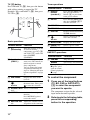
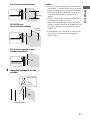
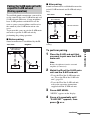
x After pairing
Sound transmission is established between the
paired S-AIR main unit and S-AIR sub unit(s)
only.
Your room
Neighbor
S-AIR main unit
(this receiver)
MASTER VOLUME
POWER/
ACTIVE STANDBY
ID A
No transmission
ID A
S-AIR sub unit
x Before pairing
ID A
S-AIR sub unit
Sound transmission is established by the ID.
Pairing
Neighbor
Your room
S-AIR main unit
(this receiver)
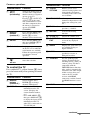
To perform pairing
MASTER VOLUME
POWER/
ACTIVE STANDBY
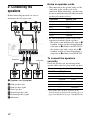
Place the S-AIR sub unit that
you want to pair near the S-AIR
main unit.
Note
ID A
S-AIR sub unit
Remove headphones from the surround
amplifier (if connected).
ID A
S-AIR sub unit
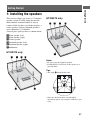
2
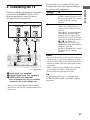
Match the IDs of the S-AIR main
unit and the S-AIR sub unit.
• To set the ID of the S-AIR main unit,
see “To set the ID of the S-AIR sub
unit” (page 50).
• To set the ID of the S-AIR sub unit,
refer to the operating instructions
supplied with the S-AIR sub unit.
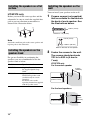
3
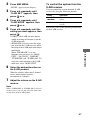
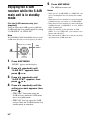
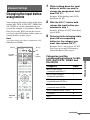
Press AMP MENU.
“LEVEL” appears on the display.
4
Press V/v repeatedly until
“S-AIR SET” appears, then
press
or b.
continued
51US
S-AIR Operations
1
ID A