1
Troubleshooting Installation Problems
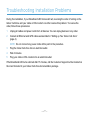
During the installation, if your Broadband LED turns solid red, reversing the order of turning on the
Indoor Cell Zone and your cable or DSL modem can often resolve this problem. To reverse the
order, follow these procedures:
1
Unplug all cables and power cords from all devices. You can unplug devices in any order.
2
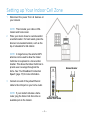
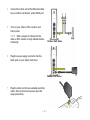
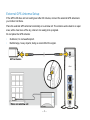
Connect all Ethernet and GPS cables as described in “Setting up Your Indoor Cell Zone”
(page 4).
3
NOTE: Do not connect any power cords at this point in the procedure.
Plug the Indoor Cell Zone into an electrical outlet.
4
Wait 4 minutes.
5
Plug your cable or DSL modem into an electrical outlet.
If the Broadband LED turns solid red after 15 minutes, call the Customer Support number located on
the insert included in your Indoor Cell Zone documentation package.
— 17 —