1
Call 1-866-620-1919 (toll free)
SMTP servers
This section is used for indicating SMTP servers info that will be used for sending out newsletters. Go
to ‘SMTP Servers’ section. There you will see a list of SMTP servers used. “Priority” shows sequence of
its use from the very beginning. Principle is the following: localhost will be used if no server is
indicated. System will connect automatically to server with greater “Priority” number from server list,
in case of server connection failure while newsletter delivery.
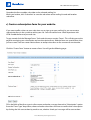
Click ‘Add’ to add new SMTP server info. Fill in the necessary fields and click the “Save’ button.
Notifications management
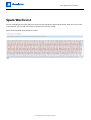
The section lists notifications used in PG Newsletter Software. The area allows enabling/disabling
notifications and changing content of each notification.
To enable/disable a notification, click the icon in the column ‘Status’ against the necessary
notification. This will either enable or disable the notification. If there is a green tick, then it is active, in
case there is a red cross, then it is disabled.
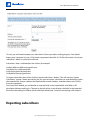
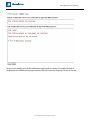
To edit the text of the notification, click ‘Edit’, you will get the following screen:
© 2010 Pilot Group Ltd. All rights reserved.