1
Installation
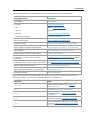
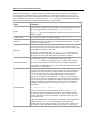
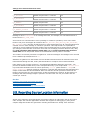
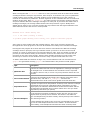
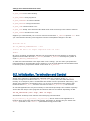
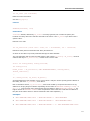
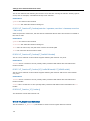
VT_LIB_DIR points to the folder containing the static Intel® Trace Collector libraries. It might
be useful to create Makefiles or shorter linkage commands when using -L.
VT_SLIB_DIR (VT_DLL_DIR on Microsoft* Windows* OS) points to the folder containing the
dynamic Intel® Trace Collector libraries. It might be useful to create Makefiles or shorter linkage
commands when using -L.
VT_ADD_LIBS lists libraries Intel® Trace Collector is dependent on and needs to be linked
against when using Intel® Trace Collector.
VT_MPI points to the currently selected MPI implementation as used by VT_LIB_DIR and
VT_SLIB_DIR.
VT_MPI_DLL (Microsoft Windows version only) name of the MPI dll to be loaded by an Intel®
Trace Collector dll. If the Fortran interface of MPI is involved and MPI offers this in a separate dll
(for example, MPICH2*), it has to be specified through VT_FMPI_DLL.
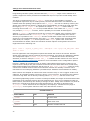
The itacvars script accepts an optional argument on Microsoft* Windows* OS: impi32 and
impi64 (for example, itacvars.bat impi64 selects the 64-bit version of the Intel MPI Library this is the default parameter).
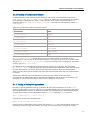
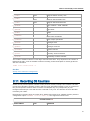
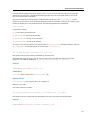
It is possible to install several different Intel® Trace Collector packages in parallel on the same
machine by using different folders. Overwriting an old installation with a new one is not
recommended, because this will not ensure that obsolete old files are removed. A single dot .
can be used to install in the directory where the archive was unpacked.
To use Intel® Trace Collector on a cluster of machines, you can either install Intel® Trace
Collector once in a shared directory which is mounted at the same location on all nodes, or you
can install it separately on each node in a local folder. Neither method has a clear advantage
when it comes to runtime performance. Root privileges are only needed if writing into the
desired install folder requires them.
For using shared libraries or in particular for binary instrumentation the installation path must be
the same on all nodes.
On Microsoft Windows Compute Cluster Server*, most of this is handled by OS-provided
mechanisms. For Linux there is a mechanism for unattended mass installations in clusters. It
consists of the following steps:
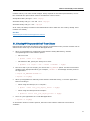
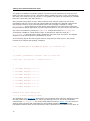
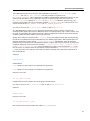
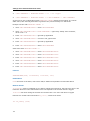
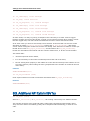
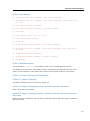
1. Start the install script with the option --duplicate. It will install Intel® Trace Collector as
usual, but in addition to that it will create a file called
itc_<platform>_<version>_SilentInstall.ini in the current folder or, if that folder is
not writable, /tmp/itc_<platform>_<version>/SilentInstall.ini. Alternatively you
can modify the existing SilentInstallConfigFile.ini. It is necessary to acknowledge
the End User License Agreement by editing that file and replacing ITC_EULA=reject with
ITC_EULA=accept.
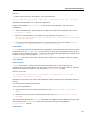
2. Run the install script on each node with the option --silent <.ini file>. This will install
Intel Trace Collector without further questions using the install options from that .ini file.
Only error messages will be printed, all the normal progress messages are suppressed.
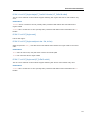
See Also
Tracing of Binaries and Binary Instrumentation
Using the Shared Libraries
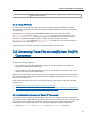
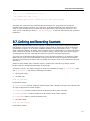
Intel® Trace Collector for MPI applications produces tracefiles that can be analyzed with Intel®
Trace Analyzer performance analysis tool. Some Intel® Trace Collector versions are also able to
13