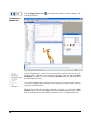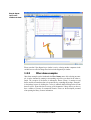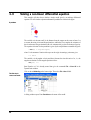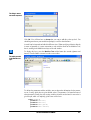
1
Dymola Dynamic Modeling Laboratory Getting started with Dymola Contents: Chapter 2 “Getting started with Dymola” extracted from the manual “Dymola User Manual Volume 1”. May 2011 The information in this document is subject to change without notice. © Copyright 1992-2011 by Dassault Systèmes AB. All rights reserved. Dymola® is a registered trademark of Dassault Systèmes AB. Modelica® is a registered trademark of the Modelica Association. Other product or brand names are trademarks or registered trademarks of their respective holders. Dassault Systèmes AB Ideon Science Park SE-223 70 Lund Sweden E-mail: URL: Phone: Fax: [email protected] http://www.Dymola.com +46 46 2862500 +46 46 2862501 Contents 1 Getting started with Dymola .................................................................................................. 5 1.1 Introduction ...................................................................................................................................................... 5 1.2 Simulating a model — industrial robot ............................................................................................................ 6 1.2.1 Simulation............................................................................................................................................. 15 1.2.2 Other demo examples ........................................................................................................................... 19 1.3 Solving a non-linear differential equation ...................................................................................................... 20 1.3.1 Simulation............................................................................................................................................. 23 1.3.2 Improving the model ............................................................................................................................ 27 1.4 Using the Modelica Standard Library ............................................................................................................ 33 1.4.1 The Modelica Standard Library ............................................................................................................ 34 1.4.2 Creating a library for components ........................................................................................................ 42 1.4.3 Creating a model for an electric DC motor........................................................................................... 44 1.4.4 Documenting the model........................................................................................................................ 51 1.4.5 Testing the model ................................................................................................................................. 54 1.4.6 Handling the warnings .......................................................................................................................... 57 1.4.7 Creating a model for the motor drive.................................................................................................... 61 1.4.8 Parameter expressions .......................................................................................................................... 64 1.4.9 Documenting the simulation ................................................................................................................. 69 1.4.10 Scripting ............................................................................................................................................... 71 1.5 Building a mechanical model ......................................................................................................................... 72 1.6 Other libraries ................................................................................................................................................ 78 1.6.1 Libraries available in the File menu by default .................................................................................... 78 1.6.2 Libraries that can be added ................................................................................................................... 79 1.7 Help and information ..................................................................................................................................... 79 1.7.1 Reaching compressed information........................................................................................................ 79 3 1.7.2 Reaching more extensive information .................................................................................................. 81 2 Index ....................................................................................................................................... 83 4 1 1.1 Getting started with Dymola Introduction This chapter will take you through some examples in order to get you started with Dymola. For detailed information about the program, you are referred to the on-line documentation and the user’s manuals. The on-line documentation is available in the menu Help > Documentation. The tool tips and the What’s this? features are fast and convenient ways to access information. Please see section “Help and information” on page 79 for more information. Start Dymola. The main Dymola window appears. A Dymola main window operates in one of the two modes: • • Modeling for finding, browsing and composing models and model components. Simulation for making experiments on the model, plotting results, and animating behav- ior. Dymola starts in Modeling mode. The active mode is selected by clicking on the tabs in the bottom right corner of the Dymola window. The operations, tool buttons available and types of sub-windows appearing depend on the mode and the user’s choice. Dymola starts with a useful default configuration, but allows customizing. GETTING STARTED WITH DYMOLA 5 Dymola main window Package browser Component browser Edit window 1.2 Simulating a model — industrial robot This first example will show how to browse an existing model, simulate it, and look at the results. If you want to learn the basics first, you can skip to a smaller example in the next section 1.3 “Solving a non-linear differential equation” on page 20. We will study a model of an industrial robot. To view the industrial robot model, use the File > Demos menu and select Robot. 6 Opening a demo example. Dymola starts loading the model libraries needed for the robot model and displays it. The following will be displayed: The robot demo. The package browser in the upper left sub-window displays the package hierarchy and it is now opened up with the robot model selected and highlighted. The model diagram in the edit window (the sub-window to the right) shows the top-level structure of the model. The model diagram has an icon for the model of the robot with connected drive lines for the joints. The reference angles to the drive lines are calculated by a path planning module giving the fastest kinematic movement under given constraints. GETTING STARTED WITH DYMOLA 7 The edit window displays by default the model diagram (“diagram layer”) but the user can select other information (other layers) to be displayed instead, e.g. documentation or Modelica text. For more information, please see the chapter “Developing a model”. The component browser in the lower left sub-window also shows the components of the robot experiment in a tree structured view. To inspect the robot model, select the icon in the edit window (red handles appear, see below) and right-click (press the button to the right on the mouse). A menu pops that contains a selection of actions that can be made for the selected object (a context menu). From the context menu, select Show Component. About to view the mechanical structure of the robot. It is not necessary to select the robot component explicitly by first clicking with the left button on the mouse on it to access its menu. It is sufficient to just have the cursor on its icon in the edit window and right-click. The component browser also gives easy access to the robot component. Just position the cursor over “mechanics” and right-click to get the context menu for “mechanics”. The component browser provides a tree representation of the component structure. The edit window showing the diagram layer and the component browser are synchronized to give a consistent view. When you select a component in the edit window, it is also highlighted in the component browser and vice versa. The diagram layer of the edit window gives the component structure of one component, while the 8 component browser gives a more global view; useful to avoid getting lost in the hierarchical component structure. The edit window now displays the mechanical structure consisting of connected joints and masses. The component browser is opened up to also show the internals of the mechanics model component. The mechanical structure of the robot. Double-click on, for example, r1 at the bottom of the edit window. This is a revolute joint. The parameter dialog of that component appears. The parameter dialog can also be accessed from the right button menu. Double-clicking the left button selects the first alternative from the right button menu. GETTING STARTED WITH DYMOLA 9 Parameter dialog. The parameter dialog allows the user to inspect actual parameter values. In demos the parameter values are write-protected to avoid unintentional changes of the demo example – then the dialog just has a Close button (and an Info button). When the parameter values can be changed there is one OK button and one Cancel button to choose between. The values are dimmed to indicate they are not given at the top-level model, but somewhere down in the component hierarchy. A parameter dialog may have several tabs. This dialog has the tabs: General, Animation, Advanced and Add modifiers. In a tab the parameters can be further structured into groups as shown. It is easy for a model developer to customize the parameter dialogs. (More information about customization can be found in the chapter “Developing a model”, section “Advanced model editing”, sub-section “Parameters, variables and constants”). Graphical illustrations can be included to show meaning of parameters. If prepared for, display units can be selected in the dialog. Units that have alternatives are marked by white background (here phi.start and w.start have selectable display units). By resting the cursor over such a unit a button is displayed, Selectable display unit. and by clicking on that the selection can be made: 10 Alternatives of selectable display unit. Next to each parameter field is a triangle, this gives you a set of choices for editing the parameters. Edit gives a matrix editor/function call editor; Edit Text gives a larger input field, etc. An example is that for the first parameter useAxisFlange the command Edit Text can be used to enter an expression (that should be true in order for the axis flange to be enabled). If such an expression is entered, the checkbox will be displayed as . Some parameters have a list of choices where you can select values instead of writing them. One example is the parameter n, which defines the axis of rotation. The value for this revolute joint is {0, 1, 0}, i.e. the axis of rotation is vertical. Choices for n. To learn more about the component, select Info. An information browser is opened to show the documentation of the revolute joint. Links in the document makes it easy to navigate to e.g. the description of the package containing the revolute joint. Now please close the browser and press Close in the parameter dialog to leave it. (If you want to see the documentation without going via the parameter dialog, right-click on the component in the diagram and select Info.) Let us now inspect the drive train model. There are several possible ways to get it displayed. Press the Previous button (the toolbar button with the bold left arrow) once to go to the robot model and then put the cursor on one of the axis icons and right-click. Please, note that robot.mechanics also has components axis1, ..., axis6, but those are just connectors. You must inspect for example robot.axis1 (see figure below). GETTING STARTED WITH DYMOLA 11 Displaying the components of axis 1. Another convenient way is to use the component browser. Put the cursor on top of the wanted component in the browser and right-click to get the context menu. Select Show Component as shown in the figure below. (In this case also care must be taken not to select any axes of the module mechanics. The component browser has been enlarged in the figure to illustrate this.) Since Show Component is the first menu option, double-clicking will yield the same result. Please recall that double-clicking on a component in the edit window pops up the parameter dialog (compare the two menus in the figure above and below!). 12 Displaying the components of axis 1. Whatever method is used, the result will be the following figure in the edit window: The robot drive train in Axis 1. The drive train includes a controller. A data bus is used to send measurements and reference signals to the controller and control signals from the controller to the actuator. The bus for one axis has the following signals: GETTING STARTED WITH DYMOLA 13 Name Description motion_ref angle_ref angle speed_ref speed acceleration_ref acceleration current_ref current motorAngle motorSpeed true, if reference motion is not in rest reference angle of axis flange angle of axis flange reference speed of axis flange speed of axis flange reference acceleration of axis flange acceleration of axis flange reference current of motor current of motor angle of motor flange speed of motor flange The bus from the path planning module is built as an array having 6 elements of the bus for an axis. The figure below is displayed by selecting the controller and showing the components of it. The robot controller in the robot drive train. The controller of an axis gets references for the angular position and speed from the path planning module as well as measurements of the actual values of them. The controller outputs a reference for the current of the motor, which drives the gearbox. The motor model consists of the electromotorical force, three operational amplifiers, resistors, inductors, and sensors for the feedback loop. 14 The robot motor. View the component gear in a similar way as for the other components. It shows the gearbox and the model of friction of the bearings and elasticity of the shafts. The robot gearbox. 1.2.1 Simulation Let us simulate the robot model. To enter the Simulation mode, click on the tab Simulation at the bottom right of the main window. Please note that selecting Simulation mode is not the same as simulating the robot; it however gives the possibility doing so – the needed menus are available in this mode. GETTING STARTED WITH DYMOLA 15 The Simulation menu contains commands to setup and run simulations. Shortcut buttons are also available. However, the demo has also been prepared with a command script that will simulate the model. The script is executed selecting Commands > Simulate. Please use that command. Simulating the demo (by running a script). The model is now translated and simulated automatically. The script also contains some setting of a plot window and an animation window. After maximizing the Dymola main window it will look the following: Animated 3D view of the robot. 16 Let us start to animate the robot. Start the animation by selecting Animation > Run or clicking the Run button on the toolbar (the leftmost button) Animation toolbar. This toolbar contains the usual buttons of running, pausing, rewinding, and stepping forward and backward, respectively. Also the time flow is shown and there is a possibility to set the speed of the animation (higher figures means higher speed) Please note that the Animation window can be maximized in the main window in the usual way. If the Animation window by mistake is deleted, a new can be displayed using the command Animation > New Animation Window. Direct manipulation of the view in the animation window using the mouse has been implemented. The view can be moved, rotated and zoomed using mouse movements in combination with Meta keys: Operation Meta key Mouse move (dragging) Arrow keys Set rotation center on selected component Moving up/down/left/right Tilt (Rotate around x-axis) Pan (Rotate around y-axis) Roll (rotate around z-axis) Zoom in/out Zoom in/out Zoom in/out Zoom in/out Alt+Select none Up/Down/Left/Right Up/Down/Left/Right Ctrl Up/Down Up/Down Ctrl Left/Right Left/Right Ctrl+Shift Clockwise/Counterclockwise Up/Down Wheel Wheel Right mouse button Up/Down Left/Right Shift none Ctrl Ctrl Up/Down The arrow keys pan and tilt in fixed increments of 5 degrees, in addition page up/page down tilt 45 degrees. The Home key resets viewing transformation. Let us now look at the plot window. The plot shows the speed reference and actual speed of the third joint. A very convenient way to display the variables for a certain component that is of interest is to use the diagram layer of the edit window also in Simulation mode. The diagram layer enables the user to follow a simulation by displaying variables and to control it by setting parameters. The user can descend into any level of the model in order to plot or display variables. GETTING STARTED WITH DYMOLA 17 Push the Diagram layer button result might look like: in the diagram layer toolbar to show the diagram. The The diagram layer in Simulation mode. Now the diagram layer is visible. You can now navigate exactly the same way as in the Modeling mode – right-click on the component you want to look into and select Show Component to look into it. You go back using the Previous button (the leftmost button in the toolbar figure to the left). If you want the diagram layer to show more of an overview; e.g. the whole robot, you have to go back to Modeling mode and change what is displayed in the Edit window. Then you can go back to Simulate mode. When having reached the interesting component, right-click on it and select Show Variables, which will open and highlight the selected component instance in the variable browser. In the figure below, the variables of the motor in Axis 1 is displayed in this way. 18 Using the diagram layer to select variables to be shown. Please note that if the diagram layer window is active, selecting another component in the variable browser will also change the selection in the diagram layer window. 1.2.2 Other demo examples Other demo examples can be found under the File > Demos menu. After selecting an example, it can be simulated by running a corresponding script file as was done for the robot example. The exception is the demos in Automotive Demos Library. It contains several demos, and the relevant demo has to be opened first by expanding the package “Examples” in the package browser by clicking the + before it, and then double-clicking on the relevant demo to open it. Please note that to run any of the Automotive Library demos you have to have a number of licenses for commercial libraries. Please see the description presented when opening the library for more information. GETTING STARTED WITH DYMOLA 19 1.3 Solving a non-linear differential equation This example will show how to define a simple model given by an ordinary differential equation. We will simulate a planar mathematical pendulum as shown in the figure. A pendulum. The variable m is the mass and L is the distance from the support to the center of mass. Let us assume the string is inextensible and massless, and further, let us neglect the resistance of the air and assume the gravitational field to be constant with g as the acceleration of gravity. The equation of motion for the pendulum is given by the torque balance around the origin as J*der(w) = -m*g*L*sin(phi) where J is the moment of inertia with respect to the origin. Assuming a point mass gives J = m*L^2 The variable w is the angular velocity and der(w) denotes the time derivative of w, i.e., the angular acceleration. For the angular position we have der(phi) = w Start Dymola or if it is already started then give the command File > Clear All in the Dymola main window. Click on the tab Modeling at the bottom right. Then select File > New Model. The first step to create a new model. A dialog window opens. Enter Pendulum as the name of the model. 20 The dialog to name a new model component. Click OK. You will then have to Accept that you want to add this at the top-level. You should in general store your models into packages, as will be described later. A model can be inspected and edited in different views. When specifying a behavior directly in terms of equations, it is most convenient to work with the model as the Modelica Text; that is, working in the Modelica text layer of the edit window. To display this layer, press the Modelica Text toolbar button (the second rightmost tool button). The edit window can now be used as a text editor. The model presented in the Modelica text layer. To declare the parameters and the variables, enter as shown the declarations for the parameters m, L and g, which also are given default values. The parameter J is bound in terms of other parameters. Finally, the time varying variables phi and w are declared. A start value is given for phi, while w is implicitly given a start value of zero. model Pendulum parameter Real parameter Real parameter Real parameter Real m=1; L=1; g=9.81; J=m*L^2; GETTING STARTED WITH DYMOLA 21 Real phi(start=0.1); Real w; equation der(phi) = w; J*der(w) = -m*g*L*sin(phi); end Pendulum; New text will be syntax highlighted (color coded) as you type, except types; e.g. Real. To get also types color coded, right-click and select Highlight Syntax or press Ctrl+L. Apart from implementing color codes for types, the command will also give a message if the syntax is not correct. It is a good idea to use the command regularly. The command does not, however, change the formatting of the text (tabs etc.). Such change is implemented by selecting the part of the text that should be reformatted, and then right-clicking and selecting Reformat Selection (or press Ctrl+Shift+L). The color codes are: blue keywords red types, operators etc. black values, variables, parameters etc. green comments If the text seems too small to work with, the text size can be changed using the Edit > Options… command and temporary changing the Base font size in the Appearance tab. It is a good idea to set it back afterwards. Declaration of parameters, variables and equations. Since the model should be simulated, it should be checked before saved. The check command performs some symbolic and syntactic checks that will capture a number of errors that might have been introduced by the user. The check can be made clicking on the Check icon or by selecting the command Edit > Check or by using the F8 function key. The result of a check of the above text looks the following: 22 Check of model. The model is now ready to be saved. Select File > Save. Call the file pendulum and keep the file extension to .mo and place it in a working directory. 1.3.1 Simulation Now it is time to simulate. To enter the simulation mode, click on the tab Simulation at the bottom right of the main window. The simulation menu is now activated and new tool bar buttons appear. To set up the simulation select Simulation > Setup… or click directly on the Experiment Setup toolbar button. Selecting Setup in the Simulation menu. GETTING STARTED WITH DYMOLA 23 The Simulation Setup menu. Set the Stop time to 10 seconds. Click OK. To run the simulation select Simulation > Simulate or click directly on the Simulate toolbar button. Selecting Simulate in the Simulation menu. Dymola first translates and manipulates the model and model equations to a form suitable for efficient simulation and then runs the simulation. (You may explicitly invoke translation yourself by selecting Simulation > Translate or click on the Translate toolbar button.) You will get a warning that the initial conditions are not fully specified. (The warning can be seen in the Translation tab of the Messages window that will pop.) However, Dymola 24 will select default initial conditions, so the simulation will work. We will discuss how to get rid of the warnings later. For now, you can just close the Messages window. When the simulation is finished, the variable browser displays variables to plot. To see the plot better, maximize the plot window in the edit window. Then click in the square box in front of phi to get the angle plotted as shown below. Plotting the angle. Let us study a swing pendulum with larger amplitude and let it start in almost the top position with phi = 3. It is easy to change initial conditions. Just enter 3 in the value box for phi and click on the Simulate tool button. You can also change start values and parameters by typing in the commands window; e.g. type phi=3 (followed by carriage return) for a change of phi. GETTING STARTED WITH DYMOLA 25 Pendulum angle when starting in almost the top position. The results of previous simulations are available as the experiment Pendulum 1 in the Variable browser. We can open it up and have phi of the two runs plotted in the same diagram by expanding “Pendulum 1” in the variable browser and check the checkbox for “phi”. 26 Results from two simulations. Values of parameters are changed in a similar way. To simulate another length of the pendulum, just enter a new value for L and click on the simulate button. 1.3.2 Improving the model Using pre-defined physical quantities The parameters and variables are more than real numbers. They are physical quantities. The Modelica standard library provides type declarations for many physical quantities. Using these instead of declaring variables/parameters yourself gives two advantages: • The declarations will be faster. • Additional features will automatically be present; e.g. units and limits. So let us change the model, using ready-made physical quantities. The starting point is the Pendulum model built previously. (If Dymola is not started, start it and use File > Open to open Pendulum.mo.) Press the Modelica Text toolbar button (the second rightmost tool button) to show the Modelica text layer. GETTING STARTED WITH DYMOLA 27 Mark the declarations of variables/parameters in the text and delete them. Do not delete the equation, that one we will keep. The result will be: Open Modelica.SIunits in the package browser by first expanding the Modelica package by clicking on the + in front of it and then expanding “SIunits” by clicking on the + in front of it. Now a number of physical types should be visible. What is to be done is to redo the declaration part of the model presented on page 21 using the physical types available in Modelica.SIunits. The mass is the first one to be declared. To find “Mass” in the package browser, click on the package “SIunits” (to get a good starting point) and then press m on the keyboard. The first physical type starting with “m” will be displayed. Pressing m again will find the next physical type starting with “m” and so on. (Another way to find it fast is by clicking on the header “Packages” of the package browser that will sort the physical types in alphabetical order.) Once “Mass” is found, drag it to the component browser. The following menu will pop up: 28 Adding a physical type. The choice to add a component is pre-selected. Click OK. A menu to declare a variable pops up: Declaring a variable. Now we can specify the type prefix (parameter), the name, value and description. (By keeping the cursor on top of an input field for a while a tooltip text pops up explaining the field.) Complete the description in the following way: GETTING STARTED WITH DYMOLA 29 Click OK and the text appearing in the bottom row is inserted into the Modelica text window. The other quantities are defined in analogue ways. When coming to the variables “phi” and “w”, they are variables, not parameters. Nothing should be entered in the type prefix input field for those. When completing the form to declare the angle phi, the start value of the angle is defined by clicking on the small triangle to the right of the value field and selecting Edit. A submenu pops up. Enter 0.1 for start. The result will look like: Entering a start value. Click OK. The following result is displayed: 30 The result. The “+” in the margin to the left of the text and the icon almost at the end of the text indicates the presence of graphical information or annotations. It may be displayed. This can be done in two ways. Either click on the “+” or on the icon, or right-click to get the context menu, and then select Expand > Show entire text. Either way, it is revealed that the annotation is an annotation documenting which version of the Modelica standard library was used. Dymola uses this information to check if compatible versions of libraries are used and to support automatic upgrading of models to new versions of libraries. A model developer can provide conversion scripts that specify how models shall be upgraded automatically to new versions of a library. Please note that if changes should be made afterwards, the command Edit > Variables can be used to select the variable that should be edited. (Another way of inserting pre-defined physical quantities is to recognize that these are types. Types can be inserted in the code by right-clicking to pop the context menu and then selecting Insert Type. The menu that pops enables searching by typing in names. The advantage is that all types in all open packages are searched. It will be easy to find a known type even if it located in another package. However, to also get help from the Declare variable menu as above, the user has to • Insert the type on an empty line • Enter a space and the name of the variable • Conclude with a semicolon • Use Edit > Variables and select the new variable) Handling of warnings When simulating, we still get a warning that the initial conditions are not fully specified. By clicking on the Translation tab in the Messages window and scroll to the top the following can be seen: GETTING STARTED WITH DYMOLA 31 To get more information, select, Simulation > Setup… or click directly on the Experiment Setup toolbar button, click on the Translation tab and check Log selected default initial conditions. Simulating yet another time and checking the Translation tab of the Messages window will yield: In order to have sufficient number of initial conditions, Dymola look at the possibility to use variables as states and attribute fixed start values to such states. (For more information, please see chapter “Introduction to Modelica”, section “Initialization of models” and (more advanced) the manual “Dymola User Manual Volume 2”, chapter “Advanced Modelica support”, section “Means to control the selection of states”.) Dymola presents in the warnings what variables have been selected as states with fixed start values. Dymola assumes fixed start values phi=0.1 and w=0. We have set the start value of phi to 0.1 (above), while the start value of w was implicitly given a start value of zero (default). However, the attribute fixed is the problem. Fixed=true means that the start value is used to initialize the model; it must be satisfied during initialization. Fixed=false means that the value is just a guess-value for a non-linear solver. For variables fixed is default false. Since 32 the intention was to use these variable values as initialization values, the best is to explicitly set the fixed-attribute to true – and also explicitly specify the start value of w to zero. The resulting code (generating no warnings) will be: 1.4 Using the Modelica Standard Library In this example, we will show how a model is built up using components from the Modelica Standard Library. The task is to model a motor drive with an electric DC motor, gearbox, load, and controller. Motor drive built with standard components. As when building a real system, there are several approaches. One extreme approach is to build the system from scratch. However, it is often a difficult and time-consuming task. Another approach is to investigate if the system already is available on the market or if there is some product that easily can be adapted or modified. If not, build the system from components available when possible and develop only when necessary. The idea of object oriented modeling is to support easy and flexible reuse of model knowledge. Modelica has been designed to support reuse of model components as parts in different models and to support easy adaptation of model components to make them describe similar physical components. The design of Modelica has also been accompanied by the development of model libraries. GETTING STARTED WITH DYMOLA 33 1.4.1 The Modelica Standard Library We will now have a look at the Modelica Standard Library to see what is available and how we access the model components and their documentation. To open the library, double-click on Modelica in the Package browser. Opening the Modelica Standard Library. Dymola reads in the library. The Modelica Standard Library is hierarchically structured into sub-libraries. 34 The sub-libraries of the Modelica Standard Library. As shown by the package browser, the Modelica Standard Library includes • Blocks with continuous and discrete input/output blocks such as transfer functions, filters, and sources. • ComplexBlocks provides basic input/output control blocks with complex signals. (This library is especially useful e.g. in combination with the library Modelica.Electrical.QuasiStationary in order to build up very fast simulations of electrical circuits with periodic currents and voltages.) • StateGraph for modeling of discrete events and reactive systems by heretical state machines. Please note that a more advanced library is available using the command File > Libraries > State Graph. For more information about this library, please see section “Libraries available in the File menu by default” starting on page 78. • Electrical provides electric and electronic components (for analog, digital, machines and multi-phase models) such as resistor, diode, DC motor, MOS and BJT transistor. • Magnetic contains magnetic components to build especially electro-magnetic devices. GETTING STARTED WITH DYMOLA 35 • Mechanics includes one-dimensional and 3-dimensional translational, rotational and multi-body components such as inertia, gearbox, planetary gear, bearing friction and clutch. • Fluid contains components to model 1-dimensional thermo-fluid flow in network of vessels, pipes, fluid machines, valves and fittings. All media from Modelica.Media can be used. A unique feature is that the component equations and the media models as well as pressure loss and heat transfer correlations are decoupled from each other. • Media includes property models of media. • Thermal provides models for heat transfer and thermo-fluid pipe flow. • Math gives access to mathematical functions such as sin, cos and log and operations on matrices (e.g. norm, solve, eig, exp). • ComplexMath contains complex mathematical functions (e.g. sin, cos) and functions operating on complex vectors. • Utilities contain functions especially for scripting (operating on files, streams, strings and systems). • Constants provide constants from mathematics, machine dependent constants and constants from nature. • Icons provide common graphical layouts (used in the Modelica Standard Library). • SIunits with about 450 type definitions with units, such as Angle, Voltage, and Inertia based on ISO 31-1992. To get documentation for the entire Modelica Standard Library, place the cursor on Modelica, right-click and select Info. An information browser is directed to an HTML file containing documentation for Modelica. This documentation has been generated from the Modelica description of the library. There is basic information such as the content of the library, conventions and conditions for use. Dymola comes also with other free model libraries. A list of these libraries is given by the command File > Libraries. The package menu gives direct access to the sub-libraries. We will need components from various sub-libraries. We will need rotational mechanical components as well as electrical components for the motor. To open the Modelica.Mechanics, double-click on Mechanics in the Package browser. The documentation layer of the library will be shown. (If not, click on the toolbar.) 36 in the upper Opening Modelica.Mechanics. To get documentation on Modelica.Mechanics (as previously demonstrated) place the cursor on Mechanics, right-click and select Info. Besides using the package browser of the Dymola window, it is also possible to open a library window that also contains a browser. It can be done in two ways. If the library window should contain the Mechanics package, select “Mechanics” in the package browser and right-click to get a menu. Select Open Library Window. If the window should contain the “top package” in the browser (Modelica in this case), use the toolbar to select Window > New Library Window. Using the latter, selecting Modelica in the Package browser in the upper part of the window (and adapting the window) will display the following: GETTING STARTED WITH DYMOLA 37 A library window displaying the Modelica Standard Library. A Library window includes a package browser, where the components of the selected sublibrary are displayed in a part of the window. By closing the package browser by toggling the button to the bottom left, double-clicking on the icon for Modelica and adapting the window to the content the following will be displayed. Please note that now the name of the package will be displayed in the window title bar. 38 A library window displaying the components of the Modelica Standard Library. By using the right button at the bottom it is possible to go up in the package hierarchy and by double-clicking on the icons in the window it is possible to go down in the hierarchy. The left and right arrow buttons allow going back and forth as in an ordinary web browser. Open Modelica.Mechanics.Rotational in the library window by first double-clicking on the icon for Mechanics and then on the icon for Rotational. The package Rotational contains components for rotating elements and gearboxes, which are useful for our modeling of the electrical motor drive. The rotational mechanics library window. The Info for Modelica.Mechanics.Rotational contains important information on the package content. By navigating in the packages/libraries present here (using double-clicking and left arrow) we will find a number of components that might be of interest to us. As examples, this is how the libraries Components and Sensors will look like: GETTING STARTED WITH DYMOLA 39 The Components library. The Sensors library. A quick scan of the Component library indicates that the model Inertia may be of interest for us. Right-click on Inertia for a context menu. Select Info to get documentation for the model. 40 The context menu for a component. To get a model window for Inertia select Open Class in New Window in the same context menu. A window for the model Inertia is created. Switch to the Modelica Text representation, where you find Euler’s equation as the last equation. Mathematical definition of a rotational inertia. If wanted, it is possible to look at the content with equations rendered with mathematical notation. Right-click to pop the context menu and select Use mathematical notation. The result will be: GETTING STARTED WITH DYMOLA 41 Displaying using mathematical notation. After this introduction of how to access model components and documentation of a library, we will continue by actually building a model for an electric DC motor. This task will give us more experience. 1.4.2 Creating a library for components It is a good idea to insert developed components into a library. It is a good way to keep track of components and it supports also the drag and drop feature when you will use the models as components. Let us collect all developed components in a library called DriveLib. Go to the Dymola window, and select File > New… > Package. This will pop the dialog: 42 Creating a new Modelica package. Enter DriveLib as the new name of the package and click OK, and Accept in the information window. A package DriveLib is created and made visible in the package browser (if scrolled). Select Modelica text to get the Modelica representation, which at this stage just specifies a package with no contents. The layer shown in the package created (Modelica Text layer, Diagram layer etc) depends on what layer was shown when creating the package. From the result below it is obvious that the Modelica Text layer was shown when this package was created. The layer shown can easily be changed by buttons in the toolbar in the upper right of the window. GETTING STARTED WITH DYMOLA 43 DriveLib created. 1.4.3 Creating a model for an electric DC motor An electrical DC motor. A model of the complexity indicated above will be developed for the electric DC motor. For simplicity the voltage supply is included in the motor model. The model includes an ideal controlled voltage source. The electric part of the motor model includes armature resistance and armature inductance. The electromotive force (emf) transforms electrical energy into rotational mechanical energy. The mechanical part includes the mechanical inertia of the motor. Let us start building the motor model. Select in the Dymola window File > New… > Model. Enter Motor as name of the new model. To have the Motor model being a part of DriveLib, 44 we need to enter DriveLib for Insert in package. This can be done in several ways. Dymola provides alternatives to be selected from and DriveLib is an available alternative. There are no other alternative because all other open packages are write protected. It is also possible to use the drag and drop feature and drag DriveLib into the slot. In the package browser, put the cursor on DriveLib and press the left mouse button. While keeping it pressed, drag the cursor to the slot for Insert in package (optional), release the button and the text DriveLib will appear in the slot. It is also possible to browse for a package where to insert the model, clicking on the browser symbol to the right. Inserting Motor in DriveLib. Click OK. The package browser shows that DriveLib has a component Motor as desired. The picture below shows the model with the diagram layer displayed (compare with the package created above). GETTING STARTED WITH DYMOLA 45 An empty Motor model. The model window now contains an empty Motor model. The edit window has a gray frame and grid to indicate that the component is not write-protected. It is possible to toggle the grid using the toolbar button. Before building the motor model, please note that selecting a package in the package browser by just clicking on it does not mean that it is the one that is displayed in the edit window (and component browser). Yes, it is indicated in the package browser by blue (or red if not saved), but the one displayed stays the same (and is indicated by a blue frame in the package browser, the name in the window header, the top name in the component browser and the name in the bottom left in the window). By double-clicking or rightclicking on the package in the package browser the displayed package is changed, however. We will now start building the motor model. To make it easier to follow the instructions, the result is displayed below: 46 The finished motor model with all components. We need a model component for a resistor. It can be found in Modelica.Electrical.Analog.Basic. The basic approach is to use drag and drop. You can drag and drop from the package browser or from a library window. To drag from package browser, open in turn Modelica, Electrical, Analog and Basic. Note that title of the Dymola window is still DriveLib.Motor and also the component browser has DriveLib.Motor as top level to indicate that we are editing the motor model. About to drag a resistor from the package browser. (You can also drag from a library window.) Drag a resistor from Basic to the Motor window and place it as shown above. The component browser displays that Motor has a component Resistor1. GETTING STARTED WITH DYMOLA 47 Inserting a resistor component. When inserting a component it is given an automatically generated name. The name may be changed in the parameter dialog. (The class name begins with an upper-case character, component instances begins with a lower-case character.) Double-click on the component, to get its parameter dialog. The parameter dialog can also be reached by placing the cursor on the component, right-clicking and selecting Parameters. The parameter dialog of a resistor with default settings. Change the component name to Ra. The parameter dialog allows setting of parameter values. To set the resistance parameter, R, select the value field of parameter R and input 0.5. 48 The parameter dialog of a resistor with new settings. Click OK. Similarly drag an inductor to the Motor window. Name it La and set the inductance, L, to 0.05. Drag a ground component into the motor model. Name it G. The ground component is as important as in real electrical circuits. It defines the electrical potential to be zero at its connection point. As in the real world, never forget to ground an electrical circuit. Drag an electromotive force, EMF, component into the motor model. Keep the name emf. (The component is grounded, meaning that the component has a support, where the support connector is fixed to the ground. Please keep in mind the difference from electrical grounding.) A voltage source is to be found in Modelica.Electrical.Analog.Sources. Use a library window or package browser to locate it. Select SignalVoltage and drag it to the model window of Motor. Name it Vs. Let Vs be selected and use Edit > Rotate 90 to turn the signal input, Vs.inPort, from a top position to a left position. SignalVoltage produces, between its two electrical pins, p and n, a voltage difference, p.vn.v, that is equal to the signal input. (This info can be displayed by right-clicking on the icon and selecting Info.). To get the proper sign we would like to have pin p in the top position. Since the pin p (“+”) is the filled blue square, we must flip the component. To do that, use Edit > Flip Vertical. A rotating inertia component is to be found in Modelica.Mechanics.Rotational.Components. Drag and drop such an inertia component. Name it Jm and set the inertia parameter, J, to 0.001. GETTING STARTED WITH DYMOLA 49 Now all model components are in place. Components are connected by drawing connections between connectors. Connect the resistor to the inductor by pointing at the right connector of the resistor (the small white square), press the left mouse button and keep it pressed while dragging it to the left connector of the inductor. The resistor and the inductor are now connected and the graphical result is a line between them. When connecting the voltage source and the resistor, break the line by clicking at an intermediate point. There is a possibility to obtain automatic Manhattanize of connections (non-endpoints of the connections are moved to make all line segments horizontal or vertical). Select the connection, right-click and select Edit > Manhattanize. Draw all connections. Note that we could have drawn a connection between two components as soon as we have the components and we have not to wait until all model components are in place. The points of the connectors can be moved, and new points can be inserted using the context menu of the connector. Finally, we have to introduce a signal connector for the voltage control and a flange connector corresponding to the shaft of the motor so the motor can be connected to an environment. We would like to place the icon of the connectors at the border of the grid of the drawing pane, because the icon of a model component also includes the connectors. The connector inPort must be compatible with the connector of Vs.inPort. There is a simple way to get a connector inPort that is a clone of Vs.inPort. Start drawing a connection from Vs.inPort and go to the left until you reach the border of the grid. Then you double-click and select Create Connector from the menu popped up. The connector flange_b is created in a similar way. If you would like to adjust the position of a connector it is easy to get into connect mode. This can be avoided by toggling the toolbar button Toggle Connect Mode (when the background is white it is in connect mode). Click on Icon toolbar button to look at the icon layer. You will see the icons for the connectors. Let us draw an icon for the motor model. One design is shown below. (The thicker line to the right symbolizes the physical axis from the motor. It is a good idea to select that line and use the context menu Order > Send to Back to prevent any case where the axis seems to be lying outside the motor.) 50 The icon of the electrical DC motor. To draw it, we will use the toolbar for editing graphics. Toolbar for editing. Start by drawing the big red cylinder (shaded rectangle); Click the Rectangle button (yellow rectangle) and draw a rectangle. Let it be selected. Click on the arrow to the right of the Fill style button. Select Colors... and then select a red color. Click OK. To select the gradient, click once again on the arrow to the right of the Fill style button. Select Gradient > Horizontal. Draw the rest of the parts using Rectangle or Polygon in an analogous way. To enter the text, click the Text button (the button labeled A) and lay out a rectangle that is as long as the cylinder and one grid squares high. In the window prompt for the string enter %name and click OK. The % sign has the magic function that when the model is used, the actual component name will be displayed. 1.4.4 Documenting the model We have now edited the icon and the diagram. It is also important to document the model. When creating the model, the dialog has a slot Description. It is possible to edit this afterwards. Select Edit > Attributes… to open the dialog. GETTING STARTED WITH DYMOLA 51 Model attributes. Enter a description and click OK. A longer documentation can be provided in the following way. Click on the toolbar button for Documentation (the button between the Diagram button and the Modelica Text button). Documentation View. To enter a description, put the cursor in the window. Right-click and select Show > Info editor. You now have access to a documentation editor for the model/class with text-editing 52 possibilities as well as link creation and image insertion. After insertion of some text, an image and a link the result can look like: Documentation editor. The created source code in html formatting can be viewed selecting Show > Info source: The corresponding html source code. By right-clicking and selecting Show > Formatted documentation the result will be shown: GETTING STARTED WITH DYMOLA 53 The final result. The link can now be clicked; by hovering on it the URL is shown in the status bar of Dymola main window (bottom of window; not shown in figure above). The revision information can be edited in a similar way using Show > Revisions editor. We have now created the model. Save it. 1.4.5 Testing the model It is possible to check the model for syntactic semantic and structural errors. Select Edit > Check. Hopefully your model will pass the check and you will get the following message: Checking the model. The connector inPort defines the voltage reference, and should be defined for the complete model, but is viewed as a known input to the model. It is important to test all models carefully, because that eliminates tedious debugging later on. Let us connect the motor to a voltage source. Create a model called TestMotor and insert it into DriveLib. The easiest way is to use the command File > New… > Model. It is good 54 practice to keep testing models. Drag a Motor component from the package browser into the diagram layer of TestMotor. We need a source for the signal input to the motor. Signal sources are to be found in Modelica.Blocks.Sources. Signal sources. Drag, for example, over Step to the model window and connect it to the motor. Now it is time to simulate. Click on the tab for Simulation. This will change the mode from Modeling mode to Simulation mode. To simulate the model click on the toolbar button Simulate. (Please note the difference.) Some warnings will be presented. Please see next section on how to get rid of them. However, they are warnings, so the simulation will work anyway. To inspect the result, we will first look at the angular position of the motor, motor.flange_b.phi. Open motor in the variable browser by clicking on the + sign. Open the flange_b and tick phi. GETTING STARTED WITH DYMOLA 55 Angular position. First, we may establish that a positive input signal makes angular position increase. The plot looks almost like a straight line. However, there are some wriggles in the beginning. Zoom in; use the mouse to stretch a rectangle over that portion of the curve you would like to see. We may also plot the angular velocity motor.Jm.w; there is an oscillation which dies out and the velocity becomes constant. There is much to be done to validate the model. However, model validation is out of the scope for this introduction to Dymola. It is possible to show several curves in the same diagram. Simply tick the variables to be plotted. A curve is erased by ticking once more. The toolbar button Erase Curves (white rectangle) erases all curves in the active diagram. It is also possible to have several diagrams. To get a new diagram, select Plot > New Diagram or click on the toolbar button. The new diagram becomes active. Tick motor.Jm.w and the result shown below are obtained. Selecting a diagram makes it active. (Selecting Plot > Delete Diagram removes the diagram.) Please note the usefulness of the Recent Windows button when working e.g. with a number of plot windows. Clicking the button will toggle between the two last shown sub-windows. Clicking the arrow on the button displays a menu with all sub-windows available (plot, animation, diagram layer, visualizer). The menu alternatives for e.g. plot windows are based on the plot heading (if specified) or the names of the plotted variables. Selecting a window from this menu will bring it to the top. 56 Angular velocity. 1.4.6 Handling the warnings When simulating the TestMotor, warnings can be seen by looking at the Translation tab of the Messages window. To get more information, select Simulation > Setup… or click directly on the Experiment Setup toolbar button, click on the Translation tab and check Log selected default initial conditions. Simulating yet another time and looking the Translation tab of the Messages window will yield GETTING STARTED WITH DYMOLA 57 Two types of warnings are present for this example; a warning that initial conditions are not fully specified (at the top of the tab) and a warning that a parameter does not have any value, only a start value (at the bottom of the tab). The first type of warning has been described previously, see section “Handling of warnings” on page 31. The difference here is that we can use the graphical user interface to set the variables to fixed; we do not have to enter code. Looking at the warnings, they all have to do with components inside the Motor model. By double-clicking on the Motor in the package browser we return to this model. 58 The two first warnings in this part have to do with the inertia Jm. Double-clicking on this component brings up the parameter dialog for it, and in the Initialization section phi and w are found. By clicking on the little square in front of each of these variables, a menu pops where we can select fixed=true. The final result will be: Click OK to confirm the changes. The last variable of the upper warning section is located in the inductance component La. Double-clicking on this component will however not display any Initialization section. But since the variable is known, we can click on the tab Add modifiers and enter the text i(fixed=true) and press OK. GETTING STARTED WITH DYMOLA 59 When having clicked OK, the General tab will change to present the new initialization information. Double-clicking again on the inductance component will result in: If simulated again, the upper warnings in the Translation tab will not be present any more. The lower warning states that the parameter motor.emf.k(start=1) only has a start value (start=1) but no value. 60 The warning implies that this parameter value is generic and that it ought to be set by the user. (More about such warnings can be read in chapter “Developing a model”, section “Advanced model editing”, sub-section Parameters, variables and constants”.) The way to handle this is to double-click on the emf component and set the value of k to 1. Click OK to confirm the change. When simulating again, no warnings will be given. 1.4.7 Creating a model for the motor drive The task was to build a model for a motor drive and it ought now to be a simple task to complete the model. We will just give a few hints. Note that the full names of the components are given in the component browser at the lower left. Give the model the name MotorDrive – we will refer to that name later on. Put it in DriveLib. To generate the position error, you may use the model component Modelica.Blocks.Math.Feedback. For the controller, there is Modelica.Blocks.Continuous.PID. In this simple example we can select the component Modelica.Mechanics. Rotational.Components.IdealGear as gearbox. For the meaning of ratio for the gearbox model please consult Info for the model. Set ratio to 3 as indicated. It means that the motor load rotates 3 times slower than the DC motor. The library Modelica.Mechanics. Rotational.Sensors contains a sensor for angles. Inserting a load was dealt with when building the motor model. GETTING STARTED WITH DYMOLA 61 The completed motor drive. To test the model MotorDrive for normal operation, we need to define a reference for the position. This can be done in different ways. A simple approach is to add a signal source directly to MotorDrive. However, we may like to use MotorDrive also for other purposes. If we would like to use the drive as a component we could add a connector for the reference as we did for the electric DC motor model. However, here we will take the opportunity to show another useful way, namely use of extends. We will develop a new class, say MotorDriveTest, which extends MotorDrive. Select MotorDrive in the package browser and select Edit > Extend From… in the context menu. This gives the same dialog as File > New… > Model, but with several fields filled out. (It extends from MotorDrive and is inserted in the same package, DriveLib.) Enter MotorDriveTest as the name of the model. Click OK. The result is a model window, where the diagram layer looks exactly like that of MotorDrive. However, the components cannot be edited. Try to move or delete a component. It has no effect. Drag over a component Step from Modelica.Blocks.Sources and connect it. Save the model. A model can be used for different tasks. One is tuning the controller manually. Click on the tab for Simulation. Translate the model MotorDriveTest by clicking on the Translate button. (Also delete one of the plot windows and delete the previous curve.) The PID controller has four parameters: k, Ti, Td and Nd. (There will be some warnings when translating. We will take care of those later.) 62 One way to tune a PID-controller is by first disabling the integrator and derivative parts. This is achieved by setting a large value for Ti and a small value for Td. Set k=2, Ti=1000, and Td=0.001 and simulate for 5 seconds. (Use Simulation > Setup… to change the stop time.) As can be observed, the step response is very slow. Increase k to find out what happens. Make sure to also investigate the magnitude of the control signal, controller.y. The result will be: Tuning the controller. The interested reader may next proceed to tune the controller parameters to obtain a nice step response. For example, aim at a rise time around 0.4 seconds, a settling time around 1 second, maximum overshoot of 10 percent, and a maximum control signal magnitude of 100. Enforce the last constraint by adding a Modelica.Blocks.Nonlinear.Limiter component between the controller and the motor in the MotorDrive model. Set uMax=100 and uMin= -100 for the limiter. (We will not show this component in the code.) The result might be something like: GETTING STARTED WITH DYMOLA 63 Tuning result. Handling the warnings There will be some warnings when translating. The principal handling of these warning has been dealt with previously. The only thing that ought to be mentioned here is that in order to make the variable controller.D.x(start=controller.D.x_start) fixed, you have to double click on the MotorDrive, then select the controller, right-click and select Show component. Now you can double-click on the D component to see the parameter dialog, and since no x is available you have to select the Add modifier tab, enter x(fixed=true) and press OK. The rest of the warnings can be handled like described in a previous section. 1.4.8 Parameter expressions Modelica supports parameter propagation and parameter expressions, which means that a parameter can be expressed in terms of others. Assume that the load is a homogeneous cylinder rotating long its axis and we would to have its mass, m, and radius, r, as primary parameters on the top level. The inertia is J = 0.5 * m * r^2 We need to declare m and r in MotorDrive. Open MotorDrive. Activate the Modelica Text representation; press the Modelica Text toolbar button (the second rightmost tool button). 64 The parameters and variables are more than real numbers. They are physical quantities. The Modelica standard library provides type declarations for many physical quantities. Select Open Modelica.SIunits by clicking on it in the package browser (note, do not open it; MotorDrive should still be open). For the parameter r, which is a radius, it is natural to declare it as being of type Radius. To find it enter r and the browser goes to the first component starting with r/R. If it is not the desired one, press r once again and so on to find it. When you have found Radius, drag it to the component browser below. The choice to add a component is pre-selected. Click OK. A menu to declare a variable pops up. Complete the declaration (do not forget to change to a parameter): Declaration of parameter r. Click OK and the text appearing in the bottom row is inserted into the Modelica text window. The parameter m (being 80 kg if the resulting inertia should be the same as previously) is defined in an analogue way. Parameter declarations added to motor drive. In Modelica Text representation above, the components and connections are indicated by “+” in the margin to the left of the text, and icons in the text. It is possible have them expanded textually in two ways. One way is to work with individual annotation. It is possible to click on the “+” or the corresponding icon to expand that annotation but no other. If “sub-annotations” are present, GETTING STARTED WITH DYMOLA 65 new “+” and icons will be visible, which in turn can be expanded. (Of course they can also be compressed using “-“.) The other way is to work with all annotations at the same time. If that is wanted, right-click and select Expand > Show components and connect. It is also possible to expand the annotations such as the graphics for the icon of the model, the positions and sizes of the icons of the components, the path of the connections etc. This is done by right-clicking and selecting Expand > Show entire text. However, we refrain from showing it in this document. Below the Modelica text as a result of first selecting select Expand > Show components and connect and then the annotation for Motor has been individually expanded by clicking on a corresponding “+” in the margin (which means that now a “-“ is shown, indicating the possibility to compress that annotation individually). Expanded text representation. Ok, now activate the diagram representation. Double-click on the load icon to open the parameter dialog. 66 Binding a parameter to an expression. Click in the value field of J and enter the expression for J. Click OK. The model window now displays the expression for the load inertia. When entering the expression, you are sometimes not sure about the exact name of the variables names, for example is the radius called r, r0 or r1? The problem is even more pronounced when you would like to reference a variable a bit down in the component hierarchy. Dymola can assist you. First you enter 0.5* and then you click on the small triangle to the right of the value field. Select Insert Component Reference and then m. GETTING STARTED WITH DYMOLA 67 Using Component Reference to enter a formula. You have now 0.5*m in the value field for J. Enter *. Use the menus to get a reference to r. Complete the expression with the square. Click OK. The model window now displays the expression for the load inertia. The component’s parameter definition is visible in the model. Open MotorDriveTest and switch to Simulation mode. Translate. 68 A bound parameter cannot be changed interactively. The parameters r and m can be set interactively between simulation runs, but not the parameter load.J because it is no longer a free parameter; an expression is now binding it to r and m. 1.4.9 Documenting the simulation The command window can be used to document the simulation. Text (also headers), images and links can be inserted and edited using the tools that are available in the toolbar in the top of the command window. Plot results can also be automatically be inserted in the command log by entering the following in the command input line at the bottom of the command window: Advanced.ScriptingWindow.IncludePlot=true Followed by Enter, in the command input line (see figure below). This is by the way a typical example of setting a flag; using flags is not unusual in Dymola. Now the content in the command log pane can be edited to document the simulation in a good way. Commands given and output results will be automatically be included (including plots). An example of documenting better values of the PID controller could be: GETTING STARTED WITH DYMOLA 69 An example of documenting simulation. Some comments: 70 • This example is just a minor example of what can be done. More about using the command log pane to document simulations can be read in chapter “Simulating a model” in the manual. Note that math rendering of equations etc. is supported, including indexing and Greek letters. • The command log pane is enlarged; the command window can also be undocked instead using the Undock button. • The header, the lines with double brackets and the last line is entered by the user; the rest is automatically output from the system, if the user has given a simulation command and a plot command. • A plot is not included unless some change has been made and the plot is considered finalized (e.g. by giving another command). To force the system to include a plot anyway, deselect/select a variable plotted in the variable browser and click in the command input line. Then the system recognize “a change” + “a finalize” and inputs the plot. • The content of an animation window can also be included using another flag • Sections of the command log pane can of course be copied to e.g. Microsoft Word for further work. • The content of the command log pane can be saved as a command log in Dymola, in various formats (and including various contents). 1.4.10 Scripting Scripting makes it possible to store actions, for various reasons. Examples might be: • The script can be used to run a demo. • The script can be used for testing of e.g. different parameter sets. • The script can be used as an action that can be included in other models. The first item can be solved creating a script file; while the last one is best solved creating a function that can be included in other models. Creating functions is not treated here, please see chapter “Simulating a model” in the manual for more about scripting, in particular using functions. If the simple example here should be saved as a script file, the easiest way is to do the following (assuming that the models have been saved): 1. Go to Modeling mode, clear everything using the command File > Clear All. 2. Clear the content of the command log pane using the command File > Clear Log. 3. Reopen the DriveLib package using File > Recent Files. 4. Open MotorDriveTest, and simulate it. 5. Set wanted values of controller. Simulate again. 6. Force a plot command like in previous section. 7. Save the command log using File > Save Log…. Select saving it as a *.mos file by selecting that alternative in the Save as type input field. Give it a name, e.g. MyScript. The saved script can be opened (and edited) using a text editor, e.g. Microsoft Notepad. GETTING STARTED WITH DYMOLA 71 Note the difference between the saved log and the content in the command log pane. By saving as a .mos file only executable commands are saved. To run the script, you have to be in Simulation mode. The command Simulation > Run Script… (or corresponding command button) can be used to open (execute) the script. Some comments: 1.5 • This script file is very simple, just showing the idea of a script file rather than being a good example. • Realizing how saving a script file works, it is not necessary to start all over to create the file, the total simulation can be saved, and afterwards the script file can be edited to keep only the wanted parts of the simulation. However, it is important to test it if created that way. • More information about script files is available in the chapter “Simulating a model” in the manual for more information. • Working with scripting using functions is even smarter, for more information please see the manual. Building a mechanical model We will now develop a more complex model, a 3D mechanical model of a pendulum called a Furuta pendulum. It has an arm rotating in a horizontal plane with a single or double pendulum attached to it, see below. 72 The Furuta pendulum. Start Dymola. Open Modelica Standard Library. In the package Mechanics open the subpackage MultiBody. This package includes 3D mechanical components such as joints and bodies, which can be used to build a model of the Furuta pendulum. To build the Furuta pendulum, you will need to use the Parts and Joints sub-packages. If you open them in library windows by right-clicking on them in the package browser and using the command Open Library Window (and adapting the window) they will look the following: The Parts sub-package library window. GETTING STARTED WITH DYMOLA 73 The Joints subpackage library window. Select File > New… > Model and give the name Furuta. The first step in building a MBS (MultiBody System) model is to define an inertial system. Drag the component World from the package browser (Multibody package) into the Furuta edit window. The default parameters need not be changed. (The gravity of acceleration is set to 9.81 and pointing in the negative direction of the y axis). We then need a revolute joint. Drag the model Joints.Revolute onto the Furuta window. You can either drag from the package browser or the library window. Select Edit > Rotate 90. This just changes the appearance of the icon. Double-click on the icon. Change the name to R1. The axis of rotation is set as the parameter n. We would like to have a vertical axis of rotation; use the list of choices and select “y axis”. Click OK. Connect the connector of world to the bottom connector of the revolute joint. 74 A bar is then connected to the revolute joint. There is one bar which has the visual appearance of a box during animation, called BodyBox in the Parts library. Drag over a component. Double-click on the icon. Name it B1. We would like the bar to be 0.5 long and initially horizontal and pointing in the positive x direction. This is specified by setting the vector r between the two ends of the body to {0.5, 0, 0}. Click on the Edit icon just to the right of the value field of r and a vector editor pops up. Enter 0.5 in the first field, 0 in the following two fields (you must specify the values since no default values are shown, otherwise you later will get an error message). Click OK. The width and height will be 0.1 by default. To get nicer animation, you can set different colors for the bars. For example, use the list of choices of color to make the bar red. From the bar B1, we connect another revolute joint, R2, having a horizontal axis of rotation, n={1, 0, 0} and a BodyBox, B2, (rotated -90), with r={0, -0.5, 0} and a different color than the first bar. When simulating, the start values of R2 are interesting. Looking at the parameter dialog for R2 the initial value of the angle (phi.start), the initial velocity (w.start) and the relative angular acceleration (a.start) can be specified in the dialog. The idea is of course to specify values when simulating, but we have to specify what type of start values we want to use. This is done by clicking on the box after each start value. The choices are: GETTING STARTED WITH DYMOLA 75 Choices for start values. Actually we don’t need to change anything, Dymola will itself take care of this, but we will have warnings when translating. In order to avoid these warnings, phi.start and w.start should be set to fixed=true using the menu above for all joints. To get a double pendulum, create another similar joint and another BodyBox and connect them. This is accomplished easily by selecting the two components already present and choosing Edit > Duplicate. (The selection of the start value type for phi.start can be removed from R3 if wanted.) You should now have arrived at a model that is similar to the following. The diagram of the Furuta pendulum. Now it is time to simulate. To enter the Simulation mode, click on the tab at the bottom right. The simulation menu is now activated and new tool bar buttons appear. When building 3D mechanical models, it is possible to get visual feedback to check that the mechanical system is put together as intended. Click on the toolbar button Visualize. The animation window shows the initial configuration of the system. 76 Initial configuration of system. Translate the model. In the variable browser, open R2 by clicking on the + in front of it and enter a value for phi_start, say 1 rad, and simulate for 5 seconds (use the command Simulation > Setup… to change the stop time). View the pendulum in the animation window; you may want to adjust the perspective when working with the robot (please see section “Simulation” on page 15 for tools used). It will be nicer to present it by e.g. moving it to the following position: Initial configuration of system rotated around y axis. (The representation of the revolute joints as cylinders can be changed using the parameter animation; if that is set to false the joint cylinders are not shown.) Change parameters and study the different behavior. GETTING STARTED WITH DYMOLA 77 Try to control the pendulum in such a way as to get a stable upright position. (A trick is to use a “mechanical PD controller”, i.e. a spring and damper attached to the tip of the second bar and to a high position.) 1.6 Other libraries 1.6.1 Libraries available in the File menu by default Using the command File > Libraries in a Dymola program with no extra libraries installed will at present display the following: Libraries available when no optional library is installed. Modelica Reference is the documentation of classes, operators etc from the Modelica Language Specification. There are no components that can be dragged from this library to the edit window, it is purely documentation. This library is free. Modelica Standard Library has been dealt with earlier in this chapter. This library is free. Model Management deals with version management, model dependencies, encryption, model and library checking (including regression testing of libraries), model comparison and model structure. It can not be used free, it demands a license. For more information, please see the manual “Dymola User Manual Volume 2”, chapter “Model Management”. Design deals with four main areas: 78 • Model calibration makes it possible to calibrate and assess models. The Model Calibration option is required for problems with more than one tuner. For more information, please see the manual “Dymola User Manual Volume 2”, chapter “Model calibration”. • Model experimentation gives the user possibility to vary parameters of the system to get an intuitive knowledge of the behavior of the model. Monte Carlo analysis is included. This part of the library is free. For more information, please see the manual “Dymola User Manual Volume 2”, chapter “Model Experimentation”. • Design optimization is used to determine improved values of model parameters by multi-criteria optimization based on simulation runs. The Optimization option is required if used on more complex models. For more information, please see the manual “Dymola User Manual Volume 2”, chapter “Design optimization”. • Model validation supports validation and regression testing of a specified model. The idea is to compare the simulation result against reference data to check if for example changes in model libraries change the result. The reference data is assumed to be stored as trajectory files, which is the data format used by Dymola to store simulation results. When developing a model it is very natural and recommended to provide it with carefully checked reference simulation results. Please also compare the library “Model Management” where model validation and regression testing is supported on a larger scale. Plot 3D is used to visualize models in 3D. This library is free. Modelica_LinearSystems2 is a free library from Modelica Association providing different representations of linear, time invariant differential and difference equation systems, as well as typical operations on these system descriptions. See the documentation inside the package for details. Modelica_StateGraph2 is a free library from Modelica Association providing components to model discrete event, reactive and hybrid systems in a convenient way with deterministic hierarchical state diagrams. It can be used in combination with any Modelica model. It has larger power than the package StateGraph in the Modelica Standard Library. See the documentation inside the library for details. VehicleInterfaces is a free library providing standard interface definitions for automotive subsystems and vehicle models to promote compatibility between the various automotive libraries. See the documentation inside the library for details. 1.6.2 Libraries that can be added There are a number of libraries available, both free and commercial ones. For an overview of them, please see http://www.modelica.org/libraries. 1.7 Help and information 1.7.1 Reaching compressed information The What’s This? command/button etc The What´s This? command is used to display information about many things. The command is activated in three different ways depending on where is should be used. GETTING STARTED WITH DYMOLA 79 In the Main Dymola window If more information should be obtained for e.g. a button or a symbol in the Dymola main window, the easiest way is to click on the What’s This? button and then click on the symbol that is of interest. (The Help menu can also be used to activate this function.) Please note that this button does not work in the Edit window. In any dialog In any dialog the What’s This? is reachable using the ? in the upper corner of the window. Click on the ? and then on the field of interest. Please note that sometimes the information concerns (only) exactly what has been clicked on, sometimes the information concerns a group of signals etc. In any menu When displaying any menu, help for a certain entry is available by resting the cursor on it and then pressing Shift+F1. Tooltips By resting the cursor on any component or button a tooltip text is shown. For buttons it will be the name of the button, for components it will be the name of the component + the path to it. The Search command/button The search functionality can be reached either using the command File > Search or clicking the Search button. See chapter “Developing a model”, section “Editor command reference Modeling mode”, sub-section “Main window: File menu”, command “File > Search” for more information. 80 1.7.2 Reaching more extensive information The Info command/button If any component is selected in the Edit window or in the package or component browser, right-clicking will take up a context menu where the command Info is available. Inside a dialog a button Info is available instead. The Help menu The Help menu can be used to display manuals and to go to the Dymola website. The help menu also contains the license handling. The help menu is described in chapter “Developing a model”, section “Editor command reference - Modeling mode”, sub-section “Main window: Help menu”. The Search command/button The search functionality can be reached either using the command File > Search or clicking the Search button. For reference, please see the corresponding section above. The documentation layer of Edit window This layer can be used to display more extensive information about packages and components. Please see chapter “Developing a model”, section “Basic Model editing”, subsection “Documentation” for more information. This type of documentation can also be exported to HTML files etc. Books etc Manuals are available for Dymola and a number of libraries used, as well as for the Modelica language. GETTING STARTED WITH DYMOLA 81 82 2 Index component A animation, 17 animation window, 16 moving view, 17 pan view, 17 roll view, 17 rotate view, 17 scroll view, 17 set rotation center, 17 tilt view, 17 zooming, 17 B bound parameter, 64 browser component, 8 C class documentation, 51 extend, 62 browser, 8 library, 42 reference, 67 context menu, 8 creating a model, 44 D DC motor, 33 declarations, 21 der(...) operator, 20 diagram layer, 17 documentation editor. See editor - documentation manuals, 81 of class, 51 of model, 51 of simulation, 69 E edit documentation (of class), 52 documentation (of simulation), 69 83 editor documentation (of class), 52 documentation (of simulation), 69 examples DC motor, 33 Furuta pendulum, 72 pendulum, 20 experiment setup, 23 extend, 62 plot window, 16 propagation of parameters, 64 R roll animation view, 17 rotate animation view, 17 rotation center F fixed attribute of start value, 32 flag, 69 Furuta pendulum, 72 H highlight syntax, 22 I info button, 11 L of animation, 17 run script, 16 S script, 16, 71 scroll animation view, 17 setting parameters, 27 simulate model, 24 simulation, 15 documentation, 69 setup, 23 start values fixed, 32 syntax check, 22 library, 42 T M manhattanize, 50 model text size, 22 translate model, 24 documentation, 51 Modelica Standard Library, 33, 34 Modelica text layer text size, 22 moving animation view, 17 P pan animation view, 17 parameter dialog, 10 propagation, 64 pendulum, 20 84 W warnings, 31, 57, 64, See also errors window animation, 16 diagram layer, 17 plot, 16 Z zooming animation window, 17