1
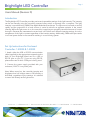
Brightlight LED Controller
Page 3
Software Application
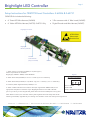
Choose the proper software application from the supplied USB or visit:
www.machinevision.navitar.com/software.cfm to download software and find additional developer info.
Note there are two software packages to choose from:
• Windows RS-232
• Windows USB
Upon completion of the download an icon will appear on your desktop for ease of operation. Simply double
click to launch the application and select the proper COM port to start the program.
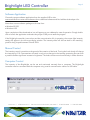
If the BrightLight controller is turned on and the communication link is operating, the current light intensity
setting will appear in the left most display window. The intensity slider will also set itself to the matching
position along its path between 0% and 100%.
Manual Control
The intensity control is sensitive to the speed of the rotation of the knob. Turning the knob slowly will change
the intensity by 0.1%. Fast rotations will result in only minor changes in the intensity, protecting the user from
a possible sudden significant increase in brightness. The knob can be turned continuously in either direction.
Computer Control
The intensity of the BrightLight can be set and monitored remotely from a computer. The BrightLight
controller must be connected with the computer using a serial communication cable or a USB cable.
navitar.com | [email protected] | 200 Commerce Dr. Rochester, NY 14623 | P: 585.359.4000 | F: 585.359.4999