1
User Manual
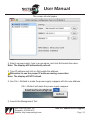
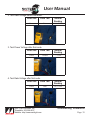
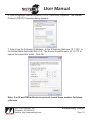
8. To turn off the firewall protection, click the advanced tab from the Local Area
Connection Properties window.
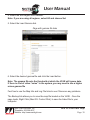
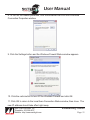
9. Click the Settings button and the Windows Firewall Status window appears.
10. Click the radio button to turn Off the Windows Firewall and click OK.
11. Click OK to return to the Local Area Connection Status window, then close. The
new IP address should take effect right away.
®
Main Light Industries, Inc.
Telephone: 302.998.8017
Website: http://www.mainlight.com
Troubleshooting: Network
Page: 51