1
Station Adjustment
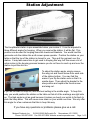
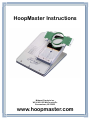
The HoopMaster station is pre-assembled when you receive it. It can be adjusted to
three different angles for hooping. When you receive the station, it will be flat. This
position can be used for hooping items like towels and blankets. You would load the
garments onto the station like a silk screen press operator. Position the station on your
table so that the top of the station is closest to you. Then pull the garment over the
station. It may take some time to get used to hooping this way, but this saves a lot of
extra motion in the hooping process because you do not have to reach up and over the
station to pull the shirt on.
To adjust the station angle, simply remove
the wing nut and thumb screw from each side
of the station bottom. You may find this
easier if you flip the station over so that it is
upside down. Then adjust the bracket to the
new position and replace the thumb screw
and wing nut.
If you do not want to hoop flat, then the best setting is the middle angle. To hoop this
way, you would position the station on the table so that all of the markings are right side
up. The high angle is not as good because it makes you bend your wrists to far back to
push the hoop down. This will cause more strain on your wrists over time. We only offer
this angle for a few customers that like to hoop this way.
If you have any questions or problems please give us a call.
Midwest Products, Inc.
W194 N11665 McCormick Dr. Germantown, WI 53022
Page 1 of 5
Phone: 262-257-0930 Fax: 262-257-0934 Website: www.hoopmaster.com