1
The aim of this class is to introduce you to the use of the MRC crystallographic image processing
programs by working on a HIGH RESOLUTION projection image of an untilted, UNSTAINED
crystal. You cannot expect to be an expert at the end of this session so you should spend some time
with an experienced user, if you intend to use the programs in your research. Unfortunately there is
unlikely to be any time for us to go into calculation of a 3D structure.
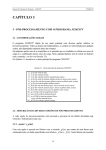
By the end of this session you should be able to:
•
•
•
•
•
•
•
•
•
•
•
•
•
Display an image or Fourier transform on the screen using ‘Ximdisp’
Understand the information contained in the image header
Perform various image manipulations using ‘label’
Calculate a Fourier transform
Index a Fourier transform
Filter an image
Correct for lattice distortions in an image
Extract amplitudes and phases from an image transform
Correct for the effects of the phase CTF
Determine plane group symmetry and phase origin by comparing phases
Estimate the resolution and quality of your data
Merge and average multiple measurements to produce a final list of amplitudes and phases
Calculate a projection map using some programs from the X-ray crystallography
programme suite, CCP4
2.2 A warning
The MRC programs are free, but the price you pay is that they are not supported and there is no
user manual. NEVER assume that the data you output are correct without checking over them very
carefully. Always check very carefully for error messages. The example we are using here is a well
behaved one; other samples can be much more difficult to process.
2.3 Getting started
You will have to know some UNIX in order to run the programs. If you don’t know any, don’t
panic- you should quickly pick up a few basic commands. Commands are shown in bold, filenames
in italic.
2.3.1 Directory structure
You will need to be very organised with your book keeping if you come to process many images. It
is a good idea to have a properly organised directory structure.
Type ls –la to show all your files
Various sub-directories have been set up:
./com
contains scripts for processing
2