1
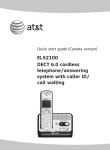
Quick start guide
EL52103/EL52113/EL52203/
EL52213/EL52253/EL52303/
EL52313/EL52333/EL52353/
EL52403/EL52503
DECT 6.0 cordless telephone/
answering system with
caller ID/call waiting
TONE
TONE
Instructions
This quick start guide provides you with basic installation and operation instructions.
A limited set of features are described in abbreviated form.
Please refer to the complete online EL52103/EL52113/EL52203/EL52213/
EL52253/EL52303/EL52313/EL52333/EL52353/EL52403/EL52503 DECT 6.0
cordless telephone/answering system with caller ID/call waiting user’s manual for a
full set of installation and operation instructions at
http://telephones.att.com/manuals.
Before using this AT&T product, please read Important safety information on
pages 26-28 of this quick start guide.
Table of contents
Parts checklist........................................................1
Turn the answering system on or off....... 17
Installation ..............................................................2
Announcement.................................................... 17
Battery installation...............................................3
Number of rings.................................................. 18
Battery charging....................................................4
Call screening...................................................... 18
Handset overview..................................................5
Message playback.............................................. 18
Telephone base overview.................................6
Delete all old messages................................. 19
Menu overview.......................................................7
Remote access..................................................... 19
Feature summary...................................................7
Adding and registering handsets............... 20
Telephone settings...............................................8
Deregistering handsets................................... 21
Making, answering and ending calls...........9
Troubleshooting.................................................. 22
Options while on calls..................................... 10
Important safety information....................... 26
Handset locator................................................... 11
For C-UL compliance........................................ 29
Intercom.................................................................. 12
FCC Part 68 and ACTA.................................... 32
Directory................................................................. 14
FCC Part 15........................................................... 33
Speed dial ............................................................ 15
Limited warranty................................................. 34
Caller ID.................................................................. 16
Technical specifications.................................. 36
Answering system and voicemail............... 17
Parts checklist
Your telephone package contains the following items. Save your sales receipt and
original packaging in the event warranty service is necessary.
Quick start guide
EL52103/EL52113/EL52203/
EL52213/EL52253/EL52303/
EL52313/EL52333/EL52353/
EL52403/EL52503
DECT 6.0 cordless telephone/
answering system with
caller ID/call waiting
TONE
TONE
Quick start guide
Telephone base
Power adapter for
telephone base
TONE
Cordless handset
(1 for EL52103/EL52113)
(2 for EL52203/EL52213/
EL52253)
(3 for EL52303/EL52313/
EL52333/EL52353)
(4 for EL52403)
(5 for EL52503)
Charger for cordless handset
with power adapter installed
(1 for EL52203/
EL52213/EL52253)
(2 for EL52303/EL52313/
EL52333/EL52353)
(3 for EL52403)
(4 for EL52503)
Wall mount bracket
BT162342/BT262342
Battery for cordless handset
(1 for EL52103/EL52113)
(2 for EL52203/
EL52213/EL52253)
(3 for EL52303/EL52313/
EL52333/EL52353)
(4 for EL52403)
(5 for EL52503)
Battery compartment cover
(1 for EL52103/EL52113)
(2 for EL52203/
EL52213/EL52253)
(3 for EL52303/EL52313/
EL52333/EL52353)
(4 for EL52403)
(5 for EL52503)
Telephone line cord
Installation
Install the telephone base and charger, as shown below. If you subscribe to high-speed
Internet service (DSL - digital subscriber line) through your telephone line, you must
install a DSL filter on the DSL line. If you want to mount your telephone on a wall, use
the included wall mount bracket and refer to Wall mount installation in the online
user’s manual for details.
Plug one end of the
telephone line cord into
a telephone wall jack.
Plug the large end
of the base power
adapter into an
electrical outlet not
controlled by a wall
switch.
A DSL filter (not included)
is required if you have DSL
high-speed Internet service.
Route the cords
through the slots.
Plug the small end
of the base power
adapter into the power
jack on the bottom of
the telephone base.
Plug the other end of
the telephone line cord
into the telephone line
jack on the bottom of
the telephone base.
Plug the large end
of the charger’s
power adapter into
an electrical outlet
not controlled by a
wall switch.
Ensure the small
end of the charger’s
power adapter is
plugged into the
power jack on
the bottom of the
charger.
important information:
Use only the power adapter(s) provided with this
product. To obtain a replacement, visit our website
at www.telephones.att.com or call
1 (800) 222-3111. In Canada, dial
1 (866) 288-4268.
Battery installation
1. Plug the battery
connector securely
into the socket inside
the handset battery
compartment, matching
the orientation of the
engraved label.
BT162342/BT262342
BT162342/BT262342
BT162342/BT262342
BT162342/BT262342
BT162342/BT262342
BT162342/BT262342
Install the battery, as shown below.
2. Insert the supplied
battery with the label
this side up facing
up, as indicated.
3. Align the cover flat
against the battery
compartment, then
slide it upwards until
it clicks into place.
charge light
TONE
TONE
4. Charge the handset by placing it
face up in the telephone base or
charger. The charge light is on
when charging.
To replace the battery, press
the tab and slide the battery
compartment cover downwards.
Lift out the old battery and
disconnect it from the handset.
Follow the instructions to install
and charge a new battery.
important information:
Use only the supplied rechargeable battery or replacement battery (model BT162342/
www.telephones.att.com or call
1 (800) 222-3111. In Canada, dial 1 (866) 288-4268.
BT262342). To order, visit our website at
Battery charging
Once you have installed the battery, the screen indicates the battery status (see the
following table). If necessary, place the handset in the telephone base or charger to
charge the battery. For best performance, keep the handset in the telephone base
or charger when not in use. The battery is fully charged after 16 hours of continuous
charging. See Technical specifications on page 36 for battery operating times.
If the screen is blank, you need to charge the handset without interruption for at least
30 minutes to give the handset enough charge to use the telephone for a short time.
The screen shows Low battery until you have charged the battery without interruption
for at least 30 minutes. The following table summarizes the battery charge indicators
and actions to take.
Battery indicators
Battery status
Action
The screen is blank or shows
Put in charger.
Battery has no or very little
charge. The handset cannot
be used.
Charge without interruption
(at least 30 minutes).
The screen shows
Low battery and
Battery has enough charge
to be used for a short time.
Charge without interruption
(at least 30 minutes).
Battery is charged.
To keep the battery charged,
place it in the telephone base or
charger when not in use.
flashes.
The screen shows handset x
and the battery icon shows
.
notes:
• If you are on a call in low battery mode, you hear 4 short beeps every 50 seconds.
• If no battery is installed in the handset when you place it in the telephone base or charger, the
screen shows No battery. Follow the instructions in Battery installation on page 3 to install
the battery.
After you install your telephone or power returns following a power
outage, the handset will prompt you to set the date and time (see
page 8). To skip setting the date and time, press
OFF/CANCEL.
Date: MM/DD/YY
ECO
Handset overview
CHARGE light
CID/volume
On when the handset is
charging in the telephone
base or charger.
• Press to scroll down while
in menus.
• Press to decrease the
listening volume.
• Press to show the caller ID
log when the handset is not
in use.
• While entering names or
numbers in the directory,
press to move the cursor to
the left.
DIR/volume
• Press to scroll up while in
menus.
• Press to increase the
listening volume.
• Press to show directory
entries when the handset is
not in use.
• While entering names or
numbers in the directory,
press to move the cursor to
the right.
menu/select
• Press to display the menu.
• Once in the menu, press to
select an item or save an
entry or setting.
redial/pause
off/cancel
• Press repeatedly to review
the last 10 numbers dialed.
• While entering numbers,
press and hold to insert a
dialing pause.
• During a call, press to hang
up.
• While using menus, press
to cancel an operation,
back up to the previous
menu, or exit the menu
display; or press and hold
to exit to idle mode.
• Press and hold while the
handset is not in use to
erase the missed call
indicator.
PHONE/FLASH
• Press to make or answer
a call.
• During a call, press to
answer an incoming call
when you receive a call
waiting alert.
QUIET#
1
• While reviewing a caller
ID log, press repeatedly to
add or remove 1 in front
of the caller ID log before
dialing or saving it to the
directory.
• Press and hold to set or
dial your voicemail number.
• Press and hold to set and
turn on the quiet mode, or
turn it off.
• When reviewing a caller ID
log entry, press repeatedly
to view other dialing
options.
TONE
int
Press to initiate an intercom
conversation or transfer a call.
tone
Press to switch to tone dialing
temporarily during a call if you
have pulse service.
mute/delete
/SPEAKER
Press to turn on the handset
speakerphone, press again to
resume normal handset use.
• During a call, press to mute
the microphone.
• While predialing, press to
erase digits.
• While reviewing the redial
list, directory, speed dial
list or caller ID log, press to
delete an individual entry.
Telephone base overview
/repeat
• Press to repeat a message.
• Press twice to play the previous message.
Message window
Displays the number of messages or other
answering system information.
x/delete
• Press to delete the message currently
playing.
• Press twice to delete all old messages when
the telephone is not in use.
/SKIP
Press to skip a message.
/play/stop
• Press to start or stop message playback.
• During call screening, press to temporarily
turn the call screening on or off.
/handset locator
Press to page all handsets.
/ /-volume+
• When the telephone is not in use, press to
adjust the telephone base ringer volume.
• During call screening or message playback,
press to adjust the listening volume.
/ANS ON/OFF
Press to turn the built-in answering system on
or off.
Menu overview
Use the menu to change the telephone settings.
1. Press MENU/SELECT in idle mode (when the handset is not in use) to enter the
main menu.
2. Press
CID
or
DIR
to scroll through menu items.
3. Press MENU/SELECT to select or save the indicated item.
-orPress
OFF/CANCEL to cancel an operation, back up to the previous menu or exit
the menu display. Press and hold
OFF/CANCEL to cancel an operation and return
to idle mode.
Feature summary
Default settings are indicated by an asterisk (*).
Screen display
Function
Options
LCD language
Set the display language as English, French or
Spanish.
English*
Français
Español
Voicemail #
Set the speed dial voicemail number.
Voicemail #
Clr voicemail
Turn off the voicemail indicator.
Reset VM Icon?
Key tone
Set whether there are beeps when you press keys.
On*
Off
Set date/time
Set date and time of the telephone system.
Date: MM/DD/YY
Time: HH:MM - -
Home area code
Set the telephone to recognize calls with the home
area code.
Home area code
---
Dial mode
Set whether outgoing calls use pulse dialing or tone
dialing.
Pulse
Touch-tone*
Call screening
Set whether incoming calls are played through the
speaker while they are being recorded.
On*
Off
# of rings
Set how many times the telephone rings before the
answering system answers an incoming call.
6, 5, 4, 3*, 2,
Toll saver
Remote code
Select a 2-digit number to allow remote access from
another telephone (away from your home
or office).
19*
Msg alert tone
Set whether there is an audible message alert every
10 seconds when there are new messages.
On
Off*
Recording time
Set how long a message can be recorded.
3 minutes*
2 minutes
1 minute
-
Telephone settings
Use Feature summary on page 7 to find and set features. The following are a few
examples of common features to set. Refer to Handset settings and Answering
system settings in the online user’s manual for detailed instructions on setting all
telephone features.
Handset ringer volume
You can set the handset ringer volume level, or turn the ringer off. When the ringer is
off,
and Ringer off appear on the handset screen.
Ringer volume
1. Press menu/select when the handset is in idle mode.
2. Press CID or DIR to scroll to Ringers, then press menu/select
ECO
twice to select Ringer volume.
3. Press CID or DIR to sample each volume level.
4. Press
menu/select
to save your preference.
Volume:
Note: If the handset ringer volume is off, that handset ringer is silenced
for all incoming calls; however, that handset still plays the paging tone
when responding to the handset locator feature.
ECO
Telephone base ringer volume
When the telephone is not in use, press
adjust the ringer volume.
/ /-volume+ on the telephone base to
Date and time
The answering system announces the day of the week and time of each message
received prior to playing it. If you subscribe to caller ID service, the day, month and time
are set automatically with each incoming call. However, the year must be set so that the
day of the week can be calculated from the caller ID information.
1. Press menu/select when the handset is in idle mode.
2. Press CID or DIR to scroll to Set date/time, then press
Set date/time
menu/select.
3. Press CID or DIR to select the month, then press
ECO
menu/select or enter the 2-digit number (01-12) using the
dialing keys.
4. Press CID or DIR to select the day, then press menu/select
or enter the 2-digit number (01-31) using the dialing keys.
Date: MM/DD/YY
5. Press CID or DIR to select the year or enter the 2-digit
number (00-99) using the dialing keys, then press
ECO
menu/select.
6. Press CID or DIR to select the hour, then press menu/select
or enter the 2-digit number (00-23) using the dialing keys.
Time: HH:MM - 7. Press CID or DIR to select the minute, then press
menu/select or enter the 2-digit number (00-59) using the
ECO
dialing keys.
8. Press CID or DIR to choose am or pm. Press menu/select
to save.
Making, answering and ending calls
Making a call
Press
PHONE/FLASH or
using the dialing keys.
/SPEAKER and then dial the number
-OREnter the number using the dialing keys and then press
PHONE/FLASH or
/Speaker to dial.
While pre-dialing a number, you can:
• Press and hold
(a p appears).
• Press
redial/pause
mute/delete
• Press and hold
idle mode.
or
to insert a 3-second dialing pause
OFF/CANCEL
mute/delete
or
TONE
TONE
to erase a digit.
OFF/CANCEL
to return to
TONE
Answering a call
Press
or #).
PHONE/FLASH,
/SPEAKER, or any dialing key (0-9,
TONE
Ending a call
Press
OFF/CANCEL or put the handset in the telephone base or
charger to end the call.
Handset speakerphone
During a call, press
/SPEAKER to switch between speakerphone and normal handset
use. Press
OFF/CANCEL to hang up.
TONE
Temporary silencing
While the telephone is ringing, press
OFF/CANCEL or mute/delete to silence the
ringer temporarily on that handset only. This turns off the ringer without disconnecting
the call. The next incoming call rings normally at the preset volume.
TONE
Options while on calls
Volume control
While on a call, press
the listening volume.
DIR/volume
to increase or press
CID/volume
to decrease
note: The handset volume setting and speakerphone volume setting are independent. Changing
one does not affect the other.
Join a call in progress
If a handset is already on a call and you would like to join the call, press
PHONE/FLASH or
/SPEAKER on another system handset.
To exit the call, press
OFF/CANCEL or place the handset in the telephone base or
charger. The call does not end until all handsets hang up.
notes:
• This feature is only applicable to models with more than one handset.
• For models with two to four handsets, all handsets can be used at the same time on an outside
call. For models with five handsets, you can use a maximum of four handsets. If the fifth
handset attempts to join the call, the handset screen shows unable to call.
Chain dialing
While on a call, you can initiate a dialing sequence from numbers stored in the directory,
caller ID log or redial list. Doing this can be useful if you wish to access other numbers
(such as bank account numbers or access codes).
To initiate a dialing sequence from the directory, caller ID log or redial list while on a
call, access the number through the menu system:
1. While on a call, press menu/select, then scroll to Directory or Caller ID log.
Press menu/select.
-orWhile on a call, press redial/pause to show the redial list.
2. Scroll to the desired number. If you are in directory, you can use the dialing keys to
find the desired directory enry (see Search by name in the online user’s manual for
more details).
3. Press
menu/select
to dial the displayed number.
Redial
Each handset stores the 10 most recently called numbers in the redial list.
1. To review and call numbers in the redial list, press redial/pause in idle mode. The
most recently called number appears on the screen.
2. To view up to 10 recently called numbers, press DIR,
repeatedly to scroll through the numbers in the list.
CID
or redial/pause
3. When the desired number appears, press
PHONE/FLASH or
the number.
10
/SPEAKER to dial
Handset locator
Use the handset locator to find misplaced handset(s).
To start the paging tone:
• Press /handset locator at the telephone base to
start the paging tone on all handsets for 60 seconds.
To stop the paging tone:
• Press
PHONE/FLASH,
/SPEAKER,
OFF/CANCEL or any dialing key (0-9,
the handset(s).
or #) on
-or• Press
/handset locator on the telephone base.
-or• Put the handset in the telephone base or charger.
TONE
11
Intercom
Make and answer an intercom call
You can make an intercom call between handsets.
1. Press int on your handset when not in use.
• If you have 2 handsets, your originating handset screen
shows Calling HS X, and the other handset screen shows
HS X is calling.
• If you have more than 2 handsets, your originating handset
screen shows Intercom to. Use the dialing keys to select
the the destination handset. The destination handset screen
shows HS X is calling (X represents the handset number).
2. To answer the intercom call, press any dialing key (0-9, or #),
PHONE/FLASH, /SPEAKER or int on that handset. Both
handset screens now show Intercom.
Intercom to
ECO
Calling HS X
ECO
Intercom
ECO
3. To end an intercom call, press
OFF/CANCEL or place the
handset back in the telephone base or charger. Both handset
screens now show Intercom ended.
noteS:
• This feature is only applicable to models with more than one handset.
• Before the intercom call is answered, you can cancel the intercom call by pressing
OFF/CANCEL or int on your originating handset.
12
Call transfer using intercom
Transferred
You can transfer an outside call to another system handset.
During an outside call, press int and proceed just as you would
ECO
make a normal intercom call. Once the other party has answered
the intercom call, you have the following options:
• You can let the other handset join you on the outside call in
a three-way conversation. Press and hold int on the
Outside call
originating handset.
• You can transfer the call. Press
OFF/CANCEL or place the
ECO
handset back in the telephone base or charger. Your originating
handset screen shows Transferred. The other handset
automatically connects to the outside call.
Intercom
• Press INT on your originating handset to switch between the
outside call (Outside call appears on the screen) and the
ECO
intercom call (Intercom appears on the screen).
• The called party can end the intercom call by pressing
OFF/CANCEL or placing the other handset back in the
telephone base or charger. The outside call continues with the originating handset.
noteS:
• This feature is only applicable to models with more than one handset.
• To cancel the transfer and return to the outside call before the intercom call is answered, press
OFF/CANCEL,
PHONE/FLASH or int on your handset.
• If the called party does not answer within 100 seconds, or if the handset is in use, on a call,
or out of range, the originating handset shows Unable to call on its screen and automatically
returns to the outside call.
13
Directory
Directory overview
The directory is stored in the telephone base and shared by all handsets. It stores up to
50 entries. Changes made to the directory on any one handset apply to all. Only one
handset can review the directory at a time.
Create directory entries
1. Press menu/select in idle mode. Press
Directory and then press menu/select.
2. Press
menu/select
CID
or
DIR
to scroll to
to choose Add contact.
Add contact
ECO
3. Use the dialing keys to enter the telephone number (up to 30
digits). Press menu/select to save the number in the display.
4. Enter the name when prompted. Use the dialing keys to enter
a name (up to 15 characters). Each time you press a key, the
character on that key appears. Additional key presses produce
other characters on that key. Refer to the Character chart
under Create directory entries of the online user’s manual for
information on entering special characters.
5. Press menu/select to store your new directory entry. The screen
shows saved.
While entering names and numbers, you can edit them using the
following controls:
• Press
• Press
CID
or
DIR
888-883-2445_
ECO
Charlie Johnson_
ECO
to move the cursor to the left or right.
mute/delete
• Press and hold
Enter number
to erase a digit or character.
mute/delete
to erase all digits or characters.
• While entering telephone numbers, press and hold
3-second dialing pause (a p appears).
redial/pause
to enter a
• While entering a name, press 0 to add a space.
Review directory entries
1. Press DIR when in idle mode. The screen briefly shows the directory summary
followed by the first entry in the directory.
2. Press CID or DIR to browse through the directory or use the dialing keys (0-9) to
start a name search. Entries appear alphabetically by the first letter in the name.
note: If the telephone number in the directory exceeds 15 digits, a dash appears after the
14th digit, and the remaining digits are displayed after two seconds beginning with a dash.
14
Dial a directory number
When the desired directory entry displays, press
to dial.
PHONE/FLASH or
/SPEAKER
Edit a directory entry
menu/select.
1. When the desired directory entry displays on the screen, press
2. Edit the telephone number, then press
menu/select.
3. Edit the name.
4. Press
menu/select
to save.
Delete a directory entry
When the desired directory entry displays on the screen, press
press menu/select to confirm.
mute/delete
and then
Speed dial
There are 9 speed dial locations (0 and 2-9) where you can store telephone numbers
you wish to dial more quickly. Speed dial assignments can only be selected from the
existing directory entries. The speed dial locations are shared by all handsets. Changes
made apply to all handsets.
Enter a speed dial number
1. Press menu/select when the handset is in idle mode. Press
or DIR to scroll to Directory and then press menu/select.
2. Press CID or
menu/select.
DIR
Speed dial
CID
ECO
to choose Speed dial, then press
3. Press CID or DIR to scroll to the desired speed dial location,
then press menu/select.
4. Press CID or DIR to scroll to the desired entry you wish to
assign to the selected speed dial location, or use the dialing keys
to start a name search.
5. When the desired directory entry displays, press
menu/select.
0:<Unassigned>
ECO
Charlie Johnson
888-883-2445
Dial a speed dial number
• When in idle mode, press and hold the desired speed dial location
(0 or 2-9) to dial.
ECO
0:Charlie Johnson
ECO
15
Caller ID
This product supports caller ID services offered by most telephone service providers.
Caller ID allows you to see the name, number, date and time of calls. The available
caller ID information will appear after the first or second ring.
Missed (new) call indicator
The telephone base stores the last 50 incoming calls as the caller ID information. When
a handset is in idle mode and has new or missed calls, the screen shows xx missed
calls. If you do not want to review the missed calls one by one, but still want to keep
them in the caller ID log, you can press and hold
OFF/CANCEL for 4 seconds when
the handset is idle.
Review the caller ID log
CID.
1. When a handset is in idle mode, press
2. Press
CID
or
DIR
to scroll through the list.
• Press # (pound key) repeatedly to show different dialing options.
• Press 1 repeatedly if you need to add or remove 1 in front of the telephone
number before dialing or saving it in the directory.
3. Press
PHONE/FLASH or
/SPEAKER to dial the displayed telephone number.
Delete entries from the caller ID log
To delete one entry:
When viewing an entry, press
mute/delete
to delete the entry from the caller ID log.
To delete all entries:
1. On a handset, press menu/select in idle mode.
2. Press CID or
menu/select.
DIR
to scroll to Caller ID log, then press
Del all calls
ECO
3. Press CID or DIR to scroll to Del all calls, then press
menu/select twice. Once deleted, you cannot retrieve
the entries.
Store a caller ID entry in the directory
1. On a handset, press
2. Press
CID
or
DIR
CID in idle mode.
to scroll through the list.
3. When the desired entry displays on the screen, press menu/select. The screen
shows Edit number. If necessary, modify the number (page 14).
4. Press menu/select to continue. The screen shows Edit name. If necessary, modify the
name (page 14).
5. Press
menu/select
to save.
16
Answering system and voicemail
Your telephone has separate indicators for two different types of voice messages: those
left on its built-in digital answering system and those left on your service provider’s
voicemail (fees may apply). Your telephone’s built-in answering system messages and
voicemail messages are separate. Each alerts you to new messages differently.
• If xx new messages displays on the handset screens and the message window
on the telephone base flashes, there are new messages recorded on the built-in
answering system. If you turn on msg alert tone, the telephone base beeps every
10 seconds when there are new answering system messages. To listen to your
message(s), press menu/select twice on the handset (page 18) or press
/play/stop on the telephone base (page 18).
• If
and New voicemail display on the handset, your telephone service provider
is indicating that it has new voicemail for you. To listen to your voicemail, dial an
access number provided by your telephone service provider, followed by a security
code or PIN. Refer to Voicemail waiting (visual message waiting) indicator in the
online user’s manual for a full description of the voicemail indicators.
Some service providers bundle or combine multiple services like voicemail and call
waiting, so you may not be aware that you have voicemail. To check what services you
have and how to access them, contact your telephone service provider.
You can use the telephone answering system and voicemail together by setting your
built-in answering system to answer before voicemail answers. Refer to Using the
answering system and voicemail together in the online user’s manual for instructions.
Turn the answering system on or off
You can turn the answering system on or off by pressing the /ans on/OFF key on
the telephone base or through the Answer on/off menu in the handset.
note: You can turn the answering system on or off from either the handset or the telephone
base, but you can use only the handset to change the other answering system settings.
Announcement
The announcement is the greeting callers hear when calls are
answered by the answering system. The telephone has a default
announcement. You can use this announcement, or record your
own announcement up to 90 seconds.
Answering sys
ECO
1. On a handset, press menu/select in idle mode.
2. Press CID or
menu/select.
DIR
to scroll to Answering sys, then press
Announcement
3. Press menu/select to scroll to Announcement. Follow the
screen and voice prompts to record a new announcement.
17
ECO
Number of rings
You can set the answering system to answer an incoming call after 6, 5, 4, 3, or 2 rings.
You can also select Toll saver. If toll saver is selected, the answering system answers a
call after two rings when you have new messages, and after four rings when there are
no new messages. Unless you change it, the answering system answers an incoming call
after 3 rings.
To set the number of rings:
1. On a handset, press menu/select in idle mode.
2. Press CID or DIR to scroll to Answering sys, then press
menu/select.
3. Press CID or DIR to scroll to Ans sys setup, then press
menu/select.
4. Press CID or DIR to scroll to # of rings, then press
menu/select.
5. Press CID or DIR to scroll and choose among 6, 5, 4, 3, 2 or
Toll saver.
6. Press menu/select to save.
# of rings
ECO
3
ECO
Call screening
If Call screening is on, the incoming messages can be played through the speaker on
the telephone base or the handsets. You can press
PHONE/FLASH on the handset to
stop recording and speak to the caller.
Call screening at the handset:
If the answering system is turned on and there is an incoming call answered by the
answering system, the handset screen shows To screen call, press [SELECT]. Press
menu/select on the handset to screen the call.
Call screening at the base:
You can turn call screening on or off using the handset. When call screening is off, you
can temporarily turn on the call screening by pressing
/play/stop or /volume+
on the telephone base. The call screening will return to off for the next incoming call.
Message playback
If there are only new messages or there are both new and old messages, the system
plays only the new messages (in chronological order). If there are no new messages, the
system plays all old messages (in chronological order). When playback begins, the total
number of messages is announced.
You can play messages from either the telephone base or a handset.
On the telephone base, press
/play/stop to listen to messages. Use the the
corresponding key on the telephone base to repeat, skip, delete, or adjust the volume
of messages.
On a handset, press menu/select twice to select Play messages. Use the
corresponding key, as indicated on the screen, to repeat, skip or delete a message.
18
Delete all old messages
You can delete all old messages in idle mode. Once deleted, you cannot retrieve them.
You cannot delete messages until you have listened to them.
• On the telephone base: Press x/delete twice.
• On a handset:
1. Press menu/select in idle mode.
2. Press
CID
or
DIR
to scroll to Answering sys, then press
3. Press
CID
or
DIR
to scroll to Delete all old, then press
menu/select.
menu/select
twice.
Remote access
You can access the answering system remotely by dialing your home telephone number from
any touch-tone telephone. When the answering system answers, enter the 2-digit remote
access code (19, unless you have changed it; refer to Feature summary on page 7). New
messages are played automatically. Use the remote commands to control playback. There is
also a wallet card listing the remote commands at the back of the online user’s manual.
Remote access commands
Actions
Remote command
Actions
Remote command
Help menu............................................................ 5
Skip the message.................................................. 6
Record announcement................................... 7
Turn system on or off......................................... 0
End remote access call (or hang up).......... 8
Play all messages.................................................. 1
Play new messages............................................... 2
Delete the message (during playback)........ 3
Delete all old messages...................................33
Repeat or go back................................................. 4
Stop............................................................................... 5
19
Adding and registering handsets
Your telephone system can support up to five handsets. The handsets provided
within your product package are already registered as HANDSET 1, and so forth. You
can purchase additional handset AT&T EL50003 or AT&T EL50013 to expand your
telephone system. EL50003 (silver) is for use with EL52103/EL52203/EL52253/
EL52303/EL52353/EL52403/EL52503. EL50013 (champagne) is for use with
EL52113/EL52213/EL52313/EL52333. Additional handsets are assigned numbers
in the sequential order they are registered (up to HANDSET 5). Each handset must be
registered to the telephone base before use.
Register a handset to the telephone base:
1. Before you begin registration, make sure
the handset is out of the telephone base
or charger and shows To register HS... and
...see manual, alternately.
2. Put the handset you wish to register on the
telephone base cradle.
3. The IN USE light on the telephone
base turns on. After about 10 seconds,
the handset shows Registering... The
handset shows Registered and you hear
a confirmation tone if the registration
was successful. The IN USE light turns off.
The handset is now registered with the
telephone base.
TONE
TONE
For registration, put the handset on the
telephone base, not the handset charger.
If the registration fails, the handset displays Failed and then To register HS... and
...see manual, alternately. Try the registration again by removing the handset from the
telephone base and then placing it back in.
notes:
• You cannot register a handset if any other system handset is in use.
• You can only register one handset to the telephone base at a time.
20
Deregistering handsets
If you want to replace a handset, or reassign the designated handset number of
a registered handset, you must deregister all handsets that are registered to the
telephone base, and then register each handset individually.
To make deregistration easier, read all of the instructions on this page before you begin.
Deregister all handsets from the telephone base:
1. Press and hold /HANDSET LOCATOR on the telephone base for about 10 seconds
until the IN USE light on the telephone base turns on and starts to flash.
2. Immediately press /HANDSET LOCATOR again. You must press
/HANDSET LOCATOR while the IN USE light is still flashing. The IN USE light
flashes for approximately five seconds.
3. The deregistration takes about 10 seconds to complete. All handsets display
To register HS... and ...see manual alternately, if the deregistration was successful.
To register the handset(s) to the telephone base again, follow the registration
instructions on the previous page.
NOTES:
• If the deregistration fails, you may need to reset the system and try again. To reset, unplug the
power from the telephone base and plug it back in.
• You cannot deregister the handsets if any other system handset is in use.
• Even if the battery is depleted, you can still deregister the handsets by following the steps, as
mentioned above. After the handset is charged for at least ten minutes, the screen shows
To register HS... and ...see manual, alternately.
21
Troubleshooting
If you have difficulty with your telephone, please try the following suggestions. For
customer service, or to purchase accessories or replacement parts, visit our website at
www.telephones.att.com, or call 1 (800) 222-3111. In Canada, dial
1 (866) 288-4268. When you call customer service, you will need the serial
number or model number found on the bottom of the telephone base.
My telephone doesn’t work at all.
• Make sure the power cord is securely plugged in.
• Make sure that the battery connector is securely plugged into the cordless handset.
• Make sure the telephone line cord is securely and firmly plugged into the telephone
base and the telephone wall jack.
• Charge the battery in the cordless handset for at least 16 hours. For optimum daily
performance, return the cordless handset to the telephone base or charger when not
in use.
• If the battery is depleted, it may take approximately 30 minutes to charge the handset
before it shows Low battery, refer to Battery charging on page 4 for details.
• Reset the telephone base. Unplug the electrical power. Wait for approximately 15
seconds, then plug it back in. Allow up to one minute for the cordless handset and
telephone base to reset.
• You may need to purchase a new battery. Please refer to Battery installation on page 3.
The display shows No line. I cannot get a dial tone.
• First try all of the suggestions, as mentioned above.
• If the previous suggestions do not work, disconnect the telephone line cord from
your telephone and connect the telephone line cord to another telephone.
• If there is no dial tone on that other telephone either, your telephone line cord may
be defective. Install a new telephone line cord.
• If changing the telephone line cord does not help, the wall jack (or the wiring to this
wall jack) may be defective. Try using a different wall jack in your home to connect
your EL52103/EL52113/EL52203/EL52213/EL52253/EL52303/EL52313/EL52333/
EL52353/EL52403/EL52503 telephone, or contact your telephone service provider
(charges may apply).
I cannot dial out.
• First try all the suggestions in The display shows No line. I cannot get a dial tone.
• Make sure you have a dial tone before dialing. The cordless handset may take a
second or two to find the telephone base and produce a dial tone. This is normal.
Wait an extra second before dialing.
• Check that all the telephones connected to the same telephone line are hung up.
• Make sure to set the dial mode to the correct setting (pulse dialing or tone dialing)
for the service in your area.
22
• Eliminate any background noise. Noise from a television, radio or other appliances
may cause the telephone not to dial out properly. If you cannot eliminate the
background noise, first try muting the cordless handset before dialing, or dialing from
another room with less background noise.
• If other telephones in your home are having the same problem, the problem is in
your wiring or telephone service. Contact your telephone service provider (charges
may apply).
My cordless handset isn’t performing normally.
• Make sure the power cord is securely plugged into the telephone base. Plug the power
adapter into a different, working electrical outlet not controlled by a wall switch.
• Move the cordless handset closer to the telephone base. You might have moved out
of range.
• Reset the telephone base. Unplug the electrical power. Wait for 15 seconds, then
plug it back in. Allow up to one minute for the cordless handset and telephone base
to reset.
• Other electronic products such as HAM radios and other DECT phones, can cause
interference to your cordless telephone. Try installing your telephone as far away as
possible from these types of electronic devices.
Out of range or no pwr at base appears on my cordless handset.
• Ensure that the telephone base is powered on.
• Place the cordless handset in the telephone base for one minute to allow the
cordless handset and base to synchronize.
• Move the cordless handset closer to the telephone base. You might have moved out
of range.
• Reset the telephone base. Unplug the electrical power. Wait for 15 seconds, then
plug it back in. Allow up to one minute for the cordless handset and telephone base
to reset.
• Other electronic products such as HAM radios and other DECT phones, can cause
interference to your cordless telephone. Try installing your telephone as far away as
possible from these types of electronic devices.
The batteries do not hold a charge.
• If the cordless handset is in the telephone base or charger and the charge light does not
turn on, refer to the item The charge light is off on page 24.
• Charge the battery in the cordless handset for at least 16 hours. For optimum daily
performance, return the cordless handset to the telephone base or charger when not
in use.
• If the battery is depleted, it may take approximately 30 minutes to charge the handset
before it shows Low battery. Refer to Battery charging on page 4 for details.
• You may need to purchase a new battery. Please refer to Battery installation on page 3.
23
The charge light is off.
• Make sure the power cord is plugged in correctly and securely.
• Make sure the battery is installed correctly in the handset. Follow the instruction in
Battery installation on page 3 to install the battery.
• Unplug the electrical power. Wait for 15 seconds, then plug it back in. Allow up to one
minute for the cordless handset and telephone base to reset.
• Clean the cordless handset and telephone base charging contacts each month using
a pencil eraser or cloth.
I get noise, static, or weak signals even when I’m near the telephone base.
• If you subscribe to high-speed Internet service (DSL - digital subscriber line) through
your telephone line, you must install a DSL filter between the telephone line cord
and the telephone wall jack (see Installation on page 2). The filter prevents noise
and caller ID problems caused by DSL interference. Please contact your DSL service
provider for more information about DSL filters.
• Other electronic products, such as computers, wireless routers, microwave ovens
and other cordless telephones can interfere with the performance of your cordless
telephone. You may be able to improve the performance of your telephone by
installing the telephone base as far away as possible from other electronic devices.
• Do not install this telephone near a microwave oven or on the same electrical outlet.
You may experience decreased performance while the microwave oven is operating.
• If your telephone is plugged in with a modem or a surge protector, plug the
telephone (or modem/surge protector) into a different location. If this doesn’t solve
the problem, relocate your telephone or modem farther apart from one another, or
use a different surge protector.
• Relocate your telephone to a higher location. The telephone will likely have better
reception when installed in a high area.
• If the other telephones in your home are having the same problem, the problem is in
your wiring or telephone service. Contact your telephone service provider (charges
may apply).
I experience poor sound quality when using the speakerphone.
• For increased sound quality while using the speakerphone, place the handset on a
flat surface with the dial pad facing up.
• When using a speakerphone, controlling background noise in your environment is
essential. While you are listening to your party, press mute/delete to temporarily turn
your microphone off. When it is your turn to speak, remember to press mute/delete
again to turn the microphone on.
• Excessive background noise will cause a speakerphone to fade in and out. Try
controlling the background noise by turning off any audio devices near the
speakerphone. Also, try to avoid interrupting the person at the other end of the
conversation while they are speaking. If background noise cannot be controlled, you
should terminate speakerphone operation and return to normal handset mode.
24
I hear other calls while using my telephone.
• Disconnect the telephone base from the telephone wall jack, and plug in a different
telephone. If you still hear other calls, the problem is probably in your wiring or
telephone service. Call your telephone service provider (charges may apply).
I’ve set my LCD language to Spanish or French and I don’t know how to change it
back to English.
• Press MENU/SELECT in idle mode, then enter 364# using the dialing keys. You hear
a confirmation tone.
I subscribe to a nontraditional telephone service that uses my computer to establish
connections, and my telephone doesn’t work.
• Make sure your computer is powered on.
• Make sure your Internet connection is working properly.
• Make sure that the software is installed and running for your nontraditional
telephone service.
• Make sure to plug your USB port adapter into a dedicated USB port on your
computer. Do not plug into a multiple port USB hub (USB splitter) that is not powered.
• In a few rare instances, the USB port on your computer may not have enough power.
In these instances, try using a USB hub with its own external power supply.
• If you are using a firewall, it may prevent access to your nontraditional telephone
service. Contact your service provider for more information.
25
Important safety information
This symbol is to alert you to important operating or servicing instructions that may
appear in this user’s manual. Always follow basic safety precautions when using this
product to reduce the risk of injury, fire, or electric shock.
Safety information
• Read and understand all instructions in the user’s manual. Observe all markings on
the product.
• Avoid using a telephone during a thunderstorm. There might be a slight chance of electric
shock from lightning.
• Do not use a telephone in the vicinity of a gas leak. Under certain circumstances, a spark may
be created when the adapter is plugged into the power outlet, or when the handset is replaced
in its cradle. This is a common event associated with the closing of any electrical circuit. The
user should not plug the phone into a power outlet, and should not put a charged handset into
the cradle, if the phone is located in an environment containing concentrations of flammable or
flame-supporting gases, unless there is adequate ventilation. A spark in such an environment
could create a fire or explosion. Such environments might include: medical use of oxygen
without adequate ventilation; industrial gases (cleaning solvents; gasoline vapors; etc.); a leak of
natural gas; etc.
• Do not use this product near water, or when you are wet. For example, do not use it in a wet
basement or shower, or next to a swimming pool, bathtub, kitchen sink, or laundry tub. Do not
use liquids or aerosol sprays for cleaning. If the product comes in contact with any liquids, unplug
any line or power cord immediately. Do not plug the product back in until it has dried thoroughly.
• Install this product in a protected location where no one can trip over any line or power
cords. Protect cords from damage or abrasion.
• If this product does not operate normally, read Troubleshooting on pages 22-25 in this
user’s manual. If you cannot solve the problem, or if the product is damaged, refer to Limited
warranty on pages 34-35. Do not open this product except as may be directed in your user’s
manual. Opening the product or reassembling it incorrectly may expose you to hazardous
voltages or other risks.
• Replace batteries only as described in Battery installation on page 3 in your user’s manual.
Do not burn or puncture batteries — they contain caustic chemicals.
• The power adapters are intended to be correctly oriented in a vertical or floor mount
position. The prongs are not designed to hold the plug in place if they are plugged into a
ceiling or an under-the-table, or cabinet outlet.
CAUTIONS:
• Use only the power adapters provided with this product. To obtain a replacement, visit our
www.telephones.att.com, or call 1 (800) 222–3111.
In Canada, dial 1 (866) 288-4268.
website at
• Use only the supplied rechargeable battery or replacement battery (model BT162342/
www.telephones.att.com or call
1 (800) 222-3111. In Canada, dial 1 (866) 288-4268.
BT262342). To order, visit our website at
• To prevent risk of fire or battery explosion, replace with the correct battery type. Dispose of
used batteries according to the instructions.
26
Especially about cordless telephones
• Privacy: The same features that make a cordless telephone convenient create some limitations.
Telephone calls are transmitted between the telephone base and the handset by radio waves,
so there is a possibility that your cordless telephone conversations could be intercepted by
radio receiving equipment within range of the cordless handset. For this reason, you
should not think of cordless telephone conversations as being as private as those on
corded telephones.
• Electrical power: The telephone base of this cordless telephone must be connected to a
working electrical outlet which is not controlled by a wall switch. Calls cannot be made from
the handset if the telephone base is unplugged, switched off or if the electrical power
is interrupted.
• Potential TV interference: Some cordless telephones operate at frequencies that may cause
interference to TVs and VCRs. To minimize or prevent such interference, do not place the
telephone base of the cordless telephone near or on top of a TV or VCR. If interference is
experienced, moving the cordless telephone farther away from the TV or VCR will often reduce
or eliminate the interference.
• Rechargeable batteries: This product contains nickel-metal hydride rechargeable batteries.
Exercise care in handling batteries in order not to create a short circuit with conductive material
such as rings, bracelets, and keys. The battery or conductor may overheat and cause harm.
Observe proper polarity between the battery and the battery charger.
• Nickel-metal hydride rechargeable batteries: Dispose of these batteries in a safe manner.
Do not burn or puncture. Like other batteries of this type, if burned or punctured, they could
release caustic material which could cause injury.
The RBRC™ Seal means that the manufacturer is voluntarily participating in
an industry program to collect and recycle nickel-metal hydride rechargeable
batteries when taken out of service within the United States. These batteries
may be taken to a participating local retailer of replacement batteries or
recycling center. Or you may call 1 (800) 8-BATTERY for locations accepting
spent Ni-MH batteries.
27
Precautions for users of implanted cardiac pacemakers
Cardiac pacemakers (applies only to digital cordless telephones): Wireless Technology Research,
LLC (WTR), an independent research entity, led a multidisciplinary evaluation of the interference
between portable wireless telephones and implanted cardiac pacemakers. Supported by the U.S.
Food and Drug Administration, WTR recommends to physicians that:
Pacemaker patients
• Should keep wireless telephones at least six inches from the pacemaker.
• Should NOT place wireless telephones directly over the pacemaker, such as in a breast pocket,
when it is turned ON.
• Should use the wireless telephone at the ear opposite the pacemaker.
WTR’s evaluation did not identify any risk to bystanders with pacemakers from other persons using
wireless telephones.
ECO mode
This power conserving technology reduces power consumption for optimal battery performance.
The ECO mode activates automatically whenever the handset is synchronized with the
telephone base.
Especially about telephone answering systems
Two-way recording: This unit does not sound warning beeps to inform the other party that the
call is being recorded. To ensure that you are in compliance with any federal or state regulations
regarding recording a telephone call, you should start the recording process and then inform the
other party that you are recording the conversation.
SAVE THESE INSTRUCTIONS
28
For C-UL compliance
In compliance with the bilingual requirements for safety, caution, and warning markings of
Canadian Federal and Provincial/Territorial statutes and regulations, the French version of
Important safety information is included.
Mesures de sécurité importantes
Ce symbole vous alertera d’informations importantes ou d’instructions d’entretien pouvant
apparaître dans ce guide d’utilisation. Respectez toujours les mesures de sécurité et de
sécurité de base lorsque vous utilisez ce produit, afin de réduire les risques de blessures,
d’incendie, ou d’électrocution.
Information relative à la sécurité
• Veuillez lire et comprendre toutes les instructions de ce guide d’utilisation. Relectez toutes
les inscriptions apparaissant sur le produit.
• Évitez d’utiliser le téléphone pendant un orage. Il pourrait y avoir un faible risque
d’électrocution.
• N’utilisez pas un téléphone près d’une fuite de gaz. Dans certaines circonstances, une
flammèche pourrait se produire lorsque l’adaptateur est branché à une prise de courant, ou
lorsque le combiné est déposé sur son chargeur. Ceci est un événement fréquent associé avec
la fermeture d’un circuit électrique. L’utilisateur ne devrait pas brancher un téléphone dans une
prise de courant, et ne devrait pas déposer un combiné chargé dans le chargeur, si le téléphone
se trouve dans un environnement comportant une concentration de gaz inflammables ou
ignifuges, à moins de se trouver dans un endroit où la ventilation est adéquate. Une flammèche
dans de tels environnements pourrait provoquer une explosion. De tels environnements peuvent
comprendre : les endroits où de l’oxygène à des fins médicales est utilisé sans ventilation
adéquate; des endroits où se trouvent des gaz industriels (dissolvants de nettoyage, des vapeurs
de gazoline, etc.), une fuite de gaz naturel, etc.
• N’utilisez pas ce produit près de l’eau ou lorsque vous êtes mouillés. Par exemple, ne
l’utilisez pas dans des sous-sols humides ou sous la douche, ou près d’une piscine, d’un bain,
d’un évier de cuisine, ou d’une cuve de lavage. N’utilisez pas de liquides, ou de vaporisateurs
aérosol de nettoyage. Si le produit entre en contact avec du liquide, débranchez immédiatement
le fil téléphonique ou le cordon d’alimentation. Ne rebranchez pas le produit avant qu’il soit
complètement sec.
• Installez cet appareil dans un endroit protégé où personne ne peut trébucher sur les cordons
d’alimentation ou la ligne téléphonique. Protégez les câbles contre les dommages ou l’abrasion.
• Si le produit ne fonctionne pas correctement, consultez la section Dépannage
(Troubleshooting) des pages 22-25 de ce guide d’utilisation. Si vous ne pouvez pas régler
le problème, ou si le produit est endommagé, consultez la section Garantie limitée (Limited
warranty) des pages 34-35. N’ouvrez pas ce produit, sauf tel qu’indiqué dans le guide
d’utilisation. L’ouverture du produit ou le remontage inadéquat pourrait vous exposer à des
tensions dangereuses ou autres dangers.
• Remplacez les piles uniquement tel que décrit dans votre guide d’utilisation (page 3).
N’incinérez pas et ne percez pas les piles — elles contiennent des produits chimiques
caustiques.
• Les adaptateurs secteurs sont conçus pour être orientés verticalement ou installés sur le
plancher. Les broches ne sont pas conçues pour se maintenir en place si la fiche est branchée
dans une prise de courant au plafond, sous la table ou sous une armoire.
29
MISES EN GARDE:
• N’utilisez que les adaptateurs inclus avec ce produit. Pour obtenir une pièce de rechange, visitez
www.telephones.att.com ou composez le
1-800-222-3111. Au Canada, composez le 1-866-288-4268.
notre site Web au
• N’utilisez que la pile de rechargeable incluse ou une pile de rechange (modèle BT162342/
www.telephones.att.com ou
composez le 1-800-222-3111. Au Canada, composez le 1-866-288-4268.
BT262342). Pour commander, visitez notre site Web
• Afin de prévenir les risques d’incendie ou d’explosion de la pile, replacez la pile avec une pile du
même type. Jetez les piles épuisées en respectant les instructions.
Spécifiquement en rapport avec les téléphones sans fil
• Confidentialité : Les mêmes caractéristiques qui rendent les téléphones sans fil si pratiques
créent également des restrictions. Les appels téléphoniques sont transmis entre le socle
du téléphone et le combiné par le biais d’ondes radio, et il se peut que vos conversations
téléphoniques soient interceptées par d’autres équipements de réception d’ondes radio au
sein de la portée du téléphone sans fil. Pour cette raison, vous ne devez pas considérer les
conversations sur un téléphone sans fil comme étant aussi confidentielles que celles d’un
téléphone à cordon.
• Alimentation électrique : La base de ce téléphone sans fil doit être branchée à une prise
de courant électrique fonctionnelle. La prise électrique ne doit pas être contrôlée par un
interrupteur mural. Les appels ne peuvent pas être effectués à partir du combiné si la base
n’est pas branchée, si elle est hors fonction ou si le courant électrique est coupé.
• Interférences potentielles aux téléviseurs : Certains téléphones sans fil fonctionnent sur
des fréquences pouvant causer des interférences aux téléviseurs et magnétoscopes. Pour
réduire ou prévenir de tels parasites, ne pas déposer la base du téléphone sans fil à proximité
d’un téléviseur ou magnétoscope, ni directement sur celui-ci. Si votre téléviseur affiche des
interférences, éloignez le téléphone sans fil de celui-ci afin de réduire les parasites.
• Piles rechargeables : Ce produit comporte des piles rechargeables à l’hydrure métallique de
nickel. Usez de prudence lorsque vous manipulez de telles piles et veillez à ne pas les courtcircuiter avec des matériaux conducteurs, tels que des bagues, bracelets et clés. La pile ou le
conducteur peut surchauffer et vous brûler. Respectez la polarité adéquate entre les piles et le
chargeur de piles.
• Piles rechargeables à l’hydrure métallique de nickel : Jetez ces piles de manière sécuritaire.
N’incinérez pas et ne peercez pas les piles. Comme pour les autres piles du même type, si elles
sont brûlées ou percées, des matières corrosives peuvent s’en échapper, ce qui risque de causer
des brûlures ou autres blessures corporelles.
Le sceau de l’organisme de recyclage RBRCMC sur les piles à l’hydrure
métallique de nickel signifie que le fabricant de cet appareil participe
volontairement au programme industriel visant à reprendre et recycler ce type
de piles lorsqu’elles ne servent plus, au sein du territoire des États-Unis et
du Canada. Vous devez apporter ces piles chez un détaillant participant ou le
centre de recyclage le plus près de chez vous. Ou vous pouvez composer le
1-800-8BATTERY afin de connaître les endroits qui acceptent les piles à
l’hydrure métallique de nickel mortes.
30
Mesures préventives pour les utilisateurs de stimulateurs cardiaques implantés dans l’organisme
Stimulateurs cardiaques (ne s’applique qu’aux téléphones sans fil numériques) :
L’organisme ‘Wireless Technology Research, LLC (WTR)’, une firme de recherche indépendante, a
mené une évaluation pluridisciplinaire des interférences entre les téléphones sans fil portatifs et les
stimulateurs cardiaques implantés dans l’organisme. Appuyée par l’Administration des aliments et
drogues (FDA) des États-unis, la firme WTR recommande aux médecins :
Avis aux détenteurs de stimulateurs cardiaques
• Ils doivent tenir le téléphone sans fil à une distance d’au moins six pouces du stimulateur
cardiaque.
• Ils ne doivent PAS placer le téléphone sans fil directement sur le stimulateur cardiaque, tel que
dans une poche de chemise, lorsque celui-ci est en fonction.
• Ils doivent utiliser le téléphone sans fil en l’appuyant sur l’oreille qui se trouve dans la direction
opposée au stimulateur cardiaque.
L’étude effectuée par l’organisme WRS n’a pas identifié de risque pour les détenteurs de
simulateurs cardiaques causé par les gens qui utilisent un téléphone sans fil à proximité de ceux-ci.
Mode ECO
Lorsque le socle communique avec le combiné, le mode ECO sera activé automatiquement. Ceci
réduit la consommation d’énergie selon la distance entre le socle du téléphone et le combiné.
Spécifiquement en rapport avec les répondeurs téléphoniques
Enregistrement deux voies : Cet appareil n’émet pas de bips d’avertissement qui permettent de
prévenir l’autre partie que vous enregistrez la conversation. Pour assurer votre conformité aux
règlements fédéraux ou provinciaux en rapport avec les enregistrements des conversations
téléphoniques, vous devriez informer l’autre partie lorsque vous activez l’enregistrement.
CONSERVEZ CES INSTRUCTIONS
31
FCC Part 68 and ACTA
This equipment complies with Part 68 of the FCC rules and with technical requirements adopted by
the Administrative Council for Terminal Attachments (ACTA). The label on the back or bottom of this
equipment contains, among other things, a product identifier in the format US:AAAEQ##TXXXX. This
identifier must be provided to your telephone service provider upon request.
The plug and jack used to connect this equipment to premises wiring and the telephone network
must comply with the applicable Part 68 rules and technical requirements adopted by ACTA. A
compliant telephone cord and modular plug is provided with this product. It is designed to be
connected to a compatible modular jack that is also compliant. An RJ11 jack should normally be
used for connecting to a single line and an RJ14 jack for two lines. See Installation Instructions in
the user’s manual.
The Ringer Equivalence Number (REN) is used to determine how many devices you may connect to
your telephone line and still have them ring when you are called. The REN for this product is encoded
as the 6th and 7th characters following the US: in the product identifier (e.g., if ## is 03, the REN is
0.3). In most, but not all areas, the sum of all RENs should be five (5.0) or less. For more information,
please contact your telephone service provider.
This equipment may not be used with Party Lines. If you have specially wired alarm dialing
equipment connected to your telephone line, ensure the connection of this equipment does not
disable your alarm equipment. If you have questions about what will disable the alarm equipment,
consult your telephone service provider or a qualified installer.
If this equipment is malfunctioning, it must be unplugged from the modular jack until the
problem has been corrected. Repairs to this telephone equipment can only be made by the
manufacturer or its authorized agents. For repair procedures, follow the instructions outlined under
the Limited Warranty.
If this equipment is causing harm to the telephone network, the telephone service provider may
temporarily discontinue your telephone service. The telephone service provider is required to notify
you before interrupting service. If advance notice is not practical, you will be notified as soon
as possible. You will be given the opportunity to correct the problem and the telephone service
provider is required to inform you of your right to file a complaint with the FCC. Your telephone
service provider may make changes in its facilities, equipment, operation, or procedures that could
affect the proper functioning of this product. The telephone service provider is required to notify
you if such changes are planned.
If this product is equipped with a corded or cordless handset, it is hearing aid compatible.
If this product has memory dialing locations, you may choose to store emergency telephone numbers
(e.g., police, fire, medical) in these locations. If you do store or test emergency numbers, please:
• Remain on the line and briefly explain the reason for the call before hanging up.
• Perform such activities in off-peak hours, such as early morning or late evening.
32
Industry Canada
This device complies with Industry Canada licence-exempt RSS standard(s).
Operation is subject to the following two conditions: (1) this device may not cause harmful
interference, and (2) this device must accept any interference received, including interference that
may cause undesired operation.
Privacy of communications may not be ensured when using this telephone.
The term ‘’IC:‘’ before the certification/registration number only signifies that the Industry Canada
technical specifications were met.
The Ringer Equivalence Number (REN) for this terminal equipment is 1.0. The REN is an indication of
the maximum number of devices allowed to be connected to a telephone interface. The termination
on an interface may consist of any combination of devices subject only to the requirement that the
sum of the RENs of all the devices does not exceed five.
This product meets the applicable Industry Canada technical specifications.
FCC Part 15
This equipment has been tested and found to comply with the requirements for a Class B digital
device under Part 15 of the Federal Communications Commission (FCC) rules.
These requirements are intended to provide reasonable protection against harmful interference in
a residential installation. This equipment generates, uses and can radiate radio frequency energy
and, if not installed and used in accordance with the instructions, may cause harmful interference
to radio communications. However, there is no guarantee that interference will not occur in a
particular installation.
If this equipment does cause harmful interference to radio or television reception, which can be
determined by turning the equipment off and on, the user is encouraged to try to correct the
interference by one or more of the following measures:
• Reorient or relocate the receiving antenna.
• Increase the separation between the equipment and receiver.
• Connect the equipment into an outlet on a circuit different from that to which the receiver
is connected.
• Consult the dealer or an experienced radio/TV technician for help.
Changes or modifications to this equipment not expressly approved by the party responsible for
compliance could void the user’s authority to operate the equipment.
This device complies with Part 15 of the FCC rules. Operation is subject to the following two
conditions: (1) this device may not cause harmful interference, and (2) this device must accept
any interference received, including interference that may cause undesired operation. Privacy of
communications may not be ensured when using this telephone.
To ensure safety of users, the FCC has established criteria for the amount of radio frequency energy
that can be safely absorbed by a user or bystander according to the intended usage of the product.
This product has been tested and found to comply with the FCC criteria. The handset may be safely
held against the ear of the user. The telephone base shall be installed and used such that parts
of the user’s body other than the hands are maintained at a distance of approximately 20cm (8
inches) or more.
This Class B digital apparatus complies with Canadian requirement:
CAN ICES-3 (B)/NMB-3(B)
33
Limited warranty
The AT&T brand is used under license - any repair, replacement or warranty service, and all
questions about this product should be directed to our website at
www.telephones.att.com or call 1 (800) 222-3111. In Canada, dial
1 (866) 288-4268.
1. What does this limited warranty cover?
The manufacturer of this AT&T branded product warrants to the holder of a valid proof of
purchase (“CONSUMER” or “you”) that the product and all accessories provided in the sales
package (“PRODUCT”) are free from defects in material and workmanship, pursuant to the
following terms and conditions, when installed and used normally and in accordance with the
PRODUCT operating instructions. This limited warranty extends only to the CONSUMER for
products purchased and used in the United States of America and Canada.
2. What will be done if the PRODUCT is not free from defects in materials and workmanship
during the limited warranty period (“materially defective PRODUCT”)?
During the limited warranty period, the manufacturer’s authorized service representative repairs
or replaces at the manufacturer’s option, without charge, a materially defective PRODUCT. If the
manufacturer repairs the PRODUCT, they may use new or refurbished replacement parts. If the
manufacturer chooses to replace the PRODUCT, they may replace it with a new or refurbished
PRODUCT of the same or similar design. The manufacturer retains the defective parts, modules,
or equipment. Repair or replacement of the PRODUCT, at the manufacturer’s option, is your
exclusive remedy. The manufacturer returns the repaired or replacement products to you in
working condition. You should expect the repair or replacement to take approximately 30 days.
3. How long is the limited warranty period?
The limited warranty period for the PRODUCT extends for ONE (1) YEAR from the date of
purchase. If the manufacturer repairs or replaces a materially defective PRODUCT under the
terms of this limited warranty, this limited warranty also applies to repaired or replacement
PRODUCT for a period of either (a) 90 days from the date the repaired or replacement
PRODUCT is shipped to you or (b) the time remaining on the original one-year limited warranty;
whichever is longer.
4. What is not covered by this limited warranty?
This limited warranty does not cover:
• PRODUCT that has been subjected to misuse, accident, shipping or other physical damage,
improper installation, abnormal operation or handling, neglect, inundation, fire, water, or other
liquid intrusion; or
• PRODUCT that has been damaged due to repair, alteration, or modification by anyone other
than an authorized service representative of the manufacturer; or
• PRODUCT to the extent that the problem experienced is caused by signal conditions, network
reliability or cable or antenna systems; or
• PRODUCT to the extent that the problem is caused by use with non-AT&T accessories; or
• PRODUCT whose warranty/quality stickers, PRODUCT serial number plates or electronic serial
numbers have been removed, altered or rendered illegible; or
• PRODUCT purchased, used, serviced, or shipped for repair from outside the United States of
America or Canada, or used for commercial or institutional purposes (including but not limited
to products used for rental purposes); or
• PRODUCT returned without a valid proof of purchase (see item 6); or
• Charges for installation or setup, adjustment of customer controls, and installation or repair of
systems outside the unit.
34
5. How do you get warranty service?
To obtain warranty service in the United States of America, visit
www.telephones.att.com or call 1 (800) 222-3111. In Canada, dial
1 (866) 288-4268.
NOTE: Before calling for service, please review the user’s manual. A check of the PRODUCT’s
controls and features might save you a service call.
Except as provided by applicable law, you assume the risk of loss or damage during transit and
transportation and are responsible for delivery or handling charges incurred in the transport
of the PRODUCT(s) to the service location. The manufacturer will return repaired or replaced
PRODUCT under this limited warranty. Transportation, delivery or handling charges are prepaid.
The manufacturer assumes no risk for damage or loss of the PRODUCT in transit. If the PRODUCT
failure is not covered by this limited warranty, or proof of purchase does not meet the terms of this
limited warranty, the manufacturer notifies you and requests that you authorize the cost of repair
prior to any further repair activity. You must pay for the cost of repair and return shipping costs for
the repair of products that are not covered by this limited warranty.
6. What must you return with the PRODUCT to get warranty service?
You must:
a. Return the entire original package and contents including the PRODUCT to the service
location along with a description of the malfunction or difficulty; and
b. Include a “valid proof of purchase” (sales receipt) identifying the PRODUCT purchased
(PRODUCT model) and the date of purchase or receipt; and
c. Provide your name, complete and correct mailing address, and telephone number.
7. Other limitations
This warranty is the complete and exclusive agreement between you and the manufacturer of
this AT&T branded PRODUCT. It supersedes all other written or oral communications related to
this PRODUCT. The manufacturer provides no other warranties for this PRODUCT. The warranty
exclusively describes all of the manufacturer’s responsibilities regarding the PRODUCT. There are
no other express warranties. No one is authorized to make modifications to this limited warranty
and you should not rely on any such modification.
State/Provincial Law Rights: This warranty gives you specific legal rights, and you might also
have other rights that vary from state to state or province to province.
Limitations: Implied warranties, including those of fitness for a particular purpose and
merchantability (an unwritten warranty that the PRODUCT is fit for ordinary use) are limited to
one year from date of purchase. Some states/provinces do not allow limitations on how long
an implied warranty lasts, so the above limitation might not apply to you. In no event shall the
manufacturer be liable for any indirect, special, incidental, consequential, or similar damages
(including, but not limited to lost profits or revenue, inability to use the PRODUCT or other
associated equipment, the cost of substitute equipment, and claims by third parties) resulting
from the use of this PRODUCT. Some states/provinces do not allow the exclusion or limitation
of incidental or consequential damages, so the above limitation or exclusion might not apply
to you.
Please retain your original sales receipt as proof of purchase.
35
Technical specifications
RF frequency band
1921.536MHz — 1928.448MHz
Channels
5
Operating temperature
32ºF — 122ºF
0ºC — 50ºC
Telephone base voltage
(AC voltage, 60Hz)
96 — 130Vrms
Telephone base voltage
(DC adapter output)
DC6V @ 400mA
Handset voltage
2.4VDC — 3.2VDC
Charger voltage
(AC adapter output)
AC6V @ 300mA
Operating times*
Talk time (handset): up to 6.5 hours
Talk time (speakerphone): up to 3.5 hours
Standby: up to 5 days
*Operating times vary depending on your actual use and the age of battery.
36
www.telephones.att.com
© 2012-2014 Advanced American Telephones. All Rights Reserved.
AT&T and the AT&T logo are trademarks of AT&T Intellectual Property licensed to
Advanced American Telephones, San Antonio, TX 78219.
Printed in China. Issue 4.1 AT&T 06/14.