1
Question: How long does it take to recharge the Micro-Jump battery?
Answer: About 2-3 hour.
Question: How do I set the voltage output for my Laptop?
Answer: Turn the master switch to "ON", then toggle the push
button until the desired voltage appears on the LCD display.
Choose the proper cable and connector for the desired device.
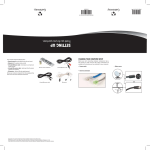
12v, 16v, 19v, charge port for
Laptop Computers, Tablets
Toggle push button until
desired voltage is selected
Turn Micro-Jump power switch to "ON".
Question: What should I know about jumping my vehicle?
Answer: The first thing is a vehicle must have clean battery
terminals before it can be jumped or started. So if it has not
been used for a long period of time then the terminals should
be cleaned. The next thing is to connect the jump cable supplied
with the Micro-Jump. Watch the polarity and make sure the positive
clamp is connected to the red (positive) "+" battery terminal.
The black (negative) "-" battery terminal connects to the black clamp.
Plug the blue connector into the Micro-Jump making sure the Master
switch is in the "OFF" position. Turn the ignition on and start the vehicle.
If the vehicle doesn't start leave the Micro-Jump connected for at least
a minute of two before re-attempting to start. If the jump cables wires
get hot, disconnect and give it time to cool. Disconnect immediately
after vehicle starts. See page 6 for further details.
3