1
CHARGE
ME NOW!
Before using or storing, plug your GOAL ZERO YETI 400 into the wall until it
is fully charged. If at any point you hear beeping from your YETI, plug it
into a power source as soon as possible.
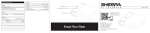
WHAT IT POWERS
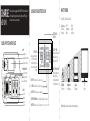
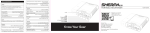
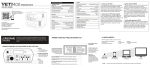
CLOSE-UP OF LCD BATTERY DISPLAY
Powers USB, 12V and AC devices like:
BATTERY LEVEL
INDICATOR
Small appliances
Televisions
Power tools
CPAP
Smartphones
Lights
Tablets
Laptops
…And More
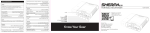
CLOSE-UP OF YETI 400 FACE PLATE
INPUT
Charging Port
Charging Indicator Light
LCD Battery Display
POWER BUTTONS
12V Power Button
USB Power Button
AC Power Button
OUTPUT
AC Port
USB Port
12V Port
12V Port
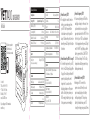
INPUT POWER:
Indicates power flowing into
the YETI while recharging.
Will display LOW if power
flow is below a measurable
amount.
BATTERY FAIL: contact Goal Zero Solutions Center
BLOWN FUSE: contact Goal Zero Solutions Center
LOW BATTERY: Plug into power source immediately
OUTPUT POWER:
Indicates amount of power
plugged-in devices are
pulling from the YETI.
SWITCH DISPLAY MODES:
Push and hold the button
until display flashes.
Continue pushing button
to scroll through options.
12V Light
100+ Hours
Smartphone
30+ Recharges
Laptop
5 Recharges
TEMPERATURE WARNING; Too Hot: Unplug YETI and allow it to cool down
INVERTER FAIL: contact Goal Zero Solutions Center
Note: Recharges are based on averages of most popular devices.
TV
3 Hours