1
Use this key twice to change the status “receipt issue” or
“no receipt.” This key is only effective when the “use
printer for receipt printer” in the printer control program
is selected. In case of “receipt issue”, the “RECEIPT ON”
indicator is lit.
G Received on account key [
Use this key following a numeric entry to register money
received for non-sale transactions.
H Paid out key P
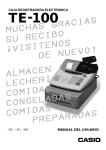
Introducing TE-100
F Receipt on/off key D
• Calculator Mode
2 Drawer open key B
4 Percent key p
B Clear/All clear key C
C Ten key pad 0, 1, ~ 9, -, ^
M Arithmetic operation key &, ', ( and )
G Memory recall key [
L Equal key a
Use this key following a numeric entry to register money
paid out from the drawer.
I Charge key h
Use this key to register a charge sale.
J Check key k
Use this key to register a check tender.
K Subtotal key s
Use this key to display and print the current subtotal
(includes add-on tax) amount.
L Cash amount tendered key a
Use this key to register a cash sale.
21
E