1
SNEAKY MUSIC DS
INSTALLATION AND SETUP
2 BASIC SYSTEM INSTALLATION
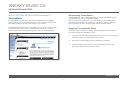
Downloading TwonkyMedia
TwonkyMedia for a PC or MAC can be downloaded from the
TwonkyMedia website: http://www.twonkymedia.com. Click on the
‘Download TwonkyMedia’ link from the left-hand menu on the main page.
Install the appropriate version on your computer.
TwonkyMedia
TwonkyMedia is a UPnP media server which allows access to all the
music stored on your computer.
TwonkyMedia will present the music files to you in such a way that they
will be ordered by Artist, Album, Artist/Album, Genre, etc… It gives
various options for searching through your music, as explained below.
Suggested TwonkyMedia Setup
There are various options for setting up TwonkyMedia which will effect
how the information is displayed to you.
1.
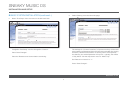
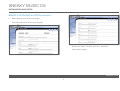
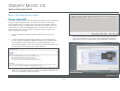
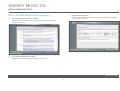
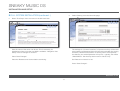
Run TwonkyMedia. Select ‘Advanced Control’. From the menu on
the left select ‘Services’, then ‘Streaming Services’.
2.
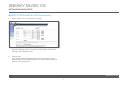
Ensure the ‘TwonkyMedia’ service checkbox is enabled.
3.
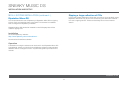
Follow the http link to connect to the TwonkyMedia server and
purchase a license from the online shop.
www.l i nn.c o .uk
4