1
Chapter 1 Setup
3 Connection to Power
1.
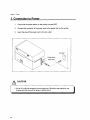
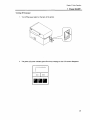
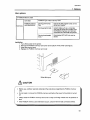
Check that the power switch on the printer is turned OFF.
2.
Connect the connector of the power cord to the power inlet on the printer.
3.
Insert the plug of the power cord in the AC outlet.
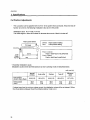
AC outlet
Power switch
Power inlet
~ CAUTION
• Use an AC outlet that accepts a three-pronged plug. Otherwise, static electricity may
be generated and there will be danger of electric shock.
20