1
Quick Start Guide
1.
2.
3.
4.
5.
English
6.
7.
8.
9.
10.
11.
10
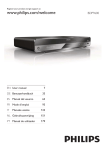
Connect the power cable to the side input and to a wall outlet.
The power indication light (No. 2) appears in red.
Press the POWER button (Please refer No. 4).
Press the OPEN/CLOSE button (Please refer No. 5).
Inserting a DVD disc (Please refer No. 1 - Disc Loader). Align the center of the DVD
disc with the center of the disc guide.
Then press the OPEN/CLOSE button again (Please refer No. 5).
In general, the DVD already inserted into the player will start reading automatically.
If not, press the PLAY button (Please refer No. 6).
When you want to stop, press the STOP button (Please refer No. 7).
If you want to playback content from USB flash storage, please put the USB flash
storage into the USB plug of the DVD player (Rear Side). Press the DVD/USB
button on the remote control and choose “USB” from the list and confirm by pressing
the PLAY button. The DVD player changes into the USB mode.
To power off the unit, press the POWER button on the remote control. The device
goes into Stand.By mode.
To power off completly the device, please unplug the power cable from the wall
outlet.
HSD 2050