1
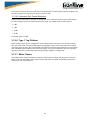
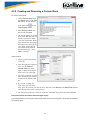
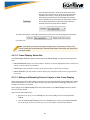
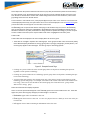
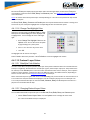
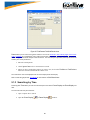
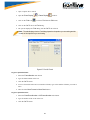
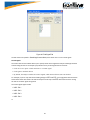
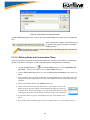
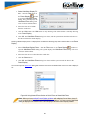
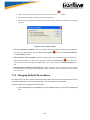
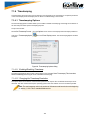
You can accept these values, or you can enter a unique file size. But if you try to close the dialog after
entering a value greater than the maximum or less than the
minimum, you will see th1s dialog.
l
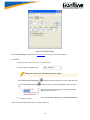
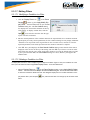
Default:
Enter a name for the capture file in the Default text box. Each
saved file will begin with this name. The name of each file is
the name you give it in the Name box followed by the date,
time and a number. The date and time are when the series was
opened. The number increments with each file. This guarantees unique file names are created.
l
Append Series Start/Date & File Number:
Select this radio button to automatically append a start date (yyyy-mm-dd_hhmmss) and file number (001)
when capturing a series of files.
l
Append File Start Date/Time:
Select this radio button to automatically append a start date (yyyy-mm-dd_hhmmss) when capturing a
single file.
l
Maximum number of files:
Set the maximum number of files in the series in the Maximum number of files box. The next file starts
when the currently open file is full.
l
Start new file after:
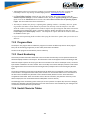
If you want to start a new file on a periodic basis, check the box for Start new file after and put in the number of hours after which a new file is started. Note that if the currently open file becomes full before the
time limit has been reached, a new file is opened immediately rather than lose data. Capturing stops if the
maximum number of files has been used unless Wrap Files has been checked. If Wrap Files has been
checked the analyzer erases the oldest file in the series and makes a new file.
l
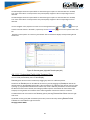
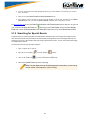
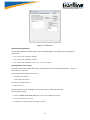
Start up
Opens the Program Start up Options window. Start up options let you choose whether to start data capture
immediately on opening the analyzer.
l
Advanced
Opens the Advanced System Options window. The Advanced Settings should only be changed on advice
of technical support.
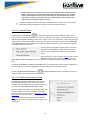
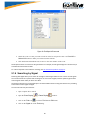
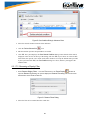
7.1.1.2 Single File
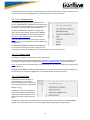
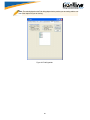
This option allows the analyzer to capture data to a file. Each time you capture the file you must provide a file
name. The size of each file cannot larger than the number given in File Size (in K). The name of each file is the
name you give it in the Name box followed by the date and time. The date and time are when the series was
opened.
101